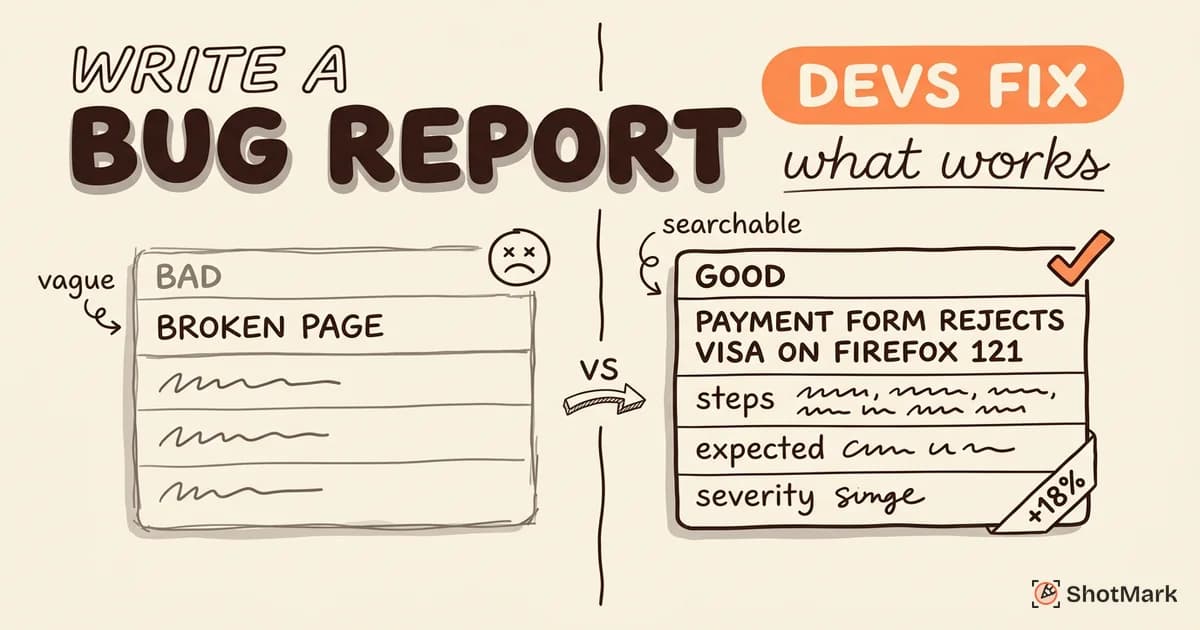
QA engineers spend 10 to 15 minutes filing a single bug report, and developers still follow up with questions 73% of the time. The missing piece is usually the same thing: a consistent, complete bug report template that everyone on the team uses.
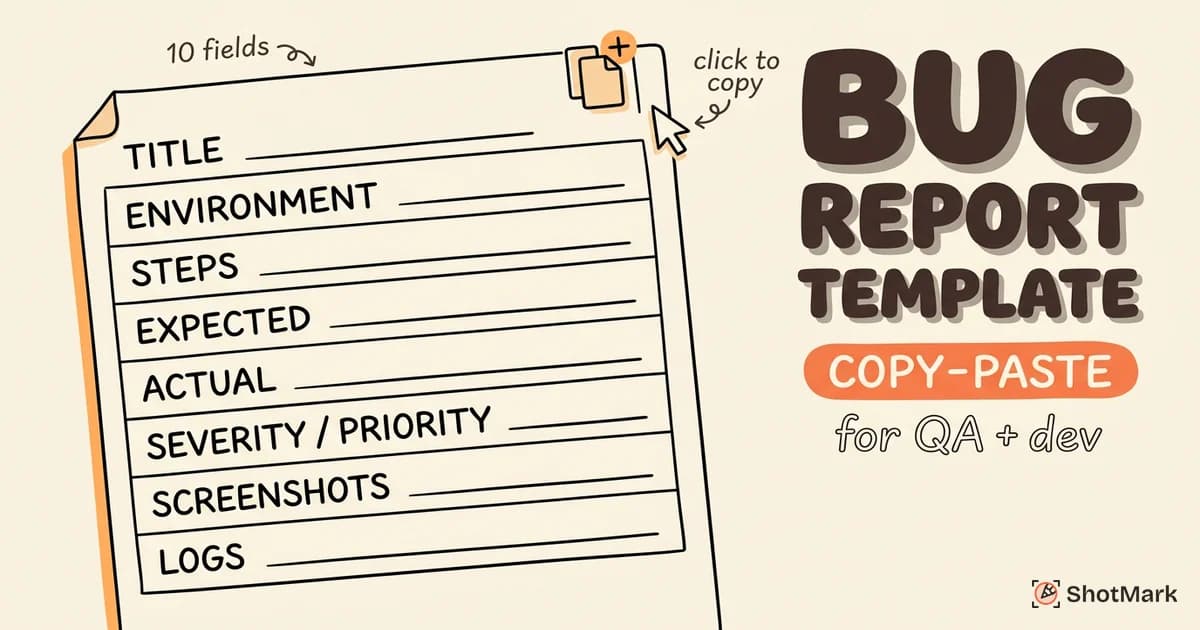
A structured bug report format removes guesswork for QA, gives developers the context they need, and cuts follow-up questions across your team. Here are free, copy-paste templates for Jira, Word, Google Docs, and Notion, with every field explained.
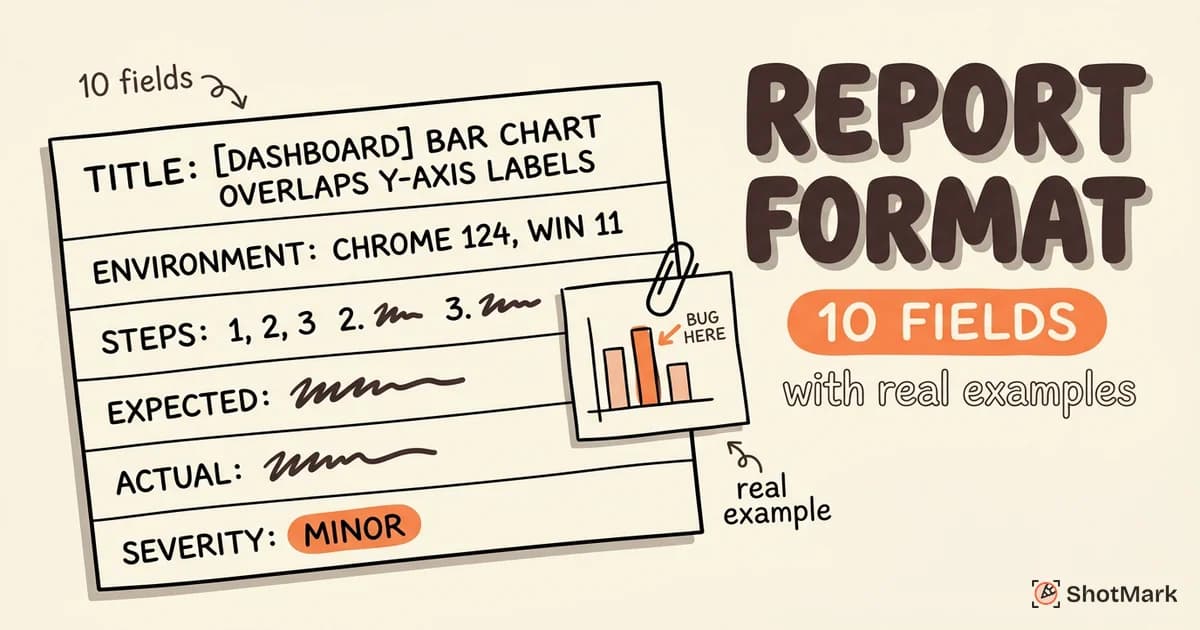
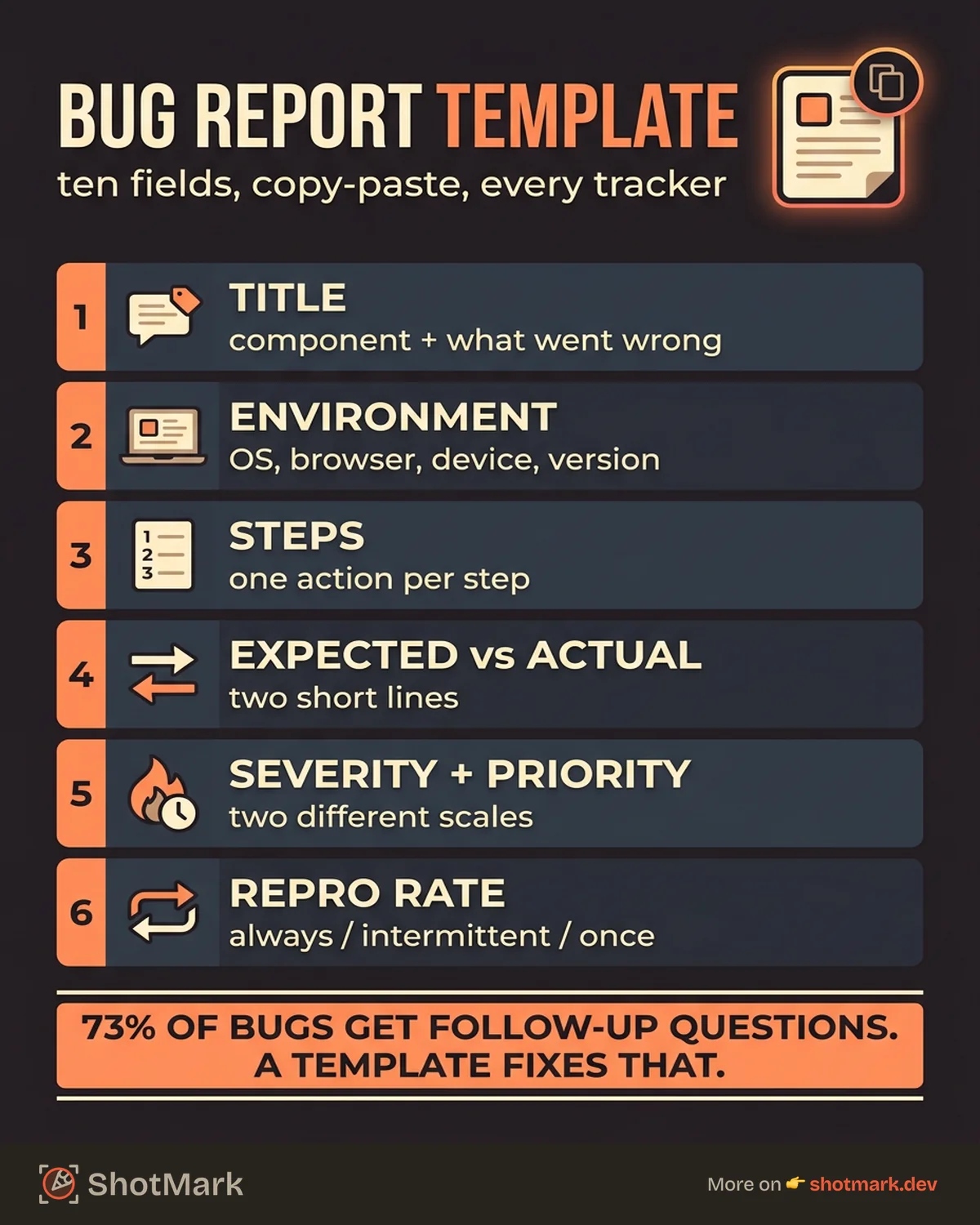
The 10 Fields Every Bug Report Template Needs
Every bug report template should capture enough context for a developer to start investigating without asking the reporter a single question. These 10 fields cover that baseline.
Title: A descriptive, searchable summary that includes the component name and what went wrong. Good example: “Checkout page throws 500 error when promo code is applied.” Bad example: “Checkout broken.”
Environment: The operating system, browser, device, and app version where the bug occurred. Without this field, developers guess, and reproduction attempts fail.
Steps to reproduce: Numbered, specific instructions starting from a known state. Each step should be one action. “Click the cart icon. Select ‘Apply Promo.’ Enter code SAVE20. Press Enter.”
Expected result vs. actual result: Two lines. What should happen, and what actually happened. This is the fastest way for a developer to confirm the bug.
Severity and priority: Severity measures impact (crash, data loss, cosmetic). Priority measures urgency (fix now, fix this sprint, fix when possible). These are different scales, and both belong in the template.
Screenshots or screen recordings: A single annotated screenshot communicates more than a paragraph of text. Screen recordings are better for multi-step bugs.
Console logs and network errors: Frontend bugs often leave traces in the browser console or network tab. Including these saves developers a reproduction cycle.
Assignee and reporter: Who found the bug, and who should investigate it. Clear ownership prevents tickets from sitting unclaimed.
Related tickets or dependencies: Links to similar bugs, blocked issues, or related features. This prevents duplicate work and connects context.
Reproduction rate: Does this happen every time, intermittently, or only once? Intermittent bugs need extra detail about timing and conditions.
Bug Report Template for Jira
Jira is the most common issue tracker for software teams, and it supports custom fields that make your Jira bug report template more powerful than a simple form.
Custom fields to add: Create custom fields for severity, environment, and reproduction rate. These show up in every bug issue and make filtering and reporting straightforward.
How to create a reusable issue template: Use Jira Issue Templates (free plugin) or create a saved filter with placeholder text. Your team clicks “Create from template” and gets a pre-filled bug form.
Here is a copy-paste Jira bug tracking template you can drop into the description field:
**Title:** [Component] - [Short description of the bug]

**Environment:**
- OS: [e.g., macOS 14.2]
- Browser: [e.g., Chrome 121]
- Device: [e.g., MacBook Pro 16"]
- App Version: [e.g., v2.4.1]

**Steps to Reproduce:**
1. Navigate to [starting URL or state]
2. [Action]
3. [Action]
4. Observe [the bug]

**Expected Result:**
[What should happen]

**Actual Result:**
[What actually happens]

**Severity:** [Critical / Major / Minor / Cosmetic]
**Priority:** [P1 / P2 / P3 / P4]
**Reproduction Rate:** [Always / Intermittent / Once]

**Screenshots/Recordings:**
[Attach files]

**Console Logs:**
[Paste relevant errors]

**Network Errors:**
[Paste failed requests with status codes]

**Related Tickets:** [PROJ-XXX]
Tips for Jira automation: Set up automation rules that auto-fill environment fields when a bug is created from a specific browser extension or testing tool. Auto-assign bugs based on the component label. Move bugs from “Triage” to “To Do” when all required fields are filled.
Bug Report Template for Word and Google Docs
Not every team lives in Jira. Stakeholder reviews, client-facing reports, and early-stage startups often use Word or Google Docs for bug tracking. These templates work when you need a document format.
When Word and Docs templates make sense: Client UAT reviews where external stakeholders need to comment on bugs. Internal audits that require a paper trail. Early-stage teams that have not picked an issue tracker yet.
Google Docs templates work well because multiple people can comment on the same bug report in real time, and the formatting stays consistent.
BUG REPORT

Title:          [Descriptive title]
Date:           [YYYY-MM-DD]
Reporter:       [Name]
Component:      [Module or page]

Environment:
  - OS:
  - Browser:
  - Device:
  - Version:

Steps to Reproduce:
  1.
  2.
  3.

Expected Result:
Actual Result:

Severity:       [Critical / High / Medium / Low]
Priority:       [P1 / P2 / P3]
Reproducible:   [Yes / No / Intermittent]

Screenshots:    [Insert images below]
Notes:          [Additional context]
For Word, use a table-based layout. Each field is a row with the label in the left column and the value in the right column. This keeps formatting clean when the document gets long.
Software Bug Report Template for Development Teams
Developers need more technical detail than a general template provides. This variant adds fields that matter for fixing code, not just filing the ticket.
Technical fields to add: Stack trace, API endpoint, request and response payloads, and error codes. These fields let a developer open the codebase and start debugging without reproducing the bug first.
Frontend vs. backend vs. mobile variants: Each bug type has different diagnostic data. Frontend bugs need browser console logs and DOM state. Backend bugs need server logs and request IDs. Mobile bugs need device logs and OS version.
Here is a developer-focused software bug report template:
## Bug Report (Technical)

### Summary
[Component] - [What fails]

### Environment
- Platform: [Web / iOS / Android]
- Browser/OS: [Chrome 121 / iOS 17.2]
- Build: [commit hash or version]
- URL/Route: [/dashboard/settings]

### Technical Details
- API Endpoint: [POST /api/v2/users]
- HTTP Status: [500]
- Error Code: [ERR_INTERNAL]

### Stack Trace
[Paste full stack trace]

### Request Payload
{ "example": "payload" }

### Response
{ "error": "response body" }

### Steps to Reproduce
1. [Step]
2. [Step]

### Console Output
[Paste browser console or server logs]
Learning how to write a bug report with the right level of detail takes practice. Start with this template and adjust fields based on what your developers ask for most often.
How to Roll Out a Bug Report Template Across Your Team
A template only works if people use it. Adoption is the hard part, and it requires more than sharing a link.
Get developer buy-in first: Show developers a before-and-after comparison. Take three real bug reports your team filed recently. Rewrite them using the template. Show how many follow-up questions each version would generate. The numbers speak for themselves.
Make the template the default, not the suggestion: Configure your issue tracker to use the template automatically when someone creates a bug. In Jira, this means setting up issue templates. In Linear, this means creating a bug template in project settings. Remove the option to file a blank bug.
Enforce without slowing down QA: Required fields should be the minimum viable set, not every field. Make title, environment, steps to reproduce, and expected vs. actual result mandatory. Everything else is optional. QA engineers who feel blocked by forms will skip the template entirely.
Iterate quarterly: Review the template every three months. Which fields never get filled? Which follow-up questions keep coming up? Remove unused fields and add missing ones. A template is a living document, not a one-time setup.
What Comes Next
A shared bug report template is the first step toward faster bug resolution. The next step is reducing the time it takes to fill that template. ShotMark auto-captures environment data, console logs, screenshots, and network requests, so QA teams spend less time copying fields and more time testing. Compare bug reporting tools to find the right fit for your workflow.
Get new posts in your inbox.
One email when we publish: notes on QA, AI, and shipping faster. No spam, unsubscribe anytime.