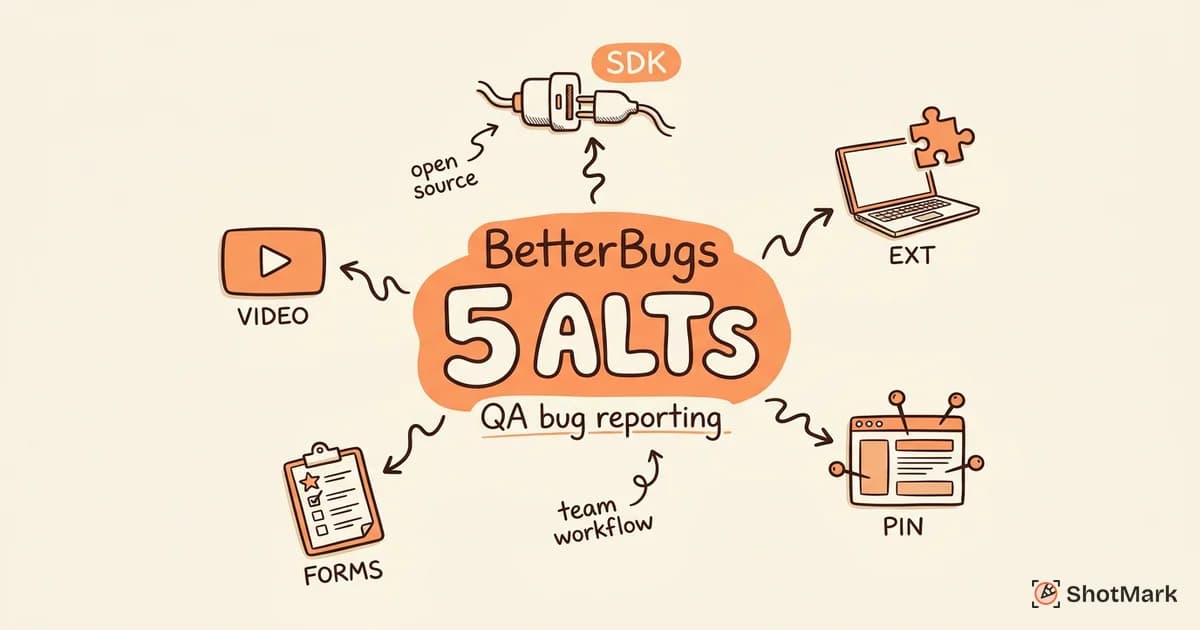
BetterBugs has positioned itself well for QA teams that want precise, one-click bug reports. The Chrome extension captures screenshots, annotations, and technical metadata, and the QA-focused branding resonates with testing teams. BetterBugs is growing fast too, adding 1,503 new ranking keywords in the past year.
But BetterBugs is not the right fit for every QA workflow. Teams that need an open-source SDK, deeper collaboration features, or different integration options will find gaps. We tested five alternatives on capture depth, QA workflow support, and how well they serve the people filing reports and the developers fixing them.
What BetterBugs Does Well
The one-click capture workflow is genuinely efficient. QA engineers can file a report with screenshot, annotations, and environment data in under 30 seconds. The integration with Jira and other issue trackers means reports land where developers already work, without manual copy-pasting.
BetterBugs also gets credit for its QA-specific positioning. Rather than trying to serve developers, designers, and product managers with the same tool, it focuses on QA engineers and testing workflows. The feature set reflects that focus: precise annotations, structured report fields, and integration with common QA toolchains.
The growth numbers are real. With 3,201 ranking keywords and an estimated $28,965 in monthly organic traffic value, BetterBugs is building visibility quickly. The free developer tools (credit card generator, text utilities) drive significant traffic to the product, though the relevance of those tools to bug reporting is debatable.
BetterBugs also benefits from clear market positioning. While competitors try to serve everyone from developers to designers to product managers, BetterBugs focuses on QA engineers and the specific workflows they use daily. That focus shows in the product: the annotation tools are precise, the report templates are structured for testing context, and the integration points target the tools QA teams actually use.
Where BetterBugs Has Gaps
There is no open-source SDK. Teams that want to embed bug capture into their own application, build custom workflows on top of the capture layer, or self-host for compliance reasons are out of luck. BetterBugs is extension-only, which limits where bug reports can originate.
The collaboration features are narrow. BetterBugs optimizes for a QA-to-developer handoff: one person files the report, another person receives it. But QA workflows often involve triage, assignment, re-testing, and verification. Teams that need comments, status tracking, and multi-step workflows will find BetterBugs too linear.
The traffic strategy relies on unrelated free tools. The credit card generator page ranks for over 1,000 keywords and drives significant traffic, but that traffic has little intent to buy a bug reporting tool. It is a volume play, not a relevance play.
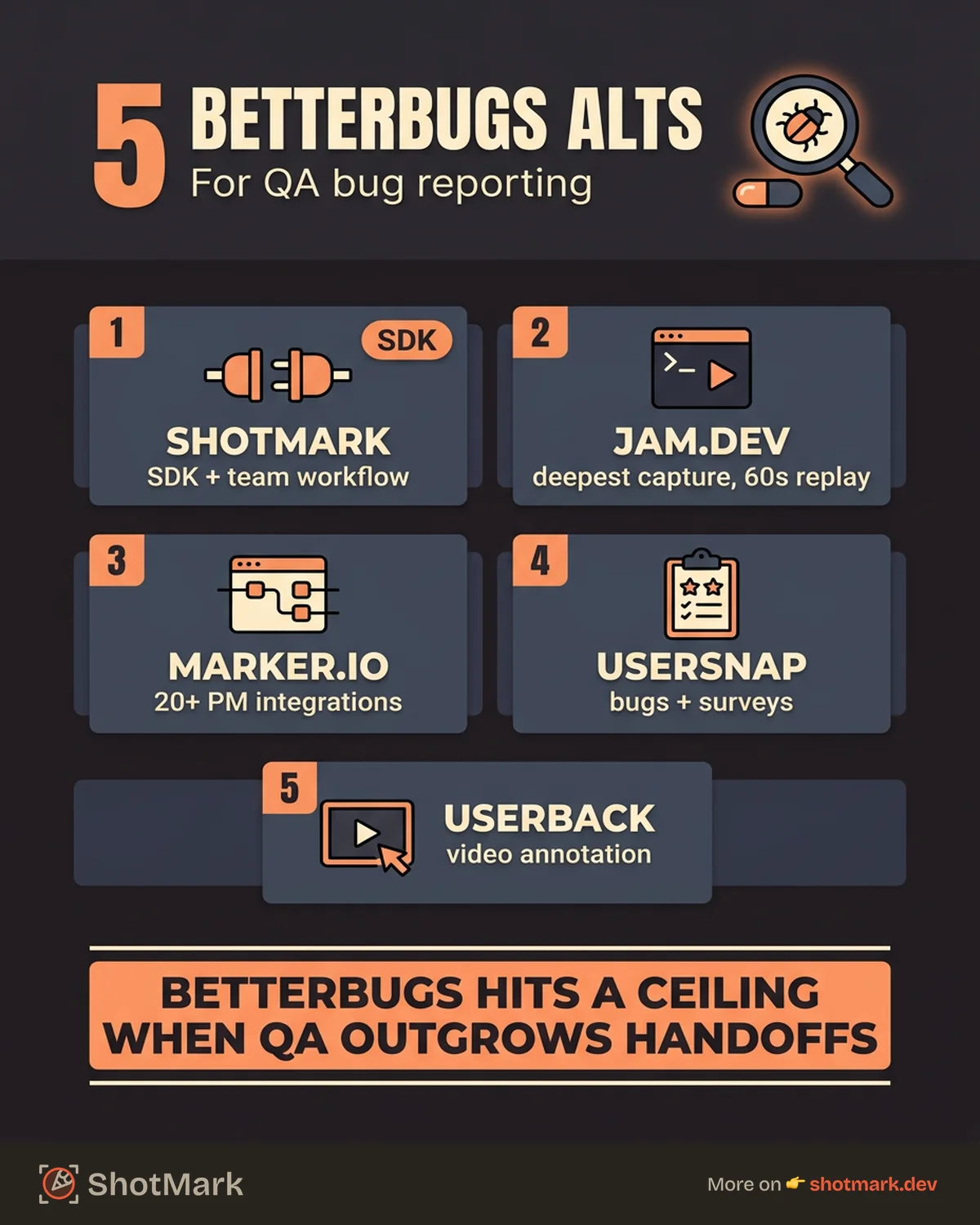
5 BetterBugs Alternatives
ShotMark
ShotMark captures screenshots, annotations, console logs, network requests, and device metadata in one click, similar to BetterBugs, but adds collaboration workflows and an open-source SDK. QA engineers file reports with full technical context, team leads triage and assign them, and developers receive structured reports with everything needed to reproduce the bug.
The SDK is the key differentiator. Instead of limiting capture to a Chrome extension, ShotMark provides an SDK that embeds capture directly into your application. QA engineers testing a staging environment, product managers reviewing a feature, and external stakeholders doing acceptance testing can all file reports without installing anything. That breadth of capture sources is something BetterBugs does not offer.
The collaboration layer also matters for QA teams that have outgrown a simple file-and-forget workflow. When a QA engineer files a bug, the team lead can triage it, assign it to the right developer, and track it through verification. The original reporter gets notified when the fix is ready for re-testing. That loop is what most QA teams actually need, and it is missing from tools that optimize only for the initial capture step.
ShotMark is in early access, which means fewer integrations and a smaller community than BetterBugs today. For teams that need open-source flexibility and collaboration workflows more than immediate maturity, the trade-off may be worth it.
Jam.dev
Jam.dev is the most developer-focused tool in this comparison. The capture depth is the highest: screenshots, console logs, network requests, DOM state, and a 60-second session replay. When a developer receives a Jam report, the reproduction context is strong enough that follow-up questions are rare.
Where Jam.dev differs from BetterBugs is audience. BetterBugs is built for QA engineers. Jam.dev is built for developers filing bugs for other developers. The QA-specific features (structured fields, re-testing workflows) are absent in Jam.dev, replaced by deeper technical capture. QA teams that want structured testing workflows alongside capture will find Jam.dev too unstructured. Our Jam.dev alternatives guide covers tools that bridge that gap.
Jam.dev is free for individual use, with team plans at $20 per seat. For QA engineers embedded in developer teams who want maximum technical context and do not mind the lack of QA-specific features, Jam.dev delivers. The 60-second session replay alone can replace pages of reproduction steps.
Marker.io
Marker.io serves agencies and teams collecting feedback from non-technical stakeholders. The 20+ integrations cover Jira, Asana, Trello, ClickUp, and most project management tools. Reports include screenshots and metadata, routed directly into the team’s workflow.
The capture depth is lower than BetterBugs. No console logs, no network requests, no session replay. Reports are visual and contextual but technically shallow. Developers receiving Marker.io reports need to reproduce bugs independently to gather the technical details.
Pricing starts at $39 per month. For QA teams working with agencies or collecting reports from clients who are not technical, Marker.io’s visual bug reporting workflow has advantages. For QA engineers who need technical depth, it is a step backward from BetterBugs.
Usersnap
Usersnap combines bug reporting with feedback surveys and feature request collection. It has the largest footprint in this space with 3,809 ranking keywords and 145 position-one rankings. The product is mature, the documentation is extensive, and the community resources are plentiful.
For QA teams that need bug reporting as part of a broader feedback collection workflow, Usersnap is a strong Usersnap alternative consideration. The feedback widget can collect reports from end users, and the survey features add context that pure bug reporting tools miss.
The technical capture is medium. Screenshots and metadata are solid, but console and network capture are not core features. Pricing starts at $49 per month, which is higher than BetterBugs for less technical depth.
Userback
Userback focuses on visual feedback with annotation tools, video recording, and a feedback widget that can be embedded in any website. It ranks for both “bug reporting tool” and “website feedback tool,” reflecting its dual positioning.
The annotation tools are more capable than BetterBugs: drawing, blurring, and video recording are all included. The feedback widget supports screen recording, which helps users show exactly what went wrong instead of describing it. Integration options cover Jira, Slack, GitHub, and others.
Userback’s weakness is technical context. Like Marker.io, it captures screenshots and metadata but skips console logs, network requests, and session data. QA engineers who rely on technical context for precise reports will find it limiting.
Comparison Table
| Tool | Capture Depth | QA Workflow | Collaboration | SDK | Starting Price |
|---|---|---|---|---|---|
| BetterBugs | Medium | Strong | Basic | No | Free, $15/seat |
| ShotMark | High | Good | Strong | Yes | Free (waitlist) |
| Jam.dev | High | Basic | Basic | No | Free, $20/seat |
| Marker.io | Low | Basic | Good | No | $39/mo |
| Usersnap | Medium | Good | Good | Widget | $49/mo |
| Userback | Low | Basic | Good | Widget | Custom |
When BetterBugs Is the Right Choice
BetterBugs is the right pick for QA teams that want a focused, affordable bug reporting tool with decent capture depth and strong Jira integration. If your workflow is QA engineers filing reports for developers who work in Jira, and you do not need SDK access, open-source flexibility, or multi-stakeholder collaboration, BetterBugs handles that job without overcomplicating things.
The free tier is generous enough for small teams to get started, and the paid plan at $15 per seat is competitive. QA teams that want to move fast without evaluating a dozen tools can start with BetterBugs and be productive on day one.
The gap appears when QA workflows grow beyond simple report-to-developer handoffs. Teams that need triage, verification cycles, stakeholder feedback, or capture from sources other than a browser extension will eventually hit BetterBugs’ ceiling. The best bug reporting tools for growing teams offer SDK access, collaboration workflows, and open-source flexibility. The alternatives above cover those cases, and the right one depends on which specific gap matters most to your team.
Get new posts in your inbox.
One email when we publish: notes on QA, AI, and shipping faster. No spam, unsubscribe anytime.