Knowing how to write a bug report that developers actually fix is a skill most QA engineers learn through trial and error. We asked 15 developers what makes them pick up a bug ticket immediately vs. push it to the backlog, and the answers were consistent.
The difference between a bug that gets fixed this sprint and one that lingers for months almost never comes down to severity. It comes down to how the report is written.
What Developers Look at First in a Bug Report
Before we cover the writing process, you need to understand what developers actually look at when a new bug lands in their queue. Understanding what is a bug report from the developer’s perspective changes how you write them.
Title
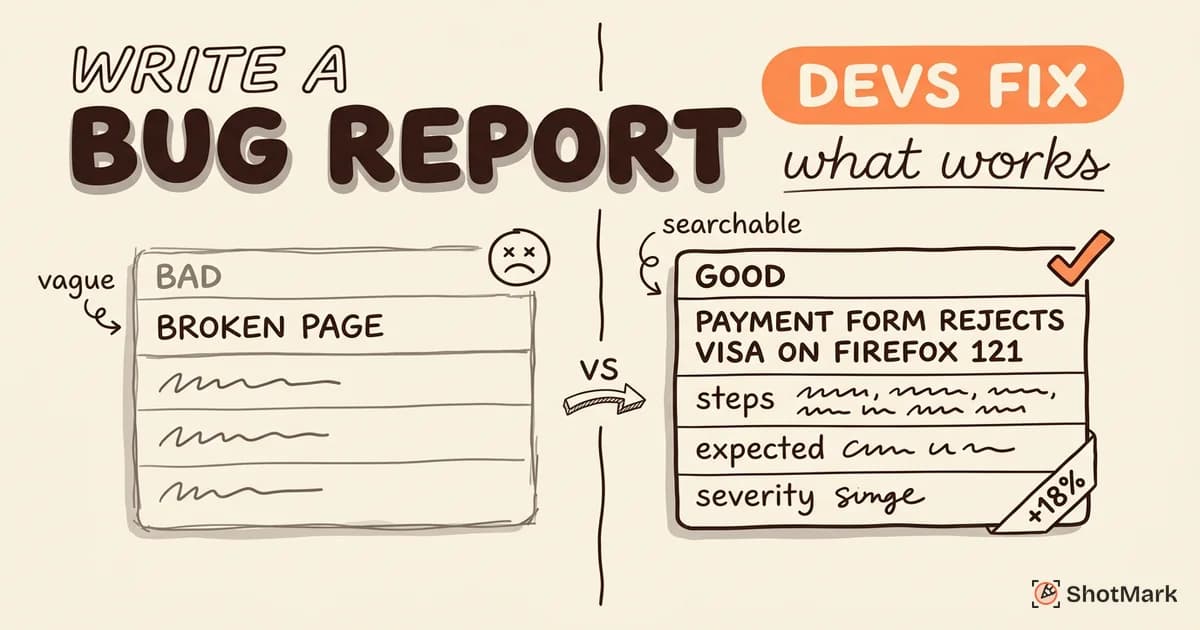
Developers scan titles in their backlog dozens of times per day. Vague titles like “Broken page” or “Error on click” get skipped because they don’t convey enough information to assess priority.
A good title includes the component, the action, and the result: “Checkout form fails to validate email on Safari 17.” That title alone tells a developer the scope, the browser, and the failure point.
Reproduction Steps
This is the single most important section of any bug report. If a developer can’t reproduce the bug, they can’t fix it. Period.
Every developer we talked to ranked reproduction steps as the first thing they read after the title. Incomplete or vague steps (“click around the settings page”) are the top reason bugs get sent back.
Screenshots and Visual Evidence
Seeing the bug saves 5 minutes of reading. A screenshot showing the exact error state, annotated with arrows or highlights, gives developers immediate context.
Screen recordings are even better for interaction bugs, animation glitches, or race conditions where timing matters.
Severity Context
Developers want to know how the bug affects users, not just how it looks. “This blocks all new user registrations” gets attention. “There’s a visual glitch in the footer” does not.
Frame severity in terms of user impact and business impact, not just technical classification.
A helpful pattern: “This affects [user segment] when they [action], resulting in [consequence].” For example: “This affects all free-tier users when they attempt to upgrade, resulting in a blocked conversion flow.”
Environment Data
Browser, operating system, viewport size, API version, and account type. Missing environment data is the second most common reason developers ask follow-up questions.
One developer we spoke to put it bluntly: “If the bug report doesn’t tell me the browser, I have to test in all of them. That turns a 15-minute fix into a 2-hour investigation.”
How to Write a Bug Report: Step-by-Step
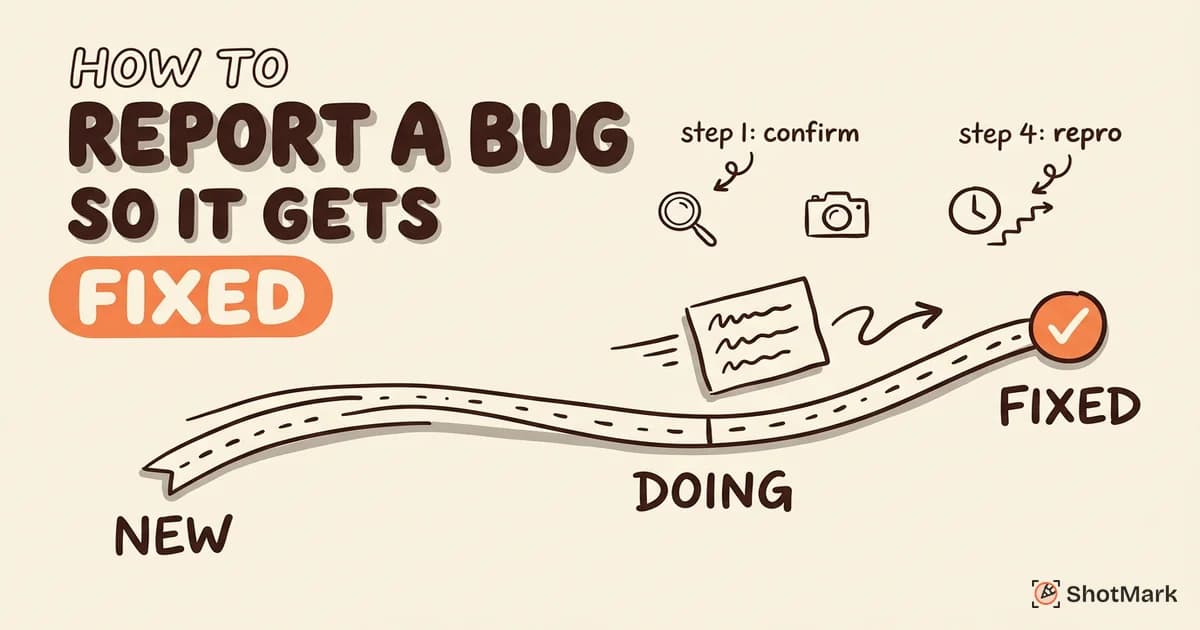
Here’s the process we recommend for writing a bug report that moves from “New” to “Fixed” without unnecessary back-and-forth. This bug report format works in any tool, whether you’re using Jira, Linear, GitHub Issues, or a bug report template in a shared document.
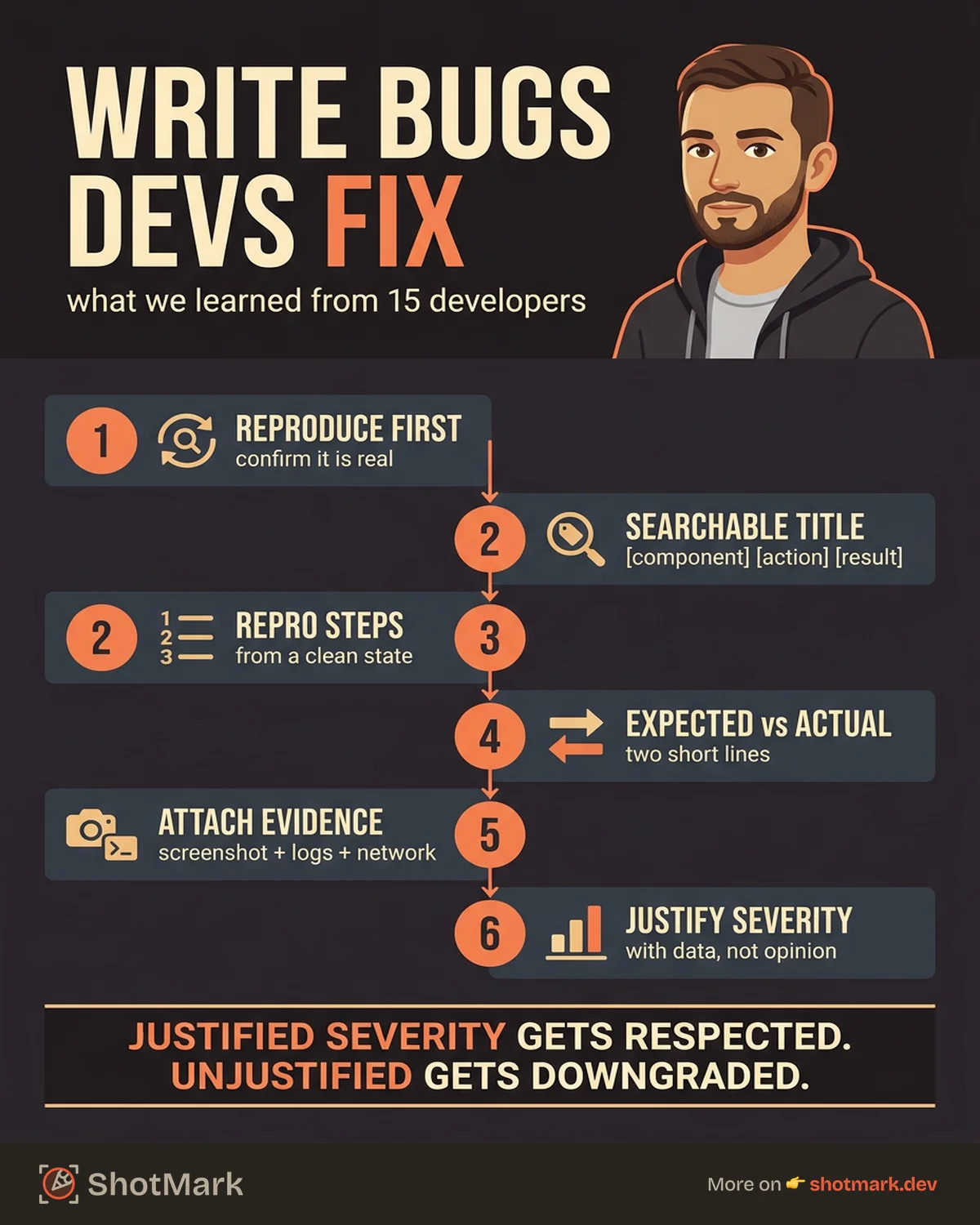
Step 1: Reproduce the Bug Yourself
Before writing anything, confirm the bug is real. Refresh the page, try a different browser, clear your cache. If you can’t reproduce it, note that explicitly.
One-time occurrences are still worth reporting, but developers prioritize bugs they can consistently trigger. If you can reproduce it 3 out of 5 times, that’s valuable data. If you can only trigger it once, say so explicitly and include as much context as possible about the exact conditions.
Step 2: Write a Specific, Searchable Title
Format: [Component] [Action] [Result] on [Environment]
Examples:
- “Payment form rejects valid Visa cards on Firefox 121”
- “Dashboard graphs fail to load when date range exceeds 90 days”
- “User profile image upload returns 413 on files over 2MB”
A searchable title prevents duplicates and makes your bug findable in the backlog months later. Think about what a developer would search for when encountering this bug independently. Use those words in your title.
Step 3: Document Exact Reproduction Steps From a Clean State
Start from a known state. “Log out, clear cookies, then…” removes variables.
Number each step. One action per step. Include URLs, test data, and specific click targets.
1. Navigate to https://app.example.com/login
2. Log in with test account (user@test.com / TestPass123)
3. Click "Settings" in the left sidebar
4. Click "Billing" tab
5. Click "Update payment method"
6. Enter card number: 4242 4242 4242 4242
7. Enter expiry: 12/27, CVC: 123
8. Click "Save"
9. Observe: error toast "Payment method invalid" appears
That’s nine steps, but each one is unambiguous. A developer can follow this without guessing.
Step 4: State Expected vs. Actual Behavior
Two short statements:
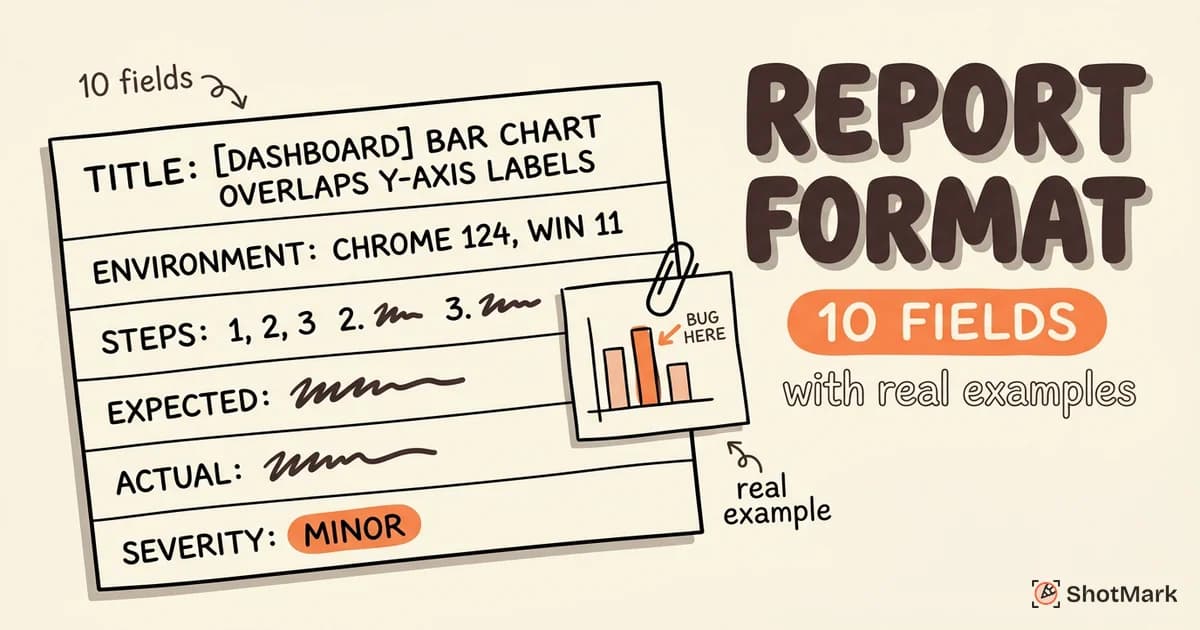
Expected: Payment method is saved and confirmation message appears.
Actual: Error toast displays “Payment method invalid” despite valid card data. No network request is sent to the payment API.
This framing eliminates interpretation. The developer knows exactly what gap to investigate.
Step 5: Attach Evidence
Attach screenshots, screen recordings, console logs, and network request captures. The BrowserStack bug report guide recommends including at least one visual artifact per report.
For console logs, copy the full error message and stack trace. For network errors, include the request URL, method, status code, and response body.
Step 6: Set Severity and Priority With Justification
Don’t just select “High” from a dropdown. Explain why.
“Severity: Major. This blocks all new payment method additions for users on Firefox, affecting approximately 18% of our user base based on analytics.”
Justified severity gets respected. Unjustified severity gets downgraded.
If you’re unsure about severity, err toward factual. “18% of our users are on Firefox” is a fact. “This is critical” is an opinion. Let the data make the case.
Step 7: Check for Duplicates Before Submitting
Search your issue tracker for the component name, error message, or similar symptoms. Duplicates waste developer time and dilute the signal in your backlog.
If you find a similar but not identical issue, reference it in your report: “Related to PROJ-1234 but affects a different browser.”
Duplicate reports aren’t wasted effort. They’re additional data points. But filing a clean, linked report is more useful to the team than an exact copy cluttering the backlog.
Bug Report Writing Tips From Real Developers
We collected these tips from developers across startups and enterprise teams. These reflect bug report best practices that come from the receiving end of the process.
”Tell me the endpoint and the response code, not just ‘API error’”
Generic error descriptions force developers to open their own browser, navigate to the page, and try to trigger the same error. That’s duplicate work.
Copy the failing request from the Network tab. Include the URL, HTTP method, status code, and the response body. This alone can cut investigation time from 30 minutes to 5.
”Include the console error, not just a red box screenshot”
A screenshot showing a red error boundary helps, but the actual JavaScript error and stack trace from the console are what developers need to locate the failing code.
Open DevTools, go to the Console tab, and copy the error message. Even better, use a tool that captures console logs automatically.
”One bug per report, always”
Combining multiple bugs into a single ticket creates tracking nightmares. If one bug gets fixed but the other doesn’t, the ticket can’t be cleanly closed.
File separate reports. Link them if they’re related. This applies even when the bugs share a root cause. Two separate tickets can be resolved together, but a merged ticket can’t be partially closed.
”If it’s intermittent, tell me how often and what you’ve tried”
“This happens sometimes” is the most frustrating sentence a developer can read. Instead: “This occurred 3 out of 10 attempts. I tested on Chrome 120 and Firefox 121. It only happened on Chrome.”
That pattern gives developers a starting point. The Google Testing Blog has published research showing that intermittent bug reports with frequency data get resolved 40% faster than those without.
”Don’t tell me the fix, tell me the problem”
QA engineers sometimes write reports that suggest the fix: “The CSS margin should be 16px instead of 12px.” While well-intentioned, this narrows the developer’s thinking. The actual issue might be a different CSS rule overriding the intended style, and the fix isn’t changing the margin but fixing the specificity conflict.
Describe the symptom precisely. Let the developer diagnose the root cause. If you have a hypothesis about the fix, add it as a note at the bottom of the report, not in the description.
”Give me the full console output, not just the first error”
Developers told us that QA engineers often copy only the first error from the console. But browser consoles frequently show cascading errors where the first one triggers several others. Copying the full console output (or better, exporting it as a log file) gives developers the complete picture.
If the console has hundreds of lines, filter to errors and warnings before copying. Most browser DevTools have a filter option for this.
Before and After: Rewriting Bad Bug Reports
Templates and tips are helpful, but seeing the transformation makes the principles concrete. Here are two real (anonymized) bug report examples, rewritten using the process above. For more examples with detailed annotations, see our bug report format with examples guide.
Example 1: “Login broken”
Before:
Title: Login broken Description: Users can’t log in. Please fix ASAP.
After:
Title: Login form returns 500 error for SSO users on Chrome 120 Environment: macOS 14.2, Chrome 120.0.6099, SSO via Okta Steps: 1) Navigate to /login 2) Click “Sign in with SSO” 3) Complete Okta authentication 4) Redirect back to app shows 500 error page Expected: User is authenticated and redirected to dashboard Actual: 500 error page. Console shows “TypeError: Cannot read properties of undefined (reading ‘email’)” at auth-callback.js:42 Severity: Critical. All SSO users (approximately 60% of active users) cannot log in. Reproduction rate: 10/10 attempts
What changed: The rewritten report has a searchable title, specific environment data, numbered reproduction steps, the actual error message with file location, and quantified impact. A developer can start debugging immediately, as explained by Sauce Labs on effective reports .
Example 2: “Page slow”
Before:
Title: Page slow Description: The dashboard takes too long to load. Users are complaining.
After:
Title: Dashboard initial load takes 12s when user has 500+ projects Environment: macOS 14.2, Chrome 120, user account with 547 projects Steps: 1) Log in with account id: test-heavy-user 2) Wait for dashboard to fully render 3) Measure load time via Performance tab Expected: Dashboard loads within 3 seconds (per SLA) Actual: DOMContentLoaded at 4.2s, full render at 12.1s. Network tab shows /api/projects response takes 8.3s and returns all 547 projects in a single payload (2.4MB uncompressed). Severity: Major. Affects all users with 200+ projects (approximately 15% of paid accounts). Suggested investigation: Pagination or lazy loading for the projects API endpoint.
What changed: Specific measurements replaced vague complaints. The developer now knows the exact bottleneck (the API endpoint), the payload size, and which user segment is affected. The suggested investigation gives the developer a starting direction without prescribing the solution.
Both examples follow the same pattern: replace subjective language with measurable facts. “Broken” becomes a status code. “Slow” becomes a load time in seconds. “Users are complaining” becomes a percentage of affected accounts. This is the core skill behind knowing how to write a bug report that gets prioritized.
What Comes Next
Writing great bug reports is a skill that compounds. Every clear, well-structured report you file trains your team to expect the same standard. Over time, report quality goes up and resolution time goes down.
The manual part of writing a bug report (capturing screenshots, copying console logs, noting environment data, recording network requests) is also the most time-consuming. ShotMark captures all of that context in one click, so you can focus on writing clear reproduction steps and impact statements instead of gathering evidence. That’s how you write a bug report developers actually fix, by giving them everything they need without making them ask.
Get new posts in your inbox.
One email when we publish: notes on QA, AI, and shipping faster. No spam, unsubscribe anytime.