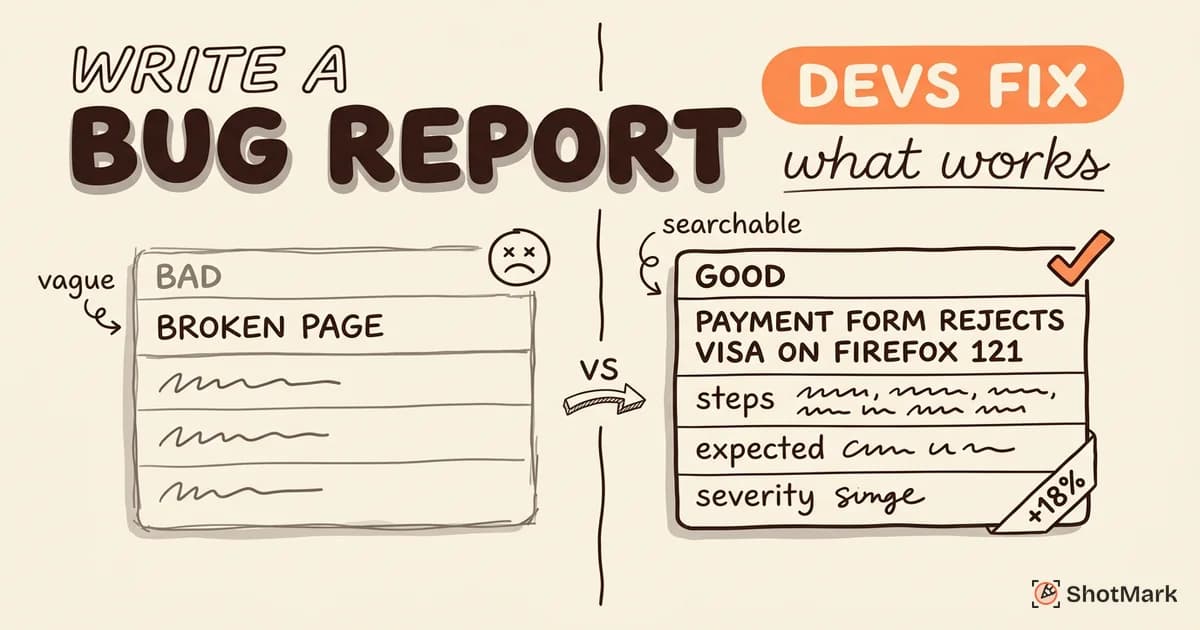
The bug report format your team uses determines whether developers fix issues in hours or spend days asking for more context. A good format is the difference between a 15-minute fix and a 3-day investigation.
We’ve reviewed hundreds of bug reports across engineering teams of all sizes. Below are the fields that matter, with 5 real examples showing exactly what good (and bad) bug reports look like. If you’re new to the concept, our guide on what is a bug report covers the basics.
The Standard Bug Report Format
What is the correct format for a bug report? There’s no single universal standard, but the most effective formats share the same core fields. The BrowserStack bug report guide is a solid reference for the baseline, and we expand on it here.
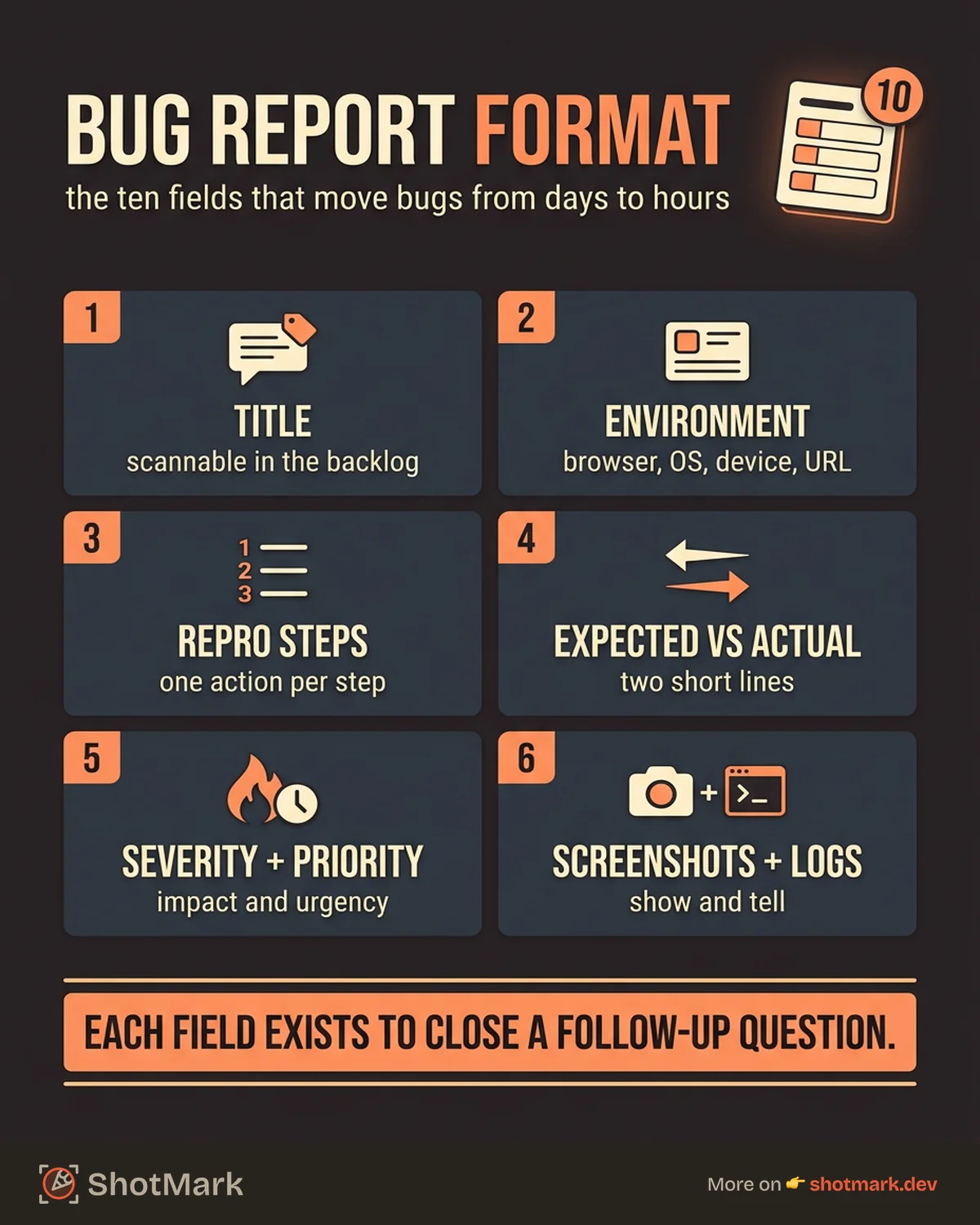
The 10 Essential Fields
| Field | Purpose | What Happens Without It |
|---|---|---|
| Title | Identifies the bug at a glance | Developers can’t triage from the backlog |
| Environment | Browser, OS, device, URL | ”Works on my machine” conversations |
| Steps to Reproduce | Numbered actions to trigger the bug | Developer can’t confirm the defect |
| Expected Result | What should happen | Ambiguity about correct behavior |
| Actual Result | What actually happened | No clear failure description |
| Severity | Technical impact level | Misallocated engineering time |
| Priority | Business urgency | Wrong bugs get fixed first |
| Screenshots/Recordings | Visual evidence | Back-and-forth over what the bug looks like |
| Logs | Console errors, network data | Developers start from zero |
| Assignee/Labels | Routing and categorization | Bugs sit unassigned in limbo |
Each field exists because removing it creates a specific communication gap. How many fields should a bug report have? At minimum, five: title, steps to reproduce, expected result, actual result, and environment. For teams shipping production software, all 10 are worth the extra 2 minutes.
Minimal vs. Full Format
Minimal format (5 fields) works for small teams where the reporter and developer sit in the same room (or Slack channel). Title, steps, expected, actual, environment.
Full format (10+ fields) is necessary for teams with dedicated QA, cross-functional stakeholders, or external clients filing bugs. The extra fields (severity, priority, labels, logs, attachments) reduce back-and-forth at scale.
You can grab a ready-made structure from our bug report template to standardize across your team.
5 Bug Report Examples Annotated
What does a good bug report look like? Here are 5 real-world examples, each targeting a different bug type. We’ve annotated what makes each one effective.
Example 1: UI Rendering Bug
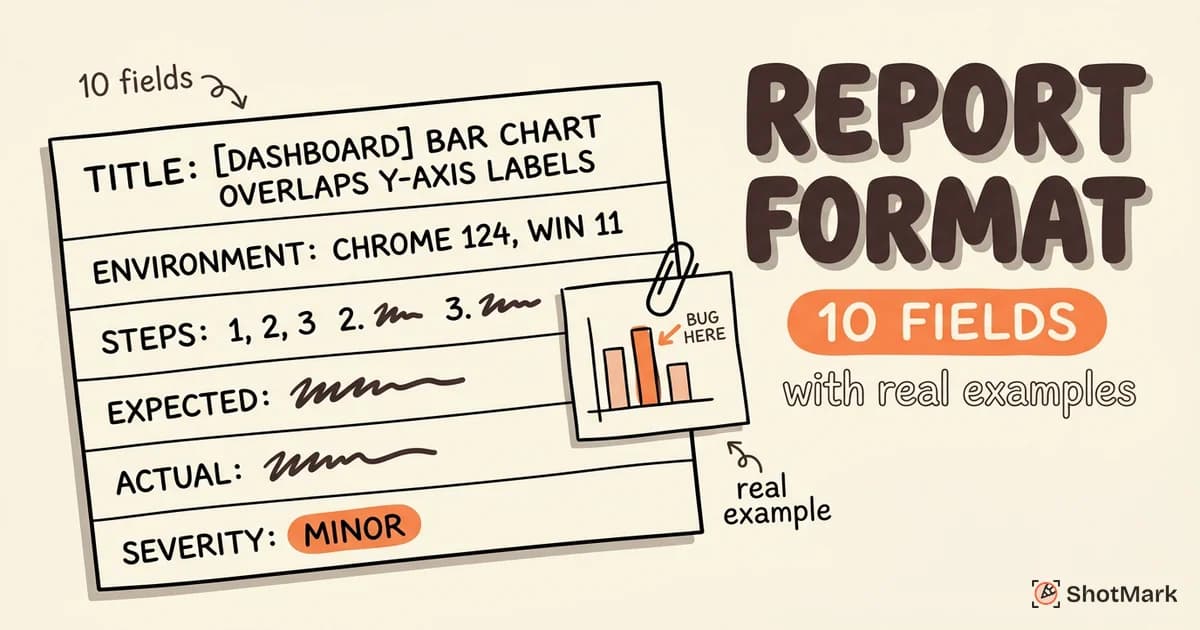
Title: [Dashboard] Bar chart overlaps Y-axis labels on screens under 1280px wide
Environment: Chrome 124, Windows 11, 1024x768 viewport
Steps to Reproduce:
- Log in and navigate to /dashboard.
- Resize the browser window to 1024x768.
- Observe the “Revenue by Month” bar chart.
Expected: Chart bars render within the chart area with labels fully visible.
Actual: Bar chart overlaps the Y-axis labels. The first two labels (“$0” and “$10K”) are hidden behind bars.
Severity: Minor Attachments: Annotated screenshot showing overlap area.
What works: The title identifies the module, the specific component, and the trigger condition (screen width). The environment includes viewport dimensions, which is critical for responsive bugs. The screenshot has annotations pointing to the exact problem area.
Example 2: API Error With Network Data
Title: [Checkout] POST /api/orders returns 500 when cart contains a discounted item
Environment: Production, Chrome 124, macOS Sonoma 14.4
Steps to Reproduce:
- Add item SKU-1234 to cart.
- Apply discount code “SPRING20.”
- Click “Place Order.”
- Observe network response.
Expected: 201 Created, order confirmation returned.
Actual: 500 Internal Server Error. Response body: {"error": "Cannot read property 'discount_amount' of null"}.
Severity: Critical Attachments: HAR file export, console error screenshot, full request/response headers.
What works: The title specifies the endpoint and trigger condition. The actual result includes the error message from the response body, giving the developer a direct pointer to the code path. The HAR file lets them replay the exact request. According to Sauce Labs on effective bug reports , including network-level detail like this cuts debugging time significantly.
Example 3: Performance Regression
Title: [Search] Search results page takes 4.2s to load (was 1.1s in v3.8)
Environment: Staging (v3.9-rc1), Chrome 124, macOS, Gigabit connection
Steps to Reproduce:
- Navigate to /search.
- Search for “quarterly report.”
- Measure time to interactive using Chrome DevTools Performance tab.
Expected: Results load in under 1.5s (baseline from v3.8).
Actual: 4.2s time to interactive. Largest Contentful Paint at 3.8s. Network tab shows 47 API calls (v3.8 made 12).
Severity: Major Attachments: Performance trace export, comparison screenshots (v3.8 vs v3.9-rc1).
What works: Quantified performance data with a clear baseline comparison. The bug report doesn’t just say “it’s slow.” It gives exact numbers and identifies the likely cause (47 API calls vs. 12). This is a bug report example that a performance engineer can act on immediately.
Example 4: Intermittent Bug
Title: [Auth] Login fails intermittently with “session expired” error on first attempt
Environment: Production, Safari 17.4, iOS 17.4, iPhone 15 Pro
Reproduction Rate: 3 out of 10 attempts.
Steps to Reproduce:
- Open the app in Safari (clear cookies first).
- Enter valid credentials.
- Tap “Log In.”
- Observe error: “Your session has expired. Please try again.”
- Tap “Log In” again with same credentials.
- Login succeeds on second attempt.
Expected: Login succeeds on first attempt.
Actual: “Session expired” error on first attempt approximately 30% of the time. Second attempt always succeeds.
Severity: Major Attachments: Screen recording showing the failure, network request/response for both attempts.
What works: The reproduction rate (3 out of 10) tells the developer this isn’t a one-off fluke, and sets expectations for how long debugging might take. The fact that the second attempt always works narrows the investigation to session initialization or token timing.
Example 5: Bad Report Rewritten
Before (bad):
Title: “Login broken” Description: “Can’t log in. Shows some error.” Steps: (empty) Environment: (empty)
After (good):
Title: [Auth] Login returns 403 for users with special characters in email
Environment: Production, Chrome 124, Windows 11
Steps to Reproduce:
- Navigate to /login.
- Enter email: test+qa@example.com.
- Enter valid password.
- Click “Log In.”
Expected: Successful login, redirect to /dashboard. Actual: 403 Forbidden. Error message: “Invalid credentials.” (Credentials are valid, confirmed via password reset.)
Severity: Critical (blocks all users with ”+” in their email)
What works in the rewrite: The title specifies the module and the exact condition. The steps are reproducible by anyone. The reporter even confirmed the credentials are valid, pre-empting the obvious developer question.
How Bug Report Format Changes by Context
A single software bug report template can cover most cases, but different bug types benefit from different emphasis areas. The ISTQB testing standards provide a framework for adapting templates to context.
Frontend Bugs
Emphasize browser, viewport/screen size, visual evidence, and CSS/layout-specific details. Screenshots with annotations are more valuable than text descriptions for visual bugs. Include the URL and any relevant query parameters.
Backend/API Bugs
Emphasize the endpoint, HTTP method, request payload, response status, and response body. Include headers if authentication is involved. HAR files or cURL commands let developers replay the exact request.
Mobile Bugs
Emphasize device model, OS version, app version, connectivity type (Wi-Fi vs. cellular), and orientation (portrait vs. landscape). Mobile bugs often depend on hardware-specific behavior that doesn’t reproduce on desktop.
Adapting Your Template
Start with a universal bug report format that includes all 10 fields. Then create context-specific variations that pre-populate or highlight the fields most relevant to each bug type. This keeps the process consistent without forcing QA engineers to fill in irrelevant fields.
Common Format Mistakes That Slow Down Fixes
Even teams with a template make these mistakes. Read our full guide on how to write a bug report for deeper coverage.
Vague titles: “Button broken” vs. “Submit button returns 500 on checkout page.” The first creates a triage bottleneck. The second is actionable from the backlog view.
Missing reproduction steps: “It just happened” is not a reproduction step. Even if the bug seems obvious, write the steps. Future developers (and your future self) will thank you.
Screenshots without annotations: A screenshot of an entire page with no indication of where the bug is creates more confusion than no screenshot at all. Circle the problem. Add an arrow. Write a short callout.
Conflating severity with priority: A cosmetic bug on the landing page can be low severity (minor visual issue) but high priority (affects conversion). These are separate dimensions. Mixing them up leads to misallocated engineering time.
What Comes Next
A consistent bug report format gets bugs fixed faster, reduces developer frustration, and makes QA work more visible. The format itself is not complicated. The hard part is sticking to it when you’re filing your 15th bug of the day.
ShotMark auto-captures environment data, console logs, network requests, and screenshots in one click, so your reports follow the right format every time without the manual effort. Check out our bug reporting tools comparison to see how different tools handle automated capture.
Get new posts in your inbox.
One email when we publish: notes on QA, AI, and shipping faster. No spam, unsubscribe anytime.