Every bug follows a predictable path from the moment a tester spots it to the commit that closes it. Understanding the bug life cycle is not just academic trivia for ISTQB exams or job interviews. It is the foundation of every QA workflow, triage meeting, and status report your team will ever run.
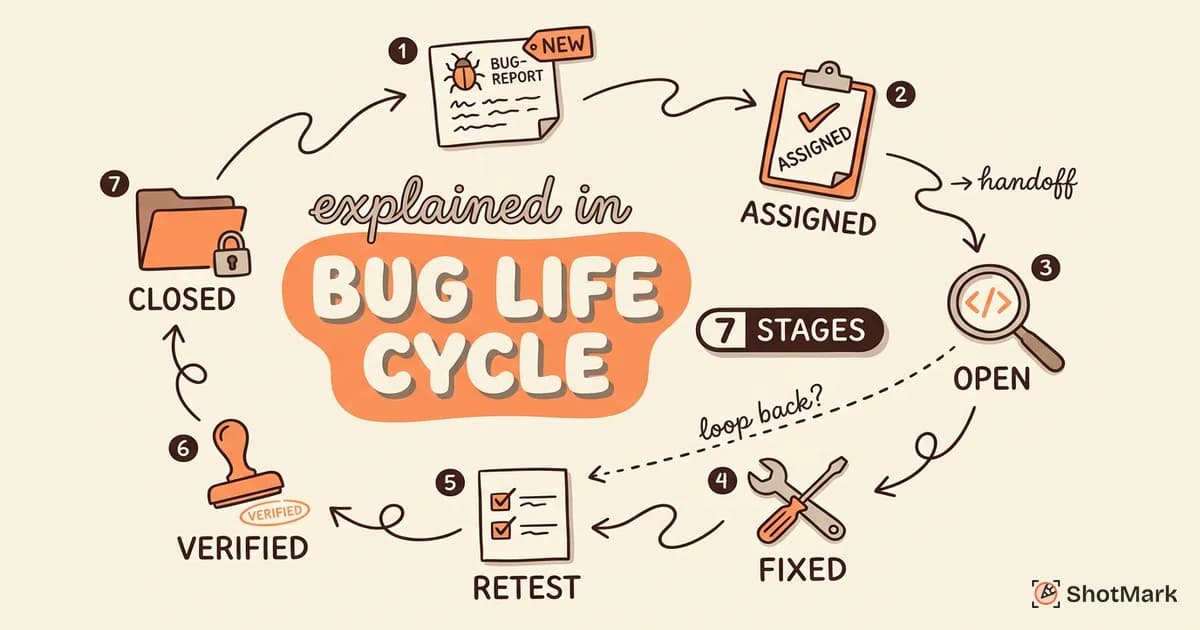
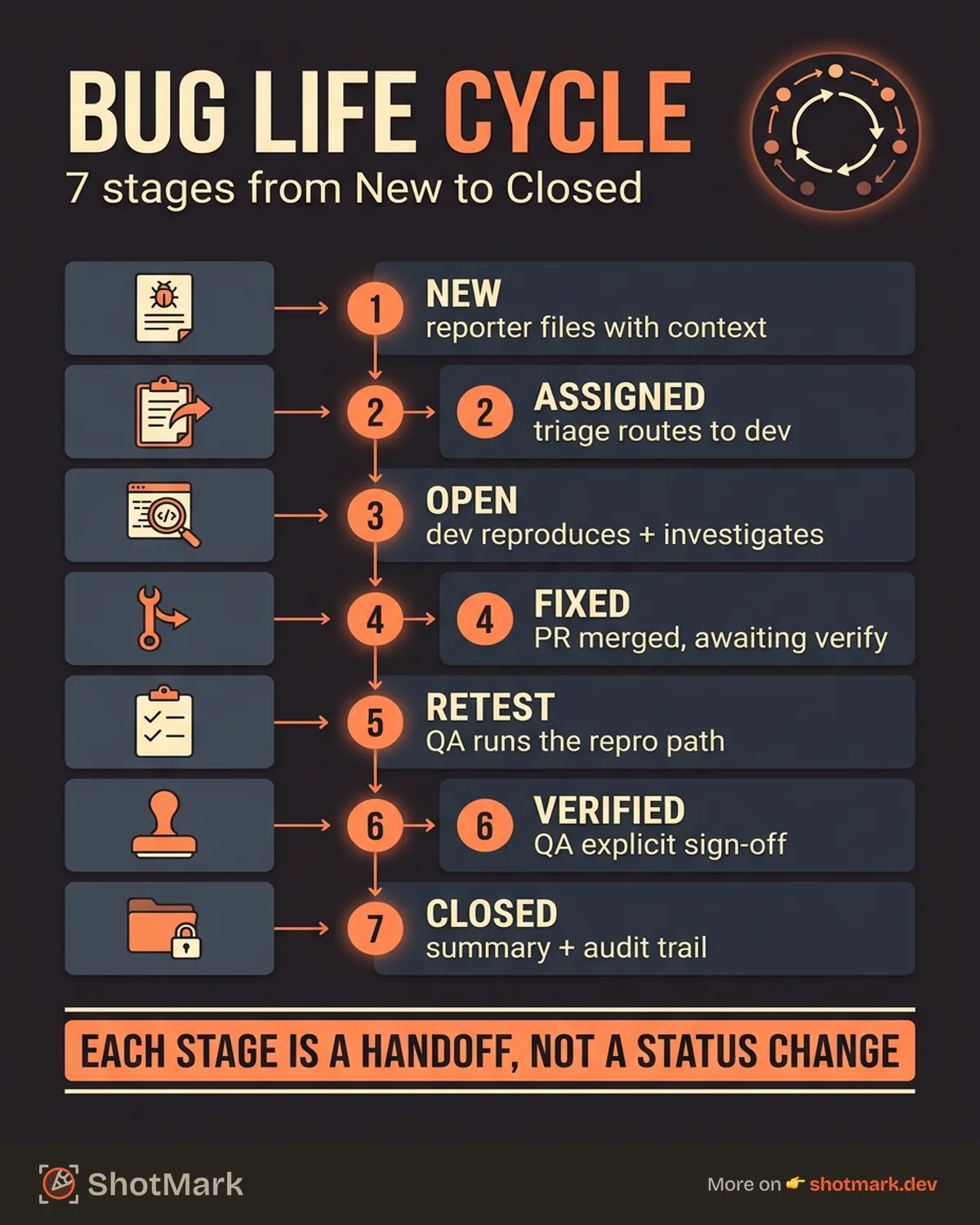
Here are the 7 stages, with practical examples from real projects and guidance on mapping each stage to your tracking tool.
What Is the Bug Life Cycle in Software Testing?
The bug life cycle in software testing is the sequence of states a bug passes through from detection to closure. Every bug starts as a report and ends either as a verified fix or a deliberate deferral.
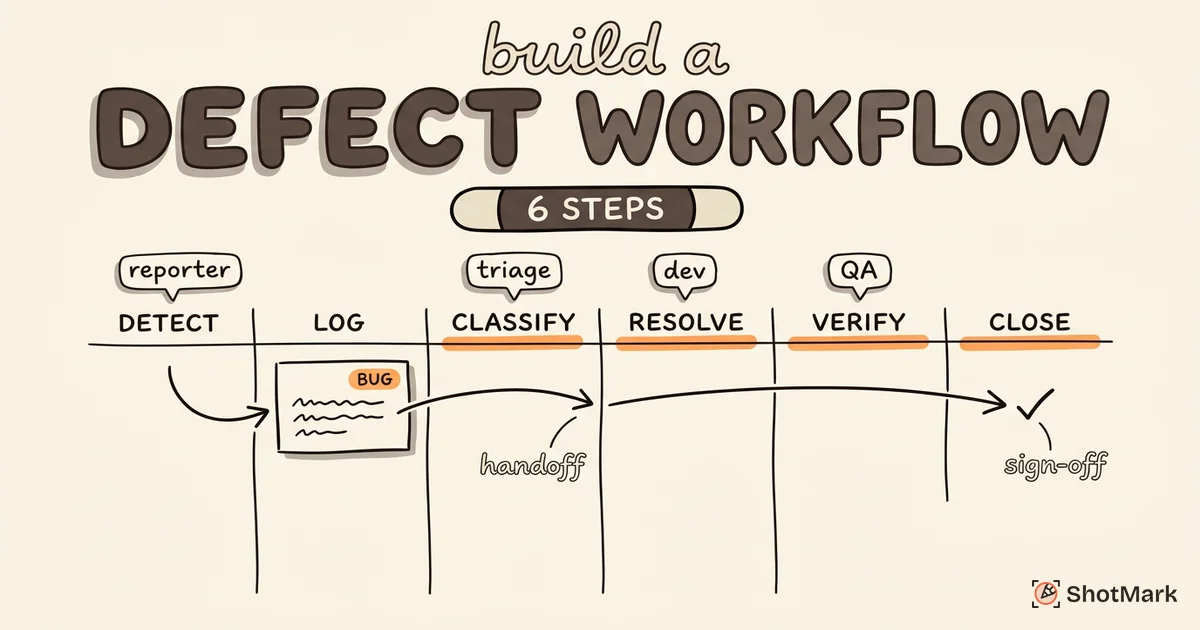
Why does this matter? Each stage represents a handoff between people. A bug moves from the reporter to the triage team to the developer to QA and back. Without a shared understanding of these stages, bugs get stuck in limbo. Developers think QA is retesting. QA thinks the developer has not started. The status field in your tracker is the single source of truth, but only if your team agrees on what each status means.
Different teams customize the standard lifecycle to fit their process. Some add a “Code Review” stage between Fixed and Retest. Others split “Assigned” into “Triaged” and “In Progress.” The 7-stage model we cover here is the baseline that most variations build on.
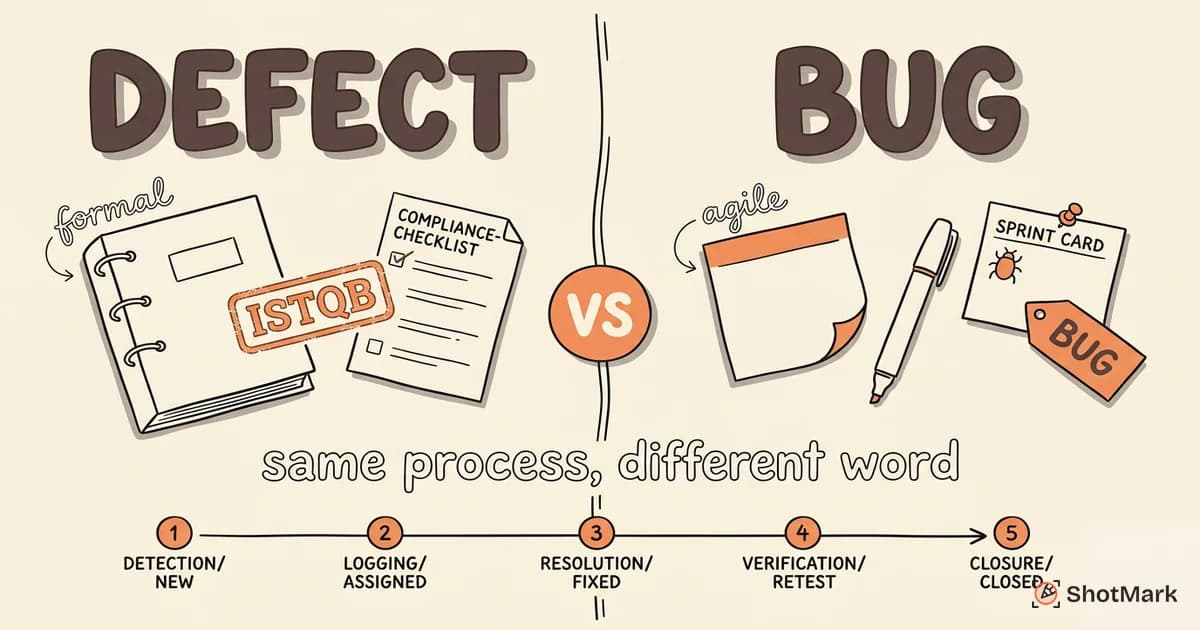
The terms “bug life cycle” and “defect life cycle” are often used interchangeably. For a deeper look at the terminology differences, see our post on defect life cycle vs bug life cycle.
The 7 Stages of a Bug Life Cycle
These are the bug lifecycle stages that a bug passes through on the happy path, from discovery to closure.
Stage 1: New
A tester, developer, or user discovers a bug and creates a report. At this point, the bug is in the “New” status. It has been reported but not yet reviewed by anyone with authority to triage it.
The quality of context at this stage determines how fast the bug moves through every subsequent stage. A report with clear reproduction steps, screenshots, console logs, and environment data moves to “Assigned” in hours. A report that says “login broken, please fix” sits in “New” for days while someone asks follow-up questions.
This is the stage where tools make the biggest difference. Auto-capturing environment data, console logs, and visual evidence at report time eliminates the most common delays.
Stage 2: Assigned
The triage team reviews the new bug and routes it to the right developer. This stage involves:
- Verifying the report has enough information to act on
- Checking for duplicates in the existing backlog
- Assessing severity and priority to determine urgency
- Assigning to the developer who owns the relevant component
Triage is where many bugs stall. Teams that run a structured triage process move bugs through this stage faster because decisions follow a defined protocol instead of ad hoc judgment.
Stage 3: Open
The assigned developer acknowledges the bug and begins investigation. “Open” means the developer is actively looking at the bug, reading the report, reproducing the issue, and identifying the root cause.
This stage can take minutes (for a well-documented, easily reproducible bug) or days (for an intermittent issue with limited context). The difference almost always comes down to the quality of the original report.
Developers at this stage may change the status to “Cannot Reproduce” if they cannot trigger the bug. When that happens, the ball goes back to the reporter for additional context.
The most common cause of “Cannot Reproduce” is environment mismatch. The developer is testing on a different browser version, OS, or dataset than the reporter. This is why the quality of environment data captured at Stage 1 directly determines how long Stage 3 takes.
Stage 4: Fixed
The developer has made a code change that addresses the bug. A pull request has been submitted and merged (or is pending review).
“Fixed” does not mean “done.” It means the developer believes the code change resolves the issue. The fix still needs verification from QA.
In this stage, the developer should note:
- What was changed (link to the PR or commit)
- Which environment the fix is deployed to (staging, dev, production)
- Any side effects or areas that should be regression-tested
Stage 5: Retest
QA picks up the bug and verifies the fix in the target environment. This means running the original reproduction steps and confirming that the bug no longer occurs.
Retest is more than just checking the happy path. QA should also:
- Test edge cases related to the bug
- Verify the fix on all affected environments and browsers
- Check that the fix did not introduce new regressions
If the bug still occurs, the status moves to “Reopened” (more on that below). If the fix works, it moves to “Verified.”
Stage 6: Verified
QA has confirmed that the fix works as expected and no regressions were introduced. “Verified” is the QA team’s sign-off that the bug is resolved.
Some teams skip this stage and go directly from Retest to Closed. We recommend keeping it as a separate status because it creates a clear audit trail showing that QA explicitly verified the fix, not just that the ticket was closed.
Stage 7: Closed
The bug is resolved, verified, and documented. It is done.
Closing a bug should include:
- A final comment summarizing the resolution
- Links to the relevant PR or release
- Updated labels or tags for future searchability
Closed bugs are not deleted. They are historical records. When a similar bug appears in 6 months, your team should be able to find this ticket and understand what happened.
A well-documented closed bug includes the root cause analysis, the fix approach, and any related regression tests that were added. This historical context saves future developers from repeating the same investigation.
Bug Statuses That Don’t Fit the Happy Path
Not every bug follows the clean 7-stage flow. These additional statuses handle the common exceptions in the software bug lifecycle.
Deferred
The bug is acknowledged as real, but the team decides not to fix it in the current sprint or release cycle. Reasons include:
- Low severity relative to current priorities
- The affected feature is scheduled for a redesign
- The fix requires a larger architectural change
Deferred bugs should have a target date or release for revisiting. Without one, “Deferred” becomes “Forgotten.”
Some teams run a monthly deferred review where they re-evaluate all deferred bugs against current priorities. This prevents the deferred list from growing indefinitely and ensures that deferred bugs eventually get addressed or explicitly closed as “won’t fix.”
Duplicate
The bug has already been reported in another ticket. Duplicates should be closed with a link to the original report. The original report’s severity may be updated to reflect the duplicate as additional evidence of impact.
Rejected
The triage team or developer determines this is not a bug. Common reasons:
- Working as designed (the reporter expected different behavior)
- Cannot reproduce (after multiple attempts across environments)
- Out of scope (testing against an unsupported configuration)
Rejected bugs should include a clear explanation. “Not a bug” without context frustrates reporters and erodes trust in the process.
A good rejection looks like: “Closing as working-as-designed. The form validation intentionally blocks emails without a TLD per requirement SPEC-142. See the design doc for the expected behavior.” This response respects the reporter’s effort and provides a reference for future questions.
Reopened
The fix failed QA verification. The bug still occurs, or the fix introduced a new problem. Reopened bugs cycle back to the Assigned stage, and the developer investigates again.
A high reopen rate is a signal that either fixes are being rushed or the original reports lack sufficient detail for developers to fully understand the issue.
How to Map the Bug Life Cycle to Your Tracking Tool
The abstract lifecycle needs to map to real buttons and columns in your issue tracker. Here is how the 7 stages translate to common tools.
Jira
Jira’s workflow engine lets you create custom statuses and transitions. A typical bug status workflow in Jira maps to:
| Life Cycle Stage | Jira Status | Transition |
|---|---|---|
| New | To Do | Created |
| Assigned | In Triage | Triaged |
| Open | In Progress | Started |
| Fixed | In Review | PR Submitted |
| Retest | QA Testing | Deployed to Staging |
| Verified | QA Approved | Verified |
| Closed | Done | Closed |
Configure transition conditions so bugs cannot skip stages. For example, a bug should not move from “In Progress” to “Done” without passing through “QA Testing.”
For a complete guide to configuring your tracker, see our defect tracking from discovery to resolution guide.
Linear
Linear uses status columns that map naturally to lifecycle stages. Create columns for: Triage, Todo, In Progress, In Review, QA, and Done.
Linear’s automation rules can auto-move bugs between columns based on triggers (PR merged, deploy completed) to reduce manual status updates.
GitHub Issues
GitHub Issues uses labels and project board columns instead of built-in statuses. Create a project board with columns matching your lifecycle stages, and use labels for Deferred, Duplicate, and Rejected.
The tradeoff: GitHub Issues is more flexible but less structured than Jira or Linear. Your team needs discipline to keep statuses current.
Where ShotMark Fits
ShotMark adds rich visual context at the “New” stage of the lifecycle. When bugs are reported with screenshots, console logs, network requests, and session replay captured automatically, they move through triage and assignment faster because developers have everything they need from the start.
Reports with full context also reduce reopen rates, since developers can see the exact state of the application when the bug occurred, not just a text description.
Metrics to Track Across the Bug Life Cycle
Tracking where bugs spend their time reveals bottlenecks in your process. These are the metrics that matter, as identified in resources like the BrowserStack lifecycle guide and Guru99’s lifecycle stages reference .
Time in Each Stage
Measure the average time bugs spend in each status. If bugs sit in “New” for 3 days on average, your triage process needs attention. If they sit in “Retest” for a week, your QA team may be overloaded.
GeeksforGeeks’ lifecycle reference and Atlassian’s bug tracking overview both emphasize stage duration as the primary bottleneck indicator.
Reopen Rate
The percentage of bugs that move from Fixed back to Reopened. A healthy reopen rate is below 10%. Above 20% signals a systemic issue: either fixes are rushed, reproduction steps are unclear, or testing environments do not match production.
Mean Time From New to Closed
This is your overall bug resolution efficiency metric. Track it by severity level. Critical bugs should have a significantly shorter mean time than minor ones.
Stage-Specific SLAs
For high-severity bugs, set explicit SLAs for each stage:
- Critical bugs: Assigned within 2 hours, Fixed within 24 hours, Retested within 8 hours
- Major bugs: Assigned within 24 hours, Fixed within 3 business days
- Minor bugs: Assigned within 48 hours, Fixed within the current sprint
SLAs create accountability and make bottlenecks visible before they impact releases.
The bug life cycle is a framework, not a rigid rulebook. Your team should start with these 7 stages, adapt the statuses to fit your workflow, and measure where bugs spend their time. The single biggest improvement most teams can make is at Stage 1, when bugs are reported with complete context. ShotMark captures that context in one click, giving your bug life cycle a strong foundation from the very first report.
Get new posts in your inbox.
One email when we publish: notes on QA, AI, and shipping faster. No spam, unsubscribe anytime.