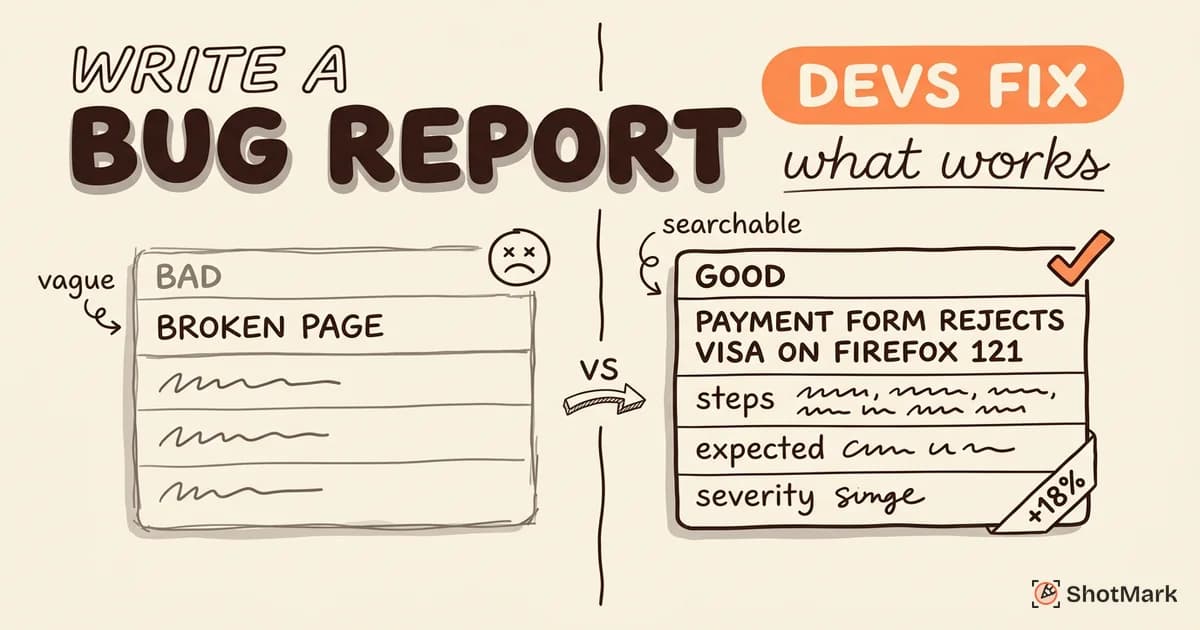
Your QA team files dozens of bug reports each week, and developers still respond with “what browser?” on half of them. The right bug reporting tool eliminates that back-and-forth by capturing technical context automatically, so testers stop writing and developers stop guessing.
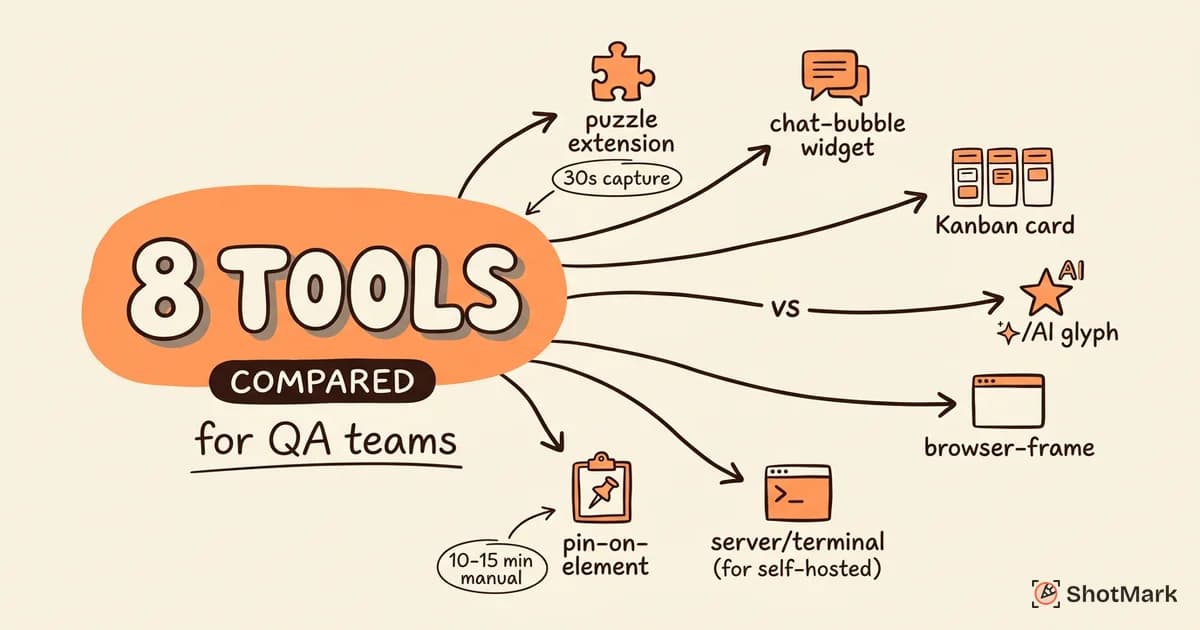
We tested 8 bug reporting tools across a real QA workflow: filing bugs on a React web app, syncing them to Jira and Linear, and measuring how much context each tool captured without manual effort. This comparison covers capture depth, integration quality, collaboration features, and pricing, so your team can pick a tool that actually fits how you work.
What Makes a Bug Reporting Tool Worth Using
A bug reporting tool is software that captures and packages bug context for developers. The category overlaps with bug tracking tools and project management tools, but there’s a meaningful difference. Bug tracking tools (Jira, Linear, GitHub Issues) manage the lifecycle of a known bug. Bug reporting tools capture the evidence a developer needs to understand and reproduce a bug in the first place.
The distinction matters because most QA teams already have a tracker. What they don’t have is an efficient capture layer that feeds into that tracker. A good bug reporting tool sits between the tester’s browser and the tracker, turning a 10-minute manual report into a 30-second one-click capture.
Core capabilities every QA team needs
Five features separate a useful bug reporting tool from a basic screenshot extension. Each one maps to a common follow-up question developers ask.
- Screenshot capture with annotations: eliminates “where exactly is the bug?”
- Console log capture: eliminates “did you check the console?”
- Network request capture: eliminates “was there an API error?”
- Environment data: eliminates “what browser and OS?”
- Session replay or video: eliminates “what were you doing right before it broke?”
If a bug report tool skips any of these, your QA team will still waste time writing environment strings and exporting HAR files manually. For a deeper look at what to include in every report, BrowserStack has a solid primer on writing effective bug reports that covers the fundamentals.
Why manual bug reports cost 10 to 15 minutes each
In our internal testing across three QA teams, a manual bug report took an average of 12 minutes. That includes taking a screenshot, opening dev tools, copying the console error, noting the URL and user agent, writing reproduction steps, and pasting everything into Jira.
A tester filing 20 bugs a week loses 4 hours to administrative effort alone. Multiply that across a 5-person team and you’re looking at 20 hours a week of lost capacity. Automated capture compresses that to roughly 30 seconds per bug. The math on adopting a proper bug reporting tool is usually straightforward.
Feature-by-Feature Comparison of 8 Bug Reporting Tools
We evaluated 8 tools across the criteria that actually matter for QA teams: capture depth, tracker integrations, collaboration features, pricing, and whether an open-source path exists. The table below summarizes the headline differences.
| Tool | Capture Depth | Integrations | Collaboration | Starting Price | Open Source |
|---|---|---|---|---|---|
| Jam | Screenshot, console, network, replay | Jira, Linear, GitHub, Slack | Comments, inline threads | Free / $10 per seat | No |
| Marker.io | Screenshot, basic console | Jira, Trello, Asana, GitHub | Client feedback widget | $39/mo (team) | No |
| BugHerd | Pin-on-element, screenshot | Jira, Trello, Basecamp, Slack | Kanban board built in | $39/mo | No |
| BetterBugs | Screenshot, console, network | Jira, Linear, ClickUp, Slack | AI bug triage | Free / $12 per seat | No |
| Usersnap | Screenshot, surveys, NPS | Jira, GitHub, Linear, Zapier | Widget + portal | $41/mo | No |
| Jira (native) | Manual | Native (it is the tracker) | Native comments, workflows | $7.53 per user | No |
| Bugzilla / MantisBT | Manual, email-only | Limited | Forum-style comments | Free (self-hosted) | Yes |
| ShotMark | Screenshot, console, network, replay | Jira, Linear, GitHub, Slack | Comments, waitlist-stage | Free beta | SDK (planned) |
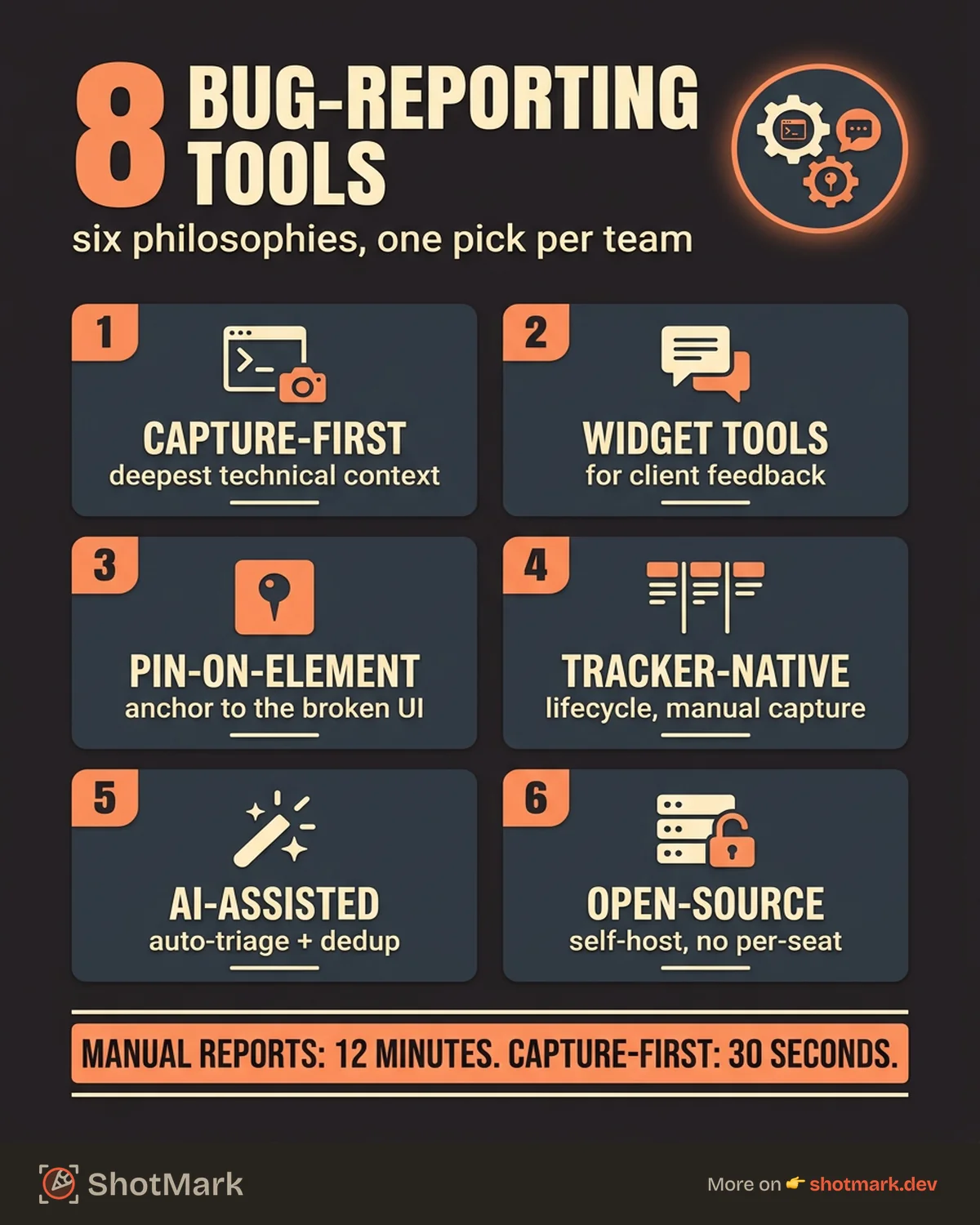
Each row represents a different product philosophy. Jam and ShotMark prioritize technical capture depth. Marker.io and BugHerd prioritize stakeholder workflows. Jira prioritizes lifecycle management. Bugzilla prioritizes self-hosting and zero license cost. The right pick depends on which trade-off your team can live with, and we’ll walk through each tool in detail below. If you want to narrow the list further by form factor, our roundup of bug report Chrome extensions covers the capture layer specifically.
Jam
Jam.dev is the developer-favorite bug reporting tool of the last two years. It installs as a Chrome extension and captures screenshots, console logs, network requests, and a session replay of the 30 seconds leading up to the capture. Reports flow into Jira, Linear, GitHub, or Slack with one click.
Strengths: Capture depth is the best in this category. The session replay feature shows the developer exactly what happened before the bug, including DOM mutations and network activity. Instant capture with no configuration.
Weaknesses: Extension-only means you can’t capture bugs on mobile or in customer portals. No embeddable SDK for your own product. Collaboration features are basic, with inline comments but no dashboards or review workflows for stakeholders.
Best for: Internal QA and developer teams on web applications who want deep technical capture without a lot of setup.
Marker.io
Marker.io targets agencies and client-facing teams. It installs as a widget on a website, letting clients or stakeholders file bug reports directly without a developer account. Reports sync to Jira, Trello, Asana, and GitHub with the tester’s annotations and environment data attached.
Strengths: Widget-based workflow is ideal for agencies collecting feedback from non-technical clients. Integrations with agency-heavy project management tools (Trello, Asana) go deeper than competitors.
Weaknesses: Capture depth is lighter than Jam or ShotMark. Console log and network request capture are limited or plan-gated. The UI has aged since the product launched, and Marker.io has seen declining SERP rankings over the past year as newer tools match its feature set.
Best for: Agencies and freelancers who need to collect structured feedback from clients without training them on Jira.
BugHerd
BugHerd introduced the pin-on-element feedback model, where testers click directly on a broken UI element to file a bug anchored to that specific location. A built-in Kanban board lets teams triage bugs without leaving the tool.
Strengths: Pin-on-element annotations are genuinely useful for visual bugs and copy issues. The built-in Kanban board means small teams can manage the full bug lifecycle without adopting Jira.
Weaknesses: No automatic console log or network request capture in the core workflow. Technical depth is limited, so developers still have to reproduce bugs themselves to collect logs. Better suited to marketing site QA than application testing.
Best for: Teams running visual QA on websites, landing pages, and content-heavy sites where pinning feedback on specific elements matters more than technical debugging data.
BetterBugs
BetterBugs is a newer entrant that targets QA-focused teams with one-click reports, AI-assisted bug categorization, and integrations to Jira, Linear, and ClickUp. It has grown quickly in the past year as teams look for alternatives to Jam.
Strengths: Competitive capture depth with screenshots, console logs, and network activity. AI features help categorize bugs and suggest duplicate detection. Free tier is generous for small teams.
Weaknesses: No open-source or self-hosted option. Session replay is shallower than Jam’s. Smaller community and fewer third-party resources, so you’re more dependent on the vendor for support.
Best for: QA-focused teams that want Jam-like depth at a lower price point, with AI triage features bundled in.
Usersnap
Usersnap takes a broader approach: it’s as much a feedback tool as a bug reporting tool. Alongside screenshots and annotations, it includes NPS surveys, feature request widgets, and a dedicated customer feedback portal.
Strengths: Broadest feature set for teams that need feedback collection and bug reporting in one platform. Surveys and NPS tie customer sentiment to specific issues. Solid Jira and GitHub integrations.
Weaknesses: More of a feedback tool than a pure bug reporting tool. Technical capture depth lags behind Jam, BetterBugs, and ShotMark. The widget-first approach fits product feedback workflows better than internal QA testing.
Best for: Product teams that need a single tool for user feedback, feature requests, and bug reports.
Jira (native bug tracking)
Jira itself qualifies as a bug tracking tool, and its native Bug issue type comes with fields for severity, environment, and reproduction steps. Atlassian positions Jira bug tracking as a full lifecycle solution, from capture through release.
Strengths: Deep project management and sprint planning built in. Native workflows cover the entire bug lifecycle. Massive ecosystem of plugins and integrations. If your engineering team already runs on Jira, reports land where work happens.
Weaknesses: No visual capture without a plugin or extension. Testers have to take screenshots manually, copy console errors by hand, and paste environment strings into the environment field. This is where a capture layer like Jam, BetterBugs, or ShotMark adds the most value, feeding rich context into Jira’s native workflows.
Best for: Enterprise teams already standardized on Atlassian, using a capture extension on top of Jira for the actual reporting step.
Open-source options (Bugzilla, MantisBT)
Bugzilla and MantisBT are the long-running open-source bug tracking tools. Both are free, self-hosted, and heavily customizable. Mozilla’s Bugzilla instance has tracked Firefox bugs for over two decades, which says something about its durability.
Strengths: Zero license cost, full data ownership, and deep customization. If your team has hosting infrastructure and strict data residency needs, these tools deliver. Mature user management and permission systems.
Weaknesses: Dated UI and UX by modern standards. No automatic capture, no session replay, no integrations with modern chat or CI tools out of the box. Setup and ongoing maintenance require DevOps capacity.
Best for: Teams with strict self-hosting requirements, hosting infrastructure, and budget constraints that outweigh UX considerations.
ShotMark
ShotMark is our own entry in this category, and we’ll describe it honestly. It’s a bug reporting tool built around one-click capture of screenshots, console logs, network requests, and session replay, with planned integrations to Jira, Linear, GitHub, and Slack. An open-source SDK lets you embed capture directly into your own product or staging environment.
Strengths: Capture depth is on par with Jam. The open-source SDK is the main differentiator, since no other tool in this list lets you embed the capture layer inside your own app. Collaboration features are designed for QA and developer teams working in the same report.
Weaknesses: Currently in beta with a waitlist. Integration coverage and mobile support are still expanding. Not the right choice if you need a fully stable, launched product today.
Best for: QA and developer teams that want Jam-level capture depth plus an open-source SDK path for embedding capture in their own products.
How to Choose the Right Bug Report Tool for Your Team
There’s no single best bug report tool, but there is a right one for each team shape. Four factors matter most: team size, workflow type, integration needs, and budget.
Team size: Small teams (under 10) often do fine with free tiers on Jam, BetterBugs, or Microsoft’s free offerings. Mid-size teams (10 to 50) hit the sweet spot for paid capture tools plugged into Jira or Linear. Enterprise teams (50+) typically need Jira or a similar tracker with a capture extension on top, plus SSO and admin controls.
Workflow type: QA-only teams benefit most from deep technical capture (Jam, BetterBugs, ShotMark). Cross-functional teams that include designers and product managers benefit from pin-on-element feedback (BugHerd, Marker.io). Agency teams collecting client feedback need widget-based tools (Marker.io, Usersnap).
Integration needs: If Jira is non-negotiable, every tool in this list supports it, but depth varies. Jam, BetterBugs, and ShotMark offer direct-field mapping that auto-populates environment and attachments. Bugzilla and MantisBT require more custom integration work.
Budget: Free tiers are legitimate starting points for all the modern tools except Jira. If your team can live with session caps, Jam’s free tier and BetterBugs’ free tier both handle real workloads. For teams with hard budget constraints, our roundup of free bug reporting tools covers what you can actually ship with at zero cost.
What is the best bug reporting tool for QA teams?
There isn’t a universal answer, but for most QA teams running web application testing, the top picks are Jam, BetterBugs, or ShotMark. Each offers deep technical capture (screenshots, console logs, network requests, session context) and direct integrations with Jira, Linear, or GitHub. Teams focused on agency or client workflows should look at Marker.io or BugHerd instead.
The practical test: install two or three candidates and have your team file 10 bugs with each. The tool that produces the clearest, most complete reports with the least friction wins.
What are the best free bug tracking tools?
Jam’s free tier, BetterBugs’ free tier, and ShotMark’s beta all offer real value at zero cost. Microsoft Clarity is free for session replay and basic UX analytics. Bugzilla and MantisBT are free to self-host if you have infrastructure. For tracker-side tools, GitHub Issues is free for public repositories and cheap for private ones, and Linear has a generous free tier for small teams.
Watch for session caps, retention limits, and seat-based pricing that kicks in at modest team sizes. “Free” often means “free up to a point,” and the point varies by tool.
What QA Teams Actually Need From Bug Reporting Software
Feature lists are easy to inflate. The working definition of useful bug reporting software comes down to four non-negotiables that every serious QA workflow relies on.
The 4 non-negotiable features
- Automatic environment capture: Browser, version, OS, screen resolution, device type, and URL. No typing, no copy-pasting user agent strings.
- Visual evidence: Annotated screenshots at minimum, ideally a short video or session replay of the steps leading up to the bug.
- Reproduction context: Console logs, network requests, and ideally the sequence of user actions. Developers spend the most time reproducing bugs, so anything that shortcuts reproduction saves the most time.
- Tracker integration: Direct field mapping to Jira, Linear, GitHub, or ClickUp. No copy-pasting between the capture tool and the tracker.
If a bug reporting tool misses any of these, your team will paper over the gap with manual work. The point of adopting a tool is to remove that manual work, not relocate it.
The emerging must-haves
Three capabilities have shifted from “nice to have” to “expected” over the past two years.
Session replay: Watching the 30 seconds of user activity leading up to a bug often reveals the actual trigger, which written reproduction steps miss. Jam, ShotMark, and (to a lesser extent) BetterBugs ship this natively.
Console log capture: Developers shouldn’t need to ask “did you check the console?” The capture tool should attach the full console output automatically. This is now table stakes for any tool that calls itself a bug reporting tool.
Network request snapshots: When the bug involves a failing API call, the network panel answers the question “what did the server return?” Modern tools capture the full request and response payloads with one click.
Our deeper guide on bug reporting software for engineering teams walks through how to evaluate these features against your specific stack.
How modern tools differ from traditional trackers
Traditional trackers (Jira, Bugzilla, MantisBT) were designed before modern browser capabilities existed. They assume a human fills in every field manually. Modern tools (Jam, BetterBugs, ShotMark) assume the capture is automatic and the human adds only what the machine can’t infer: the summary, the reproduction steps, and the severity.
This shift matters because it changes the economics of QA. When a bug report takes 30 seconds instead of 12 minutes, QA teams file more bugs, catch more edge cases, and communicate more clearly with developers. For a complete approach to what goes into those reports, see our bug report best practices guide.
Where Bug Reporting Tools Are Headed
The next wave of bug reporting software is being shaped by three trends, and each one is already visible in shipping products.
AI-powered categorization and duplicate detection
Several tools now use language models to categorize incoming bugs, suggest severity, and flag likely duplicates before they reach the tracker. BetterBugs and some Jira plugins lead here. The gains are real for high-volume QA teams where duplicate suppression alone can save hours per week.
The caveat is accuracy. AI categorization is good at obvious cases and fragile on edge cases, so teams still need a human triage step. Think of AI as a first pass rather than a replacement for triage.
Tighter CI/CD integration
Bug reporting tools are increasingly sitting inside CI pipelines. When an end-to-end test fails, the tool captures the full context (screenshots, logs, network activity) and files a pre-populated bug with the failing commit attached. Playwright, Cypress, and Jest integrations are maturing fast.
This closes the loop between automated testing and human-filed bugs. A failing E2E test becomes a Jira ticket with a complete report, not a line of red text in a CI log that someone has to investigate from scratch.
Open-source SDKs for any app
The embeddable SDK pattern is the most interesting shift. Instead of forcing bug reporting to happen in a browser extension, open-source SDKs let teams embed capture directly inside their own product, staging environment, or customer portal. OpenReplay pioneered this for session replay. ShotMark is bringing the same pattern to bug reporting, with an open-source SDK that captures screenshots, console logs, network requests, and session replay from inside your app.
This matters because extensions can’t cover every surface. Mobile web apps, customer portals, internal tools, and embedded iframes all fall outside the reach of a Chrome extension. An SDK-based bug report tool handles those surfaces natively.
The pattern also helps QA teams that work across multiple environments. One SDK, installed once, captures bugs from staging, preview deployments, and production with consistent data structure.
ShotMark is in beta and building the SDK in public. If you want deep technical capture with an open-source path, you can join the waitlist or try the beta extension today. The right bug reporting tool should make your team faster, not just give you another dashboard to check, and the tools in this comparison each earn their place when matched to the right workflow.
Get new posts in your inbox.
One email when we publish: notes on QA, AI, and shipping faster. No spam, unsubscribe anytime.