Search interest in AI bug detection grew 400% over the past year. The promise is clear enough: find bugs faster, with less manual effort, across more environments than any human could cover. Teams are buying in. Budget allocation for AI-augmented testing tools is climbing, and Gartner now tracks it as its own market category.
But the reality of what these tools can do is more nuanced than the marketing suggests. Some categories of bugs are well-suited to AI detection. Others require the kind of contextual understanding that no model currently provides. Here is a practical breakdown of where AI bug detection works, where it falls short, and how to combine it with human QA.
What AI Bug Detection Actually Means
The term “AI bug detection” covers several distinct techniques. They are not interchangeable, and they solve different problems. Understanding the categories matters because the strengths and limits of each are quite different.
Visual Regression Detection
Visual regression tools compare screenshots of your application across releases. The AI component handles noise filtering, so minor rendering differences (anti-aliasing, font hinting) don’t trigger false positives. Applitools pioneered this approach. Percy, now part of BrowserStack, offers a similar workflow integrated into CI pipelines.
These tools catch layout breaks, missing elements, and styling regressions that functional tests miss entirely. A test can pass when a button moves off-screen, but a visual comparison will flag it. The AI component learns to ignore pixel-level noise that used to generate dozens of false positives in older screenshot comparison tools.
Setup is relatively straightforward. Most teams integrate visual regression into their existing CI pipeline and run comparisons on every pull request. The initial configuration takes a few hours, and the ongoing maintenance is minimal once the baseline images are established.
Autonomous Exploration
A newer category. Tools like Momentic and QA Wolf use AI agents to crawl your application, interact with elements, and flag anomalies without predefined test scripts. Think of it as exploratory testing at machine speed.
The agent clicks through flows, fills forms, and watches for error states, unexpected redirects, or broken layouts. It is not replacing a test suite. It is supplementing coverage in areas you might not have thought to test.
The trade-off is coverage depth versus control. Autonomous exploration finds things you did not anticipate, which is valuable. But it might also miss things you consider obvious because it does not have your product context. The best results come from combining autonomous exploration with human-directed testing.
Static Analysis with ML
Machine learning models scan your source code for known bug patterns: null pointer risks, resource leaks, race conditions, insecure defaults. DeepCode (now part of Snyk) and CodeClimate operate in this space. They integrate into your IDE and CI pipeline, catching issues before code ships.
This is the most mature category of AI bug detection. The models have been trained on millions of real-world bugs, and the feedback loop from open-source code makes them stronger over time. Static analysis catches bugs that no functional test would find because the issues exist at the code level, not the behavior level.
The limitation is scope. Static analysis finds patterns it has been trained on. It does not find novel bugs or logic errors that do not match known patterns. Think of it as a very fast, very thorough code reviewer who only catches certain types of mistakes.
Where AI Bug Detection Works Well
Not every testing problem needs a human. These areas are where AI consistently delivers value:
- Regression testing across releases: Every time you ship, AI can verify that nothing you changed broke something else. This is repetitive, time-consuming work that machines handle well.
- Visual consistency across browsers and devices: Testing your app on 15 browser versions is not a good use of human attention. AI handles the comparison and surfaces only the meaningful diffs.
- Identifying known bug patterns at scale: Static analysis catches entire classes of issues (null dereferences, SQL injection, misconfigured headers) without anyone writing a specific test for them.
- Monitoring production for anomalies: AI can watch error rates, latency spikes, and usage patterns in production, flagging potential bugs before users report them.
In each of these cases, the task is well-defined, the expected behavior is clear, and the volume is too high for manual review. That is the sweet spot for AI in any domain, and testing is no exception.
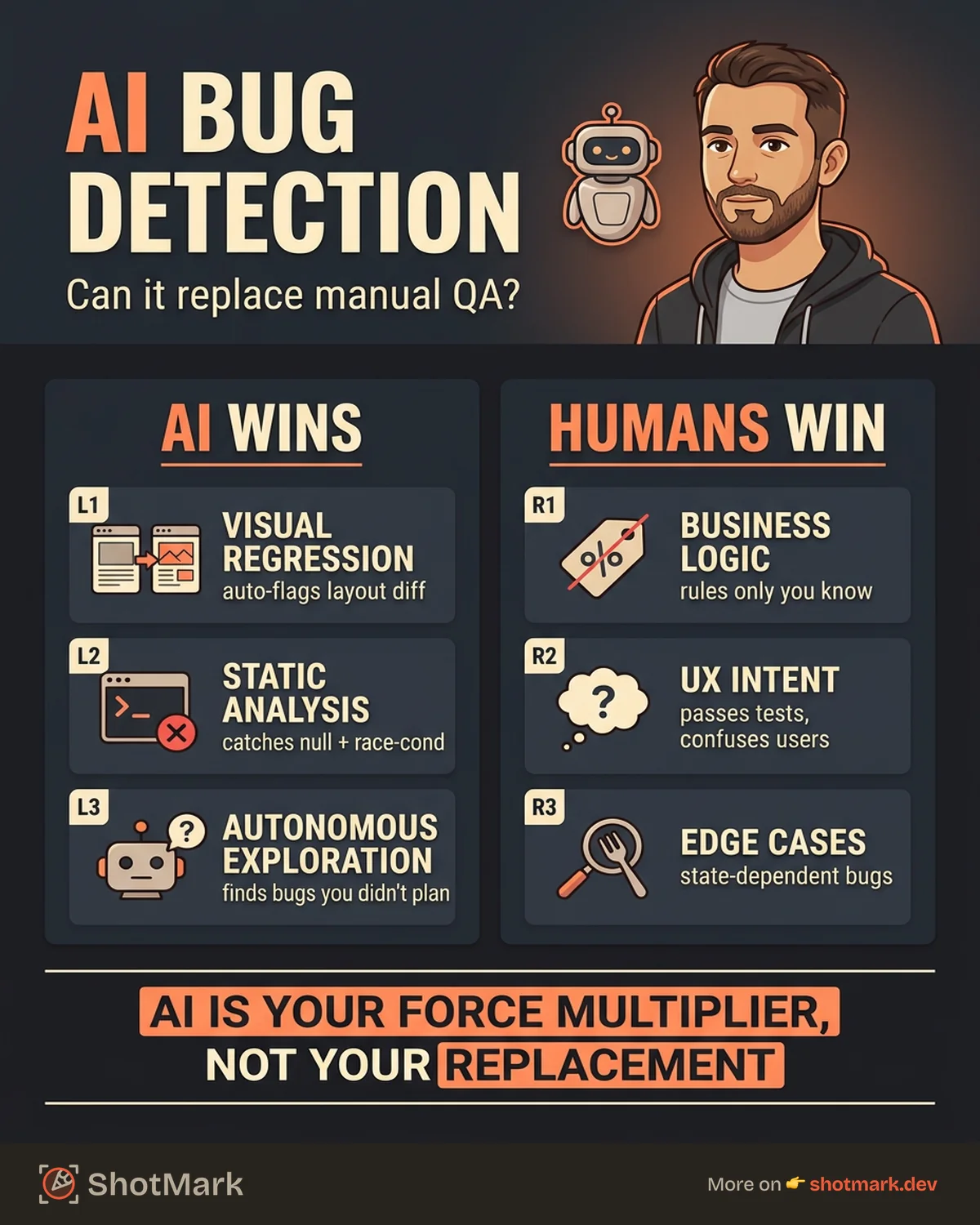
Where AI Bug Detection Falls Short
AI testing tools have real limits. Understanding them is the difference between a useful investment and an expensive disappointment.
Business Logic Bugs
AI does not understand your business rules. It cannot tell you that a discount code should not apply to already-discounted items, or that a user in a specific role should not see another role’s data. These bugs require domain knowledge that lives in product specifications and team conversations.
A human tester knows that “admin dashboard should show revenue in USD, not EUR for US accounts” because they understand the business context. An AI would need to be explicitly told this rule, and at that point you are writing tests, not discovering bugs.
User Experience Issues
A flow can be technically correct but confusing to users. A checkout process that works end-to-end but has misleading button labels, unclear error messages, or a disorienting page sequence is a UX bug. AI will not catch these because there is nothing technically wrong.
This is the category that surfaces most often in user complaints and least often in automated testing. Users report confusion, not errors. AI tests for errors. The gap between the two is where human testers provide the most irreplaceable value.
Edge Cases and Context-Dependent Bugs
State-dependent failures are hard for AI to anticipate. What happens when a user’s session expires mid-transaction? When two actions fire simultaneously? When an API returns an unexpected schema? These bugs emerge from the interaction between system state and user behavior in ways that require human intuition to explore.
Skilled testers develop a sense for where these bugs hide. They know from experience that payment flows, multi-step forms, and real-time collaboration features tend to harbor state bugs. AI does not have that intuition.
The “Last Mile” Problem
Even when AI finds a bug, someone still needs to report it with full context: reproduction steps, environment details, console output, network requests. The detection is only half the workflow. The other half is communication, and that remains a human task.
This gap is where many teams see the biggest bottleneck. AI detects anomalies quickly, but turning those detections into actionable bug reports still requires someone to gather context, verify the finding, and communicate it clearly to developers.
The Hybrid Approach: AI and Human QA
The most effective QA teams we have seen do not choose between AI and manual testing. They divide work based on what each does best.
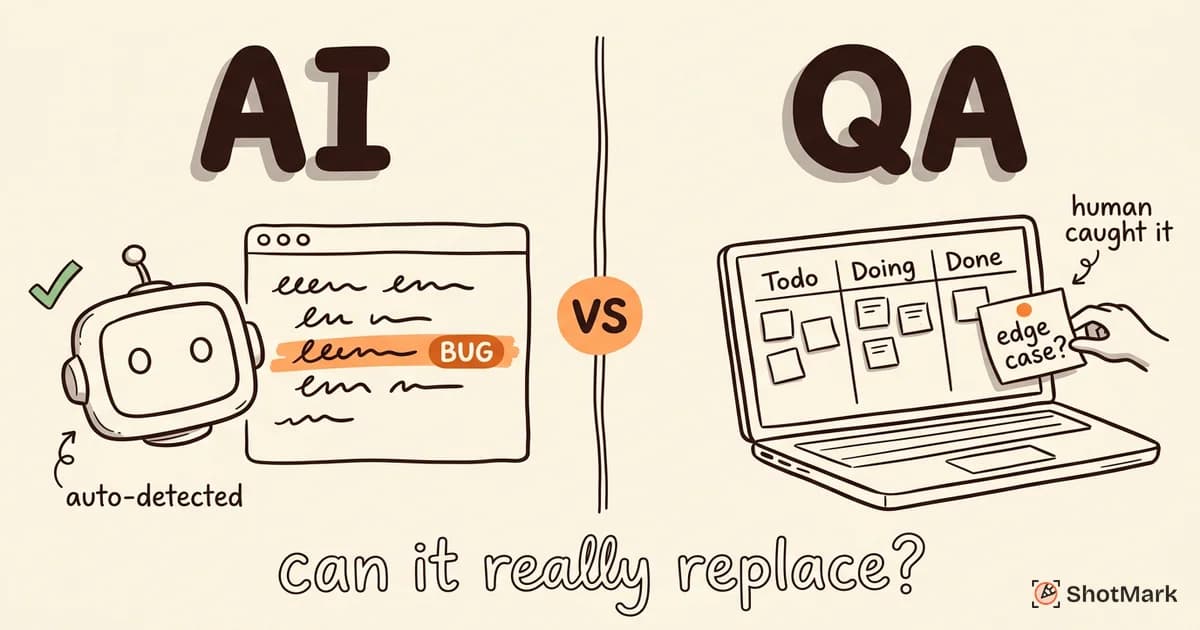
AI handles the repetitive, high-volume checks: visual regressions, smoke tests, static analysis, production monitoring. Human testers focus on exploratory testing, UX review, and business logic validation. The tools for AI testing keep improving, but the need for human judgment in quality decisions has not changed.
The bridge between the two is contextual bug reporting. When a human tester finds a bug during exploratory testing, they need to capture and communicate it with enough detail for a developer to fix it without follow-up questions. That means screenshots, annotations, console logs, and network requests, all bundled together.
This is where AI-powered testing use cases complement human workflows rather than replace them. AI can pre-fill environment data and suggest severity. The human adds the context that only a person can provide.
The hybrid model also scales better than either approach alone. Adding another AI test run costs almost nothing. Adding another human tester requires hiring. The combination lets you scale coverage without proportionally scaling headcount.
Practical Implementation Guide
If you are evaluating AI bug detection for your team, here is a phased approach that minimizes risk and maximizes early returns.
Start with visual regression testing: It has the lowest barrier to entry and the clearest ROI. Tools like Applitools and Percy integrate into existing CI pipelines in under a day. Run them on your most critical pages first.
Add autonomous testing for smoke tests: Once visual regression is running, introduce AI exploration tools for basic smoke coverage. This catches the obvious breaks without writing or maintaining test scripts.
Keep manual QA for critical paths: Your checkout flow, authentication, and core user journeys still need human testing. AI does not replace this. It frees up time for it by handling the rest.
Measure what each layer catches: Track which bugs are found by AI tools, which are found by manual testers, and which slip through to production. This data tells you where to invest next.
The progression matters. Teams that try to adopt everything at once end up with noisy dashboards and unclear ownership. Layer the tools in, measure what each one catches, and adjust your coverage accordingly.
For teams thinking about how AI fits into the bigger picture of testing transformation, our analysis of how AI is changing software testing in 2026 covers the broader shift in QA workflows.
The question is not whether AI bug detection will replace manual QA. It will not. The question is how much time it gives back to your human testers so they can focus on the work that actually requires human judgment. When your team captures a bug, ShotMark gives you one-click screenshots, console logs, and network requests, no manual assembly required. Join the waitlist to try it.
Get new posts in your inbox.
One email when we publish: notes on QA, AI, and shipping faster. No spam, unsubscribe anytime.