QA teams waste hours running detailed test suites on builds that cannot even load the login page. Smoke testing in software testing exists to prevent exactly that. It is the fastest way to reject a broken build before anyone invests time in deeper testing.
Think of smoke testing as the “does it turn on?” check. You are not testing every feature. You are confirming the build is stable enough to deserve further attention. Without it, teams run full regression suites on deployments that fail at the most basic level.
What Is Smoke Testing?
Smoke testing is a shallow, fast test run against a new build to verify its most critical functions work. The term comes from hardware testing: plug a circuit board in, and if smoke appears, you stop there. No point testing anything else.
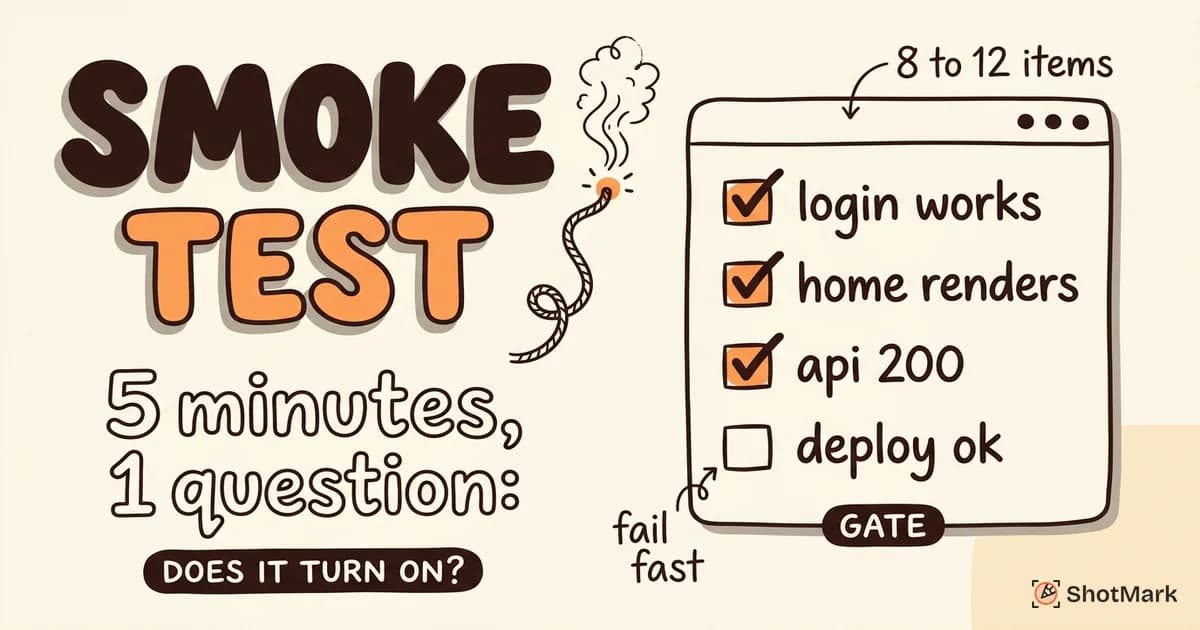
In software, smoke testing is also called build verification testing (BVT). The goal is narrow. Can users log in? Does the homepage render? Are backend APIs responding? If the answer to any of these is no, the build goes back to development without further testing.
Smoke tests are not comprehensive. They cover a small set of critical paths, usually taking 5 to 10 minutes to run. They answer one question: is this build stable enough for the QA team to invest their time?
BrowserStack’s smoke testing guide describes this practice as the gatekeeper between development and QA. If the gate stays closed, QA does not waste time on a build that was never ready.
Why Smoke Testing Matters
Skipping smoke tests is a false economy. The time you save by not running them gets spent many times over when QA engineers file bugs against a build that was never functional to begin with.
Saves time: A failed smoke test stops the testing process in minutes instead of hours. QA does not waste effort running 200 regression tests on a build where the database connection is down.
Catches show-stoppers early: Login broken, homepage crashes, API returns 500 errors. These are problems that block all other testing. Smoke testing catches them before they block anyone’s schedule.
Prevents wasted effort: Developers, QA engineers, and product managers all lose time when a broken build enters the testing pipeline. A quick smoke test protects the entire team’s productivity.
Atlassian’s CI/CD testing guide positions smoke testing as the first automated check in any delivery pipeline. Without it, teams either slow down to manually verify every build or risk pushing broken code forward.
Smoke Testing vs Sanity Testing
These two terms get confused often because both are quick, high-level checks. The difference is in scope and timing.
Smoke testing is broad and shallow. It checks whether the application’s core features work at a surface level. It answers: is the build stable enough to test?
Sanity testing is narrow and deep. It focuses on a specific feature or bug fix to verify that a particular change works correctly. It answers: does this specific fix actually work?
| Smoke Testing | Sanity Testing | |
|---|---|---|
| Scope | Broad (many features) | Narrow (one area) |
| Depth | Shallow | Deeper |
| When | After every new build | After a specific fix or change |
| Goal | Verify build stability | Verify fix correctness |
| Performed by | QA team or CI pipeline | QA team |
When to use each: run smoke tests on every build. Run sanity tests when a developer submits a targeted fix and you need to confirm it works before broader regression testing. Katalon’s smoke testing overview walks through this sequence in detail.
What to Include in a Smoke Test
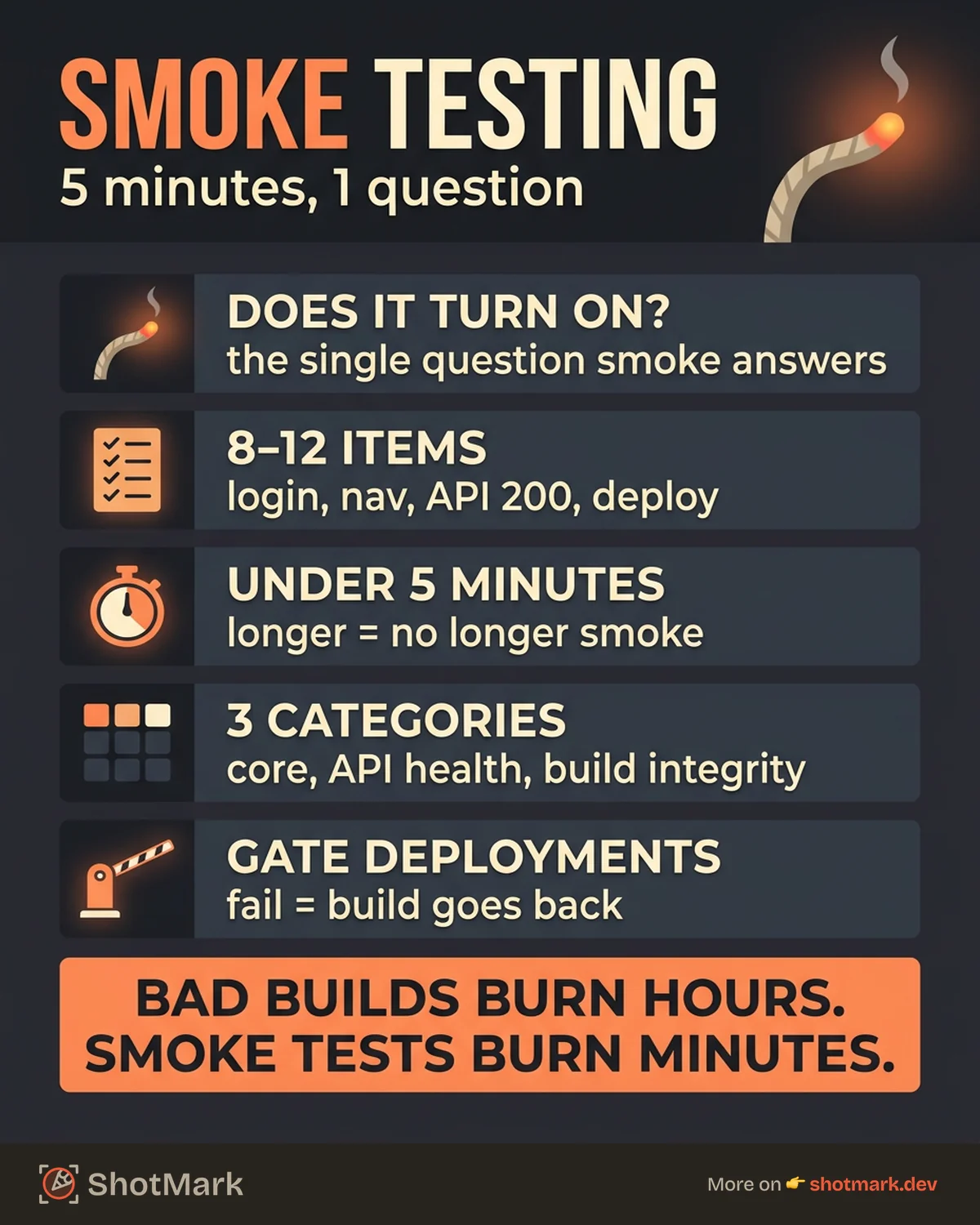
A good smoke test is short, focused, and fast. It covers three areas: core functionality, backend health, and build integrity.
Core Functionality Checks
These are the features that make the application usable at all.
- Can users log in with valid credentials?
- Does the main navigation load and link to the right pages?
- Do critical pages (dashboard, settings, billing) render without errors?
API and Service Health
The frontend might load perfectly while the backend is failing silently.
- Are core API endpoints responding with 200 status codes?
- Are third-party integrations (payment processor, email service, auth provider) functional?
- Is the database accessible and returning data?
Build Integrity
Sometimes the deployment itself is the problem.
- Does the build deploy without errors across all environments?
- Are static assets (CSS, JavaScript, images) loading correctly?
- Do environment variables resolve to the correct values?
A solid smoke test checklist covers 8 to 12 items across these three categories. Any more and you are drifting into regression territory.
Smoke Testing in CI/CD Pipelines
Manual smoke testing works for small teams, but it does not scale. Automating smoke tests inside your CI/CD pipeline is one of the highest-ROI testing investments a team can make.
Gate your deployments: Configure your pipeline to block promotion to staging or production if smoke tests fail. This prevents broken builds from reaching environments where they cause more damage.
Keep them fast: Smoke tests should run in under 5 minutes. If they take longer, you have included too many checks. Move the slower tests into your regression suite.
Pick the right tools: Playwright and Cypress both handle browser-based smoke tests well. For simpler checks, HTTP health-check scripts work fine. Hit your key endpoints, verify 200 responses, and move on.
Run on every deployment: Not every PR, not every nightly build. Every deployment. The whole point of smoke testing is catching failures at the moment they appear. For a broader look at how E2E tests fit into CI/CD, see our separate guide.
Smoke Testing Examples
Abstract definitions only go so far. Here are three concrete smoke test scenarios for different application types.
E-commerce application: Verify that the homepage loads, product listing pages display items, the cart accepts additions, and the checkout page renders. You are not completing a purchase. You are confirming the critical path is reachable.
SaaS dashboard: Verify that authentication works, the main dashboard renders with data, and API connectivity returns valid responses. If the dashboard shows a blank screen or a 500 error, there is no point testing individual widgets.
Marketing website: Verify that the homepage loads, key landing pages render, and the contact form accepts submissions. Marketing sites are simpler, but a broken form or a 404 on the pricing page still costs leads.
Each example follows the same pattern: identify the 4 to 6 most critical touchpoints and verify they respond correctly. GeeksforGeeks’ smoke testing guide reinforces this: smoke tests exist to answer a binary question. Does the build work at a basic level, yes or no?
Common Smoke Testing Mistakes
Even experienced teams get smoke testing wrong. Here are the patterns we see most often.
Making smoke tests too comprehensive: If your smoke suite takes 30 minutes, it is no longer a smoke test. It is a slow regression suite with a misleading name. Keep it under 5 minutes. Cover critical paths only. If you need broader coverage, that belongs in a separate regression testing pass.
Not automating smoke tests: Manual smoke testing is reasonable when a team is small and releases infrequently. But manual checks get skipped under release pressure, and skipping them defeats the purpose. Automate the repeatable checks and free your team for higher-value testing.
Skipping smoke tests under deadline pressure: This is exactly when smoke tests matter most. A rushed deployment is more likely to have basic failures. The 5 minutes a smoke test takes is nothing compared to the hours lost debugging a broken build in staging.
Running smoke tests in only one environment: A build that passes on a developer’s machine may fail in staging because of different environment variables or database configurations. Run your smoke suite against every environment the build will touch.
Not updating the checklist: Applications evolve. Features get added, removed, or restructured. Review your smoke tests quarterly and update them to reflect the current state of the application.
Smoke testing sits before regression testing in the pipeline, not instead of it. For foundational context on where it fits within the broader QA process, see our guide to software testing basics.
From Smoke Test Failures to Fast Fixes
Smoke testing in software testing is your first line of defense against broken builds. It is fast, automatable, and saves your team from wasting time on builds that are not ready for deeper testing.
But catching the failure is only half the job. When a smoke test fails, developers need context to fix the problem quickly: what broke, where it broke, and what the browser was doing at the time. Screenshots alone rarely tell the full story. Console errors, network request failures, and environment details fill in the gaps.
ShotMark captures all of that context in a single click. Screenshots, console logs, network requests, and environment data flow directly from the failed smoke test to the developer who needs to fix the issue. No back-and-forth. No “can you reproduce that?”
Try ShotMark free and turn your next smoke test failure into a fix that ships the same day.
Get new posts in your inbox.
One email when we publish: notes on QA, AI, and shipping faster. No spam, unsubscribe anytime.