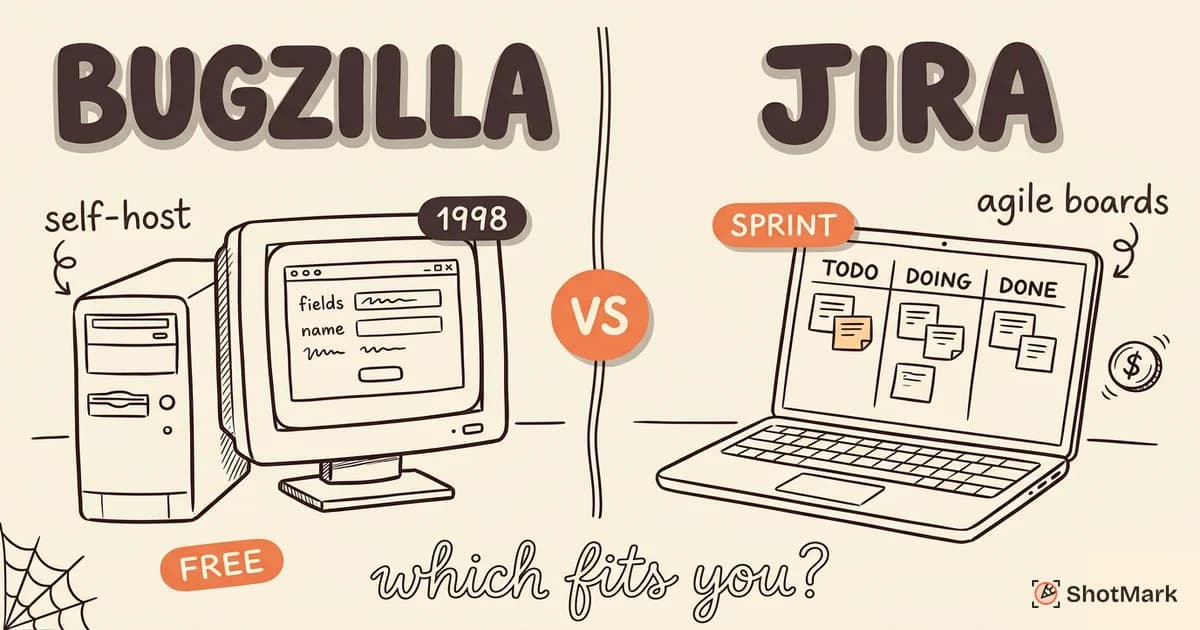
Bugzilla has been tracking bugs since 1998. Jira dominates enterprise project management. Both handle bug tracking, but they serve very different teams with very different needs. If you’re choosing between Bugzilla vs Jira for your team, the right answer depends on your project type, your budget, and how much complexity you’re willing to manage.
This comparison breaks down features, workflows, pricing, and real-world use cases so you can make an informed decision instead of defaulting to whatever your last company used.
Bugzilla Overview
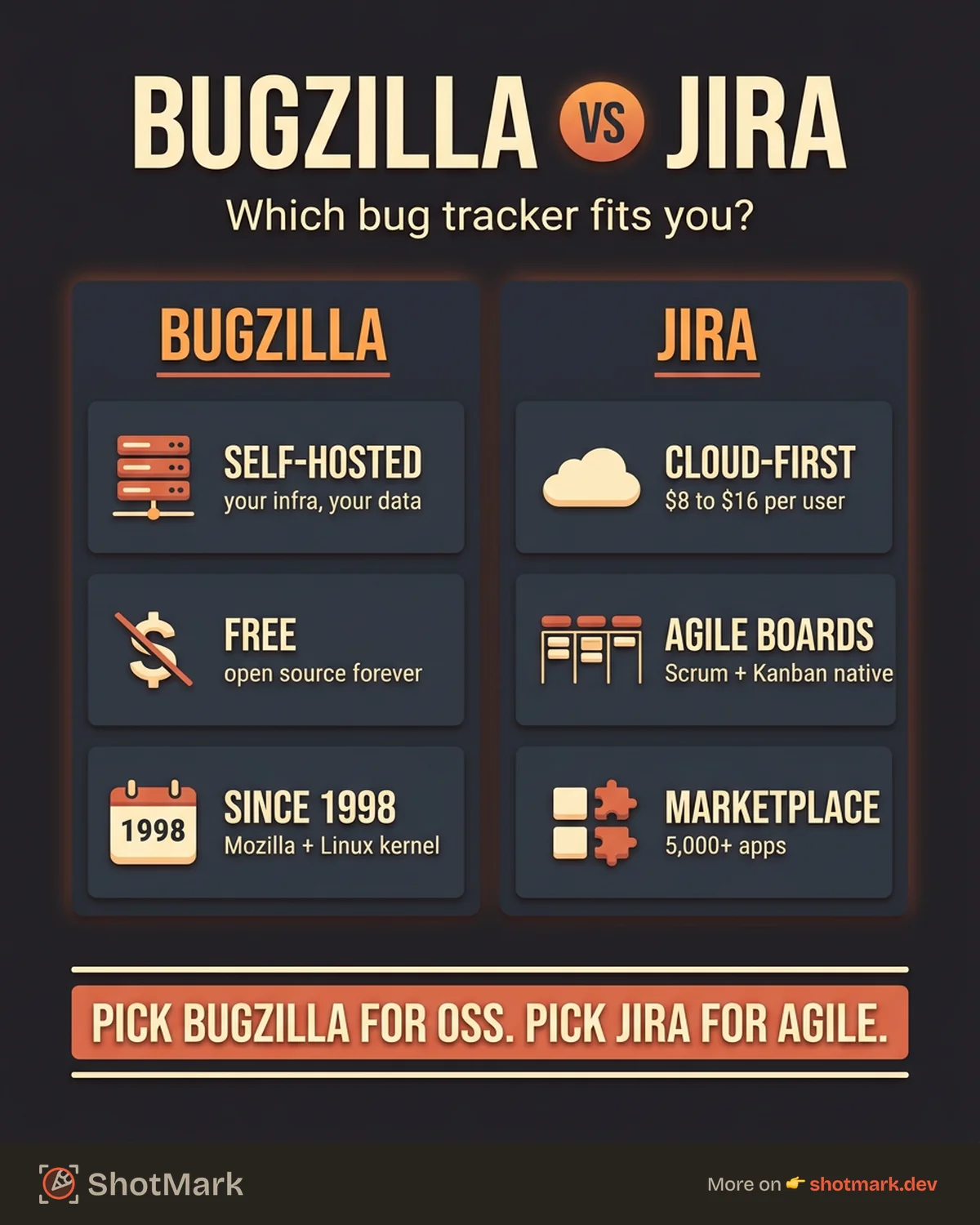
Bugzilla was built by Mozilla in 1998 to track bugs in the Mozilla project. It’s been open source from the start, and it’s still actively used by the Linux kernel, FreeBSD, KDE, GNOME, LibreOffice, and dozens of other major open-source projects.
Strengths
Free and open source: Bugzilla costs nothing to use. You download it, install it on your own server, and run it. There are no per-seat fees, no tiers, no enterprise upsells. For organizations with tight budgets or strict data ownership requirements, this is a significant advantage.
Self-hosted by default: Your data lives on your infrastructure. No third-party cloud provider processes your defect data. For government agencies, defense contractors, and organizations in regulated industries, self-hosting isn’t a nice-to-have. It’s a requirement.
Lightweight and fast: Bugzilla does one thing well: track bugs. It doesn’t try to be a project management platform, a wiki, a roadmap tool, or an agile board. For teams that want a focused bug tracker without feature bloat, that simplicity is the point.
Highly configurable: Custom fields, custom workflows, and configurable email notifications let you adapt Bugzilla to almost any process. The configuration isn’t pretty, but it’s powerful.
Weaknesses
Dated user interface: Bugzilla’s UI looks like it was designed in 2003, because it was. Navigation is form-heavy and text-dense. New team members often struggle with the learning curve.
Community-maintained: Bugzilla doesn’t have a corporation backing its development with a dedicated engineering team. Updates come from community contributors, which means the pace of feature development is slower than commercial tools.
Limited integrations: Connecting Bugzilla to modern CI/CD pipelines, chat tools, and other development infrastructure requires plugins or custom scripting. Out-of-the-box integrations are sparse compared to Jira’s marketplace.
Jira Overview
Jira launched in 2002 as a bug tracker and evolved into Atlassian’s flagship project management platform. It’s now the default issue tracker for most enterprise engineering teams, with over 250,000 customers.
Strengths
Deep workflow customization: Jira’s workflow engine lets you define custom issue types, statuses, transitions, and automation rules. You can model virtually any development process, from simple kanban to complex, multi-team agile frameworks like SAFe.
Massive ecosystem: The Atlassian Marketplace has thousands of plugins for everything from time tracking to test management to advanced reporting. Jira integrates natively with Confluence, Bitbucket, Trello, and most major CI/CD platforms.
Agile features built in: Scrum boards, sprint planning, velocity charts, burndown reports, and backlog grooming are core features. If your team runs agile (and most do), Jira supports the workflow out of the box.
Cloud or self-hosted: Jira Cloud is the standard for most teams. Jira Data Center offers self-hosted deployment for organizations that need it, though at a significantly higher price point.
Weaknesses
Complexity: Jira can do almost anything, which means it takes considerable effort to configure and maintain. Admin overhead scales with team size. Many teams use less than 20% of Jira’s capabilities while paying for (and navigating) 100%.
Pricing at scale: Jira’s free tier supports 10 users. The Standard plan starts at $8.15/user/month. The Premium plan is $16/user/month. For a 100-person engineering org, that’s $19,500/year on Premium before Data Center or marketplace plugins.
Slow for simple bug tracking: Loading a Jira board, creating an issue, and navigating between projects involves noticeable latency that lighter tools don’t have. For teams that only need bug tracking (not full project management), Jira is over-engineered.
Feature Comparison
Bug Tracking and Workflows
Both tools support custom workflows with configurable statuses and transitions.
Bugzilla’s workflow engine is simpler: you define statuses (NEW, ASSIGNED, RESOLVED, VERIFIED, CLOSED) and the transitions between them. It works, but visual workflow editing isn’t available. Configuration happens in admin settings.
Jira’s workflow editor is visual, drag-and-drop, and supports conditions, validators, and post-functions on transitions. You can trigger automated actions when an issue moves between statuses (like notifying a QA engineer when a developer marks a bug as “Ready for Testing”).
Search and Filtering
Bugzilla’s search is form-based. The “Simple Search” page lets you filter by product, component, status, and keyword. The “Advanced Search” page offers Boolean query building. It’s powerful but not intuitive.
Jira uses JQL (Jira Query Language), a SQL-like syntax that supports complex filtering: project = "WEBAPP" AND priority = Critical AND status changed after -7d. JQL is flexible and well-documented, but it has a learning curve for non-technical users.
Customization
Bugzilla supports custom fields (text, dropdown, date, multi-select) that you configure at the server level. Every Bugzilla instance is globally configurable, but per-project customization is limited.
Jira supports custom fields per project and per issue type. You can create different field configurations for bugs, stories, tasks, and epics. Schemes (workflow schemes, field configuration schemes, permission schemes) let you tailor the experience per team.
Integrations
Bugzilla integrates with email (its primary notification mechanism), REST API (for custom integrations), and a handful of third-party plugins. CI/CD integration typically requires scripting against the API.
Jira integrates with Slack, Microsoft Teams, GitHub, GitLab, Bitbucket, Jenkins, CircleCI, and hundreds of other tools through native integrations and the Atlassian Marketplace. For most modern development stacks, Jira connects with minimal configuration.
Pricing
| Bugzilla | Jira | |
|---|---|---|
| Free tier | Fully free (self-hosted) | 10 users (Cloud) |
| Standard | N/A (always free) | $8.15/user/month |
| Premium | N/A | $16/user/month |
| Self-hosted | Free | Data Center (annual license) |
| Total cost (50 users, 1 year) | Server + admin time | ~$4,890 - $9,600 + server |
Bugzilla’s total cost is your server infrastructure and the time your team spends on administration and maintenance. Jira’s total cost is the subscription plus admin time. For small teams, Jira’s free tier makes the cost comparison moot. For large organizations, the difference is substantial.
Comparison Table
| Feature | Bugzilla | Jira |
|---|---|---|
| Price | Free (open source) | Free for 10 users, then $8.15+/user/mo |
| Self-hosted | Yes (default) | Yes (Data Center, expensive) |
| Cloud option | No (community-hosted only) | Yes (primary offering) |
| Agile boards | No | Yes (Scrum + Kanban) |
| Custom workflows | Yes (config-based) | Yes (visual editor) |
| Custom fields | Yes | Yes (per project, per issue type) |
| Marketplace/plugins | Limited | 5,000+ apps |
| API | REST API | REST + GraphQL API |
| Mobile app | No official app | Yes (iOS + Android) |
| UI modernness | Dated | Modern (Cloud) |
| Learning curve | Steep | Moderate to steep |
| Best for | Open-source projects, self-hosting | Agile teams, enterprise |
When to Choose Bugzilla
You’re running an open-source project: Bugzilla was built for open-source development. It handles public bug filing, community contribution tracking, and transparent status reporting in ways that Jira’s permission model makes awkward.
Self-hosting is a hard requirement: If your defect data cannot leave your infrastructure for regulatory, contractual, or security reasons, and your budget doesn’t stretch to Jira Data Center, Bugzilla is the practical choice.
Budget is the primary constraint: A startup with no budget for developer tooling can run Bugzilla on a $5/month VPS. The trade-off is admin time and a less polished user experience.
Your team only needs bug tracking: If you don’t need sprint boards, roadmaps, or project management features, Bugzilla’s focus is an advantage. It won’t tempt your team into over-engineering their issue management process.
Is Bugzilla still worth using? For the use cases above, absolutely. The Linux kernel’s bugzilla.kernel.org handles thousands of defects from hundreds of contributors. The tool is mature, stable, and proven at scale.
When to Choose Jira
Your team runs agile: Jira’s scrum and kanban boards, sprint planning tools, and velocity tracking are built-in and well-integrated. No plugins or workarounds needed.
You’re in the Atlassian ecosystem: If your team already uses Confluence for documentation, Bitbucket for code, and Trello for lightweight planning, Jira fits naturally alongside them.
You need enterprise features: Advanced permissions, audit logging, SAML/SSO, compliance certifications, and 24/7 support come with Jira’s higher tiers. Bugzilla offers none of these out of the box.
Integration breadth matters: Your CI/CD pipeline, chat tools, design tools, and monitoring stack probably have Jira integrations already. Building equivalent integrations for Bugzilla requires development time.
The Third Option: Modern Bug Reporters + Your Tracker
Here’s what we’ve learned from building ShotMark: the bug tracker matters less than the quality of what goes into it.
A perfectly configured Jira instance is useless if bug reports say “checkout is broken” with no screenshots, no console logs, and no environment data. A dated Bugzilla installation works fine if every defect arrives with complete reproduction context.
The gap between a good bug report and a bad one costs more engineering time than the gap between any two tracking tools. According to our research, developers spend an average of 30 minutes per poorly-documented defect just trying to reproduce what the reporter saw.
ShotMark bridges that gap by capturing annotated screenshots, browser console logs, and network request data in a single click. It feeds that rich context directly into Jira, Bugzilla, Linear, or any other tracker your team uses. The tracker organizes your defect management workflow. ShotMark ensures every defect enters that workflow with the context developers need to fix it.
For a broader look at modern bug reporting options, see our best bug reporting tools compared guide, and explore open-source bug reporting tools if self-hosting is part of your requirements.
Picking the Right Bug Tracker for Your Team
The Bugzilla vs Jira decision isn’t about which tool is objectively better. It’s about which tool fits your team’s size, budget, workflow, and technical requirements.
Pick Bugzilla if you value simplicity, self-hosting, and zero licensing costs. Pick Jira if you need agile workflows, deep integrations, and enterprise support. Either way, invest in the quality of your bug reports. The tracker is just the container. What goes into it determines how fast your team moves from bug to fix.
Join the ShotMark waitlist to get early access to one-click bug capture, no matter which tracker your team uses.
Get new posts in your inbox.
One email when we publish: notes on QA, AI, and shipping faster. No spam, unsubscribe anytime.