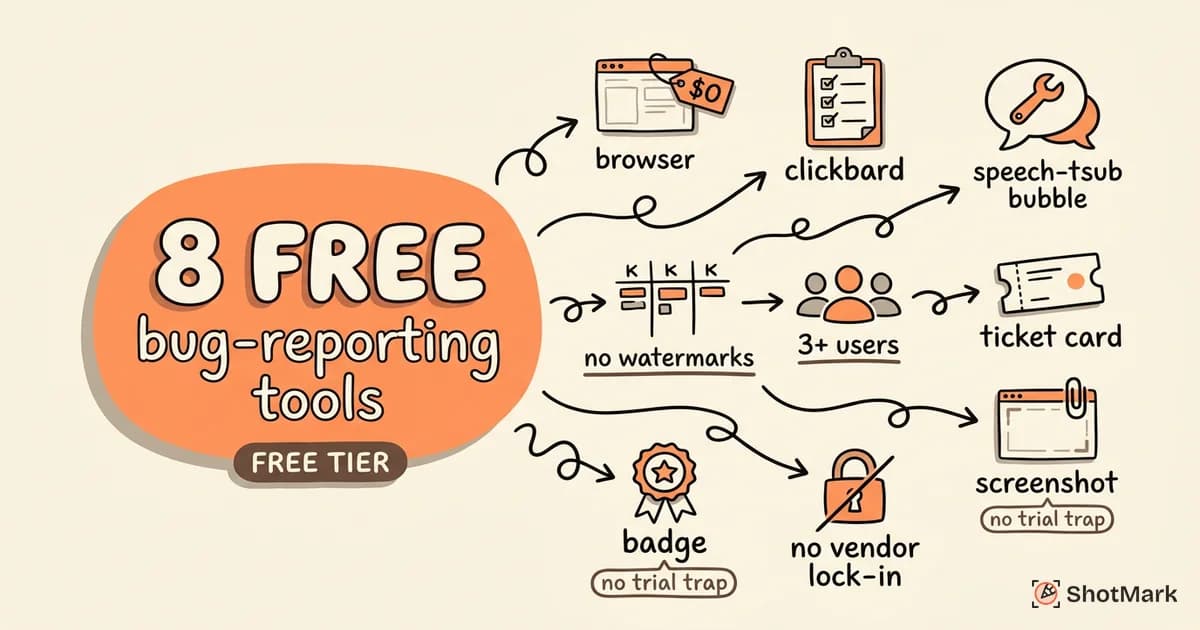
Small teams need a bug reporting tool free of charge that actually works at zero cost, not a 14-day trial disguised as a free plan. We tested 8 free bug reporting tools and evaluated what you actually get without paying. The results were mixed: some tools offer generous free tiers that a 5-person team can use indefinitely, while others restrict so much that upgrading becomes mandatory within weeks.
This guide covers what to look for, how each tool performs at the free tier, and when it makes sense to start paying.
What to Look for in a Free Bug Reporting Tool
The difference between a usable free tier and a marketing gimmick comes down to practical limits. Here’s what we evaluated.
Free Tier vs. Free Trial
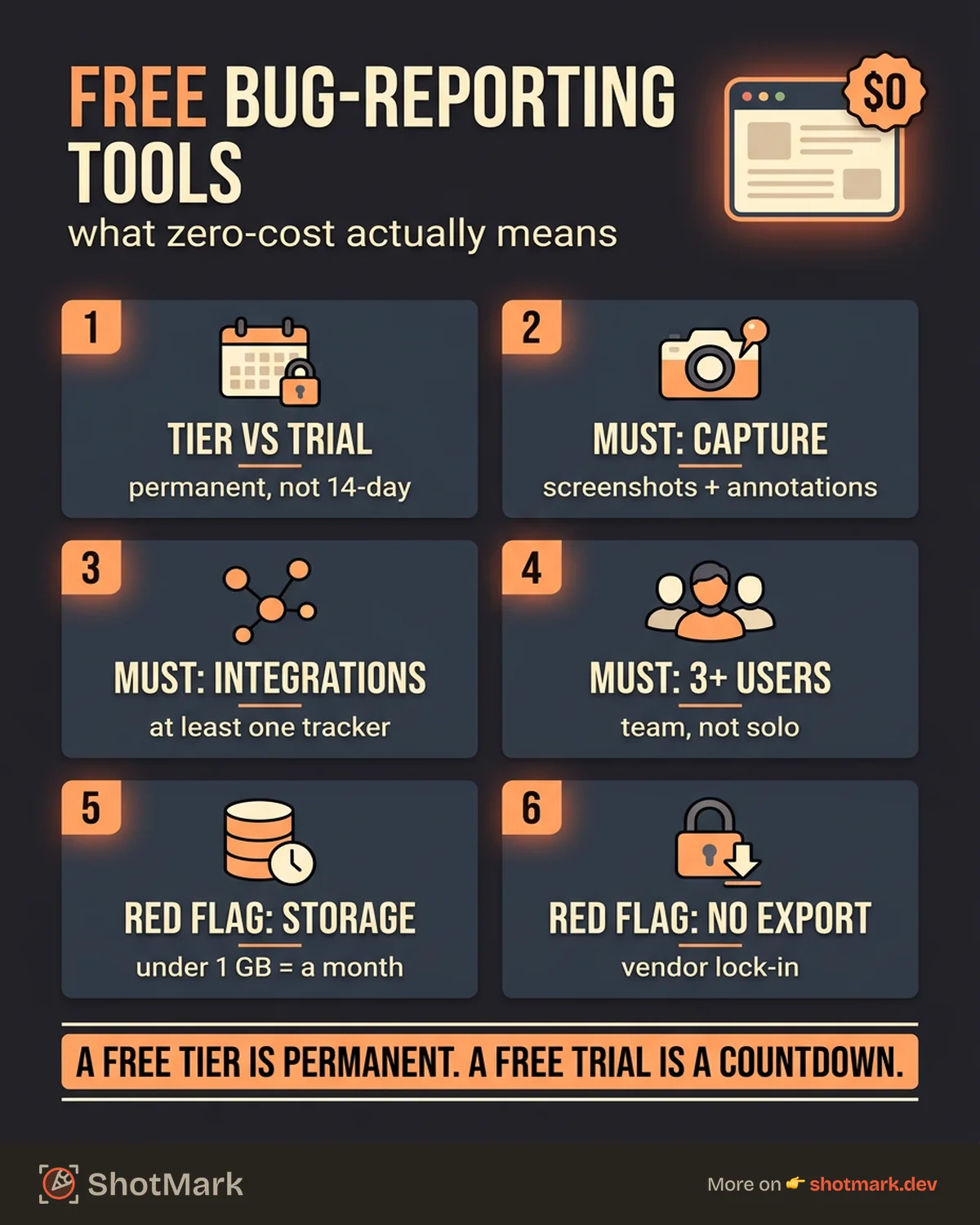
A free tier gives you permanent access to a subset of features. A free trial gives you full access for 7 to 30 days, then locks you out. Small teams need a free tier. If the pricing page says “Start your free trial,” that’s not what we’re looking for.
Must-Have Features at Zero Cost
At minimum, a free bug reporting tool should include:
- Screenshot capture or attachment support
- Basic integrations (at least one project management tool)
- 3+ users (a tool limited to 1 user isn’t a team tool)
- Unlimited projects or at least 3+
- No watermarks on shared reports
Nice-to-Haves
These features separate good free tiers from great ones:
- Console log capture
- Network request recording
- Session replay
- Browser extension for in-context capture
- API access
Red Flags
Watch out for:
- Storage limits under 1 GB (you’ll hit it in a month)
- Watermarks on exports or shared links
- No data export option (vendor lock-in)
- User limits of 1 or 2 (not team-friendly)
8 Free Bug Reporting Tools Compared
What is the best free bug reporting tool? It depends on your team’s workflow. Here’s what we found after testing each tool’s free tier for real QA work. For a deeper comparison including paid tiers, see our full bug reporting tools comparison.
1. ShotMark
Free tier: Screenshots, console logs, network requests, browser extension, unlimited users on the extension.
ShotMark captures complete technical context in one click. The browser extension grabs a screenshot, console errors, network request/response data, and environment details (browser, OS, viewport) without any manual copying. Reports can be sent to project management tools or shared via link.
Best for: Teams that want automated capture depth without paying. The free tier doesn’t limit the number of users on the browser extension, which is unusual.
Limitation: Advanced features like session replay and team analytics require a paid plan.
2. Jira
Free tier: Up to 10 users, 2 GB storage, full bug tracking features.
Jira’s free plan is one of the most generous for small teams. You get the full Bug issue type, custom workflows, boards, and basic automation. The catch: Jira has no built-in screenshot capture or console log collection. Bug reporting is entirely manual.
Best for: Teams already in the Atlassian ecosystem who don’t mind manual reporting.
Limitation: No visual capture tools. Every screenshot, console log, and environment detail must be gathered and pasted manually. For teams that want to streamline this, our guide on connecting to Jira shows how to pair Jira with capture tools.
3. GitHub Issues
Free tier: Unlimited for public repos, limited for private repos (free for up to 3 collaborators on private repos with GitHub Free).
GitHub Issues is simple, fast, and already where your code lives. You can create issue templates for bug reports, attach screenshots via drag-and-drop, and link issues to commits and PRs natively. Are there free alternatives to Jira for bug tracking? GitHub Issues is the most obvious one for developer teams.
Best for: Open-source projects and dev teams that live in GitHub.
Limitation: No automated capture. No console logs, network data, or environment detection. You’re writing everything by hand.
4. Linear
Free tier: Unlimited issues, up to 250 members, basic features.
Linear is fast, keyboard-driven, and built for developers. Linear’s pricing page shows a generous free tier with issue tracking, labels, cycles, and basic integrations. The interface is noticeably faster than Jira for everyday use.
Best for: Developer-led teams who value speed and clean UX.
Limitation: No built-in visual capture. No console log or network request collection. Like Jira, bug reports are manual.
5. MantisBT
Free tier: Fully free and open source. Self-hosted.
MantisBT is a veteran open-source bug tracker. It’s free to use with no user limits, no feature restrictions, and full control over your data. The trade-off is that you host and maintain it yourself.
Best for: Teams with a server to spare who want full ownership and zero vendor dependency.
Limitation: Dated UI. Setup requires server administration. No browser extension or automated capture. The UX feels like 2008.
6. Bugzilla
Free tier: Fully free and open source. Self-hosted.
Bugzilla powers bug tracking for Mozilla, the Linux kernel, and other large open-source projects. It’s extremely customizable and handles high volumes of bugs well. Like MantisBT, it’s self-hosted and free.
Best for: Large open-source projects with dedicated infrastructure teams.
Limitation: Complex setup. Steep learning curve. The interface prioritizes power over usability. Not practical for small teams without sysadmin resources.
7. BetterBugs
Free tier: Limited number of reports per month, basic capture features.
BetterBugs offers browser-based capture with screenshots and basic annotations. The free tier lets you file a limited number of bug reports per month (the exact limit varies, check their current pricing). Reports can be exported or shared via link.
Best for: Teams that want visual capture without self-hosting.
Limitation: The monthly report cap means active QA teams will hit the limit quickly. Paid plans remove the cap.
8. Jam
Free tier: Limited captures per month, browser extension, basic integrations.
Jam’s browser extension captures screenshots and basic page context. The free tier includes a limited number of captures per month, with integrations to tools like Linear, Jira, and Slack.
Best for: Teams that want quick visual captures with basic project tool integration.
Limitation: Capture limits on the free tier. Full console log and network data capture require a paid plan.
Comparison Table
| Tool | Free Users | Auto-Capture | Console Logs | Integrations | Self-Hosted |
|---|---|---|---|---|---|
| ShotMark | Unlimited (extension) | Yes | Yes | Yes | No |
| Jira | 10 | No | No | Yes (large ecosystem) | No |
| GitHub Issues | Unlimited (public) | No | No | Native (GitHub) | No |
| Linear | 250 | No | No | Yes | No |
| MantisBT | Unlimited | No | No | Limited | Yes |
| Bugzilla | Unlimited | No | No | Limited | Yes |
| BetterBugs | Varies | Yes | Limited | Basic | No |
| Jam | Varies | Yes | Paid only | Yes | No |
Free Bug Reporting Tools for Specific Use Cases
What bug reporting tools work for small teams? The answer depends on your team’s role and workflow. Here are our recommendations by use case.
Solo Developers
GitHub Issues + ShotMark extension: GitHub Issues handles tracking (it’s already where your code is). ShotMark’s bug report Chrome extension captures the technical context, so you don’t waste time switching between dev tools and your issue tracker.
Startup QA Teams (2 to 5 People)
Linear + ShotMark: Linear’s free tier is generous enough for small teams, and its speed keeps QA engineers productive. Pair it with ShotMark for automated capture, and your bug report tool setup covers both tracking and context collection.
Open-Source Projects
MantisBT or Bugzilla + GitHub Issues: For projects that need a self-hosted bug tracker, MantisBT is the easier setup. Bugzilla is more powerful but harder to configure. If your project already lives on GitHub, just use GitHub Issues with bug report templates.
Agency Teams
Jira free tier + visual capture extension: Agencies often need client-facing bug reports with clear visual evidence. Jira’s free tier supports up to 10 users, which covers most agency teams. Add a capture extension to automate screenshot and environment collection.
When to Upgrade From Free to Paid
Free bug tracking tools work well up to a point. Here are the signs your team has outgrown the free tier.
You’re hitting user or storage limits: If you’re constantly managing who has access or deleting old attachments to free up space, it’s time.
You need session replay or advanced diagnostics: Free tiers rarely include session replay, full network request capture, or detailed performance diagnostics. If your bugs require this level of context, a paid plan pays for itself in reduced debugging time.
You need team analytics: Metrics like bugs filed per sprint, average resolution time, and reopened bug rate help engineering leaders identify process issues. These features are almost always behind a paywall.
You have more than 10 active users: Most free tiers cap at 10 users. Growing teams need to plan for per-seat costs. Our bug reporting software guide covers paid options in detail.
Cost Comparison of Paid Tiers
| Tool | Starting Paid Price | Key Paid Features |
|---|---|---|
| ShotMark | TBD (launching soon) | Session replay, team analytics, unlimited captures |
| Jira | $7.75/user/month | Advanced roadmaps, automation, increased storage |
| Linear | $8/user/month | Advanced integrations, guest access, audit logs |
| Jam | Varies | Unlimited captures, full console/network data |
| BetterBugs | Varies | Unlimited reports, advanced annotations |
What Comes Next
Start with a free tool that captures real technical context, not just a text box for descriptions. ShotMark’s free tier gives your team screenshots, console logs, and network requests in one click, with no user limits on the browser extension. That’s a meaningful starting point for any small team.
As your team grows and your debugging needs become more complex, you’ll know when to upgrade. The right free bug reporting tool today should make that transition smooth, not force it prematurely.
Get new posts in your inbox.
One email when we publish: notes on QA, AI, and shipping faster. No spam, unsubscribe anytime.