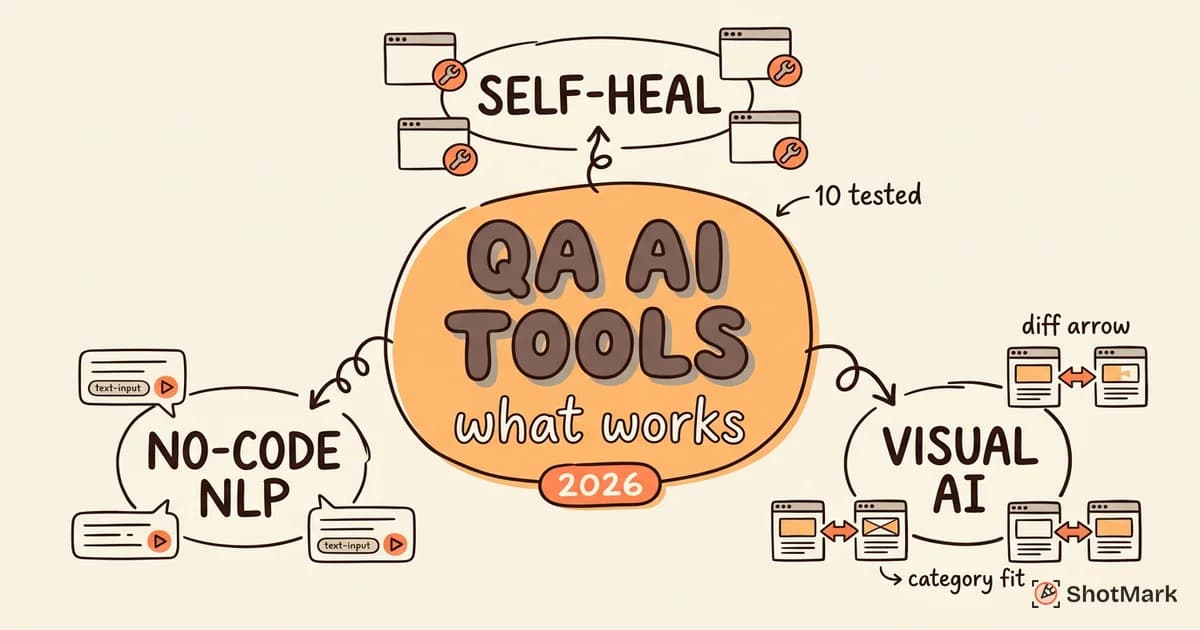
Every QA platform now claims to use AI. After spending a quarter testing ten of the most popular options, we found that some genuinely save hours per week, some add complexity without delivering real value, and most land somewhere awkwardly in between.
This guide is not a listicle. It’s a practitioner’s assessment of the current AI tool for QA testing landscape, grouped by what each category actually does, what it costs, and where the edges of each tool show up under real workloads. We built our evaluation on a mid-size React application with authenticated flows, a checkout path, and a handful of intentionally flaky components. Our goal was to answer one question: which AI QA tools are worth paying for in 2026, and which are still selling the promise rather than the product.
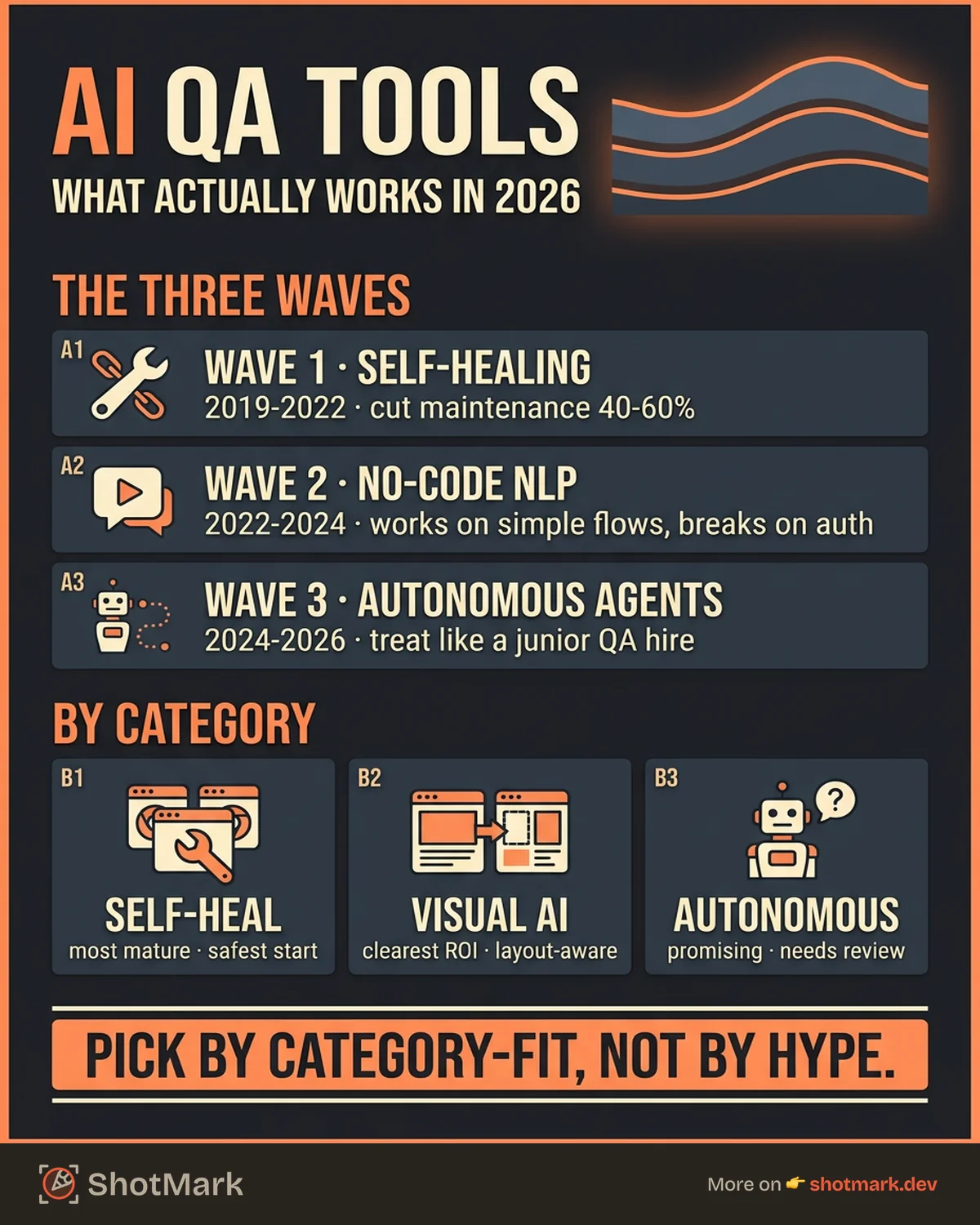
The Three Waves of AI in QA Testing
AI in QA testing has not arrived all at once. It has arrived in waves, each layered on top of the last, and understanding those waves is the fastest way to cut through the marketing. Most vendors blend several waves together, which is why the category feels crowded and vague at the same time. For a broader view of how these shifts fit together, see our analysis of how AI is changing software testing in 2026.
Wave 1: Smart Locators and Self-Healing (2019 to 2022)
The first wave focused on a single painful problem: test maintenance. Teams would write a Selenium or Cypress test, ship a UI change, and watch half of the suite break the next morning. Self-healing addressed that by letting the tool update selectors automatically when elements moved or changed attributes.
Smart locators look at multiple signals at once. Instead of relying only on a fragile CSS path, the tool captures text content, ARIA labels, position in the DOM, and neighboring elements. When the selector fails, the engine picks the next best candidate and keeps the test green. Tools like Mabl and Testim led this wave.
Verdict: genuinely useful. Self-healing does not remove the need for maintenance, but it reduces it by 40 to 60 percent in our experience. For teams shipping multiple deploys per day, that is real money.
Wave 2: No-Code and NLP Test Creation (2022 to 2024)
The second wave moved upstream into test authoring. Instead of writing code, users type tests in plain English. “Log in as admin, click Settings, verify the Billing tab is visible.” The platform converts that into executable steps against the live application.
No-code authoring works well for straightforward flows. It struggles with conditional logic, dynamic data, authenticated state setup, and anything that depends on backend fixtures. Testsigma , testRigor , and Momentic all sit in this wave, though each has expanded further.
Verdict: works for simple happy paths. Breaks down fast on complex scenarios. The gap between “demo flow” and “production flow” is still where most of these tools lose time.
Wave 3: Autonomous and Generative Testing (2024 to 2026)
The third wave is the one vendors talk about loudest. An agent crawls your application, infers what it does, writes tests, and maintains them over time. You approve, prune, and occasionally correct. In theory, coverage goes up while human time goes down.
Autonomous testing is where the hype is heaviest and the reality is most uneven. QA Wolf , Momentic, and Checksum all promise variants of this. The agents are real. The coverage they generate is real. The quality of that coverage, though, depends heavily on how teachable your application is. A clean app with stable data-testid attributes gets far more useful tests than a legacy monolith with autogenerated class names.
Verdict: promising, but not plug-and-play. The best teams treat these agents like a junior QA hire. Useful, fast, but not trusted without review.
AI QA Tools by Category
With the waves mapped, the specific tools fall into three practical categories. We tested each against the same React application and graded them on authoring speed, maintenance burden, flake rate, reporting quality, and honest pricing transparency.
Autonomous and Self-Healing Testing
This category is the most mature and the safest place to start if you have not adopted AI QA tooling yet.
Mabl is low-code first. You record a flow in the browser, and Mabl turns it into a test with auto-waits, smart locators, and baseline visual snapshots. It is web-first, with a separate API testing module. Self-healing is the star feature. In our tests, Mabl auto-fixed 68 percent of selector breakages caused by cosmetic UI changes. Pricing starts in the mid four-figure range per year and scales with parallel runs.
Testim, now part of Tricentis, leans harder on smart locators. Its proprietary AI captures dozens of properties per element and ranks them for stability. That makes Testim especially resilient on applications with rapid UI churn. It also has strong branching logic and a Playwright-compatible code mode for engineers who want to drop down from the recorder. Pricing is quote-based, which is a recurring theme in this category.
Functionize differentiates on ML-powered defect prediction. Beyond running tests, it learns which parts of your codebase tend to cause failures and suggests additional coverage in those areas. In practice, the value depends on how much history you have in the platform. Early months feel thin. By month four or five, the suggestions get useful.
Momentic blurs the line between waves. You write tests in natural language (“verify that the checkout total matches the sum of the cart items”), and an autonomous agent figures out the clicks, waits, and assertions. It is the closest thing in our test to the “just describe what you want” experience. The tradeoff is debuggability. When a test fails, the root cause is sometimes buried in the agent’s reasoning rather than in a clear selector mismatch.
Generative AI and No-Code Platforms
This category is for teams who want QA coverage without hiring SDETs. The authoring experience is the selling point. The maintenance story is the risk.
Testsigma is cloud-based and aggressively generalist. You can test web, mobile, and APIs from the same platform, and the natural language model is serviceable. It is one of the easier platforms for non-engineers to adopt. Flake rate in our tests was higher than Mabl or Testim, especially on iframes and shadow DOM elements.
testRigor emphasizes business-language test writing. Its pitch is that product managers and QA analysts can write tests without any awareness of selectors, DOM structure, or test code. That pitch largely holds up for CRUD-style applications. For complex single-page apps with heavy client-side state, testRigor needs more hand-holding than the marketing suggests.
QA Wolf takes a different angle. Instead of selling you software, QA Wolf runs as a managed service. Their team builds and maintains your tests, backed by an agentic platform, and they charge per test rather than per seat. For teams without dedicated QA engineers, this is compelling. For teams with internal QA, it can feel like you are paying twice for work that should be yours.
Blinq.io is the youngest of the group and focuses on NLP-driven test case generation from user stories. Feed it a Jira ticket or a Figma flow and it outputs executable tests. Coverage density is good. Reliability on complex authentication flows is still inconsistent.
Visual Regression Testing
Visual regression is the most targeted AI application in QA, and the category with the clearest return on investment.
Applitools pioneered Visual AI. Instead of pixel-by-pixel diffs that break on every anti-aliasing change, Applitools uses a model trained to understand layout and content. It flags meaningful visual changes and ignores cosmetic noise. For design systems and marketing sites, it is excellent. It plugs into Selenium, Cypress, Playwright, and most CI pipelines.
Percy, part of BrowserStack, is the other serious option. It is simpler and cheaper than Applitools and integrates natively with BrowserStack’s cross-browser cloud. The AI is less sophisticated, but for teams already on BrowserStack, Percy is often good enough and significantly easier to onboard.
How the Top AI QA Tools Stack Up
Here is how the ten tools we evaluated compare on the dimensions that actually matter to buying decisions. Pricing reflects publicly listed starting tiers as of April 2026. Many vendors require a sales conversation for production pricing, which we have noted as “contact sales.”
| Tool | Category | Starting Price | Best For | AI Capability | Learning Curve |
|---|---|---|---|---|---|
| Mabl | Self-healing, low-code | Contact sales | Web apps with rapid UI churn | Smart locators, visual diffs | Low |
| Testim | Self-healing, hybrid | Contact sales | Engineering-heavy QA teams | Stable locators, branching logic | Medium |
| Functionize | ML defect prediction | Contact sales | Enterprises with legacy apps | Failure prediction, auto-generation | Medium |
| Momentic | Autonomous, NLP | From $300/mo | Teams wanting plain English tests | Agentic test runs | Low |
| Testsigma | No-code, NLP | From $349/mo | Cross-platform coverage | NLP authoring | Low |
| testRigor | No-code, business language | From $900/mo | Non-technical QA teams | Plain language tests | Low |
| QA Wolf | Managed, agentic | From $2k/mo | Teams without internal QA | Agent-built test suites | None |
| Blinq.io | NLP from user stories | Contact sales | Ticket-to-test workflows | Story-driven generation | Medium |
| Applitools | Visual AI regression | From $99/mo | Design-system-heavy apps | Layout-aware diffs | Low |
| Percy | Visual regression | From $149/mo | BrowserStack users | Pixel and DOM diffs | Low |
For a deeper decision framework on whether to adopt a tool like these or build your own, our guide on AI QA automation: build or buy in 2026 walks through the cost models and tradeoffs.
What AI QA Tools Still Can’t Do
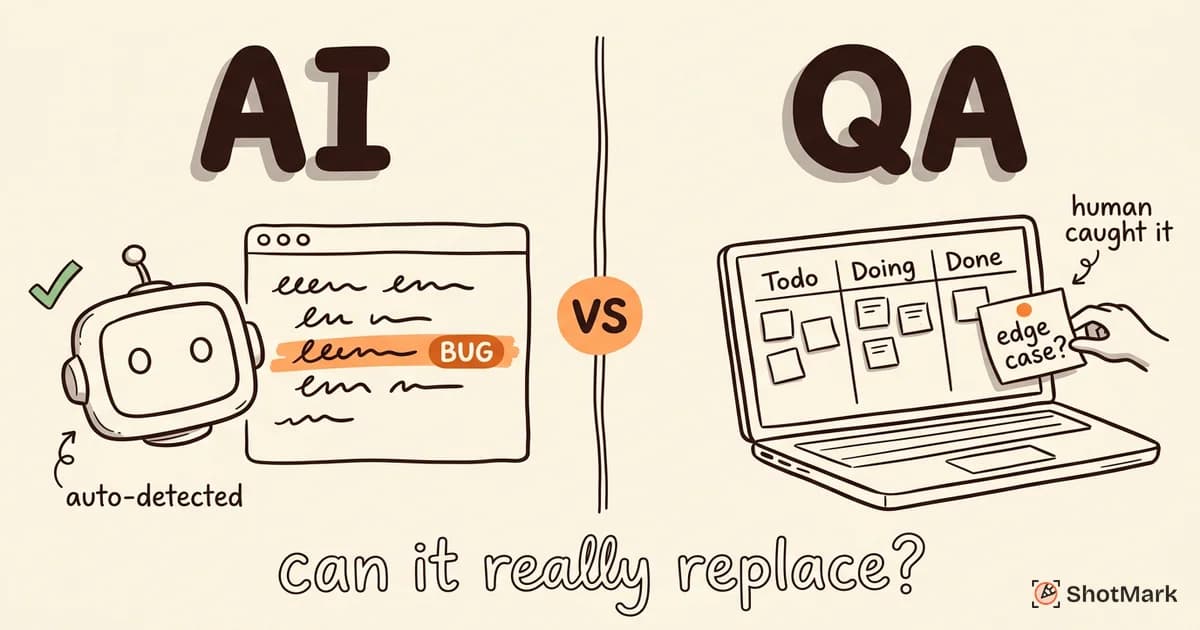
No matter how the marketing reads, AI tools are not replacing senior QA engineers in 2026. They are replacing a specific set of repetitive tasks. The gap between what these tools can do and what a thoughtful tester can do is still wide, and honest adoption requires naming those gaps out loud. We cover this in more detail in our piece on whether AI bug detection can replace manual QA.
Understand Business Context
AI agents can crawl your application and write tests against observable behavior. They cannot tell you that a failing “remove from cart” flow matters more than a failing “change timezone” flow because the first one directly blocks revenue. Business context comes from humans, and prioritization without business context is noise.
Replace Exploratory Testing
Exploratory testing is the deliberate practice of learning a system by probing it. It is how testers find the bugs nobody thought to write a test for. AI agents explore too, but they explore within the distribution of patterns they have seen. Novel interactions, edge cases in unusual states, and creative attacks on assumptions remain the domain of human testers.
Handle Complex Multi-System Workflows
A real end-to-end test might start in a mobile app, pass through an auth service, hit a payments provider, update a database, trigger a webhook, and surface a notification in a partner platform. Most AI QA tools are strong on one surface and weak on the orchestration between surfaces. When a test like this fails, diagnosing which system broke is still mostly manual work.
Provide Full Bug Context
AI testing finds defects. Reporting those defects, with enough context for a developer to reproduce and fix them, is a separate job. Most AI QA platforms output a failure message, a screenshot, and sometimes a video. That is rarely enough. You still need the console logs, the network requests, the device details, and the annotated screen recording that turns a “something broke” ticket into a “here is exactly what happened” ticket.
The Missing Piece: AI-Powered Bug Reporting
Every AI QA tool in this guide is focused on test execution. None of them fully solve bug reporting. This is a meaningful gap, because testing and reporting sit on the same critical path. A great test that finds a real bug still burns an hour of engineering time if the ticket takes 30 minutes to triage.
This is where ShotMark fits. ShotMark is a one-click capture extension that records screenshots, console logs, network requests, and session replay at the moment a bug is found. Instead of asking your QA team to file tickets manually (and your developers to ask follow-up questions), ShotMark produces a bug report with everything an engineer needs already attached. For a fuller look at how teams use it across automated and manual workflows, see our write-up on AI-powered testing: practical use cases for QA.
The combination is powerful. Your AI test suite finds failures at scale. ShotMark captures the full context the moment a human reproduces them. Your developers get complete bug reports without manual triage, and your QA team stops spending 20 minutes per ticket on screenshots and console dumps. ShotMark is open-source at the SDK layer and currently runs a waitlist for early access.
How to Choose the Right AI QA Tool
Tool selection is a function of three variables: team size, tech stack, and tolerance for managed services. The framework below is what we have seen work across teams we have advised, and it holds up across most of the AI QA landscape.
Start With Self-Healing Before Autonomous Testing
If you have a flaky test suite, fix that first. Self-healing tools like Mabl and Testim have a proven return on investment and a short ramp. Autonomous testing is seductive but harder to justify as a first investment. Until your existing tests are stable and trusted, adding more tests (autonomously generated or not) adds noise, not signal.
Match the Tool to the Team
A five-person startup without a dedicated QA engineer will get more value from a managed service like QA Wolf than from a self-service platform. A 50-person engineering organization with internal SDETs will get more from Testim or Mabl, where the engineers can extend tests in code. A product-led team with strong PM involvement should look at testRigor or Testsigma, where non-engineers can own test creation.
Respect the Stack
Most of these tools are web-first. If your product is a React Native app or a desktop Electron application, the field narrows quickly. Mabl, Testsigma, and testRigor have mobile offerings of varying quality. Applitools has SDKs for most frameworks. Ask for a proof of concept on your actual application before signing anything, because vendor demos run on apps that were built to show well.
Don’t Replace Manual QA; Augment It
The most successful adoptions we have seen treat AI QA tools as a force multiplier, not a replacement. The ratio that works: let AI tools handle regression, smoke tests, and visual diffs. Let humans handle exploratory testing, risk-based prioritization, and bug reporting. That ratio keeps the humans doing the judgment work the tools cannot do, and lets the tools do the repetition the humans do not want to do. For a longer view of where this is all headed, see our piece on AI test case generation: a practical guide for QA.
Common Questions About AI QA Tools
What is the best AI tool for QA testing?
There is no single best tool. Mabl is the best low-code option for web apps with rapid UI change. Testim is the best hybrid option for engineering-heavy teams. Momentic is the best natural language option. Applitools is the best for visual regression. If you only have budget for one category, self-healing web testing gives you the fastest return.
Can AI do QA testing?
AI can do a significant portion of QA testing, specifically regression runs, visual diffs, smoke tests, and some exploratory coverage. It cannot do exploratory testing at a senior level, business-context prioritization, or complete bug reporting. The most useful framing is that AI does the repetitive parts of QA, not the judgment parts.
Will QA testers be replaced by AI?
Not the good ones. The tester who only runs scripted regression suites will see their role shrink. The tester who combines exploratory testing, risk-based prioritization, tool selection, and developer collaboration is more valuable than ever because they are the ones deciding how to deploy these tools.
How do I use AI as a QA tester?
Start narrow. Pick one painful area (flaky selectors, slow regression runs, visual review) and adopt one tool that targets it. Measure the outcome for a sprint. Expand only after the first tool is trusted. The mistake most teams make is adopting three AI tools at once, none of which the team fully learns, and all of which add maintenance overhead.
Are there free AI testing tools?
Yes, with caveats. Percy offers a small free tier. Applitools has a free plan for personal projects. Playwright and Cypress are free open-source frameworks with growing AI add-ons. Fully free AI-first QA platforms at commercial scale do not exist yet. The economics of running inference at scale are real, and vendors pass those costs on eventually.
What about open source AI testing tools?
Playwright with smart locator plugins, Cypress with AI add-ons, and the rrweb-based replay ecosystem (including PostHog and OpenReplay) represent the strongest open-source AI-adjacent testing stack in 2026. They are not drop-in replacements for Mabl or Testim, but for teams who want to own the stack, they are increasingly viable.
Where This Is Headed
The AI QA space is moving fast, and the winners over the next two years will not be the tools with the most features. They will be the tools that make the hard parts of testing (flake reduction, bug reporting quality, cross-system coverage) genuinely easier. For more on that trajectory, our post on where QA testing is headed in the next three years goes deeper on the patterns we are watching.
For now, the playbook we would give a QA leader in 2026 is this. Adopt self-healing first. Keep human testers on exploration and judgment. Pair your automated coverage with a bug reporting workflow that does not rely on screenshots pasted into Slack. That combination, not any single AI tool, is what moves cycle time down and quality up.
An AI tool for QA testing is only as valuable as the context around it. Clean test data, clear ownership, and honest bug reports still matter more than the specific vendor you pick. Get those right, and almost any tool on this list will pay for itself. Get them wrong, and no tool will. If you are looking to close the bug reporting half of that loop while you evaluate AI testing platforms, ShotMark is on the waitlist now.
Get new posts in your inbox.
One email when we publish: notes on QA, AI, and shipping faster. No spam, unsubscribe anytime.