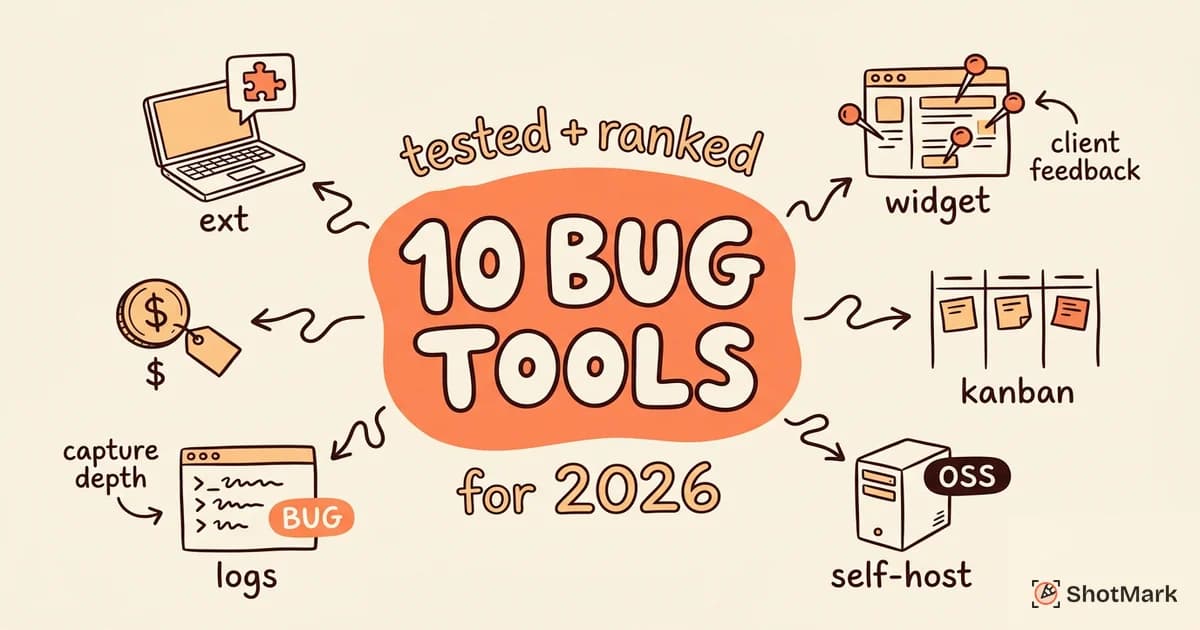
There are more than 20 bug reporting tool options on the market in 2026, and most comparison articles either bury the trade-offs or shill for whoever paid for the placement. The right tool depends on who’s reporting the bug (developers, QA, clients), what context you need captured (screenshots, console logs, network requests, session replay), and where bugs end up (Jira, Linear, GitHub, Trello).
We tested 10 bug reporting tools on the same sample web app and scored each across capture depth, integrations, collaboration, and price. This comparison groups the tools by use case, calls out real weaknesses, and shows you how to match a tool to your team instead of the other way around.
How We Evaluated These Bug Reporting Tools
Every tool in this article was installed on the same React and Next.js test application. We filed five bug reports per tool covering a frontend crash, a slow API call, a broken CSS layout, a console warning, and a multi-step regression. Each tool was scored on six criteria.
- Capture depth: screenshot quality, console log capture, network request capture, session replay, device metadata
- Annotation tools: arrows, blur, text, shapes, video recording
- Integrations: Jira, Linear, GitHub, GitLab, Slack, Asana, Trello, ClickUp
- Ease of use: time to install, time to file first bug, team onboarding friction
- Collaboration: comments, assignees, watchers, share links
- Pricing: free tier, per-seat cost, enterprise terms
Our reviewers included two QA engineers, one frontend developer, and one product manager. Scoring followed the criteria framework we outline in how to choose a bug tracking tool, which weights capture depth and integrations over UI polish. We cross-referenced our findings with the 2025 Atlassian bug reporting roundup , the CTO Club’s 2026 bug tracking review , and the WebFX bug reporting tools roundup to validate our shortlist. We also pulled practitioner feedback from threads on r/QualityAssurance on Reddit and the Lark bug trackers analysis , which both surface tools that don’t always show up in vendor-written listicles.
Here’s the summary before we break each tool down in detail.
| Tool | Best For | Starting Price | Capture Depth | Mobile |
|---|---|---|---|---|
| Jam.dev | Developer teams | Free, $20/seat | High | No |
| ShotMark | Capture + collaboration | Free (waitlist) | High | Planned |
| BetterBugs | QA teams | Free, $15/seat | High | No |
| Marker.io | Agencies | $39/mo | Medium | No |
| BugHerd | Client feedback | $41/mo | Low | No |
| Usersnap | Feedback + bugs | $49/mo | Medium | No |
| Bugzilla | Self-hosted OSS | Free | Text only | No |
| MantisBT | Self-hosted OSS | Free | Text only | No |
| Redmine | PM + bug tracking | Free | Text only | No |
| Jira | Enterprise | $7.53/user | Text only | Yes |
Best Bug Reporting Tools for Developer Teams
Developers need technical context. Screenshots alone don’t cut it when the bug is a race condition in a fetch call or a stack trace behind three promises. This section covers tools that capture console logs, network requests, and enough environment data to reproduce the bug without a follow-up thread on Slack.
Jam.dev
Jam.dev is the darling of technical QA in 2025 and 2026, and their SERP presence reflects that ($80K estimated traffic value, 2,124 ranking keywords). The browser extension captures a one-click report with screenshot, console logs, network requests, device info, and a short session recording of the last 60 seconds.
Strengths: Deep technical capture is the benchmark in this category. The console log viewer inside the bug report is genuinely useful. Integrations with Jira, Linear, GitHub, and Slack are well-documented. Free tier is generous enough for small teams.
Weaknesses: Extension-only means no SDK for in-app reporting. No open-source option. Collaboration features are thin compared to Marker.io or Usersnap. No mobile app or mobile browser support.
Pricing: Free for up to 15 jams per month. Paid plans start at $20 per seat per month.
Best for: Frontend and fullstack developer teams that want the deepest technical capture without installing an SDK.
ShotMark
ShotMark is a visual bug reporting platform we’re building as an open-source alternative to the closed extensions in this category. One-click capture includes a screenshot, browser console logs, network requests, and a session replay of the last 30 seconds. Bugs can be annotated inline, assigned to teammates, and pushed to Jira, Linear, or GitHub.
Strengths: Captures screenshots, console logs, network requests, and session replay in one click. Open-source SDK lets you embed the capture flow in your own app so testers and end users can file bugs without installing an extension. Team collaboration (comments, assignees, watchers) is built into the web app. The waitlist is open at shotmark.dev.
Weaknesses: Early stage. Smaller ecosystem than Jam.dev or Marker.io. Mobile capture is on the roadmap but not shipped yet.
Pricing: Free tier during the waitlist period. Paid plans launching at $12 per seat per month.
Best for: Teams that want the capture depth of Jam combined with the collaboration surface of Marker.io, plus the option to self-host or embed via SDK.
BetterBugs
BetterBugs (formerly BetterBug) is a Chrome extension focused on precise, developer-friendly bug reports. It auto-captures technical context and lets QA engineers file reports to Jira, ClickUp, or GitHub without leaving the browser.
Strengths: Strong presence in the Chrome Web Store (#5 SERP position in our research, 3,201 ranking keywords). Integrations cover the major issue trackers. Capture includes annotated screenshots, console errors, network requests, and a short screen recording.
Weaknesses: Grows traffic by ranking unrelated free tools rather than product content, which makes documentation harder to find. No open-source offering. Annotation tools are basic compared to Marker.io.
Pricing: Free tier covers individual use. Team plans start around $15 per seat per month.
Best for: QA teams that want a reliable extension with solid integrations and don’t need in-app SDK reporting.
Best Bug Reporting Tools for Agencies and Client Feedback
Agencies have a different problem. Their reporters aren’t technical QA engineers. They’re marketing managers, product owners, and clients who want to pin a comment on a hero image and move on. These tools optimize for visual feedback, not console traces.
Marker.io
Marker.io has been in the space since 2015 and remains a popular choice for web agencies. Clients install a widget or browser extension, click anywhere on a live site, and file feedback that syncs to the agency’s Jira, Trello, or Asana board. The product page is at marker.io .
Strengths: 20+ integrations including Jira, Trello, ClickUp, and Asana. Visual annotation tools are polished. Guest reporter flows let clients file feedback without creating accounts. Long track record with agency teams.
Weaknesses: SERP rankings have declined (down from top 3 to #6 in our research). UI feels dated compared to newer tools. Technical capture (console logs, network) exists but is shallow compared to Jam or ShotMark.
Pricing: Starts at $39 per month for the Starter plan.
Best for: Agencies and in-house web teams that collect feedback from non-technical stakeholders and push it into Jira or Trello.
BugHerd
BugHerd pioneered the pin-on-element pattern: install the widget, click on any element on a live site, and attach a comment with a screenshot. Comments show up as a Kanban board for the team.
Strengths: Point-and-click feedback that non-technical clients understand immediately. Built-in Kanban board means small agencies don’t need a separate issue tracker. Good for static websites and marketing pages.
Weaknesses: No console log or network request capture, which limits its usefulness for web app bugs. SERP rankings have slipped to #9 in our research. Works best on sites with stable DOM, less well on heavy SPA frameworks.
Pricing: Starts at $41 per month for the Standard plan.
Best for: Small agencies and freelancers building marketing sites, where client feedback matters more than technical capture.
Usersnap
Usersnap sits between a feedback platform and a bug tracker. You can collect bug reports, NPS surveys, feature requests, and CSAT scores from the same widget.
Strengths: Broad feedback collection makes it useful beyond bugs. Integrations with Jira, Asana, and Slack are mature. $44K estimated traffic value and 3,809 ranking keywords make it one of the more visible brands in the category.
Weaknesses: More feedback platform than bug tool. QA-specific capture (console errors, network requests) is lighter than Jam or BetterBugs. Pricing jumps quickly once you need multiple survey types.
Pricing: Starts at $49 per month for the Startup plan.
Best for: Product teams that want bug reports and customer feedback in one tool without running two separate vendors.
Best Bug Reporting Tools for Open Source and Self-Hosted
Some teams can’t send captured data to a SaaS vendor. Regulated industries, government projects, and security-conscious engineering teams often need self-hosted or open-source alternatives. These tools are text-first, no visual capture, but they’re free and you own the data.
For a deeper head-to-head between the two most popular open-source options against the commercial leader, see Bugzilla vs Jira: which bug tracker fits you.
Bugzilla
Bugzilla is the original open-source bug tracker, shipped by Mozilla in 1998 and still used by Mozilla, the Linux kernel project, the Apache Foundation, and the WebKit team. It’s boring in the best possible sense: stable, customizable, and battle-tested.
Strengths: Mature codebase with more than 25 years of production use. Deep customization via custom fields, workflows, and permissions. Full-text search, saved queries, and email notifications that actually work. Free and open source under the Mozilla Public License.
Weaknesses: UI looks like it was last updated in 2012, because it mostly was. No built-in visual capture. Setup requires Perl, a database, and some sysadmin patience. Better suited to teams who prefer text over screenshots.
Best for: Mature open-source projects and regulated teams that need text-based bug tracking with deep configurability.
MantisBT
MantisBT (Mantis Bug Tracker) is a PHP-based open-source tracker that’s lighter to install than Bugzilla and has a cleaner default UI. It ranked #7 on the SERP in our research, which reflects how often teams still recommend it in forums.
Strengths: Easy setup on any LAMP stack. Web-based UI is less dated than Bugzilla. Plugin ecosystem covers email integration, GitHub sync, and custom reporting. Mobile-friendly views.
Weaknesses: No screenshot annotation or console capture. Search and filtering aren’t as powerful as Bugzilla’s. Plugin quality varies.
Best for: Small and mid-size teams that want a self-hosted tracker without Bugzilla’s setup overhead.
Redmine
Redmine is a full project management suite with bug tracking built in. Think of it as the open-source alternative to Jira rather than a pure bug tool.
Strengths: Covers project management, wiki, Gantt charts, time tracking, and bug tracking in one install. Ruby on Rails codebase is familiar to many teams. Flexible custom fields and workflows.
Weaknesses: More complex than MantisBT or Bugzilla if you only need bug tracking. Upgrades can be painful. UI is functional but not polished.
Best for: Teams that want project management and bug tracking in one self-hosted tool.
The Requestly open-source bug reporting roundup covers a few additional options like Trac and Fossil if you want to go deeper on self-hosted alternatives.
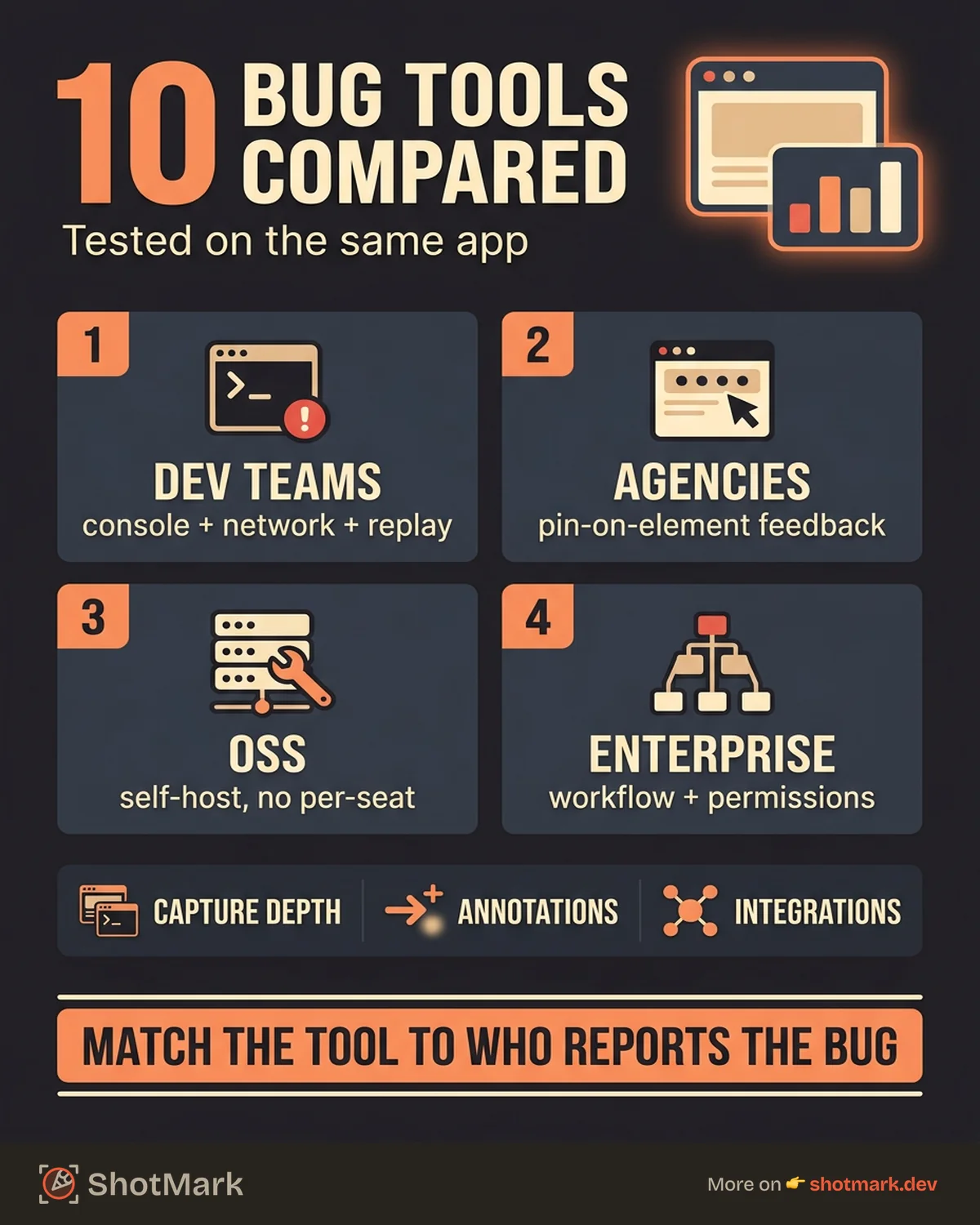
Best Bug Reporting Tools for Enterprise Project Management
Enterprise teams rarely pick a bug reporting tool in isolation. They pick a project management platform and the bug tracker comes with it. Jira is the dominant choice, but there are reasons to think twice.
Jira
Jira is the industry standard for issue tracking in software teams larger than about 20 people. It’s not primarily a bug reporting tool, but its Bug issue type, custom fields, and workflow engine make it the endpoint for most of the tools in this article. See Pieces.app’s bug tracking roundup for a broader look at how Jira fits alongside modern AI-assisted tooling.
Strengths: Deep workflow customization. Every bug reporting tool in this article has a Jira integration. Advanced reporting, dashboards, and JQL search. Atlassian Marketplace extends functionality with thousands of apps.
Weaknesses: Overkill for small teams. Bug capture is entirely manual unless you pair it with a dedicated capture tool. UI performance has been an ongoing complaint. Pricing adds up with required add-ons.
Pricing: Free for up to 10 users. Standard starts at $7.53 per user per month.
Best for: Mid-size and enterprise teams that need deep workflow customization and already use the Atlassian stack.
Linear is the modern alternative many teams are migrating to in 2026. It’s faster, cleaner, and keyboard-friendly, though its bug capture story still depends on pairing with a tool like ShotMark or Jam. We cover the migration path in our Linear guide.
Bug Reporting Tool Comparison Table
Here’s the side-by-side feature matrix for the 10 tools covered above. Capture depth scores reflect screenshot, console log, network request, and session replay coverage combined.
| Tool | Capture Depth | Integrations | Visual Annotation | Session Replay | Open Source | Free Tier |
|---|---|---|---|---|---|---|
| Jam.dev | High | 12+ | Yes | Yes (60s) | No | Yes |
| ShotMark | High | 8+ | Yes | Yes (30s) | SDK | Yes |
| BetterBugs | High | 10+ | Yes | Yes (short) | No | Yes |
| Marker.io | Medium | 20+ | Yes | No | No | Trial only |
| BugHerd | Low | 10+ | Yes | No | No | Trial only |
| Usersnap | Medium | 15+ | Yes | No | No | Trial only |
| Bugzilla | Text | Manual | No | No | Yes | Yes |
| MantisBT | Text | Plugins | No | No | Yes | Yes |
| Redmine | Text | Plugins | No | No | Yes | Yes |
| Jira | Text (manual) | 3000+ | Add-ons | Via add-ons | No | Yes (10 users) |
For QA-specific recommendations inside this category, the narrower bug reporting tools compared for QA teams roundup scores each tool on QA-centric workflows like test case linking and triage queues.
Key Features to Compare in Any Bug Reporting Tool
Every tool above sits somewhere on the same feature axes. When you evaluate options beyond this list, these are the features that actually move the needle.
Automatic Data Capture
Automatic capture is what separates a modern bug reporting tool from a glorified screenshot utility. The four capture layers that matter:
- Console logs (errors, warnings, info messages). See our guide on how to capture console logs for bug reports for the full capture checklist.
- Network requests (method, URL, status code, timing, payload). If you file frontend bugs regularly, review network request debugging for frontend devs for the fields you want preserved.
- Browser metadata (user agent, screen size, URL, timestamps)
- Session replay (a short recording of user actions leading up to the bug)
Tools that capture all four (Jam, ShotMark, BetterBugs) eliminate the “what browser were you on?” follow-up thread. Tools that only capture screenshots (BugHerd, Marker.io, Usersnap) leave developers guessing.
Visual Annotation
Annotation turns a screenshot into a bug report. At minimum, look for arrows, boxes, text labels, and blur for redacting sensitive data. Screen recording with voice narration is a bonus for flows that are hard to describe in text.
Marker.io and BugHerd have the most polished annotation UI. Jam and ShotMark’s annotation tools are functional but less flashy. Usersnap’s annotation feels more feedback-widget than bug-tool.
Session Replay
Session replay isn’t a full-blown LogRocket or FullStory replacement. In this category, it’s a short buffer (usually 30 to 60 seconds) of the user’s actions right before they hit the Report Bug button. That’s enough to reconstruct most reproduction steps without asking the reporter to write them out.
Jam.dev and ShotMark both include short-buffer replay. Marker.io, BugHerd, and Usersnap don’t. For a deeper look at standalone session replay tools, see our session replay tools compared post.
Integrations
A bug report that doesn’t land in your team’s issue tracker dies on arrival. Every tool in this list integrates with Jira. Most integrate with Linear, GitHub, Slack, and ClickUp. The differences are in depth, specifically whether captured metadata (console logs, network requests) comes through as attached files or structured fields.
If your team uses Linear, look for custom field mapping. If you use Jira, check whether the tool respects your required fields on the Bug issue type. If you use GitHub, check whether the tool creates Issues or Discussions and whether captured evidence gets uploaded as file attachments or pasted as text.
How to Choose the Right Bug Reporting Tool
Use this decision tree to narrow from 10 options to 2.
Do your reporters include non-technical clients or stakeholders?
- Yes: start with Marker.io, BugHerd, or Usersnap
- No: continue below
Do you need console logs, network requests, or session replay captured automatically?
- Yes: start with Jam.dev, ShotMark, or BetterBugs
- No: continue below
Are you in a regulated industry or do you require self-hosting?
- Yes: start with Bugzilla, MantisBT, or Redmine
- No: continue below
Is your team already in the Atlassian ecosystem and do you need deep workflow customization?
- Yes: use Jira as your primary tool, add Jam or ShotMark for capture
- No: default to ShotMark for capture and Linear or GitHub Issues for tracking
For small and mid-size teams on a budget, our best free bug reporting tools for small teams roundup covers zero-cost options across every category above.
Which Tool Is Best for Bug Tracking?
There isn’t one answer. Jira and Linear dominate enterprise workflow management. Jam.dev and ShotMark lead on technical capture. Marker.io and Usersnap own the client-feedback segment. Bugzilla and MantisBT remain the open-source default. The best tool is the one that matches your team’s reporters, your required capture depth, and your existing issue tracker.
What Is the Best Way to Create a Bug Report?
Use a bug reporting tool that captures screenshot, console logs, network requests, and session context automatically. Then write a clear title, numbered reproduction steps, expected vs actual behavior, and attach the captured evidence. Our bug report chrome extensions for QA teams post covers the capture side, and our bug report format guide covers the writing side.
Is Bugzilla Still Used?
Yes. Bugzilla is actively maintained, and high-profile projects like Mozilla, the Linux kernel, and the Apache Foundation still use it in 2026. It’s not the most fashionable choice, but it’s one of the most stable. If you need a text-based open-source tracker you can self-host and customize without a vendor in the loop, Bugzilla remains a solid pick.
What Is the Best Free Bug Reporting Tool?
If you want technical capture, Jam.dev’s free tier is the most generous for small teams. If you want a full tracker plus capture, PostHog’s free tier includes session replay, or ShotMark’s waitlist period is currently free. If you need self-hosted and free forever, Bugzilla, MantisBT, or Redmine will do the job.
Picking a Tool and Actually Using It
The failure mode we see most often isn’t picking the wrong tool. It’s picking a good tool and never rolling it out properly. QA engineers keep filing bug reports by hand in Google Docs because nobody trained the team on the new capture flow. Clients send screenshots in Slack because the Marker.io widget wasn’t installed on staging. Developers file minimal GitHub Issues because they don’t know the Jira instance exists.
A few things help. Run a 20-minute kickoff on the tool you pick. Document the capture flow in a one-page runbook. Add the bug reporting tool’s browser extension to your team’s onboarding checklist. Review the first two weeks of reports and flag any that are missing context, then coach the reporter on using the capture fields. The bug tracking tools software testers rely on guide covers the rollout checklist in more depth.
The best bug reporting tool is the one your whole team actually files reports with, every day, without needing to be reminded. Capture depth matters, but consistency matters more. A medium-depth tool used by 100% of your team beats a technically superior tool used by 30%.
If you want a bug reporting tool that balances one-click capture (screenshots, console logs, network requests, session replay) with team collaboration and an open-source SDK you can embed in your own app, ShotMark is worth a look. Join the waitlist at shotmark.dev and we’ll send you early access plus a setup walkthrough when your spot opens.
Get new posts in your inbox.
One email when we publish: notes on QA, AI, and shipping faster. No spam, unsubscribe anytime.