Your team already reports bugs in Slack, whether you intended it or not. Someone posts a screenshot in a channel, a thread starts, three people chime in, and the actual Slack bug reporting details scatter across 47 messages. By the time someone creates a Jira ticket, half the context is gone.
The problem is not that people file bugs in Slack. It is that Slack is a conversation tool, not a bug report tool. Without a structured workflow, screenshots get buried, environment data never gets captured, and developers spend their first 20 minutes on every bug just asking “what browser were you on?”
Why Bug Reports Get Lost in Slack
The pattern is predictable. A QA engineer or product manager spots a bug, takes a screenshot, and drops it in a Slack channel. A thread starts. Someone asks for reproduction steps. Someone else says they cannot reproduce it. The original reporter adds more context in reply 14. By reply 22, the conversation has drifted to whether the feature should work differently in the first place.
Here is what gets lost in this process:
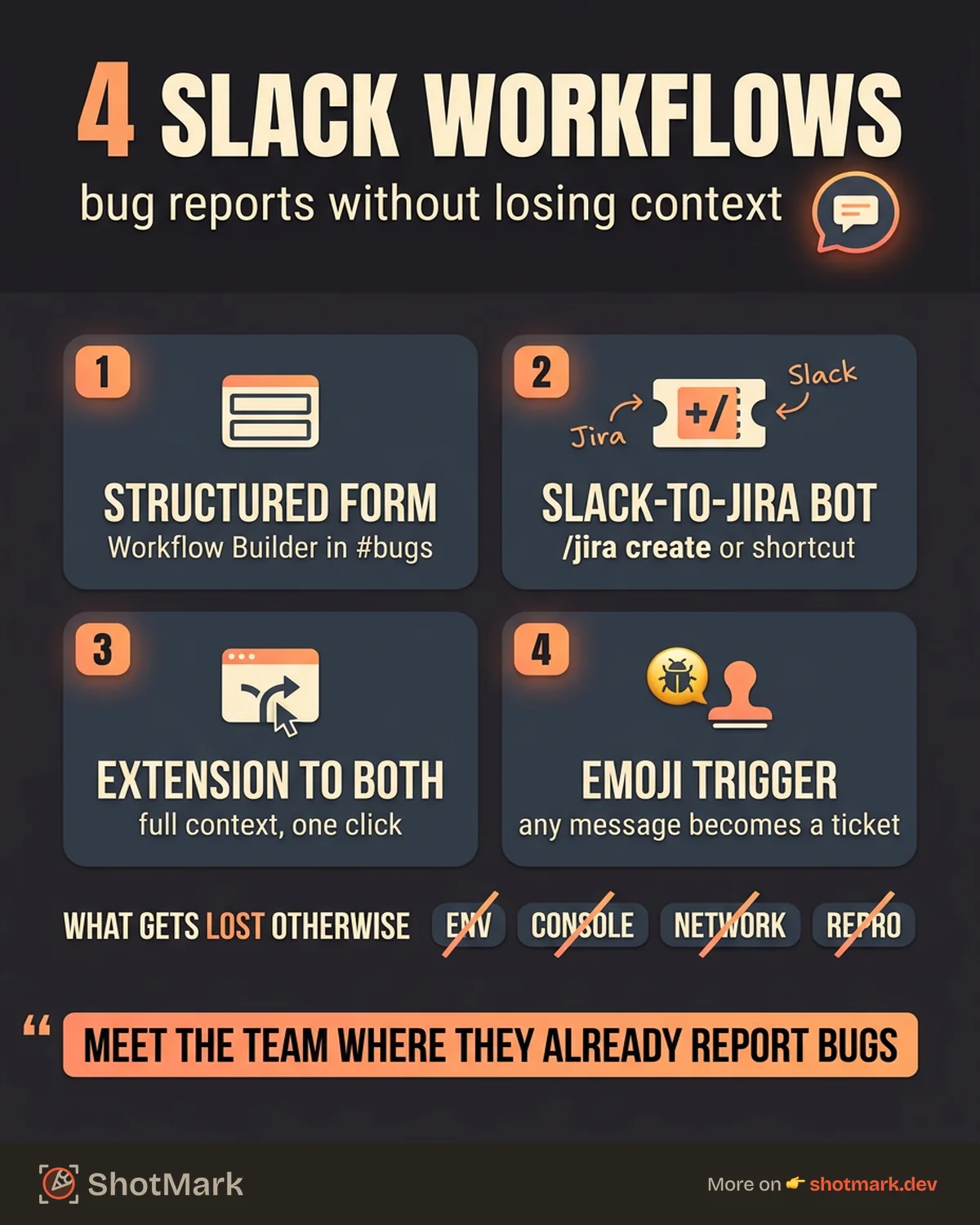
- Environment data: Browser version, OS, screen resolution, user role, feature flags. Nobody copies this into Slack voluntarily.
- Console logs: JavaScript errors that would pinpoint the failure in seconds never leave the reporter’s DevTools.
- Network requests: Failed API calls, slow responses, and 500 errors that explain the root cause stay invisible.
- Reproduction steps: The reporter knows what they did, but it takes five messages to reconstruct the sequence because Slack threads are not structured forms.
The cost is real. Developers re-ask for details on nearly every bug report that originates from Slack. Bugs sit unfiled in channels for days because nobody wants to spend 10 minutes creating a proper ticket from a Slack thread. Duplicates pile up because two people in different channels report the same issue with different descriptions.
“Just use Jira” does not fix this because Slack is where the conversation happens. People do not switch context to a tracking tool for something they can report in five seconds with a screenshot and a message. The solution is not to fight that behavior. It is to build a workflow around it.
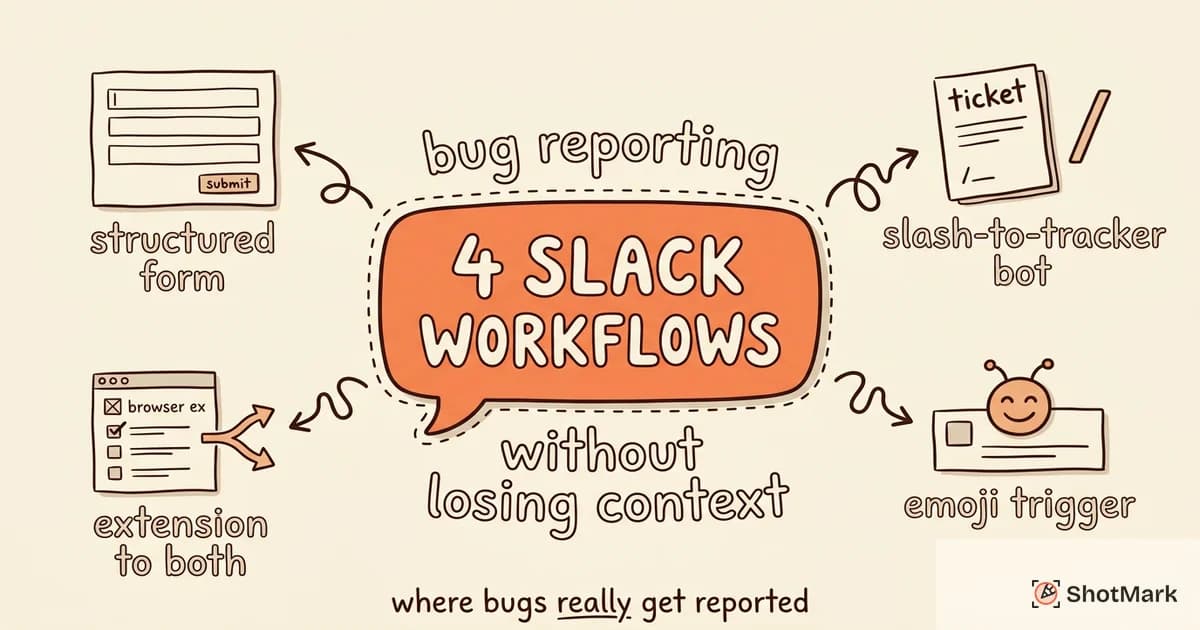
4 Slack Bug Reporting Workflows That Work
We have seen four patterns that successfully bridge the gap between Slack bug reporting and structured issue tracking. Each has trade-offs. The right choice depends on your team size, technical sophistication, and existing tool stack.
Workflow 1: Dedicated #bugs Channel With a Structured Form
Create a #bugs channel and use Slack Workflow Builder to create a form that posts structured bug reports.
The form prompts for: summary, steps to reproduce, expected behavior, actual behavior, browser and OS, and a screenshot upload. When submitted, the form posts a formatted message to #bugs with all fields visible.
Pros: Low technical lift. No external tools required. Non-engineers can file structured reports.
Cons: The bug still lives in Slack. Someone needs to manually create a ticket in your tracker. Screenshot quality depends on the reporter. No console logs or network data.
Workflow 2: Slack-to-Jira Bot
The Jira Cloud for Slack integration lets team members create Jira issues directly from Slack messages using the /jira create command or message shortcuts.
A user selects a Slack message, clicks “Create Jira issue,” fills in the project and issue type, and the message content becomes the ticket description. Jira posts updates back to the Slack thread when the issue status changes.
Pros: Issues land directly in your tracker. Status updates flow back to Slack. Built-in integration, no custom development.
Cons: The Slack message becomes the bug description, which is usually an unstructured paragraph. Screenshots transfer, but console logs and environment data do not. Jira bug reporting through this method still requires manual cleanup. The reporter needs to know which project and issue type to select.
For teams already on Jira, this is often the first workflow to try. Our guide on connecting tools to Jira covers additional integration patterns beyond the native Slack app.
Workflow 3: Browser Extension Capture to Slack and Tracker Simultaneously
A browser extension captures the bug with full technical context (screenshot, console logs, network requests, environment data) and posts it to both Slack and your issue tracker in one action.
The reporter clicks the extension, annotates the screenshot, and the bug report goes to the designated Slack channel and creates a ticket in Jira, Linear, or GitHub simultaneously. The Slack message links to the full ticket. The ticket contains all the technical context.
Pros: Full technical context captured automatically. No manual ticket creation. Slack gets the notification, the tracker gets the structured report. Works for non-technical reporters.
Cons: Requires a browser extension. Not available for mobile or native app bugs.
This is the approach ShotMark takes. One click captures everything, posts the summary to Slack, and creates the full bug report in your tracker. Setting up automated bug reporting through an extension eliminates the manual steps that cause context loss.
Workflow 4: Slack Emoji Reaction Triggers
Configure a bot that watches for a specific emoji reaction (like :bug:) on any message. When someone reacts with the bug emoji, the bot creates a ticket in your tracker using the message content and any attached images.
Pros: Zero friction for the reporter. Any message in any channel can become a bug report. Encourages team-wide participation in bug detection.
Cons: Message content is unstructured. The bot captures whatever the original message says, which may not include reproduction steps or technical context. Requires custom development or a third-party automation tool (Zapier, Make).
Setting Up Slack-to-Jira Bug Reporting
For teams using Jira, the Slack-to-Jira pipeline is the most common starting point for structured Slack bug reporting. Here is a practical setup.
Installing the integration: Add Jira Cloud for Slack from the Slack App Directory. Connect it to your Atlassian instance. Grant permissions for the projects where you want to create issues from Slack.
Creating issues from messages: Team members can use the /jira create slash command or the message shortcut (three-dot menu on any message) to create an issue. The message text populates the description field. Any images attached to the message carry over as attachments.
Mapping channels to projects: Configure your #bugs or #qa channel to default to a specific Jira project and issue type. This saves reporters from selecting the project every time. You can set up separate channels for different products or teams, each mapped to its own project.
Posting updates back to Slack: Enable notifications so Jira posts status updates to the original Slack thread. When a developer moves the issue to “In Progress” or “Done,” the thread gets an update. This closes the feedback loop without requiring reporters to check Jira.
What you lose: The native integration does not capture console logs, network requests, or structured environment data. The bug description is whatever the reporter typed in Slack. For Jira bug tracker setup with richer context, you need a tool that captures technical data before it reaches Slack.
Capturing Technical Context From Slack
The fundamental problem with Slack screenshots is that they are just images. A screenshot of a broken page shows what the user saw but not why the page broke. Console errors, failed network requests, and browser environment data are invisible in a screenshot.
There are three ways to add technical context to Slack-originated bug reports.
Slack Workflow Builder forms: Add fields for “Browser,” “Console errors (if visible),” and “Steps to reproduce” to your Slack Workflow form. This helps, but it depends on the reporter knowing how to open DevTools and copy errors. Non-technical reporters will leave these fields blank.
Slack webhooks with custom formatting: Build a service that accepts structured bug data (from a form, extension, or API) and posts a richly formatted Slack message using Block Kit. The message includes sections for the screenshot, environment data, console errors, and a link to the full ticket. This approach requires development effort but produces the most informative Slack messages.
Browser extension capture: A tool like ShotMark captures console logs, network requests, and environment data alongside the screenshot. The full bug report goes to your tracker, and a summary with the screenshot posts to Slack. Developers click through to the ticket for the technical details. Non-developers can capture complete bug reports without ever opening DevTools.
The best workflow depends on your team’s technical distribution. If everyone on your team is an engineer, Workflow Builder forms with manual console log pasting might be enough. If product managers, designers, and support agents report bugs too, you need automated capture that does not require technical knowledge.
What Comes Next
Slack is where bugs get reported first. That is not going to change, and it should not have to. What needs to change is the gap between a Slack message and a structured, actionable bug report with full technical context.
Build a workflow that meets your team where they are. Start with the Slack-to-Jira integration if you need something today. Add a browser extension like ShotMark when you are ready to capture console logs, network data, and screenshots together without asking reporters to change their habits. The bug reporting tools comparison covers how these options stack up across features, pricing, and team fit. Your Slack channels will keep collecting bug reports either way. The question is whether those reports arrive with enough context to fix the bug on the first try.
Get new posts in your inbox.
One email when we publish: notes on QA, AI, and shipping faster. No spam, unsubscribe anytime.