Most teams wait too long to start software testing automation, then overcorrect by trying to automate everything in a month. Both mistakes are expensive. The teams that succeed pick a narrow scope, ship a small suite that runs on every commit, and expand from there.
This guide walks through the decisions you need to make before writing a single test: what to automate first, which tools match your stack, how to structure a suite that stays healthy at 10 tests and at 1,000, and the common traps that make teams abandon automation six months in.
Why Automate Software Testing in the First Place
Manual testing is slow, inconsistent, and doesn’t scale past a handful of flows. A QA engineer running a full regression pass on a medium-sized web app can easily burn a full workday per release. Multiply that by every hotfix and every feature branch, and the math breaks down fast.
Software testing automation flips that equation. A well-written suite runs in minutes, catches the same bugs every time, and never gets tired. After three to five regression cycles, automation usually pays for the time it took to write. After ten, it’s a significant net positive for the team.
The real forcing function is CI/CD. If you want to deploy multiple times per day, you can’t have humans gating every release. You need automated tests to tell you, in minutes, whether the build is safe to ship. Teams that skip this step end up with either slow releases or buggy ones, and often both. Our primer on software testing basics every developer should know covers the foundational concepts if you’re coming in cold.
What to Automate First
The biggest mistake in test automation is treating every test as equally valuable. They aren’t. A smoke test that runs on every deploy and catches login breakage is worth fifty UI tests that verify a button’s hover color.
Start With High-Value, Repetitive Tests
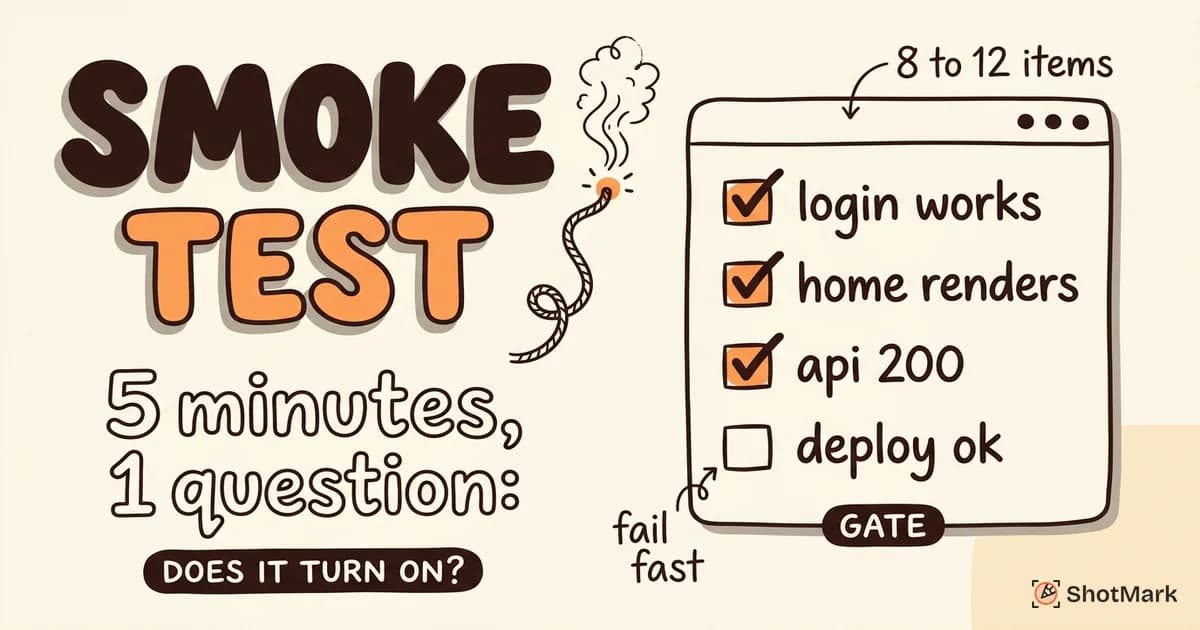
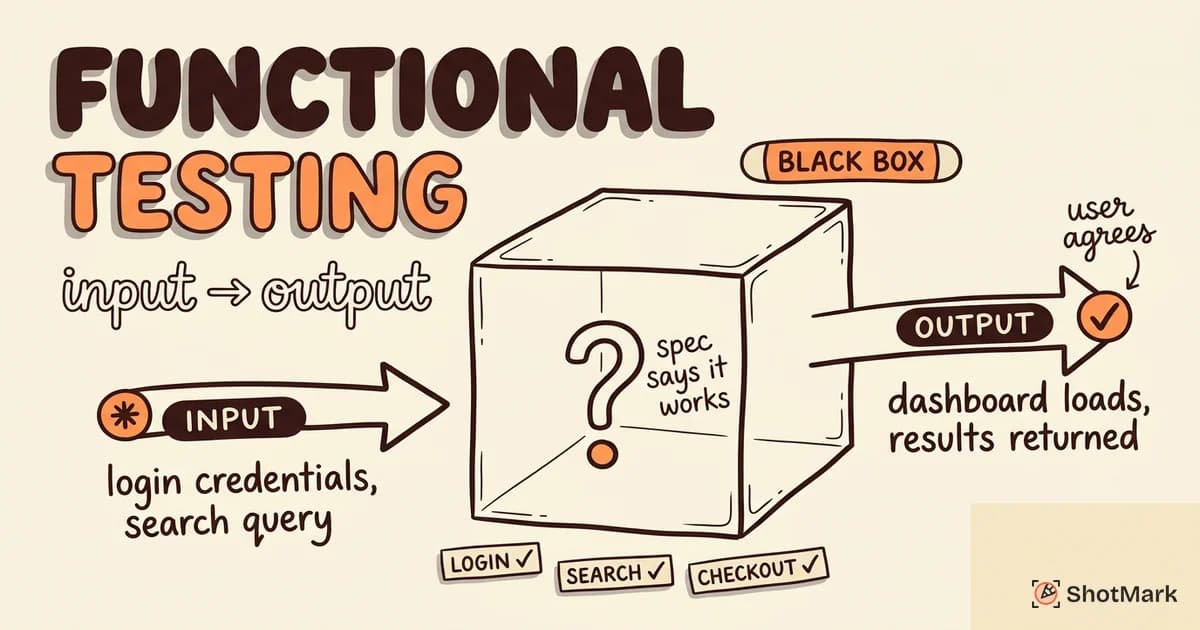
Start with three categories. First, smoke tests: quick checks that the app loads, the database is reachable, and core services respond. These run on every deploy and fail fast when something’s wrong. Second, critical path regression tests: login, signup, checkout, and whatever other flows your business depends on. If these break in production, you lose money. Third, API contract tests: verify that backend responses match what the frontend expects so you catch breaking changes before they ship.
BrowserStack’s test automation guide makes the same point: automate the flows that are stable, high-frequency, and painful to test manually. Skip the ones that change weekly or run once a quarter.
What Not to Automate (Yet)
Not every test belongs in your suite. Exploratory testing, where a human clicks around looking for weird edge cases, requires judgment that automation can’t replicate. UI tests for screens that redesign every sprint will break constantly and cost more to maintain than they save. One-off tests for a specific customer issue usually aren’t worth formalizing.
The rule of thumb: if a test will run fewer than five times, do it manually. If it will run hundreds of times, automate it. Everything in between is a judgment call. Our breakdown on manual testing vs automated testing and when each wins goes deeper on where to draw the line.
The Test Automation Pyramid
The test pyramid is the most cited model in automation, and also the most misapplied. Martin Fowler’s practical test pyramid remains the clearest treatment. The idea is simple: you want many fast tests at the bottom, fewer slow tests at the top.
At the base sit unit tests. These verify individual functions or components in isolation, run in milliseconds, and make up the bulk of your suite. In the middle go integration tests: how modules talk to each other, how your code handles the database, whether your API returns the right shape. At the top, a small number of end-to-end tests verify full user journeys through a real browser.
The anti-pattern is the ice cream cone: lots of E2E tests, few unit tests, and a support team drowning in flaky failures. E2E tests are the most expensive to write, the slowest to run, and the most brittle. Google’s testing team has argued this point for years, with their post just say no to more end-to-end tests laying out the case. Atlassian’s overview of test automation strategy offers a similar framing for teams working in CI/CD environments.
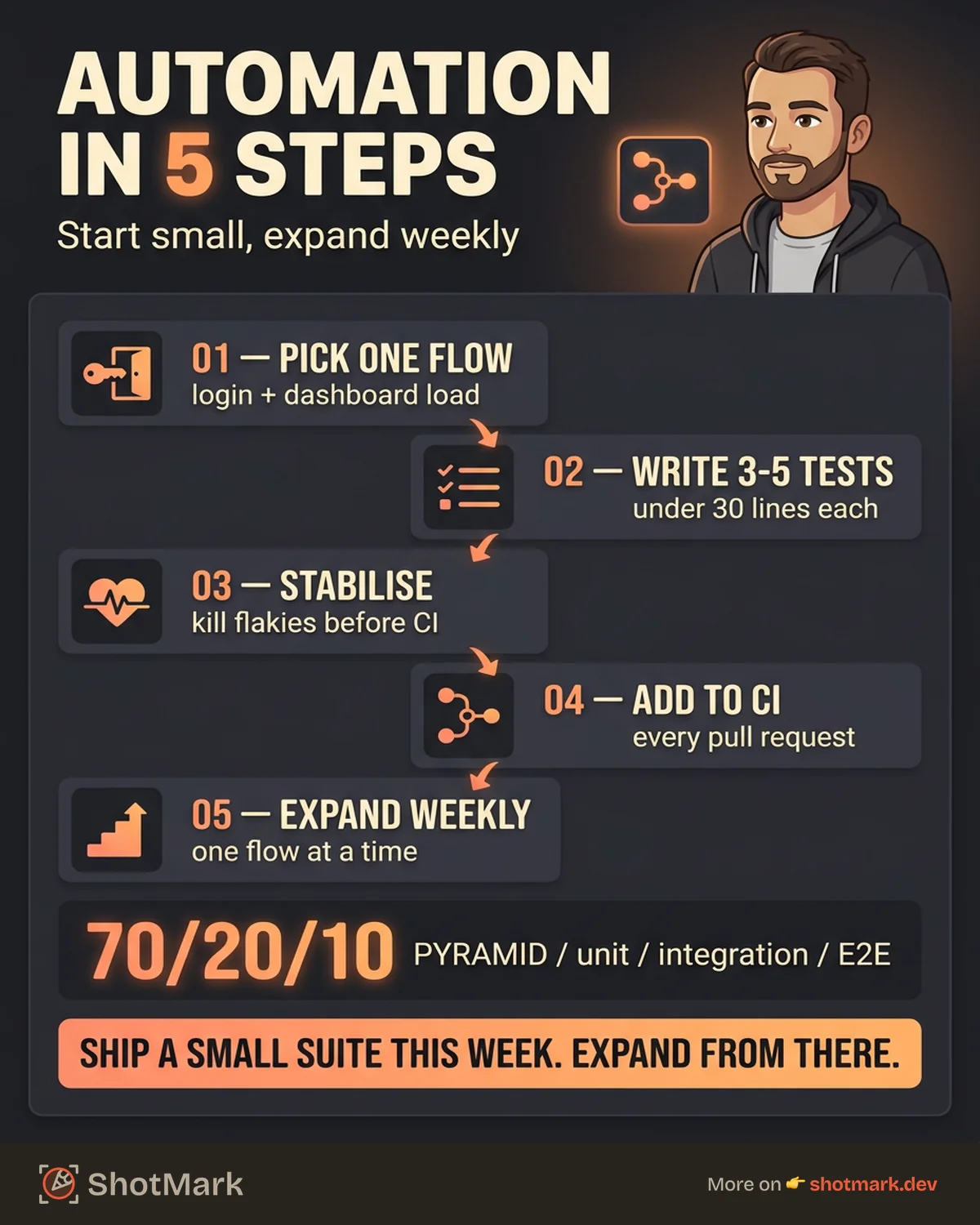
A healthy ratio looks something like 70% unit, 20% integration, 10% E2E. If your numbers are inverted, your suite will be slow and painful before you hit 100 tests.
The pyramid isn’t a religion. Some domains justify more E2E tests than others. A financial app with multi-step checkout flows and high regulatory cost for bugs can reasonably invest more at the top. A backend API with strong typing and pure functions can lean even harder on unit tests. Use the model as a starting point, then adjust for your domain’s actual risk profile.
Choosing Your First Automation Tool
The right tool depends on what you’re testing and what language your team already writes. Pick the one that matches your stack. Don’t pick the one that’s trending on Twitter.
For Web UI Testing
Two options lead the pack in 2026. Playwright is Microsoft-backed, cross-browser, and has the best auto-wait behavior of any tool we’ve used. It handles Chromium, Firefox, and WebKit out of the box, which matters if your users aren’t all on Chrome. Cypress is JavaScript-native with a time-travel debugger that’s hard to beat for developer experience, though it historically focused on Chromium-based browsers.
For most new teams, we’d start with Playwright. The API is clean, the parallel execution is solid, and the community has caught up to Cypress on documentation and plugins.
For API Testing
Postman is the default for visual API testing, and its CLI companion Newman runs the same collections in CI. If you want something lighter and open source, Hoppscotch is a good alternative. For contract testing between services, Pact is worth a look once your system has more than two or three microservices.
Don’t skip API tests. They run in milliseconds, catch integration bugs that unit tests miss, and rarely break due to CSS changes.
For Unit Testing
Match the tool to the language. In JavaScript or TypeScript, Jest is the legacy default and Vitest is the faster, Vite-native newcomer most modern teams now pick. In Python, pytest dominates. In Java, JUnit 5 covers nearly every use case. In Go, the standard library’s testing package is usually enough.
Unit tests should run in seconds, not minutes. If yours don’t, split them, mock aggressive dependencies, or move slow tests into an integration suite.
For Codeless Automation
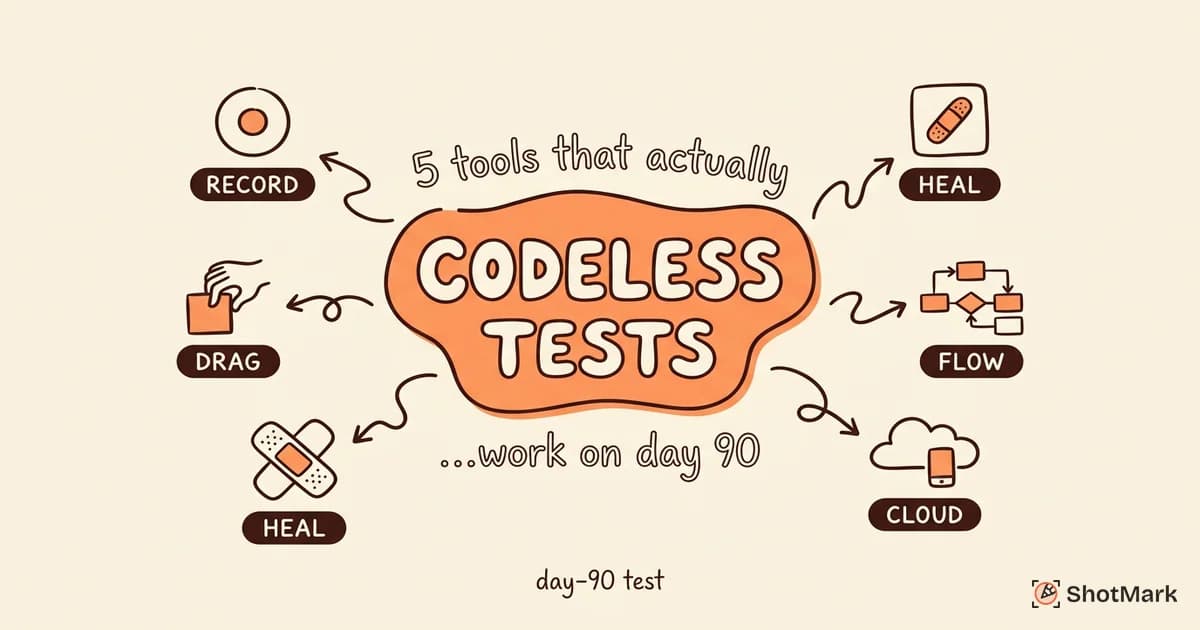
If your team doesn’t have enough engineering bandwidth to write tests in code, codeless tools like mabl, testRigor, and Katalon let QA testers build flows through a recorder or natural language. The trade-off is less control and higher subscription costs. For a full comparison of options, see our review of codeless test automation tools that actually work.
Setting Up Your First Automated Test Suite
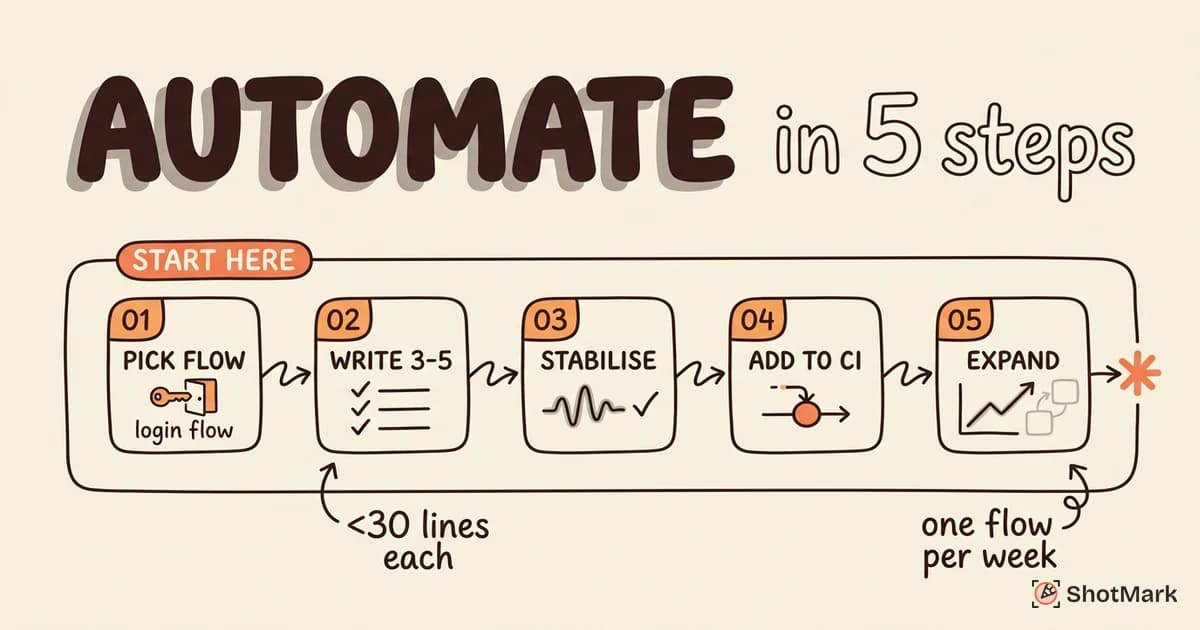
Starting is easier than it looks if you constrain the scope. Here’s a five-step sequence that gets a team from zero to running in CI within a week.
- Pick one critical flow: Login plus dashboard load is the classic starter. It’s high-value, rarely changes structurally, and covers auth, routing, and initial data fetch.
- Write 3 to 5 tests for that flow: Happy path, wrong password, expired session, slow network, and one edge case. Keep each test under 30 lines.
- Run them locally until they’re stable: If a test fails once out of ten runs without a code change, it’s flaky. Fix it before moving on.
- Add them to CI: GitHub Actions, GitLab CI, and CircleCI all have first-class support for Playwright and Cypress. Run the suite on every pull request.
- Expand by one flow per week: Signup, checkout, settings page, whatever’s next on the critical list. Resist the urge to batch-add 20 tests at once.
By week four, you’ll have a working suite that runs in CI and catches real bugs. That’s the milestone. Everything after is iteration. If regression coverage is your priority, our roundup of best regression testing automation tools compared covers the options for scaling past the basics.
Common Mistakes When Starting Automation
Most failed automation programs share the same root causes. Watching for these early saves months of wasted effort.
Trying to automate everything at once: A team that schedules a quarter to “reach 80% coverage” almost always ships late, frustrated, and with a flaky suite. Pick critical flows, ship, iterate.
Choosing a tool before understanding requirements: Don’t adopt Playwright because a blog post said so. Audit what you’re testing, what languages your team writes, and what your CI infrastructure supports. Then pick.
Writing brittle tests tied to CSS selectors: If your test breaks because a designer changed a class name, the test was bad. Use data-testid attributes or role-based selectors that survive UI refactors.
Not maintaining tests: Automated tests are code. They rot. Budget time each sprint to fix flaky tests, update fixtures, and delete ones that no longer serve the team. A stale suite is worse than no suite.
Measuring success by test count: 500 tests that pass every time but miss production bugs aren’t doing their job. Measure defect escape rate and mean time to detection, not raw counts. For the full E2E context, our guide on e2e testing what it is and how to start covers the top-of-pyramid considerations in more depth.
How to Measure Automation Success
Counting tests is vanity. A few metrics actually tell you whether your automation investment is paying off.
Defect escape rate: How many bugs reach production despite the suite? If the number isn’t dropping over time, either your tests don’t cover the right things or they’re not being run on the right changes.
Test execution time: A suite that takes 45 minutes to run will get skipped. Aim for under 10 minutes for the full CI suite. Parallelize, split into tiers (smoke, full, nightly), and kill slow tests that aren’t pulling their weight.
Maintenance cost: Track the hours your team spends fixing broken tests that failed for non-bug reasons. If it’s more than 15% of QA capacity, you have a brittleness problem.
Critical path coverage: Forget line coverage. Map your top 10 user flows and confirm each has an automated test. That single list is more useful than any percentage report.
Feedback loop speed: Time how long it takes for a developer to learn a test failed after they pushed code. If it’s longer than 15 minutes, the feedback loop is too slow to change behavior. Speed matters more than breadth here. Developers fix problems they hear about quickly. They archive problems they hear about the next morning.
One more note on metrics: review them quarterly, not weekly. Week-to-week noise will make you chase the wrong signals. Quarterly trends will show whether your investment is compounding or stagnating.
Automation Catches Bugs, Reports Communicate Them
Automated tests find failures. They don’t explain them. When a Playwright test fails on line 42 of a CI log, a developer still needs to know what the user saw, what the console showed, and what the network did in the 30 seconds before the assertion broke.
That’s the handoff where most QA workflows leak time. Teams often rely on a Postman collection, a screenshot pasted into Jira, and a paragraph of prose that leaves half the context out. Testers using Postman for API checks still end up stitching together browser evidence by hand.
ShotMark closes that gap. One-click capture pulls screenshots, console logs, network requests, and a short session replay into a single report your developers can open and act on. It works alongside your software testing automation suite, not instead of it. The automated tests tell you a regression exists. ShotMark tells you why.
Our open-source SDK is on the waitlist now. If you’re setting up test automation in 2026 and want a faster path from failure to fix, join the waitlist and we’ll send early access when we ship.
Get new posts in your inbox.
One email when we publish: notes on QA, AI, and shipping faster. No spam, unsubscribe anytime.