A login page crash on production and a typo in the footer both need fixing, but they don’t belong in the same sprint slot. Understanding bug severity vs priority is the difference between a team that resolves critical issues fast and one that wastes sprints on cosmetic fixes while production burns.
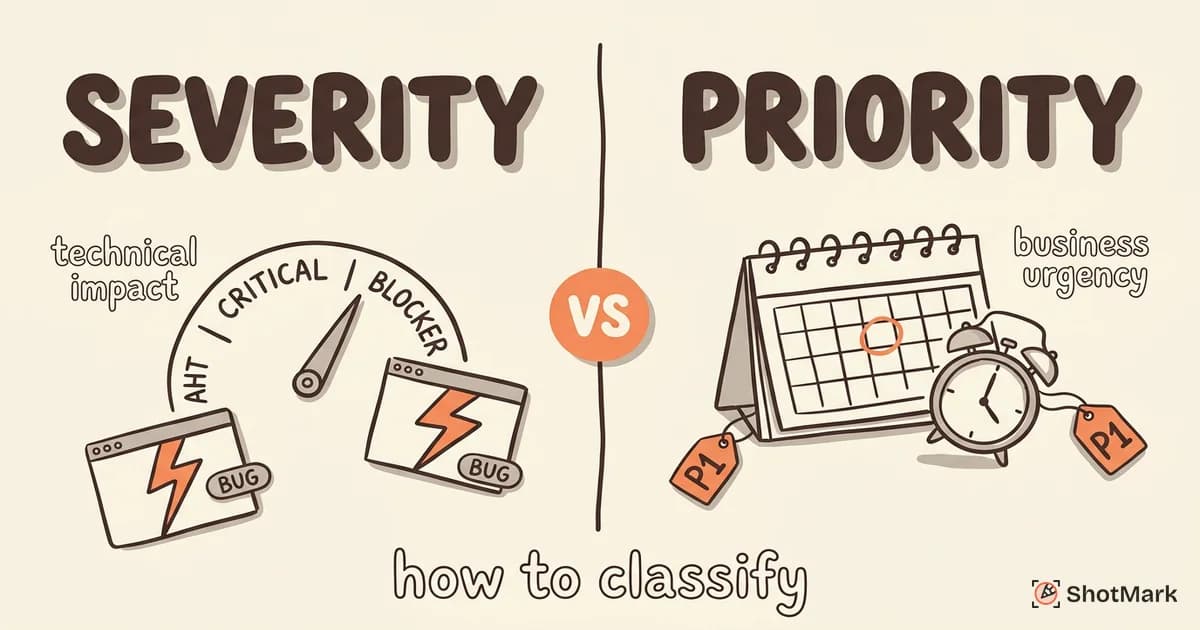
Severity measures technical impact. Priority determines business urgency. When teams confuse the two, low-impact bugs get rushed fixes while blockers sit in the backlog. Here’s how to classify both correctly so your triage meetings actually work.
Severity Measures Technical Impact
Severity is a technical assessment. It answers one question: how badly does this bug affect the system’s functionality?
QA engineers assign severity based on the scope and depth of the impact. A bug that crashes the application is more severe than one that renders a button 2 pixels off. The classification doesn’t account for business deadlines or customer visibility. It’s purely about technical damage.
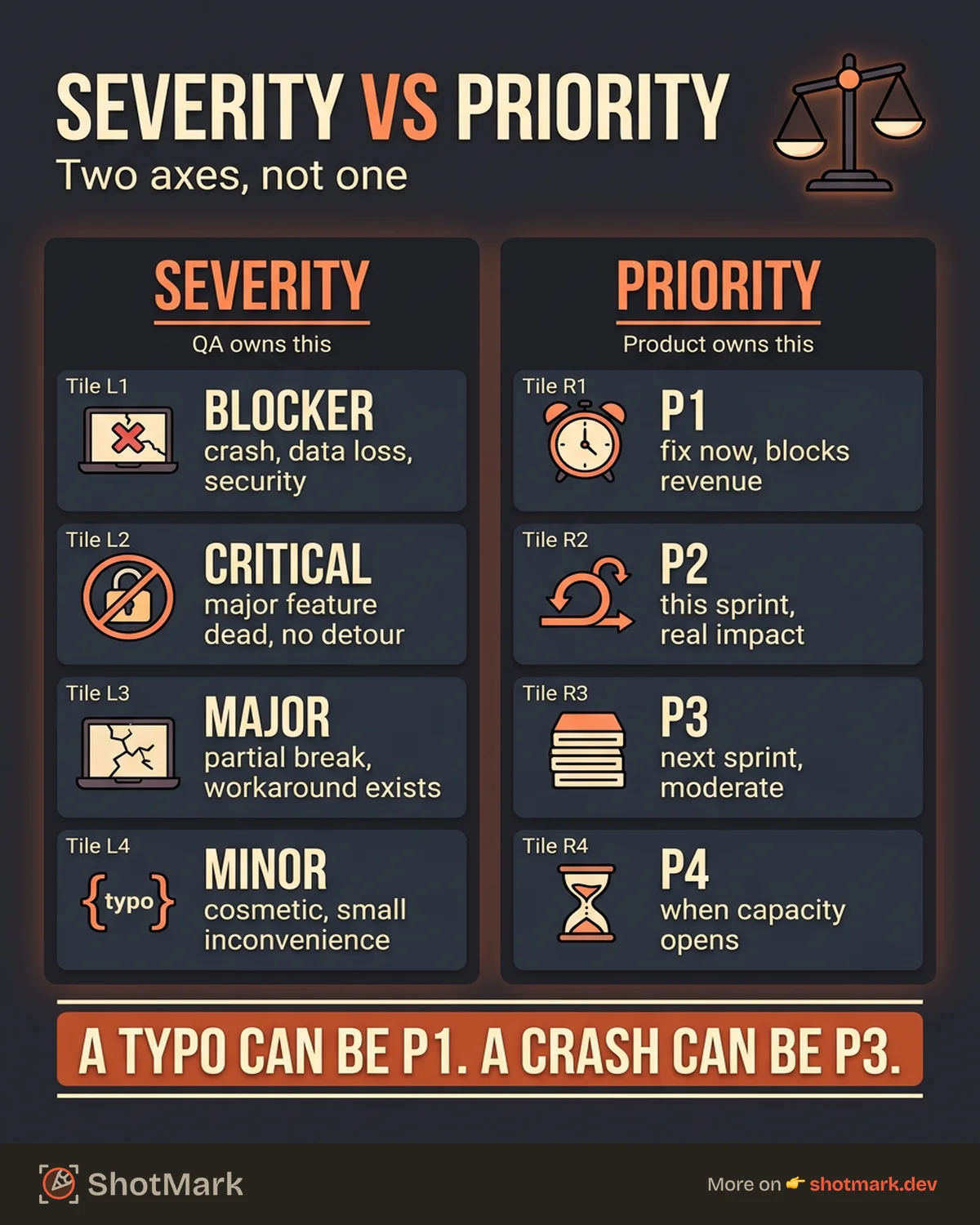
Here’s a standard four-level severity scale with real examples:
| Severity | Definition | Example |
|---|---|---|
| Blocker | System crash, data loss, or security vulnerability | Payment processing stores credit card numbers in plain text |
| Critical | Major feature completely broken, no workaround | Users cannot log in on any browser |
| Major | Feature partially broken, workaround exists | Search returns results but sorting doesn’t work (users can scroll manually) |
| Minor | Cosmetic issue, minor inconvenience | Button text wraps to a second line on tablet screens |
The key distinction between levels is whether a workaround exists. A critical bug has no alternative path. A major bug does, even if that path is painful. This matters because it directly affects how users experience the issue while they wait for a fix.
For a deeper look at how severity feeds into the bug life cycle, severity classification determines which stage transitions happen fastest.
Priority Determines Business Urgency
Priority is a business decision. It answers a different question: how soon does this bug need to be fixed?
Product managers or team leads assign priority based on factors that go beyond technical impact. Customer commitments, release deadlines, revenue impact, and competitive pressure all factor in. A bug that’s technically minor can become high priority if it affects a demo scheduled for tomorrow.
Here’s a standard four-level priority scale:
| Priority | Definition | Example |
|---|---|---|
| P1 (Urgent) | Fix immediately, blocks release or revenue | Checkout fails for all users during a flash sale |
| P2 (High) | Fix this sprint, significant user impact | Password reset emails not sending for 15% of users |
| P3 (Medium) | Fix next sprint, moderate impact | Dashboard charts take 8 seconds to load |
| P4 (Low) | Fix when available, minimal impact | Tooltip text has a grammatical error |
The counterintuitive part: a low-severity bug can be high priority, and a high-severity bug can be low priority. A typo on your pricing page (minor severity) might be P1 if your sales team is sending prospects there today. A crash in an admin tool used by one internal person (blocker severity) might be P3 because the workaround is acceptable and other work is more urgent.
This is why teams that prioritize bug fixes effectively never rely on a single dimension.
The Severity-Priority Matrix in Practice
Plotting severity against priority creates four quadrants. Each demands a different response from your team.
| High Priority | Low Priority | |
|---|---|---|
| High Severity | Production crash affecting all users. Drop everything. | Crash in a feature with 0.1% usage. Schedule for next sprint. |
| Low Severity | Typo on the pricing page before a major campaign. Fix now. | Alignment issue on an internal dashboard. Add to backlog. |
High severity + high priority is the obvious one. Production is down, users are affected, and the business is losing money. These bugs get immediate attention from your best engineers.
High severity + low priority is where teams often make mistakes. A severe crash in a deprecated feature that nobody uses shouldn’t displace work on a P1 bug just because its severity score is higher. Severity informs priority, but it doesn’t override it.
Low severity + high priority catches teams off guard. A cosmetic bug on a landing page during a product launch can cost real revenue. The triage process exists specifically to catch these cases.
Low severity + low priority is your backlog. These bugs get fixed when there’s capacity, often during bug-bash sessions or as onboarding tasks for new developers.
Who Owns Severity and Who Owns Priority?
The answer here is straightforward, but most teams get it wrong by letting one person set both values.
QA sets severity: They have the technical context to assess impact. They’ve seen the bug in action, tested its scope across browsers and environments, and know whether a workaround exists. Severity is an objective, technical assessment. It shouldn’t change based on who reported the bug or when the next release ships.
Product or business leadership sets priority: They have visibility into customer commitments, revenue impact, and strategic timelines. Priority is a subjective, business-driven decision. The same bug might be P1 this week and P3 next month.
When QA and product disagree, the triage meeting is where it gets resolved. A QA engineer who thinks a blocker should be P1 and a product manager who wants to push it to next sprint need to have that conversation with data. This is where visual evidence matters. A screenshot of a crashed page with console errors is more persuasive than a text description in a ticket.
ShotMark captures that visual evidence (screenshots, console logs, network requests) in one click, giving QA engineers the data they need to make severity assessments faster and giving product managers the context to make informed priority calls.
Setting Up Severity and Priority in Your Tracking Tool
Your defect management workflow needs both fields configured as required on every bug ticket. Here’s how to set that up in common tools.
In Jira: Create two custom fields (Severity and Priority, since Jira’s built-in Priority field conflates the two). Use dropdown menus with the four levels from the tables above. Set both as required in your bug issue type screen. According to BrowserStack’s severity guide , this separation is one of the most impactful changes teams can make.
In Linear: Use labels for severity (Blocker, Critical, Major, Minor) and Linear’s built-in priority field for business urgency. Create a triage view that groups by severity within each priority level.
In GitHub Issues: Use labels with a naming convention like severity: blocker and priority: P1. Create issue templates that require both labels. This approach aligns with best practices covered in the Guru99 severity tutorial and the GeeksforGeeks comparison guide .
Automating escalation: Set up rules that flag bugs where severity is blocker but priority hasn’t been set within 2 hours. This catches the cases where QA has identified something critical but the triage step got skipped.
Default values matter too. We recommend defaulting severity to Major and priority to P3. This forces the reporter to actively downgrade low-impact bugs rather than passively leaving high defaults unchanged. It creates a bias toward attention rather than neglect.
The distinction between bug severity vs priority isn’t academic. Teams that classify both dimensions separately make faster triage decisions, run more predictable sprints, and ship with fewer production surprises. Start with the matrix, assign clear ownership, and configure your tools to enforce the process. The bugs will still come, but your team will know exactly which ones to fix first.
Get new posts in your inbox.
One email when we publish: notes on QA, AI, and shipping faster. No spam, unsubscribe anytime.