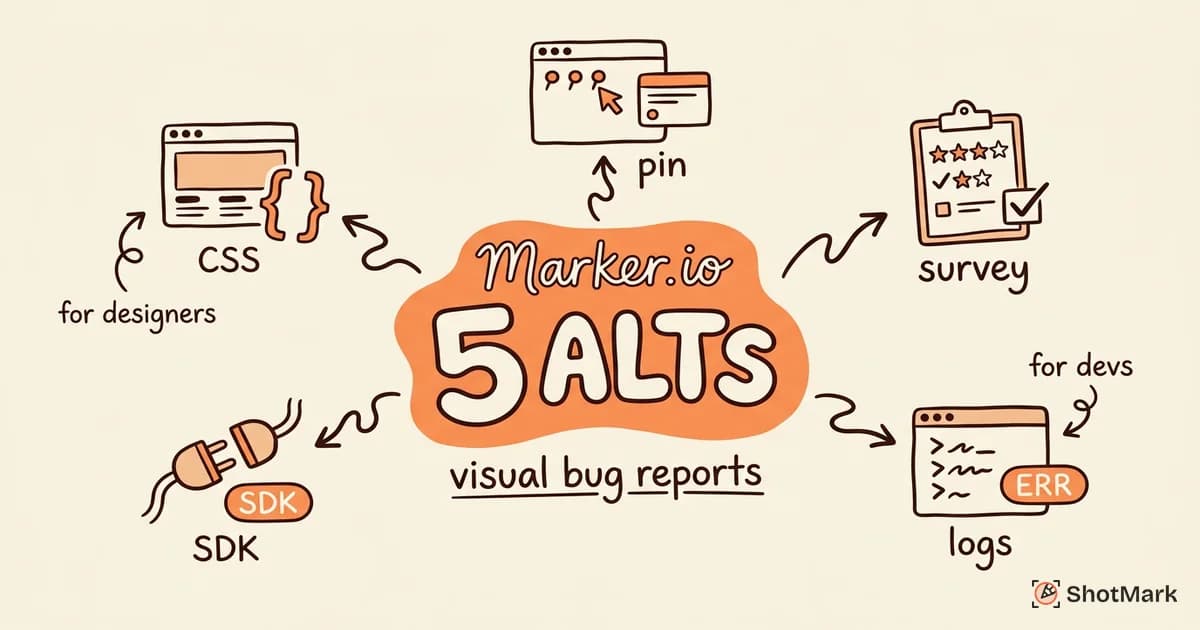
Marker.io gives teams a way to collect visual website feedback and send it to project management tools. The pin-on-element approach works well for agencies gathering client feedback, and the 20+ integrations cover most workflows. But teams start searching for a Marker.io alternative when they need deeper technical context, different pricing, or features that go beyond visual annotation and into developer-grade debugging.
We tested five alternatives against a real web application with layout bugs, broken forms, and JavaScript errors. Each tool was evaluated on capture depth, annotation quality, integrations, and how well it serves the people filing reports versus the people fixing them.
Why Teams Consider Marker.io Alternatives
Marker.io positions itself as a website feedback and bug reporting tool, but the technical depth is limited. Reports include a screenshot and basic metadata (browser, URL, screen size), but they lack console logs, network request data, and session replay. Developers receiving these reports still ask “what did you click?” and “were there any errors in the console?” because the context is not there.
Pricing is another factor. Marker.io starts at $39 per month for the Starter plan with limited projects and users. Growing teams hit limits quickly, and the Webforce plan ($149/month) becomes necessary for anything beyond small-team use. Competitors offer more generous free tiers or lower per-seat pricing.
The update pace has also slowed. Marker.io lost 670 ranking positions over the past year, and the feature releases have been incremental rather than transformative. Teams that want a tool evolving alongside modern frontend stacks look elsewhere.
Finally, the capture model itself has limitations. Marker.io relies on a browser extension or a JavaScript widget, which means capture only happens in specific contexts. There is no SDK for embedding capture into your own application, no API for programmatic bug reporting, and no way to collect reports from automated testing pipelines. For teams building modern CI/CD workflows, that rigidity becomes a bottleneck.
5 Marker.io Alternatives
BugHerd
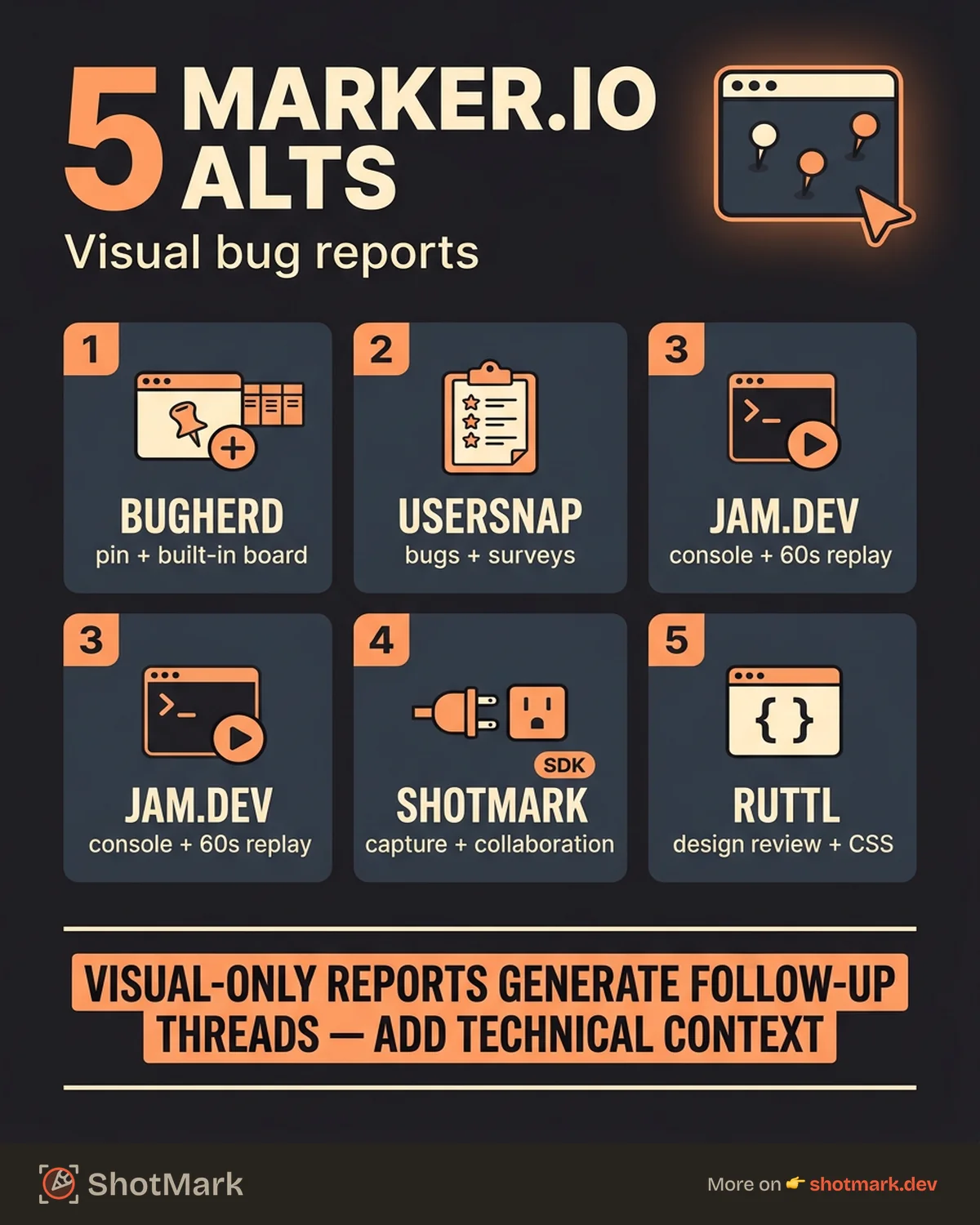
BugHerd pioneered the pin-on-element feedback model that Marker.io later adopted. You click a point on the page, leave a comment, and the report captures the pinned element, screenshot, and browser metadata. The built-in Kanban board is useful for agencies that do not want to set up a separate issue tracker.
Where BugHerd falls short is technical depth. Like Marker.io, it captures visual context but skips console logs, network requests, and session data. It also has the lowest organic traffic of any tool in this comparison, which reflects its limited recent investment in the product.
BugHerd works for agencies collecting client feedback on simple websites. For technical bug reporting, it shares the same limitations as Marker.io. The Kanban board is a convenience, but it does not replace the technical context developers need. You can read more about similar tools in our BugHerd alternatives guide.
Usersnap
Usersnap combines visual bug reporting with user feedback surveys and feature request collection. It has the largest content footprint in this space with 3,809 ranking keywords and 145 position-one rankings, which means plenty of community resources and documentation.
The capture depth is similar to Marker.io: screenshots with annotations, browser metadata, and basic environment info. Usersnap adds feedback widgets and survey capabilities, which makes it broader but not necessarily deeper for bug reporting. Pricing starts at $49 per month.
For teams that want a single tool for bug reports, feedback, and feature requests, Usersnap is a viable Usersnap alternative itself. For developer-focused bug reporting with technical context, it does not move the needle beyond what Marker.io offers.
Jam.dev
Jam.dev takes a different approach. Instead of visual annotation for stakeholders, it captures developer-grade technical context in one click: screenshot, console logs, network requests, DOM state, and a 60-second session replay of what happened before the bug was reported.
The capture depth is significantly higher than Marker.io. When a developer receives a Jam report, they can see the exact error, the network calls that failed, and the steps that led to the problem. No follow-up questions needed. This is the core advantage: Jam.dev eliminates the back-and-forth that visual-only reports create.
The trade-off is collaboration. Jam.dev is extension-only, with no SDK or embed option. There are no stakeholder feedback features, no client review workflows, and no open-source offering. It is built for developer teams that want technical depth, not for agencies collecting feedback from non-technical clients. The pricing reflects this focus: free for individual developers, $20 per seat for teams. Our Jam.dev alternatives guide covers tools that add collaboration on top of that depth.
ShotMark
ShotMark combines the visual annotation workflow with developer-grade technical capture. A single click records the screenshot with annotations, console logs, network requests, device metadata, and session context. Reports go directly to Jira, Linear, or GitHub with all the context developers need to reproduce and fix the bug.
The difference from Marker.io is depth. Where Marker.io captures a screenshot and metadata, ShotMark captures the full debugging context. The difference from Jam.dev is collaboration: ShotMark supports team workflows, stakeholder feedback, and an open-source SDK for embedding capture into your own application.
For agencies that have been using Marker.io, the transition is straightforward. ShotMark keeps the visual annotation workflow that clients and stakeholders are comfortable with, but it adds the technical layer that eliminates the follow-up questions developers always ask. Reports filed through ShotMark include enough context that the developer can start debugging immediately instead of spending 15 minutes reproducing the issue.
ShotMark is in early access. The focus is on teams that have outgrown visual-only tools but do not want to sacrifice the simplicity of click-to-report workflows. If your team files bugs that always generate a Slack thread of follow-up questions, the missing context is the problem.
Ruttl
Ruttl is a visual feedback tool with strong SERP presence, ranking #3 for “website feedback tool.” It offers page-level annotations, design review workflows, and the ability to suggest CSS changes directly on the live site.
Ruttl’s strength is design review and stakeholder collaboration. Teams reviewing visual designs or website redesigns can leave precise feedback without involving developers. The technical depth for bug reporting is minimal: no console logs, no network data, no session context.
One notable feature is the ability to suggest CSS changes directly on the live page. Designers can propose spacing, color, or typography fixes visually, which developers can then interpret and apply. That workflow is faster than describing changes in a text comment.
Pricing starts with a free tier for small teams and scales to custom enterprise plans. Ruttl is best suited for agencies and design teams that need visual review more than technical bug reporting. It pairs well with a separate developer tool, since the reports it generates lack the context engineers need for debugging.
Comparison Table
| Tool | Best For | Capture Depth | Integrations | Starting Price | Collaboration |
|---|---|---|---|---|---|
| Marker.io | Agency feedback | Low (screenshot) | 20+ | $39/mo | Good |
| BugHerd | Simple client feedback | Low (screenshot) | Limited | $41/mo | Good |
| Usersnap | Feedback + surveys | Medium | 20+ | $49/mo | Good |
| Jam.dev | Developer debugging | High (console + network) | Limited | Free, $20/seat | Basic |
| ShotMark | Capture + collaboration | High (console + network) | Growing | Free (waitlist) | Good |
| Ruttl | Design review | Low (visual only) | Limited | Free tier | Good |
When Marker.io Is Still the Best Choice
Marker.io is still the right pick for teams that need simple visual feedback collected from non-technical stakeholders and routed into project management tools. If your workflow is clients pointing at things on a website and saying “fix this,” and your developers do not need console logs or network data to fix those issues, Marker.io handles that job well.
The 20+ integrations are genuine. Connecting Marker.io to Jira, Asana, Trello, or ClickUp is straightforward, and the setup is fast. Agencies that manage many client projects in different tools benefit from that breadth.
Making the Switch
The best Marker.io alternative depends on what your reports are missing. If developers constantly ask for more context, look at tools that capture console logs and network requests. If the issue is pricing or project limits, tools with better free tiers scale more gracefully. And if you need both technical depth and collaboration workflows, that combination exists now in ways it did not when Marker.io launched.
Teams that choose a visual bug reporting tool based on screenshots alone will keep dealing with the same follow-up questions. The ones that choose based on what developers actually need to fix bugs will spend less time asking “what happened?” and more time shipping fixes.
Get new posts in your inbox.
One email when we publish: notes on QA, AI, and shipping faster. No spam, unsubscribe anytime.