Picking the wrong check at the wrong stage wastes hours of QA time and hides real defects until they reach production. The debate around smoke testing vs regression testing isn’t about which one is better. Both exist because they answer different questions about the build in front of you.
This guide breaks down the exact differences in scope, timing, depth, and purpose. We’ll cover where sanity testing fits, how both checks chain together in a CI/CD pipeline, and what to do when either one fails.
Smoke Testing vs Regression Testing at a Glance
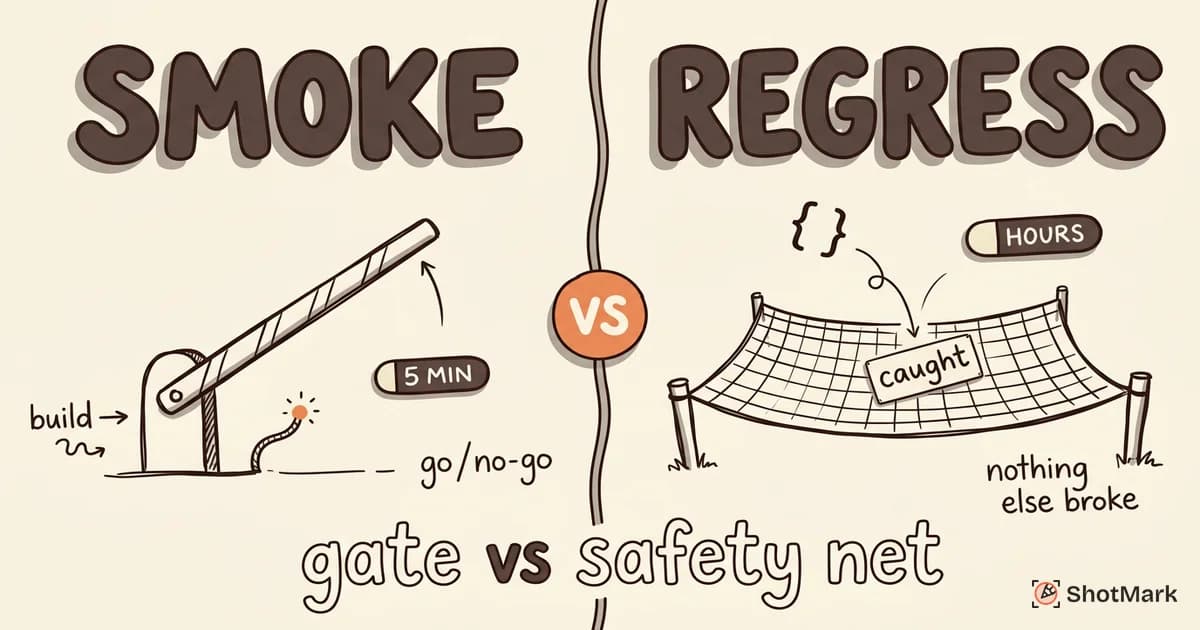
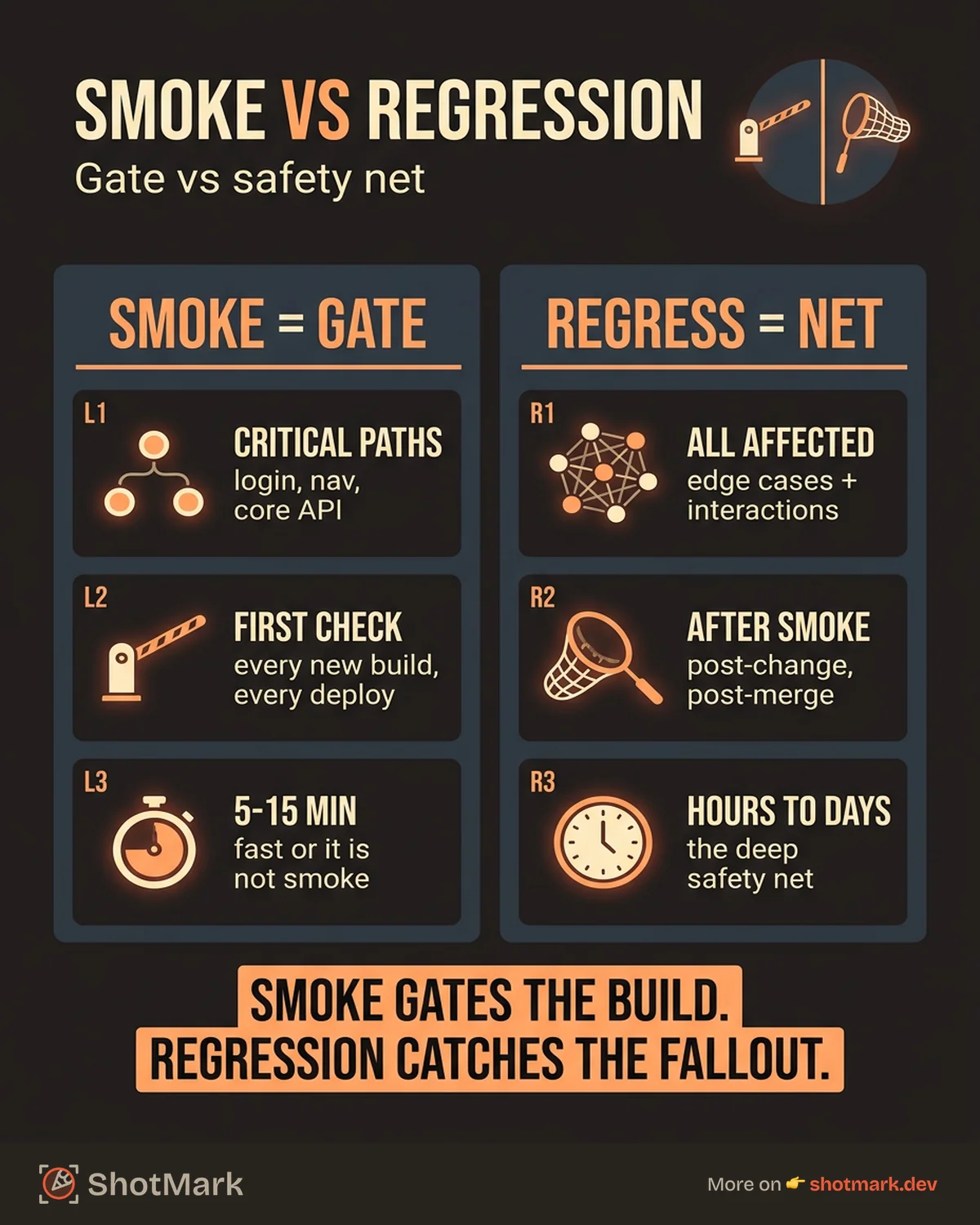
The quick summary: smoke testing checks if the new build works well enough to test. Regression testing checks if recent changes broke anything that already worked. One is a gate. The other is a safety net.
Here’s a side-by-side comparison that covers the differences that matter during day-to-day QA work.
| Dimension | Smoke Testing | Regression Testing |
|---|---|---|
| Scope | Critical paths only | All affected functionality |
| Timing | First test on a new build | After smoke passes, post-change |
| Depth | Surface-level pass/fail | Thorough, edge cases included |
| Duration | 5 to 15 minutes | Hours to days |
| Purpose | Confirm build is testable | Confirm nothing broke |
| Automation | Almost always automated in CI | Mix of automated and manual |
The table tells you the what. The rest of this article explains the why, plus how both checks work together so your team stops treating them like interchangeable tasks.
What Is Smoke Testing?
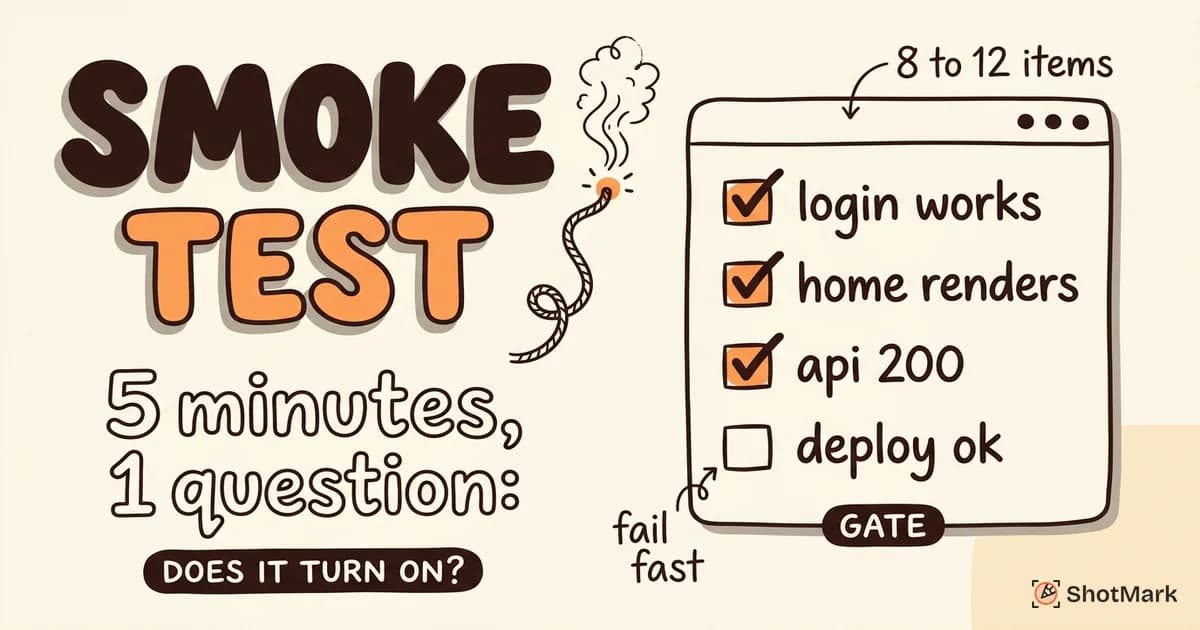
Smoke testing is a shallow, broad check that runs on every new build before any deeper testing begins. The name comes from hardware engineering: plug it in, turn it on, and see if smoke comes out. If it does, you don’t bother with detailed diagnostics yet.
In software, a smoke test verifies that critical paths still function. Can users log in? Does the home page load? Does the main API return a 200? If any of those fail, the build is rejected and sent back to development. No point running a four-hour regression suite on a build that can’t even load.
For a deeper look at how to set these up, see our Smoke Testing Guide. Atlassian’s testing strategies overview also covers how smoke checks fit into continuous delivery.
Smoke suites are small on purpose. Most teams keep them under 15 minutes so they can run on every commit or every deploy without slowing the pipeline.
What Is Regression Testing?
Regression testing is the deep, focused check that verifies recent code changes haven’t broken existing features. Where smoke testing asks “does it work?”, regression testing asks “does it still work the same way?”
Run it after bug fixes, feature additions, refactors, library upgrades, or any change that touches shared code. A regression suite can include hundreds or thousands of test cases that cover edge cases, input variations, and interactions between modules.
Our Regression Testing Explained post walks through real examples from production teams. GeeksforGeeks also maintains a useful difference between smoke and regression testing reference with academic definitions.
Modern teams automate the bulk of their regression suites and run them in parallel across browsers or devices. Manual regression testing still has a place, especially for visual bugs and accessibility checks that automation misses.
Key Differences Between Smoke and Regression Testing
Understanding the difference between smoke testing and regression testing comes down to five dimensions. Each one shapes how and when you’d use the check.
Scope
Smoke testing covers only critical paths: login, core navigation, the main value delivery flow. If your product is an e-commerce site, smoke testing checks that users can browse, add to cart, and reach checkout. It doesn’t verify discount codes or gift card logic.
Regression testing covers all functionality that could be affected by recent changes. If a developer touches the checkout service, regression testing verifies checkout, cart, inventory, payments, order confirmation, email triggers, and every downstream integration.
Timing in the Testing Cycle
Smoke testing runs first, as soon as a build is available. It acts as a gate: pass it, and the build moves forward. Fail it, and the build gets rejected immediately.
Regression testing runs after smoke testing passes and after specific changes land. Running regression before smoke is a waste because a broken build will fail everything for the wrong reason, giving you a noisy signal.
Depth of Testing
Smoke tests are pass/fail checks on basic functionality. They don’t look for edge cases or weird input combinations. If the login endpoint returns 200 with valid credentials, smoke testing is happy.
Regression testing goes deep. It tries invalid inputs, boundary values, concurrent requests, and cross-feature interactions. A good regression suite catches bugs that only appear when three features are used together.
Time to Execute
A smoke suite should complete in 5 to 15 minutes. Anything longer defeats the purpose of a fast gating check. Teams often run smoke tests on every pull request merge.
Regression suites take hours to days. Large enterprise suites can run overnight or across multiple parallel machines. Katalon’s smoke vs sanity vs regression breakdown notes that regression execution time is often the single biggest bottleneck in release cycles.
Who Runs Them
Smoke tests are almost always automated and triggered by CI/CD pipelines. Any team member can interpret the results because they’re binary: pass or fail.
Regression tests are a mix. QA engineers own the test suites, but CI/CD runs the automated portion. Manual regression testing often falls to QA teams who verify visual, UX, and accessibility details that scripts can’t catch reliably.
How They Work Together
Smoke and regression testing chain together in a predictable sequence. The flow looks like this:
- Developer merges code to the main branch.
- CI/CD builds the artifact and deploys to a test environment.
- Smoke test suite runs. If it fails, the pipeline halts and the build is rejected.
- If smoke passes, the regression suite runs against the new build.
- If regression passes, the build is promoted to staging or production.
- If regression fails, specific failures are triaged and either blocked or accepted as known issues.
Smoke testing gates regression testing for a practical reason: there’s no point running a two-hour regression suite on a build that can’t load the home page. The gate saves compute costs and keeps signal noise low for the QA team.
BrowserStack’s smoke testing vs regression testing comparison covers this sequencing well, with examples from teams running both checks in parallel pipelines for different branches.
Where Sanity Testing Fits In
Sanity testing is the often-forgotten third check that sits between smoke and regression. It’s a narrow, focused verification that a specific fix or feature works as expected, without running the full regression suite.
Say a developer fixes a bug in the password reset flow. A sanity test verifies that password reset now works. It doesn’t re-run the full login and authentication suite. It confirms the specific fix, nothing more.
| Dimension | Smoke | Sanity | Regression |
|---|---|---|---|
| Scope | Broad, critical paths | Narrow, specific feature or fix | Wide, all affected functionality |
| Depth | Shallow | Moderate | Deep |
| Timing | On new build | After a specific fix | After changes land, post-smoke |
| Duration | 5 to 15 minutes | 15 to 60 minutes | Hours to days |
| Automation | Usually automated | Often manual or semi-automated | Mix |
Sanity testing is informal at most teams. It’s the “I just fixed this, let me verify it works before handing off” check that happens dozens of times a day without anyone calling it sanity testing. Giving it a name helps teams decide when to skip the full regression suite and when to run it.
Examples in Practice
Two short examples show how this plays out during a typical sprint.
Example one: smoke testing saves the day: A team deploys a build to staging on Monday morning. The smoke test suite runs and the login endpoint returns a 500 error. The build is rejected automatically. No regression testing is triggered. The developer who broke the login logic gets a Slack notification and fixes the issue within 20 minutes. Total QA time lost: zero. The regression suite was never kicked off.
Example two: regression catches a cross-feature bug: A team ships a new search feature. Smoke testing passes because login, navigation, and search all work on the surface. Regression testing runs overnight and reveals that the new search feature broke the filter sidebar on the product listing page. The bug is filed and fixed before the Friday release. Without regression testing, this would have shipped to users.
Both examples illustrate why the two checks aren’t redundant. Smoke testing catches catastrophic breakage fast. Regression testing catches subtle, cross-feature issues that only show up when you exercise the full product.
Clear Bug Reports When Tests Fail
When either smoke or regression testing fails, the next question is always the same: what exactly broke, and how do we reproduce it? The speed of your fix depends on the quality of your bug report, not the speed of your test suite.
Automated test failures produce logs, stack traces, and maybe screenshots. That’s a start, but developers usually need more context: what was the browser state, which network requests failed, what did the console show, what were the user actions leading up to the failure?
ShotMark captures all of that in one click. Screenshots, browser console logs, network requests, and session replay are packaged together and sent to your issue tracker. When smoke testing or regression testing surfaces a failure, ShotMark gives developers everything they need to investigate without asking follow-up questions. The SDK is open source and the product is free while in early access.
The decision around smoke testing vs regression testing isn’t either-or. Run smoke tests first to gate your pipeline, run regression tests to catch what the gate missed, and capture rich context whenever either one fails. Join the ShotMark waitlist to get early access to one-click bug capture for your QA workflow.
Get new posts in your inbox.
One email when we publish: notes on QA, AI, and shipping faster. No spam, unsubscribe anytime.