Most QA teams know what UAT means, but the user acceptance testing plan itself is where projects quietly fall apart. Without a written plan, business users click around for a few days, flag a handful of issues, and the project manager declares UAT “done” on vibes alone.
This guide walks through every section of a proper UAT plan, shows a full annotated example, and includes a template you can copy into Google Docs or Notion. You’ll see how to define scope, set entry and exit criteria, and build a schedule that actually holds.
What Is a UAT Plan (and Why You Need One)
A user acceptance testing plan is a single document that defines the scope, approach, schedule, resources, and success criteria for acceptance testing on a project or release. It answers four questions: what are we testing, who is testing it, when does testing start and stop, and how do we know we’re done.
Without a plan, UAT devolves into unstructured clicking and vague “it works for me” feedback. Business stakeholders sign off on features they never opened. Developers ship bugs that were technically in scope but nobody wrote down. Release dates slip because there’s no agreed definition of “UAT complete.”
A good plan sets expectations for both the QA team and business stakeholders before testing begins. It protects the release timeline by making sure everyone agrees on scope, entry conditions, and what counts as a blocker. For more context on where the plan fits in the broader workflow, see our user acceptance testing guide for QA teams.
UAT Plan vs UAT Strategy vs Test Cases
These three terms get mixed up constantly. Here’s the hierarchy.
A UAT strategy is a high-level approach document that applies across multiple projects or an entire organization. It covers standards like tooling, defect severity definitions, and roles that rarely change release to release. You write a strategy once and update it quarterly.
A UAT plan is specific to a single project, release, or sprint. It references the strategy but contains concrete details: this release, these features, these testers, this schedule. You write a new plan for every release.
Test cases are the individual scenarios inside the plan. A plan might say “we’ll run 40 test cases covering the checkout redesign.” The test cases themselves live in a separate document or tool, linked from the plan.
Getting this hierarchy right prevents teams from rewriting standards on every project, or cramming test case details into a plan nobody can read.
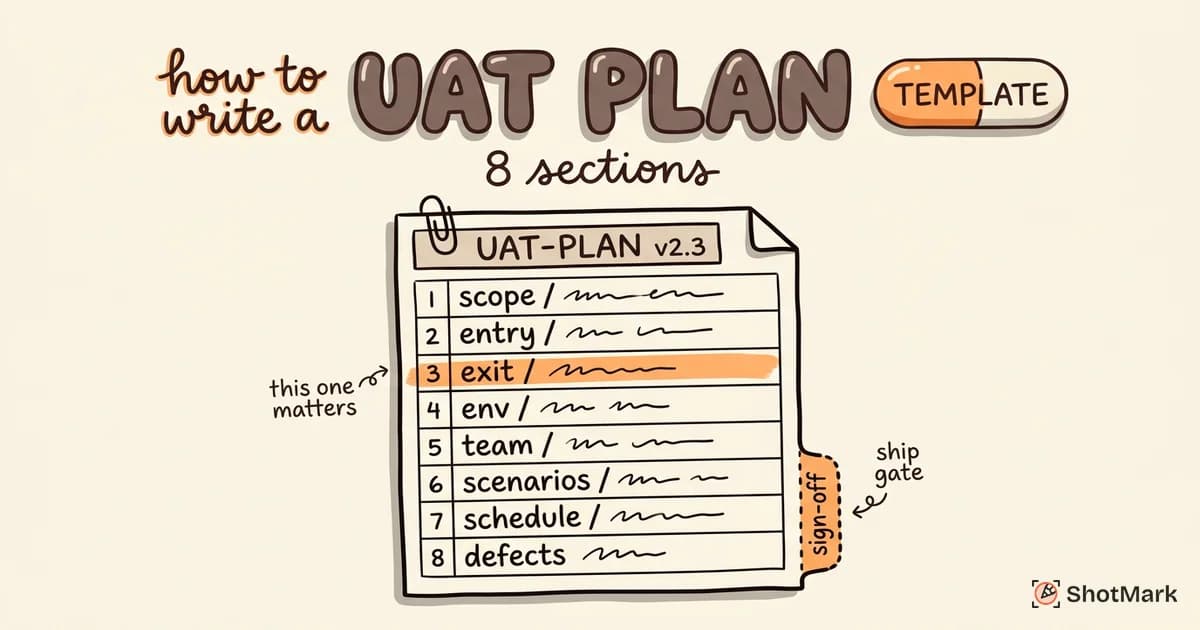
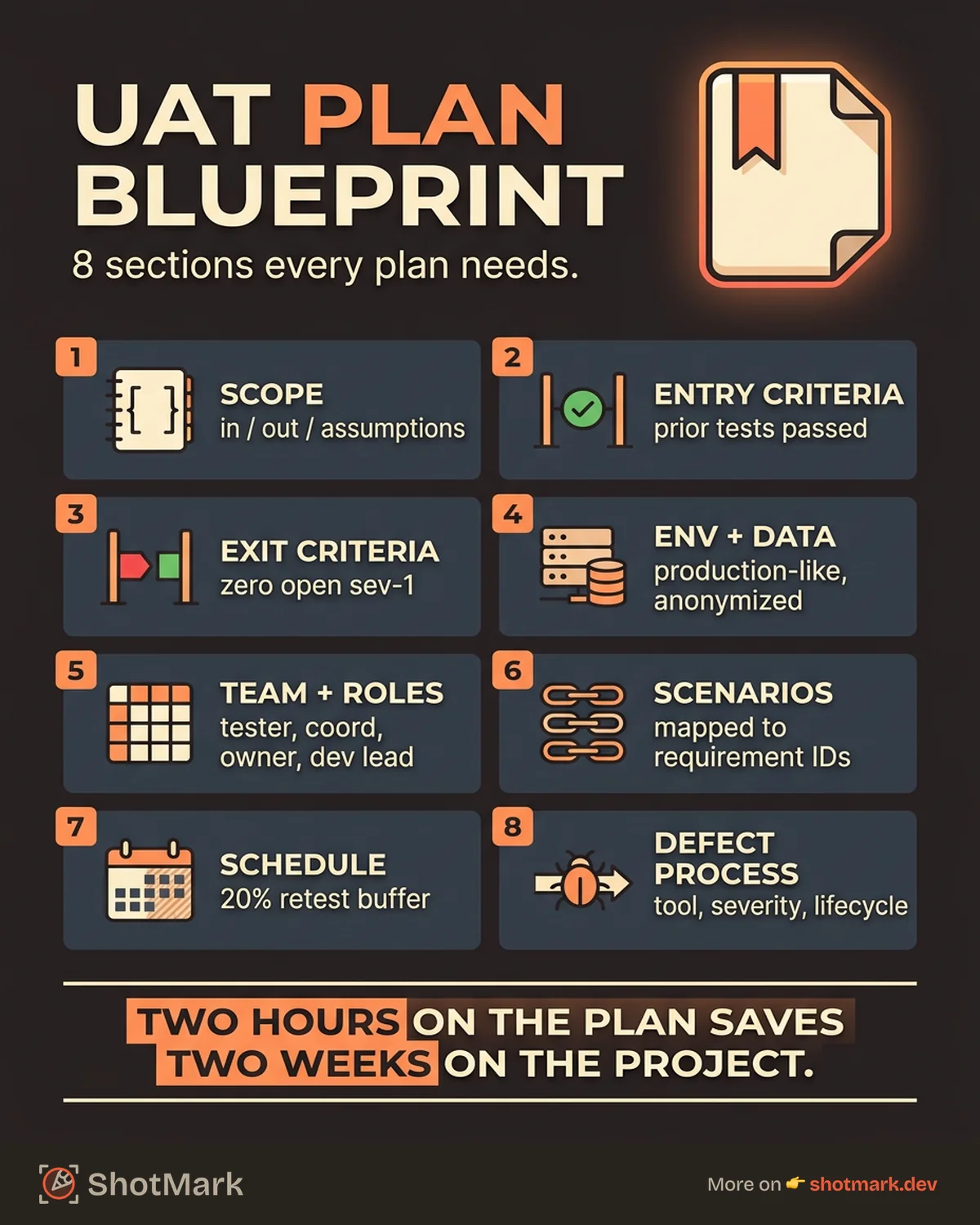
8 Sections Every UAT Plan Needs
Every solid UAT plan covers these eight sections. Skip any of them and you’ll hit the issue later during testing, usually at the worst possible moment. For context on industry conventions, Functionize’s acceptance testing guide covers similar structure from a different angle.
1. Objectives and Scope
Write down exactly what’s being tested and what isn’t. This section is usually three paragraphs, not three pages.
- In scope: The business requirements, user stories, or features this UAT cycle will validate. Link each item to its ticket or requirement ID.
- Out of scope: Features that are explicitly excluded. This is where you prevent scope creep mid-testing.
- Assumptions: Any conditions you’re assuming hold true (e.g., “integration testing is complete before UAT begins”).
A vague scope statement like “test the new checkout” invites disagreement later. A specific one like “validate the redesigned checkout flow for logged-in users with saved payment methods, including guest checkout fallback” leaves no room for interpretation.
2. Entry Criteria
Entry criteria are the conditions that must be met before UAT officially begins. If any entry criterion is missing, you delay UAT rather than start on a broken build.
Typical entry criteria:
- All functional and integration testing has passed.
- The staging or UAT environment is deployed and stable.
- Test data is prepared and loaded.
- UAT testers have been trained and confirmed available.
- Known defects from previous testing phases are documented and triaged.
Having formal entry criteria protects testers from wasting time on an unstable build. It also creates clear accountability: if development doesn’t meet the criteria, UAT doesn’t start.
3. Exit Criteria
Exit criteria define what “UAT is complete” means. Without them, testing drags on until someone loses patience and declares it over.
Common exit criteria include:
- All critical and high-priority test cases have passed.
- No Severity 1 or Severity 2 defects remain open.
- All Severity 3 defects have a documented workaround or deferral decision.
- Stakeholder sign-off has been recorded in writing.
- Regression checks on related areas are clean.
Write these as specific, measurable conditions. “Most bugs fixed” is not exit criteria. “Zero open Sev-1 or Sev-2 defects, with all Sev-3 defects triaged” is.
4. Test Environment and Data
Document exactly where UAT happens and what data is available.
- Environment URL: The staging or UAT URL, with any VPN or access requirements noted.
- Credentials: A shared test account table with role, username, and how to request a reset.
- Configuration: Feature flags, third-party integrations (sandbox or live), and any environment-specific differences from production.
- Test data: Sample accounts, transactions, or records that cover the happy path and edge cases.
- Browsers and devices: The specific browser versions, OS combinations, and devices the plan covers.
Production-like data catches bugs that synthetic data misses. If you can’t use production data directly for privacy reasons, document your anonymization approach.
5. UAT Team and Roles
List every person or role involved in UAT with a clear responsibility. A lightweight RACI matrix works well here.
| Role | Responsibility |
|---|---|
| Business users (testers) | Execute test cases, report defects, confirm fixes |
| QA coordinator | Manages UAT execution, runs daily stand-ups, tracks progress |
| Product owner | Reviews results, makes go/no-go decisions, signs off |
| Dev team lead | Triages defects, assigns fixes, provides ETAs |
| Release manager | Coordinates deploys, environment changes, and final cutover |
Name actual people where possible, not just titles. “Priya (QA Lead)” is more useful than “QA Lead.”
6. Test Scenarios and Cases
This section lists the high-level scenarios the plan covers, each mapped back to a business requirement. Detailed test cases usually live in a separate document linked from the plan.
A scenario entry looks like this:
- Scenario ID: UAT-CHK-01
- Description: Logged-in user completes checkout with saved card.
- Requirement: REQ-42 (Redesigned checkout)
- Priority: High
- Test cases: See UAT test case document
Keeping scenarios high-level in the plan makes the document readable. Detail lives in the test case tool, whether that’s Jira, Notion, TestRail, or a spreadsheet.
7. Schedule and Timeline
Write a schedule that includes not just testing, but also defect fixing and retesting. Plans that schedule only the testing window always run over.
A realistic two-week UAT schedule looks like this:
- Day 1: Kickoff, environment smoke test, tester onboarding
- Days 2-6: Execute test cases, report defects daily
- Days 7-8: Dev team fixes P1 and P2 defects; testers continue lower-priority scenarios
- Days 9-10: Retest fixed defects, run regression checks
- Day 11: Final defect review meeting; go/no-go decision
- Day 12: Stakeholder sign-off and release handoff
Daily stand-ups keep progress visible. Reserve at least 20% of the schedule as buffer for unexpected defects and rework.
8. Defect Management Process
The last section explains how defects flow from discovery to closure.
- Reporting tool: Where defects are logged (Jira, Linear, Trello, etc.).
- Defect template: The required fields and format for every bug report.
- Severity classification: Definitions for Sev-1 through Sev-4 with examples.
- Lifecycle: Reported, triaged, assigned, fixed, retested, closed.
- Escalation path: Who to contact when a defect blocks testing.
Visual bug reporting matters here more than most teams realize. A screenshot with an annotation and a console log saves 15 minutes of back-and-forth per defect. ShotMark captures screenshots, console logs, network requests, and session replay in one click, so testers document bugs without leaving the page they’re on.
UAT Plan Example (Annotated)
Here’s a shortened example plan for a fictional release: the checkout redesign for a SaaS billing product.
Project: Acme Billing Checkout Redesign v2.3 UAT Lead: Priya Singh (QA Coordinator) Start date: April 20, 2026 End date: May 1, 2026
Objectives and Scope
Validate the redesigned self-serve checkout flow before production release. In scope: logged-in checkout, guest checkout, saved card management, invoice download, promo code redemption. Out of scope: enterprise contract billing (handled manually), legacy checkout (deprecated).
Entry Criteria
- Staging deployment of v2.3 is complete and smoke-tested.
- All P1 functional bugs from sprint testing are closed.
- Six business user testers have completed a 30-minute onboarding call.
- Test data loaded: 50 sandbox accounts with varying subscription states.
Exit Criteria
- 100% of P1 scenarios pass.
- Zero open Sev-1 or Sev-2 defects.
- Product owner (Marcus) has signed off in writing.
- Release manager has confirmed rollback plan.
Team
- Testers: Jordan, Lin, Ali, Devon, Sam, Ray (six business users from Ops and Finance)
- QA Coordinator: Priya Singh
- Product Owner: Marcus Chen
- Dev Lead: Alex Ivanov
Schedule
Two weeks, ten working days, with daily 15-minute stand-ups at 10 AM. Defect retest window is Days 7-10.
Defect Process
All defects logged in Jira with the [UAT-Bug] prefix. Severity definitions attached. Screenshots and console logs required for every defect. Daily triage at 4 PM.
Why this plan works: every section is specific and measurable. A stakeholder reading it knows exactly what’s being tested, by whom, when, and how success is defined. For more detail on how this flows in practice, see our walkthrough of the user acceptance testing process step by step.
Common UAT Plan Mistakes
We see the same mistakes across teams of every size. These are the ones that cost the most.
Scope is too vague: “Test the new feature” gives testers no direction. Every scope statement should name specific workflows, user roles, and out-of-scope items.
No entry criteria: Starting UAT before functional testing is complete means testers find bugs that should have been caught earlier. The build wastes everyone’s time and burns out business users.
No exit criteria: Without a written definition of “done,” UAT drags until someone declares victory. Then the release ships with open defects nobody agreed to defer.
Forgetting retest time: Plans that budget time for testing but not for fixing and retesting always overrun. Allocate at least a third of the schedule for defect rework.
No business user review: QA teams sometimes write the plan in isolation. Business users who’ll run the tests should review the plan before sign-off. They’ll catch unrealistic assumptions and missing scenarios.
Skipping the go-live handoff: A plan that ends at “testing complete” misses the handoff to the release team. Include a final step that confirms rollback procedure, monitoring, and day-one support coverage. Our UAT checklist before go-live covers this transition in more depth.
Download Your UAT Plan Template
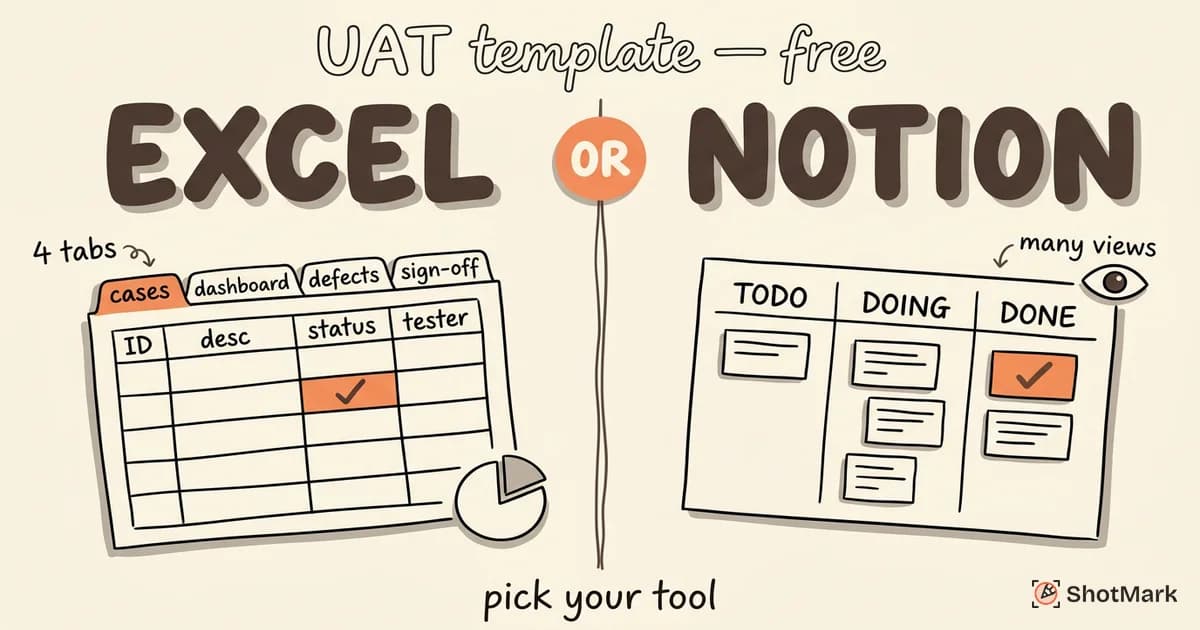
Copy this structure into a Google Doc or Notion page and fill in each section for your next release.
1. Project Overview (name, dates, owner)
2. Objectives and Scope
   - In scope
   - Out of scope
   - Assumptions
3. Entry Criteria (checklist)
4. Exit Criteria (checklist)
5. Test Environment and Data
6. Team and Roles (RACI)
7. Test Scenarios (high-level, linked to test cases)
8. Schedule (with retest buffer)
9. Defect Management Process
10. Sign-off
Pair your plan with tools that remove friction from defect reporting. ShotMark captures screenshots, console logs, network requests, and session replay in a single click, which makes UAT bug reports complete by default. Our open-source SDK is in development, and the waitlist is open now.
A written user acceptance testing plan is the difference between a release that ships clean and one that slips twice. Spend two hours on the plan, save two weeks on the project.
Get new posts in your inbox.
One email when we publish: notes on QA, AI, and shipping faster. No spam, unsubscribe anytime.