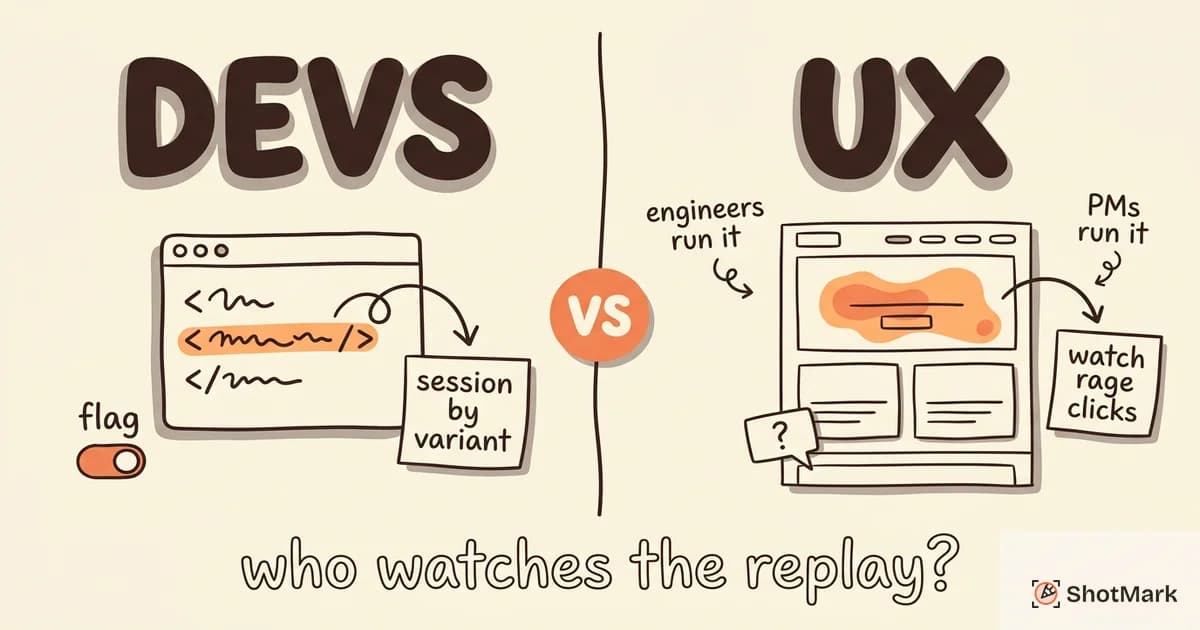
PostHog session replay and Hotjar solve the same surface problem with very different philosophies. One is an open-source developer platform that bundles replay with analytics and feature flags. The other is a UX research tool that pairs recordings with heatmaps and surveys.
The right pick depends less on which product has more features and more on who on your team will actually watch the replays. We compared both on capture, pricing, privacy, and team fit so you can skip the sales pages and make the call.
PostHog Session Replay vs Hotjar: Two Different Philosophies
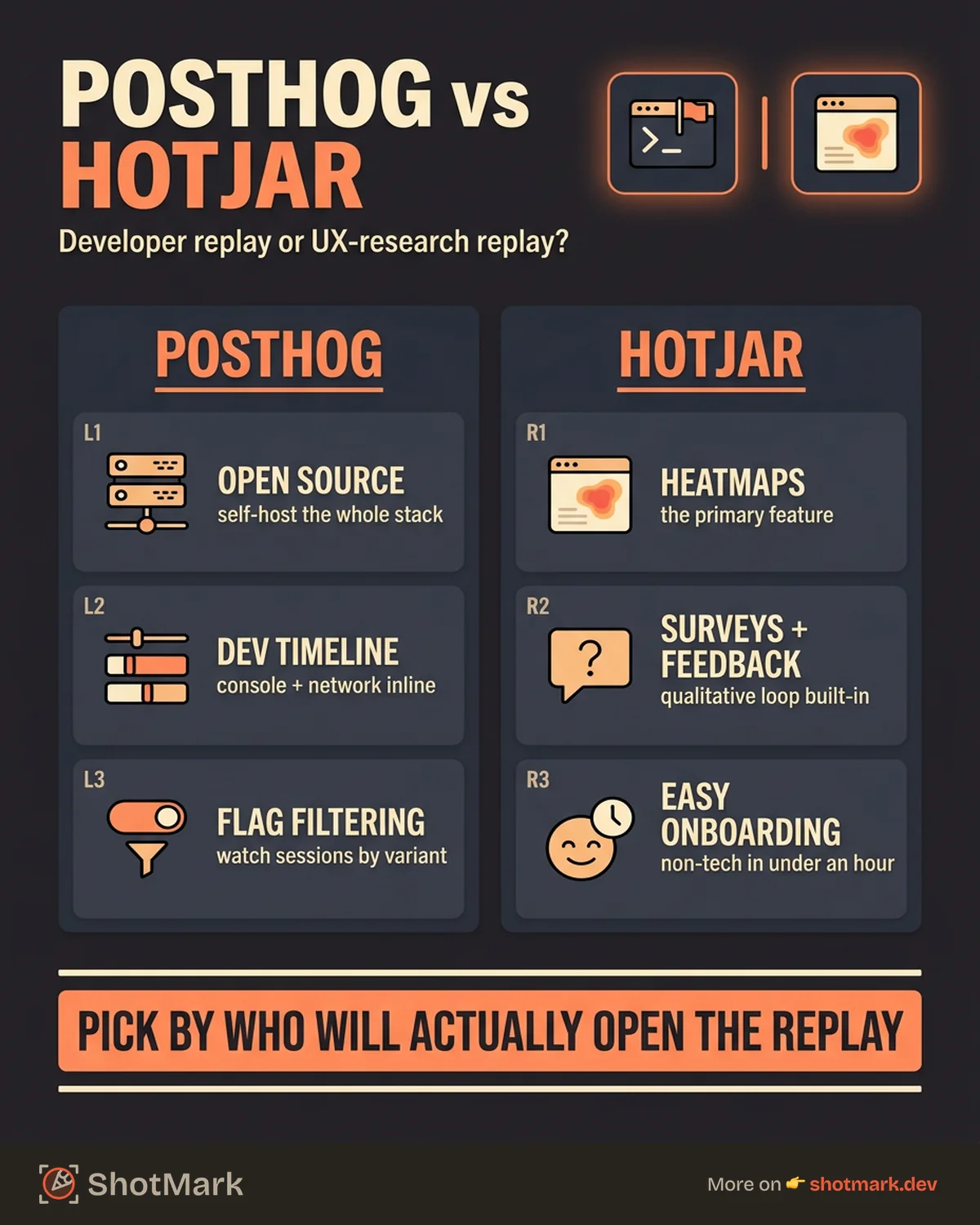
PostHog is an open-source product analytics platform where session replay sits next to event tracking, feature flags, A/B tests, and surveys. Engineers run it, engineers consume it, and the whole stack is available on GitHub for anyone who wants to self-host.
Hotjar takes the opposite angle. Recordings are one piece of a UX research suite that also includes heatmaps, on-page surveys, and feedback widgets. The interface is built for product managers and designers, not DevOps engineers.
Both are strong products. Neither is strictly better. They target different buyers, optimize for different workflows, and price accordingly. If you want the wider market picture before zeroing in on two tools, our guide to session replay tools compared covers ten options side by side.
Feature Comparison
Here is a side-by-side look at what each tool ships out of the box.
| Feature | PostHog | Hotjar |
|---|---|---|
| Session replay capture | Yes | Yes |
| Console logs on timeline | Yes | No |
| Network requests on timeline | Yes | No |
| Heatmaps | Yes (basic) | Yes (primary feature) |
| Surveys | Yes | Yes |
| Error tracking | Yes | No |
| Feature flags | Yes | No |
| Rage click detection | Yes | Yes |
| Mobile replay SDK | No | No |
| Self-hosting | Yes | No |
| Open source | Yes | No |
| PII masking granularity | Element-level | Element-level |
PostHog Session Replay Features
PostHog ships with console logs and network requests rendered on the replay timeline. When an engineer opens a recording, they see DOM events, XHR calls, and browser errors in one view, which shortens the path from “user reported a bug” to “I know what broke.”
Filters are powerful. You can scope recordings by URL, user cohort, event sequence, error type, or custom properties. Combine that with the analytics side of PostHog and you can jump from a funnel drop-off chart straight into the sessions of users who bounced.
Feature flag integration is the differentiator. You can filter replays to show only sessions from users on a specific flag variant, which turns session replay into a release monitoring tool. Ship a flag, watch the first 50 sessions, roll back or expand based on real behavior.
Self-hosting is available through the PostHog self-host docs . Teams with strict data residency rules can run the full stack on their own infrastructure. The PostHog session recording documentation covers SDK setup, privacy configuration, and sampling.
The free tier includes 5,000 recordings per month, which is generous for early-stage startups. After that, pricing is usage-based and scales linearly.
Hotjar Session Replay Features
Hotjar centers the UX researcher’s workflow. Recordings are filterable by frustration signals like rage clicks and U-turns. Heatmaps, surveys, and feedback widgets sit in the same dashboard, so a product manager can watch a replay, check the click heatmap, and launch a follow-up survey without leaving the tool.
The interface is the real advantage. A non-technical stakeholder can onboard in an hour. That matters when your design team, your support lead, and your founder all need to watch sessions, not just your engineers.
Hotjar also bundles a survey builder and a feedback widget. You can trigger a two-question survey after a user rage clicks or a feedback prompt when someone spends too long on a checkout page. Those qualitative hooks close the loop between “what happened” and “why did it happen.”
What Hotjar does not do: surface console logs, capture network requests, integrate with error trackers, or offer feature flag targeting. If your replay use case is debugging, these gaps will hurt.
The free plan offers 35 daily sessions, which is enough for small sites. Paid plans start at $39 per month on the Plus tier, per the Hotjar pricing page .
Pricing Comparison
Cost trajectories look very different once you scale past the free tier.
| Monthly Sessions | PostHog (Cloud) | Hotjar |
|---|---|---|
| 5,000 | Free | Plus $39/mo |
| 25,000 | ~$50/mo | Business $99/mo |
| 50,000 | ~$95/mo | Business $213/mo |
| 100,000 | ~$155/mo | Scale (custom) |
PostHog uses straight usage-based pricing. You pay for what you record, no tier jumps. The PostHog pricing page breaks down per-recording rates and includes a calculator.
Hotjar is tier-based, which means a predictable monthly bill as long as you stay within a plan’s session cap. Cross it, and the next tier can double your cost. Teams with spiky traffic should pad their plan selection to avoid surprises.
Self-hosting PostHog is the only way to cap costs at pure infrastructure spend, and it is the only path to truly predictable pricing at very high volume. It is also the only option of the two that requires running Kubernetes.
PostHog’s own PostHog vs Hotjar comparison post is worth reading even though it is a vendor page, because it shows where PostHog chooses to compete.
Privacy and Data Ownership
Both tools support element-level PII masking, consent banners, and default input redaction. The difference is where your data lives.
PostHog offers EU Cloud, US Cloud, and self-hosted deployment. Self-hosting means your recordings never leave your infrastructure, which is the strictest possible data boundary. Regulated industries like healthcare and finance usually end here.
Hotjar is cloud-only with servers in the EU. It is GDPR compliant out of the box and publishes detailed data handling guides at help.hotjar.com . There is no self-hosted option and no US region, which can be a constraint for some teams and a feature for others.
PostHog exposes more masking granularity in code. You can mask specific selectors, network request bodies, and even individual properties. Hotjar handles masking through its UI, which is easier for non-developers but less flexible for complex apps.
Who Should Choose PostHog
Pick PostHog if your team ticks most of these boxes:
- Your replay consumers are engineers, not designers
- You want analytics, replay, and feature flags in one platform to reduce vendor sprawl
- You have data residency rules that require self-hosting or EU-only storage
- You are a startup that wants a generous free tier without a sales call
- You ship features behind flags and want to watch real user sessions by variant
Reviews on G2 consistently call out the all-in-one platform and the open-source license as the top reasons engineering teams adopt it. The tradeoff is interface complexity. Non-technical teammates often find PostHog overwhelming compared to a purpose-built UX tool.
Who Should Choose Hotjar
Pick Hotjar if your team looks more like this:
- Product managers, designers, and UX researchers are your primary replay users
- You need heatmaps and surveys alongside recordings, not in a separate tool
- Your workflow is qualitative research, not production debugging
- Marketing analyzes landing pages and wants a simple interface
- You do not need console logs or network capture
User sentiment on Hotjar G2 reviews praises the ease of use and the heatmap quality. Common complaints are the session caps on lower tiers and the lack of developer-focused data. Discussions on r/analytics echo the same split: product teams love Hotjar, engineering teams prefer PostHog or a dedicated error tracker.
For a different axis of comparison, our FullStory vs LogRocket session replay post looks at two tools that both target the developer side of the market.
Bug Capture Before Production
Both PostHog and Hotjar are production monitoring tools. They watch users after your code ships. That is useful and necessary, but it is not the same problem as catching bugs before release.
ShotMark sits earlier in the lifecycle. It is a one-click capture extension that packages screenshots, annotations, console logs, network requests, and session replay into a single bug report during QA and development. The open-source SDK hooks into your existing issue tracker so a tester can file a reproducible report in seconds instead of minutes. If you want more background on the replay side of what ShotMark captures, see what is session replay.
The cleanest setup is both layers working together. ShotMark catches bugs in staging and QA, before real users see them. PostHog or Hotjar watches what happens after deploy. Different tools, different stages, one continuous feedback loop.
Join the ShotMark waitlist to get early access when the extension ships. Whether you end up picking PostHog session replay, Hotjar, or something else for production, your pre-production bug reports will be tighter from day one.
Get new posts in your inbox.
One email when we publish: notes on QA, AI, and shipping faster. No spam, unsubscribe anytime.