Every software release carries a risk: the feature works in testing but fails the people it was built for. User acceptance testing is the final checkpoint that prevents this. It is where real business users validate that the software meets their actual needs before it goes live.
If you run QA for your team, you already know that functional tests, integration tests, and regression tests catch technical bugs. But none of those tests answer the question stakeholders actually care about: does this software do what the business needs it to do? That is the gap user acceptance testing (UAT) fills.
This guide covers everything QA teams need to run effective UAT, from defining what it is to choosing the right tools and avoiding the mistakes that derail most testing cycles.
What Is User Acceptance Testing (UAT)?
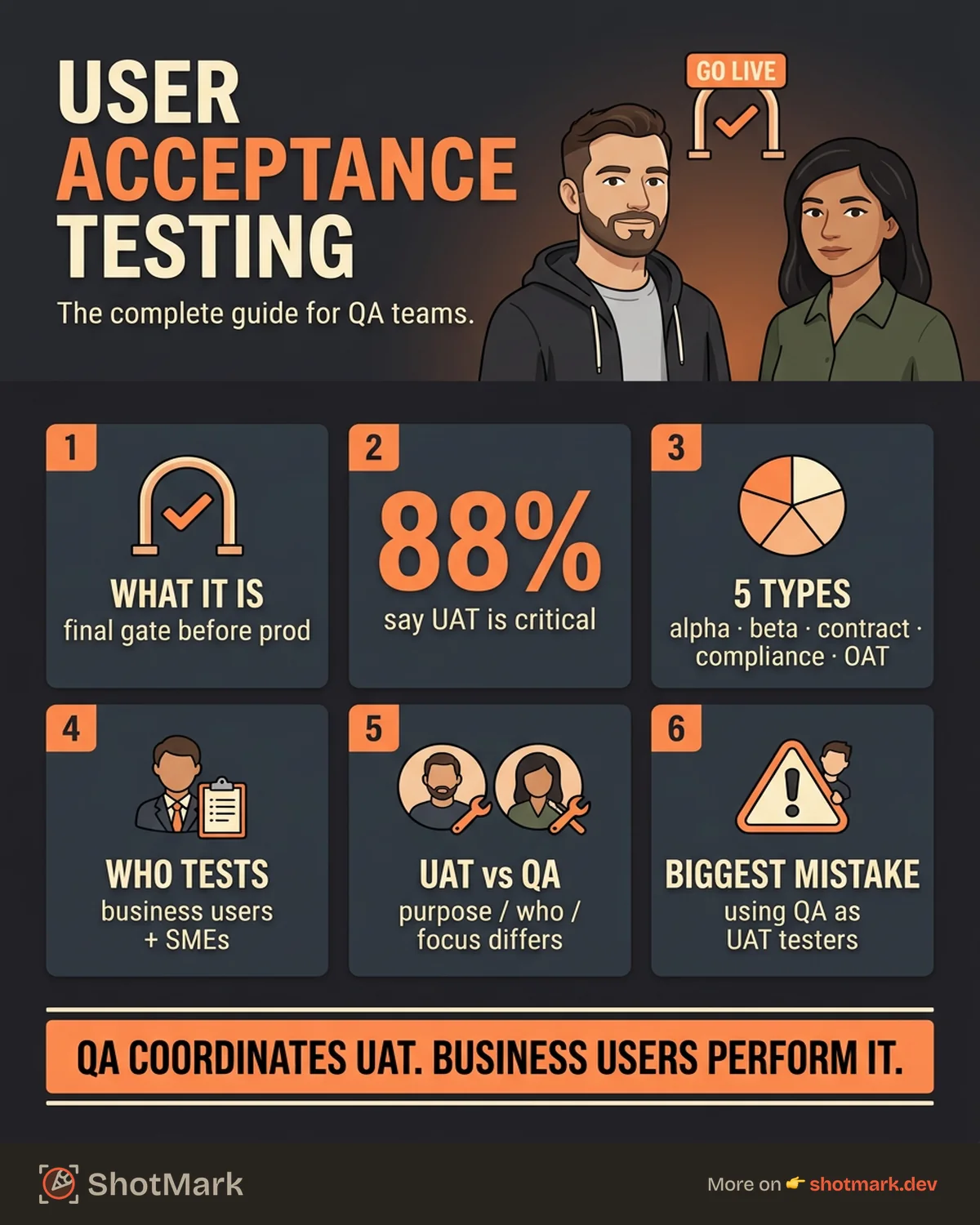
User acceptance testing is the final phase of software testing before production deployment. During UAT, real end users (not developers, not QA engineers) execute test scenarios that validate whether the software meets agreed-upon business requirements.
The distinction matters. QA testing checks if the software works correctly from a technical perspective. UAT checks if it works correctly from a business perspective. A login form might pass every functional test but still fail UAT because the workflow does not match how the sales team actually onboards new clients.
UAT is sometimes called acceptance testing, end-user testing, or simply “business testing.” Regardless of the label, the purpose stays the same: confirm the software is ready for the people who will use it daily.
Why UAT Matters for QA Teams
UAT is not a formality. It is the testing phase that catches requirement gaps functional testing misses entirely.
When a development team builds a feature based on a specification, they interpret the requirements through a technical lens. Business users interpret the same requirements through a workflow lens. These interpretations often diverge, and UAT is where those gaps surface.
Here is what effective UAT delivers:
- Requirement gap detection: Business users catch misalignment between what was built and what was needed. These gaps are invisible to automated test suites.
- Reduced post-launch defects: Fixing a defect found during UAT costs a fraction of fixing one found after release. Teams that skip UAT pay for it in hotfixes and emergency patches.
- Stakeholder sign-off: UAT creates shared accountability. When business stakeholders approve the release, the responsibility for “go or no-go” is documented and distributed.
- Increased confidence: According to Disbug.io , 88% of companies consider UAT critical for meeting quality goals. That number reflects a simple truth: teams that validate with real users ship better software.
For QA teams specifically, UAT is also a professional safeguard. When a post-launch defect surfaces, the question “Did users test this before release?” becomes critical. A well-documented UAT cycle provides the answer.
Types of User Acceptance Testing
Not all UAT looks the same. The type you run depends on your release stage, regulatory requirements, and who needs to validate the software.
| Type | Who Performs It | When | Purpose |
|---|---|---|---|
| Alpha Testing | Internal staff at the developer site | Pre-release, early stage | Identify major issues before external exposure |
| Beta Testing | Real users in their own environment | Pre-release, late stage | Validate in real-world conditions |
| Contract Acceptance Testing | Client or contracted party | Before contract fulfillment | Verify deliverables meet contract specifications |
| Regulation/Compliance Testing | Compliance officers or auditors | Before release in regulated industries | Confirm legal and regulatory standard adherence |
| Operational Acceptance Testing (OAT) | IT operations team | Before production deployment | Validate infrastructure readiness (backups, recovery, maintenance) |
Alpha testing happens in-house. Internal employees use the software at the development site, providing feedback before any external users see it. This is common for products with large internal user bases.
Beta testing puts the software in the hands of real users in their own environments. It is the closest you can get to production conditions without actually deploying. Beta testing often uncovers device-specific, network-specific, and workflow-specific issues that controlled environments miss.
Contract acceptance testing applies when software is built to specific contractual requirements. The client validates each deliverable against the agreed criteria before accepting the work.
Regulation and compliance testing is non-negotiable in industries like healthcare, finance, and government. Auditors verify the software meets legal standards (HIPAA, SOX, GDPR, and similar frameworks).
Operational acceptance testing focuses on the infrastructure side: backup procedures, disaster recovery, system monitoring, and maintenance workflows. OAT answers the question “Can we run this in production reliably?”
The User Acceptance Testing Process (Step by Step)
A structured UAT process keeps testing focused and prevents the chaos that comes from ad hoc “just click around and see what breaks” approaches.
Step 1: Analyze business requirements and acceptance criteria: Gather every user story, business requirement, and acceptance criterion for the features under test. If a requirement cannot be mapped to a testable scenario, it needs clarification before UAT begins.
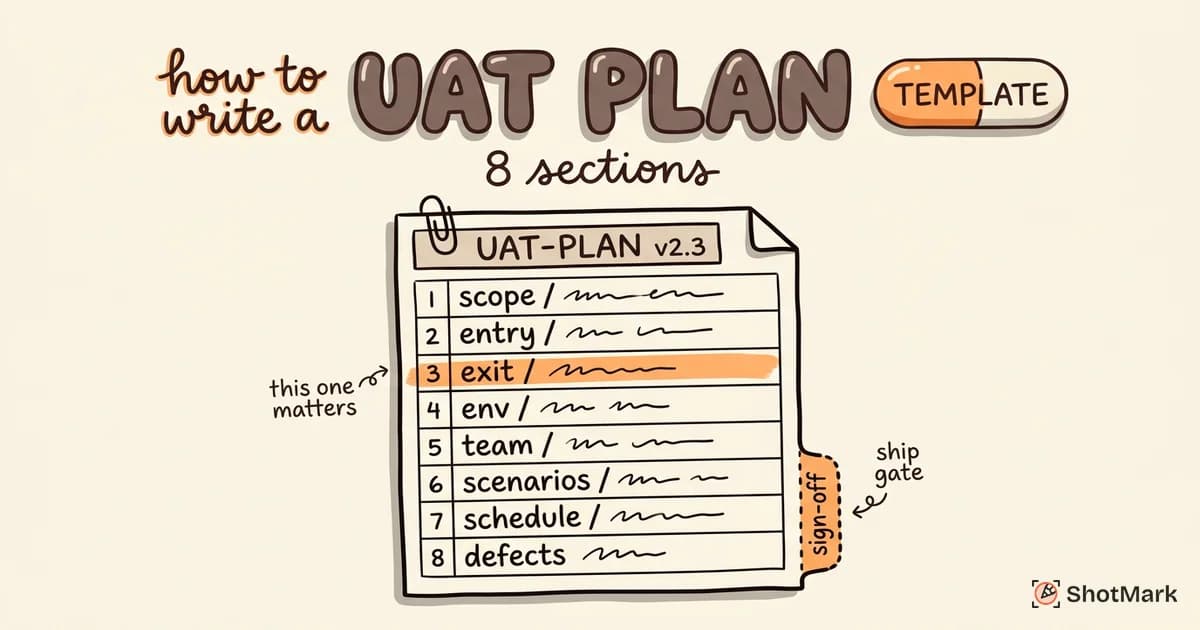
Step 2: Create a UAT plan: Define the scope, timeline, resources, test environment, and entry/exit criteria. The plan is your contract with stakeholders about what will be tested, by whom, and what “done” looks like.
Step 3: Design test scenarios based on real-world workflows: Write scenarios that mirror how business users actually work. “Complete an end-to-end purchase as a returning customer” is a UAT scenario. “Verify the API returns a 200 status code” is not.
Step 4: Prepare test data that mimics production: Load the test environment with realistic data. Synthetic data that looks nothing like production data produces unreliable results.
Step 5: Execute test cases and log results: Business users run each scenario and record whether it passed, failed, or was blocked. Every failed test should generate a defect report with full context.
Step 6: Document defects with full context: This is where most UAT cycles break down. A defect report that says “the page looks wrong” wastes everyone’s time. Effective reports include screenshots, steps to reproduce, expected versus actual behavior, browser information, and console errors.
Step 7: Retest fixes and validate resolutions: After developers fix defects, testers re-execute the failed scenarios. Regression testing on related areas catches side effects.
Step 8: Obtain stakeholder sign-off: Present UAT results to stakeholders. If all exit criteria are met, get documented approval to deploy.
Who Performs UAT?
The answer determines whether your UAT cycle produces useful results or becomes a checkbox exercise.
Business users and subject matter experts are the primary UAT testers. They know the workflows, the edge cases, and the real-world conditions the software must handle. A customer service manager testing a new ticketing system will find workflow gaps that no QA engineer would think to check.
Product owners and business analysts facilitate the process. They clarify requirements, prioritize defects, and coordinate between business users and the development team.
QA engineers coordinate the UAT cycle. They set up environments, manage defect tracking, provide test templates, and ensure the process runs smoothly. QA does not perform UAT. QA enables it.
User Acceptance Testing vs QA Testing
This is one of the most common points of confusion. QA testing and UAT serve different purposes, involve different people, and catch different types of problems.
| Dimension | QA Testing | UAT |
|---|---|---|
| Purpose | Verify the software works correctly (technical) | Validate the software meets business needs |
| Performed by | QA engineers and testers | Business users and subject matter experts |
| Focus | Functional correctness, edge cases, integration | Business workflows, user experience, requirement fulfillment |
| Timing | Throughout development (continuous) | Final phase before production deployment |
| Test basis | Technical specifications and test plans | Business requirements and acceptance criteria |
| Defect types found | Code bugs, integration failures, performance issues | Requirement gaps, workflow mismatches, usability issues |
Both are necessary. QA testing without UAT means you ship technically correct software that might not solve the business problem. UAT without QA testing means business users waste time finding bugs that automated tests should have caught first.
The best approach: QA testing gates UAT. Do not start UAT until QA testing confirms the build is stable.
UAT vs Usability Testing
These two are often confused, but they answer different questions. UAT asks “Does the software meet the requirements?” Usability testing asks “Is the software easy to use?” A feature can pass UAT (it does what the spec says) and still fail usability testing (users cannot figure out how to use it). For a deeper comparison, see our guide on UAT vs usability testing.
UAT Best Practices for QA Teams
Running UAT well is a skill that QA teams build over time. These best practices separate productive UAT cycles from painful ones.
Involve end users early, not just at the final gate: If business users first see the software during UAT, every piece of feedback feels like a surprise. Involve them during sprint reviews or demos so UAT validates rather than discovers.
Use production-like environments and realistic data: A staging environment that runs different configurations than production will produce false results. Match the environment as closely as possible, including data volume and third-party integrations.
Write test scenarios around business workflows, not features: “Test the payment module” is vague. “Complete a purchase using a saved credit card and verify the confirmation email” is actionable.
Define clear entry and exit criteria before testing begins: Entry criteria: the build passes all QA tests, the environment is stable, test data is loaded. Exit criteria: all critical test cases pass, no open blockers, stakeholders have reviewed results.
Capture defects with full context: Screenshots, network logs, console errors, browser version, and steps to reproduce. Every detail you include saves a round trip between tester and developer.
Set realistic timelines: The “UAT squeeze” (cramming UAT into the last two days before launch) guarantees incomplete testing and missed defects. Allocate adequate time based on scope.
Automate UAT regression where possible: Once a UAT scenario passes, automate the regression check. This frees business users to focus on new scenarios instead of retesting stable functionality.
UAT Examples for Web Applications
Abstract UAT advice only goes so far. Here are three concrete UAT examples for web applications.
Example 1: E-Commerce Checkout Flow
Scenario: A returning customer completes a purchase using a saved payment method.
Steps:
- Log in with existing credentials
- Add a product to the cart
- Proceed to checkout
- Select saved credit card
- Confirm the order
- Verify the confirmation page displays order number, items, and estimated delivery
Expected result: Order is created successfully. Confirmation email arrives within 2 minutes. Order appears in the user’s order history.
Pass criteria: All expected results match actual behavior. No errors in the checkout flow.
Example 2: User Registration and Onboarding
Scenario: A new user signs up and completes the onboarding wizard.
Steps:
- Navigate to the registration page
- Enter name, email, and password
- Verify email via confirmation link
- Complete the 3-step onboarding wizard
- Arrive at the dashboard with pre-populated sample data
Expected result: Account is created. Email confirmation works. Onboarding wizard completes without errors. Dashboard displays sample data.
Pass criteria: The full onboarding workflow completes in under 3 minutes with no confusing steps.
Example 3: Dashboard Data Accuracy
Scenario: A manager verifies that the analytics dashboard displays correct revenue figures for the current month.
Steps:
- Log in as a manager-role user
- Navigate to the analytics dashboard
- Compare displayed revenue with a known test dataset
- Filter by date range and verify numbers update correctly
- Export the report and confirm the export matches the dashboard
Expected result: Dashboard figures match the test dataset within an acceptable tolerance. Filters work correctly. Export is accurate.
Pass criteria: Revenue figures match. Date filters are accurate. Export file is complete and formatted correctly.
UAT Tools and Templates
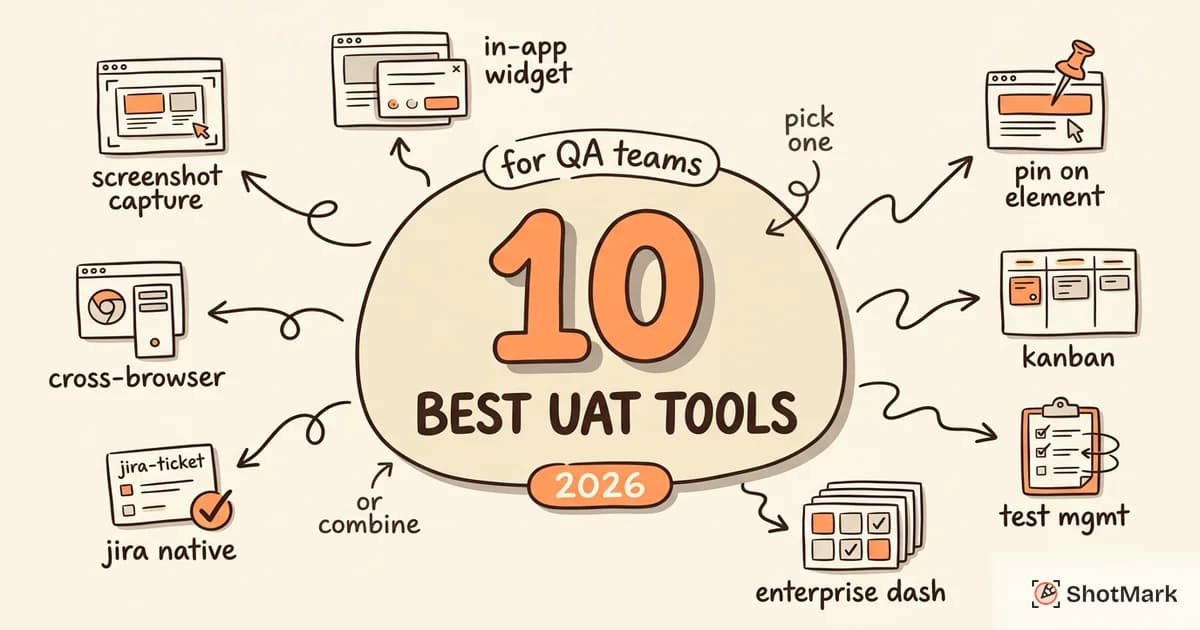
UAT tooling falls into three categories: dedicated UAT platforms, bug reporting tools, and test management systems. Most teams need a combination.
Dedicated UAT platforms like TestMonitor and PractiTest provide structured test case management, execution tracking, and reporting. They are ideal for teams with formal UAT processes and compliance requirements.
Visual bug reporting tools handle the defect capture side. When a UAT tester finds a problem, they need to report it with enough context for a developer to reproduce and fix it. ShotMark captures screenshots, annotations, console logs, and network requests in a single click, giving developers the full picture without back-and-forth.
Test management plugins like Zephyr Scale integrate directly into Jira, keeping UAT workflows inside the tools teams already use.
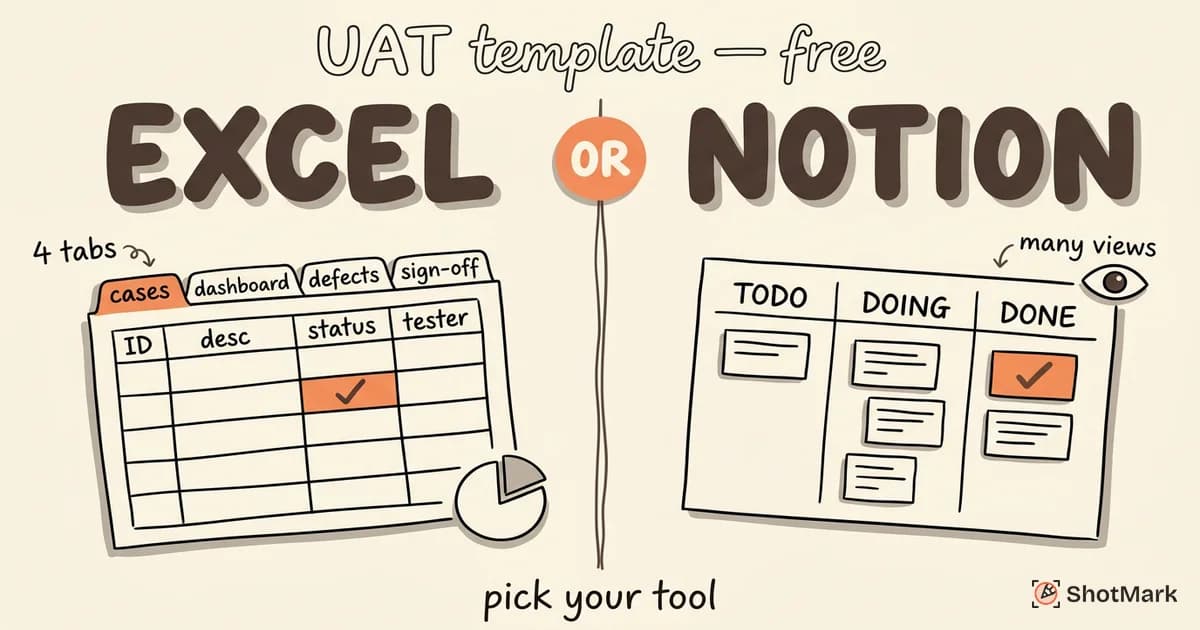
For a detailed comparison of UAT tools, see our guide to the best UAT testing software for QA teams. If you need ready-to-use tracking documents, grab our free UAT templates for Excel and Notion. And before your next release, run through our UAT checklist to confirm nothing gets missed.
Common UAT Mistakes (and How to Avoid Them)
These are the mistakes we see QA teams make repeatedly. Every one of them is preventable.
Starting UAT without clear acceptance criteria: If testers do not know what “correct” looks like, they cannot test for it. Acceptance criteria should be documented and agreed upon before UAT begins.
Using developers or QA as UAT testers: Developers test with a code-level mental model. QA engineers test with a technical testing mental model. Neither tests like a business user. The whole point of UAT is the business perspective.
Testing with fake data: “Test User 1” purchasing “Test Product A” for “$0.01” does not validate real-world behavior. Use anonymized production data or realistic synthetic data.
Skipping negative test cases: UAT should not only test happy paths. What happens when a user enters invalid data? When the network drops mid-transaction? When a required field is left blank?
No structured defect reporting: “It does not work” is not a defect report. Without screenshots, steps to reproduce, and technical context, developers cannot diagnose the problem. This single issue causes more UAT delays than any other.
Running UAT as a formality: If the decision to deploy was already made before UAT started, the testing is theater. UAT must have the authority to delay a release.
UAT in Agile vs Waterfall
The approach to user acceptance testing changes significantly based on your development methodology.
In waterfall, UAT happens once at the end of the project. It is a formal gate between development and deployment. The scope is large, the timeline is fixed, and the pressure is high. If UAT fails, the project schedule slips.
In agile, UAT happens each sprint. The scope is smaller (one feature or one user story), the cycle is shorter, and feedback is continuous. UAT becomes part of the Definition of Done for each sprint rather than a separate phase at the end.
Is UAT outdated? No. But the single-phase, end-of-project UAT model is. Modern teams run continuous UAT with shorter cycles, faster feedback loops, and better tooling for capturing defects quickly.
Continuous UAT in agile demands tooling that keeps up. Business users cannot spend 10 minutes writing a defect report for every issue when they have a 3-day testing window. One-click capture tools that automatically collect screenshots, console logs, and session metadata become essential.
Getting Started With UAT
User acceptance testing is the bridge between development and business value. It is not optional, and it is not a formality. When done right, it protects teams from shipping software that technically works but practically fails.
Start with three things: a clear plan, the right testers, and the right tools. Define acceptance criteria before writing a single test case. Recruit business users who know the workflows. Give them tooling that makes defect reporting fast and thorough.
ShotMark helps QA teams capture UAT defects with one-click screenshots, annotations, and full technical context. Every defect report includes the evidence developers need to fix issues without back-and-forth. Join the ShotMark waitlist for your next user acceptance testing cycle.
Get new posts in your inbox.
One email when we publish: notes on QA, AI, and shipping faster. No spam, unsubscribe anytime.