Defect management is the process that determines whether a bug gets fixed in 2 hours or 2 months. Most teams have some version of it running, but few have designed it intentionally. The difference between a team that ships confidently and one that plays whack-a-mole with production bugs usually comes down to how well their defect management workflow is structured.
This guide walks through building a defect management process from scratch, including the six core steps, role assignments, workflow design, common mistakes, and the metrics that tell you whether your process is actually working.
What Defect Management Covers (and What It Doesn’t)
Defect management is the systematic approach to identifying, documenting, tracking, and resolving defects in software. It is the strategy layer that sits above individual bug fixes. As GeeksforGeeks outlines , it encompasses the entire lifecycle from initial discovery through closure and reporting.
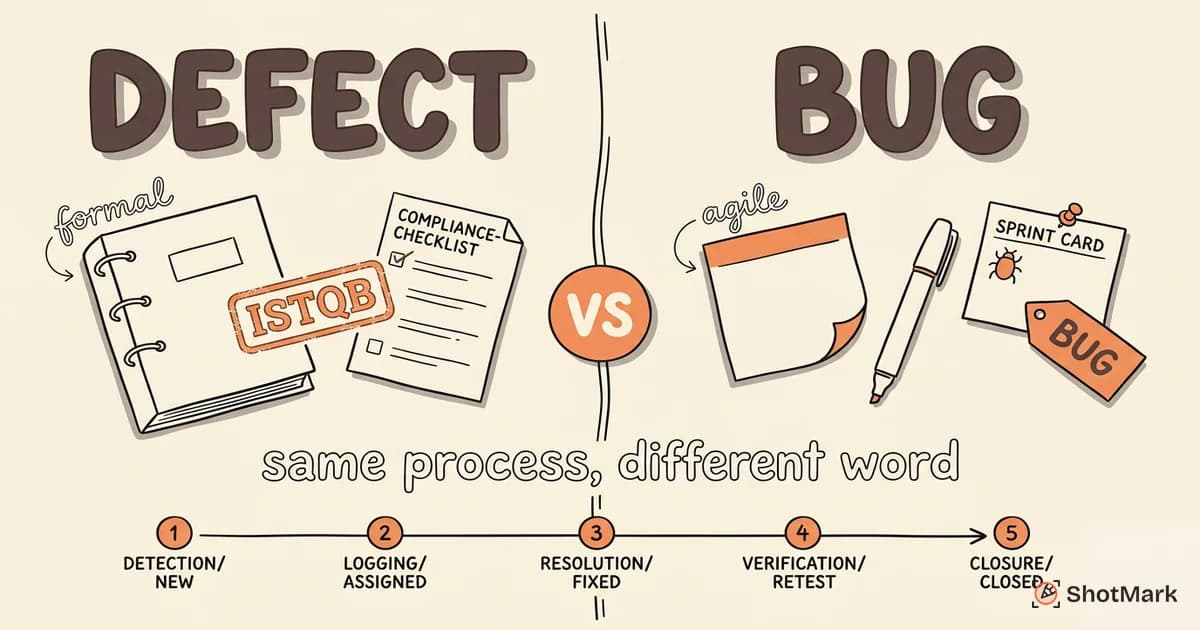
Defect management vs. defect tracking: These terms get used interchangeably, but they are different. Defect tracking is the execution layer. It is the act of logging bugs, updating statuses, and monitoring progress in a tool like Jira or Linear. Defect management is the strategy that governs how tracking happens. It defines who files bugs, what information gets captured, how work gets prioritized, and when bugs get escalated.
For a focused look at the tracking side, our defect tracking guide covers tool configuration and status workflows in detail.
What falls outside defect management:
- Feature requests: A user wanting dark mode is not a defect. It is a product decision.
- Technical debt: Code that works but is poorly structured belongs in your tech debt backlog, not your defect workflow.
- Operational incidents: A server going down because of infrastructure failure is not a software defect. It is an incident that needs a different response process.
Drawing these boundaries keeps your defect management process focused. When everything flows through the same workflow, triage becomes meaningless because nothing is actually prioritized.
The 6 Steps of the Defect Management Process
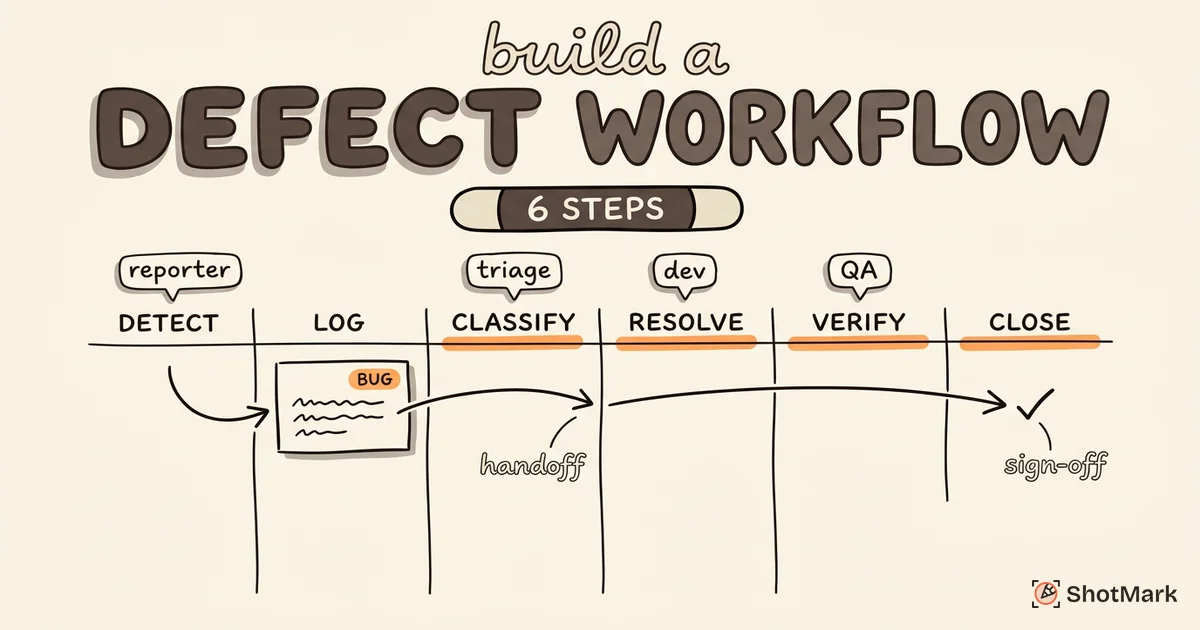
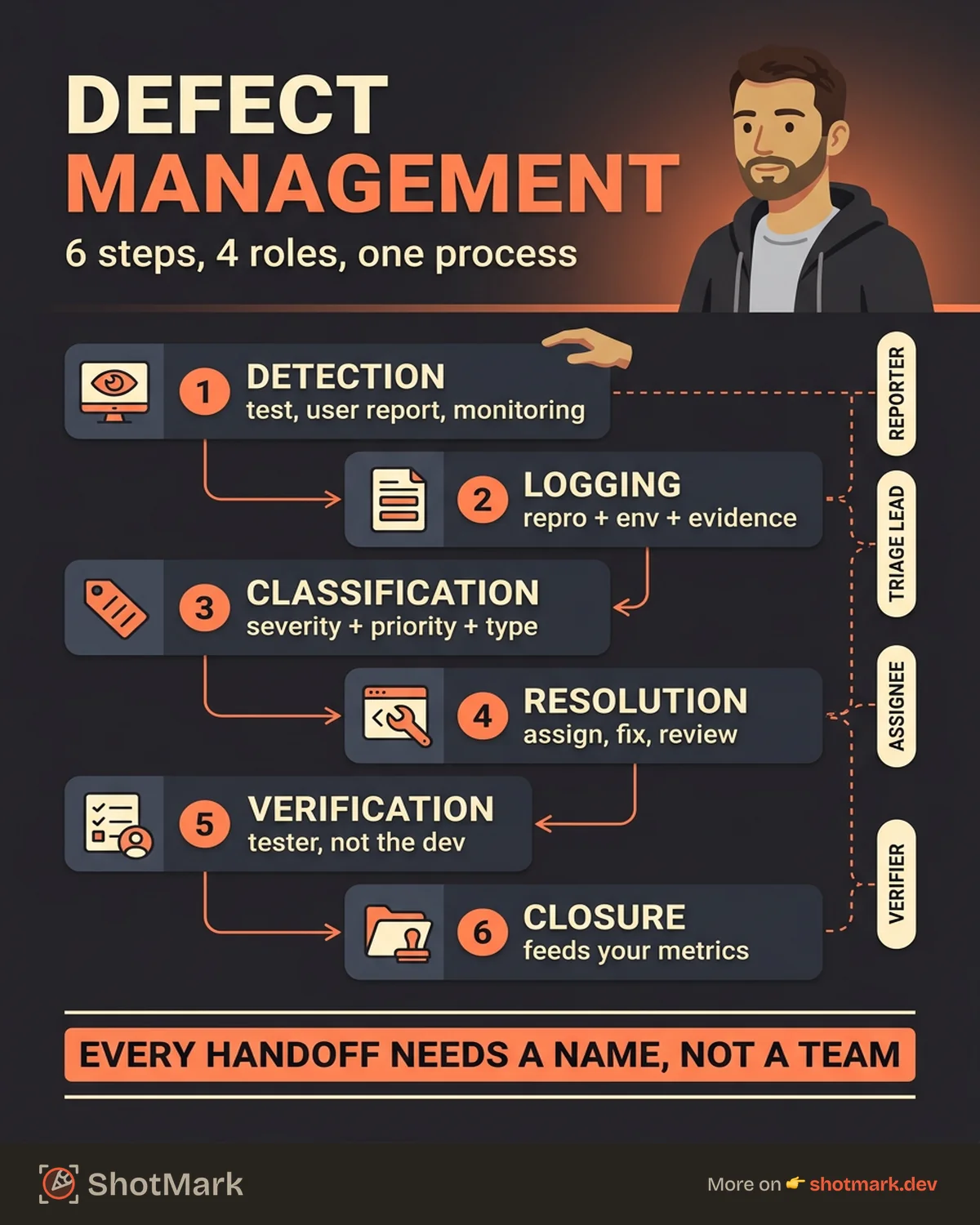
Every defect management process, regardless of team size or methodology, follows six steps. The details change, but the sequence does not.
Step 1: Defect Detection
Detection is where defects enter the system. They come from three sources:
- Testing: Manual testers, automated test suites, and exploratory testing sessions find bugs before release.
- User reports: Customers, support teams, and internal users report issues they encounter in production.
- Monitoring: Error tracking tools, log analyzers, and alerting systems detect failures automatically.
The detection step is only as good as the context it captures. A bug detected through monitoring comes with stack traces and timestamps. A bug reported by a user in a Slack message might come with nothing more than “the page is broken.” The gap between these two determines how fast the bug gets resolved.
Step 2: Defect Logging
Logging transforms a detection signal into a structured record. Every defect gets documented with enough information for someone else to understand and reproduce it.
A well-logged defect includes:
- Summary: One-line description of the observed behavior.
- Steps to reproduce: Numbered sequence from starting state to failure.
- Expected vs. actual behavior: What should happen versus what does happen.
- Environment: Browser, OS, screen size, user role, feature flags.
- Evidence: Screenshots, console logs, network request data, screen recordings.
The evidence piece is where most teams fall short. Text descriptions of visual bugs are unreliable. Console logs get forgotten. Network request data almost never gets included. ShotMark automates this step by capturing screenshots, console logs, and network requests in a single click, turning a 5-minute logging task into a 5-second one.
Step 3: Defect Classification
Classification assigns metadata that determines how the defect flows through the rest of the process. Three dimensions matter:
- Severity: How badly does this defect affect the system? (See our severity vs priority guide for the full framework.)
- Priority: How urgently does the business need this fixed?
- Type: Functional, UI, performance, security, data integrity.
Classification happens during triage, not at the moment of logging. The reporter can suggest severity and priority, but the triage lead confirms or adjusts based on the full picture.
Step 4: Defect Resolution
Resolution is the actual fix. It involves:
- Assignment: The triage lead assigns the defect to a developer based on component ownership, expertise, and current workload.
- Investigation: The developer reproduces the issue, identifies the root cause, and determines the fix approach.
- Implementation: The developer writes the fix and submits it for code review.
- Code review: A peer reviews the fix for correctness, edge cases, and regression risk.
The resolution step is where poor logging creates the most waste. Developers who cannot reproduce a bug spend more time investigating than fixing. BrowserStack’s defect management guide notes that incomplete defect reports are one of the top reasons resolution times balloon.
Step 5: Defect Verification
Verification confirms that the fix actually works. A tester (ideally not the developer who wrote the fix) retests the defect in the target environment.
Verification checks three things:
- The reported defect is resolved: The original reproduction steps no longer produce the failure.
- No regression introduced: Related functionality still works correctly.
- The fix works in the target environment: A fix that passes on the developer’s machine but fails in staging is not verified.
If verification fails, the defect goes back to resolution with a note explaining what still does not work. This back-and-forth is normal, but it should be tracked. Defects that bounce between resolution and verification more than twice signal a problem with the initial logging or the reproduction steps.
Step 6: Defect Closure and Reporting
Closure means the defect is resolved, verified, and no longer requires attention. But closure is not just a status change. It is a data point.
Every closed defect contributes to your process metrics. How long did it take from detection to closure? How many times did it bounce back? Which component generates the most defects? These answers tell you whether your defect management process is improving or deteriorating.
Designing a Defect Management Workflow for Your Team
The six steps provide the framework. Now you need to turn them into a workflow that your team actually follows.
Define Roles
Four roles participate in the defect management workflow:
- Reporter: The person who detects and logs the defect. Can be anyone: tester, developer, support agent, end user.
- Triage lead: Reviews new defects, validates classification, and assigns to the right developer. Usually a QA lead or engineering manager.
- Assignee: The developer responsible for resolving the defect.
- Verifier: The tester who confirms the fix works. Should not be the assignee.
Map Status Transitions
Design your workflow states and allowed transitions in your tracking tool. A practical starting point:
New → Triaged → In Progress → In Review → Fixed → Verified → Closed
                                                  ↓
                                               Reopened → In Progress
Block impossible transitions. A defect should not jump from “New” to “Closed” without passing through triage and verification. Jira’s workflow configuration supports these restrictions natively. Other tools like Linear and GitHub Projects can approximate this with automation rules.
Set SLAs by Severity
Response time expectations prevent critical bugs from sitting in a backlog while someone debates priority.
| Severity | First Response | Resolution Target |
|---|---|---|
| Blocker | 1 hour | 4 hours |
| Critical | 4 hours | 24 hours |
| Major | 24 hours | Current sprint |
| Minor | 48 hours | Next sprint |
These targets should be visible to the entire team and tracked in your defect dashboard. SLAs without monitoring are just aspirations.
Build Defect Report Templates
Create a template with required fields that reporters fill out every time. This removes ambiguity and ensures the logging step captures what resolution needs.
Required fields: summary, steps to reproduce, expected behavior, actual behavior, severity (suggested), environment, and evidence (screenshots or logs).
ShotMark generates this evidence automatically. When a reporter captures a bug with ShotMark, the screenshot, console logs, network requests, and environment data are bundled together. That context flows directly into the defect report, whether it is filed in Jira, Linear, or any other tracker.
Common Defect Management Workflow Mistakes
We see four patterns that reliably break defect management processes.
No triage step: Bugs go directly from “New” to a random developer’s queue. Without triage, severity and priority never get validated. Developers work on whatever landed in their inbox most recently, not what matters most. The fix: every defect passes through a triage gate before assignment.
Missing reproduction context: The defect says “page doesn’t load” with no screenshot, no console output, no environment data. The developer spends 30 minutes trying to reproduce it, fails, and marks it “Cannot Reproduce.” The reporter gets frustrated. The bug stays broken. The fix: require evidence at the logging step and use tools that capture it automatically.
No verification step: Developers mark bugs “Done” after pushing a fix, without anyone retesting. The fix works on their machine but fails in production because of a different browser, a different data set, or a different user role. The fix: separate the “Fixed” and “Verified” statuses and require a tester to move between them.
Ignoring metrics: The team processes defects but never measures whether the process is healthy. Cycle times creep up. The same components keep producing bugs. Production escapes increase quarter over quarter, and nobody notices because nobody is tracking them. The fix: build a dashboard.
Measuring Defect Management Effectiveness
Four metrics tell you whether your defect management process is working. As Testsigma’s defect management guide notes, measurement separates intentional processes from accidental ones.
Defect removal efficiency (DRE): The percentage of defects found before production. DRE = (defects found in testing / total defects) x 100. A DRE above 85% means your testing process catches most issues before users see them. Below 70%, and your process has significant gaps.
Defect leakage ratio: The number of defects that escape to production divided by total defects found. This is the inverse of DRE, focused on the failures. Track it per release to spot trends.
Average time per workflow stage: Measure how long defects spend in each status. If bugs sit in “Triaged” for 3 days on average but get resolved in 4 hours once assigned, your bottleneck is assignment, not engineering capacity.
Bounce rate: The percentage of defects that get reopened after being marked “Fixed.” A high bounce rate (above 15%) indicates either poor fix quality or insufficient information in the original report. Both are fixable.
Build a dashboard that shows these four metrics updated weekly. Share it with the team. The bug life cycle stages map directly to these measurement points, so your tracking tool can generate most of this data automatically.
Defect management is not a one-time setup. It is a process that improves through iteration and measurement. Start with the six steps, assign clear roles, configure your tool to enforce the workflow, and measure the results. The teams that manage defects intentionally do not just fix bugs faster. They build confidence in every release because they know their process catches what matters before users do.
Get new posts in your inbox.
One email when we publish: notes on QA, AI, and shipping faster. No spam, unsubscribe anytime.