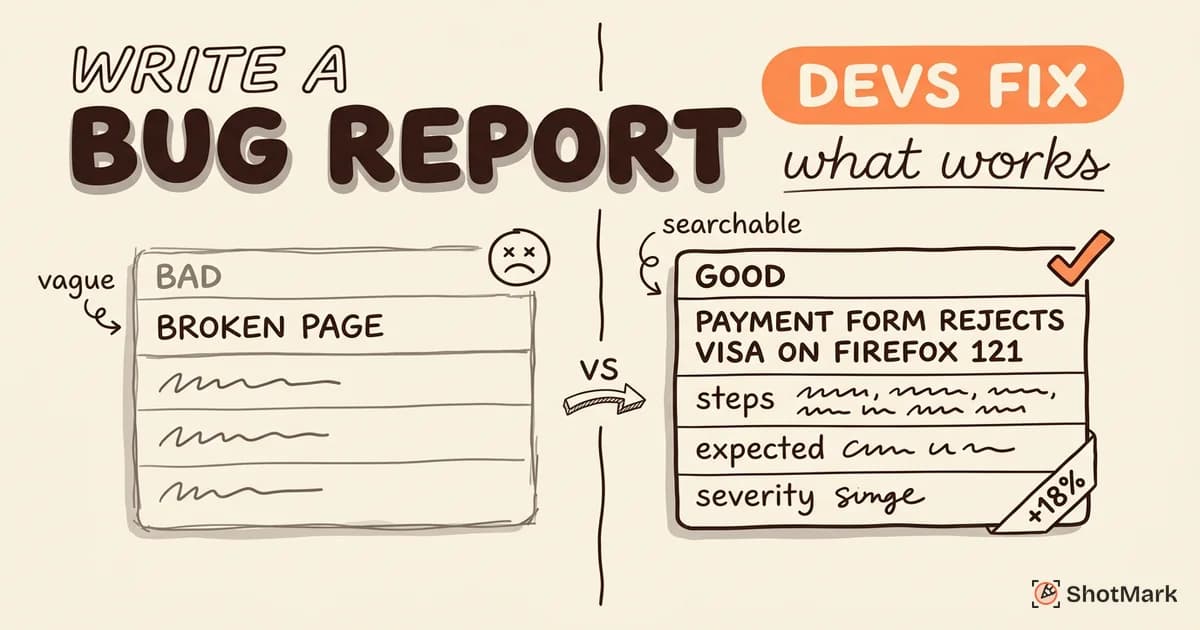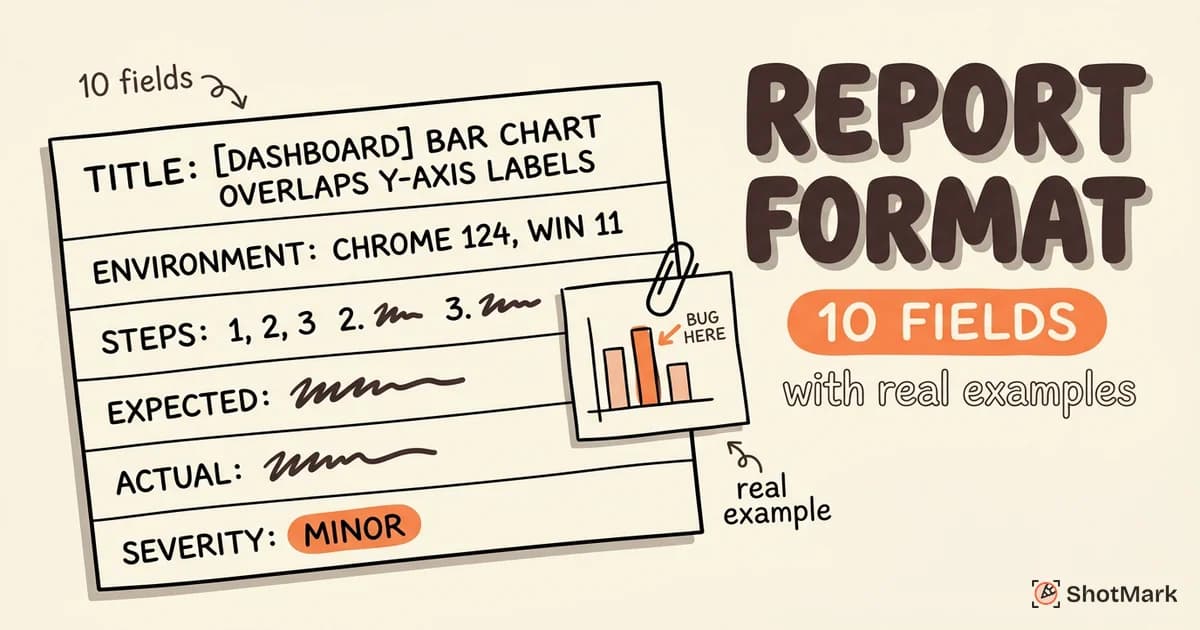
Following bug report best practices isn’t about checking boxes on a template. The QA engineers who get bugs fixed fastest write reports optimized for developer triage, not just documentation. Here’s what separates an adequate report from one a developer picks up immediately.
Most guides rehash the basics: be specific, add screenshots, fill out the template. That advice is fine for junior testers. Experienced QA engineers need sharper practices, the kind that cut reopen rates, reduce clarification threads, and make reports searchable six months later. This guide covers what works when you already know the fundamentals.
Core Bug Report Best Practices That Still Get Skipped
Every veteran QA engineer knows the fundamentals. The gap between knowing them and applying them consistently is where most teams lose time. These bug report best practices are the ones that get abandoned first under sprint pressure, and they’re the ones that cost the most hours when skipped.
One Bug Per Report, Always
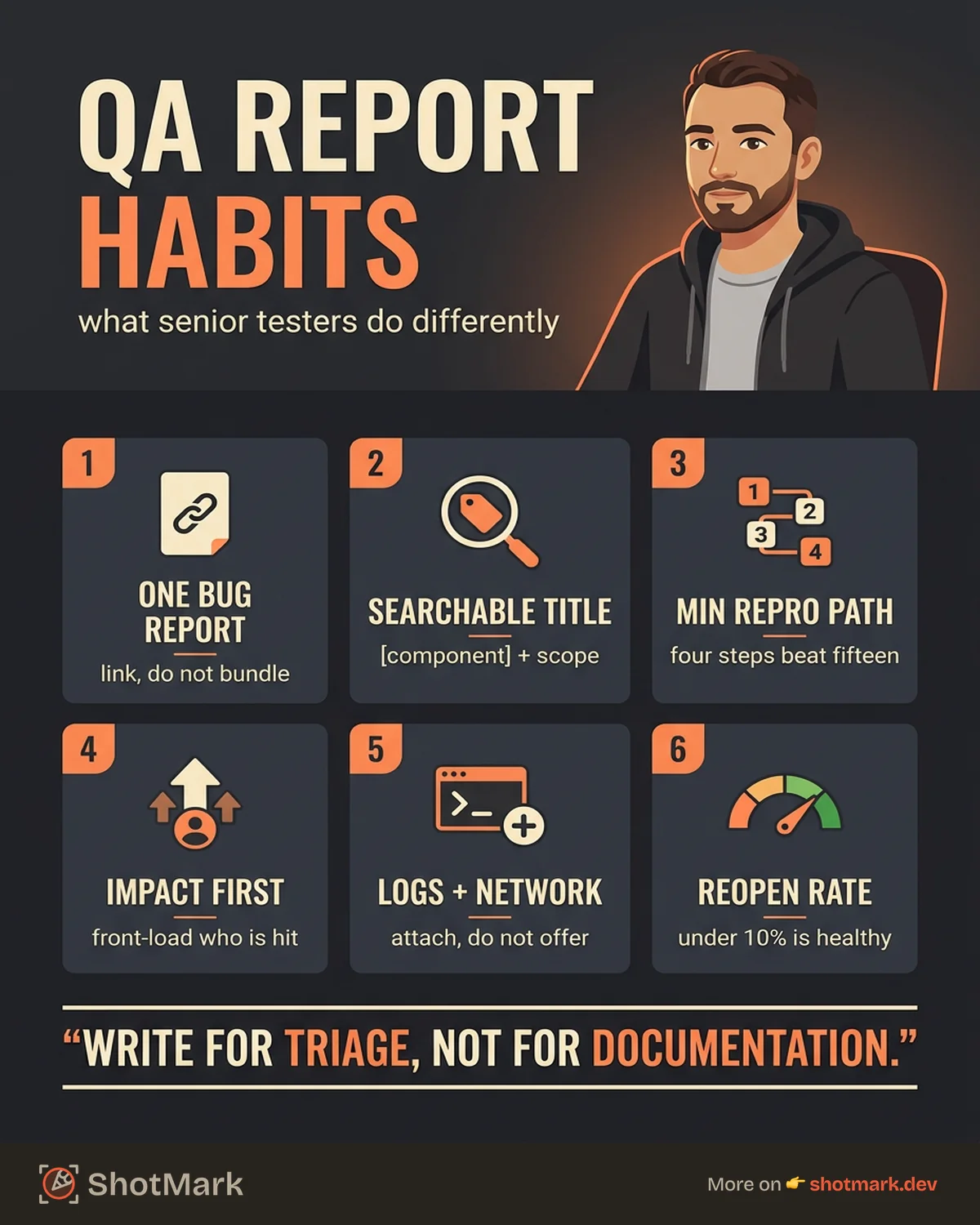
Combining related issues into a single ticket feels efficient. It isn’t. A single ticket can’t have two statuses, two assignees, or two fix versions. When a developer fixes one of the bundled bugs but not the other, the ticket stays open, QA gets confused about what to verify, and the second bug slips through the next release.
File separate reports and link them. Use parent/child relationships or a shared label like checkout-regression-2026-04 to surface patterns without fusing them into one ticket.
Write Titles That Work as Search Queries
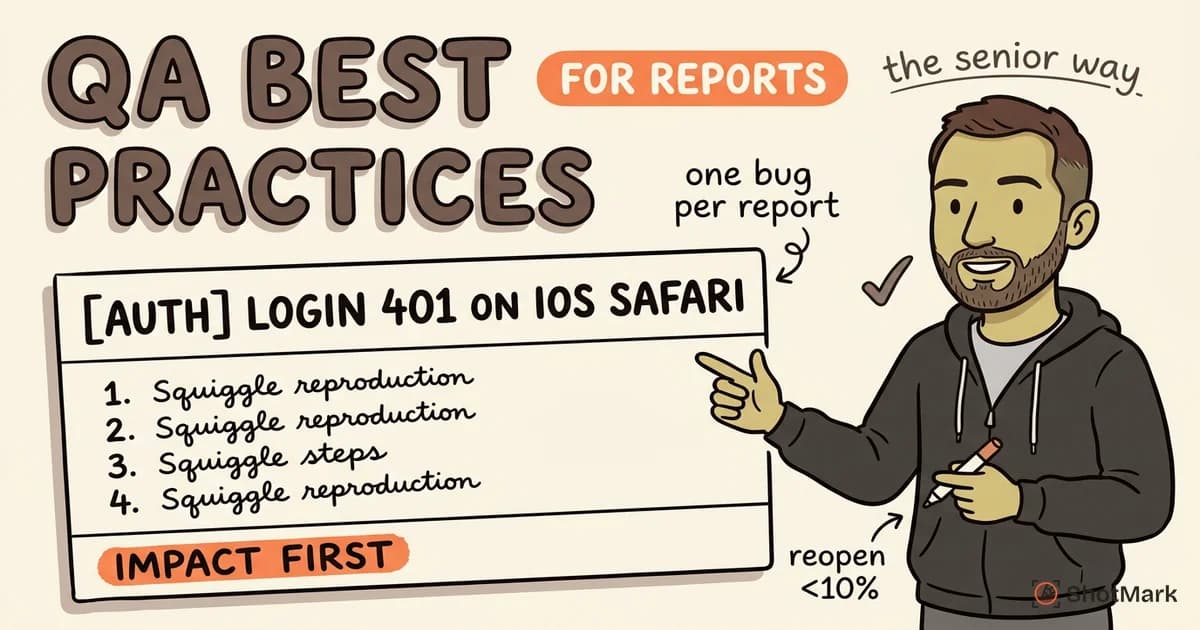
Developers search their backlog. A title like “Login button broken” returns nothing useful three sprints later. A title like “[Auth] Login button on iOS Safari returns 401 after password reset” is searchable, scannable, and triage-ready.
Use the formula: [Component] What fails + Context that narrows the scope: The title should survive being read in isolation, without the description.
Include the Minimum Reproduction Path
There’s a difference between what you did and what’s needed to reproduce the bug. If the bug triggers after step 4, don’t list all 12 steps you happened to take. Start from the cleanest state, include only the steps that matter, and note prerequisites separately.
A 4-step reproduction path beats a 15-step one every time. It also makes the bug testable by someone who didn’t file it, which is the actual goal of reproduction steps. For a broader walkthrough of the fundamentals, see how to write a bug report that developers actually fix, or reference the BrowserStack bug reporting guide for a tester-focused overview.
State Impact Before Detail
Front-load who’s affected and how severely. “This blocks all new signups on mobile, estimated 40% of incoming traffic” tells a developer to drop everything. Burying that context under 200 words of reproduction detail means the ticket sits in the backlog until someone spots it.
A strong bug report format puts impact in the first sentence of the description. Everything else supports it.
Attach Console Logs and Network Data, Not Just Screenshots
A screenshot shows the symptom. A console log shows the cause. A HAR file shows what the server returned. Developers need all three, and they need them attached to the report, not offered with “let me know if you want me to grab the logs.”
Capturing logs and network requests manually is tedious, which is why most QA engineers skip it under deadline. The fix is tooling that captures technical context automatically, which we’ll get to later.
Advanced Practices for Experienced QA Engineers
Once the fundamentals are in place, the gains come from practices that treat bug reports as data, not just documents. These are the habits that separate senior QA work from mid-level work.
Write for Triage, Not for Documentation
A bug report is read three times: at triage, at assignment, and at fix verification. Triage is the fastest read, often under 30 seconds. If the reader can’t understand severity, affected area, and reproduction confidence in that window, the ticket gets punted.
Structure the description for scanners: impact first, environment second, reproduction third, technical detail last. Bold the fields that matter most. Write like a developer who’s about to be paged, because one of them will be.
Link Related Bugs to Surface Patterns
A single bug is a data point. Five linked bugs in the same component over two sprints is a regression cluster, and that’s a conversation worth having with engineering leadership.
Use tags (regression, flaky, intermittent), parent tickets for cross-cutting issues, and shared labels for campaign-style bug hunts. When the same module produces three bugs in a row, your linking structure makes it visible at a glance. The Google Testing Blog has good writing on treating test findings as systems rather than isolated events.
Report Reproduction Rate With Numbers
“Intermittent” is the word QA uses when they don’t want to run the test again. “3 out of 10 attempts, all on Safari 17.2 with cache cleared” is the data a developer can use. Reproduction rate tells engineers whether they’re hunting a race condition, a state-dependent bug, or a platform-specific issue.
Always attempt at least 5 runs before tagging something as flaky. The extra two minutes of testing saves 30 minutes of investigation on the other side.
Test Edge Cases Before Filing
Before you file, test the bug across at least two browsers, two screen sizes, and two user roles if applicable. An experienced QA engineer who writes “also reproduces on Firefox 124 and Edge 122, not reproducible on Chrome 123” has done in three minutes what would otherwise take a developer 20.
This isn’t about being thorough for thoroughness’s sake. It’s about writing a report that a developer can triage without a follow-up Slack thread.
Add a Suggested Root Cause When You Have Context
If you’ve seen similar bugs before, or the console error points somewhere specific, say so. Label it clearly: “Suggested root cause (not confirmed): possible race condition between auth refresh and API call at checkout.js:142.”
Developers won’t take your suggestion as gospel. They will appreciate a starting point, especially when it’s informed by a tester who’s been poking at the system longer than they have.
Measuring Bug Report Quality as a Team Metric
Individual skill matters, but quality compounds when the team measures it. If you can’t measure report quality, you can’t improve it, and you can’t justify investing in better tools or templates. Here’s how mature QA teams treat bug reports as measurable output.
Track Reopen Rate
The reopen rate is the percentage of bugs that come back for “needs more information” or “can’t reproduce.” A healthy team sees this under 10%. Teams without structured reports often run 25 to 40%.
Reopen rate is the single best leading indicator of report quality. If it trends up, something is breaking in your intake, and retraining, templates, or tooling need attention. The ISTQB testing standards also treat defect report quality as a core quality metric, worth referencing when building internal scorecards.
Track Time-to-Fix and Correlate With Report Quality
Pull your last 50 bug reports. Group them by “complete on first read” vs. “needed follow-up.” You’ll almost always find the first group resolves 2 to 3 times faster. That data is the case for better templates, better tooling, and better training.
Share the numbers in engineering reviews. Nothing motivates report hygiene like showing the team that complete reports close in 2 days and incomplete ones close in 9.
Run Quarterly Retros on Report Quality
Once a quarter, pick 10 recent reports at random and grade them as a team. Use a simple rubric: title clarity, reproduction completeness, environment detail, attachments, impact statement. Review the lowest scorers together.
This surfaces patterns humans miss in dashboards. Maybe one tester skips environment fields. Maybe a whole team never attaches logs. You only see it when you look at real examples.
Build a Simple Bug Report Quality Scorecard
A scorecard with five fields (title, steps, environment, impact, attachments) scored 0 to 2 gives you a 10-point quality rating per report. Track the team average over time. Aim for 8+. It’s more useful than any abstract discussion about “being more thorough.”
This isn’t surveillance. It’s the same quality loop engineering runs on code reviews, applied to the QA deliverable.
Tools and Workflows That Enforce Best Practices
The best training in the world won’t fix bad bug reports if the tooling makes the right thing hard. A strong bug reporting tool removes friction from the habits you want, and blocks the habits you don’t. That’s what separates a workflow that works from one that depends on willpower.
Templates That Require Critical Fields
Jira, Linear, GitHub Issues, and most modern trackers support required fields on bug types. Use them. A template that refuses submission without an impact statement, a reproduction rate, and an environment entry raises the floor for every report your team files.
A well-designed bug report template includes fields for severity, reproduction steps, environment, attachments, and suggested root cause. Make the optional fields clearly optional, and the required ones actually required.
Browser Extensions That Auto-Capture Context
Most QA engineers file bugs from a browser. The information a developer needs (console logs, network requests, viewport size, user agent, timestamps) all lives in that same browser. There’s no reason any of it should be copied manually.
A browser extension that captures screenshots, console output, network activity, and environment data in one click turns a 10-minute report into a 30-second one. It also removes the willpower problem: attaching logs stops being optional when the tool attaches them by default.
Integration With Issue Trackers
The friction of tab-switching between a capture tool and your tracker kills adoption. Look for tools that push directly to Jira, Linear, GitHub, or whatever you use, with the technical context mapped to the right fields.
For a comparison of current options, see bug reporting tools compared across features and pricing.
How ShotMark Enforces Best Practices Automatically
ShotMark is a browser extension built for QA engineers who want complete reports without the manual work. One click captures an annotated screenshot, the full browser console log, network requests, and environment data. The package goes straight to your issue tracker with the technical fields already filled in.
The result: reports that hit every best practice in this guide by default. No skipped console logs. No missing environment details. No 200-word Slack threads asking “what browser were you using?” The open-source SDK also lets teams customize what gets captured and where it goes. You can join the ShotMark waitlist to try it early.
What Makes a Professional Bug Report
What Are Best Practices for Writing Bug Reports?
The short list: one bug per report, searchable titles, minimum reproduction paths, impact stated first, console logs and network data attached, edge cases tested before filing, and reproduction rate expressed as a number. Apply these consistently and reopen rates drop.
How Can QA Engineers Improve Bug Report Quality?
Measure it. Track reopen rate, correlate report completeness with time-to-fix, and run quarterly retros on real examples. Then back the measurement with tooling that captures context automatically, so quality doesn’t depend on willpower at 5 PM on a Friday.
What Makes a Professional Bug Report?
A professional bug report is triage-ready in 30 seconds, reproducible by a developer who wasn’t in the room, and searchable six months later. It front-loads impact, includes technical evidence (not just screenshots), and uses linking structure to surface patterns. The word “professional” isn’t about formality. It’s about writing reports a colleague can act on without asking questions.
Bug report quality is a team metric, not an individual skill. Build it into your QA workflow with the right templates, a clear bug report format, and tooling that captures context by default. These bug report best practices only stick when the tools make the right thing the default, which is exactly what ShotMark is built to do for QA engineers who already know the fundamentals and want the hours back.
Get new posts in your inbox.
One email when we publish: notes on QA, AI, and shipping faster. No spam, unsubscribe anytime.