Most frontend developers avoid unit testing because the early advice they read was written for backend code. The examples talk about pure functions and database stubs, not React components, form validation, or click handlers, so the habit never sticks.
This guide is written for the other case. We’ll cover what to test in a frontend codebase, what to skip, which tools actually fit modern stacks, and how to write your first real test without chasing 100% coverage. Expect React-flavored examples, honest trade-offs, and links to the source material the testing community keeps coming back to.
Why Frontend Developers Need Unit Tests
Frontend code is logic-heavy in ways that don’t always show up in a design review. Form validation, state transitions, data formatting, URL parsing, feature flags, and error handling all live in JavaScript, and they all break quietly. A unit testing habit catches those bugs before they reach a browser tab on a user’s phone.
The second reason is speed. A well-configured test suite runs hundreds of tests in a few seconds, which turns a guessing game into a feedback loop. You change one line, the relevant tests rerun, and you see whether a reducer still works without loading the app. If you’re new to the broader picture, our primer on software testing basics is a useful companion read.
The third reason is refactoring confidence. Frontend code rewrites happen constantly: a new router, a new state library, a Tailwind migration, a React version bump. Tests that describe behavior, not implementation, make those rewrites safer. Martin Fowler’s classic definition of a unit test is worth reading if you want a grounded vocabulary before introducing tests to a team.
What to Unit Test in Frontend Code
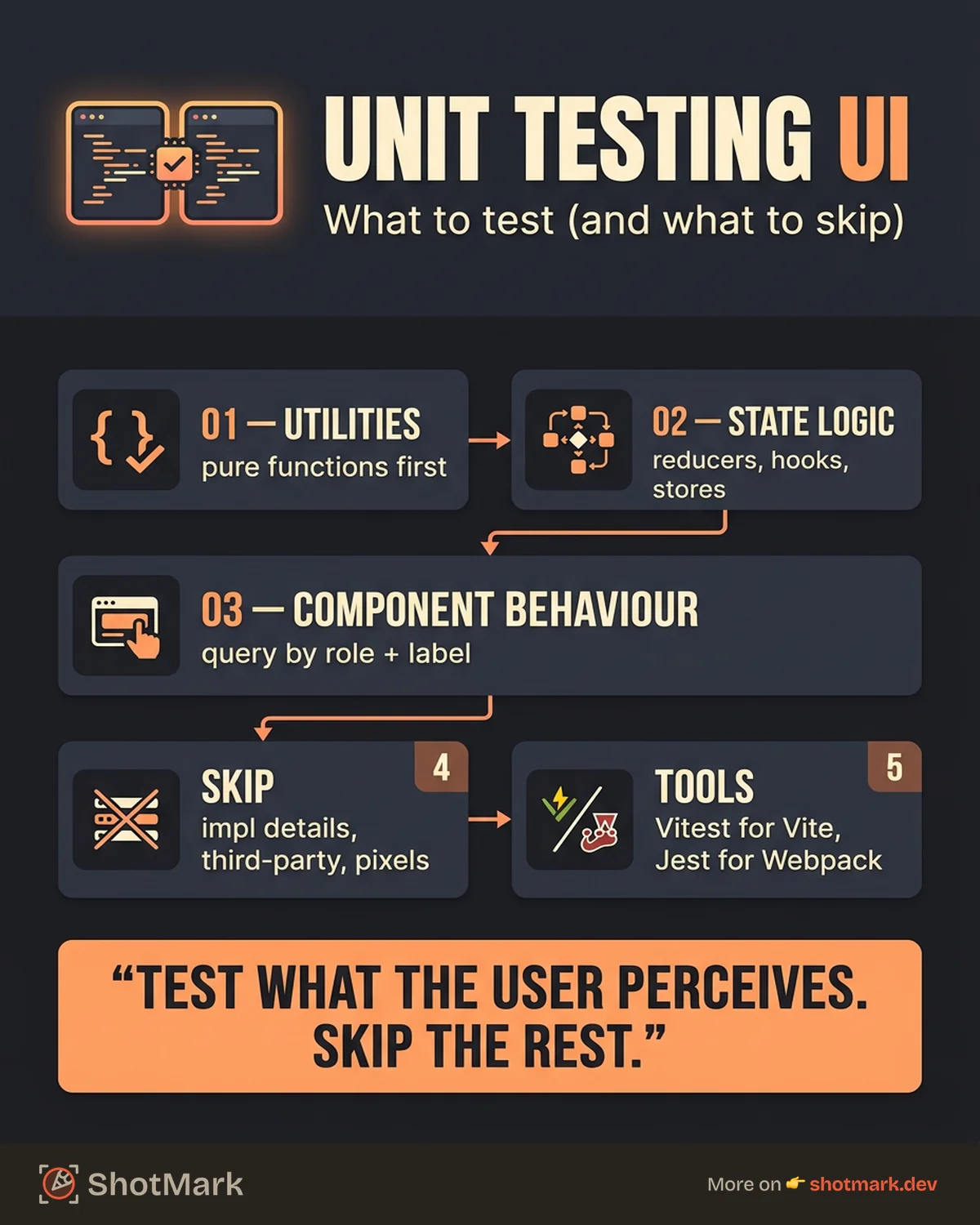
Not every line of frontend code deserves a test. The goal is to cover the parts that break in ways users notice and developers miss. Three categories belong in a unit test suite.
Pure Functions and Utilities
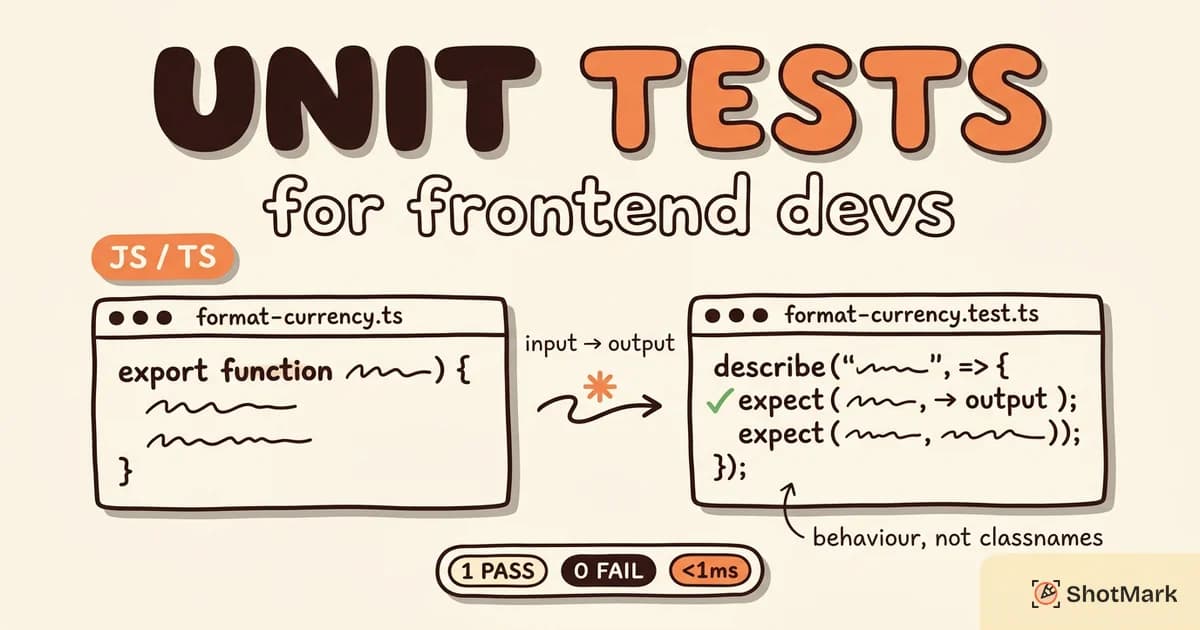
Pure functions are the easiest place to start. A currency formatter, a date parser, a URL validator, a slug generator: input goes in, output comes out, no DOM, no network, no surprises. These tests are fast, stable, and documentation-friendly.
// src/lib/format-currency.ts
export function formatCurrency(amount: number, currency = "USD"): string {
  return new Intl.NumberFormat("en-US", {
    style: "currency",
    currency,
  }).format(amount);
}

// src/lib/format-currency.test.ts
import { describe, expect, it } from "vitest";
import { formatCurrency } from "./format-currency";

describe("formatCurrency", () => {
  it("formats USD by default", () => {
    expect(formatCurrency(1999.5)).toBe("$1,999.50");
  });

  it("supports other currencies", () => {
    expect(formatCurrency(10, "EUR")).toBe("€10.00");
  });
});
Utility tests catch edge cases long before they reach a component. They also double as living specs for the teammates who show up next year. A good rule: if a function has more than one branch, a loop, or a conditional return, it deserves a test.
Watch out for hidden dependencies. A function that reads Date.now(), Math.random(), or localStorage is technically not pure, and tests for it will be flaky unless you inject those dependencies or stub the global. The fix is small: pass a clock, a random source, or a storage adapter into the function instead of reaching for the global.
State Logic and Reducers
Redux reducers, Zustand stores, XState machines, and custom hooks with internal state all benefit from isolated tests. You don’t need to render anything to verify a reducer: feed it actions, assert the resulting state, and move on. That’s a classic unit test in frontend terms.
Custom hooks take a little more setup, but libraries like @testing-library/react ship a renderHook helper that makes it straightforward. Test the transitions your UI depends on, not every internal variable.
State logic is often where real product bugs hide: a stale closure in a useEffect, an action dispatched twice, a filter that clears when it shouldn’t. These are exactly the cases where a small test, written in under a minute, pays for itself the first time a refactor changes the reducer signature.
Component Behavior (Not Rendering)
Component tests should describe what a user can do, not how the component is structured internally. If a button is clicked, something happens. If a form is submitted with invalid data, an error appears. Tests written this way survive refactors and catch real bugs.
Kent C. Dodds makes this case well in Testing Implementation Details . The short version: tests that assert on internal state, private methods, or CSS class names break every time you refactor, without catching any actual defect.
What Not to Unit Test
Knowing what to skip is as important as knowing what to cover. Four categories belong somewhere else, or nowhere at all.
- Implementation details: Internal state, private methods, the exact order of hook calls. If the user can’t perceive it, don’t assert on it.
- Third-party library behavior: You don’t need to test that React renders, that React Query fetches, or that Zod validates. Test your code, not theirs.
- Visual layout and styling: Pixel-exact layout belongs in visual regression tools like Chromatic or Percy, not in
expect(button).toHaveClass("bg-blue-500"). - Integration points: If the test only passes when three components talk to each other and the API responds, it’s an integration test. Treat it as one.
The test trophy model from Kent C. Dodds, documented in The Testing Trophy , gives a cleaner mental map than the older pyramid. Unit tests sit at the base, but integration tests carry more weight on the frontend, where most bugs live between components.
One practical way to decide: if writing the test forces you to expose something that used to be private, or to add a prop that exists only for testing, that’s a signal to stop and pick a higher-level test instead. The goal is coverage of behavior, not of code paths.
Unit Testing Tools for Frontend
The tooling picture in 2026 is simpler than it looks. Most teams pick one runner and one component library, and the choice usually comes down to the bundler they already use.
Jest
Jest is the incumbent. Meta-backed, mature, and still the default for Create React App holdouts, Next.js projects that haven’t migrated, and any codebase that shipped before 2023. Its ecosystem is massive, with plugins for snapshot testing, code coverage, and mocking built in.
If you’re starting a Jest project today, the official Jest documentation is thorough and up to date. Jest works with React, Vue, Angular, Svelte, and vanilla JavaScript, so the skill transfers between frameworks without a rewrite.
Vitest
Vitest is the Vite-native runner, and it’s become the default for anything built on Vite, SvelteKit, Nuxt 3, Remix, or Astro. The API is Jest-compatible, which means most Jest tests run on Vitest with zero changes. Cold starts are faster, watch mode is snappier, and TypeScript support is built in.
The Vitest guide is a good starting point. If your project already uses Vite, there’s almost no reason to reach for Jest. If it uses Webpack or Turbopack, Jest is still the safer pick.
React Testing Library
React Testing Library works with either runner. It’s not a test framework, it’s a set of utilities that push you toward user-facing queries: getByRole, getByLabelText, getByText. Those queries are the same ones a screen reader uses, which means testable code tends to be accessible code.
The React Testing Library documentation is concise and worth reading end to end. For selector tuning, the interactive Testing Playground generates Testing Library queries from a rendered DOM snippet, which is useful when a component has nested ARIA roles.
Writing Your First Frontend Unit Test
Here’s the shortest path from zero to a passing test on a Vite + React project.
bun add -D vitest @testing-library/react @testing-library/jest-dom jsdomAdd a Vitest config block to vite.config.ts:
/// <reference types="vitest" />
import { defineConfig } from "vite";
import react from "@vitejs/plugin-react";

export default defineConfig({
  plugins: [react()],
  test: {
    environment: "jsdom",
    setupFiles: ["./src/test/setup.ts"],
    globals: true,
  },
});
Now a component test that verifies behavior, not structure:
// src/components/search-form.tsx
import { useState } from "react";

interface SearchFormProps {
  onSearch: (query: string) => void;
}

export function SearchForm({ onSearch }: SearchFormProps) {
  const [query, setQuery] = useState("");
  return (
    <form
      onSubmit={(event) => {
        event.preventDefault();
        if (query.trim().length >= 3) onSearch(query.trim());
      }}
    >
      <label htmlFor="q">Search</label>
      <input id="q" value={query} onChange={(e) => setQuery(e.target.value)} />
      <button type="submit">Submit</button>
    </form>
  );
}

// src/components/search-form.test.tsx
import { render, screen } from "@testing-library/react";
import userEvent from "@testing-library/user-event";
import { describe, expect, it, vi } from "vitest";
import { SearchForm } from "./search-form";

describe("SearchForm", () => {
  it("calls onSearch when query is valid", async () => {
    const onSearch = vi.fn();
    render(<SearchForm onSearch={onSearch} />);
    await userEvent.type(screen.getByLabelText("Search"), "react");
    await userEvent.click(screen.getByRole("button", { name: "Submit" }));
    expect(onSearch).toHaveBeenCalledWith("react");
  });

  it("ignores queries shorter than 3 characters", async () => {
    const onSearch = vi.fn();
    render(<SearchForm onSearch={onSearch} />);
    await userEvent.type(screen.getByLabelText("Search"), "ab");
    await userEvent.click(screen.getByRole("button", { name: "Submit" }));
    expect(onSearch).not.toHaveBeenCalled();
  });
});
This is what a user-centric test looks like: query by role and label, act like a user, assert on the outcome. No snapshots, no private state, no brittle selectors.
Unit Testing Best Practices for Frontend
A few habits make the difference between a test suite that helps and one that rots.
- Test behavior, not implementation: Query by role and label, not by class name or test ID. Use
data-testidonly when accessible queries can’t identify the element. - Keep tests isolated: No shared mutable state between tests. Reset mocks in
beforeEach, clear the DOM after every test, and never rely on test order. - Mock the boundary, not the internals: Stub network requests with MSW or a
vi.fn(), but let your own modules run for real. Mocking too deep makes tests lie. - Use fake timers for time-sensitive code: Debounce, throttle, and polling logic deserves
vi.useFakeTimers(), notsetTimeoutin a test. - Don’t chase 100% coverage: Coverage is a rough proxy for risk, not a goal. Cover critical paths, skip generated code, and move on.
Kent C. Dodds’ Testing JavaScript course is still the clearest deep dive on these habits if you want a structured walkthrough with video examples.
Unit Testing vs Integration vs E2E for Frontend
Unit tests are fast and narrow. They verify a single function, hook, or component in isolation, usually in milliseconds. Integration tests verify that several pieces work together: a form component with a real validation library, a route with a real data fetcher. End-to-end tests drive a real browser and hit a real backend.
| Level | Speed | Scope | Example |
|---|---|---|---|
| Unit | Milliseconds | Single function, hook, or component | A currency formatter returns the right string |
| Integration | Seconds | Multiple components plus real libraries | A checkout form validates and submits to a mocked API |
| E2E | Tens of seconds | Full app in a real browser | A user signs up, logs in, creates a project |
A healthy frontend suite mixes all three. Unit tests cover utilities and pure logic. Integration tests cover user flows within a page. E2E tests cover the handful of workflows you can’t ship broken. For the next layer, our E2E testing guide walks through setup with Playwright, and our overview of frontend testing tools maps each level to a recommended tool. When you’re ready to wire these into CI, our post on software testing automation covers the pipeline side.
When Tests Find Bugs, Reports Still Need to Ship Them
A strong unit testing suite catches a lot of regressions before they reach production, but it won’t catch every visual glitch, race condition, or third-party outage. Those bugs show up in a browser tab, often with a console error and a failed network request nobody can reproduce.
That’s the gap ShotMark fills. One click captures a screenshot, console logs, network requests, and a session replay, then attaches the whole package to a bug report in Jira, Linear, or GitHub. The open-source SDK drops into any frontend stack in minutes, and you can join the waitlist at shotmark.dev to get early access.
Unit testing gives you confidence that the logic works. Good bug reporting gives you the context to fix what slips through. Ship with both and you’ll spend less time staring at stack traces you can’t reproduce.
Get new posts in your inbox.
One email when we publish: notes on QA, AI, and shipping faster. No spam, unsubscribe anytime.