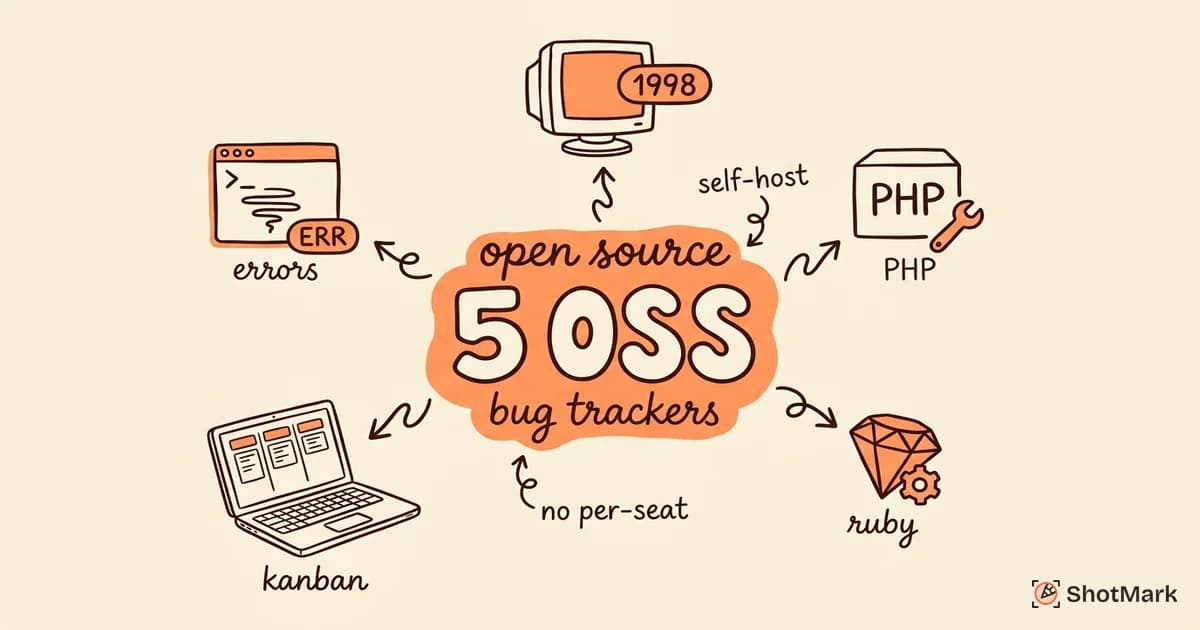
Open-source bug tracking tools have been around for decades. Some, like Bugzilla, have tracked issues for the Mozilla project since 1998. Others, like Plane and GlitchTip, are modern alternatives built to compete with commercial platforms like Jira and Sentry. The open-source bug reporting tool landscape in 2026 offers real options for teams that want self-hosted, community-maintained software without license fees.
We compared these tools against the best bug reporting tools overall in a separate guide. This post focuses specifically on the open-source options, what each one does well, where each one falls short, and which teams should consider which tool.
The appeal of free bug reporting tools is obvious: no per-seat pricing, no vendor lock-in, and full control over your data. But “open source” is not a guarantee of quality. Some of these tools are battle-tested by thousands of organizations. Others are ambitious projects with uncertain futures. The trick is knowing which category each tool falls into before you commit your team’s workflow to it.
What to Look For in an Open-Source Bug Tracker
Not every open-source issue tracker is worth your time. A tool with great features but no active maintainers will become a liability. Before evaluating specific tools, establish your criteria.
Active maintenance and community: Check the repository’s commit history. Are there recent commits? Are pull requests being reviewed? Is the issue tracker active with maintainer responses? A project with no commits in six months is a project heading toward abandonment, no matter how good the software is today. Look for projects with multiple maintainers, not a single developer whose departure would kill the project.
Self-hosting requirements: Every open-source bug tracker needs infrastructure. Some run on a simple PHP server with a MySQL database. Others require Docker, Kubernetes, or specific runtime environments. Factor in the hosting cost and the engineering time required to maintain the infrastructure. “Free software” does not mean “free to operate.”
Integration options: Your bug tracker needs to connect to your existing tools: version control (GitHub, GitLab), CI/CD pipelines, communication platforms (Slack, Microsoft Teams), and project management software. An open-source tool with poor integration support will create friction that drives people back to commercial alternatives.
UI/UX modernity: This matters more than most engineers admit. A bug tracker with a confusing interface gets used incorrectly or not at all. Teams create workarounds in Slack or spreadsheets. The tool becomes shelfware. Modern UI design is not vanity, it is adoption insurance.
5 Open-Source Bug Reporting Tools
Bugzilla
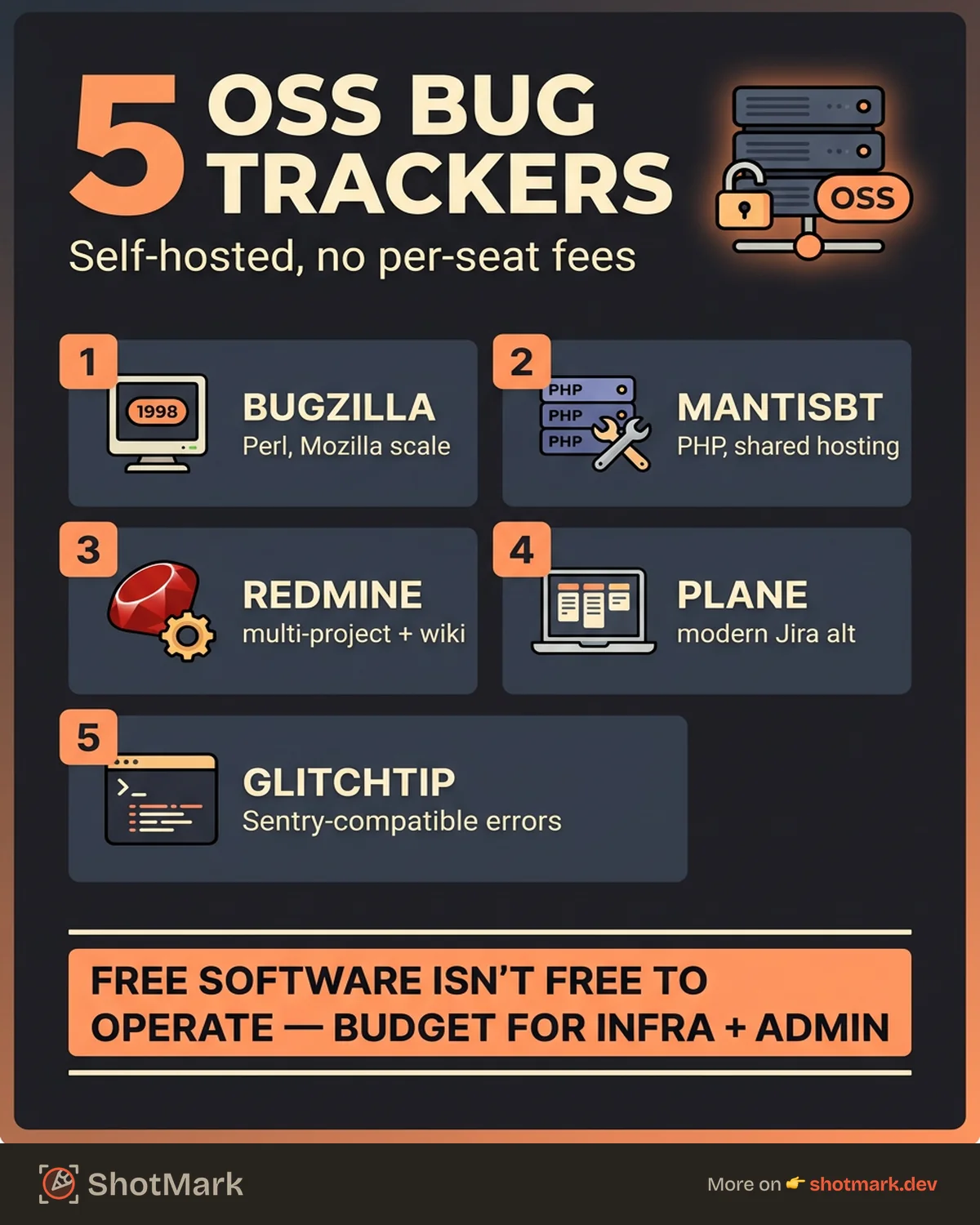
Bugzilla is the original open-source bug tracker. Created by Mozilla in 1998, it has tracked issues for Firefox, the Linux kernel, Apache, and thousands of other projects over nearly three decades. It is still actively maintained. You can find it at Bugzilla.org .
Strengths: Bugzilla handles scale exceptionally well. Installations with hundreds of thousands of bugs and thousands of concurrent users work reliably. The advanced search system supports complex queries with Boolean logic, custom fields, and saved searches. The voting and dependency tracking features allow teams to manage prioritization across large organizations. Bugzilla also supports fine-grained permissions, allowing administrators to control who can view, edit, and resolve issues at a granular level.
Weaknesses: The interface looks dated. Not “charmingly retro” dated, but “hard to convince a modern team to use this” dated. Bugzilla requires Perl and a MySQL or PostgreSQL database, which limits hosting options compared to container-native tools. The learning curve is steeper than newer alternatives. Email notification setup requires configuring sendmail or an equivalent mail transfer agent, which adds deployment complexity.
Best for: Large organizations with existing Bugzilla installations, teams that need enterprise-grade scalability without enterprise-grade pricing, and projects where the bug tracker needs to handle extreme volume. Mozilla, Red Hat, and the Linux Kernel project still use Bugzilla, which says something about its reliability under pressure.
We compared Bugzilla head-to-head with Jira in our Bugzilla vs Jira comparison guide if you are deciding between the two.
MantisBT
MantisBT is a lightweight, PHP-based bug tracker that has been around since 2000. It prioritizes simplicity over feature density, which makes it one of the easiest open-source bug tracking tools to deploy and use. You can find it at MantisBT.org .
Strengths: Installation takes minutes on any server with PHP and MySQL. The interface is straightforward without being barren. Users can report bugs, assign them, set priorities, and track resolution without training. The plugin system adds features like time tracking, custom fields, and Slack integration. MantisBT runs well on low-cost shared hosting, which makes it accessible to teams without dedicated infrastructure. Email notifications work out of the box, and the access control system lets you define custom user roles with specific permissions per project.
Weaknesses: The feature set is limited compared to tools like Redmine or Bugzilla. There is no built-in agile project management, no sprint planning, and no kanban boards. The reporting capabilities are basic. Customization requires PHP knowledge and direct code modification for anything beyond the plugin ecosystem. The plugin library itself is modest, with many plugins last updated several years ago.
Best for: Small teams (2 to 15 people) that need a straightforward bug tracker without the overhead of a full project management suite. Freelancers, small agencies, and internal tool teams who want bug tracking up and running the same afternoon. If your team needs issue tracking and nothing more, MantisBT delivers exactly that without the distraction of features you will never use.
Redmine
Redmine is a flexible project management and bug tracking tool built with Ruby on Rails. It has been community-maintained since 2006 and has built a substantial plugin ecosystem. The project lives at Redmine.org .
Strengths: Redmine combines issue tracking with project management features like wikis, forums, time tracking, and Gantt charts. The plugin ecosystem extends functionality in nearly every direction: agile boards, customer relationship management, billing integrations, and custom workflows. Redmine supports multiple projects within a single installation, with per-project permissions and custom fields. The REST API enables integration with external tools. Subtasking and issue relations (blocks, duplicates, follows) come built in, making it easy to model complex dependency chains without plugins.
Weaknesses: The default interface is functional but visually dated. Setup requires a Ruby environment, which is more complex than PHP-based tools. Plugin quality varies significantly because many plugins are community-contributed with inconsistent maintenance. Upgrading Redmine with plugins installed can break things if plugins have not been updated for the new version. The theming system exists but offers limited visual customization compared to tools built with modern frontend frameworks.
Best for: Teams that want project management and bug tracking in one tool. Organizations managing multiple projects with different teams and workflows. Teams comfortable with Ruby infrastructure who value flexibility over polish. Redmine remains a strong choice for organizations that need an all-in-one project tracking solution without paying for multiple SaaS subscriptions.
Plane
Plane is the newest tool on this list, and it shows. Built as an open-source alternative to Jira, Plane offers a modern interface, fast performance, and a design philosophy centered on developer experience. Check it out at Plane.so .
Strengths: The UI is genuinely modern and responsive. Issue views support list, kanban, and calendar layouts. The editor supports markdown, rich text, and file attachments. Plane handles cycles (sprints), modules (epics), and views (custom filters) natively. The self-hosted version runs on Docker with a straightforward compose setup. For teams frustrated with Jira’s complexity and slowness, Plane offers a noticeably faster, cleaner experience.
Weaknesses: Plane is young. The community is growing but smaller than Bugzilla or Redmine. Some enterprise features like advanced permissions, audit logs, and SSO are only available in the managed cloud version, not the self-hosted edition. The plugin and integration ecosystem is limited compared to mature tools. Long-term maintenance confidence depends on the startup behind it continuing to invest in open source.
Best for: Startup and mid-size engineering teams that want a Jira-like experience without Jira-like costs. Teams that prioritize modern UI and fast performance. Organizations comfortable with Docker-based self-hosting.
GlitchTip
GlitchTip takes a different approach from the other tools on this list. Instead of traditional issue tracking, it focuses on error monitoring, capturing exceptions, stack traces, and error trends from your application in production. It is built as an open-source, self-hosted alternative to Sentry. You can find it at GlitchTip.com .
Strengths: GlitchTip is compatible with the Sentry SDK, which means you can switch from Sentry to GlitchTip by changing one environment variable. It captures error events with full stack traces, breadcrumbs, and context. The interface shows error frequency, affected users, and release tracking. Being Sentry-compatible also means it works with every language and framework that has a Sentry SDK, which is nearly all of them. GlitchTip also supports performance monitoring in recent releases, giving you response time percentiles and transaction traces alongside error data.
Weaknesses: GlitchTip is error monitoring, not issue tracking. It does not have features like sprint planning, kanban boards, or workflow management. Teams using GlitchTip for error monitoring still need a separate issue tracker for bugs reported by humans (QA testers, users, customer support). The project has a small team of maintainers, and development velocity is slower than commercial alternatives. Documentation can be sparse for advanced configurations, and the community forums are less active than those of larger projects.
Best for: Teams that want self-hosted error monitoring without Sentry’s pricing. Engineering teams already using an issue tracker (like GitHub Issues or Redmine) that need production error visibility added to their stack. Organizations with strict data residency requirements that prevent sending error data to third-party services.
For a broader look at production error monitoring options, our guide to the top Sentry alternatives for error monitoring covers both open-source and commercial tools.
Comparison Table
| Tool | Language | Self-Hosted | License | Key Integrations | Best For |
|---|---|---|---|---|---|
| Bugzilla | Perl | Yes | MPL 2.0 | GitHub, GitLab, email, REST API | Large-scale bug tracking |
| MantisBT | PHP | Yes | GPL 2.0 | Slack, GitHub, REST API | Small teams, quick setup |
| Redmine | Ruby | Yes | GPL 2.0 | GitHub, GitLab, Jenkins, plugins | Multi-project management |
| Plane | Python/TypeScript | Yes | AGPL 3.0 | GitHub, GitLab, Slack, REST API | Modern Jira alternative |
| GlitchTip | Python | Yes | MIT | Sentry SDK compatible | Error monitoring |
Open-Source Bug Tracking and Rich Bug Reports
Every tool on this list can accept and manage bug reports. But the quality of those reports depends entirely on what goes into them. A bug report that says “the checkout page is broken” is just as useless in Bugzilla as it is in Jira. The tracker is the container. The report is the content.
This is where most teams struggle regardless of which tool they choose. Bug reports arrive with missing steps, no screenshots, vague descriptions, and zero technical context. Developers spend more time reproducing issues than fixing them. The problem is not the tracker. The problem is the information gap between the person reporting the bug and the developer assigned to fix it.
Open-source trackers give you the structure to organize issues: fields for severity, priority, assignee, and status. But none of them solve the data capture problem. A tester sees a layout bug on the payment page. They create a ticket in MantisBT or Redmine. They type a description. Maybe they attach a screenshot. What they cannot easily attach is the console error that fired at the exact moment the layout broke, the network request that returned a 500 status code, or the specific browser version and viewport size that triggered the issue.
ShotMark takes a different approach to this problem. Instead of relying on people to write detailed reports, it captures the full context automatically at the point of discovery: screenshots with annotations, console logs, network requests, browser environment, and page state. This rich context feeds into whatever tracker your team uses, whether that is Bugzilla, Redmine, Plane, or anything else with a web API.
The result is a bug report that arrives with everything a developer needs to start fixing instead of reproducing. That matters whether your tracker costs nothing or costs thousands per year.
Better bug reports mean faster fixes, and faster fixes mean happier users, regardless of which open-source bug reporting tool you choose. The best open source bug tracker for your team is the one people actually use, fed by reports that give developers what they need to ship solutions.
Whether you are running a self-hosted bug tracker for a five-person startup or managing issue workflows across a 200-person engineering org, the equation is the same: the tracker organizes the work, and the quality of each report determines how fast that work gets done.
Get new posts in your inbox.
One email when we publish: notes on QA, AI, and shipping faster. No spam, unsubscribe anytime.