Teams without a structured QA process spend 2-3x longer fixing bugs in production than catching them during development. According to NIST’s Systems Sciences Institute, the cost of fixing a defect increases by 6x once it reaches production compared to catching it during development.
Most engineering teams start with ad-hoc testing and never formalize it. Developers run a few manual checks, someone writes “tested on Chrome” in a pull request, and the team ships. This works until it doesn’t. Missed regressions stack up. Customers report bugs the team thought were fixed. Developers lose trust in the release process.
This guide walks you through building a complete QA process from zero, whether you’re a startup hiring your first QA engineer or a dev team formalizing what already exists.
What Is a QA Process (and Why Most Teams Skip It)
A QA process is the systematic approach to ensuring software meets quality standards before reaching users. It covers everything from reviewing requirements to tracking defects to measuring test coverage over time.
One common misconception: QA and testing are the same thing. They’re not. QA is prevention. It focuses on improving the process so defects don’t happen in the first place. Testing is detection. It finds defects after they’ve been introduced.
So why do most teams skip formalization? Three reasons come up repeatedly.
Speed pressure: Startups and fast-moving teams feel that building a QA process slows them down. The irony is that skipping it creates more rework later.
Small team size: When you have 3-5 developers and no dedicated QA, it feels unnecessary to write process documentation. But that’s exactly when patterns should be established, before they’re hard to change.
The “we’ll do it later” mindset: QA process debt compounds the same way technical debt does. Every sprint without structure adds inconsistency.
The cost of no process is measurable. Production bugs lead to customer churn. Developers spend time debugging instead of building. Morale drops when the same types of bugs keep escaping. Whether your team follows agile QA or a more traditional approach, the fundamentals of a quality assurance process remain the same.
The 7 Stages of a QA Process
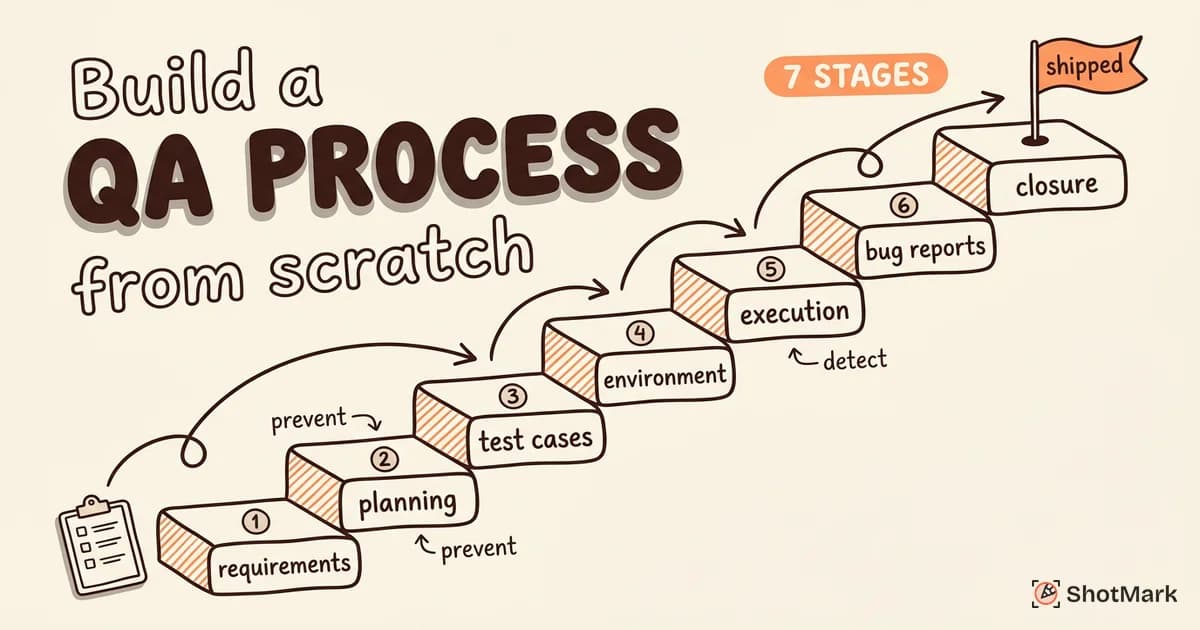
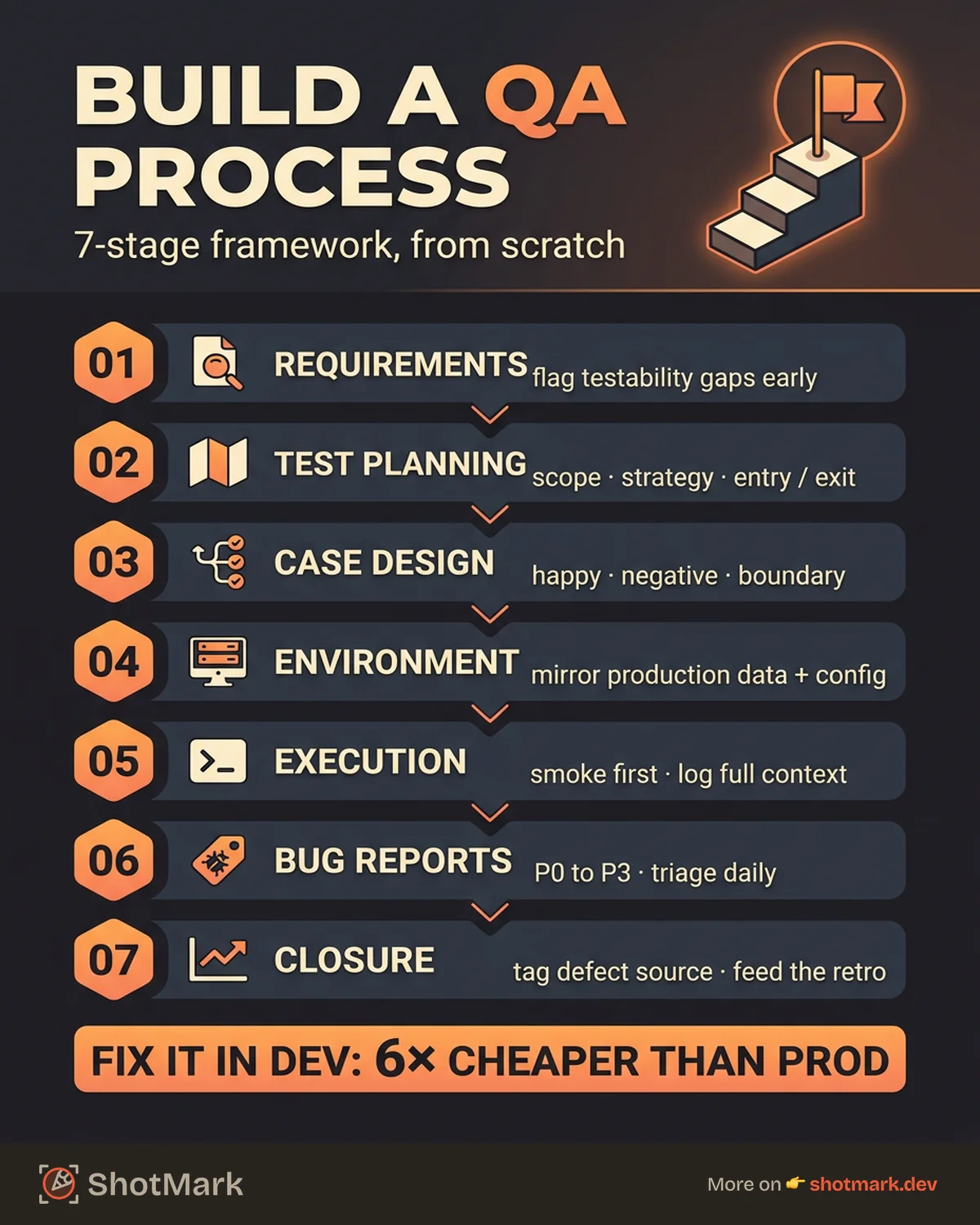
These seven QA process steps form a repeatable framework you can adapt to any team size or methodology. Think of them as building blocks, not rigid gates.
Stage 1: Requirements Analysis
Every escaped bug starts with a missed requirement. Before any code is written, QA should review PRDs, user stories, and acceptance criteria for completeness and testability.
The goal at this stage is to identify testable scenarios early and flag ambiguities before development starts. If a user story says “the checkout flow should be fast,” that’s not testable. QA pushes for specifics: “The checkout page loads in under 2 seconds on a 3G connection.”
Deliverable: A requirements traceability matrix that maps each requirement to its test scenarios. This sounds formal, but it can be a simple spreadsheet or a set of linked tickets.
Here’s a real-world example. A team building a payment integration skipped requirements review. The user story said “support credit card payments.” Nobody specified which card networks, which currencies, or what happens when a charge fails. QA discovered these gaps during testing, two days before the release deadline. The feature shipped a sprint late.
Stage 2: Test Planning
With clear requirements in hand, the next step is defining your testing scope, strategy, and resource allocation.
A test plan answers four questions: what are we testing, how are we testing it, who is responsible, and when will testing be complete. It also specifies which test types you’ll use (functional, regression, smoke, exploratory) and sets entry and exit criteria for each test phase.
This is also where you select your tools: test management platforms, bug tracking systems, and automation frameworks. For small teams, a simple spreadsheet or Notion doc works. For larger organizations, dedicated tools like TestRail or qase.io provide better traceability.
Test planning doesn’t need to be heavy. For a single-feature sprint, the plan might be a few paragraphs. For a major release, it might span 2-3 pages. The goal is clarity, not ceremony.
Deliverable: A test plan document. We’ve created a free template you can download and customize for your team in our test plan template guide.
Stage 3: Test Case Design
Test cases translate requirements into executable verification steps. Each test case should include preconditions, step-by-step instructions, and expected results.
Good test case design covers four angles: positive cases (happy path), negative cases (invalid inputs), boundary cases (limits and thresholds), and edge cases (unusual but possible scenarios).
Balance matters here. Not everything needs a detailed manual test case. High-risk, high-impact features get thorough coverage. Low-risk UI tweaks might only need exploratory testing.
Deliverable: A test case suite organized by feature area or user flow. For a structured approach, check our test case template for manual and automated QA.
Stage 4: Environment Setup
Your testing environment should mirror production as closely as possible. Bugs that only appear in staging because the data is different or the configuration is wrong waste everyone’s time. We’ve seen teams lose entire testing cycles because the staging database had stale data that masked real issues.
Key setup tasks include:
- Configuring staging and QA environments that match production infrastructure (same OS, same database version, same CDN configuration)
- Establishing test data management with scripts to seed databases, create test accounts, and reset state between test runs
- Integrating CI/CD pipeline hooks for automated testing on every pull request and deployment
- Defining a browser and device matrix for web applications based on your actual user analytics
For web apps, we recommend testing on at least three browsers (Chrome, Firefox, Safari) and two viewport sizes (desktop, mobile). Expand from there based on your analytics data. If 15% of your users are on Edge, add Edge to the matrix. If your mobile traffic is 60%, prioritize mobile testing over desktop.
A common mistake here is maintaining environment configuration manually. Use infrastructure-as-code (Terraform, Docker Compose) to keep your QA environment reproducible and up to date with production changes.
Stage 5: Test Execution
This is where the work happens. Start with smoke tests to validate build stability. If the login page is broken, there’s no point running the full checkout test suite.
After smoke tests pass, execute your test cases (both manual and automated). Log every defect with full context: screenshots, console logs, network requests, reproduction steps, browser and OS information.
Track test progress against your plan. If you planned 200 test cases for the sprint and you’ve executed 50 by mid-sprint, that’s a signal to adjust.
This is also where bug report quality makes or breaks your process. A bug report that says “checkout is broken” sends a developer on a scavenger hunt. A report with an annotated screenshot, the console error, and the failing network request gets fixed in minutes. ShotMark captures screenshots, console logs, and network requests in one click, so every bug report from this stage has the context developers need.
Stage 6: Bug Reporting and Tracking
Standardize your bug report format. Every defect should include severity, priority, steps to reproduce, expected behavior, actual behavior, and supporting evidence (screenshots, logs, HAR files).
Here’s what a good bug report looks like compared to a poor one:
Poor: “The checkout page is broken.”
Good: “Clicking ‘Place Order’ on the checkout page returns a 500 error when the user has a promo code applied. Steps: (1) Add item to cart, (2) Apply promo code SAVE20, (3) Click Place Order. Expected: Order confirmation page. Actual: White screen with 500 error. Console shows TypeError in discount calculation. See attached screenshot and network request data.”
The difference in fix time between these two reports can be hours. The first sends a developer on an investigation. The second tells them exactly where to look.
Establish a triage process. Who reviews new bugs? Who assigns them? Who verifies the fix? Without clear ownership, bugs sit in limbo. A daily 10-minute triage meeting (or async triage in your bug tracker) keeps defects moving.
Define severity and priority levels clearly:
- P0 (Critical): System down, data loss, security breach. Fix immediately.
- P1 (High): Core feature broken, no workaround. Fix within 24 hours.
- P2 (Medium): Feature partially broken, workaround available. Fix this sprint.
- P3 (Low): Minor issue, cosmetic, or edge case. Backlog.
After fixes land, run regression tests to confirm the fix didn’t break something else. Track your defect metrics on a dashboard: open bugs by severity, average time-to-fix, and bug escape rate (bugs found in production vs testing).
Deliverable: A defect dashboard and a standard triage workflow. Our guide on QA workflow from bug discovery to resolution covers this in detail.
Stage 7: Test Closure and Reporting
At the end of each testing cycle (sprint, release, or project), summarize the results. Report on pass/fail rates, defect density, test coverage metrics, and any open risks.
Conduct a retrospective focused on testing. What worked well? Where did the process break down? What would you change for the next cycle?
Document lessons learned and archive test artifacts. These become the foundation for improving your QA process over time.
QA Process Flowchart
Here’s how the 7 QA process steps flow together in practice:
Requirements Analysis -> Test Planning -> Test Case Design -> Environment Setup -> Test Execution -> Bug Reporting & Tracking -> Test Closure
At the decision point between Bug Reporting and Test Closure, ask: “Are all critical and high-severity bugs resolved?” If yes, proceed to closure. If no, return to Test Execution for another cycle.
The flowchart includes two important feedback loops:
- Test Execution <-> Bug Reporting loop: Bugs found during execution get reported, fixed, and re-tested. This loop continues until exit criteria are met.
- Test Closure -> Requirements Analysis loop: Lessons learned from one cycle feed into better requirements analysis for the next.
This is not a one-way pipeline. Stages overlap, especially in agile teams. You might be executing tests for Sprint 12 features while designing test cases for Sprint 13. The flowchart represents a logical sequence, not a strict waterfall.
Adapting the QA Process for Agile Teams
The 7 stages don’t disappear in agile. They compress into sprint-sized iterations. The agile QA process keeps the same structure but runs it on a faster cadence.
Here’s how a two-week sprint maps to the 7 stages:
| Sprint Day | QA Activity | Stage |
|---|---|---|
| Day 1 (Planning) | Review user stories, add acceptance criteria | Requirements Analysis |
| Days 1-2 | Define test scope and approach for the sprint | Test Planning |
| Days 2-4 | Write test cases for sprint stories | Test Case Design |
| Day 1 (ongoing) | Maintain staging environment, seed test data | Environment Setup |
| Days 3-9 | Test features as PRs are merged | Test Execution |
| Days 3-9 | Report and triage bugs daily | Bug Reporting |
| Day 10 | Summarize results, run final regression | Test Closure |
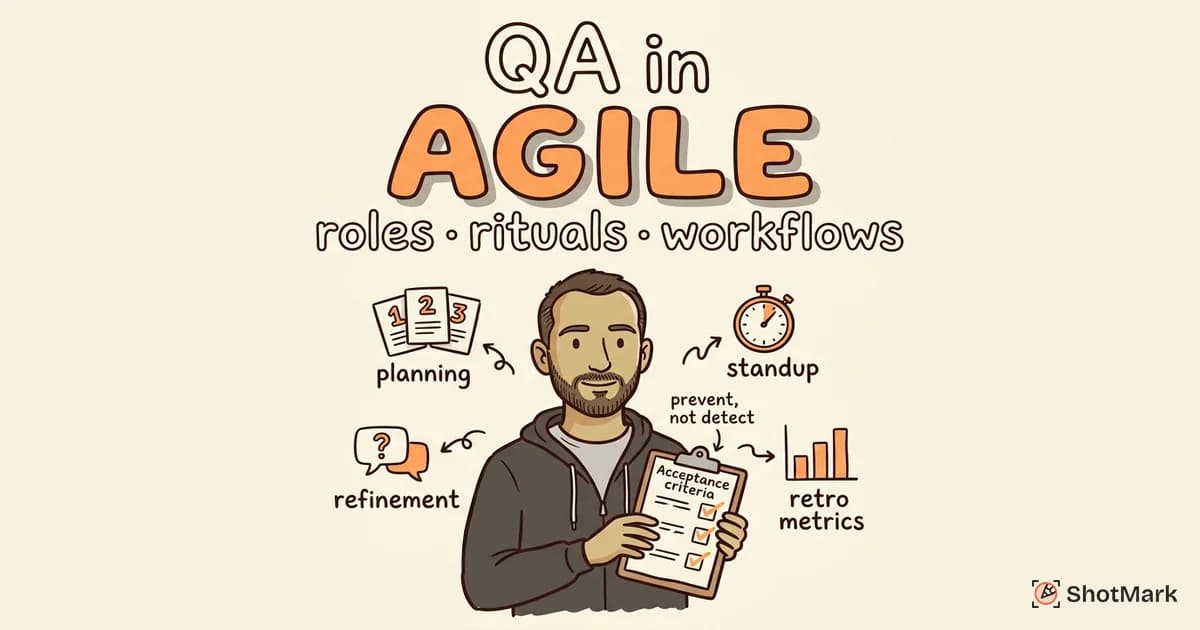
The key shift is that QA is involved from day one of the sprint, not bolted on at the end. This is what shift-left testing looks like in practice. QA participates in sprint planning, tests continuously as code is merged, and provides a go/no-go recommendation before release.
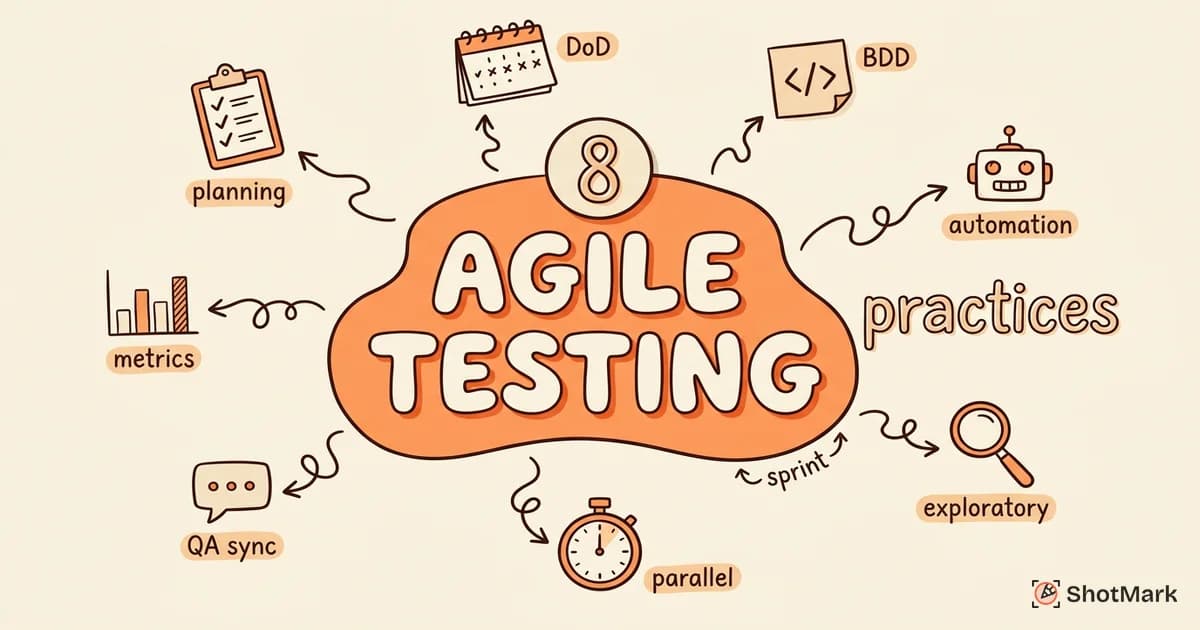
For a deeper look at making testing work within sprint cycles, see our guide on agile testing practices for sprint-based teams.
Tools to Support Your QA Process
The right tools don’t replace a good process, but they do reduce friction. Here’s a practical breakdown by category.
| Category | Tools | Free Tier |
|---|---|---|
| Test Management | TestRail, Zephyr, qase.io | qase.io (free for small teams) |
| Bug Tracking | Jira, Linear, GitHub Issues | GitHub Issues, Linear (free tier) |
| Visual Bug Reporting | ShotMark | Yes (captures screenshots, console logs, network requests) |
| Automation | Playwright, Cypress, Selenium | All open source |
| CI/CD | GitHub Actions, CircleCI, Jenkins | GitHub Actions (free tier), Jenkins (self-hosted) |
| Monitoring | Sentry, PostHog | Both have free tiers |
Pick tools that integrate with each other. A test management tool that doesn’t connect to your bug tracker creates manual work that erodes the process over time.
For QA processes in small teams and startups, start with free tools. GitHub Issues for bug tracking, Playwright for automation, and ShotMark for visual bug reporting cover most needs without a budget. Scale to paid tools when your team size or compliance requirements demand it.
Common Mistakes When Building a QA Process
Starting with automation before having manual test coverage: Automation is powerful, but you need to know what to automate first. Manual testing reveals the critical paths and high-risk areas that deserve automation investment.
Not involving QA in requirements review: If QA first sees a feature when it hits staging, you’ve already lost the cheapest opportunity to prevent defects.
Skipping regression tests under deadline pressure: This is how “we just need to ship this one thing” turns into a production incident. Regression tests protect your existing functionality.
Bug reports without reproduction steps or context: A bug report that takes 10 minutes to understand costs the team 10 minutes per developer who reads it. Multiply that across every bug, every sprint.
Treating QA as a gate rather than a continuous activity: When QA only happens at the end, it becomes a bottleneck. When it’s embedded throughout development, it’s a safety net.
No metrics or retrospectives: Without data on bug escape rates, time-to-fix, and test coverage trends, you can’t improve your process. You’re just repeating the same cycle.
Copying someone else’s process without adapting it: Every team has different products, team sizes, release cadences, and risk tolerances. A 200-person enterprise QA process won’t work for a 5-person startup. Take frameworks (including this one) as starting points and adapt them to your reality.
QA Process for Small Teams
If you’re building a software QA process for a team of 3-8 people, here’s what to prioritize first:
- Start with Stage 6 (Bug Reporting): Standardize how bugs are reported. This has the highest immediate impact because every developer and QA person touches bug reports daily.
- Add Stage 1 (Requirements Analysis): Include QA in your planning meetings. This is zero-cost and prevents the most expensive category of bugs.
- Build Stage 5 (Test Execution): Establish smoke tests for your critical paths. You don’t need 500 test cases. Start with the 10 user flows that matter most.
- Layer in everything else: As your team grows and your product matures, add formal test plans, detailed test cases, and automated regression suites.
The worst thing a small team can do is try to implement all 7 stages at full formality on day one. You’ll create process overhead that slows you down without matching value. Build incrementally.
QA Process With vs Without Structure
| Metric | Without Structure | With QA Process |
|---|---|---|
| Average time-to-fix (production bugs) | 4-8 hours | 1-2 hours |
| Bug escape rate | 30-40% | 5-10% |
| Developer satisfaction with QA | Low (unclear expectations) | High (predictable workflow) |
| Regression frequency | High (same bugs return) | Low (caught before merge) |
| Release confidence | ”Hope it works” | Data-backed go/no-go |
These numbers come from industry benchmarks reported by Capers Jones and the annual PractiTest State of Testing Report. Your results will vary, but the direction is consistent.
QA Process Checklist (Quick Reference)
Use this as a starting point. Customize it for your team’s size, tools, and release cadence.
- Requirements reviewed for testability and completeness
- Test plan created with scope, strategy, and schedule
- Test cases written covering positive, negative, and edge cases
- QA environment configured and mirroring production
- Smoke tests passing before full test execution
- All test cases executed and results logged
- Defects reported with full context (screenshots, logs, steps)
- Bug triage process followed (assign, fix, verify, close)
- Regression tests passed after bug fixes
- Test results summarized and shared with stakeholders
- Retrospective conducted with QA-specific discussion
- Lessons learned documented for next cycle
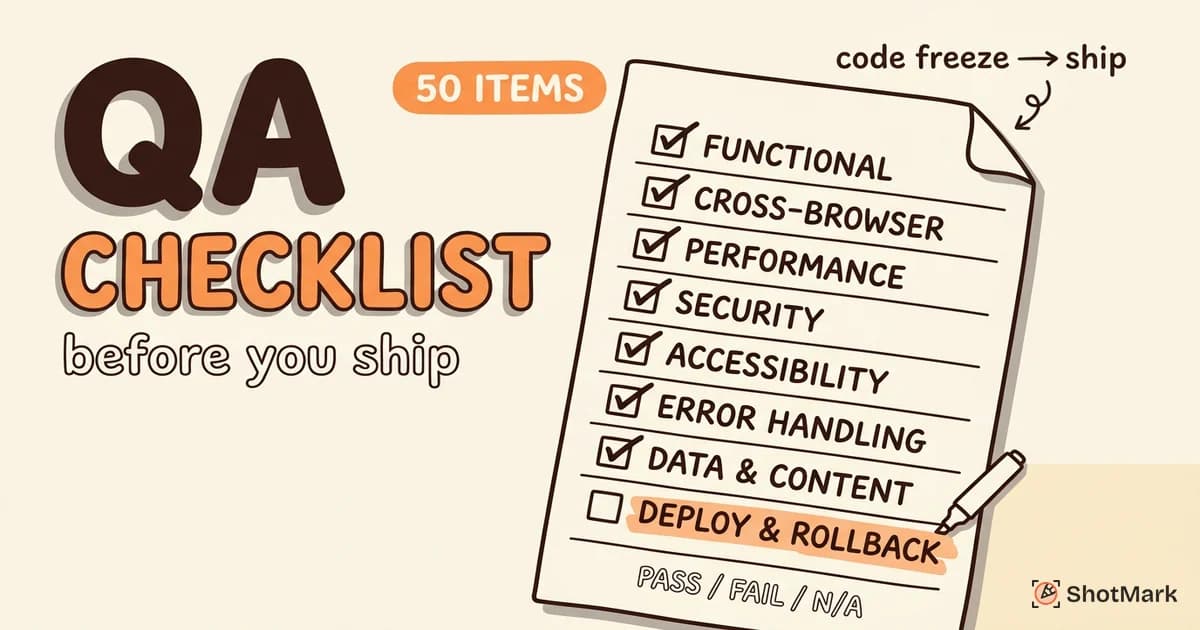
For a more detailed checklist tailored to web app releases, see our QA checklist for web app releases.
Building a QA Process That Lasts
A QA process is not a document you write once and file away. It’s a living practice that evolves with your team, your product, and your tooling. Start with the 7 stages outlined here, adapt them to your sprint cadence, and measure the results.
The teams that build a strong QA process early spend less time firefighting in production and more time building features their users actually want. That’s not a theoretical benefit. It’s the difference between shipping with confidence and shipping with crossed fingers.
ShotMark captures screenshots, console logs, and network requests in one click, so your bug reports always have the context developers need. Join the waitlist .
Get new posts in your inbox.
One email when we publish: notes on QA, AI, and shipping faster. No spam, unsubscribe anytime.