Your site works in Chrome. You ship it. Then the support tickets start: the dropdown does not close on Safari, the form resets on Firefox mobile, the animation stutters on Samsung Internet. These are cross browser testing failures, and they are entirely predictable. The tools to catch them are mature. The problem is most teams skip the process or do it wrong.
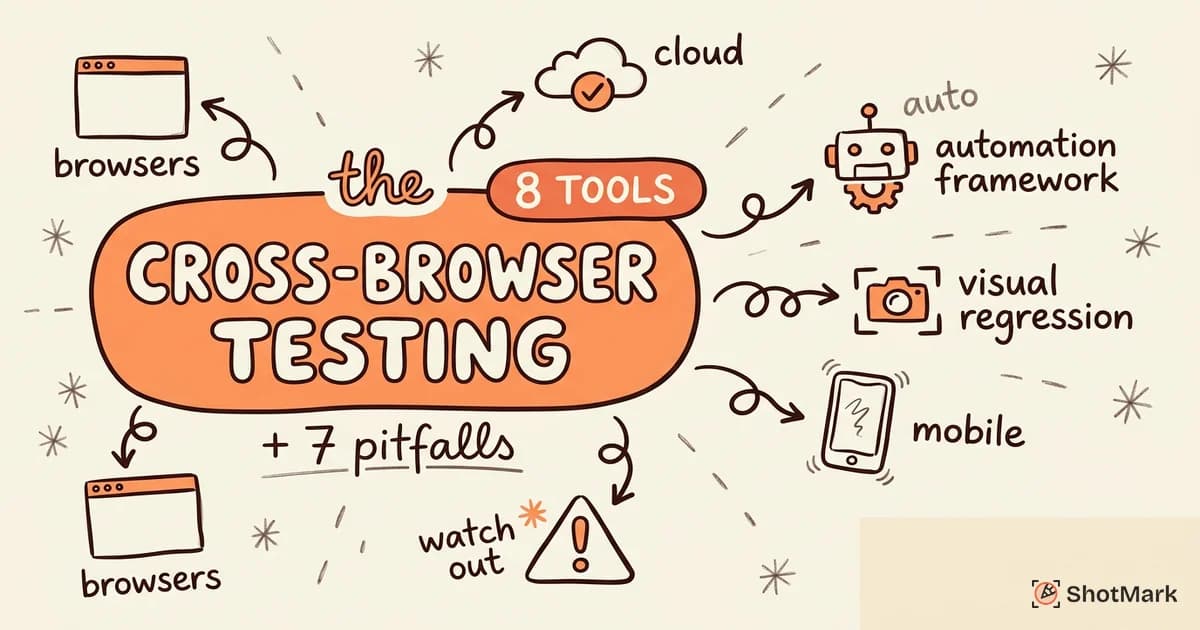
We have spent time evaluating the cross browser testing tools that matter, cataloging the common cross browser testing mistakes that cause teams to ship browser-specific bugs, and building a workflow that actually prevents them. This guide covers the best cross browser testing tools for developers, a comparison of cloud platforms and automation frameworks, and a practical workflow you can adopt this week.
What Cross-Browser Testing Actually Covers
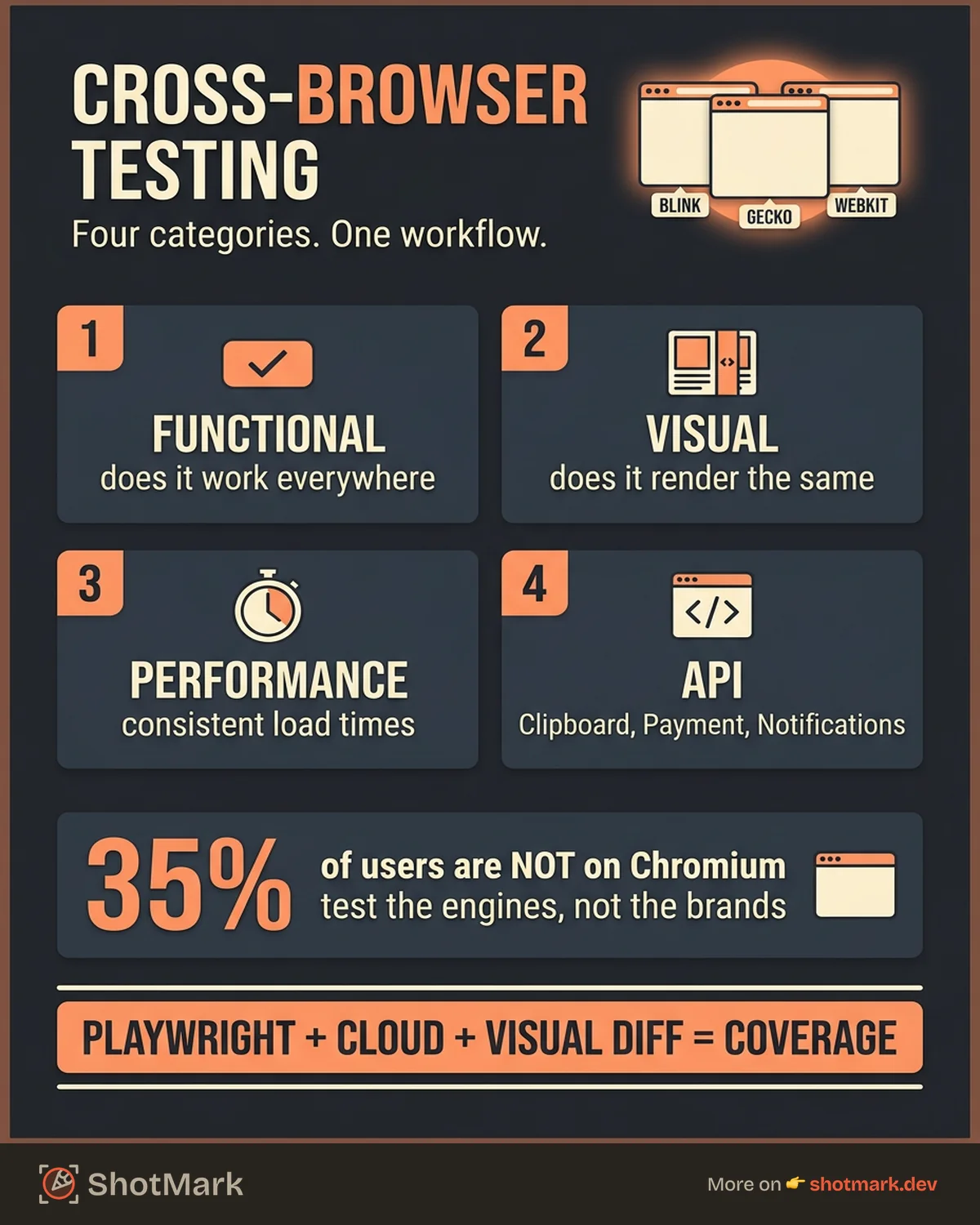
Cross browser testing is not one thing. It is four categories of verification, and each one requires a different approach.
Functional testing checks whether a feature works the same across browsers. A form that submits in Chrome might silently fail in Safari because of a JavaScript API difference. A drag-and-drop interaction might work with a mouse but break on touch devices. Functional bugs are the most visible to users because the feature simply does not do what it is supposed to do.
Visual testing checks whether the layout renders identically. CSS behaves differently across rendering engines. A flexbox gap that looks perfect in Blink can collapse entirely in WebKit. Visual regressions slip through functional tests because the feature technically “works,” even though it looks broken. These bugs erode trust even when the underlying functionality is correct.
Performance testing checks whether load times and interaction responsiveness are consistent. A site that loads in one second on Chrome might take four seconds on an older mobile browser. JavaScript parsing, layout recalculation, and paint times vary across engines. Performance problems often go unnoticed during development because engineers test on fast machines with fast connections.
API testing checks whether browser-specific APIs behave as expected. The Clipboard API, Web Notifications, Payment Request, and Web Bluetooth all have different support levels and implementation quirks. A payment flow that works in Chrome might fail silently in Firefox because the Payment Request API is not fully implemented. Your mobile bug reporting process needs to account for these differences.
Most teams focus on functional testing and skip the other three categories. That is a mistake. Visual, performance, and API bugs are harder to reproduce and take longer to fix because they often involve browser-specific behavior that developers cannot replicate on their own machines. A thorough cross browser compatibility testing strategy covers all four areas.
8 Cross-Browser Testing Tools Compared
Cloud Testing Platforms
BrowserStack gives you access to over 3,000 real device and browser combinations. You get live interactive testing and automated testing through their integrations with Selenium, Playwright, and Cypress. Percy, their visual regression tool, compares screenshots across browsers and viewports. BrowserStack is the most complete option if you need real device coverage and your budget allows it.
LambdaTest offers similar coverage with a focus on speed. HyperExecute, their parallel test runner, is significantly faster than traditional cloud grids. Their pricing is more aggressive than BrowserStack, which makes LambdaTest attractive for smaller teams that want cloud-based cross browser testing online without enterprise contracts.
Sauce Labs targets enterprise teams. Their CI/CD integration is strong, with built-in error reporting and test analytics. If your organization already uses Sauce Labs for mobile testing, adding cross-browser coverage is straightforward. The tradeoff is price and complexity. Sauce Labs also provides performance testing capabilities alongside functional testing, which gives your team a way to measure load time consistency across browsers from a single platform.
Automation Frameworks
Playwright is the fastest-growing browser automation framework. Built by Microsoft, it supports Chromium, Firefox, and WebKit natively, meaning you write one test and run it across all three engines. The API is modern, the documentation is excellent, and the auto-wait mechanism eliminates flaky tests. If you are starting a new test suite, Playwright should be your first choice.
Cypress dominates component testing and developer experience. The test runner is visual and intuitive. The catch is browser support: Cypress runs primarily on Chromium, with experimental Firefox and WebKit support that is not yet production-stable. Use Cypress for developer-facing tests and frontend testing tools where DX matters more than coverage.
Selenium remains the legacy standard. It supports more browsers than any other framework, including older versions that Playwright and Cypress cannot reach. Selenium is slower and more verbose, but it is deeply embedded in enterprise test infrastructure. If you have an existing Selenium suite, you are not replacing it overnight. Selenium also has the largest ecosystem of plugins, integrations, and community resources, which makes it easier to find solutions to obscure browser testing problems.
Visual Regression Tools
Percy (by BrowserStack) takes screenshots across browsers and viewports, then highlights visual differences. It integrates with your CI pipeline so every pull request gets a visual review. Percy catches layout shifts, color changes, and spacing issues that functional tests miss.
Chromatic (by Storybook) does visual regression at the component level. If you use Storybook for your design system, Chromatic is the natural fit. It isolates components, tests them in isolation, and flags visual changes per component rather than per page.
Comparison Table
| Tool | Type | Browsers | Real devices | CI/CD integration | Free tier | Starting price |
|---|---|---|---|---|---|---|
| BrowserStack | Cloud platform | All major | Yes | Yes | Limited | $29/mo |
| LambdaTest | Cloud platform | All major | Yes | Yes | Yes | $15/mo |
| Sauce Labs | Cloud platform | All major | Yes | Yes | Trial only | Custom |
| Playwright | Automation | Chromium, Firefox, WebKit | No | Yes | Free | Free |
| Cypress | Automation | Chromium (limited others) | No | Yes | Free | Free |
| Selenium | Automation | Widest support | No | Yes | Free | Free |
| Percy | Visual regression | All major | No | Yes | Trial only | Custom |
| Chromatic | Visual regression | Chromium-based | No | Yes | Yes | $149/mo |
7 Common Cross-Browser Testing Pitfalls
1. Testing Only in Chrome
Chromium covers roughly 65% of desktop traffic. That sounds like enough until you realize 35% of your users are on Safari, Firefox, or other engines. On mobile, iOS forces all browsers to use WebKit, so “Chrome on iPhone” is actually Safari under the hood. If you test only in Chrome, you are not testing for over a third of your audience.
Check your free browser checker tool results and your analytics. Build your test matrix from actual data, not assumptions.
2. Ignoring Mobile Browsers
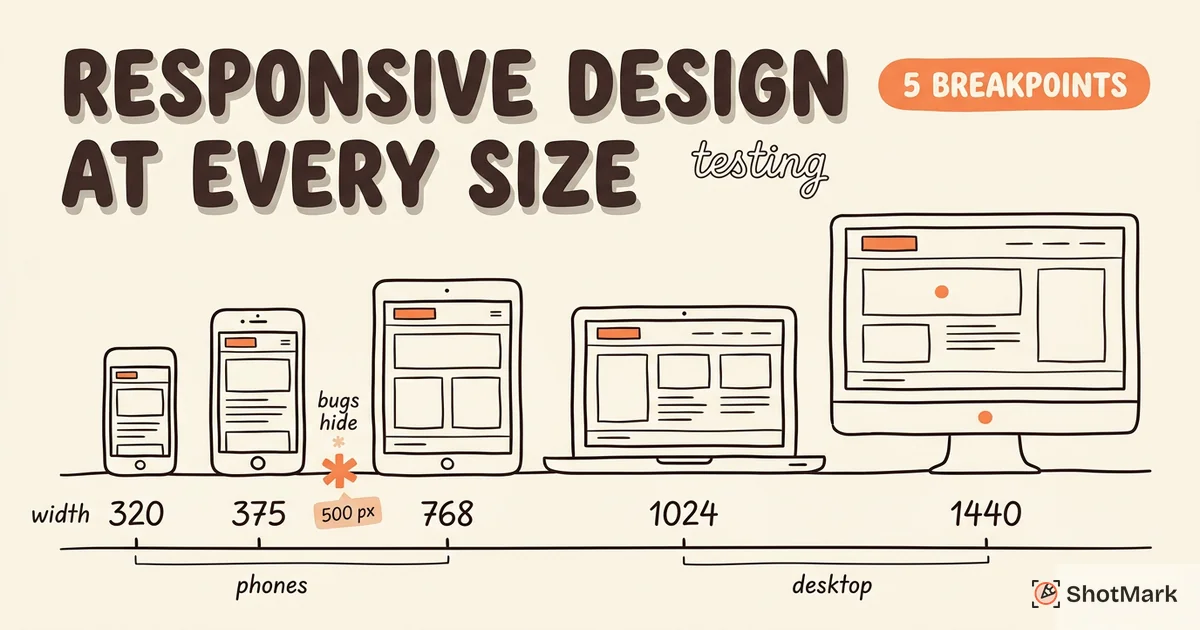
Mobile traffic exceeds 50% for most web applications. Mobile browsers handle viewports, touch events, and keyboard behavior differently from desktop. The on-screen keyboard changes the available viewport height. Touch targets need different sizing than click targets. Scroll behavior on mobile Safari uses momentum physics that can break sticky positioning. Responsive design testing is part of cross browser testing, not a separate activity.
3. Manual-Only Testing
Manual cross browser testing does not scale. A tester clicking through your app on five browsers for every release will miss regressions and burn out. Automate the baseline with Playwright or Cypress. Reserve manual testing for edge cases, exploratory sessions, and visual spot-checks. The best teams automate 70 to 80% of their cross browser tests and keep manual testing for the scenarios that are hard to script, like visual polish and interaction feel.
4. Not Testing With Real User Data
Your analytics tell you exactly which browsers and devices your users actually use. A B2B SaaS app with 80% Chrome on macOS has different testing priorities than a consumer e-commerce site with 40% Safari on iOS. Build your browser matrix from real traffic data, cover the browsers that represent 95% or more of your users, and deprioritize the rest.
5. Skipping Visual Regression Tests
Functional tests pass, but the layout is broken. Missing borders, overlapping text, wrong font sizes. Visual regression tools catch what unit tests and integration tests miss. Add Percy or Chromatic to your CI pipeline so every pull request gets a visual review across browsers. The cost of adding visual regression testing is low. The cost of shipping a broken layout to production is high. A single visual review step in your pipeline prevents the most embarrassing category of cross browser bugs.
6. Testing Only the Happy Path
Error states, empty states, long text strings, missing images, and slow networks break differently per browser. A 404 page might render fine in Chrome but lose its styling in Safari. An error toast might display correctly in Firefox but get clipped on Samsung Internet. Test the unhappy paths, especially after browser compatibility testing reveals differences.
7. Poor Bug Reports for Browser-Specific Issues
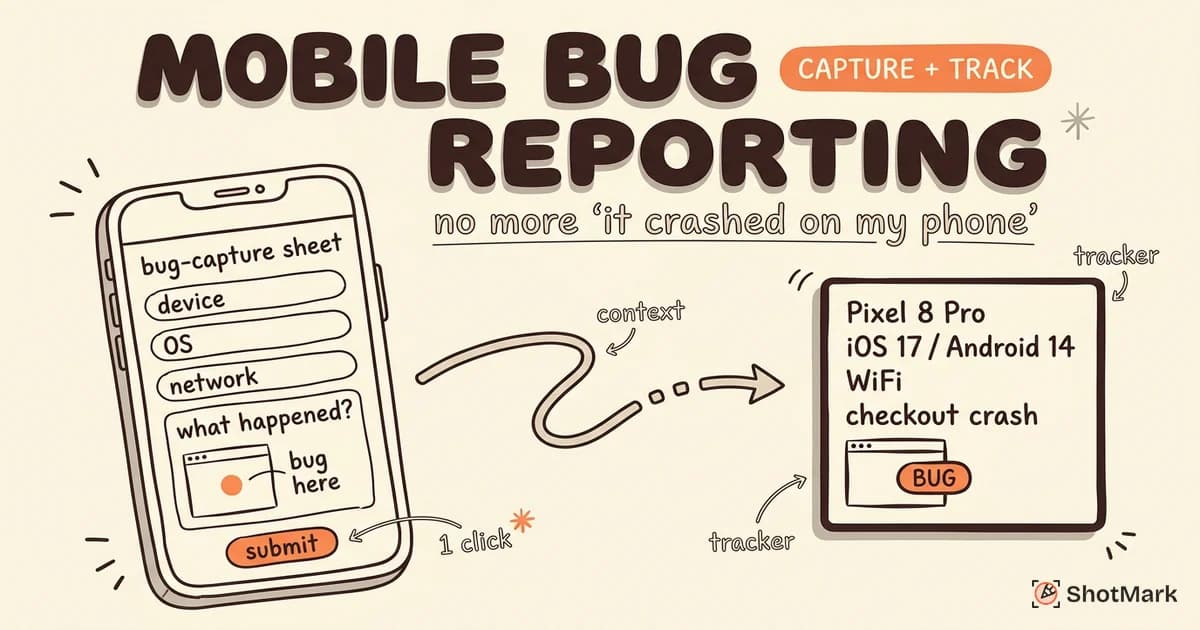
“It’s broken on Safari” is not actionable. A developer needs the browser version, operating system, viewport size, console errors, network requests, and a screenshot that shows the exact problem. Most cross browser testing mistakes trace back to incomplete bug reports that require three rounds of back-and-forth before anyone can reproduce the issue.
ShotMark captures this context automatically. One click captures the screenshot, browser version, operating system, viewport, console logs, and network requests. Your developers get everything they need to reproduce and fix the bug in a single report.
How to Set Up a Cross-Browser Testing Workflow
A solid cross browser testing workflow has six steps. Skip any of them and you will ship browser-specific bugs. This is the same workflow we use internally, and it has eliminated the majority of browser-specific regressions from our releases.
Step 1: Define your browser matrix: Pull your analytics data. List every browser and device combination that accounts for more than 2% of your traffic. Prioritize based on usage share, not personal preference. Update this matrix quarterly because browser market share shifts over time.
Step 2: Choose a cloud platform: BrowserStack, LambdaTest, or Sauce Labs give you real device access without maintaining a device lab. Start with the platform that fits your budget and integrates with your CI pipeline.
Step 3: Write automated tests: Use Playwright to target all three rendering engines (Chromium, Firefox, WebKit). Write tests for your critical user flows: login, checkout, form submission, navigation. Run them on every pull request.
Step 4: Add visual regression to CI: Connect Percy or Chromatic to your repository. Every code change gets screenshot comparisons across browsers and viewports. Visual regressions are flagged before merge.
Step 5: Capture bugs with full context: When manual testing finds a browser-specific issue, use ShotMark to capture the screenshot, console logs, network requests, browser version, and viewport in one report. No more “it works on my machine” debates.
Step 6: Prioritize fixes by traffic share: A Safari bug affecting 30% of users is more urgent than a Firefox bug affecting 2%. Use your analytics data to triage. Create a common cross browser testing checklist for QA teams so that everyone follows the same priorities and does not skip steps.
Can I Use is essential for this workflow. Before writing code, check whether the CSS property or JavaScript API you plan to use has the browser support you need. This single habit prevents more compatibility bugs than any testing tool.
When Cross-Browser Testing Matters Most
Not every project needs the same level of cross browser testing. Three scenarios demand the most rigor.
Public-facing marketing sites and e-commerce: Your audience uses every browser and device combination imaginable. A checkout that breaks on one browser is direct revenue loss. Marketing sites often have the lowest tolerance for visual bugs because they directly affect brand perception.
SaaS onboarding flows: The first five minutes determine whether a user stays or leaves. A browser-specific bug during onboarding destroys trust before the user even sees your product’s value. Users who encounter a broken onboarding flow rarely return to try again on a different browser.
Accessibility-critical applications: Assistive technologies behave differently across browsers. Screen readers, voice control, and switch access all have browser-specific quirks. If your app must meet WCAG standards, cross browser testing is non-negotiable. An accessibility bug in Safari affects every iOS user, regardless of which browser app they have installed.
For internal tools with a controlled user base and a single mandated browser, you can test less aggressively. But for anything facing the open web, a free cross browser testing tools setup with Playwright and a cloud platform gives you coverage for minimal cost.
Cross browser testing is not optional for any team shipping web software. The tools are mature, the workflows are proven, and the cost of skipping it is paid in support tickets, lost users, and avoidable rework. Start with your analytics, automate what you can, and make sure every browser-specific bug report includes the technical context your developers need to fix it fast.
Get new posts in your inbox.
One email when we publish: notes on QA, AI, and shipping faster. No spam, unsubscribe anytime.