GitHub Issues sits right next to your code, which makes it the obvious place to file a github issues bug report. The problem is that most repositories start with a blank text box, so reporters skip half the context and maintainers spend days asking for browser versions and repro steps.
With the right issue forms and a little automation, GitHub Issues turns into a structured bug tracker that rivals standalone tools. This guide covers the YAML template we use, the workflow rules that keep the backlog clean, and when GitHub Issues is enough versus when you need something dedicated.
Setting Up Bug Report Templates in GitHub Issues
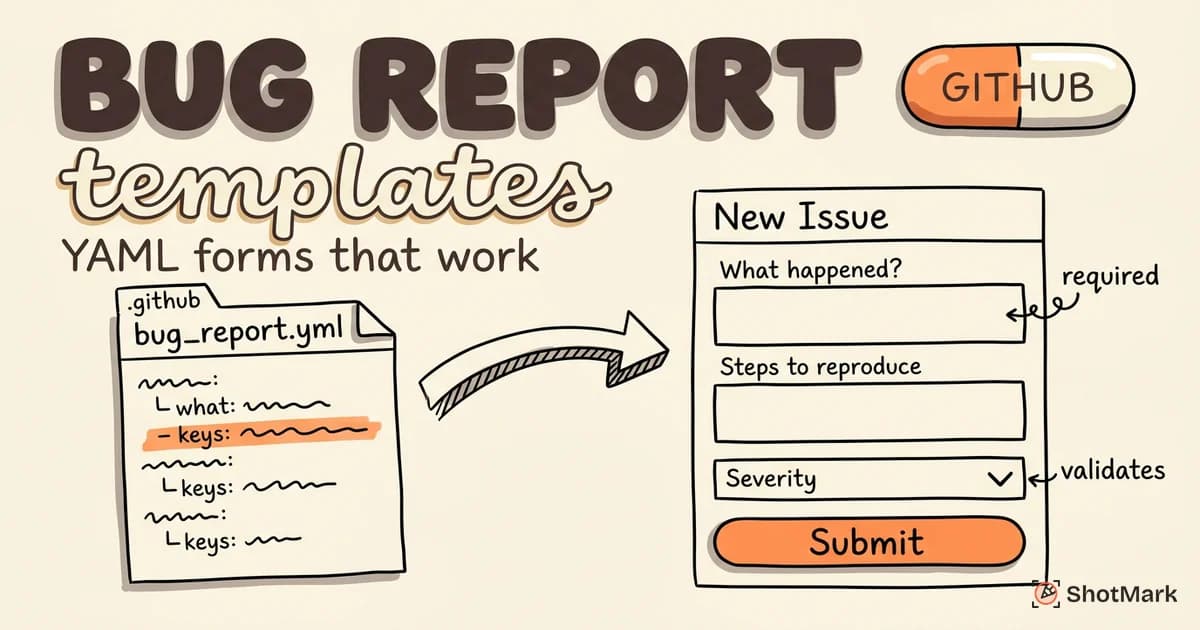
GitHub supports two template formats. Markdown templates live in .github/ISSUE_TEMPLATE/bug_report.md and pre-fill a raw Markdown body. YAML-based issue forms live in .github/ISSUE_TEMPLATE/bug_report.yml and render an actual form with required fields, dropdowns, and validation.
YAML forms are the better choice for bug reporting because reporters can’t submit an empty steps-to-reproduce field. The full spec is in the GitHub issue templates documentation , but the short version is: add a YAML file to .github/ISSUE_TEMPLATE/, define your fields, and GitHub renders the form automatically when someone clicks “New issue.”
Here’s a minimal working form that covers the fields every bug report needs.
name: Bug report
description: File a bug so it gets fixed
title: "[Bug]: "
labels: ["bug", "triage"]
body:
  - type: textarea
    id: description
    attributes:
      label: What happened?
      description: Describe the bug clearly
      placeholder: Clicking Submit returns a 500 error
    validations:
      required: true
  - type: textarea
    id: repro
    attributes:
      label: Steps to reproduce
      description: Numbered steps, starting from a clean state
      value: |
        1. Go to...
        2. Click...
        3. Observe...
    validations:
      required: true
  - type: textarea
    id: expected
    attributes:
      label: Expected vs. actual behavior
    validations:
      required: true
  - type: dropdown
    id: severity
    attributes:
      label: Severity
      options:
        - Critical (blocks release)
        - Major (core feature broken)
        - Minor (workaround exists)
        - Trivial (cosmetic)
    validations:
      required: true
  - type: dropdown
    id: browser
    attributes:
      label: Browser
      options:
        - Chrome
        - Safari
        - Firefox
        - Edge
        - Other
  - type: input
    id: environment
    attributes:
      label: OS and version
      placeholder: macOS 14.3, Windows 11, Ubuntu 22.04
    validations:
      required: true
Drop this file into your repo, commit, and the “New issue” page will show a structured form instead of a blank textarea. Repeat the pattern for feature requests, documentation fixes, or security reports.
How do I create a bug report template in GitHub Issues?
Create a folder at .github/ISSUE_TEMPLATE/ at the root of your repository. Add a file named bug_report.yml with a YAML schema starting with name:, description:, and a body: array. Commit to your default branch, then open the Issues tab and click “New issue” to see your template. GitHub validates the YAML on save, so any typos surface immediately.
Writing Effective Bug Reports on GitHub
A template forces the right fields, but the quality of what goes inside those fields determines how quickly the bug gets fixed. Treat each field as a contract with the maintainer who has to reproduce your bug.
Start with a clear title using the format [Module] Action + Observed Result. “Submit button returns 500 on Safari 17 with 3+ cart items” beats “checkout broken” every time. The title is the first and sometimes only thing a maintainer sees before triage.
For the description, lead with the symptom, not the cause. Maintainers can infer the cause from logs. What they can’t infer is what the user was trying to do and what they saw instead. If you need more structure, our guide on how to report a bug breaks down the anatomy of a report that actually gets prioritized, and the companion piece on bug report format examples shows full before-and-after samples.
Adding Screenshots and Screen Recordings
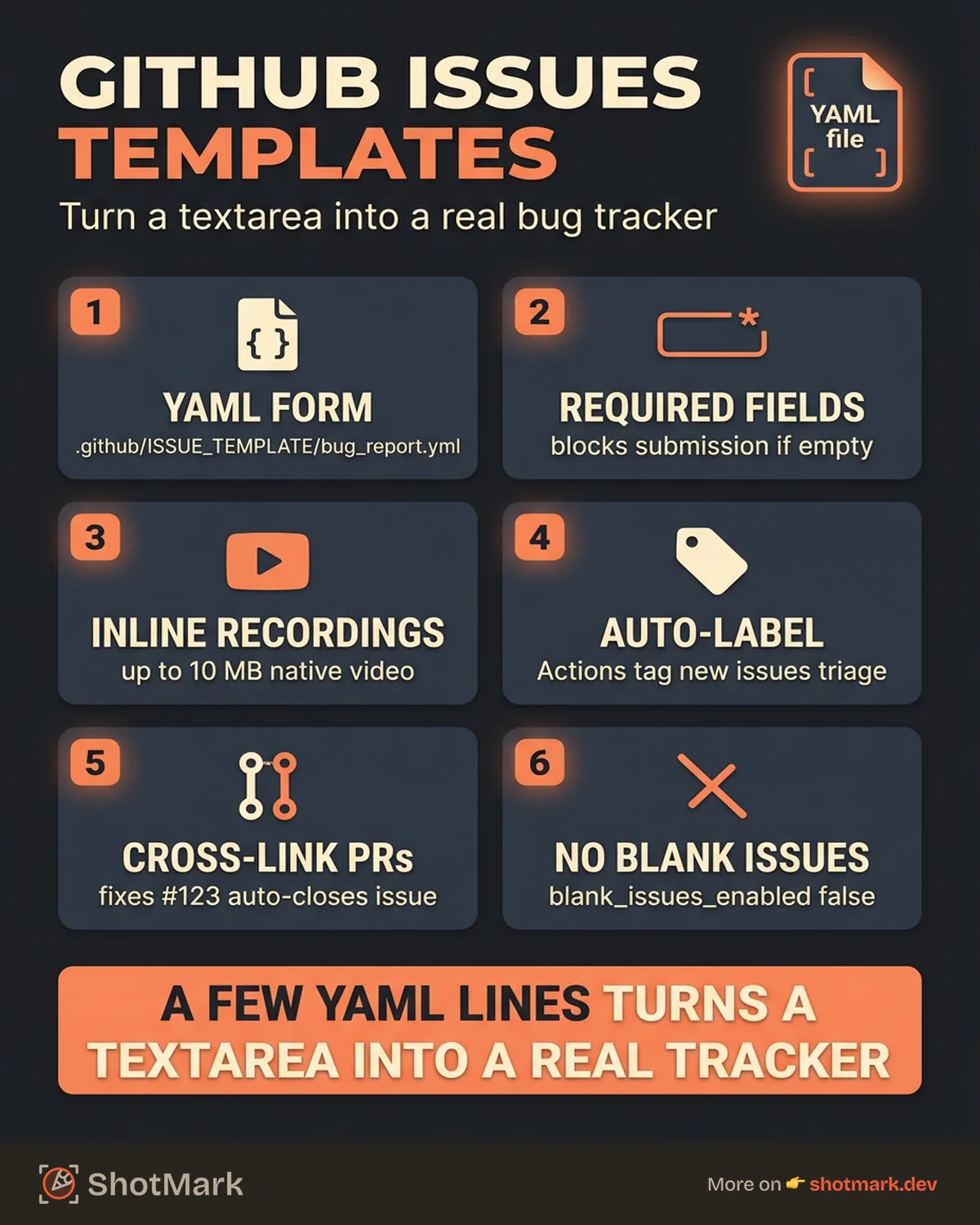
GitHub Issues accepts images, videos, and GIFs dragged directly into the comment box. Recordings up to 10 MB render inline as native video players, which is often the fastest way to show a broken animation or flaky UI state.
For console logs, paste them inside triple backticks with a language hint so GitHub applies syntax highlighting. For long logs, use a <details> block so the issue stays readable. HAR files and large attachments work best as gists linked from the issue body.
Referencing Commits, PRs, and Related Issues
GitHub’s cross-linking is the feature that makes bug reports compound over time. Type # followed by an issue number to link to it. Paste a commit SHA and GitHub auto-links to the diff. Use fixes #123 in a PR description and the linked issue closes automatically when the PR merges.
Labels and milestones carry the categorization. Use labels for cross-cutting tags (regression, flaky, a11y, good first issue). Use milestones for release planning. Components aren’t native to GitHub Issues the way they are in Jira, but label prefixes like area/frontend or area/api work well.
Reporting Bugs in Projects You Don’t Maintain
When filing against an open-source project, search existing issues before opening a new one. Maintainers close duplicates constantly, and a comment on the existing thread is more useful than a new issue. Read the project’s CONTRIBUTING.md for any specific template requirements.
Be specific, be patient, and minimize your reproduction case. A 20-line code sample that reproduces the bug is infinitely more valuable than a vague description of your 50,000-line application.
GitHub Issues Bug Report Template
The YAML form from the previous section works for most web applications. For repos that need more structure, you can mix frontend-specific and API-specific templates in the same project so reporters pick the right one from the dropdown.
Frontend Bug Template
Frontend bugs need visual evidence and environment context. The form above covers the basics. Add a viewport size input and a reproduction URL field (a CodeSandbox or StackBlitz link) to accelerate triage for UI-heavy projects. Our bug report template for QA and dev teams has the full field list if you want to match conventions across platforms.
API Bug Template
API bugs need the endpoint, HTTP method, request body, response body, and status code. A focused form for API issues looks like this:
name: API bug
description: Report an API or backend bug
title: "[API]: "
labels: ["bug", "area/api"]
body:
  - type: input
    id: endpoint
    attributes:
      label: Endpoint
      placeholder: POST /api/v1/orders
    validations:
      required: true
  - type: textarea
    id: request
    attributes:
      label: Request body
      render: json
  - type: textarea
    id: response
    attributes:
      label: Response body and status
      render: json
    validations:
      required: true
  - type: textarea
    id: logs
    attributes:
      label: Relevant server logs
      render: shell
The render: json and render: shell hints apply syntax highlighting automatically, which matters when a maintainer is scanning a 40-line JSON response.
Markdown Template Alternative
If you prefer a simpler Markdown template, create .github/ISSUE_TEMPLATE/bug_report.md with YAML frontmatter for metadata and Markdown body for the pre-filled content. Markdown templates are less strict than YAML forms but faster to tweak.
Enforcing Template Usage
To prevent reporters from bypassing templates, set the blank_issues_enabled: false flag in .github/ISSUE_TEMPLATE/config.yml. This removes the “open a blank issue” option from the new-issue page, so reporters must pick a template. You can also list external contact links (Discord, Stack Overflow) in the same config file so support questions route away from your bug tracker.
Is GitHub Issues good for bug tracking?
For developer-led projects where the same people write code and triage bugs, GitHub Issues is excellent. The tight integration with commits, PRs, and Actions keeps everything in one place. For larger teams with dedicated QA, product, and support functions, GitHub Issues starts to feel thin. You’ll miss custom workflows, SLA tracking, and the sprint ceremonies that tools like Jira and Linear handle natively.
Automating Bug Triage With GitHub Actions
Manual triage is where bug tracking falls apart. Someone has to read every new issue, label it, assign it, and notify the right team. GitHub Actions automates the mechanical parts so your engineers focus on the hard ones.
Auto-labeling is the highest-impact automation. Use the actions/labeler action to apply labels based on file paths referenced in the issue, or build a simple workflow that parses the severity dropdown and adds a severity/critical label. The full action catalog is in the GitHub Actions documentation , with dozens of issue-specific actions ready to drop in.
name: Triage new issues
on:
  issues:
    types: [opened]
jobs:
  triage:
    runs-on: ubuntu-latest
    steps:
      - name: Add triage label
        uses: actions-ecosystem/action-add-labels@v1
        with:
          labels: triage
      - name: Assign to team lead
        uses: pozil/auto-assign-issue@v1
        with:
          assignees: team-lead-username
Other useful automations include stale-issue workflows that ping reporters after 30 days of inactivity, SLA reminders that escalate critical bugs unchanged for 24 hours, and auto-close rules for issues that lack a reproduction case. The actions/stale action ships stale management out of the box.
Connecting Issues to Project Boards
GitHub Projects gives you a visual layer over issues with kanban, table, and roadmap views. The GitHub Projects documentation covers adding issues to projects automatically when they’re labeled bug and setting custom fields for severity, sprint, and component.
For teams that prefer a linear flow over a kanban board, Linear bug tracking for dev teams covers the alternative and how to decide between Linear and GitHub Projects based on team size and process needs.
Connecting External Bug Capture Tools
GitHub Issues handles tracking well, but it doesn’t handle capture. Reporters still need to take screenshots, open dev tools, copy console errors, and paste everything into the form manually. That’s 10 minutes of context-switching per bug.
A bug reporting tool that integrates with GitHub Issues pushes captured data straight into the issue body. ShotMark’s browser extension captures screenshots, console logs, network requests, and session replay in one click, then opens a pre-filled GitHub issue with your template fields populated. Environment, browser, and technical logs land in the right spots automatically. The reporter writes the summary and repro steps, then submits.
How do you file a bug report on GitHub?
Navigate to the repository, click the Issues tab, and click “New issue.” If the project uses templates, pick the bug report form. Fill in each required field with specifics: clear title, numbered repro steps, expected vs. actual behavior, and your environment. Attach a screenshot or recording by dragging it into the description. Click Submit, and GitHub assigns a number and default labels automatically.
When GitHub Issues Is Enough, and When It Isn’t
GitHub Issues is enough when your team is small, your contributors are developers, and your workflow fits the native feature set. If you’re shipping an open-source library, a dev tool, or an early-stage product, the tight integration with your codebase beats any standalone tracker.
The tracker starts to strain when QA, product, and support teams need different views of the same bug. Custom workflows beyond open/closed are painful to model with labels alone. SLA tracking, time-in-status reports, and sprint velocity need third-party dashboards. At that point, teams graduate to Jira or Linear while still using GitHub Issues for the developer-facing surface.
A hybrid setup works for many teams: QA files rich bug reports in Jira with full technical context, and the GitHub PR that fixes the bug links back to the Jira ticket via smart commits. That way, each team uses the tool that fits their workflow without losing traceability.
Either way, a complete github issues bug report shortens the path from “something broke” to “fix merged.” Templates force the right fields. Automation handles the mechanical triage. ShotMark fills in the technical context so reporters spend seconds instead of minutes on each bug. Join the ShotMark waitlist to try one-click capture that feeds GitHub Issues, Jira, and Linear directly.
Get new posts in your inbox.
One email when we publish: notes on QA, AI, and shipping faster. No spam, unsubscribe anytime.