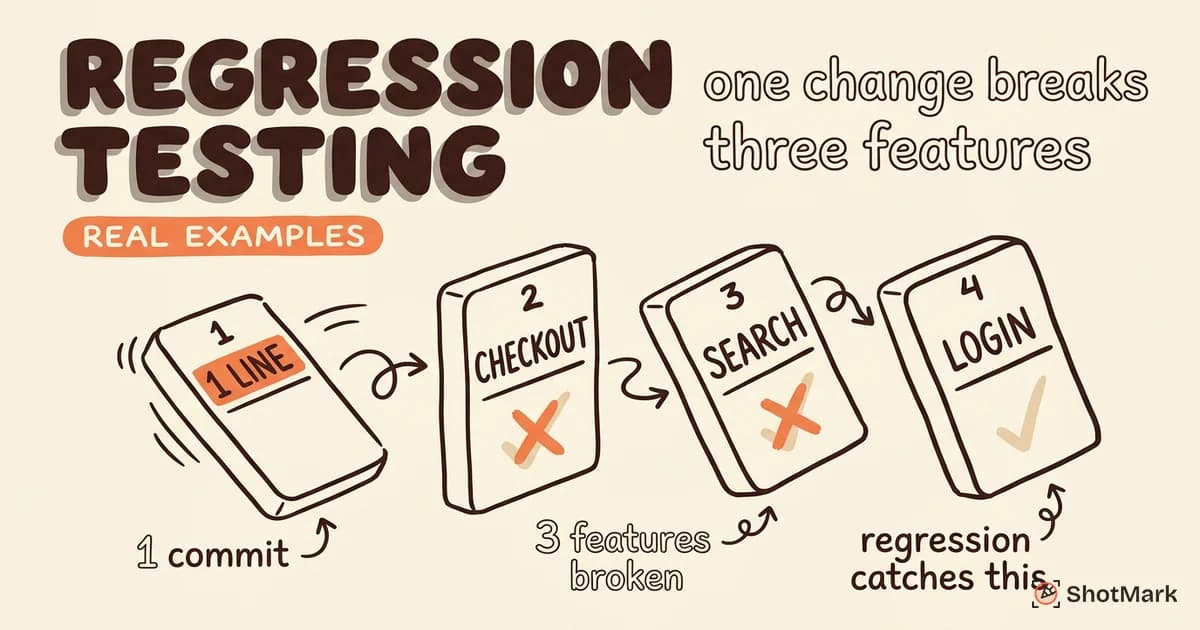
A single line of code can break three features you shipped last quarter, and you won’t find out until a customer emails support. That’s the gap regression testing exists to close. When a checkout flow fails after a payment SDK update or search returns duplicates after a database migration, regression testing is the safety net that catches the fallout before users do.
This guide explains regression testing with real examples from production teams, walks through the four main types, and shows how to automate the parts that slow you down. We’ll also compare it to retesting, cover common mistakes, and explain where it fits in a modern CI/CD pipeline.
What Is Regression Testing?
Regression testing is the practice of running existing tests against an application after code changes to confirm that previously working functionality still works. The goal isn’t to validate new features. It’s to catch the bugs that new features accidentally introduce to old ones.
Every change carries risk. A bug fix in the cart service can break the discount engine. A dependency bump can silently change how dates parse. A refactor meant to speed up one endpoint can slow down another. Regression testing in software testing is how teams prove that the change did what it was supposed to do, and nothing else.
Consider a simple case. Your team updates the Stripe SDK from v11 to v12 to pick up a security patch. The checkout flow still works on desktop, but on iOS Safari the “Pay” button throws a silent error because v12 changed how it handles Apple Pay tokenization. Without regression tests covering mobile checkout, that bug ships to production. With them, it fails in CI and gets fixed before merge. For a broader primer on how this fits with other test types, see our guide to software testing basics.
When to Run Regression Tests
The short answer is: more often than you think. Regression tests should run automatically on every pull request, and again before every release. Modern teams don’t wait for a dedicated QA phase because by then the cost of finding a bug is already 10x higher than catching it at merge time, a pattern documented extensively by the IBM Systems Sciences Institute and referenced in ISTQB materials.
Here are the specific triggers that should kick off a regression run:
- After every code merge to main: Even a one-line change can have ripple effects. Run the full suite in CI.
- After bug fixes: Verify the fix works, then verify it didn’t break anything else. Retesting and regression testing are not the same thing (more on that below).
- Before every release: A final regression pass in a staging environment catches anything your PR-level tests missed.
- After dependency updates: NPM package bumps, API version changes, and infrastructure migrations are the most common sources of hidden regressions.
- On a schedule: Nightly or weekly runs catch flaky behavior and environmental drift that per-commit tests can miss.
Teams that treat regression as a release-time activity end up with slow releases and scared engineers. Teams that treat it as a continuous background process ship faster and break less. Atlassian’s guide to continuous delivery breaks down how this looks in a mature pipeline.
Types of Regression Testing
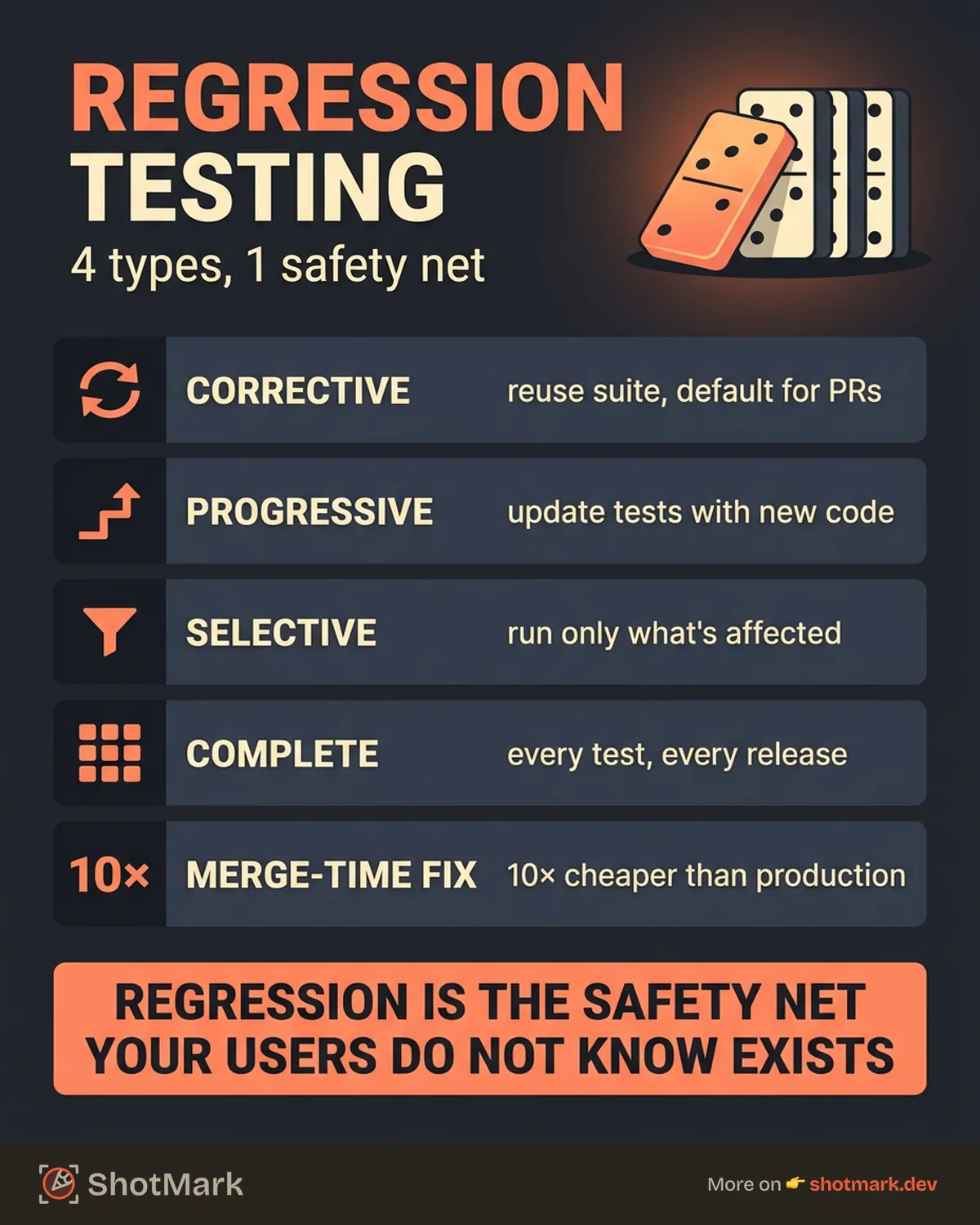
Not every change needs the same test strategy. Running the full suite on every commit wastes compute and slows developers down. Running nothing is worse. The four types of regression testing help teams match test scope to change risk.
Corrective Regression Testing
Corrective regression testing reuses the existing test suite without modification. It assumes the requirements haven’t changed and the code changes don’t affect the behavior the tests cover. This is the cheapest, fastest form and the default for most pull requests.
Use it when you’re refactoring internals, fixing a typo, or making changes that shouldn’t alter observable behavior. If tests pass, you have evidence the change was truly non-behavioral.
Progressive Regression Testing
Progressive regression testing updates the test suite alongside the code. New tests get added for new functionality, and existing tests get modified to reflect changed requirements. It’s the standard approach for feature work in agile teams.
The discipline here is to update tests in the same pull request as the code change. Teams that let tests drift behind implementation end up with a suite that catches yesterday’s bugs but not today’s.
Selective Regression Testing
Selective regression testing runs only the tests that cover modules affected by the change. It’s faster than a full run but requires impact analysis, either manual or tool-assisted. A change to the auth service triggers auth-related tests, not the entire checkout suite.
The tradeoff is coverage confidence. Selective testing works well when your module boundaries are clean and your test-to-code mapping is accurate. When those assumptions break, you miss regressions.
Complete Regression Testing
Complete regression testing re-runs every test in the suite. It’s the slowest and most expensive type, but it’s also the most thorough. Most teams reserve it for major releases, architectural changes, or after large dependency upgrades.
A good CI pipeline blends all four. Corrective or selective runs on every commit. Progressive updates in feature PRs. Complete runs nightly and before releases.
Real-World Regression Testing Examples
Abstract definitions only go so far. Here are three regression testing examples drawn from production scenarios that teams actually ship into.
Example 1: Payment Flow After SDK Update
A SaaS team updates their payment SDK from v11 to v12 to patch a known vulnerability. The release notes mention a change to webhook signing, but the team reads it as server-side only. They merge, deploy, and wait.
Two days later, support tickets pile up. Mobile Safari users can’t complete checkout. The v12 SDK changed how Apple Pay tokens format, and the team’s client-side handler silently fails to parse the new shape. A single end-to-end regression test on mobile checkout would have flagged this in CI. Because the team only ran desktop smoke tests per PR, they shipped a broken checkout to tens of thousands of users.
Example 2: Search Results After Database Migration
An e-commerce platform migrates from Postgres to a read replica setup for search queries. The migration passes all load tests. The new system is faster. Everyone celebrates.
Then a customer reports that every search returns duplicate products. The cause: the replica’s eventual consistency model occasionally returned the same row twice during index rebuilds, a behavior the old single-node setup never exhibited. Selective regression testing on the search module, specifically tests that verified result uniqueness, would have caught this. Instead, the team learned from customer complaints.
Example 3: Login After Auth Provider Change
A B2B app switches OAuth providers from Auth0 to Clerk. The new integration works for new sign-ups. QA tests a fresh login flow and gives the green light.
After deploy, every existing user gets logged out, and half of them can’t log back in because the old session tokens aren’t compatible with the new provider’s format. A complete regression test on the auth flow, including existing-session handling, would have surfaced this. The team relied on happy-path tests and missed the edge case that affected 100% of their active user base. For more on this pattern, BrowserStack’s regression testing guide has a detailed breakdown of auth-related regression scenarios.
Regression Testing vs Retesting
These two often get confused. They’re related but not interchangeable, and mixing them up causes real problems in bug triage.
Retesting verifies that a specific bug fix actually fixed the bug. You reproduce the original failure, apply the fix, and confirm the failure no longer occurs. It’s scoped narrowly to the ticket.
Regression testing verifies that the fix didn’t break anything else. It runs tests for unrelated features to confirm they still work as expected.
| Aspect | Retesting | Regression Testing |
|---|---|---|
| Purpose | Verify the specific bug is fixed | Verify nothing else broke |
| Scope | Narrow (one ticket) | Broad (affected modules or full suite) |
| Automation | Usually manual or scripted | Usually automated |
| Run frequency | Once per fix | Every commit, every release |
| Requires reproduction steps | Yes | No |
A complete QA process uses both. You retest to close the original ticket. You regression test to make sure closing that ticket didn’t open three new ones. For a deeper comparison with adjacent test types, see our post on what regression testing is in software testing.
How to Automate Regression Testing
Manual regression testing doesn’t scale past the first few sprints. Automation isn’t optional for teams that release more than once a month. The challenge is deciding what to automate, in what order, and with what tools.
Start with the critical paths. Login, checkout, core user workflows, and any flow tied directly to revenue. These are the tests that, if they fail, should block every release. Don’t try to achieve 100% coverage on day one. Achieve 100% coverage on the 20% of flows that matter most, then expand.
Follow the test pyramid. Most of your regression suite should be unit tests, because they’re fast, cheap, and easy to run on every commit. A smaller layer of integration tests covers service boundaries. A thin layer of end-to-end tests covers critical user journeys. Teams that invert this pyramid, with E2E tests dominating, end up with slow, flaky, expensive suites that nobody trusts.
Which Tools Should You Use?
The right tool depends on the layer. Here’s what most teams reach for:
- Playwright . Modern E2E testing for web apps. Fast, reliable, great debugging.
- Cypress . Developer-friendly E2E testing with time-travel debugging.
- Selenium . The long-standing cross-browser E2E standard.
- Jest . Unit and integration tests for JavaScript and TypeScript.
- Vitest . Fast Vite-native testing for modern front-end stacks.
For a deeper side-by-side look, our regression testing automation tools comparison breaks down the tradeoffs. Katalon’s regression testing guide is another solid reference that covers enterprise tooling in more detail.
Wire your suite into CI so every pull request triggers a regression run. Block merges on failure. Surface flakes immediately. Teams that let flaky tests linger train developers to ignore red builds, which defeats the point of regression testing entirely.
Common Regression Testing Mistakes
We see the same regression testing mistakes across teams at every stage of maturity.
Running the full suite on every commit: If your full suite takes 45 minutes, developers stop running it locally and start ignoring failures. Use selective regression for PRs and complete runs for nightly or pre-release.
Letting test cases drift behind requirements: When a feature changes and tests don’t, the suite still passes but no longer reflects reality. Update tests in the same PR as the code change, not “later.”
Tolerating flaky tests: A test that fails randomly is worse than no test. It trains the team to re-run until green, which hides real regressions. Fix the flake or delete the test.
Relying on manual regression only: Manual testing has a place (exploratory, UX, edge cases), but it can’t run on every commit. Automated regression is what makes continuous delivery possible.
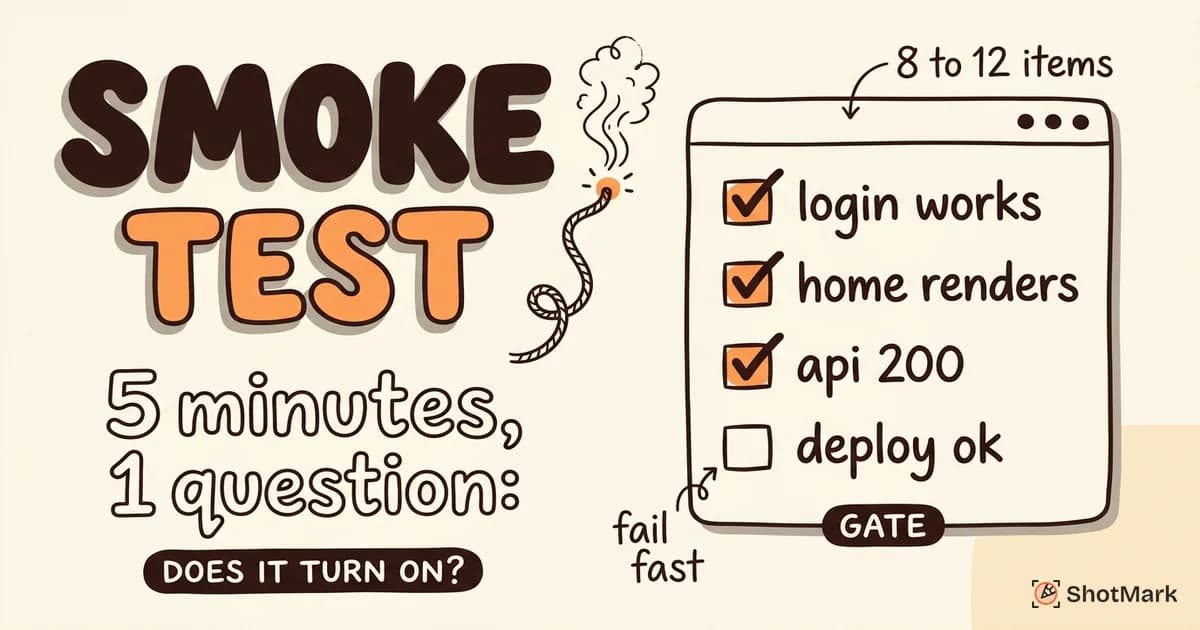
Writing only happy-path tests: The login-after-provider-change example above is textbook. Tests that only cover the expected flow miss the edge cases that actually break in production. For additional context on how this differs from quick pre-release checks, see our comparison of smoke testing vs regression testing. Testim’s regression testing primer also covers a broader set of anti-patterns worth reading.
Better Bug Reports Make Regression Faster
When a regression test fails in CI, the speed of the fix depends entirely on the quality of the failure report. A stack trace alone isn’t enough. Developers need the screenshot, the console logs, the network requests, and the state that triggered the failure, ideally in one place.
This is where manual-heavy workflows fall apart. A QA engineer filing a regression bug typically spends 10 minutes reproducing, capturing, and documenting. A developer then spends another 10 asking follow-up questions. That’s 20 minutes of human time per regression, before any code gets written.
ShotMark compresses this to about 30 seconds. One click captures the screenshot, annotates the failure, pulls the console logs, records the network requests, and packages a full session replay. The report lands in your tracker with everything a developer needs to reproduce the bug locally. An open-source SDK handles the capture logic, and teams can join the waitlist for early access.
Good regression testing catches the bugs. Good bug reports close them fast. The two together are how modern teams ship on Friday without breaking production on Saturday.
Get new posts in your inbox.
One email when we publish: notes on QA, AI, and shipping faster. No spam, unsubscribe anytime.