Jam.dev nails the developer experience for one-click bug capture. The browser extension records screenshots, console logs, network requests, and a 60-second session replay in a single click. With $17 million in funding and the #2 SERP position for “bug reporting tool,” it has earned its reputation among frontend developers.
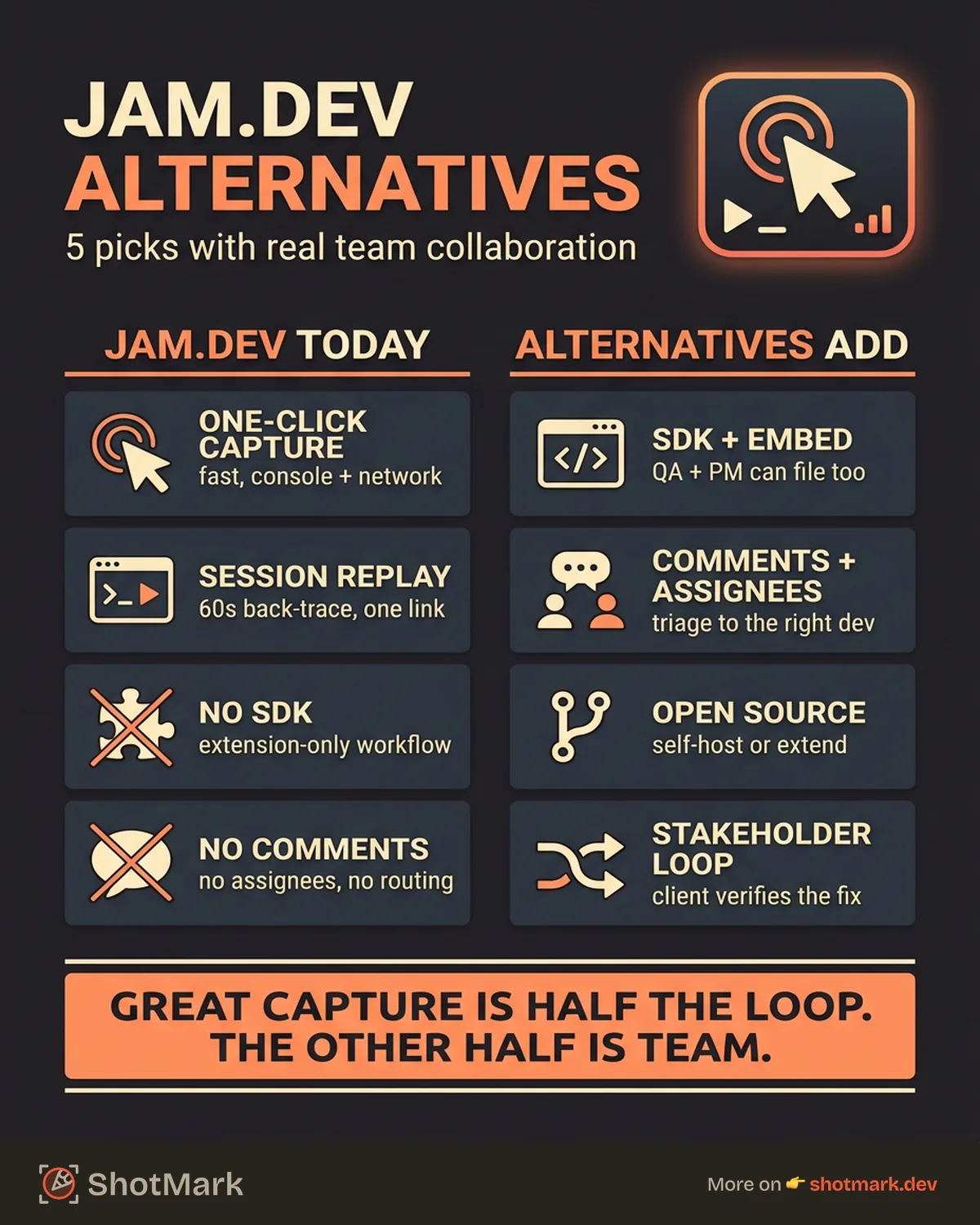
Where Jam.dev falls short is collaboration. There is no SDK for embedding capture into your own application, no stakeholder feedback features, and no open-source option. Teams that need to collect bugs from QA engineers, product managers, and clients, not just developers, need more than a browser extension. Here are five Jam.dev alternatives that add team collaboration to deep technical capture.
What Jam.dev Does Well
Fair credit where it is due. Jam.dev’s capture workflow is fast and reliable. You click the extension, it records the last 60 seconds of browser activity, and it packages the screenshot, console output, network requests, and device metadata into a shareable link. The reproduction context is strong enough that developers rarely need to ask follow-up questions.
The free tier is generous. Individual developers can file unlimited reports, and the paid plan adds team features at $20 per seat per month. Jam.dev also offers free developer utilities (base64 encoder, JSON formatter, HAR file viewer) that drive significant organic traffic, which speaks to their developer-first identity.
The developer brand is authentic: the product was built by developers, the copy speaks to developers, and the feature set reflects deep understanding of what frontend debugging actually requires. With $17 million in funding and 2,124 ranking keywords, Jam.dev has real momentum.
Where Jam.dev Falls Short
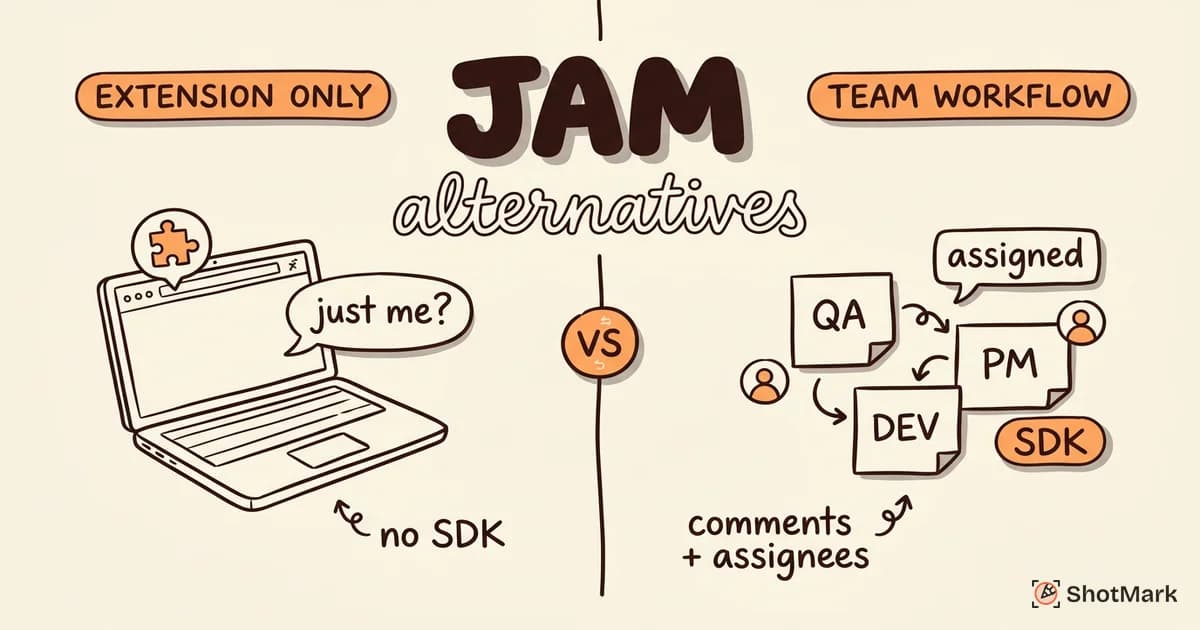
The limitations show up when bug reporting needs to scale beyond individual developers. Jam.dev is extension-only. There is no JavaScript SDK, no embeddable widget, and no API for programmatic capture. If you want to collect bug reports from people who do not have Chrome extensions installed, Jam.dev cannot help.
Collaboration is minimal. You can share a link to a report, but there are no comments, no assignees, no status tracking, and no way to route reports to specific team members based on the bug type or severity. The workflow assumes developers file reports for other developers. For a solo developer or a small team of three, that workflow is fine. For a team of 15 with QA engineers, product managers, and external stakeholders, it breaks down fast.
There is also no open-source offering. Teams that want to inspect, modify, or self-host their bug reporting tool are locked out. For a tool that targets developers, the lack of an open-source SDK is a missed opportunity. The best bug reporting tools for growing teams all offer some form of SDK or embeddable capture, and Jam.dev’s absence here is notable.
5 Jam.dev Alternatives
ShotMark
ShotMark captures the same technical depth as Jam.dev (screenshots, console logs, network requests, session context) but adds collaboration workflows on top. Reports can be assigned, commented on, and routed to the right developer based on project or component. The open-source SDK means you can embed capture directly into your application, so QA engineers and product managers can file reports without installing anything.
The collaboration features are the differentiator. Where Jam.dev assumes a developer-to-developer workflow, ShotMark supports the full chain: QA files the bug with full context, the team lead triages it, the developer receives it with everything needed to reproduce it, and the reporter gets notified when it is fixed. Stakeholders can review and verify fixes without entering the issue tracker.
ShotMark is in early access. The trade-off today is maturity: fewer integrations than Jam.dev, a smaller community, and active development on features that Jam.dev already ships. The core capture and collaboration workflow is solid, but edge cases and advanced features are still being built. If your team has outgrown extension-only bug reporting and needs SDK access plus collaboration, ShotMark is built for that gap.
Marker.io
Marker.io focuses on agency workflows with 20+ integrations covering Jira, Asana, Trello, ClickUp, and more. The visual feedback model is less technical than Jam.dev but more accessible to non-developers. Clients and stakeholders can point at elements on a page and leave feedback that routes directly into your project management tool.
The capture depth is lower than Jam.dev. Reports include screenshots and basic metadata but skip console logs, network requests, and session replay. Developers receiving Marker.io reports will still need to reproduce the bug themselves to gather the technical context. For agencies where the developer can walk over to the QA engineer’s desk and ask what happened, that trade-off is acceptable. For distributed teams, it creates delays. You can read more about similar options in our Marker.io alternatives guide.
Pricing starts at $39 per month. For agencies that need client-facing feedback collection more than developer-grade debugging, Marker.io is a practical choice. The 20+ integrations mean reports can flow into whatever project management tool the team uses.
BetterBugs
BetterBugs is QA-focused and growing fast, adding 1,503 new ranking keywords in the past year. The one-click capture includes screenshots, annotations, and technical metadata, positioned squarely for QA teams filing precise bug reports.
The QA positioning is both a strength and a limitation. BetterBugs is optimized for QA engineers filing reports into issue trackers, not for cross-functional collaboration. There is no SDK, no stakeholder feedback workflow, and no open-source option. The collaboration features are narrower than what growing teams need.
For QA teams that want a focused bug reporting tool without the complexity of a full platform, BetterBugs delivers. Our BetterBugs alternatives guide covers tools with broader collaboration features.
Usersnap
Usersnap combines bug reporting with user feedback surveys and feature request collection. It has the broadest content footprint in the bug reporting space with 3,809 ranking keywords, which means strong community documentation and a mature product.
The collaboration features are real: team comments, status tracking, feedback routing, and integration with most project management tools. Non-technical team members can file reports through a widget, which lowers the barrier for stakeholders and clients.
The technical capture depth is medium. Screenshots and metadata are solid, but console logs and network request capture are not part of the core workflow. Developers coming from Jam.dev will find the debugging context thinner. Usersnap is better for teams where the collaboration workflow matters more than the debugging depth.
BugHerd
BugHerd offers simple visual feedback with a built-in Kanban board. The pin-on-element model lets users click anywhere on a page and leave feedback that captures the pinned element and screenshot. The Kanban board means teams can manage bugs without a separate issue tracker.
BugHerd is the simplest tool on this list, which is both its strength and its ceiling. The capture depth is low (screenshot and metadata only), and the technical context for developers is minimal. Teams that need console logs or network data will not find them here. The built-in Kanban board is useful for teams that do not want to set up a separate issue tracker, but it lacks the workflow depth of Jira or Linear. Our BugHerd alternatives comparison covers tools with more technical depth.
Pricing starts at $41 per month. BugHerd works for small agencies collecting client feedback on simple websites, but it does not scale to teams that need developer-grade debugging context. For teams already using Jam.dev for developer bugs, BugHerd could serve as a complementary tool for collecting non-technical feedback from clients and stakeholders.
Comparison Table
| Tool | Capture Depth | Collaboration | SDK/Embed | Open Source | Starting Price |
|---|---|---|---|---|---|
| Jam.dev | High | Basic | No | No | Free, $20/seat |
| ShotMark | High | Strong | Yes | Yes (SDK) | Free (waitlist) |
| Marker.io | Low | Good | No | No | $39/mo |
| BetterBugs | Medium | Basic | No | No | Free, $15/seat |
| Usersnap | Medium | Good | Widget | No | $49/mo |
| BugHerd | Low | Good | No | No | $41/mo |
When Jam.dev Is Still the Best Choice
Jam.dev remains the best pick for developer teams that file bugs for each other and do not need input from non-technical stakeholders. If your workflow is a frontend developer capturing a bug, sharing the link in Slack, and another developer picking it up, Jam.dev handles that loop efficiently.
The technical capture is still among the best in the market. Console logs, network requests, DOM state, and session replay in one click is a hard combination to beat. Teams that do not need SDK access, stakeholder workflows, or open-source flexibility can stop here and be well served.
The question worth asking is whether your team will stay in that configuration forever. Teams that add QA engineers, product managers, or external stakeholders to the bug reporting process eventually need collaboration features that Jam.dev does not provide. Planning for that growth now saves a painful migration later.
Get new posts in your inbox.
One email when we publish: notes on QA, AI, and shipping faster. No spam, unsubscribe anytime.