Choosing a bug tracking tool sounds straightforward until you realize there are 50+ options and every comparison site ranks them differently. The real question isn’t which tool is “best.” It’s which tool fits your team’s size, workflow, and integration stack.
This guide gives you a framework for making that decision without a three-month pilot. We’ll cover why most comparisons miss the point, the five criteria that actually matter, tool recommendations by team size, how to run a two-week evaluation, and the questions to ask before you commit. By the end, you’ll have a shortlist you can defend in a budget meeting.
Why Most Bug Tracking Tool Comparisons Miss the Point
Feature lists don’t account for team context. A five-person startup and a 200-person enterprise have almost nothing in common when it comes to defect workflows, yet most comparison articles score them against the same rubric. That’s how you end up with a Fortune 500 QA manager and a two-person SaaS founder both being told to buy Jira.
The “best” bug tracking tool depends on the shape of your workflow, not the count of its features. A tool with 200 customizable fields is useless if your team ignores 195 of them. A tool with five fields is fine if it covers exactly what you need and doesn’t slow anyone down.
We see two common traps. The first is over-buying: a team of four developers signing up for an enterprise platform with SSO, audit logs, and advanced permissions they’ll never use. The second is under-buying: a 20-person QA organization trying to manage regression cycles in a shared spreadsheet. Both waste money and both create friction. For a broader view of the tracking lifecycle, see our guide on defect tracking from discovery to resolution.
The goal isn’t to find the objectively best tool. It’s to find the tool that matches where your team is today and has a clear upgrade path for where you’ll be in 18 months.
The 5 Criteria That Actually Matter for Bug Tracking Software
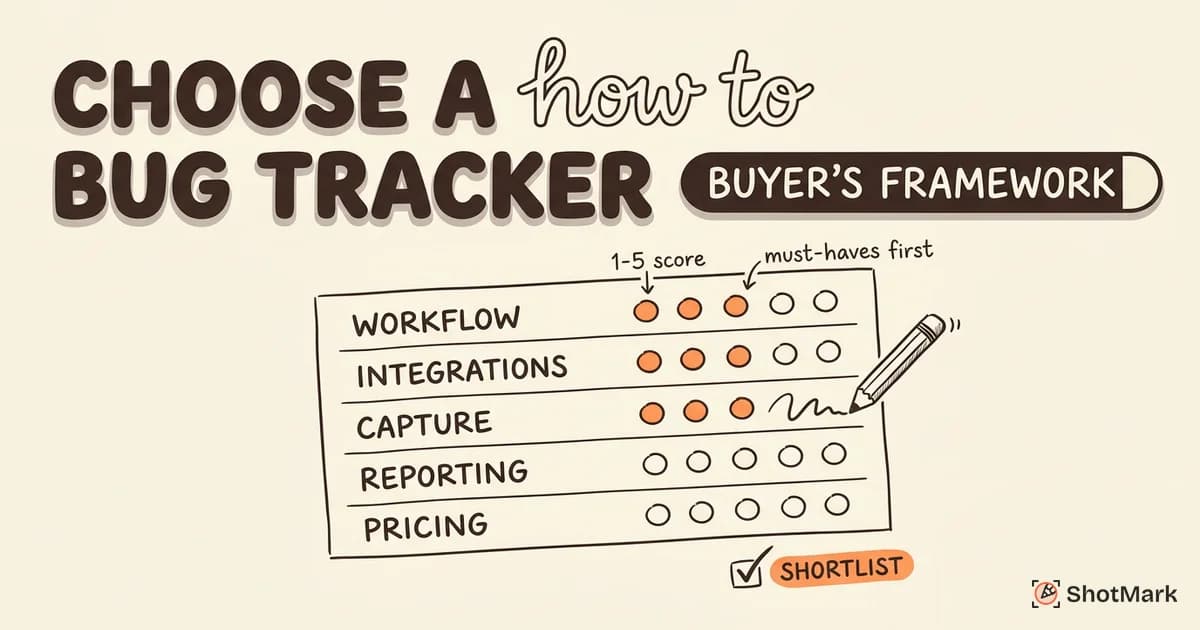
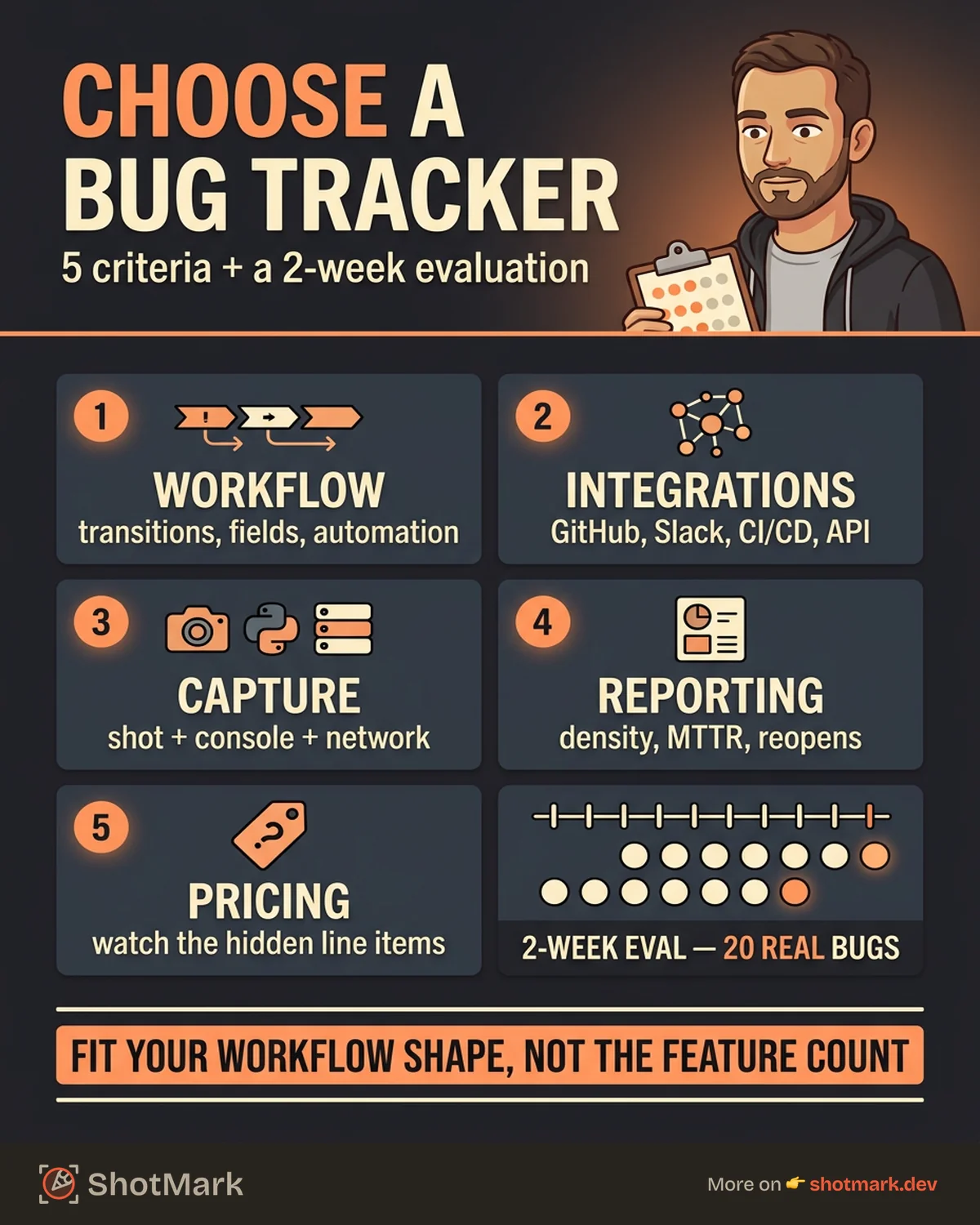
When you strip away the marketing, almost every meaningful difference between bug tracking software comes down to five criteria. Evaluate tools against these five before you touch a trial.
Workflow Customization
How easy is it to model your team’s actual process? Look at status transitions, required fields per status, automation rules, and approval gates. If you run a standard “Open, In Progress, In Review, Done” workflow, almost any tool works. If you need a regression stage, a hotfix branch, or a customer-confirmation gate, the list narrows fast.
Ask whether the tool lets non-admins edit workflows. Many teams get burned when their only admin leaves and the workflow freezes for a quarter.
Integration Depth
A bug tracker that doesn’t talk to your source control, CI/CD, and communication tools becomes a second job. Check for native integrations with GitHub, GitLab, Bitbucket, Jenkins, CircleCI, Slack, and Microsoft Teams. Webhooks and a documented API matter more than a long integration directory, because real teams always need one custom connection.
Atlassian’s bug tracking guide notes that the shift from email-based reporting to integrated trackers is what made modern defect workflows possible. That’s still true. Without deep integrations, you’re running a glorified spreadsheet.
Capture Quality
This is the criterion most comparisons skip. A bug report is only as useful as the context in it, and context is what separates a 30-second fix from a three-day debugging session. Does the tool accept annotated screenshots, console logs, network data, and environment metadata out of the box? Or do you rely on developers to paste that information manually?
Teams that treat capture as a tooling problem, not a discipline problem, ship fixes faster. Our post on bug tracking tools software testers rely on walks through the QA-specific capture features that matter most.
Reporting and Metrics
Dashboards are where bug tracking tools either justify their price or become shelfware. Look for built-in reports on defect density, mean time to resolution (MTTR), reopen rate, bugs by component, and sprint burndown. Also look at how easy it is to build custom reports without writing SQL.
If your engineering leadership asks for weekly defect trends, a tool that takes 20 minutes to generate that view every Friday is a tool no one will use.
Pricing Model
Per-seat, per-project, usage-based, or flat-rate? Each model favors different team shapes. Per-seat pricing punishes organizations that want stakeholders (product, support, sales) to view tickets. Usage-based pricing punishes teams that log thousands of low-priority defects. Per-project pricing hides costs when you grow into a second or third codebase.
Also factor in the hidden line items: storage, API calls, priority support, SSO (almost always in a premium tier), and training. The sticker price and the annual invoice are rarely the same number.
Bug Tracking Tools by Team Size and Workflow
Team size isn’t a perfect proxy, but it’s the fastest way to build a shortlist. Here’s how bug tracking tool options generally break down.
Solo and Small Teams (1 to 10 People)
At this stage, speed and simplicity beat configurability. Linear, Trello, and GitHub Issues dominate here. Linear is the default for engineering-led startups who want keyboard-driven workflows and clean design. Trello works for mixed teams that include non-technical members. GitHub Issues is free, pairs naturally with code, and is good enough if your team already lives in pull requests.
Linear’s take on modern bug tracking is worth reading: they argue that the tool should disappear into the workflow, not the other way around. That’s a useful filter at this stage.
Mid-Size QA Teams (10 to 50 People)
This is the stage where workflow complexity appears. You’ll have parallel sprints, dedicated QA cycles, regression testing, and probably a release train. Jira, YouTrack, and Shortcut are the common choices. Jira wins on ecosystem and integrations. YouTrack wins on query power and developer ergonomics. Shortcut wins on user experience for teams that want more structure than Linear but less overhead than Jira.
If your team is bumping into the limits of a lightweight tool, our defect tracking tools compared for QA breakdown covers the trade-offs in more detail.
Enterprise Teams (50+ People)
At scale, governance features matter more than user experience. Jira, Azure DevOps, and Bugzilla are the usual suspects. Jira is the default across most enterprises because of its integration network. Azure DevOps is strong if your stack is already on Microsoft. Bugzilla persists at organizations (Mozilla, Red Hat, NASA) that need open-source control and don’t want a SaaS vendor in the loop.
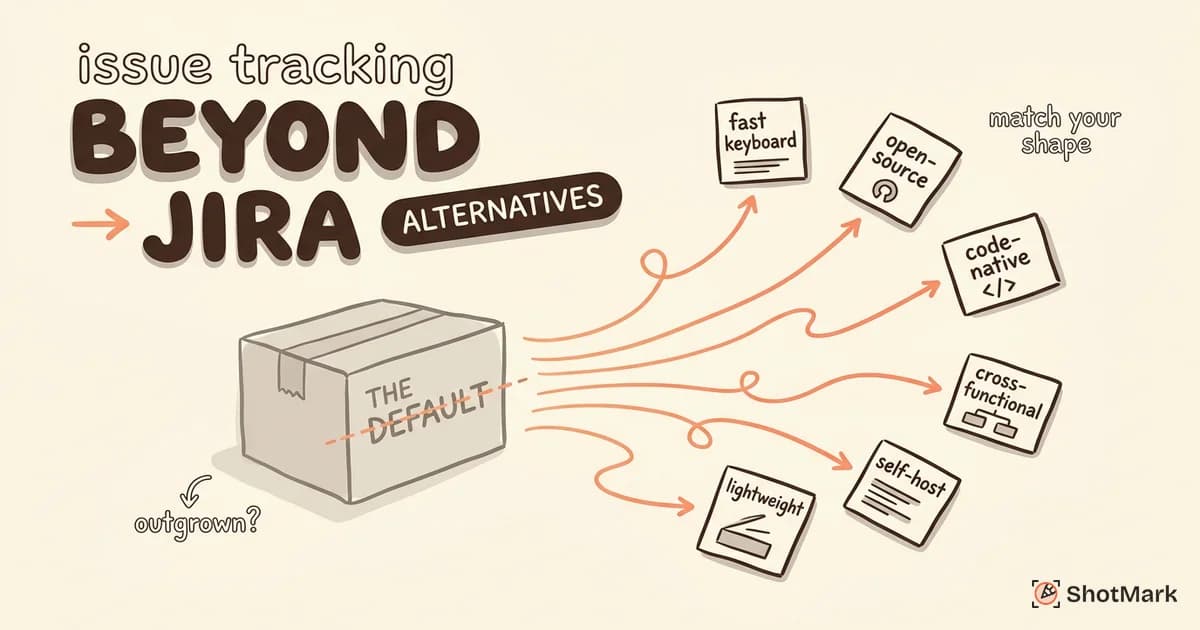
For a comparison of alternatives to the dominant incumbent, see issue tracking tools beyond Jira.
Side-by-Side Comparison
| Tool | Team Size | Pricing | Strength | Trade-off |
|---|---|---|---|---|
| Linear | 1-50 | Per-seat, $8+/mo | Speed, keyboard UX | Limited reporting |
| GitHub Issues | 1-20 | Free with GitHub | Deep code integration | Minimal workflow |
| Jira | 10-1000+ | Per-seat, $7.75+/mo | Ecosystem, flexibility | Complexity, cost |
| YouTrack | 10-200 | Per-seat, $3.67+/mo | Query language | Smaller integration set |
| Shortcut | 10-100 | Per-seat, $8.50+/mo | Balanced UX | Fewer enterprise features |
| Azure DevOps | 50+ | Per-seat, $6+/mo | Microsoft stack fit | Dated UI in places |
| Bugzilla | 20+ | Free, self-hosted | Full control, open source | DevOps overhead |
BrowserStack’s tool comparison and the G2 bug tracking category both maintain up-to-date rankings if you want external validation on the shortlist.
How to Run a 2-Week Tool Evaluation
Vendor demos are sales theater. You learn almost nothing about daily friction in a 30-minute pitch. A two-week hands-on evaluation gives you real signal without blowing a quarter on a pilot.
Define Evaluation Criteria Before You Start
Write down your must-haves, nice-to-haves, and deal-breakers before you log into any trial. Refer back to the five criteria above. Score each tool on a 1 to 5 scale for each criterion. This sounds bureaucratic, but it prevents the most common failure mode: choosing the tool with the prettiest UI.
Import 20 Real Bugs From Your Current System
Don’t evaluate on toy data. Export 20 representative bugs from your existing tracker (or spreadsheet) and recreate them in each candidate tool. Include at least one of each: a typo fix, a critical production bug, a flaky test, a customer-reported defect, and a performance regression.
Test the Full Lifecycle
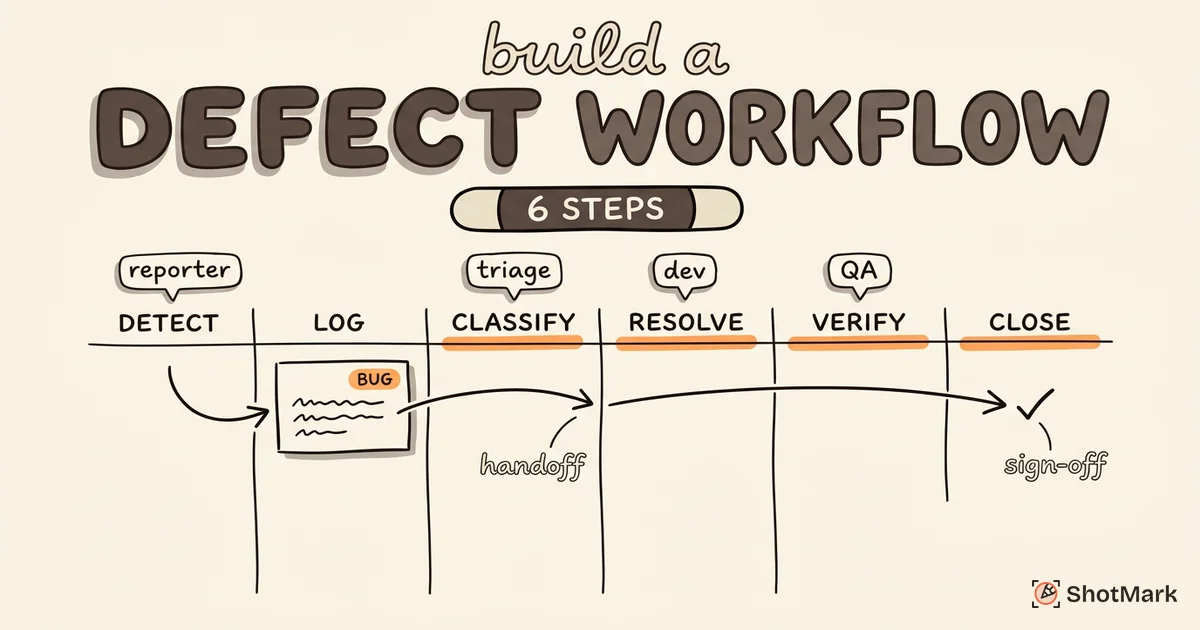
Log, triage, assign, fix, verify, close. Do this end-to-end for every one of the 20 bugs. The slowest part of the evaluation is also the most informative. Where does the tool force you to click five times for something that should take one? Where does it ask for fields you don’t have data for?
Measure Time-to-Resolution and Team Satisfaction
Track how long each bug takes from log to close. Survey the team (devs, QAs, PMs) at the end of the two weeks. Use three questions: What did you like? What slowed you down? Would you recommend we adopt this? Unanimity isn’t required, but strong negative signals from any one group (especially developers) are disqualifying.
Where ShotMark Fits
Whatever tracker you pick, the quality of what goes into it determines the quality of what comes out. ShotMark is a browser extension that captures screenshots, console logs, network requests, and session replay in one click, then pushes a structured report into your tracker of choice. It’s open-source SDK means you can self-host the pieces that touch your data.
Teams using ShotMark cut manual bug-reporting time from about 10 minutes to 30 seconds and ship fixes with less back-and-forth. You can join the waitlist if you want early access.
Questions to Ask Before You Commit
Even after a solid evaluation, a few questions decide whether a tool will still be the right choice two years from now. Ask them before you sign.
Can the Tool Grow With Your Team?
What happens when you go from 10 to 50 users? From one project to 20? From a single workflow to five? Some tools scale linearly on price and stay usable. Others hit a wall at a certain seat count and force a migration. Ask vendors for case studies of teams that grew 5x on their platform.
What Happens to Your Data If You Switch?
Every bug tracker should offer clean CSV or JSON export. Some also offer full API access for migrations. If a vendor hedges on data portability, treat it as a red flag. You’ll switch trackers eventually, and the worst time to discover you’re locked in is the day you try to leave.
How Does Vendor Lock-In Affect Your Workflow?
Lock-in isn’t just about data. Proprietary query languages, custom field types that don’t map cleanly to other tools, and tightly coupled integrations all raise switching costs. Favor tools that use open standards (webhooks, REST APIs, standard issue formats) over those that require you to learn a vendor-specific DSL.
What Are the Hidden Costs?
Training is the biggest one. A complex tool might need 10 to 20 hours per new hire to onboard. Migration from your current system can take a quarter of engineering time at scale. Custom integrations (the ones not in the marketplace) require ongoing maintenance. Add these to your TCO model before comparing sticker prices.
What Features Should a Bug Tracking Tool Have?
At minimum: custom fields, configurable workflows, file attachments, search and filtering, saved views, role-based permissions, webhooks, a REST API, and integrations with your source control and chat tools. Anything beyond this is context-dependent. Don’t pay for features you can’t name a use case for.
How Do You Evaluate Bug Tracking Software for Your Team?
Run the five-criteria scoring, do the two-week evaluation, and ask the commitment questions above. If a tool clears all three stages and your team doesn’t hate it by day 14, you’ve found your answer.
Is Jira the Best Bug Tracking Tool for Small Teams?
Usually no. Jira is the default at mid-size and enterprise scale because of integrations and ecosystem. For teams under 10, Linear or GitHub Issues typically deliver a better experience at lower cost. Jira’s power comes with configuration overhead that small teams rarely have time to manage.
A Final Word on Picking Your Bug Tracking Tool
The right bug tracking tool is the one your team will actually use without resenting. Score candidates against the five criteria, run a structured two-week evaluation on real data, and price in the hidden costs before you sign. And no matter which tracker you pick, invest in the capture layer that feeds it: a bug report with screenshots, console logs, network requests, and environment data gets fixed faster than one without. That’s where tools like ShotMark earn their place on top of whatever tracker your team chooses.
Get new posts in your inbox.
One email when we publish: notes on QA, AI, and shipping faster. No spam, unsubscribe anytime.