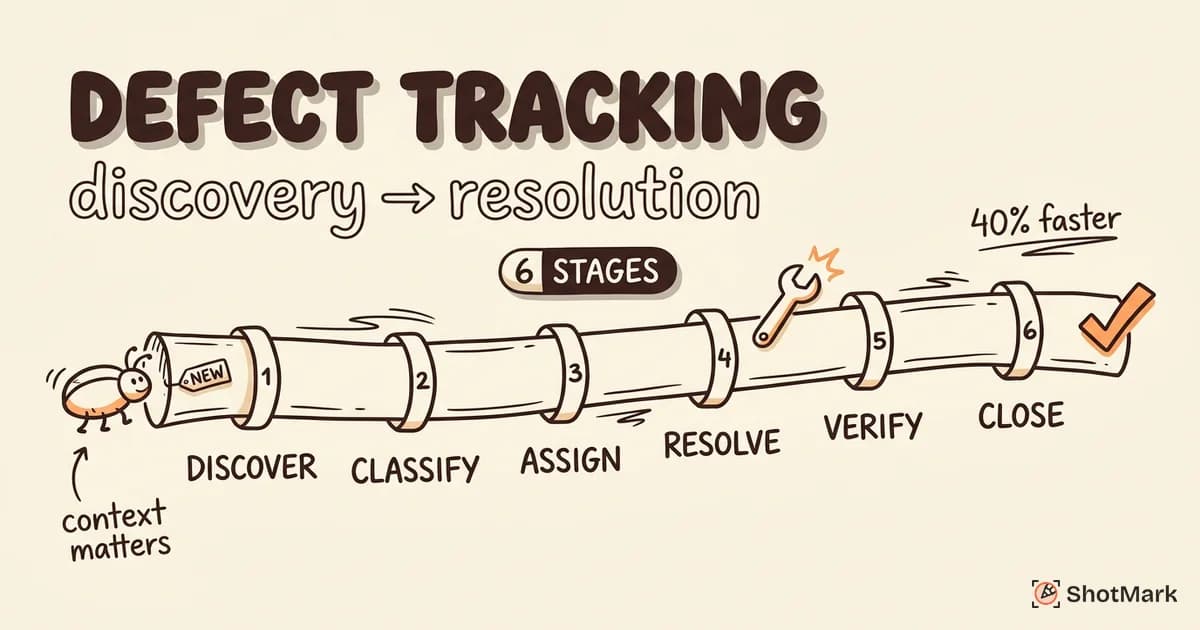
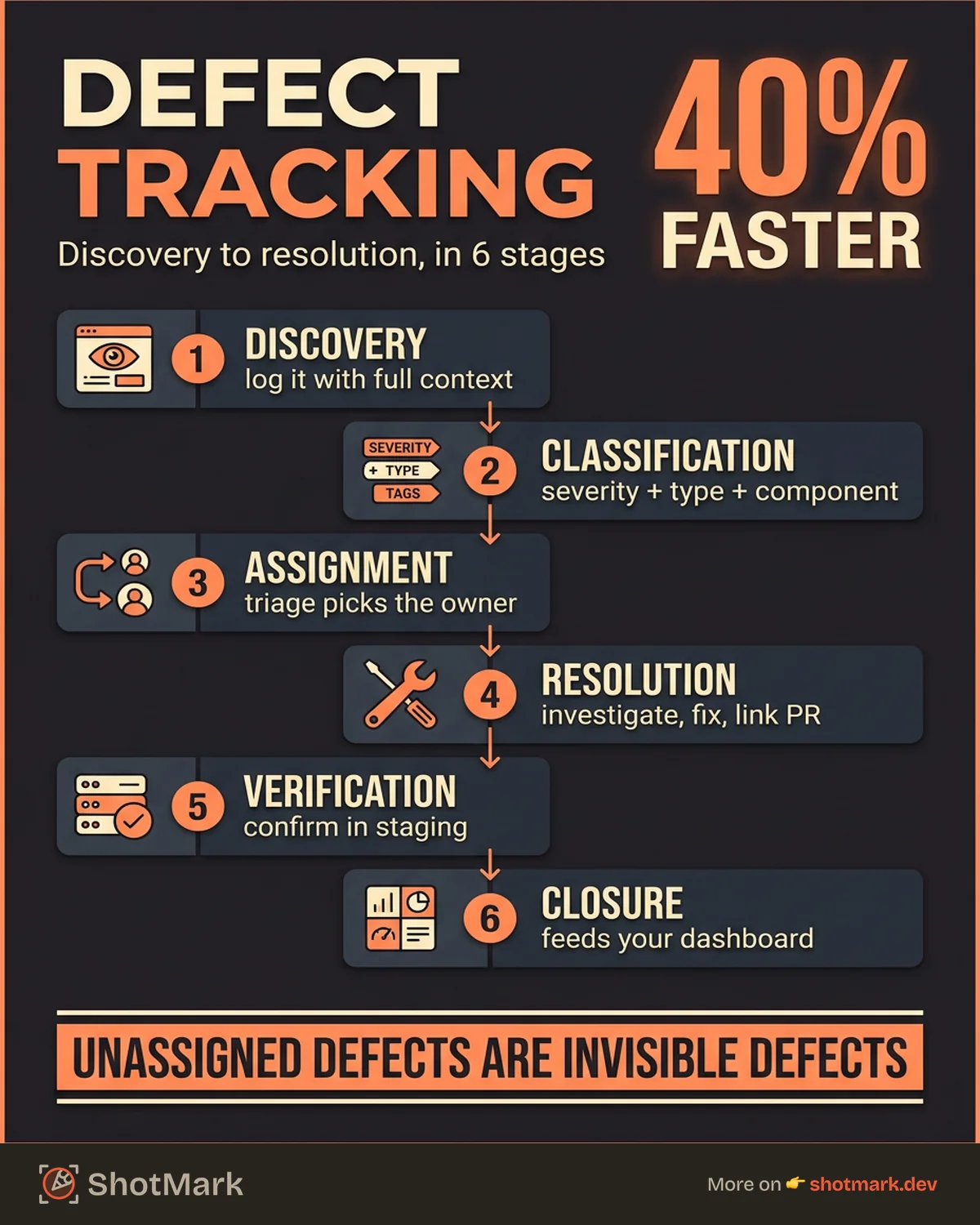
Most engineering teams track bugs. Fewer track them well. Teams using structured defect tracking resolve issues up to 40% faster than those relying on ad hoc Slack threads and spreadsheets, according to Atlassian’s bug management research . Yet many organizations still log issues in scattered documents and hope nothing falls through the cracks.
This guide walks through every stage of defect tracking, from the moment a tester spots an issue to the commit that closes it. Whether you are building a tracking process from scratch or fixing one that has grown messy over time, the framework here will help your team ship with more confidence.
What Defect Tracking Actually Means (and Why Teams Get It Wrong)
Defect tracking is the systematic process of logging, monitoring, and resolving software defects throughout the development lifecycle. Wikipedia defines it as maintaining a list of defects with their statuses, typically managed through a dedicated database or tracking system.
That sounds straightforward. In practice, most teams get it wrong.
The most common failure mode is not a lack of tools. It is a lack of process. A developer gets a vague Slack message saying “the checkout page is broken.” They spend 30 minutes trying to reproduce it, ask three follow-up questions, and eventually file a ticket themselves. The original reporter never sees the fix.
BrowserStack’s defect tracking overview highlights that effective defect tracking requires consistent parameters: severity, priority, environment, reproduction steps, and expected vs. actual behavior. Without these, your tracking system is just a list of complaints.
Spreadsheets and sticky notes work for a team of three. They fall apart at 10. By 30 engineers, unstructured defect management costs real money in duplicated effort, missed regressions, and delayed releases.
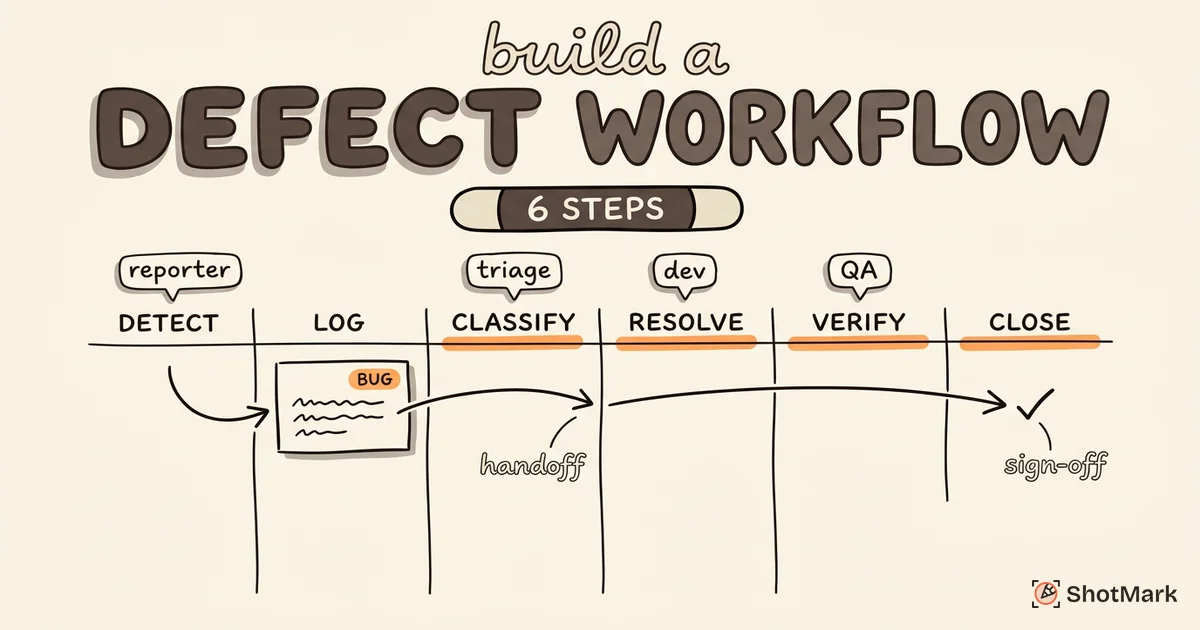
The 6 Stages of Defect Tracking
Every defect follows a lifecycle. Understanding these stages helps your team build workflows that match how bugs actually move through your system. For a deeper look at lifecycle models, see our guide to the bug life cycle explained in 7 stages.
Stage 1: Discovery and Logging
A defect gets discovered by a tester, a developer, an automated test, or an end user. The critical action here is logging it immediately with enough context to reproduce it.
A good defect report includes:
- Summary: One sentence describing the problem
- Environment: Browser, OS, device, build version
- Steps to reproduce: Numbered sequence from starting state to failure
- Expected behavior: What should have happened
- Actual behavior: What happened instead
- Evidence: Screenshots, console logs, network request data
This is where most defect tracking processes break down. Missing reproduction steps are the single biggest time sink in debugging. Visual capture tools like ShotMark eliminate this gap by bundling screenshots, console logs, and network requests into a single report automatically.
Stage 2: Classification
Once logged, a defect needs classification. This means assigning:
- Severity: How badly does this break things? (Blocker, Critical, Major, Minor, Cosmetic)
- Type: UI defect, functional defect, performance regression, security vulnerability
- Component: Which module, page, or service is affected
Getting classification right matters because it drives prioritization. For a detailed breakdown of how severity and priority differ, read our post on bug severity vs priority: how to classify.
Stage 3: Assignment and Ownership
A classified defect needs an owner. Someone (usually a QA lead or engineering manager) triages incoming defects and assigns them to the right developer or team.
Good triage practices include:
- Daily or twice-weekly triage meetings for new defects
- Clear ownership rules (for example, front-end bugs go to the UI team)
- Auto-assignment based on component tags in your tracking tool
Unassigned defects are invisible defects. If nobody owns it, nobody fixes it.
Stage 4: Resolution and Code Fix
The assigned developer investigates, reproduces, and fixes the defect. They update the ticket with:
- Root cause analysis (what went wrong and why)
- The fix applied (commit reference or PR link)
- Any related changes (tests added, documentation updated)
This stage is where the handoff between QA and development matters most. If the original defect report was clear, the developer spends time fixing instead of investigating. If it was vague, they spend the first hour just reproducing the problem.
Stage 5: Verification and Retest
After the fix is deployed to a staging environment, the original reporter or a QA engineer verifies that:
- The defect is actually fixed
- No new regressions were introduced
- The fix works across relevant browsers and environments
If verification fails, the defect reopens and cycles back to Stage 4. A high reopen rate signals problems in your fix quality or your testing coverage.
Stage 6: Closure and Reporting
A verified fix closes the defect. Closure is not just changing a status. It is also:
- Updating the defect record with the resolution details
- Notifying the original reporter that the fix is live
- Feeding data into your defect metrics dashboard
Closed defects are data. Over time, patterns in your closed defects reveal which modules are fragile, which types of bugs recur, and where your testing coverage has gaps.
How to Design a Defect Tracking Process for Your Team
A defect tracking process that works for a 5-person startup will not work for a 50-person engineering org. But the fundamentals stay the same. Our defect management process and workflow guide covers the broader workflow in detail. Here is how to build yours.
Define Roles Clearly
Every defect touches at least three roles:
- Reporter: The person who discovers and logs the defect (tester, developer, user)
- Triager: The person who classifies, prioritizes, and assigns (QA lead, engineering manager)
- Fixer: The developer who resolves the defect
In smaller teams, one person might fill multiple roles. That is fine, as long as the responsibilities are explicit.
Set Up Status Workflows
Your tracking tool should mirror your actual process. A basic workflow looks like this:
- New (just logged)
- Triaged (classified and assigned)
- In Progress (developer is working on it)
- Fixed (code change committed)
- Verified (QA confirmed the fix)
- Closed (done)
Add a “Won’t Fix” and “Deferred” status for defects that do not get resolved immediately. Every defect should eventually reach a terminal state.
Establish Severity and Priority Standards
Write these down. If your team does not have a shared definition of “critical” vs. “major,” you will spend every triage meeting debating it.
A common standard:
| Severity | Definition | Response Time |
|---|---|---|
| Blocker | System down, no workaround | Same day |
| Critical | Major feature broken, workaround exists | 24 hours |
| Major | Feature partially broken, impacts workflow | Next sprint |
| Minor | Small issue, does not block work | Backlog |
| Cosmetic | Visual only, no functional impact | Low priority |
Build Templates for Consistent Reports
Defect report templates enforce completeness. Every report should require the same fields: summary, environment, steps, expected vs. actual, and evidence.
Testsigma’s defect tracking guide emphasizes that template-driven reporting reduces duplicate defects and speeds up triage by giving every report a consistent structure.
Defect Tracking Tools Worth Considering
The best defect tracking tool is the one your team actually uses consistently. Here is a quick comparison of popular options. For a more detailed breakdown, see our defect tracking tools compared for QA.
| Tool | Best For | Self-Hosted | Free Tier | Key Strength |
|---|---|---|---|---|
| Jira | Enterprise agile teams | Cloud only | Yes (10 users) | Deep workflow customization |
| Bugzilla | Open-source projects | Yes | Free | Lightweight, battle-tested |
| MantisBT | Small-medium teams | Yes | Free | Simple setup, low overhead |
| Linear | Modern dev teams | No | Yes (small teams) | Speed and keyboard-first UX |
| Zoho BugTracker | Budget-conscious teams | No | Yes (3 users) | Zoho ecosystem integration |
Is Jira a defect tracking tool? Yes, and it is the most widely used one. But it is also a project management platform, a sprint planner, and an everything-tracker. For teams that only need bug tracking, simpler tools like MantisBT or Linear can reduce overhead.
Where ShotMark Fits
ShotMark is not a defect tracking tool. It is a defect capture tool. It sits upstream of your tracker, capturing screenshots, console logs, and network requests in one click. That data feeds directly into Jira, Linear, or whatever tracker your team uses, so every defect arrives with complete context instead of a vague description.
Metrics That Tell You If Your Defect Tracking Works
You cannot improve what you do not measure. TestRail’s defect tracking guide recommends tracking these metrics to evaluate your process.
Defect Density
Defects per thousand lines of code (KLOC) or per module. This metric reveals which parts of your codebase are the most fragile and where you need better test coverage.
A typical target: fewer than 5 defects per KLOC for production code. Higher density in new features is expected. High density in stable modules signals deeper problems.
Mean Time to Resolution (MTTR)
How long does it take, on average, from defect discovery to verified fix? Track this by severity level.
Healthy benchmarks:
- Blockers: under 24 hours
- Critical: under 3 days
- Major: under 2 weeks
If your MTTR is climbing, investigate whether the cause is poor defect reports (slow reproduction), insufficient staffing, or architectural issues that make fixes risky.
Reopen Rate
The percentage of defects that get reopened after being marked as fixed. A reopen rate above 10-15% suggests that fixes are not being tested thoroughly before closure, or that the original defect description was ambiguous.
Defect Leakage Ratio
Defects found in production divided by total defects found (including those caught in QA). A low leakage ratio means your QA process is catching bugs before users see them.
Industry benchmarks vary, but a leakage ratio under 10% is a reasonable target for mature teams. Above 25% means your pre-production testing has significant gaps.
Setting Up Dashboards
Most defect tracking tools offer built-in reporting. At a minimum, your dashboard should show:
- Open defects by severity (are critical bugs piling up?)
- MTTR trend over time (are you getting faster or slower?)
- Defects opened vs. closed per sprint (is your backlog growing?)
- Defect leakage by release (which releases ship the most bugs?)
Common Defect Tracking Mistakes (and How to Avoid Them)
After working with dozens of engineering teams, we have seen the same defect tracking mistakes repeated across organizations of every size.
Duplicate Defects Clogging the Backlog
Without clear search-before-file discipline, teams end up with three tickets for the same bug. Require reporters to search existing defects before filing. Configure your tracking tool to suggest potential duplicates during ticket creation.
Missing Reproduction Steps
This is the number one complaint developers have about bug reports. “It’s broken” is not a reproduction step. Templates help, but the real solution is capturing environment data automatically. Tools that bundle screenshots, console output, and network data with every report eliminate the most common information gaps.
Ignoring Low-Severity Bugs Until They Compound
A single cosmetic bug is harmless. 50 cosmetic bugs create a perception of poor quality that erodes user trust. Schedule periodic bug bash sprints to clear out low-severity items before they accumulate.
Not Closing the Feedback Loop
The person who reported a defect should know when it is fixed. Auto-notifications on status changes solve it. If your tool does not support that, a weekly “resolved defects” summary email works too.
The teams that track defects well share a few traits: they standardize their reporting, they measure their results, and they treat every defect as data that makes the next release better. Whether you are using Jira, Bugzilla, Linear, or a spreadsheet, the defect tracking process matters more than the platform. Start with clear templates, consistent triage, and one or two metrics. Build from there.
Get new posts in your inbox.
One email when we publish: notes on QA, AI, and shipping faster. No spam, unsubscribe anytime.