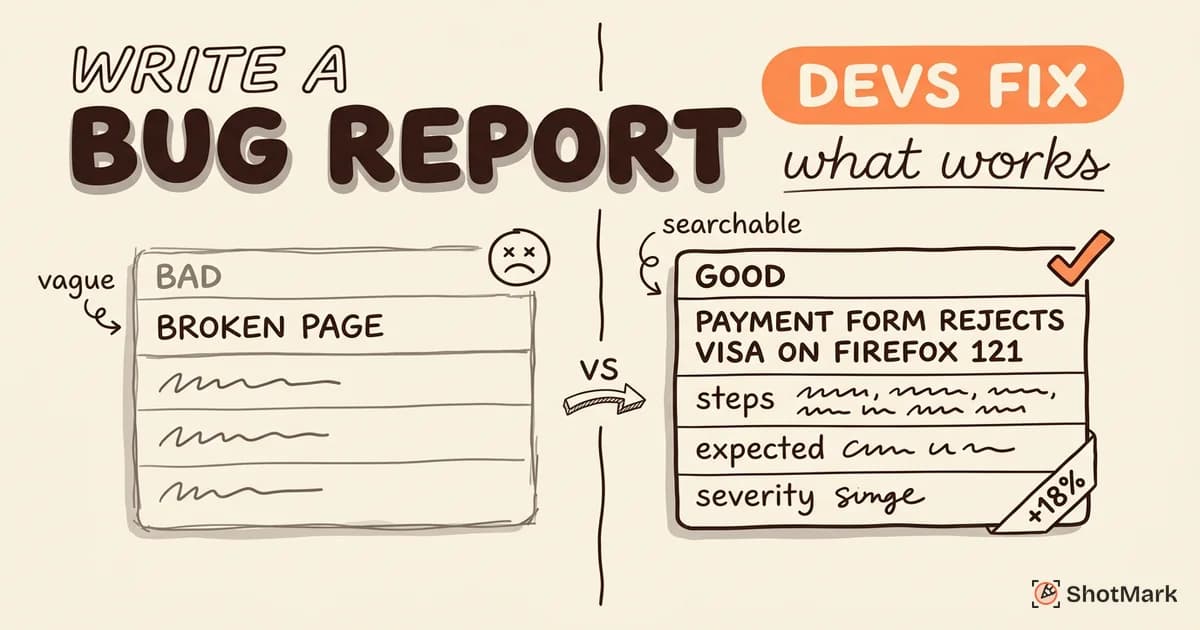
You found a bug. Now what? Knowing how to report a bug properly is the difference between getting it fixed this sprint and watching it sit in the backlog for months.
This guide is for anyone who finds bugs, whether you’re a QA engineer, a product manager, or a client reviewing a staging site. You don’t need to be technical to file a useful bug report. You just need a repeatable process.
How to Report a Bug: The Complete Process
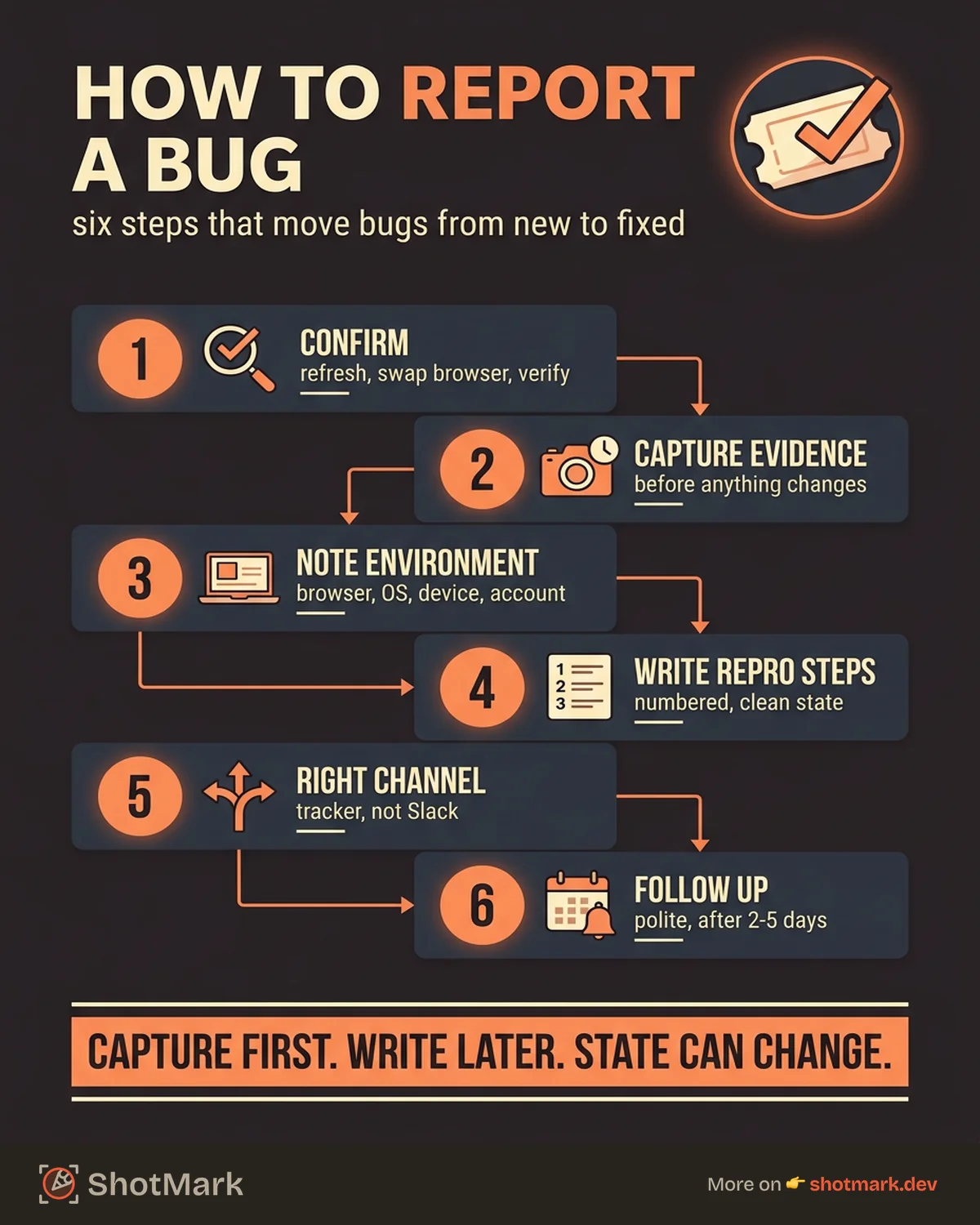
Reporting a bug effectively follows six steps. This process works whether you’re filing a ticket in Jira, opening a GitHub Issue, or sending an email to a development team. If you want a deeper look at the writing itself, see our guide on how to write a bug report that developers actually fix.
Step 1: Confirm the Bug
Before reporting anything, verify that what you’re seeing is actually a bug and not a temporary glitch.
Refresh the page. Try a different browser. Check your internet connection. Clear your cache. If the problem persists across multiple attempts, it’s worth reporting.
This step takes 60 seconds and prevents false reports from cluttering your team’s backlog. It also builds your credibility as a reporter. When developers see your name on a ticket, they should trust that the bug is real because you’ve already validated it.
Step 2: Capture Evidence Before Anything Changes
The moment you confirm a bug, capture evidence immediately. Take a screenshot. Start a screen recording if the bug involves an interaction or animation. Copy any error messages from the screen.
Bugs can be hard to reproduce later, and the exact state you’re seeing right now may not appear again on your next attempt. Capture first, write later.
If the bug involves a sequence of actions (a multi-step form, a drag-and-drop interaction), use a screen recording. A 15-second video captures timing and interaction patterns that screenshots alone can’t convey.
Step 3: Note Your Environment
Record the basics: which browser and version you’re using, your operating system, the device type, and the account you’re logged in with.
This information seems tedious, but it’s the most common follow-up question developers ask. Including it upfront saves a full round of back-and-forth.
For web applications, the browser version matters more than most people realize. A bug on Chrome 119 might be fixed in Chrome 120. Without the version number, developers can’t narrow down the cause.
You can find your browser version by navigating to “About” in the browser menu. On Chrome, go to chrome://version. On Firefox, go to about:support. This takes 10 seconds and saves a round of follow-up questions.
Step 4: Write Clear Reproduction Steps
Describe exactly what you did, step by step. Start from a known state (“Logged in as a free-tier user”) and number each action.
Keep it to one action per step. “Click the settings icon, then scroll down and click billing” should be two separate steps.
If you can’t remember exactly what you did, try to reproduce the bug again while writing down each action. If you can’t reproduce it at all, report it anyway but note that it was a one-time occurrence.
For guidance on structuring the report itself, grab a bug report template that your team can standardize around.
Step 5: Submit Through the Right Channel
Where you report the bug matters almost as much as how you report it. Filing a bug in the wrong place means it gets lost or delayed.
More on choosing the right channel in the next section. Filing in the wrong place (sending an email when your team uses Jira, posting in Slack when there’s a formal tracker) means the bug bypasses the team’s workflow and often gets lost.
Step 6: Follow Up
If you don’t hear back within the expected timeframe (typically 2 to 5 business days for non-critical bugs), follow up.
A polite check-in on the ticket keeps the bug visible. Bugs that go unacknowledged for more than a week are often forgotten, not intentionally ignored.
According to Mozilla’s bug writing guidelines , following up with additional information (new reproduction scenarios, affected versions, or related reports) increases the chance of resolution.
Where to Report Bugs
The right channel depends on your role and the software you’re testing. A bug report filed in the wrong tool wastes time for everyone.
Internal Teams
If you’re part of the company building the software, use your team’s issue tracker:
- Jira : The most common choice for enterprise and mid-size teams. Use the Bug issue type with your team’s template.
- Linear: Popular with startups. Fast, keyboard-driven, built-in templates.
- GitHub Issues : Best for teams that keep everything in GitHub. Use issue templates for consistency.
- Asana: More common in non-engineering teams. Works for cross-functional bug tracking.
If you’re unsure which tool your team uses, ask. Every team has a preferred tracker, and using it means your bug enters the standard workflow automatically. Bugs reported outside the tracker require someone to manually transfer them, which adds delay and creates room for things to fall through the cracks.
Open-Source Projects
For open-source software, report bugs through the project’s issue tracker:
- GitHub Issues: The default for most open-source projects. Check the repository for a bug report issue template before filing.
- GitLab Issues: Same concept, different platform.
- Bugzilla: Used by Mozilla and some older open-source projects.
Always check the project’s CONTRIBUTING.md file first. Many projects have specific rules for bug reports, including required fields and labels.
When reporting to open-source projects, include the version of the software you’re using and whether you’re running from source or a pre-built release. Maintainers handle bug reports from many different configurations, and this context helps them reproduce your environment.
Consumer Software
When you find a bug in software you use (but don’t build), your options depend on the product:
- In-app feedback: Many apps have a “Report a bug” button. Use it. These reports go directly to the team.
- Support tickets: Email or chat support is a fallback when in-app feedback isn’t available.
- Community forums: Some products have active forums where bug reports get triaged by community managers.
Websites You Don’t Own
If you find a bug on a website you don’t build or maintain, your options are limited:
- Use the site’s contact form or feedback option
- Report through browser feedback tools (Chrome and Firefox both have built-in reporting)
- For security vulnerabilities, check if the site has a responsible disclosure policy or a bug bounty program
Reporting Bugs When You’re Not Technical
You don’t need to read console logs or understand HTTP status codes to file a useful bug report. If you’re a product manager, designer, client, or end user, focus on three things.
What You Saw
Describe the visual state of the application. What was on screen? What looked wrong? Was something missing, broken, or different from what you expected?
Use plain language. “The button didn’t do anything when I clicked it” is perfectly useful. You don’t need to know why it didn’t work.
What You Expected
State what you thought would happen. “I expected the form to submit and show a confirmation message.” This gives developers the target behavior to compare against.
The Steps You Took
Even rough steps are better than no steps. “I was on the homepage, clicked ‘Sign Up’, filled out the form, and clicked ‘Submit’” gives developers a starting path.
The bug report format doesn’t need to be perfect. A developer can work with a clear description from a non-technical reporter more easily than a blank ticket with “bug found, please fix” as the only content.
Non-technical reporters often provide the most valuable user perspective. They describe what they expected as a user, which helps developers understand the gap between intended design and actual behavior. That perspective is hard to get from a developer who already knows how the system works internally.
Let the Tool Capture Technical Data for You
Browser extensions and feedback widgets can capture environment data, console logs, and network requests automatically. You get the benefit of technical context without having to understand or copy it yourself.
This is where the right tooling makes the biggest difference for non-technical reporters. A browser extension that auto-captures environment data, console errors, and network activity turns anyone into an effective bug reporter, regardless of their technical background.
Tools That Make Bug Reporting Faster
The manual steps of bug reporting (screenshot, environment notes, console logs, reproduction recording) take the most time. A good bug reporting tool automates the parts that don’t require human judgment.
Browser Extensions
Extensions that capture screenshots and environment data with one click are the fastest way to file a bug report. They sit in your browser toolbar and capture the current page state, including metadata that’s invisible to the user.
In-App Feedback Widgets
For stakeholder testing and UAT, embedded feedback widgets let reviewers click a button, annotate a screenshot, and submit a report without leaving the application.
These widgets are especially useful for client-facing projects where external reviewers aren’t going to learn your issue tracker. The feedback goes directly into your team’s workflow without the reviewer needing to create an account or understand your project management setup.
Screen Recording Tools
Complex bugs that involve timing, animations, or multi-step interactions are hard to describe in text. A 15-second screen recording shows the exact sequence and timing that triggers the bug.
How ShotMark Combines All Three
ShotMark captures screenshots, console logs, network requests, and session replay in one click. Instead of switching between a screenshot tool, DevTools, and your issue tracker, you get a complete bug report capture from a single browser extension.
For teams evaluating tools, our comparisons of free bug reporting tools and bug reporting tools compared cover the full landscape.
What Comes Next
Reporting bugs effectively is a team skill, not just a QA responsibility. Whether you’re an engineer, a product manager, or a stakeholder reviewing a staging environment, the right process and tools make the difference between bugs that get fixed and bugs that get forgotten.
The best way to report a bug is the way that gives developers what they need to act immediately. Start with the six-step process above, pick the right channel for your situation, and use tools that capture context automatically. ShotMark makes that last part simple, giving your team complete bug reports from a single click so nothing gets lost between discovery and fix.
Get new posts in your inbox.
One email when we publish: notes on QA, AI, and shipping faster. No spam, unsubscribe anytime.