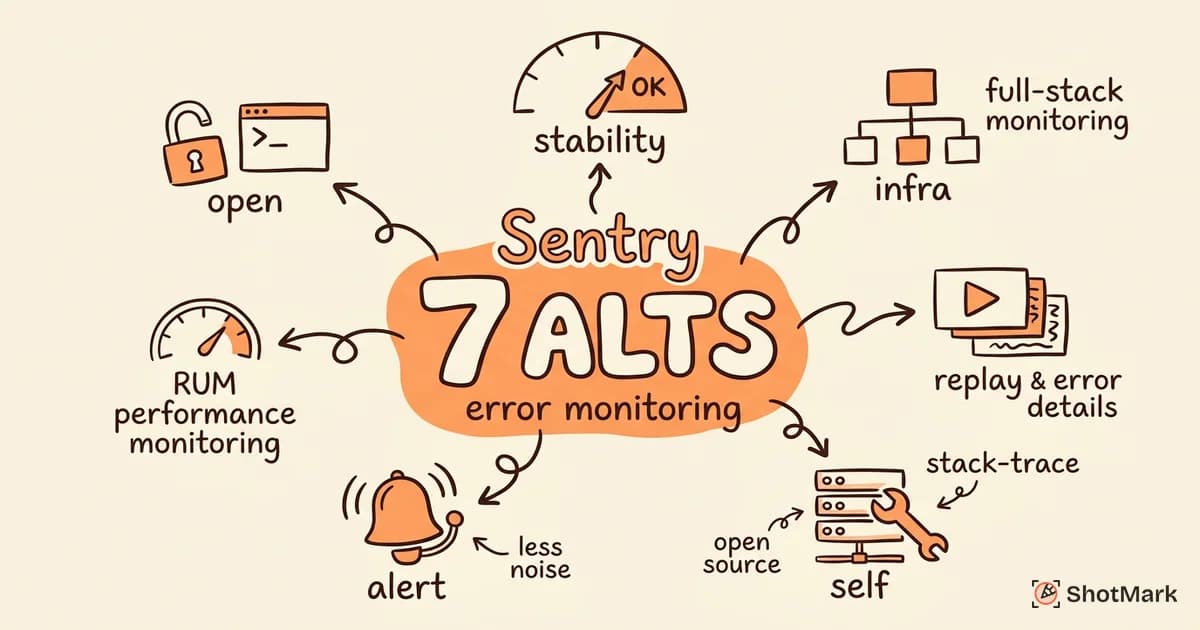
Sentry has been the default error monitoring tool for most web teams since 2016, and for good reason. It captures stack traces, groups errors intelligently, and integrates with nearly every framework. But Sentry isn’t always the right fit. Teams switch for pricing surprises at scale, alert fatigue from noisy groupings, or because they want session replay bundled with their error tracking rather than bolted on as an add-on.
We evaluated seven Sentry alternatives on error monitoring quality, developer experience, pricing, and whether they combine crash reporting with session context. Each tool below was tested on a sample React application throwing a mix of handled exceptions, unhandled promise rejections, and network failures.
Why Teams Look for Sentry Alternatives
Sentry’s free tier is generous for small projects. The friction shows up as you scale. Teams on the Team and Business plans ($26 and $80 per month per project) report that event quotas fill up fast when you’re tracking both errors and performance transactions. Once you exceed quota, overage charges accumulate quickly.
Alert noise is the second complaint. Sentry’s fingerprinting algorithm groups similar errors, but aggressive grouping can merge distinct bugs into one issue, while loose grouping floods your inbox with duplicates. Tuning fingerprint rules requires ongoing maintenance that smaller teams can’t always afford.
A third reason teams explore alternatives is architectural. Some organizations need self-hosted error monitoring for compliance or data residency. Others want session replay alongside error data so developers can watch what happened right before a crash, not just read a stack trace. Sentry added session replay, but it’s a paid add-on that increases per-event costs.
Teams also switch when they want a cheaper Sentry alternative that covers their specific stack. Frontend-heavy teams have different needs than backend infrastructure teams, and the right tool depends on whether you’re debugging browser errors, API failures, or mobile crashes.
7 Sentry Alternatives Compared
Bugsnag
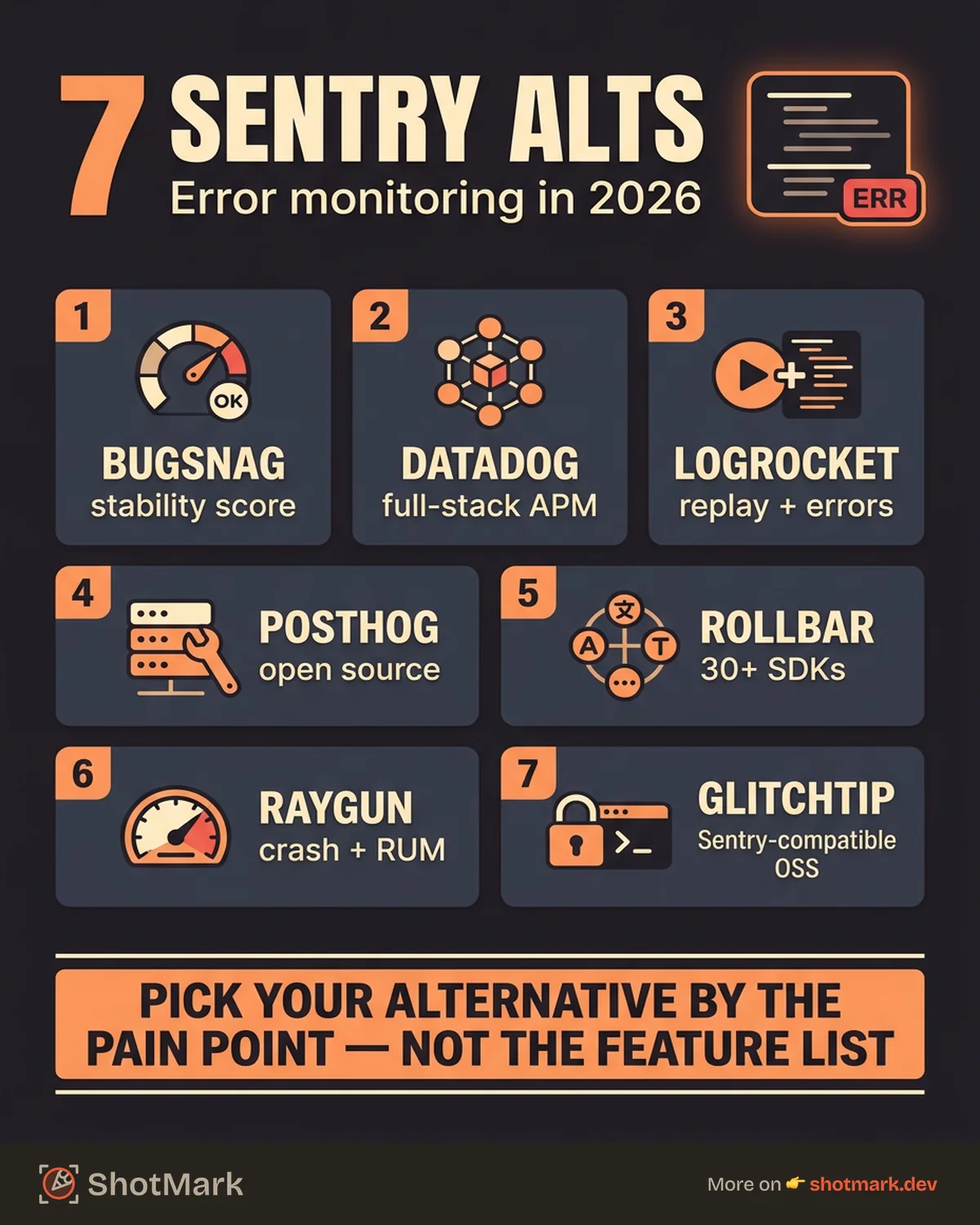
Bugsnag , now part of SmartBear, focuses on application stability rather than general observability. Its stability score metric gives teams a single number to track over time, which resonates with engineering leaders who want a quick health check without reading dashboards.
Strengths: Stability scoring makes it easy to communicate app health to non-technical stakeholders. Release tracking ties errors to specific deployments, so you can see whether a new release introduced regressions. Pricing is simpler than Sentry’s event-based model.
Weaknesses: Smaller integration ecosystem than Sentry. No session replay. Feature set is narrower if you also need performance monitoring or log management.
Pricing: Free tier for small projects. Paid plans start at $42 per month.
Best for: Teams that want focused error monitoring with clear stability metrics and straightforward pricing.
Datadog
Datadog is a full observability platform that includes error monitoring inside its APM (Application Performance Monitoring) product. If your team already uses Datadog for infrastructure monitoring, log management, or tracing, adding error tracking is a natural extension.
Strengths: Correlates errors with traces, logs, and infrastructure metrics in one platform. Powerful query language for filtering and investigation. Supports backend, frontend, and mobile error tracking.
Weaknesses: Pricing is complex and adds up fast when you enable multiple products. The platform can feel overwhelming for teams that only need error monitoring. Setup requires more configuration than purpose-built error tools.
Pricing: APM starts at $31 per host per month. Error tracking is included in APM but requires the full observability stack.
Best for: Teams already invested in the Datadog ecosystem that want error monitoring alongside traces and logs.
LogRocket
LogRocket combines session replay with error tracking, which is the key differentiator for frontend teams. When an error fires, you see the stack trace and a video replay of what the user was doing right before the crash.
Strengths: Session replay paired with error data is powerful for reproducing frontend bugs. Console log and network request capture during sessions gives context that stack traces alone can’t provide. Good React and Redux dev tools integration.
Weaknesses: Pricing scales with sessions, which gets expensive for high-traffic applications. Backend error tracking is lighter than frontend. Can feel like overkill if you only need crash reporting without the replay layer.
For a deeper comparison of LogRocket against other frontend debugging tools, see our LogRocket alternatives for frontend debugging breakdown.
Pricing: Free tier for 1,000 sessions per month. Paid plans start at $69 per month.
Best for: Frontend teams that want to see exactly what users experienced when an error occurred.
PostHog
PostHog is an open-source product analytics platform that added error tracking and session replay. It’s self-hostable, which makes it attractive for teams with data residency requirements.
Strengths: Open-source and self-hostable. Combines product analytics, session replay, feature flags, and error tracking in one platform. Free tier on the cloud-hosted version is generous (1 million events per month). Data never leaves your infrastructure if you self-host.
Weaknesses: Error tracking is newer and less mature than Sentry’s. Documentation for the error monitoring feature is thinner than the analytics docs. Community support is active but smaller than Sentry’s ecosystem.
Best for: Teams that want an open-source Sentry alternative they can self-host, especially those already using PostHog for product analytics.
Rollbar
Rollbar positions itself as error monitoring for developers who want fast integration and minimal configuration. It supports more than 30 language SDKs and emphasizes real-time error alerting.
Strengths: Quick setup across a wide range of languages and frameworks. Real-time alerting with customizable rules. Good merge and re-open logic for error grouping. Integrations with Slack, PagerDuty, Jira, and GitHub.
Weaknesses: No session replay. UI feels dated compared to Sentry and newer competitors. Performance monitoring is not included. Free tier is limited to 5,000 errors per month.
Pricing: Free tier for 5,000 errors per month. Paid plans start at $23 per month.
Best for: Teams that want a straightforward, no-frills error tracker with broad language support.
Raygun
Raygun combines crash reporting with real user monitoring (RUM). It tracks errors alongside page load performance and user experience metrics.
Strengths: Real user monitoring alongside error tracking gives a fuller picture of application health. Good filtering by user, version, and affected users count. Supports web, mobile, and backend error tracking.
Weaknesses: Pricing starts higher than competitors. No session replay. Smaller integration list than Sentry or Rollbar. UI can feel slow on large datasets.
Pricing: Plans start at $32 per month for crash reporting. RUM is an additional cost.
Best for: Teams that want crash reporting and performance monitoring together without paying for a full observability platform.
GlitchTip
GlitchTip is an open-source, self-hosted Sentry-compatible alternative. It uses the same client SDKs as Sentry, which means you can switch by changing the DSN endpoint without modifying your application code.
Strengths: Fully open-source (MIT license). Drop-in Sentry SDK compatibility makes migration easy. Lightweight and simple to self-host. No vendor lock-in.
Weaknesses: Fewer features than Sentry (no session replay, limited performance monitoring). Smaller community and less frequent updates. Not suitable as a Sentry alternative for frontend teams that need rich debugging context. Best suited for teams that want basic error tracking they fully control.
Pricing: Free and open-source. Self-host on your own infrastructure.
Best for: Teams that want a self-hosted Sentry alternative with minimal setup and basic crash reporting.
Comparison Table
| Tool | Self-Hosted | Session Replay | Pricing (Start) | Best For |
|---|---|---|---|---|
| Bugsnag | No | No | $42/mo | Stability metrics |
| Datadog | No | Via APM | $31/host/mo | Full observability |
| LogRocket | No | Yes | $69/mo | Frontend debugging |
| PostHog | Yes | Yes | Free tier | Open-source + analytics |
| Rollbar | No | No | $23/mo | Fast setup |
| Raygun | No | No | $32/mo | Crash + RUM |
| GlitchTip | Yes | No | Free | Self-hosted basics |
When Sentry Is Still the Right Choice
Sentry remains a strong option for large engineering organizations with dedicated DevOps or platform teams. If your team already uses Sentry’s performance monitoring, cron monitoring, and profiling features, the switching cost may not justify the move. Teams deeply invested in the Sentry ecosystem (custom alerts, dashboards, workflow integrations) get a lot of value from staying put.
Sentry also wins on breadth of SDK support and community resources. Most frameworks have first-party Sentry packages, and the community documentation for debugging specific error patterns is extensive. For a sentry alternative open source to make sense, you need a clear reason to self-host, whether that’s compliance, cost, or data control.
Error Monitoring and Bug Reporting Work Together
Error monitoring tools catch production crashes and unhandled exceptions. They tell you something broke. Bug reporting tools capture the bugs your error monitor doesn’t catch: pre-production issues, visual defects, user-reported problems, and design inconsistencies that don’t throw JavaScript errors.
Most teams need both. Error monitoring runs in the background watching for crashes. Bug reporting gives your QA team, developers, and stakeholders a way to file detailed, reproducible bug reports with screenshots, console logs, and network requests attached. For a full overview of tools on the bug reporting side, see our best bug reporting tools compared for 2026 roundup.
ShotMark handles the bug reporting side of this workflow. One click captures a screenshot, console logs, network requests, and a short session replay, then pushes the report to Jira, Linear, or GitHub. It complements your error monitoring by catching the issues that don’t show up as stack traces.
The right sentry alternative depends on what you need beyond crash reporting. If you want session replay, LogRocket or PostHog are strong picks. If you want self-hosted, GlitchTip or PostHog cover the basics. If you want full observability, Datadog wraps error tracking into a broader platform. Pair whichever one you choose with a dedicated bug reporting tool, and your team will catch both the crashes and the context.
Get new posts in your inbox.
One email when we publish: notes on QA, AI, and shipping faster. No spam, unsubscribe anytime.