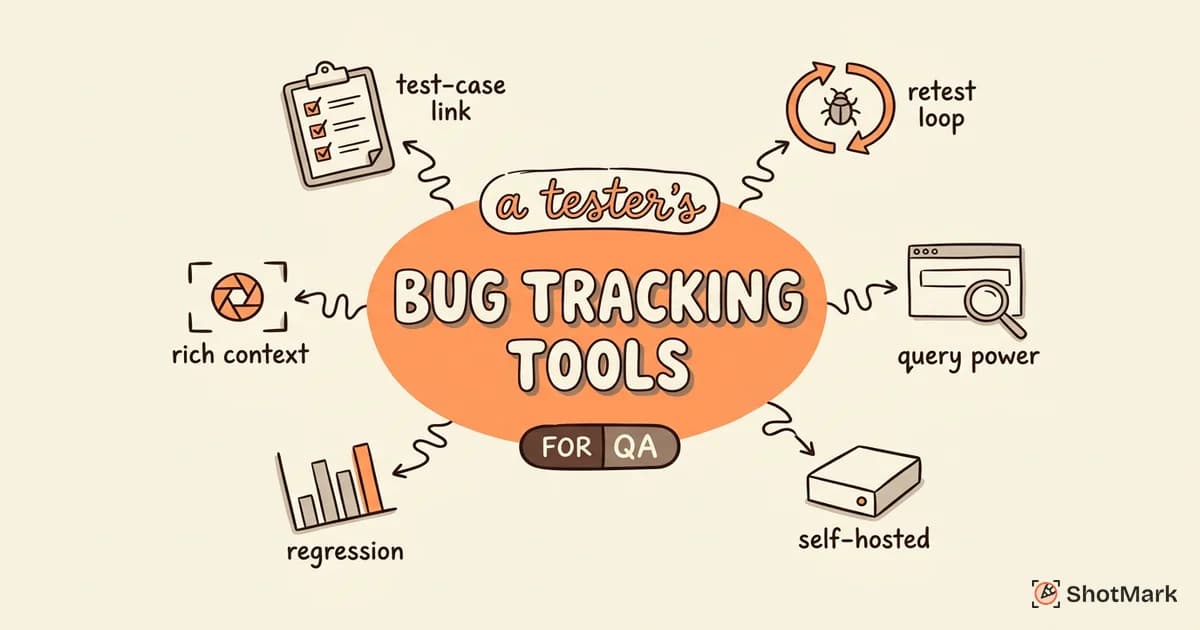
Software testers need more from a bug tracking tool than project managers do. Linking bugs to test cases, attaching reproduction evidence, and tracking retest cycles aren’t nice-to-haves. They’re the difference between a bug report that gets fixed and one that gets sent back with “cannot reproduce.”
Most roundups of bug tracking tools in software testing evaluate options through a generic project management lens. This one looks at the tools testers actually rely on, evaluated against what QA workflows need: test case linkage, rich reproduction context, retest workflows, and regression tracking. We’ll cover seven tools, compare their QA-focused features, and walk through how to pick one for your team.
What Software Testers Need That General Users Don’t
A project manager files a bug, assigns it to a developer, and moves on. A tester stays with that bug through investigation, fix verification, and regression. That extra lifecycle demands features most general-purpose trackers either hide or skip.
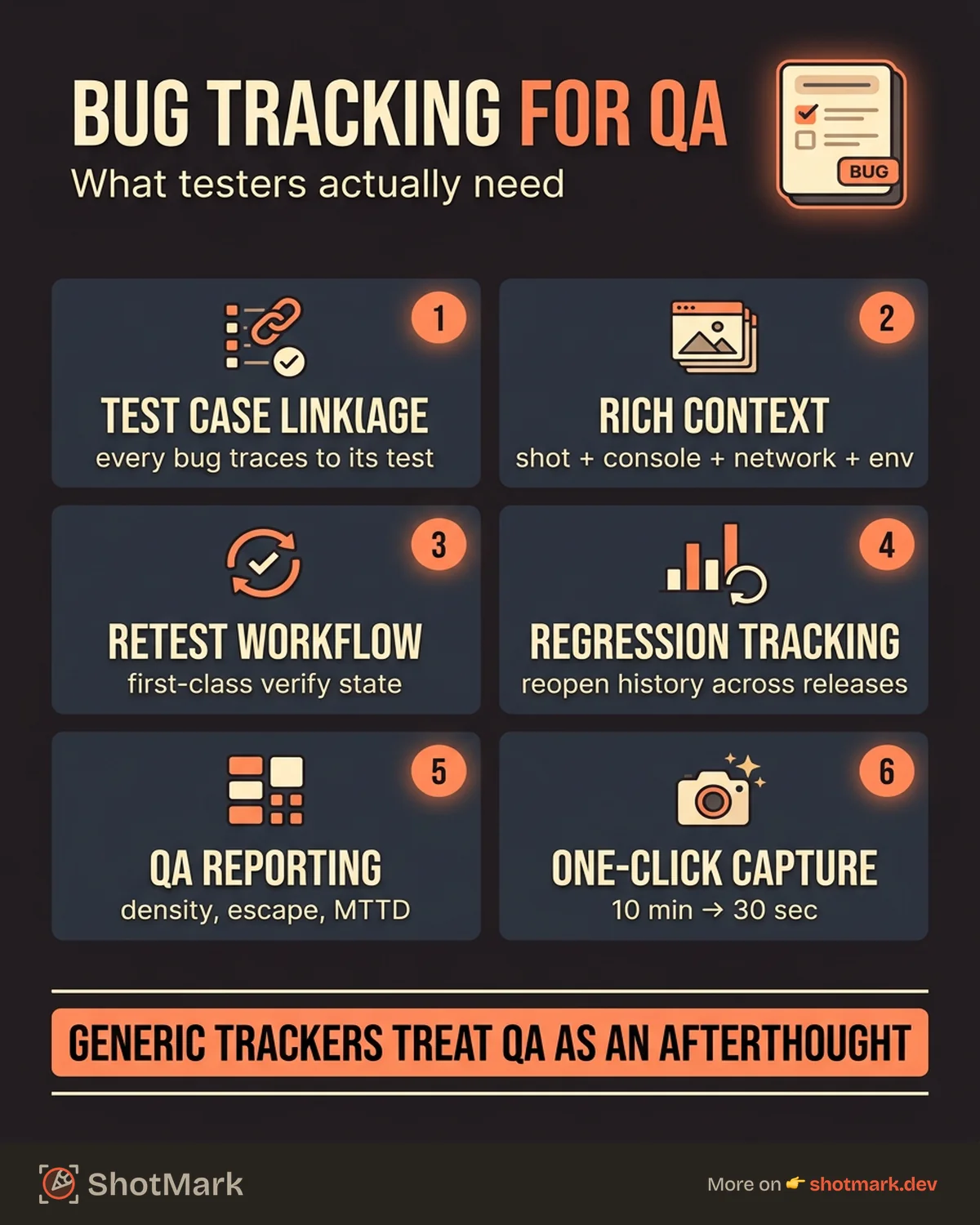
Test Case Linkage
Every bug should trace back to the test case that found it. When a tester executes a regression suite and TC-427 fails, the resulting bug ticket needs to reference TC-427 so future runs can pull up the history. This linkage powers coverage reports, regression analysis, and audit trails. Tools built for general issue tracking treat this as an afterthought or require a paid add-on.
Rich Reproduction Context
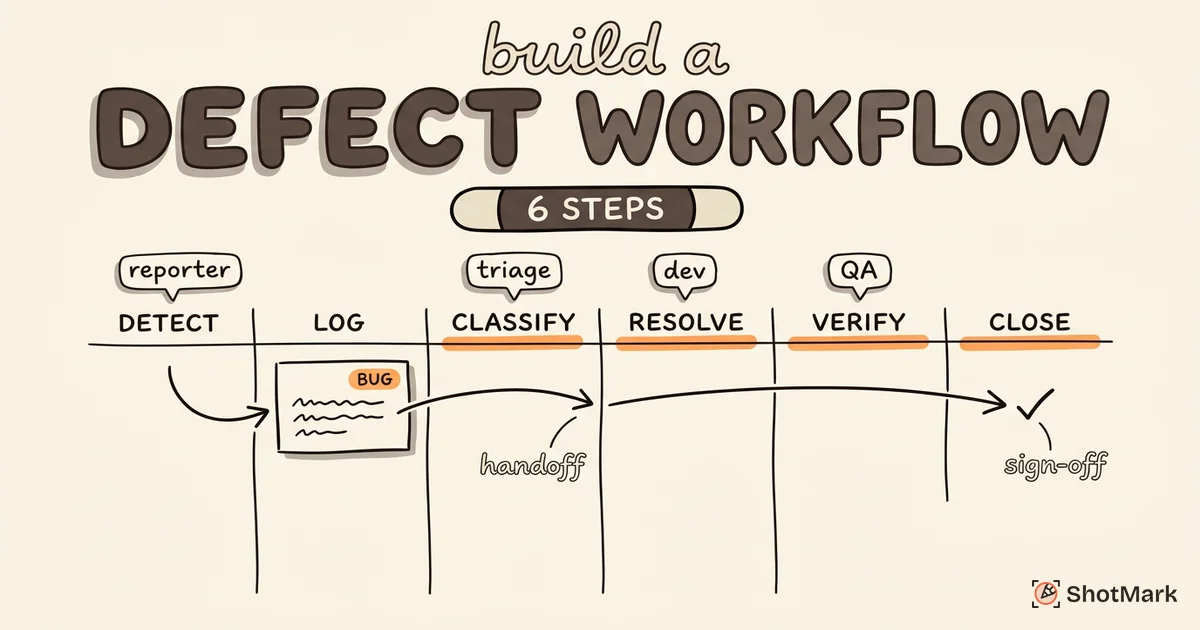
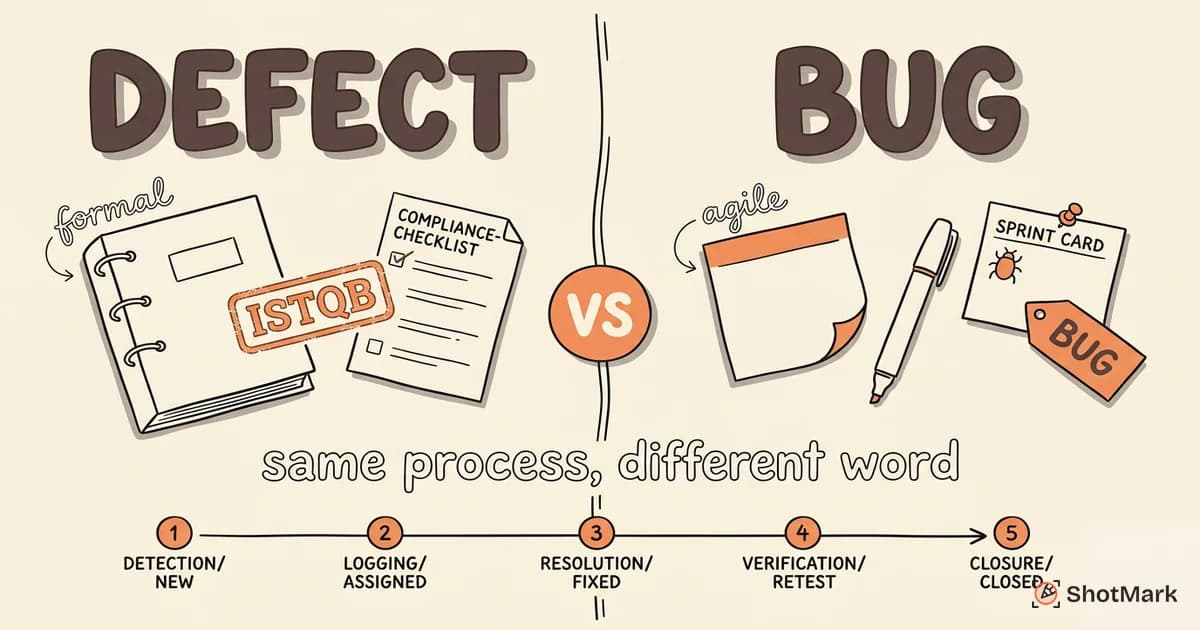
“Works on my machine” starts with an incomplete bug report. Testers need a tool that accepts (and encourages) screenshots, screen recordings, console logs, network requests, and environment data. The more the tracker makes this frictionless, the fewer bugs get bounced back. For teams that want the full pipeline from discovery through closure, our guide on defect tracking from discovery to resolution covers the handoff points in detail.
Retest Workflows
After a developer marks a bug “Fixed,” it should not go straight to “Closed.” It should go to “Ready for Retest,” get picked up by QA, and move to “Closed” only after verification on the right environment. Generic trackers collapse this into one transition. Tester-friendly trackers make retest a first-class state.
Regression Tracking
When a fixed bug reappears, testers need to see the full history: when it was originally filed, which release closed it, and which release reintroduced it. A tool that supports “reopen” as a distinct transition (rather than a new ticket) preserves that thread.
QA-Specific Reporting
Defect density, defect escape rate, mean time to detection, bugs by component, bugs by environment. Product managers don’t need these metrics. QA leads do. A tool that only reports on velocity and cycle time leaves QA leaders exporting CSVs every sprint.
Bug Tracking Tools Testers Actually Use
Here are the seven tools we see most in QA workflows, rated against the criteria above. No single tool wins every category, which is why team context matters so much.
Jira with Xray or Zephyr
Jira is the enterprise default for a reason: every integration works with it. On its own, Jira is a competent general-purpose tracker with a Bug issue type, custom fields, and automation rules. Paired with Xray or Zephyr from the Atlassian Marketplace , it becomes a full test management platform with test plans, executions, and traceability.
Strengths: Deep ecosystem, mature workflow engine, endless custom fields, strong automation, works with virtually every CI/CD and QA tool on the market.
Weaknesses: Setup complexity is high. Xray and Zephyr are paid add-ons on top of Jira pricing. Performance degrades on large instances without admin care.
Best for: Mid-to-large teams where Jira is already the company standard, or teams that need formal test case traceability for audits.
Linear
Linear prioritizes speed and keyboard-driven workflows. Developers love it. QA teams appreciate the clean UI but feel the gaps when they need test management features. Linear has no native test case concept, no retest state, and no regression view. You can bolt these on with custom fields and cycles, but you’re adapting the tool rather than using it as designed.
Strengths: Fast, beautiful, excellent keyboard shortcuts, great API for custom integrations, cycles work well for sprint-based QA.
Weaknesses: No native test management. Limited reporting for QA-specific metrics. Team-based pricing adds up for large orgs.
Best for: Small product-engineering teams where QA is embedded with dev, and where a lightweight workflow matters more than formal test case linkage.
YouTrack
YouTrack is JetBrains’ issue tracker with a flexible query language and strong workflow customization. Its search syntax is one of the most powerful in the category, which QA teams use to build complex saved filters (all open P1 bugs in Payments, reported in the last 14 days, assigned to a specific team).
Strengths: Query language is excellent for triage. Workflow editor is visual and flexible. Free tier covers up to 10 users. Integrates with JetBrains IDEs for developers.
Weaknesses: Smaller community than Jira means fewer third-party integrations. Test management features exist but feel bolted on. UI is dense compared to Linear.
Best for: Technical teams (often using JetBrains IDEs) that want a Jira alternative without Atlassian pricing.
MantisBT
MantisBT is the open-source tracker that has been running since 2000. It’s not flashy, but it’s dependable, self-hostable, and free. Small QA teams at companies with strict data residency rules or limited budgets still use it heavily. For a broader survey, BrowserStack’s roundup of bug tracking tools covers MantisBT alongside its commercial peers.
Strengths: Free, open source, self-hosted. Simple workflow. Good for compliance-sensitive industries. Low resource footprint.
Weaknesses: UI feels dated. Limited native test management. Plugin ecosystem is small. Mobile experience is weak.
Best for: Small in-house QA teams, regulated industries, teams with strong sysadmin capacity.
Bugzilla
Bugzilla is older than MantisBT and still powers projects like Mozilla and the Linux kernel. Its query engine is famously powerful, and its defect workflow is mature after decades of use. It’s not the tool for a modern SaaS startup, but it’s a serious option for projects that need durability and zero vendor lock-in.
Strengths: Rock-solid query engine. Battle-tested on massive projects. Fully self-hosted. Dependency tracking between bugs is first-class.
Weaknesses: UI is dated. Setup and administration require real Perl and database comfort. No native test management.
Best for: Open-source projects, teams managing complex bug dependencies, organizations that value long-term stability over UX polish.
Azure DevOps
Azure DevOps Boards ships alongside Azure Pipelines, Repos, and Test Plans. For shops already in the Microsoft stack, the integration story is tight. Azure Test Plans gives you manual test runs, exploratory testing, and parameterized test cases linked directly to work items.
Strengths: Native test management via Azure Test Plans. Deep integration with Visual Studio, Pipelines, and the rest of the Microsoft ecosystem. Work item customization is thorough.
Weaknesses: Dated UI in places. Can feel heavy for small teams. Licensing is tied to Microsoft accounts, which adds friction for contractors.
Best for: .NET shops, enterprise teams in the Microsoft ecosystem, QA teams that need Test Plans without bolting on a third-party tool.
ShotMark
ShotMark isn’t a replacement for Jira or Linear. It’s the capture layer that makes any of those tools better for QA. With one click, the browser extension captures a screenshot, annotations, console logs, network requests, and a session replay of the steps that led to the bug. That package lands in your issue tracker as a structured ticket with all the context developers usually have to ask for.
Strengths: One-click capture compresses 10 minutes of manual reporting into 30 seconds. Open-source SDK for teams that want to self-host the capture pipeline. Works alongside whatever tracker you already use.
Weaknesses: Not a standalone tracker. You still need Jira, Linear, or similar for workflow. Extension is currently browser-based, so mobile capture requires the web preview.
Best for: QA teams tired of losing context between “found the bug” and “filed the ticket.” Works with any of the trackers above. Join the waitlist for early access.
Quick Comparison Table
| Tool | Native Test Mgmt | Retest State | Self-Hosted | Free Tier | Learning Curve |
|---|---|---|---|---|---|
| Jira + Xray/Zephyr | Yes (paid add-on) | Configurable | Data Center | 10 users | Steep |
| Linear | No | Configurable | No | 250 issues | Low |
| YouTrack | Partial | Configurable | Yes | 10 users | Medium |
| MantisBT | No | Configurable | Yes | Free | Medium |
| Bugzilla | No | Configurable | Yes | Free | Steep |
| Azure DevOps | Yes (Test Plans) | Configurable | Server | 5 users | Medium |
| ShotMark | Capture layer | N/A | SDK option | Waitlist | Low |
For a deeper feature-by-feature breakdown of the top options, see our defect tracking tools compared for QA guide.
How Bug Tracking Tools Integrate With Test Management
Most QA teams run two tools: a bug tracker and a test management platform. The integration between them determines how much manual data entry testers do.
Jira and TestRail: The Most Common Pairing
TestRail is the dominant standalone test management tool. Its Jira integration is mature and bi-directional. When a tester fails a test case in TestRail, the tool pre-fills a Jira bug with the test case ID, steps, and expected versus actual results. When the Jira bug closes, TestRail picks up the status change and updates the linked test run.
This pairing works because neither tool tries to do the other’s job. TestRail handles test plans, suites, and runs. Jira handles the bug lifecycle. Linkage happens through Jira issue keys stored on TestRail test results.
Linear and Custom Webhooks
Linear doesn’t have a native TestRail integration. Teams that want both typically use Linear’s webhooks to push bug events to a middleware layer (often Zapier or a custom Node service), which updates TestRail. This works but puts the integration on your team to maintain.
Direct Integrations Versus Webhook Bridges
Direct integrations (vendor-built connectors) handle authentication, field mapping, and error retries for you. Webhook bridges are cheaper and more flexible but require engineering time. The right choice depends on how many data points you need to sync and how much custom field mapping your QA process requires.
Bi-Directional Sync
The most useful integrations sync both directions. When a bug moves to “Ready for Retest” in Jira, the linked test run in TestRail should update automatically. When a tester marks the retest as passed, Jira should move the bug to “Closed.” Without bi-directional sync, you end up with two systems that slowly drift apart, requiring constant reconciliation.
Which Bug Tracking Tool Is Best for Manual QA Testers?
There’s no universal answer, but the decision usually comes down to three factors: what your team already uses, how formal your QA process is, and how much budget you control.
If You’re Joining an Existing Team
Don’t try to replace the tracker in your first month. Learn how it’s configured, identify the gaps, and propose targeted improvements. The biggest wins usually come from adding custom fields (Environment, Browser, Test Case ID), introducing a retest state, and setting up QA-specific dashboards. Our guide on how to choose a bug tracking tool walks through the evaluation framework in more detail.
If You’re Starting Fresh
Start with the lightest tool that has the features you need. Linear or YouTrack for small teams. Jira with Xray or Azure DevOps with Test Plans for teams that need formal test case traceability. Avoid over-configuring on day one. You’ll learn what you actually need after a few sprints of real use.
Free Versus Paid
Free tools (MantisBT, Bugzilla, YouTrack’s free tier) are enough for teams under 10 people with straightforward workflows. You’ll feel the limits once you need custom dashboards, advanced automation, or enterprise SSO. Paid tools earn their price in admin time saved, not headline features. Tools like Software Testing Help’s bug tracking roundup and Guru99’s comparison can help you benchmark pricing across vendors.
Building Your Case for a Better Tool
If your current tracker is holding the team back, document the friction. Track how many bugs get reopened because of missing context. Measure how long testers spend filing tickets versus executing tests. Quantify the number of follow-up questions on each bug. Present that data to your manager, and the ROI case for a better tool writes itself. For teams looking beyond Jira specifically, we compare issue tracking tools beyond Jira that might suit smaller or more specialized workflows.
Setting Up Your Bug Tracking Tool for QA Success
Configuration matters more than tool choice. A well-configured Jira beats a badly-configured Linear, and vice versa. Here’s what high-performing QA teams do regardless of tool.
Custom Fields Every QA Team Should Add
Beyond the default fields, add these at minimum:
- Environment (staging, production, QA, local)
- Browser and version (Chrome 122, Safari 17.2, Firefox 124)
- OS and version (macOS 14.3, Windows 11, iOS 17)
- Device type (desktop, tablet, mobile)
- Test case ID (linked to your test management tool)
- Severity (Critical, Major, Minor, Trivial) separate from Priority
- Reproduction rate (e.g., “3 of 5 attempts”)
- Build number or commit hash
These fields become required for bug tickets and optional for others. Make them a template so no tester forgets them.
Bug Report Templates That Reduce Back-and-Forth
Every bug should follow the same structure: summary, preconditions, steps to reproduce, expected result, actual result, environment, attachments. Enforce this through a description template that loads automatically when a tester files a new bug. Teams that do this see fewer “can you clarify?” comments and faster time-to-fix.
Automation Rules That Route Bugs
Use your tracker’s automation engine to reduce manual triage:
- Auto-assign bugs to component leads based on the Component field.
- Flag bugs that sit in Triage for more than 48 hours.
- Notify a Slack channel when a P0 bug is filed.
- Move bugs to “Ready for Retest” automatically when the linked PR merges.
Each rule saves a small amount of time per ticket. Multiplied across thousands of bugs a year, automation turns a decent tracker into a great one.
Integrate Capture at the Source
The single biggest win is catching context at the moment the bug is found, not 10 minutes later when the tester tries to remember what the console showed. Browser-based capture tools like ShotMark package the screenshot, console logs, network requests, and session replay into a single payload that lands in your tracker as a complete ticket. That’s the difference between a QA engineer filing 20 bugs a day and filing 50.
Bug tracking tools in software testing vary widely, but the highest-performing QA teams share a pattern: they pick a tool that fits their workflow, configure it with the custom fields their testers need, and pair it with a capture layer that eliminates the grunt work of manual reporting. Start with your team’s actual process, not the feature list on a vendor’s homepage. Then layer in the tools that make that process faster without rewriting it. Join the ShotMark waitlist if you want one-click capture to plug into whichever tracker you land on.
Get new posts in your inbox.
One email when we publish: notes on QA, AI, and shipping faster. No spam, unsubscribe anytime.