Most content about AI-powered testing reads like a product catalog. It lists tools, highlights features, and skips the part that matters: the actual testing problems where AI makes a measurable difference. We have talked about which AI tools for QA testing actually work in a separate post. Here, we are narrowing the focus to specific use cases, the ROI you can expect, and where AI still falls short.
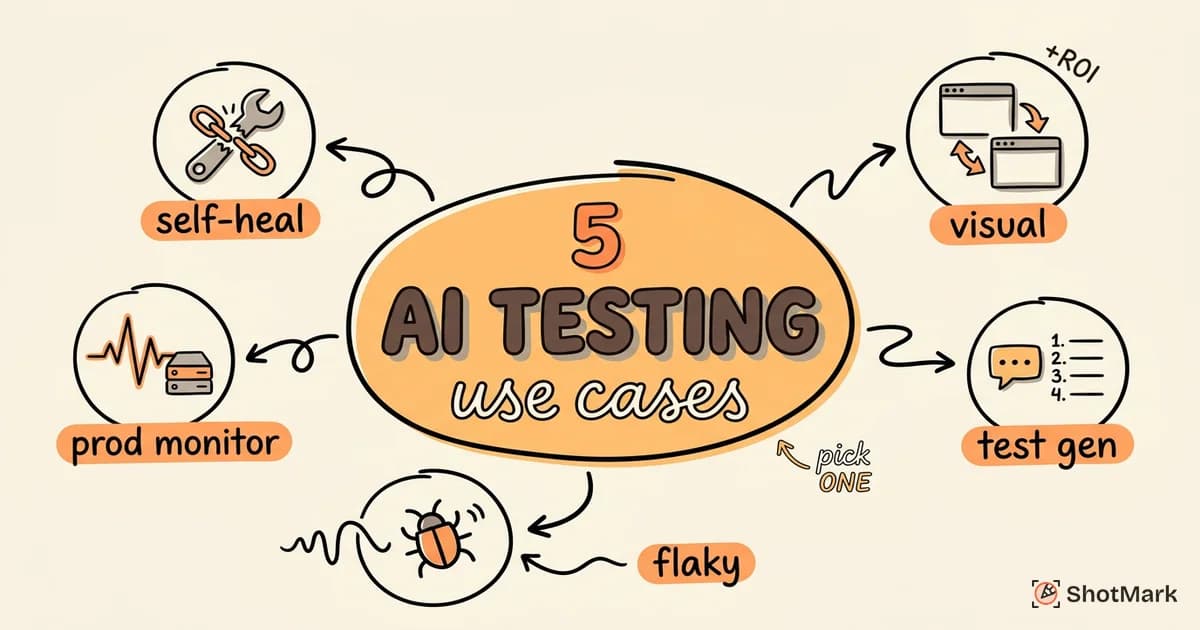
AI-powered testing is not a single technique. It covers self-healing locators, visual diff engines, test generation from requirements, flaky test detection, and production anomaly monitoring. Each solves a different problem. Each has different tooling. Each delivers different returns. The QA teams getting real value from AI are the ones who matched the right technique to the right problem, not the ones who bought the most expensive platform.
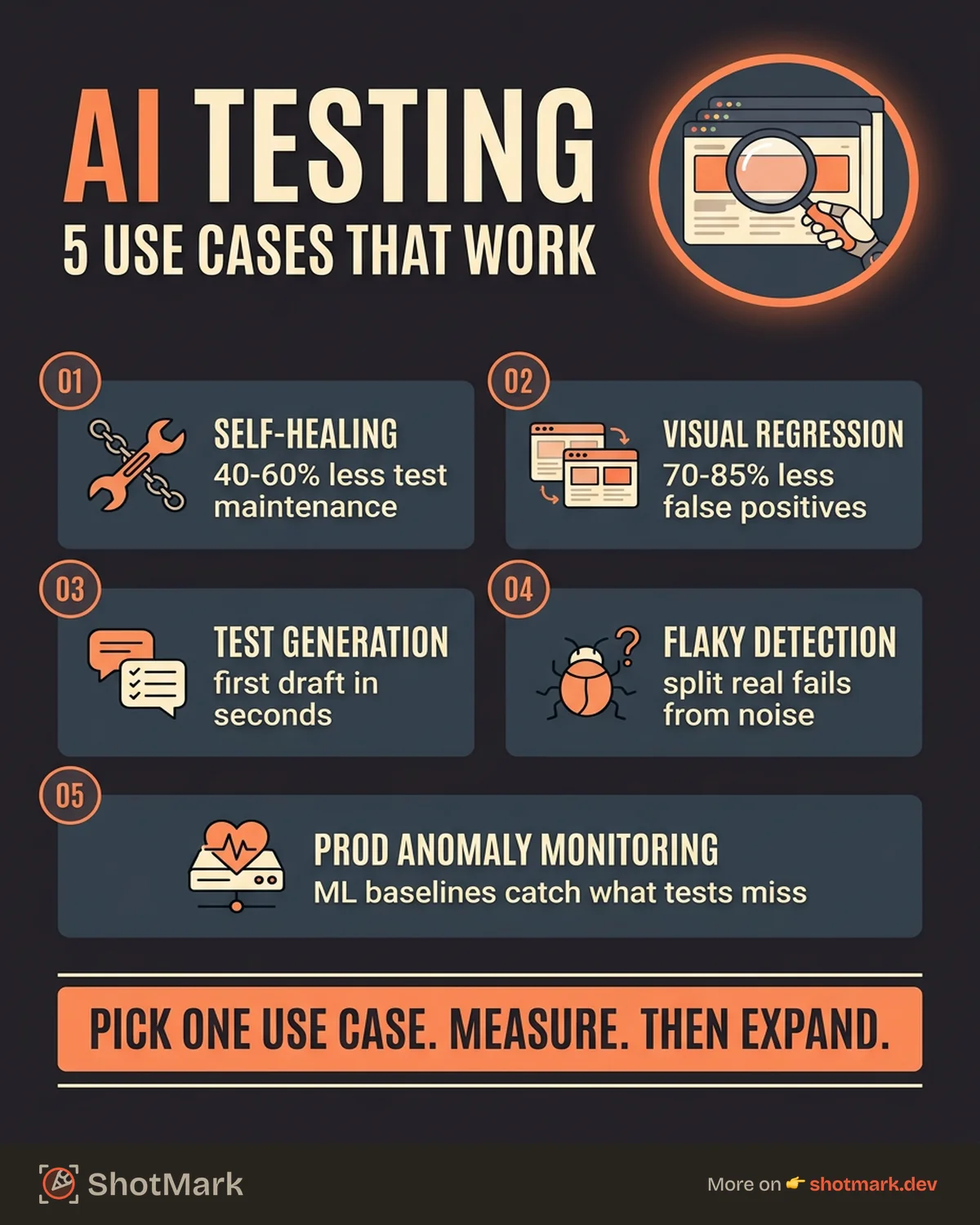
This post walks through five practical use cases where AI in QA delivers measurable results. For each one, we outline the problem, the automated testing AI approach that addresses it, the tools available, and the return on investment you can expect.
Use Case 1: Self-Healing Regression Tests
Regression testing is where most QA teams spend the bulk of their automation budget. It is also where AI delivers the most immediate, tangible benefit.
The problem: Every time a developer changes a button’s CSS class, restructures a DOM element, or updates an ARIA label, traditional test suites break. Not because the feature is broken, but because the test’s locator strategy no longer matches the updated page. Studies from multiple automation vendors show that UI changes break roughly 30% of test suites per sprint in teams without self-healing capabilities. That means engineers spend hours each week not testing the application, but fixing the tests themselves.
The AI solution: Self-healing test tools use machine learning to maintain smart locators. Instead of relying on a single brittle selector (like an XPath tied to a specific class name), these tools build a fingerprint of each element using multiple attributes: position on the page, surrounding text, visual appearance, and structural relationships. When the DOM changes, the tool recalculates the most likely match and updates the locator automatically. The test continues running without human intervention.
The tooling: Mabl and Testim are the two established players in self-healing test automation. Mabl applies ML models trained on your application’s DOM patterns over time. Testim uses a dynamic locator strategy that weights multiple attributes and adapts as the application evolves. Both integrate with CI/CD pipelines and report on healing events so you can audit what changed.
Estimated ROI: Teams using self-healing tools report 40-60% reduction in test maintenance time. For a team of five QA engineers spending 10 hours per week on test maintenance, that frees up 20-30 hours per week for actual test design and exploratory work. The payback period is typically two to three sprints after onboarding.
Use Case 2: Visual Regression Across Browsers
CSS changes are sneaky. A minor padding adjustment that looks perfect in Chrome can push a checkout button off-screen in Safari. Or truncate text in Firefox. Visual regression testing catches these issues, but traditional pixel-diff tools generate so much noise that teams end up ignoring the results.
The problem: Conventional visual regression tools compare screenshots pixel by pixel. Any rendering difference, even one invisible to users, triggers a failure. Anti-aliasing differences, font rendering variations, and subpixel shifts across browsers create hundreds of false positives. Teams either spend hours triaging noise or disable visual testing entirely, defeating the purpose.
The AI solution: Modern visual testing tools powered by machine learning apply intelligent diff algorithms that distinguish between cosmetic rendering noise and meaningful visual changes. They understand layout structure, content hierarchy, and visual intent. A 2-pixel shift in text rendering gets ignored. A button that disappears on mobile Safari gets flagged.
The tooling: Applitools uses a Visual AI engine that models how humans perceive visual differences. It groups changes into categories (layout, content, style) and filters noise automatically. Percy (by BrowserStack) takes a similar approach with responsive snapshot comparisons and smart noise filtering. Both support cross-browser testing and integrate with common CI/CD workflows.
Estimated ROI: Teams switching from pixel-diff tools to AI-powered visual testing report 70-85% reduction in false positives. Review time for visual diffs drops from hours to minutes per release. The real savings come not from catching more bugs (though they do catch more real issues), but from eliminating the triage overhead that made visual testing unsustainable before.
For a broader view of AI bug detection and whether it can replace manual QA, we covered that topic separately.
Use Case 3: Test Case Generation From User Stories
Writing test cases from requirements is necessary work that few people enjoy. It is repetitive, formulaic, and time-consuming. AI can accelerate it significantly, but the output still requires human judgment.
The problem: A QA engineer reads a user story, identifies testable scenarios, and writes step-by-step test cases covering happy paths, edge cases, and negative scenarios. For a complex feature, this can take four to eight hours. Multiply that across a sprint with 15 user stories, and test design alone consumes a substantial portion of the sprint capacity.
The AI solution: Large language models can generate test cases from product requirements documents (PRDs), user stories, or acceptance criteria. Feed in the requirement text, and the model produces a structured set of test scenarios covering functional paths, boundary conditions, and error handling. The output is a starting draft, not a finished product. A QA engineer reviews, refines, and adds domain-specific scenarios that the model missed.
Current limitations: AI-generated test cases tend to cover obvious scenarios well but miss business-specific edge cases that require domain context. They also struggle with non-functional requirements like performance thresholds or security constraints. The models are improving rapidly, but they cannot yet replace the judgment of a QA engineer who understands why a particular edge case matters for your specific users.
Practical workflow: Use AI to generate the first pass of test cases. Spend your time reviewing and augmenting rather than writing from scratch. Most teams find this cuts test design time by 40-50% while actually improving coverage, because the model catches scenarios that humans overlook when writing test cases manually for the 30th time.
We wrote a dedicated guide on AI test case generation with practical steps for QA teams that covers specific prompts, workflows, and review strategies.
Use Case 4: Flaky Test Detection and Resolution
Flaky tests are the silent killer of test automation confidence. When a test fails intermittently for reasons unrelated to the code under test, the entire suite loses credibility. Developers stop trusting red builds. Flaky failures get ignored. Real bugs slip through.
The problem: A flaky test is one that produces both passing and failing results given the same code. Common causes include timing issues (waiting for elements that load inconsistently), test data dependencies, network latency in CI environments, and race conditions in asynchronous code. The average engineering team spends 15-20% of its testing effort dealing with flaky tests, according to multiple industry surveys.
The AI solution: Machine learning testing tools approach flakiness in three ways. First, they detect flaky tests by analyzing historical run data and identifying tests with inconsistent pass/fail patterns. Second, they diagnose root causes by correlating failures with environmental factors like execution time, resource usage, and dependency states. Third, some tools apply automatic retry logic with intelligent deflaking, re-running only the tests that meet flakiness criteria rather than the entire suite.
Implementation approach: Start by instrumenting your test runs to capture metadata: execution time, environment details, pass/fail history per test. Feed this data into a flaky test detection tool or build a simple statistical model yourself (tests with a pass rate between 80-98% across 20+ runs are strong flaky candidates). Quarantine identified flaky tests into a separate suite so they do not block CI. Then investigate root causes systematically rather than re-running blindly.
The payoff: Identifying and quarantining flaky tests restores confidence in your test suite. Developers trust red builds again. Release cycles speed up because teams stop re-running entire suites to confirm whether a failure is real. The investment in flaky test detection pays for itself within a single sprint cycle for most teams. Beyond the time savings, there is a cultural benefit: when the CI signal is trustworthy, developers stop treating failures as noise and start investigating them promptly.
Use Case 5: Production Monitoring and Anomaly Detection
No test suite catches everything. Some bugs only surface under real user conditions: specific device combinations, network speeds, data volumes, or usage patterns that no test environment replicates perfectly. Production monitoring with AI-powered anomaly detection catches what testing misses.
The problem: Bugs that pass every stage of testing, from unit tests through UAT, can still cause problems in production. A JavaScript error that only triggers on a specific Android device. An API timeout that only happens during peak traffic. A layout issue that only appears with real user-generated content. By the time users report these issues, they have already had a bad experience.
The AI solution: Production monitoring tools use machine learning to establish baselines for normal application behavior: error rates, response times, user flow completion rates, and resource consumption. When metrics deviate from established patterns, the system raises an alert. This is not simple threshold monitoring where you set a number and hope it is right. ML models adapt to seasonal patterns, traffic spikes, and gradual drift, reducing alert fatigue while catching genuine anomalies.
How this connects to bug reporting: When production monitoring detects an anomaly, someone needs to investigate. That investigation requires context: what the user was doing, what the page looked like, what errors appeared in the console, and what network requests failed. This is where tools like ShotMark come in. Rather than relying on users to describe what happened (which is often incomplete or inaccurate), ShotMark captures the full context at the point of failure: screenshots with annotations, console logs, network requests, and environment details. The monitoring system detects the problem. ShotMark captures the evidence your team needs to fix it.
When Not to Use AI Testing
AI-powered testing is not the right approach for every quality challenge. Knowing when not to use it is as important as knowing when to deploy it.
Security testing: AI testing tools are not designed for security vulnerability detection. Use specialized tools like OWASP ZAP, Burp Suite, or Snyk for security scanning. These tools understand attack patterns, authentication flows, and data exposure risks in ways that general-purpose AI testing platforms do not.
Complex workflow testing: Multi-step business workflows with branching logic, stateful data, and cross-system interactions are still best tested manually or with carefully scripted automation. AI tools struggle with workflows where step 4 depends on the specific outcome of step 2, and that outcome varies based on test data that exists in an external system.
One-off exploratory testing: Exploratory testing is inherently human. It relies on curiosity, intuition, and domain knowledge that AI cannot replicate. When a QA engineer sits down with a new feature and starts clicking around with no predetermined script, they are applying years of experience and a mental model of where software tends to break. That is valuable work. Do not try to automate it.
For more on the limits of AI bug detection and where manual QA still outperforms automation, we break down the specific scenarios in detail.
Pick One Use Case and Prove the ROI
The teams that succeed with AI-powered testing do not try to adopt everything at once. They pick one use case that matches their biggest pain point, measure the before-and-after, and expand from there. If test maintenance is eating your sprint, start with self-healing tests. If visual bugs keep reaching production, start with AI-powered visual regression. If flaky tests are destroying confidence, start with detection and quarantining.
For the bugs that AI testing finds, and the ones it does not, ShotMark captures the full context your team needs to ship fixes faster. Screenshots, console logs, network requests, and session context, all attached to the bug report so developers spend time fixing instead of reproducing.
Get new posts in your inbox.
One email when we publish: notes on QA, AI, and shipping faster. No spam, unsubscribe anytime.