Usersnap built a broad platform that covers bug reporting, feedback widgets, NPS surveys, and customer satisfaction tracking. That breadth is its selling point for product teams that want one tool for all feedback. But for teams that primarily need visual bug reporting, Usersnap can feel like paying for features you don’t use. The survey tools, NPS collection, and feedback widgets add complexity and cost that bug-focused teams don’t need.
We evaluated six Usersnap alternatives on capture depth, annotation quality, developer context, integrations, and pricing. The focus here is on tools that prioritize bug reporting over general feedback collection. If your team files more bug reports than survey responses, these alternatives deserve a look.
Why Teams Consider Usersnap Alternatives
Three motivations come up consistently.
Feature bloat is the first. Usersnap’s strength (combining bugs, surveys, NPS, CSAT in one widget) becomes a weakness when you only use the bug reporting features. The dashboard, configuration, and pricing reflect the full platform. Teams that just need to capture and track bugs end up paying for survey infrastructure they never touch.
Pricing for bug-reporting-only needs is the second. Usersnap starts at $49 per month for the Startup plan, which includes the bug reporting widget but limits survey types. If you want NPS surveys or CSAT collection, pricing jumps to the Premium plan at $69 per month. For teams that only file bug reports, a focused Usersnap alternative at a lower price point makes more sense.
Wanting deeper technical capture is the third. Usersnap captures screenshots with annotations, browser metadata, and basic console errors. It doesn’t capture network requests, full console log output, or session replay. Developer teams that need technical context to reproduce bugs look for tools with deeper capture capabilities.
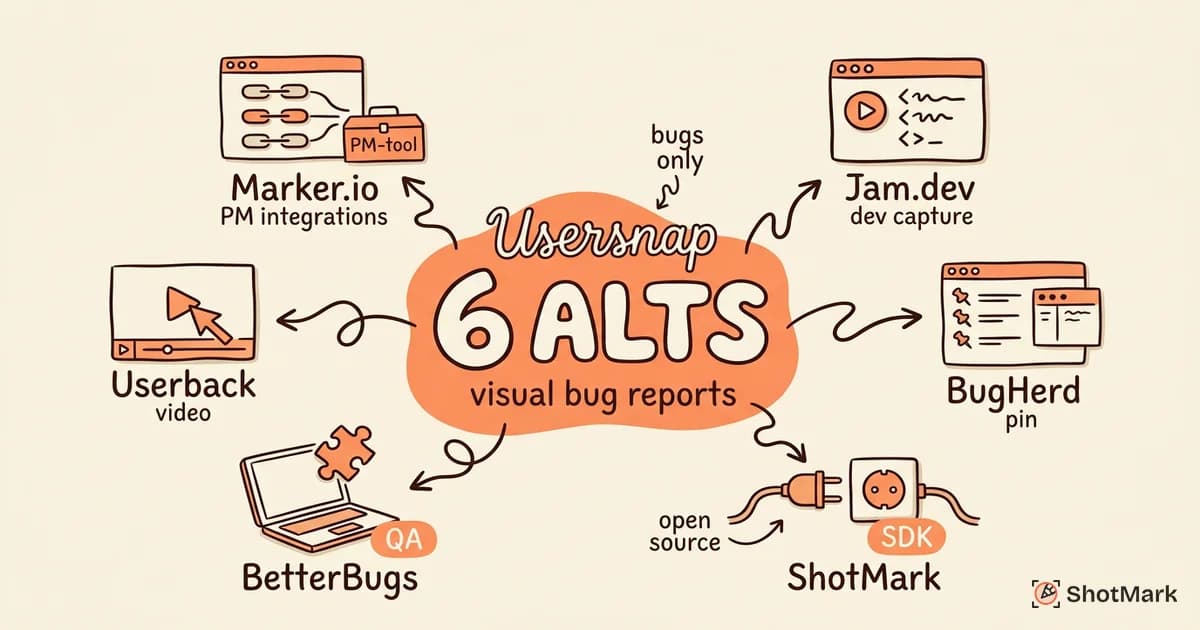
6 Usersnap Alternatives
Marker.io
Marker.io focuses specifically on website feedback and bug reporting without the survey layer. It’s the closest direct Usersnap alternative for teams that want feedback collection and PM integration without the NPS and CSAT add-ons.
Strengths: 20+ integrations with project management tools lead this category (Jira, Trello, Asana, ClickUp, GitHub, Slack). Guest reporter access lets stakeholders submit feedback without accounts. Annotation tools include arrows, boxes, text, and blur. Browser extension and embeddable widget options.
Weaknesses: Technical capture is limited. Console and network data exist but are shallow. No survey or feedback questionnaire features. UI feels functional but not modern compared to newer competitors.
For a full breakdown of Marker.io and its competitors, see our Marker.io alternatives for visual bug reports comparison.
Pricing: Starts at $39 per month for the Starter plan.
Best for: Teams that want focused bug reporting with strong project management integrations and don’t need surveys.
Jam.dev
Jam.dev takes a developer-first approach to bug reporting. The browser extension captures a screenshot, console logs, network requests, browser metadata, and a 60-second session replay in one click. It’s the most technically capable Usersnap alternative on this list.
Strengths: Deepest technical capture in the bug reporting category. Console log viewer inside the bug report is genuinely useful. Network request capture includes method, URL, status, and timing. 60-second session replay captures reproduction steps automatically. Integrations with Jira, Linear, GitHub, and Slack.
Weaknesses: Extension-only, no embeddable widget or SDK. No survey or feedback collection features. Collaboration features are thinner than Marker.io or Usersnap. No mobile browser support.
For teams comparing developer-focused options, see our 5 Jam.dev alternatives with team collaboration breakdown.
Pricing: Free for up to 15 jams per month. Paid plans start at $20 per seat per month.
Best for: Developer teams that want the deepest technical capture and don’t need stakeholder-facing widgets.
BugHerd
BugHerd is the simplest visual feedback tool in this comparison. Install the widget, click on any element, leave a comment. Feedback lands in a built-in Kanban board. It’s the most client-friendly option for agencies and web teams.
Strengths: Pin-on-element feedback is intuitive for non-technical users. Built-in Kanban board means small teams don’t need a separate issue tracker. Simple enough that clients can start using it without training. Good for marketing sites and simple web projects.
Weaknesses: No console log or network request capture. Visual-only feedback limits usefulness for web application bugs. Dated interface compared to newer tools. Works best on sites with stable DOM, less reliable on heavy SPA frameworks.
For a deeper comparison of BugHerd and similar tools, see our 6 modern BugHerd alternatives for agencies post.
Pricing: Starts at $41 per month for the Standard plan.
Best for: Small agencies and freelancers collecting visual feedback from non-technical clients on marketing sites.
ShotMark
ShotMark is the bug reporting platform we’re building for teams that need visual feedback with technical depth. One click captures a screenshot with annotations, console logs, network requests, and a short session replay. Reports push to Jira, Linear, or GitHub.
Strengths: Combines visual annotation with developer-grade technical capture (console logs, network requests, session replay). Open-source SDK lets you embed the capture flow in your application so testers and end users can file bugs without a browser extension. Team collaboration with comments, assignees, and watchers. Priced lower than Usersnap at launch.
Weaknesses: Early stage with a smaller ecosystem than established competitors. Fewer integrations than Marker.io or Usersnap. Mobile capture is on the roadmap but not yet available.
Pricing: Free during the waitlist period. Paid plans launching at $12 per seat per month.
Best for: Teams that want Usersnap’s visual reporting with the technical capture depth of a developer tool, plus an open-source SDK for in-app reporting.
BetterBugs
BetterBugs is a Chrome extension focused on QA bug reporting. It captures annotated screenshots, console errors, network requests, and screen recordings, then pushes reports to Jira, ClickUp, or GitHub.
Strengths: Strong QA positioning with precise capture. Console error and network request capture included. Screen recording with annotation. Integrations with the major issue trackers. Free tier covers individual use.
Weaknesses: Extension-only with no embeddable widget. No survey or feedback collection features. Annotation tools are basic compared to Marker.io. Documentation is harder to find because the site relies on unrelated free tools for traffic.
For a focused comparison of BetterBugs and similar QA tools, see our BetterBugs alternatives for QA bug reporting analysis.
Pricing: Free tier for individual use. Team plans start at $15 per seat per month.
Best for: QA engineers who want a reliable extension with technical capture and solid integrations.
Userback
Userback sits between Usersnap and BugHerd. It offers visual feedback with annotation, plus light survey and feature request collection. It’s less survey-heavy than Usersnap and more feature-rich than BugHerd.
Strengths: Visual feedback widget with screenshot and video recording. Annotation tools include arrows, text, shapes, and blur. Light survey and feature request features without Usersnap’s full survey platform. Integrations with Jira, Slack, Asana, and Trello. SERP presence at #27 for “website feedback tool” and #36 for “bug reporting tool.”
Weaknesses: Technical capture is limited to screenshots and browser metadata. No console or network capture. Annotation tools are less polished than Marker.io. Smaller integration ecosystem than Usersnap or Marker.io.
Pricing: Starts at $19 per month for the Starter plan.
Best for: Teams that want visual bug reporting with light feedback collection at a lower price point than Usersnap.
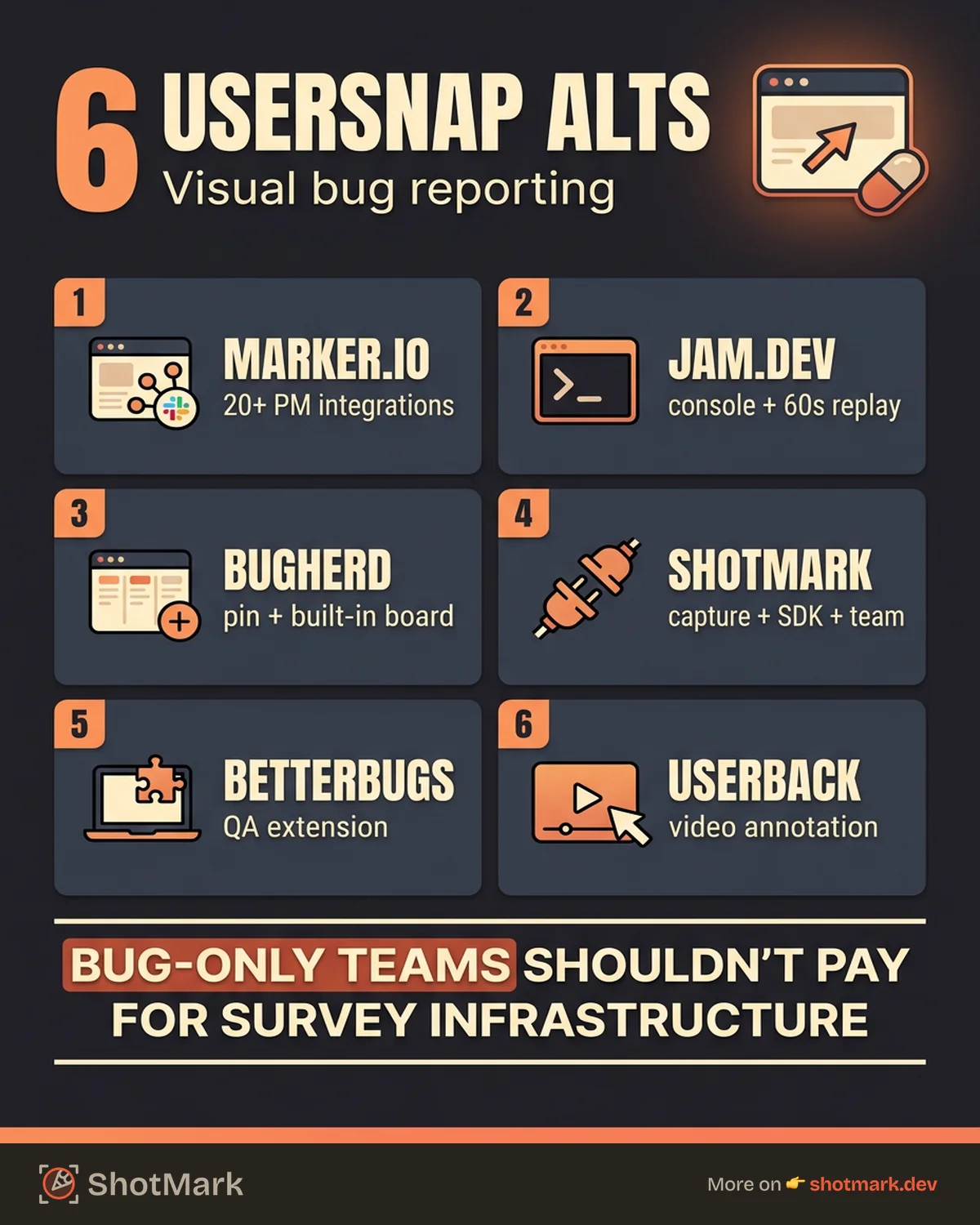
Comparison Table
| Tool | Technical Capture | Annotation | Widget/SDK | Integrations | Pricing (Start) |
|---|---|---|---|---|---|
| Marker.io | Shallow | Good | Widget | 20+ | $39/mo |
| Jam.dev | Deep | Basic | Extension only | 12+ | Free (15/mo) |
| BugHerd | None | Basic | Widget | 10+ | $41/mo |
| ShotMark | Deep | Good | Extension + SDK | 8+ | Free (waitlist) |
| BetterBugs | Deep | Basic | Extension only | 10+ | Free tier |
| Userback | None | Good | Widget | 12+ | $19/mo |
When Usersnap Is Still the Right Choice
Usersnap remains the best pick for teams that actively use its full feature set. If your organization runs NPS surveys, collects CSAT feedback, and manages bug reports through the same widget, the all-in-one approach saves you from running three separate tools. Product teams that treat bug reports as one type of customer feedback alongside surveys and feature requests get the most value from Usersnap’s breadth.
Usersnap also wins on integration maturity. Its Jira, Asana, and Slack integrations have been refined over years of customer feedback. For teams where reliability of the PM sync matters more than technical capture depth, Usersnap’s track record counts.
The usersnap vs Marker.io decision usually comes down to surveys. If you need them, Usersnap. If you don’t, Marker.io offers more integrations at a lower price. The usersnap vs Jam.dev decision comes down to who files bugs. If it’s developers, Jam.dev’s technical capture wins. If it’s clients and stakeholders, Usersnap’s widget experience is smoother.
The best visual bug reporting tool is the one that matches your reporters, your developers’ needs, and the issue tracker your team actually uses. For a wider view of the landscape, our best bug reporting tools compared for 2026 roundup ranks tools across capture depth, integrations, and collaboration.
Pick the tool that captures what your developers need to fix bugs without a follow-up thread. Everything else is secondary.
Get new posts in your inbox.
One email when we publish: notes on QA, AI, and shipping faster. No spam, unsubscribe anytime.