One in four adults in the United States has a disability that affects how they use the web. Automated accessibility testing tools catch a significant portion of the issues that block those users, and they do it on every commit instead of once a quarter.
Manual accessibility audits are essential, but they do not scale across teams that ship multiple times a day. Automated scans run alongside your existing test suite, flag regressions before they merge, and free your QA team to focus on the manual checks that actually require human judgment. Our accessibility testing guide covers the full picture. This post focuses specifically on the tools that automate the process.
Why Automate Accessibility Testing?
Manual audits catch nuanced issues that machines cannot evaluate, like whether a screen reader announces a dynamic form update in a way that makes sense. But manual audits are slow, expensive, and easy to skip when deadlines loom.
Automated scans flip that equation. They run in seconds, cost nothing after initial setup, and never skip a build. The types of software testing that benefit most from automation are the ones with clear pass/fail criteria, and many accessibility checks fit that description exactly.
Automated tools reliably catch several categories of issues. Missing alt text on images. Insufficient color contrast between text and background. Missing form labels. Improper heading hierarchy. Empty links and buttons. Duplicate ARIA IDs. These account for a meaningful share of real-world accessibility violations, and they are trivial for a scanner to detect.
Preventing regressions is where automation delivers the most value. A developer who adds a decorative icon without an aria-hidden attribute, or a designer who ships a new color palette with contrast issues, gets immediate feedback. The fix takes minutes instead of waiting for a manual audit weeks later.
The cost of fixing accessibility bugs rises the later they are caught. An alt text issue fixed during code review costs almost nothing. The same issue fixed after launch requires tracking it down, filing a ticket, prioritizing it against feature work, and deploying a patch. Automating the detection eliminates that cost entirely for the issues scanners can find.
Top Automated Accessibility Testing Tools Compared
The accessibility testing landscape has consolidated around a few strong tools, each with distinct strengths. Here are the options that matter for web teams in 2026.
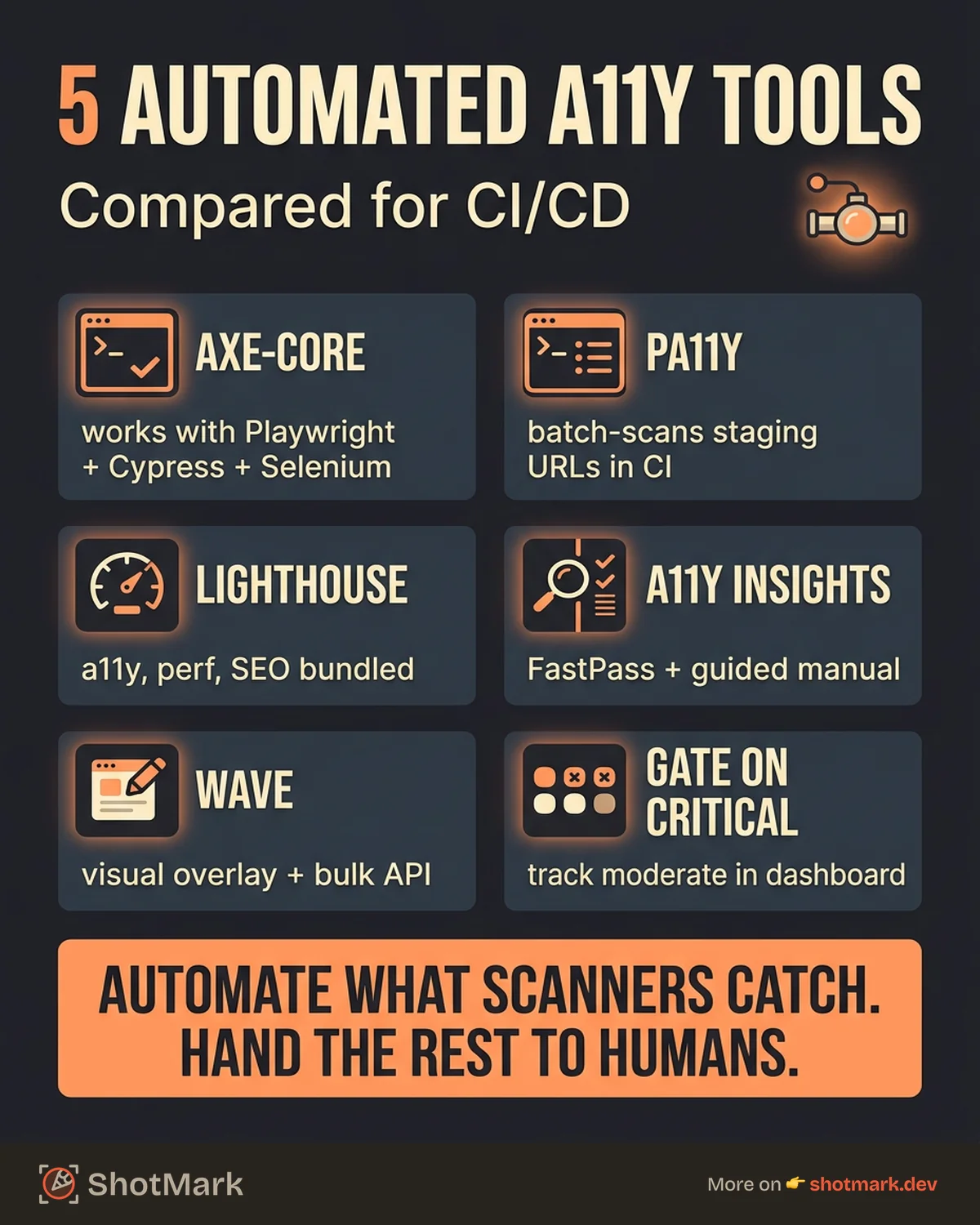
axe-core / axe DevTools
axe-core is the open-source accessibility testing engine from Deque Systems. It powers the majority of automated accessibility checks across the industry, either directly or through tools that integrate it under the hood.
The engine runs as a JavaScript library in the browser, analyzing the DOM for WCAG violations. It integrates with Playwright, Cypress, Selenium, and Storybook through official and community-maintained packages. The axe DevTools browser extension provides interactive testing for designers and QA engineers who prefer a visual interface.
The main advantage is coverage. axe-core checks against WCAG 2.2 Level A and AA criteria and produces tagged, categorized results with clear remediation guidance. The open-source version covers most of what teams need. The commercial DevTools add guided fixes, impact analysis, and centralized reporting.
pa11y
pa11y is a command-line accessibility tester built on top of HTML_CodeSniffer. It takes a URL, runs a scan, and outputs a list of accessibility issues in your terminal. That simplicity makes pa11y particularly well-suited for CI pipelines.
pa11y-ci extends the CLI into a batch scanner. You define a list of URLs in a JSON config file, and pa11y-ci scans all of them in sequence. This works well for checking a staging sitemap or a set of critical pages after every deployment.
The tool supports WCAG 2.2 AA as a default standard and allows custom rule configuration. Its limitations include less detailed remediation guidance compared to axe-core and a smaller but dedicated community. For teams that want a fast, CLI-first scanner, pa11y is a strong choice.
Lighthouse
Google’s Lighthouse includes an accessibility audit category alongside performance, SEO, and best practices. Running Lighthouse in Chrome DevTools or from the CLI produces an accessibility score from 0 to 100 with a list of passed and failed audits.
Lighthouse uses axe-core as its accessibility engine, so the detection quality is similar. The value Lighthouse adds is context. The accessibility score appears alongside performance metrics, which helps teams see accessibility as part of overall quality rather than a separate concern.
Lighthouse CI integrates with GitHub Actions and other CI platforms to track scores over time. Teams already using Lighthouse for frontend testing tools get accessibility scanning essentially for free by enabling the category.
Accessibility Insights
Accessibility Insights is Microsoft’s free accessibility testing toolkit. It offers two modes: FastPass for quick automated checks and Assessment for guided manual testing against WCAG criteria.
The automated FastPass scan catches common issues in seconds. The real strength is the Assessment mode, which walks testers through a structured manual audit with clear instructions for each criterion. This hybrid approach bridges the gap between automated and manual testing.
Accessibility Insights runs as a browser extension for Chrome and Edge. It is particularly useful for teams that want a single tool for both fast automated scanning and thorough manual evaluation without paying for a commercial product.
WAVE API
WAVE (Web Accessibility Evaluation Tool) from WebAIM provides both a browser extension and a cloud-based API for bulk site scanning. The visual feedback overlay shows accessibility issues directly on the rendered page, which helps developers and designers understand problems in context.
The API version supports programmatic scanning of large site inventories. Teams managing dozens or hundreds of pages can run batch scans and track accessibility trends across their entire web presence.
Comparison Table
| Tool | License | WCAG Coverage | CI Support | Ease of Setup | Best For |
|---|---|---|---|---|---|
| axe-core | Open-source (MPL) | WCAG 2.2 A/AA | Excellent (Playwright, Cypress) | Moderate | Developer-first teams, broad coverage |
| pa11y | Open-source (GPL) | WCAG 2.2 AA | Excellent (CLI-native) | Easy | CI pipelines, batch URL scanning |
| Lighthouse | Open-source (Apache) | WCAG 2.2 A/AA | Good (Lighthouse CI) | Easy | Teams already using Lighthouse |
| Accessibility Insights | Free | WCAG 2.2 A/AA | Limited | Easy | Hybrid automated + manual testing |
| WAVE | Free extension, paid API | WCAG 2.2 AA | Moderate (via API) | Easy | Visual feedback, bulk site audits |
How to Integrate Accessibility Testing Into CI/CD
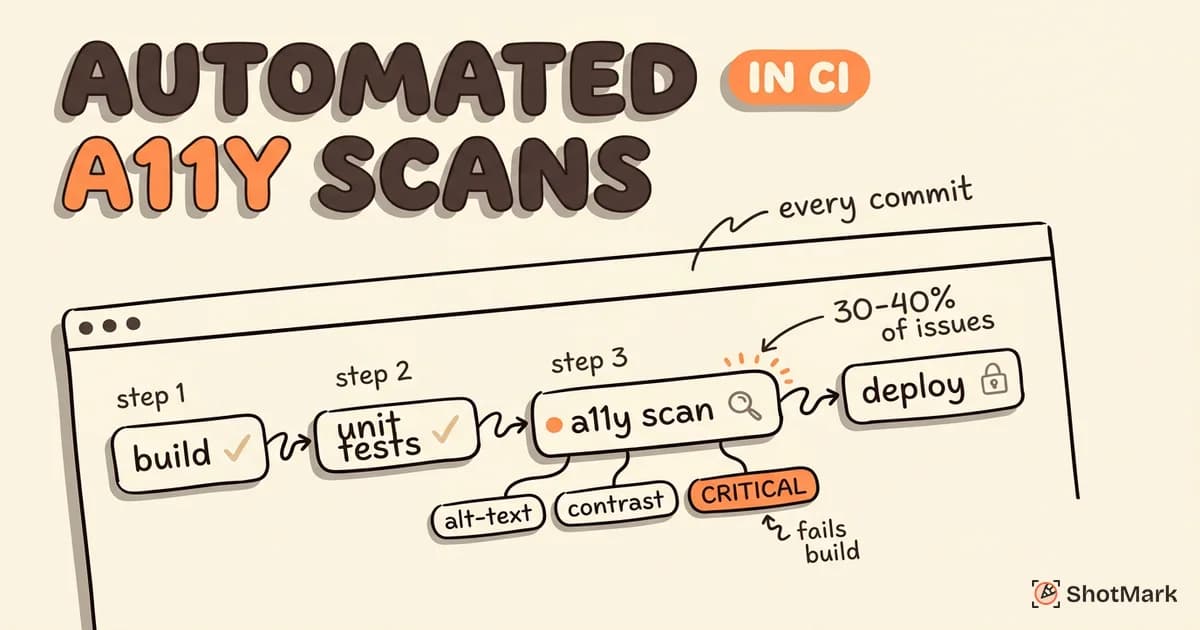
Running accessibility checks in CI ensures every code change gets evaluated before it reaches users. The integration patterns below work across GitHub Actions, GitLab CI, and similar platforms.
axe-core With Playwright or Cypress
The most common pattern for accessibility testing automation runs axe-core checks inside existing E2E test suites. After each page load or state change in a Playwright or Cypress test, inject axe-core, run the scan, and assert that no violations exist.
This approach catches accessibility issues in the actual rendered DOM, including client-rendered content that static HTML scanners would miss. A test that navigates to a login page, fills in the form, and validates accessibility on both the initial state and the error state provides real coverage.
The setup involves adding the axe-core package and a small integration layer (like @axe-core/playwright or cypress-axe). A few lines of configuration and one assertion per page gives you automated accessibility checks running alongside every E2E test.
pa11y-ci for Staging Scans
Configure pa11y-ci to scan your staging environment after each deployment. Define critical URLs in the config file, set the WCAG standard, and run the scanner as a CI step. Any new violations fail the build.
pa11y-ci works best as a safety net for pages that your E2E tests do not cover. It catches issues on marketing pages, documentation, and other static content that might not have dedicated functional tests.
Lighthouse CI for Combined Scoring
Lighthouse CI runs performance, accessibility, best practices, and SEO audits in a single pass. For teams that want WCAG automation tools bundled with broader quality checks, Lighthouse CI provides a unified approach.
Configure the accessibility threshold in your Lighthouse CI settings. If the accessibility score drops below your target, the build fails. Tracking the score over time in a dashboard reveals gradual regressions that individual runs might not flag.
Setting Thresholds
Not all violations carry equal weight. A missing alt text on a decorative image is less urgent than a form with no accessible label. Configure your CI checks to distinguish between critical violations that block deployment and minor issues that generate warnings.
Most tools support severity levels. axe-core tags violations with impact ratings (critical, serious, moderate, minor). Build your CI assertion around critical and serious violations, and track moderate and minor issues in a dashboard for batch resolution.
What Automated Tools Miss (and How to Fill the Gap)
Automated accessibility testing tools catch roughly 30 to 40 percent of WCAG issues. The remaining 60 to 70 percent require human evaluation. Knowing what scanners cannot detect helps you plan the manual testing that fills the gap.
Keyboard Navigation and Focus Order
Scanners can verify that focusable elements exist, but they cannot evaluate whether the tab order makes logical sense. A user navigating by keyboard needs to move through a form top to bottom, not jump between unrelated sections. Testing focus order requires a human pressing Tab through the interface and confirming the sequence feels natural.
Screen Reader Announcement Quality
An element might have correct ARIA attributes and still announce poorly. A dynamic cart update that says “2” without context confuses a screen reader user. Evaluating announcement quality means listening to actual screen reader output, which no automated tool can replicate.
Cognitive Accessibility
Reading level, information density, and clear error messaging affect users with cognitive disabilities. The WCAG 2.2 specification includes criteria for readable content and consistent navigation, but these require human judgment to evaluate properly.
Dynamic Content
Modals, tooltips, live regions, and single-page app transitions all require correct ARIA live regions, focus management, and announcement timing. Automated tools check for the presence of ARIA attributes but struggle to validate whether the announcements fire at the right time and convey the right information.
Pairing Automation With Manual Audits
The most effective approach combines automated scans in CI with quarterly manual audits by an accessibility specialist. Automation prevents regressions between audits. Audits catch the nuanced issues that scanners miss. Together, they provide comprehensive coverage.
Bug reporting for accessibility issues needs more detail than a typical defect. The DOM state at the time of the issue, ARIA attributes on the relevant elements, and screen reader output all help developers reproduce and fix the problem. ShotMark captures that context in a single report, so accessibility bugs come with the information needed to resolve them without back-and-forth.
The Practical Path Forward
Free automated accessibility testing tools like axe-core and pa11y lower the barrier to entry to near zero. Start with one tool integrated into your CI pipeline, expand to a second as your coverage grows, and schedule manual audits to catch what automation misses. The combination is how you automate WCAG compliance testing without losing the human judgment that accessibility ultimately requires.
Accessibility is not a one-time project. It is an ongoing commitment that gets easier when the right tools run automatically and the right people review what machines cannot.
Get new posts in your inbox.
One email when we publish: notes on QA, AI, and shipping faster. No spam, unsubscribe anytime.