A bug triage process is the 30-minute meeting that decides whether your next sprint is productive or chaotic. Teams without one waste hours re-discussing the same bugs, assigning work to the wrong people, and letting critical issues sit unattended.
Here’s how high-performing QA and engineering teams run triage, from the meeting agenda to the decision framework to the anti-patterns that quietly slow everyone down. We’ll also cover how triage changes as your team grows from five engineers to fifty.
What the Bug Triage Process Is and Why It Matters
Bug triage is the structured review where a small group of people classify newly reported bugs, agree on severity and priority, and assign each one to an owner. It’s the gateway between “bug reported” and “bug being worked on.”
Triage is not debugging. Nobody opens a code editor during triage. The goal is to make five fast decisions per bug so the team can move on. Every bug that skips triage tends to sit in the backlog, get re-reported by another tester, or explode into a production incident weeks later.
Teams that skip triage pay in three ways. Critical bugs get lost in a flood of minor ones. Developers get ambushed with bugs nobody agreed were their problem. And QA engineers repeat themselves in Slack threads because the same questions keep coming back. A tight triage meeting cuts that noise in half.
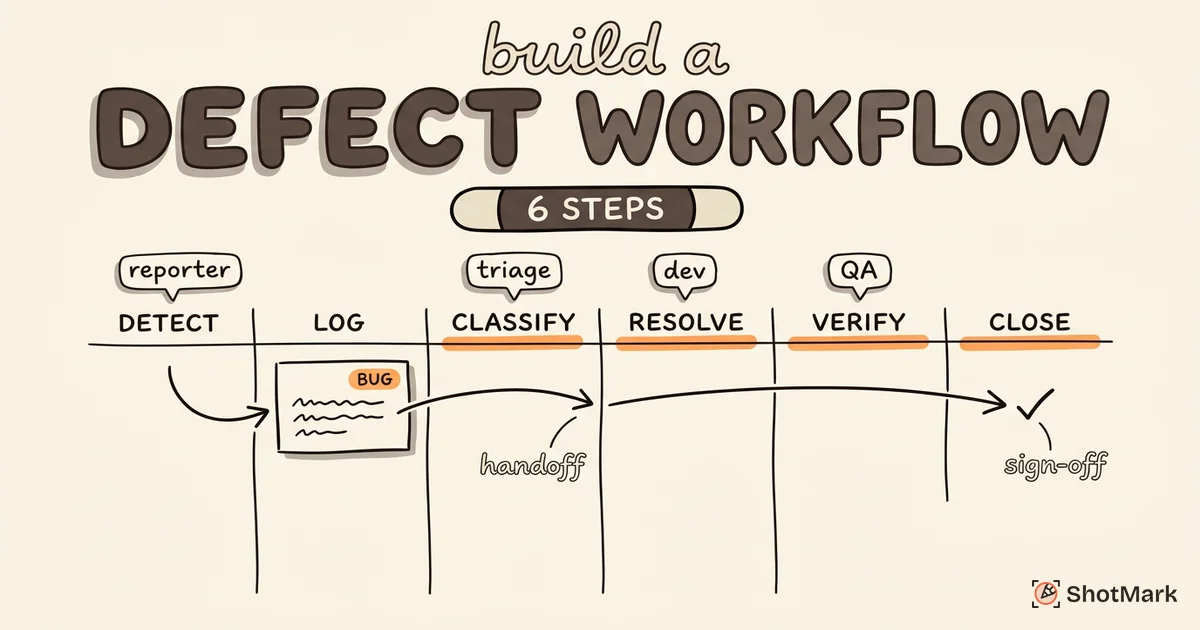
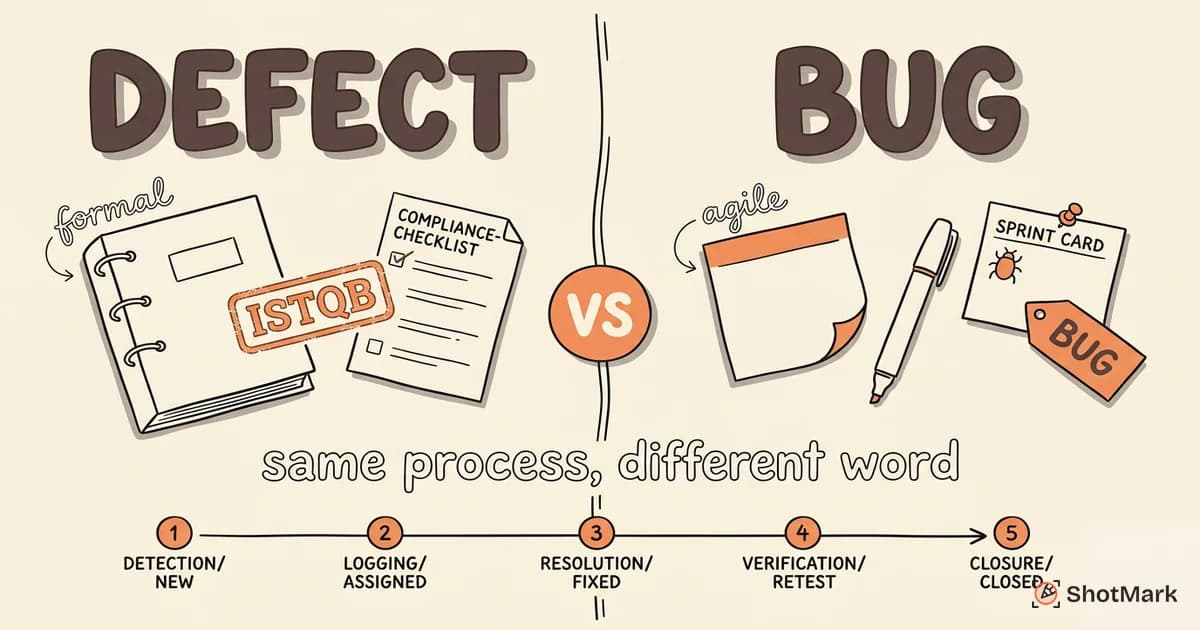
Triage also sits inside a larger workflow. If you’re new to the full lifecycle, our bug life cycle explained in 7 stages walks through where triage fits between “New” and “Assigned,” and the defect management process and workflow guide covers the broader system triage supports.
Setting Up a Bug Triage Meeting
A good triage meeting is short, scheduled, and boring. Boring is the goal. If triage is exciting, you’re doing it wrong.
Frequency: How Often Should Triage Happen?
Match the cadence to bug volume, not team preference. High-velocity teams (web apps with active users, fast release cycles) typically need daily triage, capped at 15 minutes. Mid-velocity teams settle on twice weekly. Sprint-based teams can run triage at the start of each sprint, though waiting a full two weeks often means critical bugs sit too long.
A rough rule: if more than 10 new bugs per day land in your tracker, run triage daily. If you get 3 to 10 bugs per day, twice weekly is enough. Below that, a 30-minute session at sprint kickoff works.
Who Should Attend?
Keep the room small. A typical triage meeting needs:
- QA lead to present new bugs and answer reproduction questions
- Engineering lead or tech lead to assess technical impact and assign owners
- Product owner to weigh business priority and sequence fixes against feature work
- Optional attendees: designer (for visual or UX bugs), support lead (when customer-reported bugs dominate)
The people in the room must have authority to make decisions. If every bug gets kicked up to someone not attending, you’re running a meeting about a meeting.
The Agenda Template
A decision-focused triage meeting follows the same agenda every time:
- Review new bugs (60% of the time) - walk through bugs filed since the last triage
- Classify severity and priority - agree on one value for each
- Assign owners - every bug leaves the meeting with a name attached
- Review stale bugs (last 5 minutes) - check anything in Triage status for more than a week
Time-box the meeting at 30 minutes. If a bug needs more than 2 minutes of discussion, park it and move on. The triage lead follows up asynchronously with whoever needs to investigate further. The BrowserStack bug triage guide recommends the same time-box for the same reason: discussion compounds quickly and kills throughput.
The Triage Decision Framework
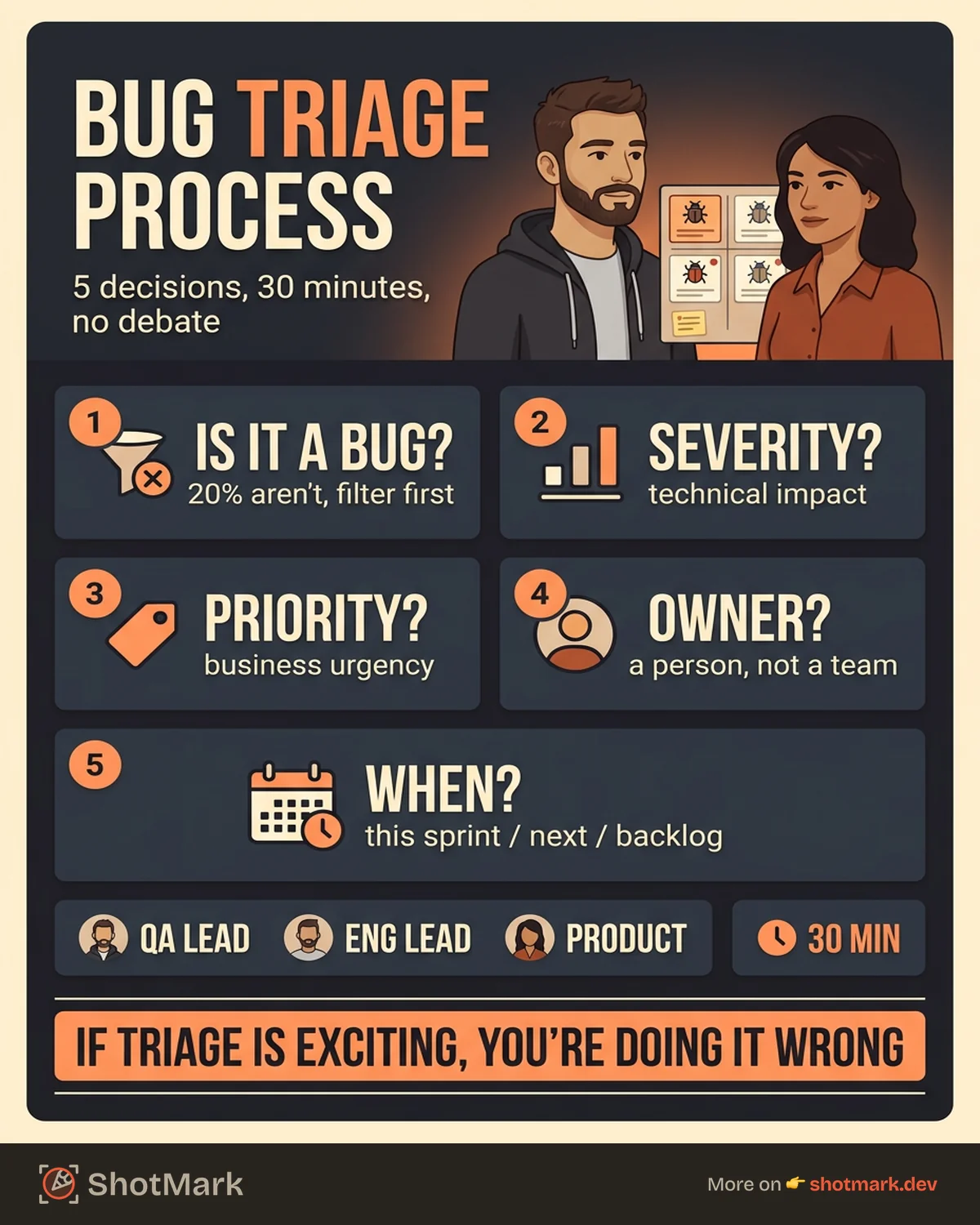
Every bug that enters triage needs five decisions made about it. Teams that write these decisions down on a whiteboard (or a shared doc) move through triage 2 to 3 times faster than teams that improvise each time.
Decision 1: Is This Actually a Bug?
About 20% of “bugs” in any tracker aren’t bugs. They’re feature requests (“it would be nice if…”), expected behavior that a user didn’t like, duplicates of an existing ticket, or environment issues that aren’t the product’s fault. Filter these out first.
Close duplicates with a link to the canonical ticket. Convert feature requests to the product backlog. Mark expected behavior as “Won’t Fix” with a short explanation. This takes 30 seconds per bug and saves the team from wasting cycles on non-issues.
Decision 2: What Is the Severity?
Severity measures technical impact: how badly does this bug affect the product’s ability to function? It’s a technical judgment call, usually made by the engineering lead.
- Critical: data loss, security breach, core workflow broken for all users
- Major: feature broken for a significant user segment, no workaround
- Minor: feature partially broken, workaround exists
- Trivial: cosmetic, typo, edge case with no meaningful impact
Decision 3: What Is the Priority?
Priority is business urgency: how soon does this need to be fixed? The product owner owns this call. Severity and priority are not the same, and confusing them is one of the most common triage mistakes. Our guide on bug severity vs priority: how to classify covers the full distinction with real examples.
A trivial-severity typo on the homepage can be high-priority if it’s a brand embarrassment. A critical-severity crash in an admin-only debug tool can be low-priority because only three people use it.
Decision 4: Who Owns It?
Assign every bug to a specific person, not a team. Team-assigned bugs become everyone’s problem, which means they become nobody’s problem. Base assignment on the component that broke (frontend, API, auth, payments) and the available capacity of the owning engineer.
For guidance on stack-ranking the fix queue after triage, see how to prioritize bug fixes on your team.
Decision 5: When Does It Get Fixed?
Triage ends with a commitment on timing: this sprint, next sprint, or backlog. Critical bugs get pulled into the current sprint, even if it means descoping planned work. Major bugs land in the next sprint. Minor and trivial bugs go to the backlog with clear labels so they resurface during future sprint planning.
This is where ShotMark speeds things up. When a bug report arrives with one-click capture of screenshots, console logs, network requests, and session replay, decisions 1, 2, and 3 get faster and more accurate. You’re not asking “what browser?” or “can you reproduce it?” The context is already attached. Teams triaging ShotMark-filed bugs report cutting triage time per bug by roughly half.
Triage Anti-Patterns That Slow Teams Down
We’ve watched dozens of teams run triage. The same mistakes show up again and again. Here are the four that cost the most time.
Triaging in Slack Threads Instead of Meetings
Slack triage feels faster. It’s not. Threads fragment across channels, decisions get buried, and nobody knows whether a bug has been reviewed. A structured 30-minute meeting produces more decisions per hour than a week of Slack back-and-forth. Keep Slack for urgent critical bugs only; route everything else through the meeting.
No Decision Authority in the Room
If the people who can say “yes, fix this now” aren’t at triage, every bug gets deferred. “Let’s ask the PM” becomes the default answer. Then the next triage meeting starts with the same bugs, unresolved. Either invite someone with authority or delegate that authority explicitly to someone who will attend.
Re-Triaging the Same Bugs
If bugs keep reappearing in triage week after week, you have a commitment problem. Every bug that enters triage should leave with either an assignment and a sprint target, or a “won’t fix” close-out. A bug labeled “needs more info” should have a specific owner who will gather that info before the next meeting.
Assigning Bugs Without Checking Workload
Assigning a critical bug to an engineer already buried in feature work doesn’t fix the bug. It just hides the problem until the sprint ends. Before assigning, a quick “does Alex have room for this?” saves two days of nothing happening. Tools like Linear make this easier with workload visibility. The Linear bug tracking method is worth reading for teams designing their own triage workflow.
Scaling Triage as Your Team Grows
The triage process that works for 5 engineers breaks at 50. Here’s how it evolves.
Small Teams (1 to 5 Engineers)
Informal triage combined with the daily standup works fine at this size. Spend 5 extra minutes at the end of standup reviewing new bugs. The whole team is in the room, so decisions are fast and context is shared. No dedicated triage lead needed.
Mid-Size Teams (5 to 20 Engineers)
You need a dedicated triage meeting now. Twice weekly, 30 minutes, with a rotating triage lead who runs the meeting and clears any “needs more info” items between sessions. Rotating the lead every two weeks spreads context across the team and prevents burnout.
This is also where tooling starts to matter. A shared triage dashboard (filtered to new bugs only) keeps the meeting focused. The Jira triage workflow is a common setup at this stage, though any tracker with saved filters works.
Large Teams (20+ Engineers)
Component-based triage becomes necessary. Instead of one meeting covering all bugs, each component team (frontend, backend, mobile, infrastructure) runs its own triage. A cross-team escalation path handles bugs that span components or need executive sponsorship.
At this size, consider automating the first pass. Rules that auto-assign bugs to components based on labels, or bots that flag duplicates, cut 30 to 40% of triage volume. Humans still make the judgment calls, but the bot filters out the easy ones.
What Is the Role of a Triage Lead in Software Testing?
The triage lead runs the meeting, presents new bugs, and drives the team toward decisions. They’re not the decision-maker for severity or priority (those are engineering and product calls), but they own the process. A good triage lead keeps discussions short, escalates blockers, and ensures every bug leaves the meeting with an owner and a target sprint.
Making Triage Decisions Faster With Better Bug Reports
The quality of your triage process is bounded by the quality of incoming bug reports. A triage meeting reviewing vague, missing-context bugs spends 80% of its time asking “what browser?” and “can you reproduce?” That’s not triage. That’s an interrogation.
The fix is upstream. Give testers and support engineers tools that capture complete context at the moment the bug is found. ShotMark does exactly this: one-click capture of annotated screenshots, full browser console logs, network requests, and optional session replay, all attached to the bug report before anyone opens it. Our open-source SDK lets teams embed the same capture flow into their own apps for internal bug reporting and customer feedback.
When every bug report includes reproduction context by default, the bug triage process speeds up across the board. Fewer “needs more info” bounces. Faster severity and priority calls. Cleaner assignments. The 30-minute triage meeting actually finishes in 30 minutes.
If you’re building or refining your triage workflow, join the ShotMark waitlist to get early access when we open it up to more teams.
Get new posts in your inbox.
One email when we publish: notes on QA, AI, and shipping faster. No spam, unsubscribe anytime.