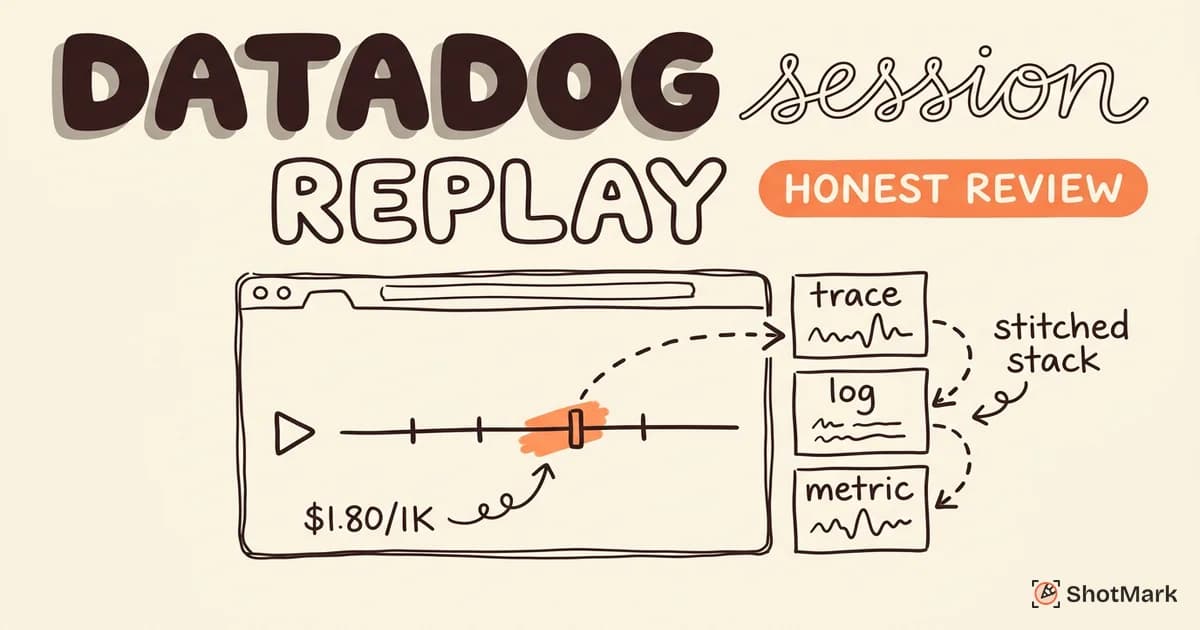
Datadog Session Replay sits inside the company’s Real User Monitoring suite and promises something most competitors can’t: a replay of a user’s browser session stitched directly to the backend trace, log line, and infrastructure metric that caused the bug. That pitch sounds great if you already pay Datadog. If you don’t, the picture gets more complicated.
We spent two weeks running the tool on a production React app to see how setup, pricing, and day-to-day debugging actually feel. This review covers the SDK integration, the real cost at 10K, 50K, and 100K sessions, the features that stand out, and the gaps that should make some teams look elsewhere.
What Is Datadog Session Replay?
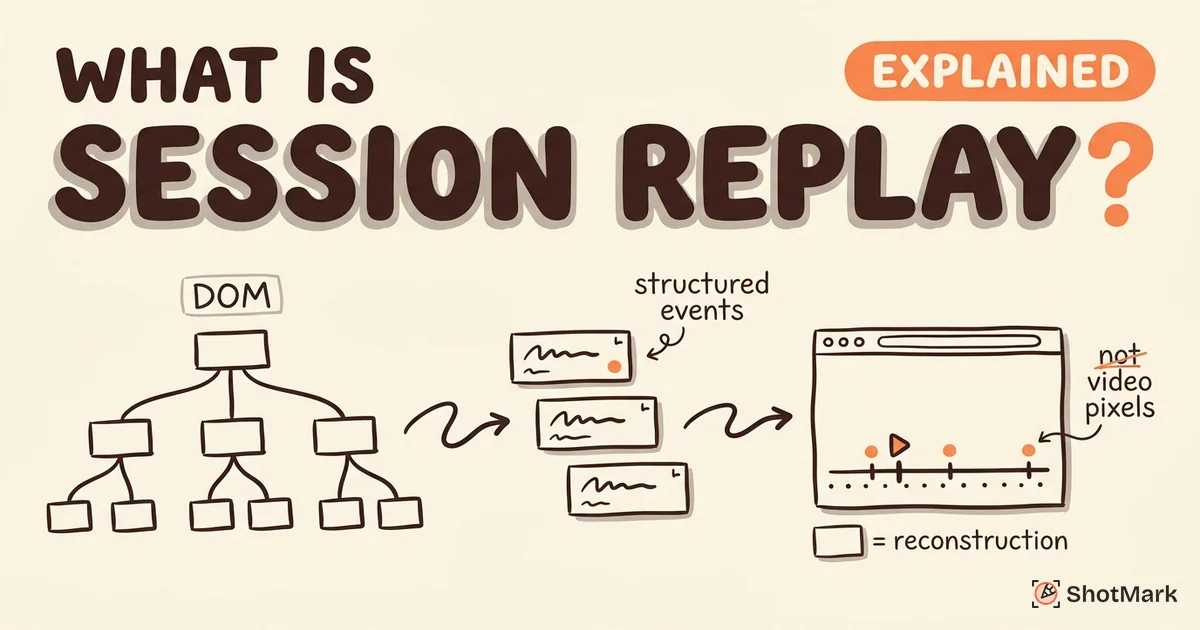
The product is a front-end recording feature that captures DOM mutations, clicks, scrolls, and network activity, then lets you play sessions back in a timeline. It’s part of Datadog’s Real User Monitoring suite, not a standalone purchase. That means you can’t buy replay on its own. You need an active RUM subscription and you pay for replay on top of it.
Bundling has one real upside: tight correlation with the rest of the Datadog stack. A recording can link to the APM trace, the log line, and the infrastructure metric that correspond to the same request. For teams already running Datadog for APM and logs, the integration is genuinely useful. For everyone else, the bundled approach feels like a tax.
If you’re new to the category, our guide on what session replay actually is covers the fundamentals first. Knowing how DOM-based replay works makes the tradeoffs easier to judge.
How the Datadog RUM Session Replay SDK Works
SDK Integration and Configuration
You add recording through the Datadog Browser SDK, either as an npm package or a script tag. The official setup docs walk through the basic init call, which requires your application ID, client token, site region, and a sampling rate for both sessions and replays.
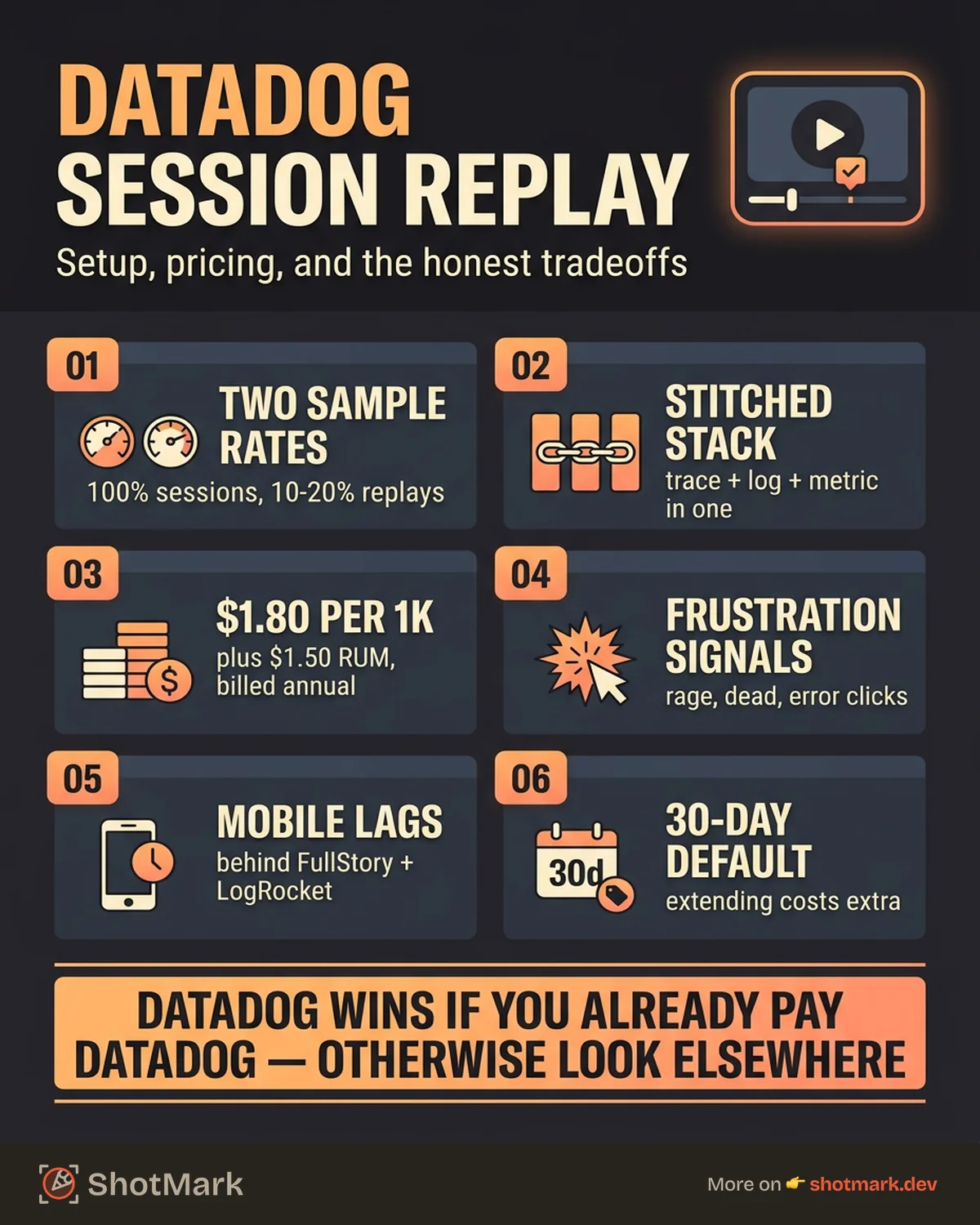
The two sampling rates matter. sessionSampleRate controls what percentage of sessions RUM captures. sessionReplaySampleRate controls what percentage of those sessions get full replay data. Setting both to 100 records everything, which gets expensive fast. Most teams we’ve seen run 100% session tracking with 10-20% replay sampling to keep costs in line.
Privacy masking is configured at init time with defaultPrivacyLevel, which accepts mask, mask-user-input, or allow. You can override per-element with CSS classes or data-dd-privacy attributes. The privacy options documentation covers the granularity, and it’s solid compared to older competitors.
Correlation With APM and Logs
This is where the tool earns its keep. When the Browser SDK is installed alongside APM, each front-end request is tagged with a trace ID that links to the backend span. Click an error in APM and you can jump to the exact replay moment where the user triggered it. Click a recorded event and you can pivot to the log line, the database query, and the container metric that correspond to the same timestamp.
No other replay tool we tested offers that depth of full-stack linkage out of the box. Sentry comes close for errors, but it stops at the application boundary. Datadog extends through infrastructure.
Datadog Session Replay Pricing Breakdown
Pricing is Datadog’s biggest friction point. The headline numbers on the RUM pricing page are $1.50 per 1,000 sessions for RUM and an additional $1.80 per 1,000 sessions for replay. Those are billed annually, with month-to-month rates roughly 20% higher.
Here’s what that looks like at scale, assuming annual commitment pricing and 100% replay sampling:
| Monthly Sessions | RUM Cost | Replay Cost | Total |
|---|---|---|---|
| 10,000 | $15 | $18 | $33/mo |
| 50,000 | $75 | $90 | $165/mo |
| 100,000 | $150 | $180 | $330/mo |
| 500,000 | $750 | $900 | $1,650/mo |
The table above assumes you only buy RUM and recording. In practice, teams that adopt Datadog usually also run APM ($31/host/mo), log ingestion ($0.10 per GB ingested), and infrastructure monitoring ($15/host/mo). A mid-size engineering team can easily hit $3,000-$5,000 monthly once everything is turned on.
Comparing just the replay cost to other options puts Datadog in the middle of the pack:
| Tool | Cost per 1K Sessions | Standalone? |
|---|---|---|
| PostHog | Free up to 5K, then usage-based (~$1 per 1K) | Yes |
| Sentry | Included in Team plan, overage ~$0.30-$0.50 per 1K | Yes |
| Datadog | $1.80 per 1K (plus $1.50 RUM) | No |
| LogRocket | $99/mo for 10K sessions | Yes |
The “standalone” column is the key filter. Datadog is the only option here that forces you into a broader platform commitment. For teams already on that platform, the math works. For teams that want replay only, it doesn’t.
Features That Stand Out
How Does Datadog Handle Frustration Signals?
The platform auto-detects rage clicks, dead clicks, and error clicks without configuration. Rage clicks fire when a user clicks the same element three or more times in rapid succession. Dead clicks flag interactions that didn’t trigger any state change. Error clicks correlate a user action with a JavaScript exception in the same session.
These signals are surfaced as filters in the search UI, which makes it easy to jump straight to sessions where users were stuck. The detection accuracy held up well in our testing, though we saw occasional false positives on third-party widget loads that looked like dead clicks.
Developer-Friendly Search and Filtering
Search accepts RUM query syntax, so you can filter by URL, user ID, browser, country, error type, custom action name, or any tag you send with the SDK. Saved views let teams persist common filters (for example, “sessions with 4xx errors on /checkout”).
The search is fast enough that it works as an ad-hoc debugging tool, not just a dashboard for batched reviews. That’s a meaningful difference from tools where finding the right recording feels like scrolling through a video library.
Privacy Masking at the SDK Level
Because masking happens before data leaves the browser, sensitive text never reaches Datadog’s servers. The three-tier privacy model (mask, mask-user-input, allow) strikes a reasonable balance, and element-level overrides cover the edge cases.
For regulated industries, Datadog offers EU data residency (datadoghq.eu) and a US Gov region for federal customers. Most competitors can match this, but it’s table stakes for enterprise buyers.
Where the Tool Falls Short
Is It Worth Using Without Existing Datadog Usage?
Honestly, no. The entire value proposition rests on correlating recordings with APM, logs, and infrastructure. If you don’t already run Datadog for those, you’re paying a premium for a replay tool that’s harder to set up and more expensive than the alternatives.
Small teams that want replay for debugging should look at Sentry, PostHog, or OpenReplay first. Our Sentry session replay review covers the error-first alternative in depth, and the session replay tools comparison puts all major options side by side.
Complexity and Learning Curve
The Datadog UI is dense. There are separate navigation sections for RUM, APM, Logs, Infrastructure, Metrics, and Synthetics, each with its own query language nuances. For a developer who just wants to watch a recording of a broken session, the path from “user reported a bug” to “I’m watching the replay” involves more clicks than it should.
Teams new to Datadog typically need two to four weeks before they’re fluent. Tools like PostHog and Sentry have flatter learning curves because their scope is narrower.
Mobile Replay Is Limited
Datadog offers mobile RUM for iOS and Android, but mobile replay is behind the web experience. FullStory and LogRocket both ship more mature mobile SDKs. If mobile is central to your product, this tool probably isn’t the right pick yet.
Retention and Storage Costs Sneak Up
The default retention for recording data is 30 days. Extending that to 15 months costs extra, and the pricing isn’t published transparently. You discover it during the sales conversation or in your next invoice. Budget for more than the headline $1.80/1K figure.
Who Should Use It
The platform makes sense for three audiences:
- Enterprise teams already on Datadog for APM and infrastructure: The cross-product correlation is genuinely useful and the incremental cost is modest.
- DevOps and platform teams that want one pane of glass across front-end, back-end, and infrastructure. Consolidating vendors has real cost savings at scale.
- Compliance-heavy organizations that need EU residency, SOC 2, HIPAA, and granular privacy controls as a single procurement decision.
It’s a poor fit for:
- Small teams or indie developers
- Product-only teams that don’t need backend correlation (try Amplitude or New Relic)
- Mobile-first products with limited web traffic
- Teams that want replay without committing to a full observability stack
Capture Bugs Before They Reach Production
Production monitoring tells you what went wrong after users encountered it. That’s useful, but it’s also the most expensive place in the lifecycle to find a bug. Datadog Session Replay excels at that post-deploy visibility, and if your team already runs the rest of the suite, adding replay is a small step.
ShotMark sits earlier in the cycle. When a tester or developer spots an issue during QA, one-click capture records an annotated screenshot, browser console logs, network requests, and a short session replay in a single bug report. No context switching, no asking “what browser were you using?”, no missing stack traces. ShotMark ships with an open-source SDK and a browser extension, and the waitlist is open for early access.
Pairing both tools covers the full lifecycle: ShotMark catches bugs before deploy, and Datadog session replay monitors what slips through after. Between the two, the gap between “user hit a bug” and “engineer has the full context” gets a lot smaller.
Get new posts in your inbox.
One email when we publish: notes on QA, AI, and shipping faster. No spam, unsubscribe anytime.