You set up Sentry. Now you have 847 unresolved errors. Some affect 10,000 users, some affect one person running IE 11, and some are from browser extensions you don’t control.
Without a frontend error triage process, your monitoring tool becomes another ignored dashboard. Triage is the practice of reviewing, prioritizing, and assigning errors so the right ones get fixed first. Here’s how to build that process for a frontend team that actually ships code.
Why Error Triage Matters for Frontend Teams
Error monitoring without triage is just noise. When every alert feels urgent, engineers develop alert blindness and start muting channels. When nothing feels urgent, real incidents sit in the backlog while customers hit the same bug for weeks.
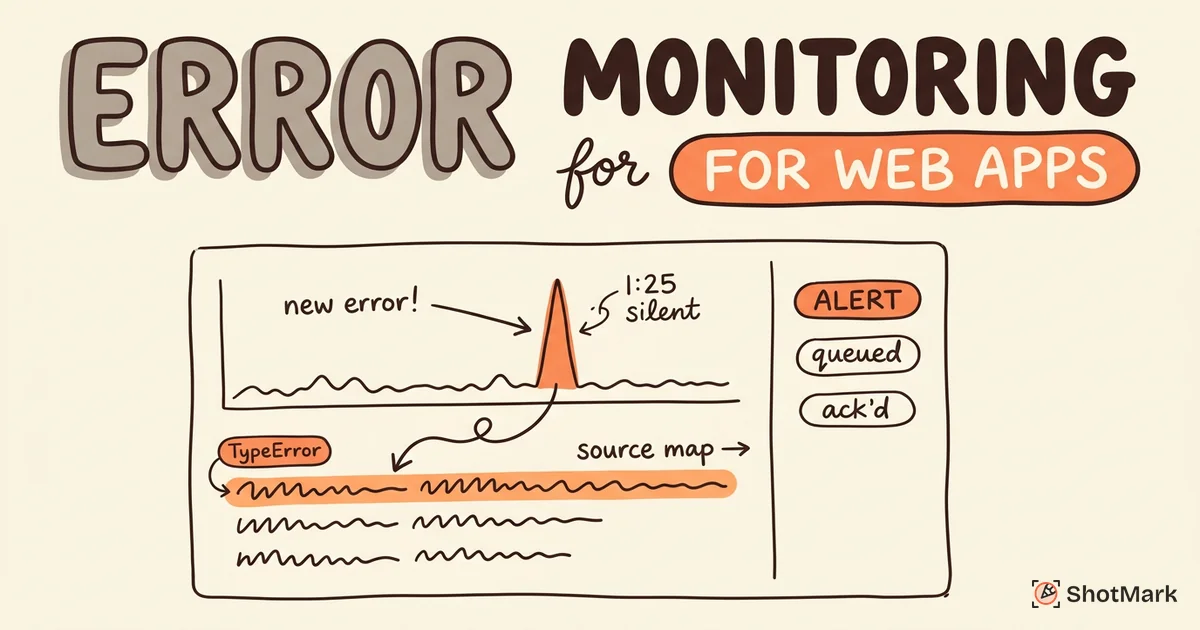
A structured triage process turns error data into fixed bugs. It shortens time-to-fix for high-impact issues, stops the backlog from growing forever, and gives the team a shared definition of “this matters.” For a wider look at the tooling side, our error monitoring for web apps guide covers what to instrument before you worry about triage.
Most frontend bug triage problems trace back to one of three causes: too much noise, no clear ownership, or no one tracking whether fixes actually worked. The framework below addresses all three.
The Frontend Error Triage Framework
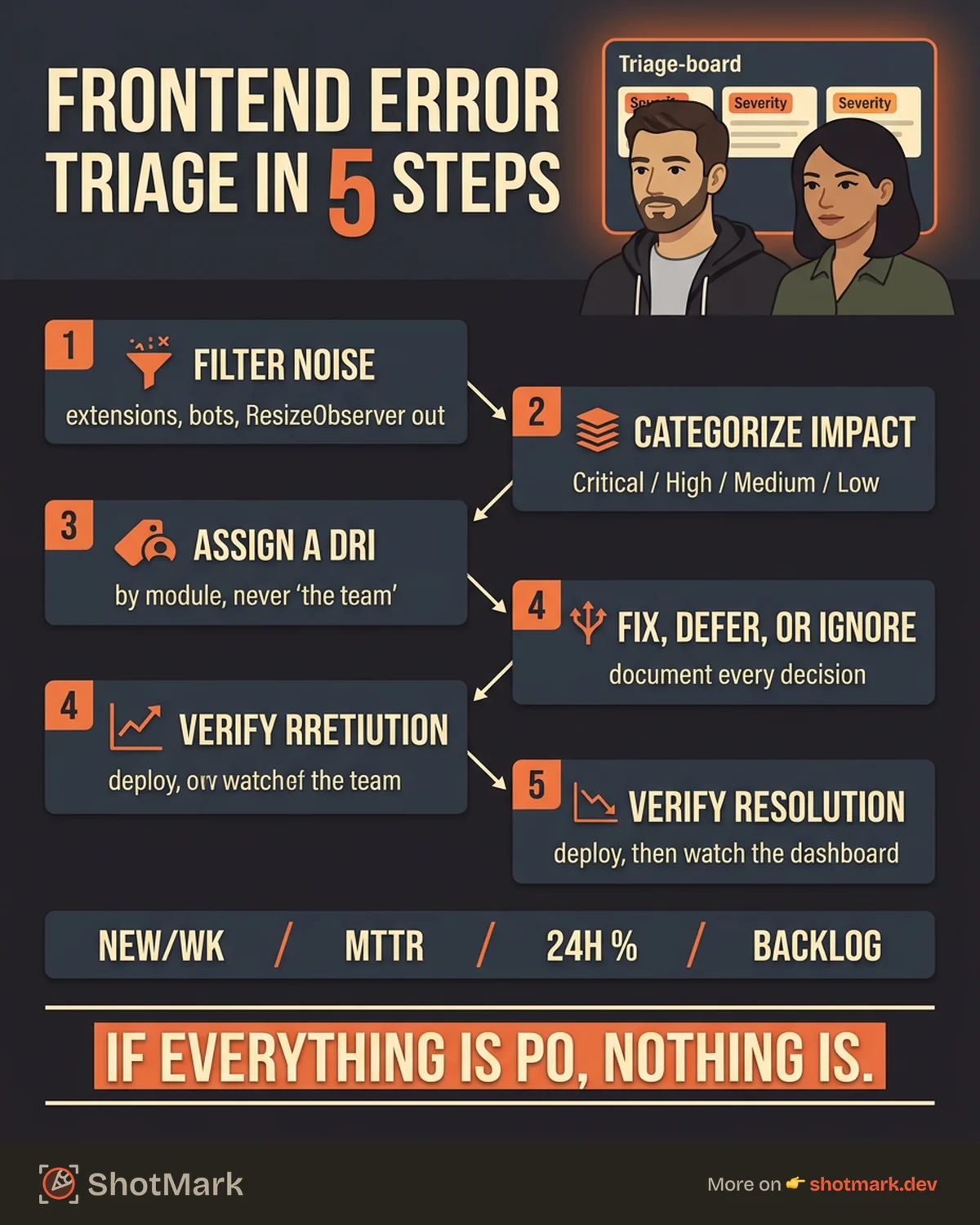
You need a repeatable workflow that any engineer on the team can run. The five steps below scale from a two-person startup to a 50-person frontend org, with adjustments to frequency and attendees.
Step 1: Filter the Noise Before You Look at It
The first hour of any triage session gets wasted on errors that never deserved a ticket. Filter before you triage, not during.
Suppress known-harmless errors. The ResizeObserver loop warning, benign canceled fetches, and errors thrown from browser extensions you don’t ship should all be muted at the source. Sentry’s guide on filtering managing your error quota walks through inbound filters, inbound data filters, and custom rules for this.
Filter bot traffic and crawlers by user agent. Group duplicate errors (most tools do this automatically, but check your fingerprinting rules). Create explicit ignore rules for errors you’ve evaluated and decided to live with, so they stop showing up in the “new” bucket every week.
Step 2: Categorize Errors by Impact
Once the noise is gone, assign a severity to every remaining issue. Use four tiers:
- Critical: app crash, data loss, payment failure, broken auth. Core functionality affected.
- High: feature broken for many users, no obvious workaround.
- Medium: feature partially broken, affects edge cases or specific browsers.
- Low: cosmetic or non-functional, no user impact.
Pair the subjective label with quantitative inputs. How many users are affected? How often is the error firing? A critical-sounding stack trace that hit one user last Tuesday is usually not critical. A “minor” console warning hitting 40% of sessions probably is.
Tag each error with a rough business impact too: checkout, signup, dashboard, marketing page. Errors on the checkout page almost always outrank errors on the settings page, even at equal user counts. A simple rule of thumb: if an error touches money or identity (payments, login, signup), treat it as at least High until proven otherwise.
Which Production Errors Should You Fix First?
When in doubt, sort by two things: affected user count and proximity to revenue. An error hitting 5% of your monthly active users on the checkout page is almost always your top priority, even if the stack trace looks shallow. An error hitting 30% of users on an admin-only settings screen is probably not.
Also look at trend direction. A small error firing today that’s growing 20% week over week is a bigger problem than a large error that’s flat. Most error tools expose a trend graph per issue; glance at it before you assign a tier.
Step 3: Assign Clear Ownership
Errors assigned to “the team” get fixed by nobody. Route each error to a specific person or a small group with a DRI (directly responsible individual).
Map errors to modules. The checkout module owns checkout errors. The auth squad owns auth errors. Sentry supports this through CODEOWNERS-style issue ownership rules , which auto-assign issues based on file paths in the stack trace. Most competitors offer something similar.
Rotate triage duty weekly so one person doesn’t burn out. A typical rotation is one frontend engineer plus the on-call lead, owning triage for a sprint. Our frontend error monitoring tools and practices piece covers the tooling that makes this rotation painless.
Step 4: Decide to Fix, Defer, or Ignore
Every error needs a decision. No decision is a decision, and the default is “it rots in the backlog.”
- Fix now: critical and high-impact errors move into the current sprint, ideally with a ticket linked within 24 hours.
- Defer: medium errors get a ticket and a target sprint, not a vague “we’ll get to it.”
- Ignore: errors from environments you don’t support (IE 11, ancient Android WebViews, bots) get an ignore rule with a note.
Document the decision. Future you (or the engineer who picks up triage next month) will wonder why a 500-event-a-day error was marked “ignore.” A one-line comment saves an hour of re-litigation.
Step 5: Track Resolution, Not Just Triage
Triage ends when the error stops happening, not when the ticket is created. Link every error in your monitoring tool to the issue tracker (Jira, Linear, GitHub Issues). When the fix ships, check the error rate in monitoring. If it dropped, close the issue. If it didn’t, reopen it.
This verification step is where most teams fall apart. A QA workflow that includes post-deploy checks, like the one in our QA workflow from bug discovery to resolution guide, makes this step automatic rather than aspirational.
Running a Triage Meeting That Doesn’t Waste Everyone’s Time
The meeting is where triage either becomes a habit or dies. Keep it small, fast, and boring.
Frequency: weekly, 30 minutes, for most teams. Daily for the week after a major launch or during incident response. High-traffic apps with noisy dashboards might need twice a week.
Attendees: frontend lead, one rotating engineer, and optionally a product manager for impact calls. That’s it. Four people is the ceiling.
Agenda: review new errors since last meeting (10 minutes), check status of open critical/high issues (10 minutes), close resolved errors with verification (5 minutes), document decisions (5 minutes).
Output: a list of assigned tickets, a list of ignored errors with reasons, and a list of items to revisit next week.
Timebox ruthlessly. If an error needs more than 90 seconds of discussion, take it offline and assign an investigator. The meeting is for decisions, not debugging.
How to Triage Frontend Errors as a Team Without Stepping on Each Other
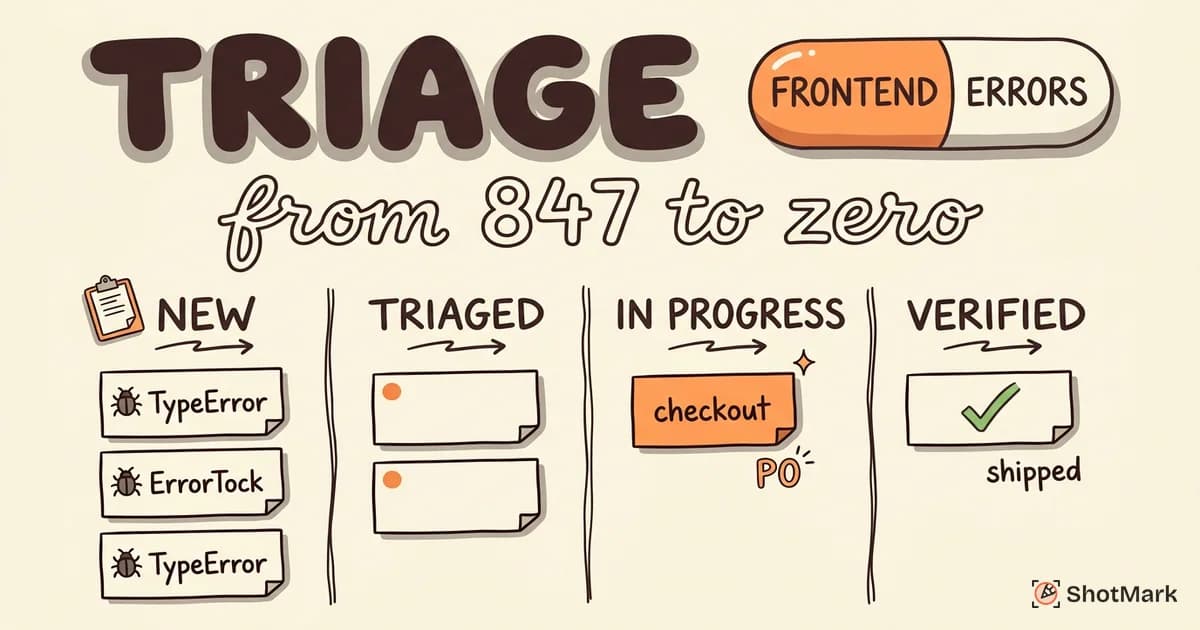
Shared triage only works if everyone agrees on the states and transitions. Define them up front. An error in your tool should be in exactly one state at a time: new, triaged, assigned, in-progress, verified, or ignored. If two engineers pick up the same error because the state was ambiguous, your process is leaking.
Write the workflow down in your team handbook. One page, six states, a short definition for each. Link it from the monitoring tool’s homepage so new hires find it on day one instead of three months later.
Triage Metrics Worth Tracking
You can’t improve what you don’t measure. Track four numbers over time:
- New errors per week: is the app getting buggier or cleaner?
- Mean time from detection to resolution (MTTR): are critical errors getting fixed quickly?
- Percentage of errors triaged within 24 hours: is triage keeping pace with incoming volume?
- Error backlog size trend: is the backlog growing or shrinking?
One more metric worth watching: bug escape rate, the ratio of bugs reported by users versus caught by monitoring. A high escape rate means your monitoring isn’t catching what matters. The Google SRE book chapter on managing incidents is a good primer on how these metrics roll up into incident management at scale.
Review these metrics monthly. If MTTR is climbing, you probably have an ownership problem. If the backlog is growing, you’re accepting too many “defer” decisions.
Tools That Support Frontend Bug Triage Workflows
Your monitoring tool does most of the heavy lifting. A few specifics to look for:
- Sentry: issue assignment rules, code owner auto-assignment, Slack and Linear integrations, inbox workflow with “review” and “archive” states.
- BugSnag: stability scores, release-based grouping, severity defaults, and team-level dashboards.
- Raygun: error grouping and triage automation with Slack/Teams alerts.
- Linear or Jira integrations: auto-create tickets from monitoring events so triage and sprint planning share the same source of truth.
For incident-adjacent triage (when an error spikes into a full outage), PagerDuty’s incident response documentation has a good model for escalation and handoff that also informs lower-severity triage rotations.
ShotMark fits here as the pre-production counterpart. When a QA engineer or designer finds a bug before it ships, ShotMark captures the full context in one click: screenshot, annotations, console logs, network requests, and session replay. That data flows into your issue tracker with everything a developer needs to reproduce the bug. Fewer bugs reach production, which means fewer errors your monitoring tool has to catch and triage.
Common Frontend Error Triage Mistakes
We’ve seen the same mistakes repeat across teams of every size:
Treating all errors as equal priority: If everything is P0, nothing is. Force ranking is not optional.
Skipping the noise-filtering step: If your triage meeting opens with 200 browser extension errors, you’ll burn the budget before touching real bugs. Filter first.
Vague ownership: “Frontend team” is not an owner. A person or a small squad with a DRI is.
Closing errors without verifying the fix: “Merged the PR” is not the same as “error rate dropped to zero.” Check the dashboard after deploy.
Not tracking triage metrics: Without MTTR and backlog trend, you have no way to tell if the process is working or just performative.
Letting the backlog grow unchecked: Stale errors in a monitoring tool are worse than no errors at all, because they teach engineers to ignore the dashboard entirely.
Putting It Together
Frontend error triage isn’t complicated, but it needs to be consistent. Filter noise, categorize by impact, assign an owner, decide fix/defer/ignore, and verify resolution. Run a 30-minute meeting weekly and track four metrics monthly. That’s the whole loop.
The teams that do this well ship faster and sleep better, not because their code is bug-free, but because they know which bugs matter and who’s fixing them. If you want to reduce the number of production errors you have to triage in the first place, ShotMark catches them earlier in the lifecycle with one-click capture of screenshots, console logs, network requests, and session replay. Join the ShotMark waitlist or check out the open-source SDK when it launches.
Get new posts in your inbox.
One email when we publish: notes on QA, AI, and shipping faster. No spam, unsubscribe anytime.