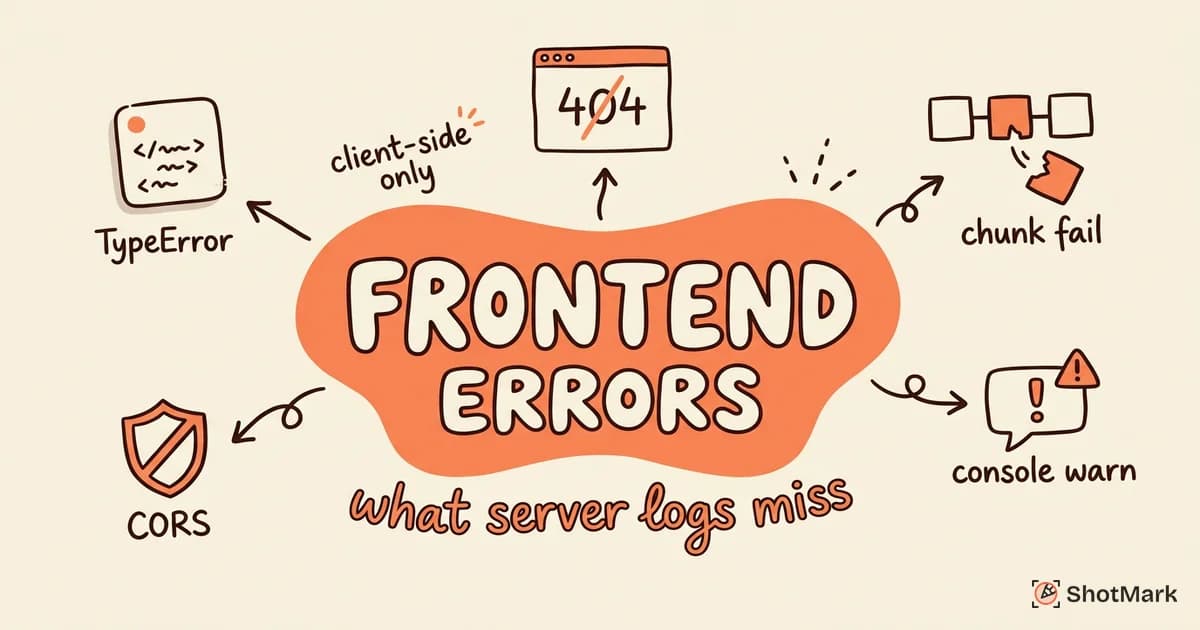
JavaScript errors in production are silent killers. A TypeError in one component can cascade through your app, breaking functionality for thousands of users while your server logs stay clean and quiet.
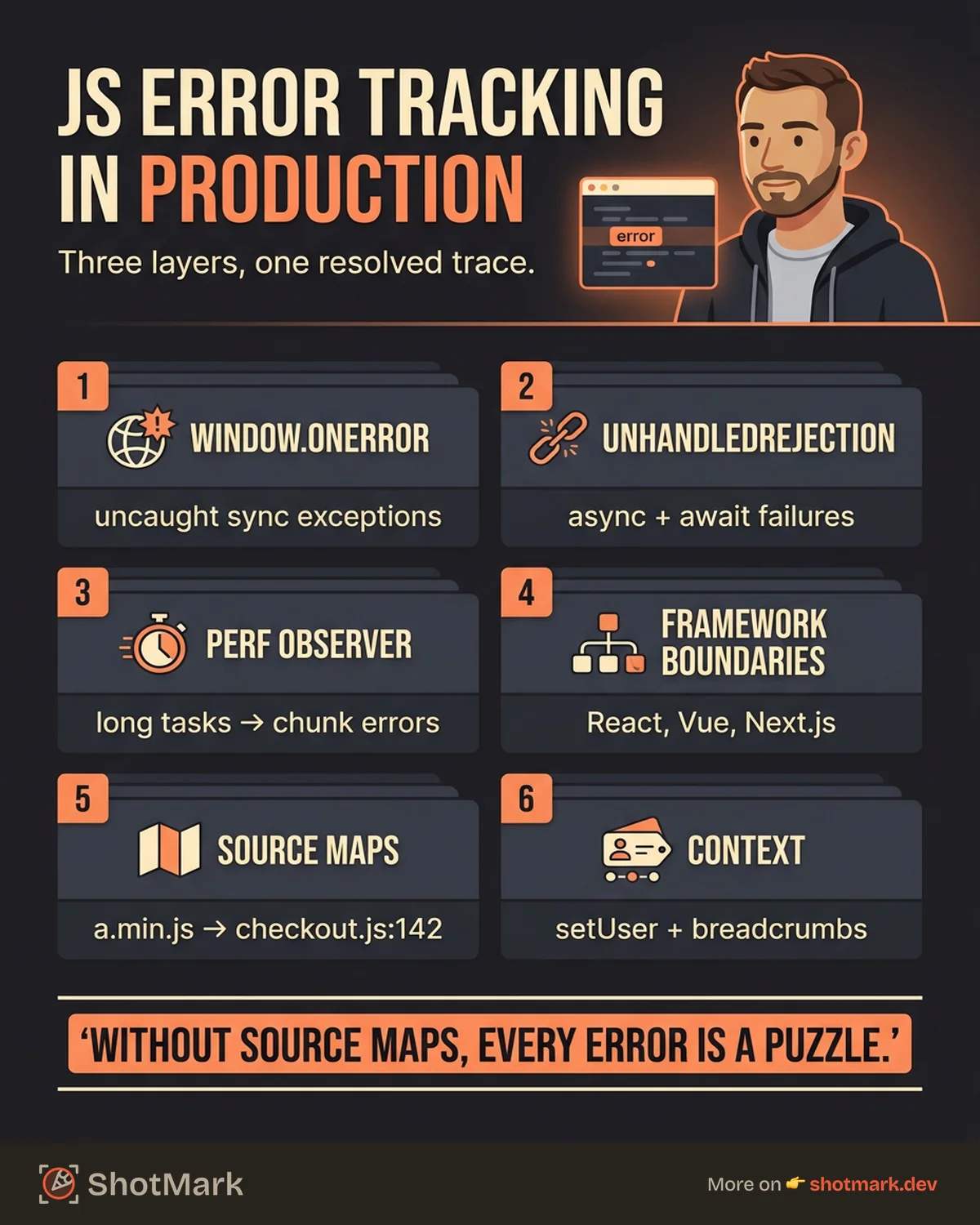
Effective JavaScript error tracking needs three layers working together: browser APIs that surface uncaught exceptions, framework handlers that catch rendering and lifecycle failures, and a monitoring pipeline that turns raw errors into actionable issues. This guide covers all three with code examples, then walks through debugging, noise filtering, and the workflow that gets bugs fixed instead of triaged forever.
Why JavaScript Errors Are Hard to Track
JavaScript runs in the user’s browser, not on your server. That single fact explains most of the difficulty. You have no direct visibility into the runtime, no stable filesystem to write logs to, and no guarantee that the network connection needed to report errors is even available.
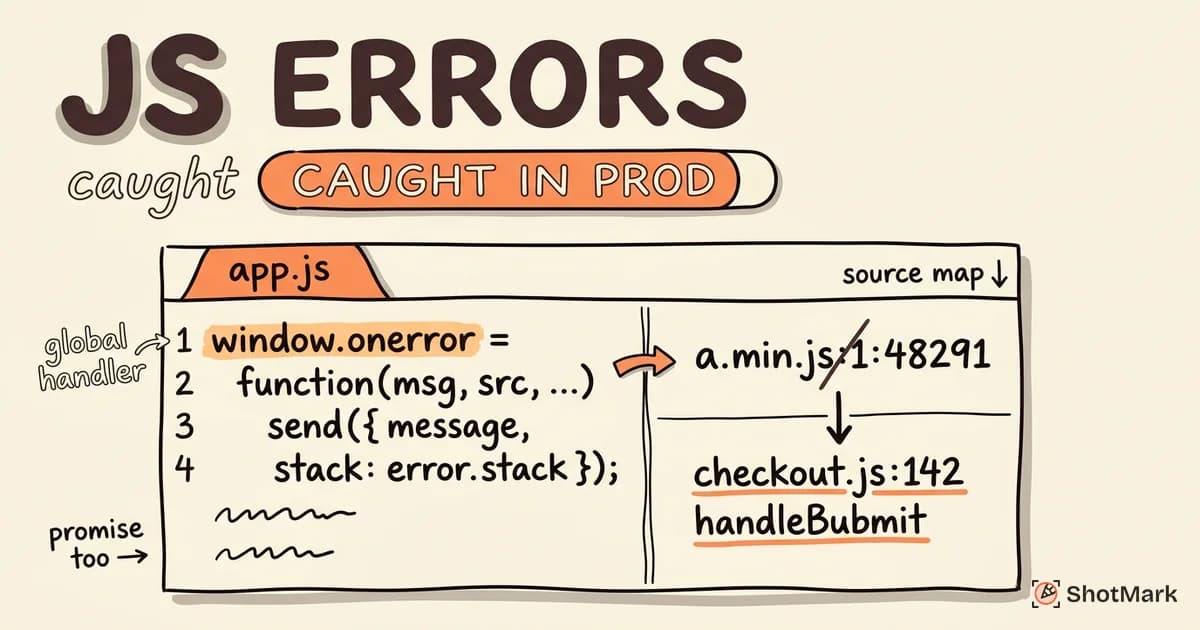
Minified bundles make things worse. A stack trace pointing to a.min.js:1:48291 tells you nothing without source maps, and source maps have to be uploaded to your monitoring tool as part of your build. Miss that step and every production error becomes a puzzle.
Browser diversity adds another layer. The same code can throw a TypeError on Safari, an Error on Chrome, and silently succeed on Firefox because each engine implements edge cases differently. Cross-origin scripts compound the problem: any error thrown from a different origin shows up as the famous Script error. with no stack trace attached.
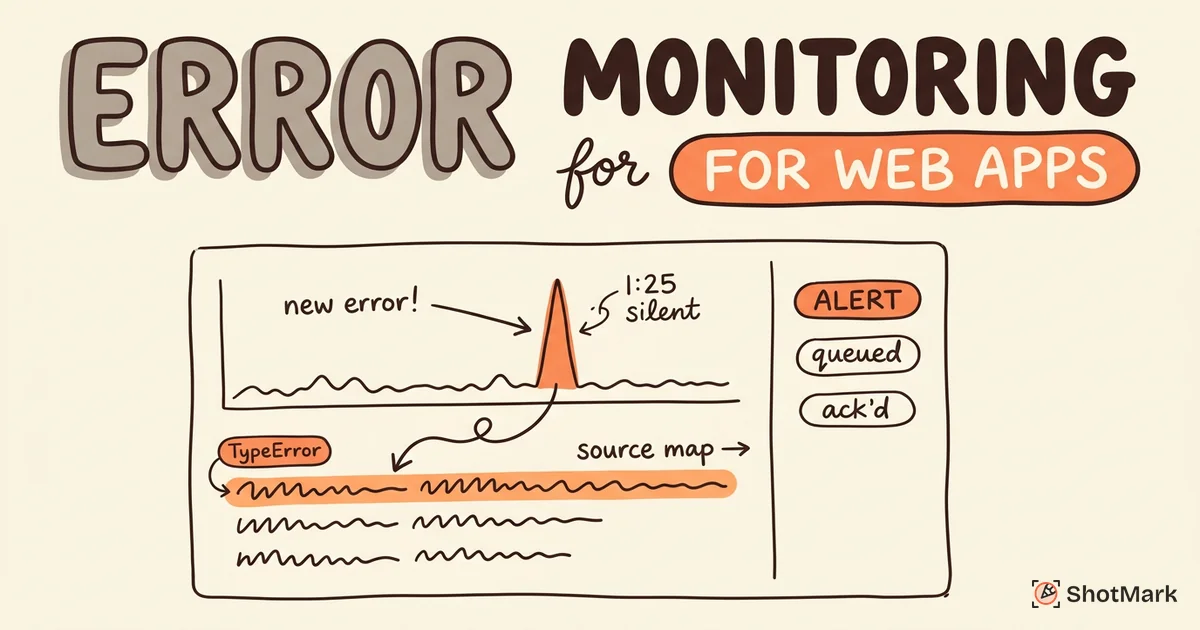
Network conditions also distort your error rate. Failed fetch calls, aborted chunk loads, and timed-out third-party scripts all generate errors that have nothing to do with your code quality. If you want a broader view of how these pieces fit together across the whole browser stack, our error monitoring for web apps practical guide covers the full architecture.
JavaScript Error Types You Need to Track
Before you can track errors, you need to know what you’re catching. The JavaScript runtime defines seven built-in error types, and MDN’s error reference lists every one with examples. In production, five matter most:
- TypeError: the most common error in client-side JavaScript. Triggered when code accesses properties on
undefinedornull, or calls a value that isn’t a function. - ReferenceError: a variable is used before it’s declared, or a global reference fails. Common with misconfigured bundlers or missing polyfills.
- RangeError: invalid array lengths, stack overflows from unbounded recursion, or out-of-range numeric values.
- NetworkError: thrown by
fetchandXMLHttpRequestwhen requests fail at the transport layer. Distinct from an HTTP 500 response, which resolves successfully as far as JavaScript is concerned. - ChunkLoadError: specific to apps that use dynamic imports or code splitting. Fires when a chunk fails to download, usually after a deploy invalidates the old hash.
Here’s a quick example of each so you can spot them in logs:
// TypeError
const user = null;
console.log(user.name); // Cannot read properties of null

// ReferenceError
console.log(missingVar); // missingVar is not defined

// RangeError
const arr = new Array(-1); // Invalid array length

// NetworkError (caught from fetch)
try {
  await fetch("https://api.broken.example");
} catch (err) {
  console.error(err); // TypeError: Failed to fetch
}
Custom error classes are worth adding for domain logic. A PaymentError or AuthError with structured metadata makes filtering far more useful than relying on message strings.
Built-In Browser APIs for Error Tracking
You don’t need a paid tool to start capturing errors. The browser exposes three APIs that together catch most uncaught exceptions, promise rejections, and performance regressions. They’re also what every monitoring SDK wraps under the hood.
How Does window.onerror Work?
window.onerror is the global handler for uncaught synchronous exceptions. Assign a function to it and the browser calls that function whenever an exception bubbles up without being caught.
window.onerror = function (message, source, lineno, colno, error) {
  sendToMonitoring({
    message,
    source,
    lineno,
    colno,
    stack: error?.stack,
    userAgent: navigator.userAgent,
    url: window.location.href,
  });
  return false; // allow default browser logging
};
Two gotchas. First, return true to suppress the browser’s default console logging, but most teams return false so errors still show up in DevTools during local development. Second, errors from cross-origin scripts are censored unless you add crossorigin="anonymous" to the <script> tag and serve the file with the correct CORS header. Without that, you get Script error. and nothing else.
Track Unhandled Promise Rejections in JavaScript
window.onerror catches synchronous exceptions, but it misses unhandled promise rejections entirely. That’s a huge blind spot in modern apps, where async/await is the default.
window.addEventListener("unhandledrejection", (event) => {
  sendToMonitoring({
    type: "unhandledrejection",
    reason: event.reason?.message || String(event.reason),
    stack: event.reason?.stack,
    url: window.location.href,
  });
});
Any promise that rejects without a .catch() handler fires this event. In practice, that’s your fetch calls, your await statements inside useEffect hooks, and any third-party library that returns a promise you forgot to handle. If you want a deeper look at what these errors look like when they surface in DevTools, our post on browser console errors explained with fixes walks through the most common ones.
Performance Observer for Error Correlation
The PerformanceObserver API isn’t strictly an error tracker, but it’s invaluable for correlating performance regressions with error spikes. Long tasks that block the main thread often precede ChunkLoadError or fetch timeouts.
const observer = new PerformanceObserver((list) => {
  for (const entry of list.getEntries()) {
    if (entry.duration > 100) {
      sendToMonitoring({
        type: "longtask",
        duration: entry.duration,
        name: entry.name,
      });
    }
  }
});
observer.observe({ entryTypes: ["longtask"] });
Tagging long tasks alongside your error events makes it far easier to spot when a memory leak or runaway render is the real cause of what looks like random crashes.
Framework-Specific Error Handling
Global handlers catch the exceptions that escape every other layer. To catch errors before they escape, you need framework-level boundaries that understand your component tree.
React Error Boundaries
React’s error boundaries are class components that implement getDerivedStateFromError and componentDidCatch. They catch errors thrown during rendering, in lifecycle methods, and in constructors of the child tree.
class ErrorBoundary extends React.Component {
  state = { hasError: false };

  static getDerivedStateFromError(error) {
    return { hasError: true };
  }

  componentDidCatch(error, info) {
    sendToMonitoring({
      type: "react-error",
      message: error.message,
      stack: error.stack,
      componentStack: info.componentStack,
    });
  }

  render() {
    if (this.state.hasError) {
      return <FallbackUI onRetry={() => this.setState({ hasError: false })} />;
    }
    return this.props.children;
  }
}
One gotcha developers miss: error boundaries don’t catch errors in event handlers, async code, or server-side rendering. Wrap your fetch handlers in try/catch and rely on window.addEventListener("unhandledrejection") for the async case.
Vue Global Error Handler
Vue 3 exposes app.config.errorHandler on the application instance. It receives the error, the component instance, and a string describing where the error occurred.
import { createApp } from "vue";

const app = createApp(App);

app.config.errorHandler = (err, instance, info) => {
  sendToMonitoring({
    type: "vue-error",
    message: err.message,
    stack: err.stack,
    componentName: instance?.$options.name,
    info,
  });
};
The info string is especially useful. It tells you whether the error came from the render function, a watcher, a setup function, or a lifecycle hook, which narrows the debugging surface considerably.
Next.js Error Handling
Next.js 13+ uses the file-based error.tsx convention. Drop an error.tsx file into any route segment and Next wraps that segment in an error boundary automatically.
// app/dashboard/error.tsx
"use client";

export default function DashboardError({
  error,
  reset,
}: {
  error: Error & { digest?: string };
  reset: () => void;
}) {
  sendToMonitoring({
    type: "nextjs-error",
    message: error.message,
    digest: error.digest,
    stack: error.stack,
  });

  return (
    <div>
      <h2>Something went wrong in the dashboard.</h2>
      <button onClick={reset}>Try again</button>
    </div>
  );
}
A global app/global-error.tsx file catches errors in the root layout. Use both: route-level boundaries keep most of the app functional when one section breaks, and the global boundary is your last line of defense.
Setting Up a JavaScript Error Tracking Pipeline
At some point, rolling your own starts costing more than it saves. A production pipeline needs deduplication, source map resolution, user context, alerting, and long-term storage. Here’s what a functional setup looks like with Sentry’s JavaScript SDK as an example, though the same pattern applies to BugSnag, Rollbar, or any commercial tool.
- Install the SDK and initialize it as early as possible in your entry file.
- Configure source map uploads in your build pipeline so minified stack traces resolve to readable code.
- Add user context with
setUserso you can answer “who saw this error?” without cross-referencing logs. - Enable breadcrumbs to capture user actions leading up to the error: navigation, clicks, network calls, console logs.
- Wire up alerts to Slack or email so regressions don’t wait for a dashboard check.
- Connect your issue tracker so errors become Jira or Linear tickets without manual copy-paste.
Here’s the minimum viable Sentry setup for a React + Vite app:
import * as Sentry from "@sentry/react";

Sentry.init({
  dsn: import.meta.env.VITE_SENTRY_DSN,
  integrations: [Sentry.browserTracingIntegration()],
  tracesSampleRate: 0.1,
  release: import.meta.env.VITE_APP_VERSION,
  environment: import.meta.env.MODE,
});

// After login
Sentry.setUser({ id: user.id, email: user.email });

// Wrap your root component
export default Sentry.withErrorBoundary(App, {
  fallback: <FallbackUI />,
});
Source map uploads happen in CI. For Vite, the @sentry/vite-plugin takes a release name and auth token and uploads maps on every build. Skipping this step is the single most common reason teams complain that “our error tracker shows garbage stack traces.”
If you want a broader look at the paid and open-source options, our roundup of frontend error monitoring tools and practices compares the trade-offs.
Debugging JavaScript Errors Effectively
Capturing an error is the easy part. Fixing it is where most of the hours go, and the difference between a 10-minute fix and a two-day investigation usually comes down to context.
Start with the stack trace. With source maps resolved, you should see the exact file, line, and column where the error was thrown. If the stack still looks minified, your source map upload is broken and nothing else matters until you fix that.
Breadcrumbs tell you what the user did just before the crash. A good breadcrumb trail shows the last navigation, the last few API calls, the last user clicks, and the last few console logs. That sequence is often enough to reproduce the bug locally without talking to the user.
Reproducing errors locally is the next step. Match the user’s browser, operating system, viewport size, and feature flags. Errors that happen only on Safari 16.4 with a specific cookie state aren’t rare, and your staging environment probably doesn’t replicate them by default.
Visual context is the piece most monitoring tools still miss. A stack trace tells you what code threw, but it doesn’t tell you what the user saw. ShotMark adds that layer: one-click capture of a screenshot, console logs, network requests, and a short session replay attached to the error report. When your error tracker fires an alert, ShotMark turns it into a bug report with the visual state already included, so reproduction stops being a guessing game.
Filtering Noise Without Silencing Real Bugs
Raw error feeds from production are noisy. A fresh Sentry project on a medium-traffic app often shows 40% of events coming from the same three sources: browser extensions injecting code into your pages, the ResizeObserver loop limit exceeded warning that Chrome throws harmlessly, and bot traffic hitting URLs that don’t exist.
Suppress these aggressively. Most monitoring tools support ignore rules by message pattern, user agent, or URL. A starter list:
ResizeObserver loop limit exceededandResizeObserver loop completed with undelivered notifications(harmless, ignore)- Errors from URLs that don’t match your own origin (browser extension noise)
- Errors where the user agent matches known bots (crawler traffic)
Non-Error promise rejection capturedwith empty reason (usually framework internals)
The danger is over-filtering. Every ignore rule you add is a potential real bug you’ll never see. Review your ignored events quarterly, and prefer sampling or alerting thresholds over outright suppression where possible. If an error happens once a week, silencing it is fine. If it’s happening to 200 users a day and you just stopped looking, that’s a problem.
Segment your dashboards too. Filter by browser, by release, by route, by user segment. A spike in errors that’s isolated to one route after a specific deploy is almost always a regression you introduced. A spike that’s spread evenly across every route is usually infrastructure or a third-party script.
Bringing It Together
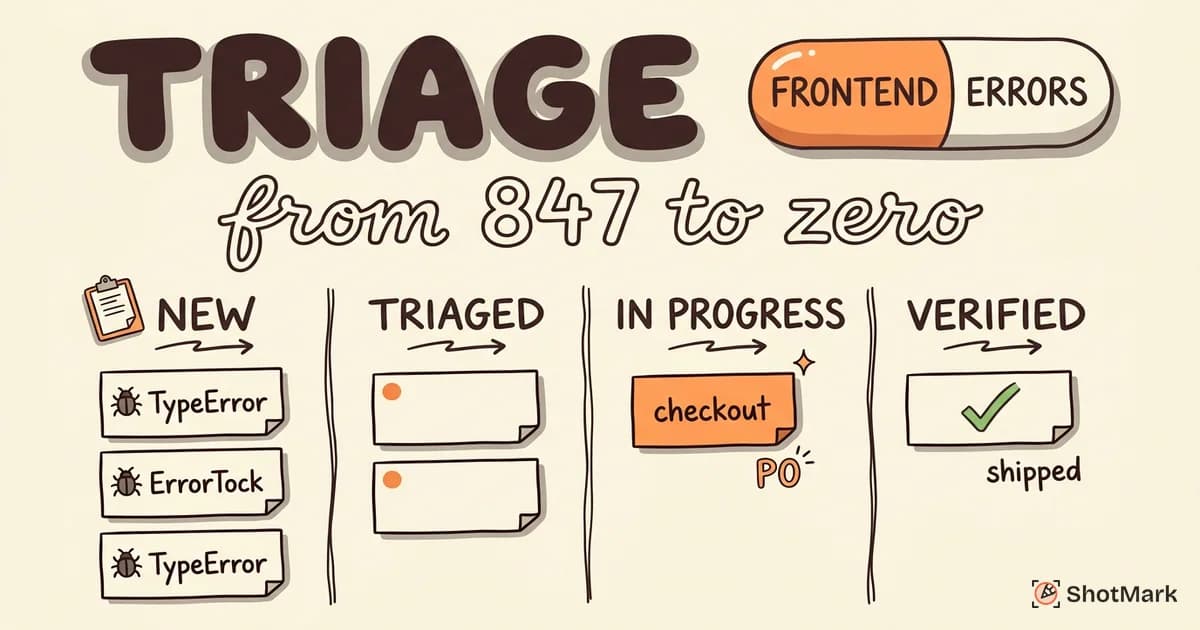
Good JavaScript error tracking isn’t one tool, it’s a stack: browser APIs catch the uncaught, framework boundaries catch the component errors, and a monitoring pipeline stitches it all into something actionable. Layer on source maps, user context, and breadcrumbs, and your team stops guessing at reproduction steps.
When an error does slip through to a user, the fastest path to a fix is a report that includes what the user saw, what the console logged, and what the network did. ShotMark gives your team that capture in one click, open-source SDK included, so the loop from detection to resolution closes quickly. Join the waitlist for early access.
Get new posts in your inbox.
One email when we publish: notes on QA, AI, and shipping faster. No spam, unsubscribe anytime.