Finding the right iOS bug reporting tool is harder than it looks. Apple’s closed ecosystem blocks most of the shortcuts QA engineers rely on, crash reports show up as unreadable stack traces, and TestFlight feedback lands in your inbox with no reproduction steps attached.
This guide compares the tools QA teams actually use to report bugs on iPhone and iPad, covering native apps, mobile web, and hybrid builds. We’ll walk through the built-in Apple options, the top third-party SDKs, and a comparison table to help you pick based on app type and team size.
iOS Bug Reporting Has Unique Challenges
iOS testing isn’t like Android testing. Apple sandboxes nearly every device log, blocks filesystem access without jailbreaking, and requires developer signing for any SDK you install during QA. That means the tooling landscape looks very different from what teams are used to on the web or on Android, which we cover in our guide on how to capture an Android bug report step by step.
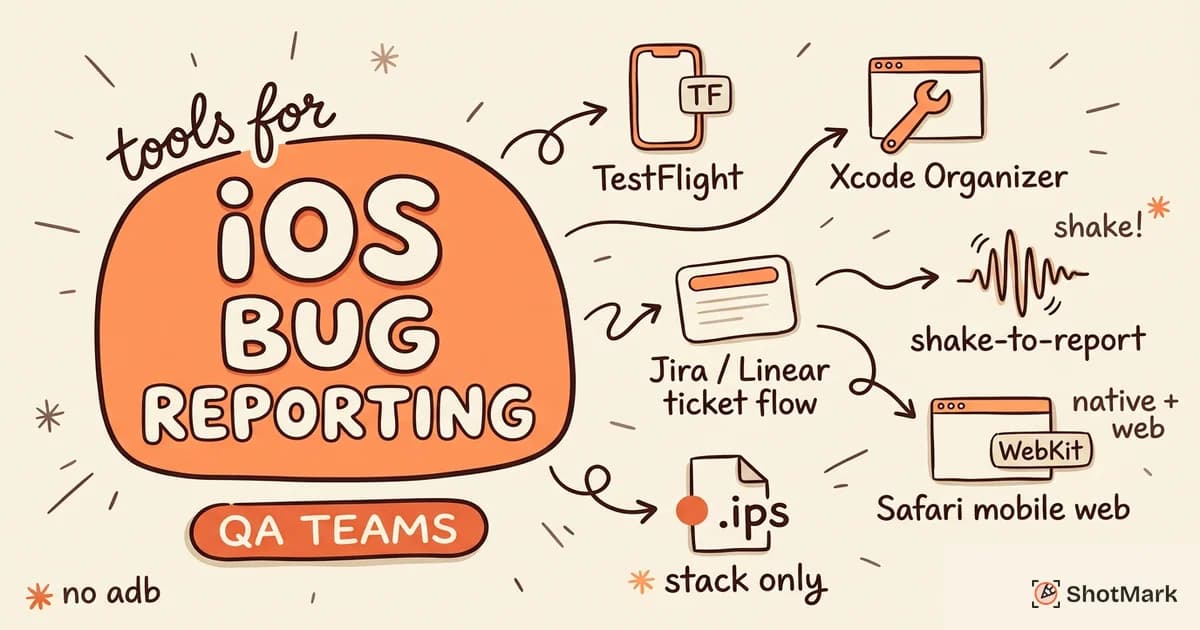
Crash logs on iOS ship as binary .ips files. Without symbolication, the stack traces point to memory addresses rather than function names, which is useless for triage. QA teams also can’t rely on adb-style workflows because no direct equivalent exists on iPhone or iPad.
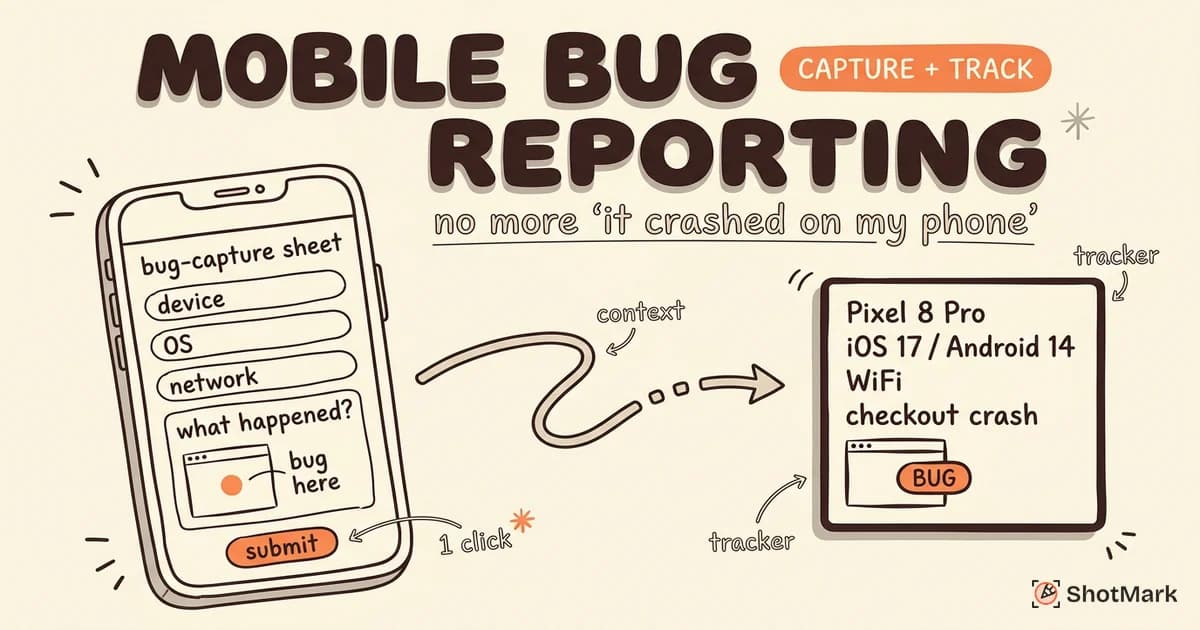
The result is that iOS bug reporting usually needs three things at once: a capture tool that works without root access, a way to attach device metadata automatically, and a pipeline that links the report back to a tracker like Jira, Linear, or GitHub. If any of those links break, testers fall back to screenshots in Slack and your signal-to-noise ratio collapses.
Built-in iOS Bug Reporting Options
Apple ships several first-party tools that teams should know about before reaching for a third-party SDK. Each covers a narrow slice of the workflow.
TestFlight Feedback
TestFlight is Apple’s official beta distribution platform, and it includes a built-in feedback channel. Testers can submit screenshots and written feedback from inside the app, or from the TestFlight app itself, and the feedback lands in App Store Connect under the build. Apple’s TestFlight documentation outlines the full tester invitation flow.
TestFlight feedback is free, tied directly to a build number, and requires no extra SDK. The catch is that it’s unstructured. There’s no severity field, no reproduction steps, no network log attachment, and no integration with Jira or Linear without a middleware service. For small internal betas it works. For a QA team running 20 testers across three parallel builds, it doesn’t scale.
Apple Feedback Assistant
Feedback Assistant is Apple’s tool for reporting iOS and macOS platform bugs back to Apple. It captures sysdiagnose bundles and device information automatically. It’s not built for third-party app feedback, so QA teams use it only when they hit an actual iOS SDK bug that Apple needs to fix.
Xcode Organizer
Xcode Organizer surfaces crash reports from App Store and TestFlight users, grouped by signature. The crash data is symbolicated automatically if you upload your dSYMs. This is the canonical place for engineers to triage production crashes, but it’s not a bug reporting tool in the QA sense. Testers can’t file a ticket here, and there’s no visual context attached.
Third-Party iOS Bug Reporting Tools
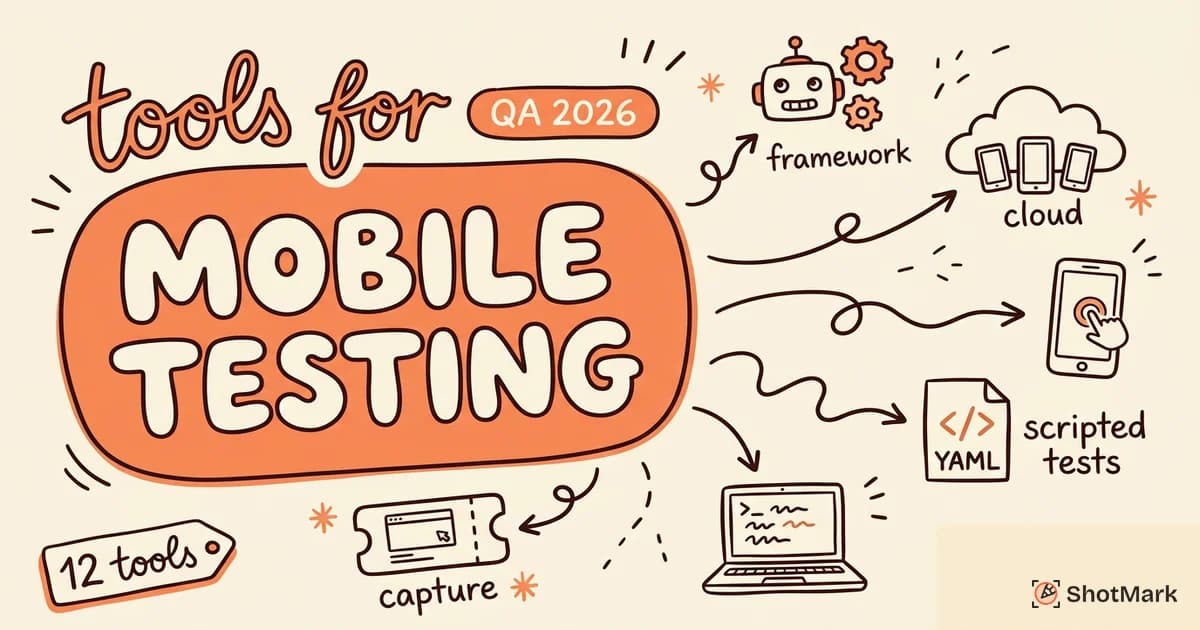
Third-party tools fill the gap between TestFlight’s bare-bones feedback and Xcode’s crash-only view. Here are the main options QA teams should compare, covering native SDKs, mobile web tools, and crash monitoring.
The split between native and web matters more on iOS than on any other platform because Safari is the only browser engine allowed on iPhone and iPad. Every mobile web testing session on iOS runs through WebKit, and most native bug reporting SDKs can’t reach into the webview layer cleanly. That constraint shapes the rest of this list.
1. Instabug
Instabug is the most established shake-to-report SDK in the iOS ecosystem. When a tester shakes the device, Instabug opens an in-app form that captures a screenshot, device metadata, network logs, console logs, and session steps. Testers can annotate the screenshot directly before submitting.
Instabug integrates with Jira, Slack, Linear, and most trackers. Pricing starts around $149/month for the basic bug reporting tier and climbs fast as you add session replay or APM. It’s the default choice for mobile-first teams that need structured reporting on iPhone and iPad and can absorb the cost.
What sets Instabug apart in practice is the depth of data capture on the native side. Console output, API response bodies, and repro steps all arrive attached to the ticket. Engineers don’t have to ask “what did you click?” because the session log shows it.
2. Shake
Shake takes a similar shake-to-report approach but leans harder on automatic data capture. It records activity history (the last 60 seconds of taps, screens, and navigation), device orientation, network requests, and a short screen recording. Testers get a minimal form and most of the context fills itself in.
Shake is a good fit if your testers forget to add context. The trade-off is that automatic recording can feel intrusive on privacy-sensitive apps, and you’ll want to audit what gets captured before shipping internal builds.
3. Buglife
Buglife is an older open-source iOS bug reporting SDK with a permissive license. It offers screenshot annotation, markup tools, and integrations with a smaller set of trackers than Instabug. The open-source angle matters if your team needs to self-host or audit the capture pipeline for compliance reasons.
Buglife’s maintenance pace is slower than the commercial options. Check the GitHub activity before committing if you need frequent iOS SDK updates.
4. ShotMark
ShotMark focuses on a slice of iOS bug reporting that the native SDKs don’t cover: mobile web testing on iOS Safari. When your team tests the web version of a product on iPhone or iPad, the native SDKs can’t help because there’s no app binary to instrument. ShotMark captures screenshots, console logs, network requests, and session replay from the browser context with one click, then attaches full device metadata to the report.
ShotMark is open-source at the SDK layer and currently in waitlist mode. For QA teams that ship both a native iOS app and a mobile web experience, pairing ShotMark (for web) with Instabug or Shake (for native) covers both surfaces without gaps.
5. Usersnap
Usersnap is a feedback widget aimed at product managers and designers, with screenshot capture that works on mobile web in iOS Safari. It’s lighter on engineering context than ShotMark (no network request capture out of the box on mobile web) but stronger on structured survey flows for user feedback.
It’s a fit if the bulk of your incoming feedback is UX-related rather than technical defect reports.
6. Firebase Crashlytics
Firebase Crashlytics is Google’s crash and error reporting SDK. It collects stack traces, affected OS versions, and custom keys for debugging production issues at scale. It isn’t a manual bug reporting tool (testers don’t file reports through it) but every serious iOS app runs it alongside a bug reporting SDK to catch crashes that testers miss.
Comparison Table
Here’s how the main options stack up across the features QA teams ask about most:
| Tool | Native iOS | Mobile Web | Shake-to-Report | Annotation | Crash Logs | Starting Price |
|---|---|---|---|---|---|---|
| TestFlight | Yes | No | No | No | Yes | Free |
| Instabug | Yes | Limited | Yes | Yes | Yes | $149/mo |
| Shake | Yes | No | Yes | Yes | Yes | $50/mo |
| Buglife | Yes | No | Yes | Yes | Limited | Free (OSS) |
| ShotMark | No | Yes | N/A | Yes | Browser | Waitlist |
| Usersnap | Limited | Yes | No | Yes | No | $49/mo |
| Crashlytics | Yes | No | No | No | Yes | Free |
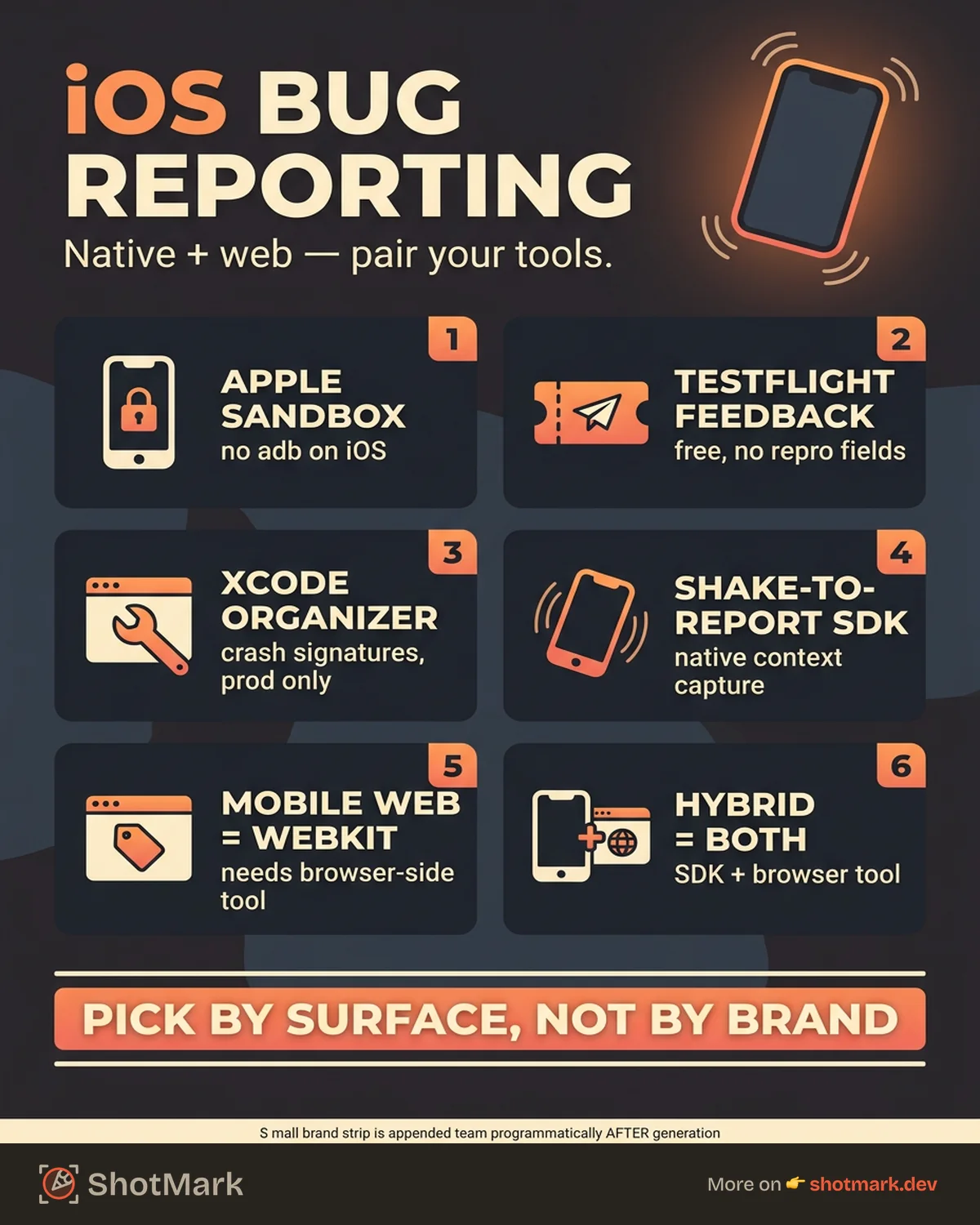
The table answers the first question most teams ask: no single iPhone bug reporting tool covers both native and mobile web. You’ll need to pair tools.
Native App vs Mobile Web Bug Reporting on iOS
The surface you’re testing determines the tool category. Native apps need an SDK that compiles into the app binary. Mobile web needs a browser-side capture tool that runs in Safari or a mobile bug reporting workflow that handles both cases.
For hybrid apps (think Capacitor, Ionic, or a Swift shell wrapping a webview), the SDK approach covers the native chrome while browser tools cover the webview content. Most teams end up instrumenting both layers and routing reports to the same Jira project with different labels.
The decision tree is simple. If you’re testing a pure native iOS app, pick Instabug, Shake, or Buglife. If you’re testing mobile web on iOS Safari, pick ShotMark or Usersnap. If you’re testing a hybrid app, do both and accept the cost. Mobile app testing strategy at this level is part of a broader mobile app testing approach for QA teams in 2026.
How to Set Up iOS Bug Reporting for Your QA Team
Rolling out an iOS bug reporting tool is a five-step process. Skip any step and testers will default back to unstructured Slack messages.
- Pick a tool based on app type: Native app, mobile web, or hybrid. Don’t try to force one tool to cover a surface it wasn’t built for.
- Install the SDK or extension: For native SDKs, add the dependency and follow the initialization snippet. For browser-based tools like ShotMark, install the extension on the testing device or desktop browser used for iOS Safari debugging.
- Train testers on the trigger: Shake gesture, floating button, or keyboard shortcut. Document the trigger in your QA onboarding doc with a 30-second video.
- Connect the tracker integration: Jira, Linear, or GitHub. Test the integration by submitting a fake bug report and confirming it lands in the right project with the right fields.
- Review incoming reports weekly: Audit for context quality. If testers are submitting reports without reproduction steps, tighten the form requirements or add a checklist to the capture modal.
The weekly audit matters more than the tool choice. A strict process with a free tool beats a loose process with the most expensive SDK on the market.
Common Questions About iOS Bug Reporting
A few questions come up on almost every tool evaluation call. Here are short answers.
How do I report bugs on iOS apps during beta testing?
For internal betas, install a shake-to-report SDK like Instabug or Shake in your TestFlight build. Testers trigger a report by shaking the device, the SDK captures context automatically, and the report routes to your tracker. For smaller betas, TestFlight’s built-in feedback is enough if you’re willing to triage manually.
What’s the best tool for bug reporting on iPhone and iPad?
There isn’t a universal winner. Instabug wins on depth of native data capture, Shake wins on automatic context, Buglife wins on open-source flexibility, and ShotMark wins on iOS Safari mobile web coverage. Pick based on your surface, not the brand.
How does iOS beta testing bug reporting differ from Android?
Apple’s sandbox is stricter. You can’t read system logs without a sysdiagnose bundle, you can’t sideload SDKs without re-signing the build, and TestFlight enforces a review cycle for external testers. Expect slower iteration on QA tooling changes than what you’d see on Android’s more open ecosystem.
Can I use the same tool for native and mobile web on iOS?
Not effectively. Native SDKs hook into the app’s runtime and can’t see into Safari. Browser-based capture tools run in the web context and can’t reach the native layer. Teams testing both ship with two tools.
Pair iOS Bug Reports With Visual Context
Crash logs tell developers what the app did. Visual bug reports show what the tester saw. You need both. An iOS bug reporting tool that captures only crash stacks misses the bugs that don’t crash (layout breaks, wrong copy, failed API responses that render blank states) and those are the majority of reports from a typical QA cycle.
For mobile web testing on iPhone and iPad, ShotMark adds the visual layer with one-click capture of screenshots, console logs, network requests, and session replay. The SDK is open source and the product is on a public waitlist. Pair it with Instabug or Shake for your native iOS app and you’ll have full coverage across both surfaces without asking testers to learn two different workflows for the same bug.
Get new posts in your inbox.
One email when we publish: notes on QA, AI, and shipping faster. No spam, unsubscribe anytime.