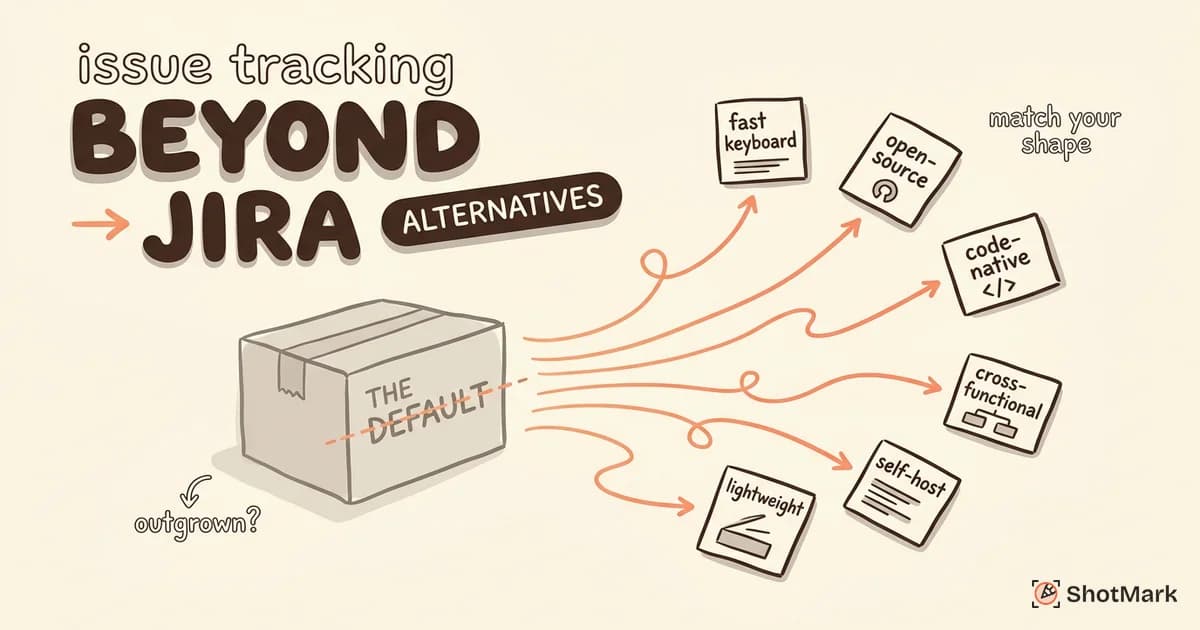
Jira is the default issue tracking tool for a reason. It is powerful, endlessly customizable, and integrates with nearly everything. But “default” does not mean “best fit.” If your eight-person team spends more time configuring Jira workflows than shipping code, the tool is working against you.
The issue tracking landscape has changed significantly in recent years. Developer-first tools have matured, open-source alternatives have become production-ready, and lightweight trackers have proven that not every team needs a 50-field issue template. Here are the issue tracking tools worth considering when Jira is not the right answer.
When Jira Is the Right Choice (and When It Isn’t)
Jira excels in specific contexts. Large engineering organizations with complex cross-team dependencies, companies already invested in the Atlassian ecosystem (Confluence, Bitbucket, Opsgenie), and teams that need highly regulated audit trails all benefit from what Jira provides. If your organization has 200 engineers across 15 teams with interlocking release schedules, Jira’s configurability is a feature, not a burden.
The problems start at smaller scale. For teams under 25 people, Jira’s overhead becomes difficult to justify. License fees add up quickly. Admin time for managing workflows, custom fields, and permissions consumes hours that could go toward building product. Training new team members on Jira takes longer than onboarding them into the codebase. The G2 issue tracking category is full of reviews from small teams that describe Jira as “powerful but exhausting.”
The real cost is not the subscription. It is the cumulative time your team spends navigating, configuring, and working around the tool. When developers start tracking bugs in Slack threads or Notion pages because it is faster than creating a Jira ticket, your issue tracker has a problem.
Issue Tracking Tools for Developer-First Teams
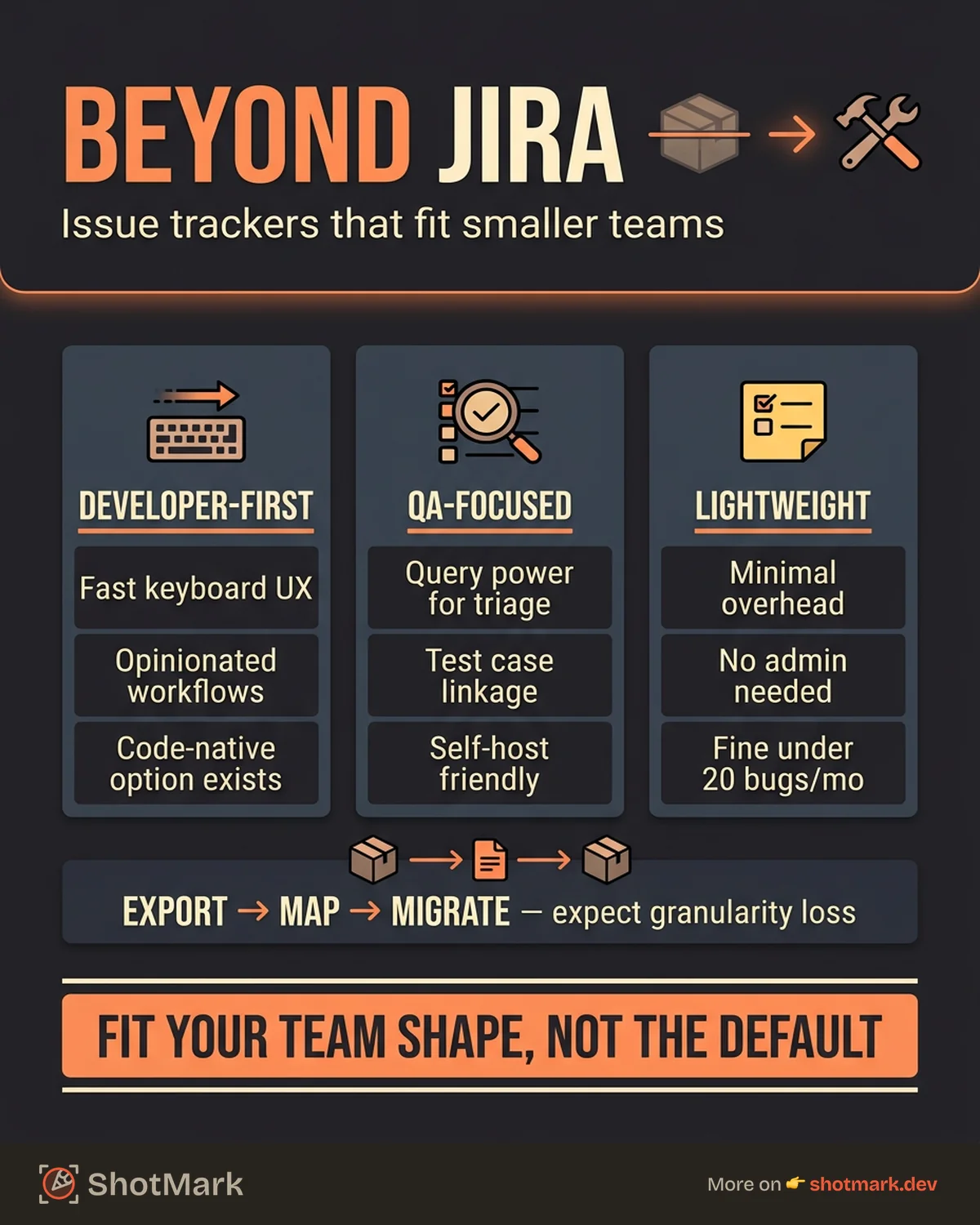
These tools prioritize speed and developer experience over configurability. They work best for teams that want opinionated workflows and fast keyboard-driven interfaces.
Linear
Linear is fast. Every interaction, from creating an issue to updating its status, works through keyboard shortcuts. The interface loads instantly. Workflows are opinionated but flexible enough to adapt. Cycles (Linear’s version of sprints), roadmaps, and project views are built in without the configuration overhead.
Best for: Product-engineering teams that want to move fast and prefer convention over configuration.
Trade-off: Less customizable than Jira. If your workflow requires 12 custom fields and conditional state transitions, Linear will fight you.
Shortcut
Shortcut (formerly Clubhouse) balances developer speed with cross-functional accessibility. It handles stories, epics, and iterations well, and it includes features for product and design teams without overwhelming developers with project management baggage.
Best for: Cross-functional teams where product, design, and engineering share the same tracker.
Trade-off: Smaller integration ecosystem than Jira or Linear. Some niche tools may not have native connectors.
GitHub Issues and Projects
For open-source projects and teams that live in GitHub, GitHub Issues is the zero-friction option. Issues live next to the code. PRs link to issues automatically. GitHub Projects adds kanban boards, roadmaps, and custom fields on top.
Best for: Small teams and open-source projects that want issue tracking without introducing a separate tool.
Trade-off: Limited workflow automation compared to dedicated trackers. Not ideal for non-technical stakeholders who find GitHub’s interface confusing.
Plane
Plane is an open-source issue tracking tool that can be self-hosted or used via their cloud offering. It covers issues, cycles, modules, and views with a clean interface that feels closer to Linear than to Jira. The open-source nature means you can customize and extend it to fit your workflow.
Best for: Teams that want a Jira alternative they can self-host, customize, or contribute to.
Trade-off: Younger project with a smaller community. Fewer integrations and less documentation than mature tools.
| Tool | Developer Speed | Pricing Model | Self-Hosted | Key Strength |
|---|---|---|---|---|
| Linear | Fast | Per-seat | No | Keyboard-first UX |
| Shortcut | Fast | Per-seat | No | Cross-functional balance |
| GitHub Issues | Native | Free / per-seat | No | Code integration |
| Plane | Fast | Free / per-seat | Yes | Open-source |
For a broader evaluation framework, see our guide on how to choose a bug tracking tool.
Issue Tracking Tools for QA and Testing Teams
QA teams have different needs than product-engineering teams. They need detailed defect tracking, test case linkage, and the ability to capture reproduction steps with technical context. Not every issue tracker handles these well.
YouTrack
JetBrains’ YouTrack has a powerful query language that lets QA engineers build custom views and reports without admin help. It includes a knowledge base, agile boards, and project management features alongside issue tracking. Free for small teams (up to 10 users).
Best for: QA teams that want powerful search and reporting without waiting for a Jira admin to build a filter.
MantisBT
MantisBT is a battle-tested open-source bug tracker. It is simple, reliable, and has been running in production at thousands of organizations for over two decades. No frills, no trends, just bug tracking.
Best for: Teams that want a straightforward, self-hosted bug tracker without modern project management features layered on top.
Redmine
Redmine is an open-source project management and issue tracking tool with a rich plugin ecosystem. Self-host it, install plugins for time tracking, agile boards, or test case management, and configure it to match your workflow.
Best for: Teams that want an open-source tool they can extend with plugins and are comfortable managing their own infrastructure.
Where ShotMark fits into this picture is straightforward. ShotMark captures the visual and technical context of a bug (screenshot, console logs, network requests, environment metadata) and feeds it into whichever issue tracker your team uses. Whether you track bugs in Linear, YouTrack, or a Redmine instance on a server under someone’s desk, the bug report arrives with full context. This connects directly to the process described in our guide on defect tracking from discovery to resolution.
For a deeper comparison of QA-specific tracking tools, see defect tracking tools compared for QA.
| Tool | QA Features | Test Case Linkage | Self-Hosted | Capture Depth |
|---|---|---|---|---|
| YouTrack | Strong | Yes | Yes | Query-based reporting |
| MantisBT | Basic | Via plugins | Yes | Simple defect tracking |
| Redmine | Via plugins | Via plugins | Yes | Extensible |
Lightweight Issue Trackers for Small Teams
Not every team needs a full issue tracker. For small teams, sometimes less is more.
Notion databases work when your team already lives in Notion. Create a bug database with the properties you need, filter by status and assignee, and call it a tracker. It lacks automation and integration depth, but for a five-person team filing 10 bugs a week, it is enough.
Todoist or similar task managers work when you need minimal overhead. Tag tasks as bugs, assign them, set priorities. No workflow engine, no custom fields, just a list of things to fix.
A spreadsheet is fine for teams that file fewer than 20 bugs a month and need a shared place to track status. Add columns for title, description, priority, assignee, and status. It is not elegant, but it works, and it does not require onboarding.
The question of which tool fits your team is covered from the tester perspective in our guide on bug tracking tools software testers rely on. The answer depends less on feature lists and more on whether your team will actually use it.
How to Migrate From Jira Without Losing Your History
Switching issue trackers is a migration project, not a weekend task. Here is how to do it without losing data or momentum.
Export what matters: Jira supports CSV export and API access. Export issues, comments, attachments, and custom field values. Third-party migration tools exist for popular destinations (Jira to Linear, Jira to Shortcut), and they handle field mapping better than manual CSV imports.
Map fields carefully: Jira’s data model is complex. Your new tool’s data model is simpler. Map Jira’s custom fields to the closest equivalent, and accept that some granularity will be lost. Priority levels, issue types, and status values rarely map one-to-one.
Archive, don’t migrate everything: You do not need three years of resolved bugs in your new tracker. Export the full history to a backup (CSV or database dump), import only open issues and recent closed issues (last 90 days), and keep the archive accessible for reference.
Run both tools in parallel during the transition: Create new issues in the new tracker. Reference old issues by linking back to Jira. After 30 to 60 days with no new issues in Jira, decommission it.
The best issue tracking tool is the one your team uses consistently. A lightweight tracker that captures bugs reliably beats a feature-rich system that developers avoid. What matters more than the tool is the quality of the data going into it. When bug reports arrive with screenshots, console logs, network requests, and environment metadata already attached, the tracker becomes a coordination tool instead of a clarification machine. ShotMark captures that technical context in one click and sends it to whichever tracker your team prefers. Join the waitlist to try it.
Get new posts in your inbox.
One email when we publish: notes on QA, AI, and shipping faster. No spam, unsubscribe anytime.