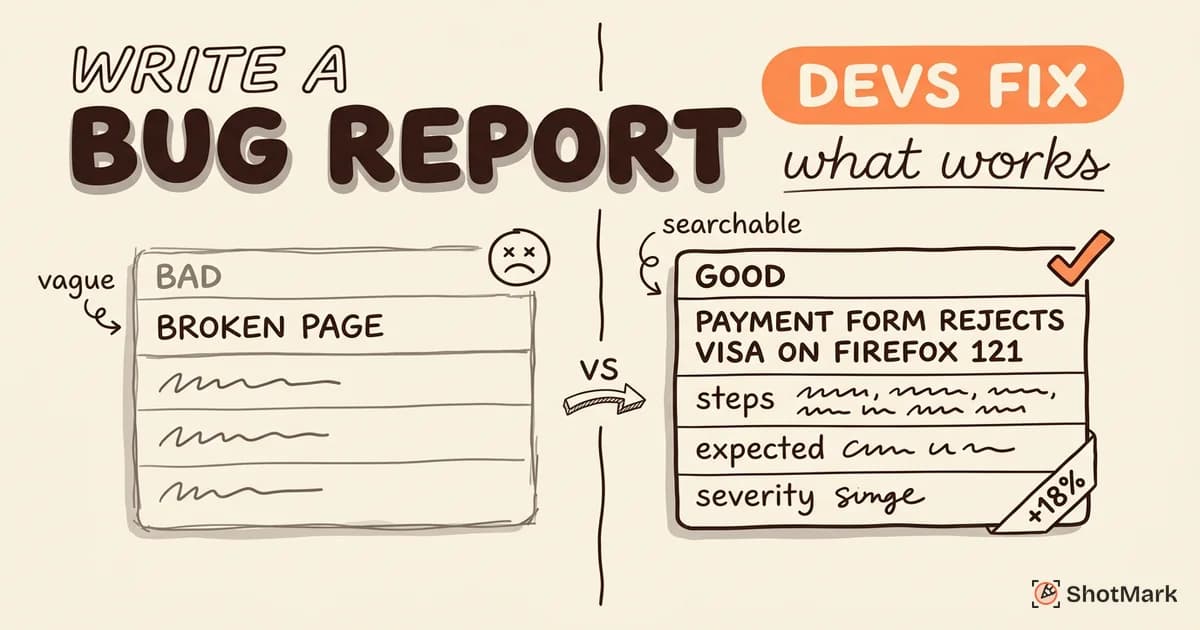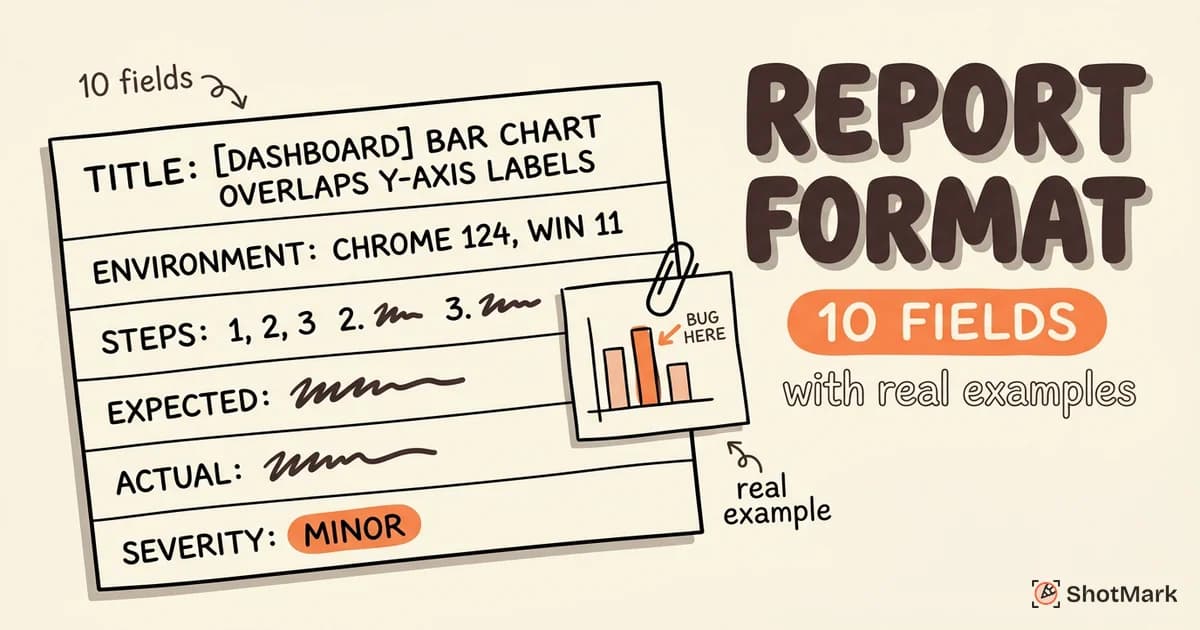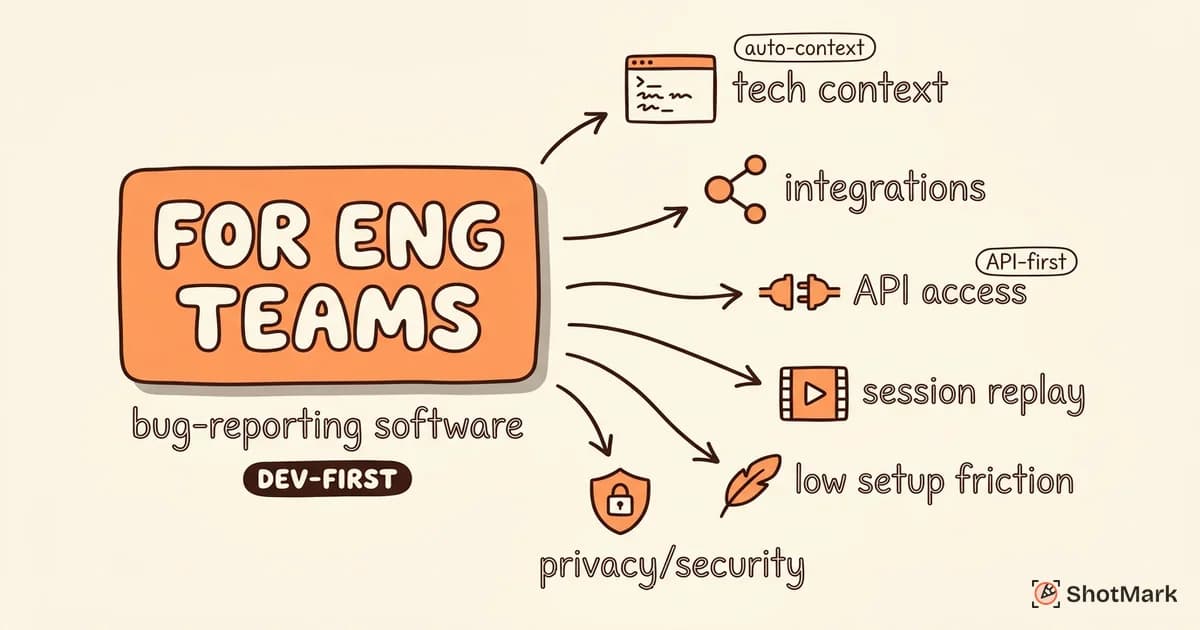
Bug reporting software built for engineering teams looks nothing like the tools agencies or support desks pick. Engineers need automatic technical context, tracker integration, and workflows that don’t break the development loop they’ve already tuned.
Most roundups lump every option together, so a tool built for client feedback ends up ranked next to a developer SDK. This guide focuses only on bug reporting software for engineering teams, covering what matters when your users are the people writing and shipping the code.
What Engineering Teams Need From Bug Reporting Software
Engineering teams evaluate bug reporting software against a different checklist than support or QA-only teams. The tool has to respect the existing stack, surface developer-grade technical context, and stay out of the way during normal work.
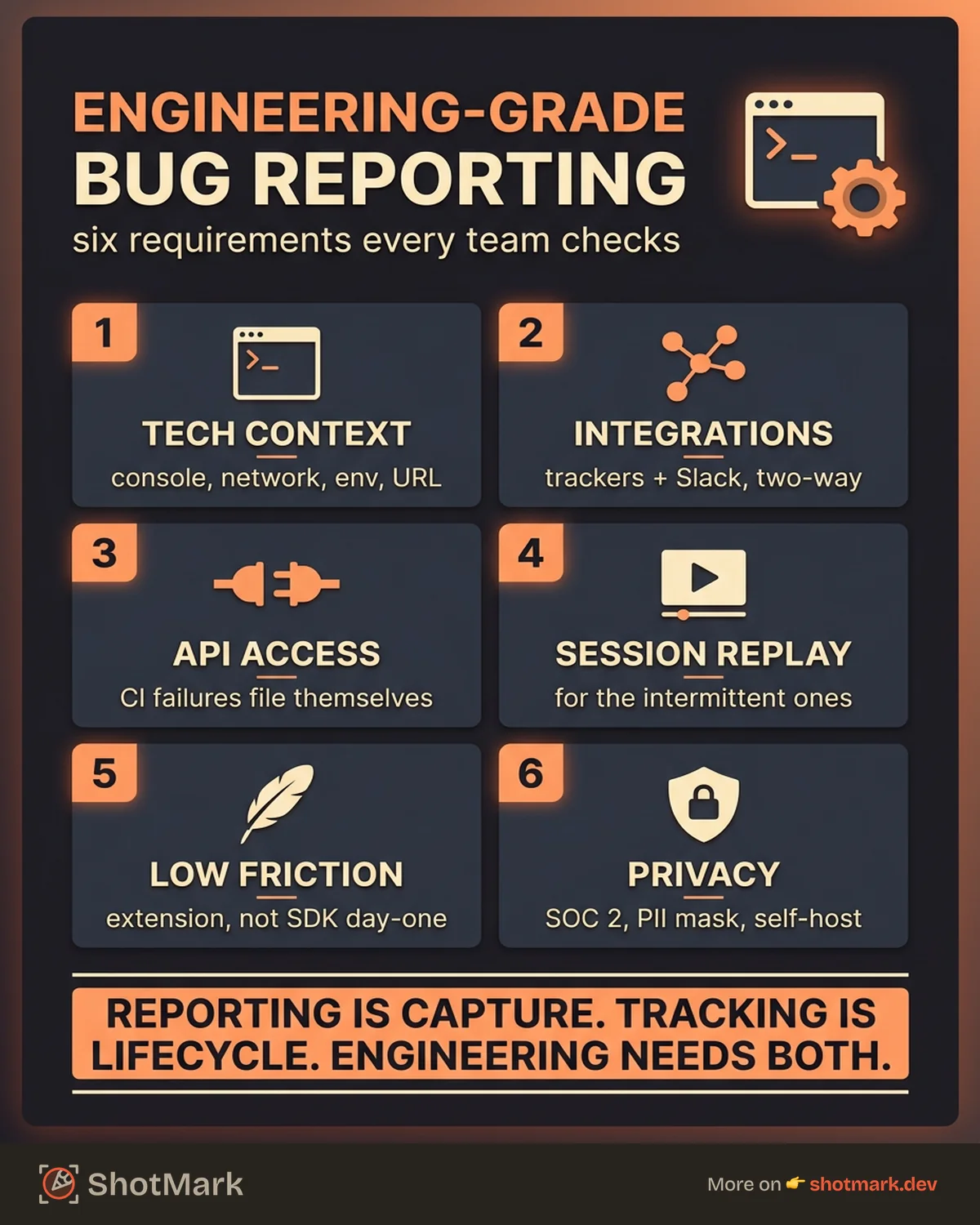
Six requirements show up in almost every engineering-led evaluation we’ve seen.
Automatic Technical Context
A screenshot alone doesn’t help a developer debug. Engineering teams want console logs, network requests, browser and OS details, viewport size, user agent strings, and the exact URL captured automatically.
Manual context capture is where the old workflow breaks. Asking a reporter to open DevTools, copy the console, export a HAR file, and paste it all into a ticket takes 10 minutes per bug and gets skipped under deadline pressure.
Integration With Engineering Tools
Bugs should land in the system engineers already use. That usually means Jira , Linear , or GitHub Issues , plus Slack for async discussion.
The integration needs to be two-way where possible. Status updates on the tracker should reflect in the capture tool, so duplicate reports and stale bugs don’t pile up.
API Access for Custom Workflows
Mature engineering teams want to script bug submission from their own tools. CI pipelines that fail should be able to file bugs automatically. Internal dashboards should pull reports via REST or GraphQL.
Without API access, you’re stuck with whatever integrations the vendor ships. That works for a while, then it doesn’t.
Session Replay for Reproducing Complex Bugs
Steps-to-reproduce are the first thing to go wrong in a bug report. Session replay removes that failure mode by showing the actual sequence of DOM mutations, network activity, and console output that led to the failure.
Not every bug needs replay, but intermittent bugs usually do. A ten-second replay beats a three-paragraph reproduction description.
Low Setup Friction
Engineers hate SDKs that require code changes for simple feedback workflows. A browser extension or lightweight script tag should be enough to get capture working on staging or production. Chrome extensions for bug reporting are often the fastest way to pilot a capture-first workflow without touching application code.
Code-level instrumentation is fine for deeper error tracking, but it shouldn’t be the entry point. Teams that have to plan a sprint around onboarding will quietly abandon the tool.
Privacy and Security
Bug capture touches user sessions, which means it can touch personal data. SOC 2 reporting, field-level PII masking, and self-hosted options matter more than marketing pages admit.
Engineering leaders in regulated industries treat this as a gate, not a preference. If the vendor can’t answer questions about data residency and retention, the evaluation ends.
Bug Reporting Software vs. Bug Tracking Software
The terms get used interchangeably, but they describe different parts of the workflow. Getting the distinction right saves you from buying two tools that do the same thing or one tool that does neither well.
How Is Bug Reporting Software Different From Project Management Tools?
Bug reporting software handles the input side: capturing what broke, where, and under what conditions. Bug tracking software handles the output side: managing the ticket through triage, assignment, fix, review, and verification.
Project management tools like Jira and Linear are tracking systems with minimal capture features. They give you a form with text fields. They don’t record the browser state, console errors, or network requests unless you paste them in manually.
Bug reporting tools focus on capture quality. They automate everything a developer would ask for in a follow-up message, then hand the resulting report off to the tracker of your choice. For QA-heavy teams, we’ve put together a deeper look at bug reporting tools compared that breaks down the capture-first category in detail.
Why Most Teams Need Both
A bug report has to get captured, and it has to get resolved. Very few tools do both parts well, so most engineering teams end up running a capture tool in front of their tracker.
The exception is tools like Sentry, which started as an error tracker and added reporting, or full-suite platforms that bundle capture, tracking, and monitoring together. Those work if your team fits the vendor’s shape. For everyone else, keeping capture and tracking separate preserves flexibility.
The Overlap
Jira ships with issue-type templates that mimic a bug report. That isn’t the same as capturing a bug. The template gives you a form to fill; it doesn’t pull console logs off the user’s browser or attach a session replay.
ShotMark sits on the capture side. It records screenshots, console logs, network requests, and session replay in one click, then pushes the structured report to Jira, Linear, GitHub Issues, or Slack through an integration or API call.
Bug Reporting Software Options for Engineering Teams
The bug reporting tools market splits into four categories based on what the tool actually does. Knowing which category you need narrows the shortlist quickly.
Capture-First Tools
Capture-first tools prioritize the moment a tester or user finds a bug. They run as browser extensions or lightweight SDKs, pull technical context automatically, and send the report to an external tracker.
ShotMark, Jam, and BetterBugs sit in this category. All three capture screenshots with annotations, console logs, and network activity. Differences show up in replay depth, mobile support, and pricing structure.
Capture-first tools don’t replace your tracker. They feed it. If you already use Jira or Linear and you’re happy with the workflow, adding a capture tool is the fastest upgrade you can make.
Tracker-First Tools
Tracker-first tools manage the bug lifecycle. They’re strong at workflows, SLAs, custom fields, sprint planning, and reporting.
Jira, Linear, and GitHub Issues all fit here. Jira has the most configuration options and the steepest learning curve. Linear is opinionated and fast. GitHub Issues is free, tightly integrated with pull requests, and limited on custom fields.
None of these capture technical context automatically. You write the report manually or you paste in output from another tool. That’s fine, as long as you know the gap exists.
Hybrid Tools
Hybrid tools try to handle both capture and tracking in one product. Marker.io and Usersnap lean this way, with visual feedback widgets, annotations, and lightweight issue management.
The trade-off shows up at scale. Hybrid tools usually lack the workflow depth of Jira or Linear and the capture depth of dedicated capture-first tools. They work well for agencies and client feedback, less well for engineering teams running complex sprints.
Open-Source Tools
MantisBT and Bugzilla are the long-running open-source options. Both are self-hosted, both are tracker-first, and both feel dated compared to modern alternatives.
Teams that pick open-source usually do it for data control, not features. If self-hosting is a hard requirement, MantisBT and Bugzilla work. If it’s a preference, there are friendlier options now, including self-hosted modes for some modern capture tools.
Evaluation Matrix
| Category | Capture Depth | Tracking Depth | API Access | Best For |
|---|---|---|---|---|
| Capture-first (ShotMark, Jam) | High | External | Yes | Engineering teams keeping existing trackers |
| Tracker-first (Jira, Linear, GitHub Issues) | Low | High | Yes | Teams that need workflow depth |
| Hybrid (Marker.io, Usersnap) | Medium | Medium | Partial | Agencies, client feedback |
| Open source (MantisBT, Bugzilla) | Low | Medium | Yes | Teams with strict data control needs |
If Jira is already your tracker, the Jira integration setup walks through connecting a capture tool in about 15 minutes.
How to Evaluate Bug Reporting Software for Your Team
Picking a bug report tool without a structured evaluation usually ends with a renewal your team regrets. Engineering teams that take evaluation seriously hit fewer tool migrations down the road.
Start With Your Current Workflow
Map how bugs get reported today. Where does a tester or developer find the bug? What happens in the next five minutes? Where does the report end up?
Write this down before you look at tools. A surprising number of teams find their actual bottleneck isn’t capture; it’s triage, or it’s context loss during handoff. A capture tool won’t fix a triage problem.
Calculate the Cost of Your Current Process
Multiply time per bug report by reports per week by loaded engineering cost. A team filing 20 bugs a week at 10 minutes each is spending about 3.5 hours per week on the capture step alone. Add another 10 minutes per report in follow-up clarifications and you’re closer to 7 hours.
At a typical fully loaded engineering rate, that’s real money. It’s also real context-switching, which has compounding effects on focus and throughput.
What Features Matter Most in Bug Reporting Software?
Rank features against your actual workflow, not the vendor’s demo. The shortlist usually looks like this for engineering teams:
- One-click capture with automatic technical context (console, network, environment)
- Native integration with your existing tracker (Jira, Linear, or GitHub Issues)
- API access for custom automation and CI/CD hooks
- Session replay for reproducing intermittent bugs
- Configurable PII masking and data residency options
- Pricing that scales with team size, not session count
Nice-to-haves include mobile capture, AI-generated summaries, and Figma annotations. Treat them as tiebreakers, not must-haves.
What Bug Reporting Software Do Engineering Teams Use?
The honest answer is a stack, not a single tool. Most engineering teams end up with a tracker (Jira, Linear, or GitHub Issues), a capture tool (ShotMark, Jam, or Sentry User Feedback), and a monitoring tool (Sentry, Datadog, or LogRocket).
Each tool covers a different phase. Capture handles pre-production and QA. Tracking handles triage and workflow. Monitoring handles post-production errors. Replacing all three with one platform usually means giving up depth in exchange for integration.
Trial Checklist
A two-week trial is enough to tell whether a tool fits. Use it on real bugs, not a demo project. Specifically, check:
- Does the capture work on your actual application, including authenticated routes and iframes?
- Do reports land in your tracker with the fields mapped correctly?
- Can your least technical reporter file a complete bug without help?
- Does API access cover the automation you actually want to build?
- What’s the experience when the capture fails? Is there a fallback?
Decision Framework by Team Size
Small engineering teams (under 10) can usually skip hybrid tools and go straight to capture-first plus an existing tracker. Setup is fast and the price is predictable. Small teams on tight budgets should also look at free bug reporting tools that cover the basics before committing to a paid plan.
Mid-size engineering teams (10 to 50) benefit most from capture-first tools with strong API access. Custom integrations, CI hooks, and cross-team visibility start to matter. Jira or Linear as the tracker, paired with a capture tool and monitoring, is the common pattern.
Larger engineering organizations (50+) need enterprise features: SSO, SOC 2, audit logs, data residency, and usage-based pricing that doesn’t punish scale. At this size, the evaluation usually includes procurement and security review alongside the technical trial.
What Comes Next
The right bug reporting software pays for itself in developer time saved, not in the features on the landing page. Pick the tool that fits your workflow, your tracker, and your security constraints, and the rest becomes a rounding error.
ShotMark captures screenshots, console logs, network requests, and session replay in one click, then sends the complete report to your existing issue tracker. The SDK is open source, the browser extension is free to start, and the waitlist is open for teams that want early access to the full bug reporting software experience.
Get new posts in your inbox.
One email when we publish: notes on QA, AI, and shipping faster. No spam, unsubscribe anytime.