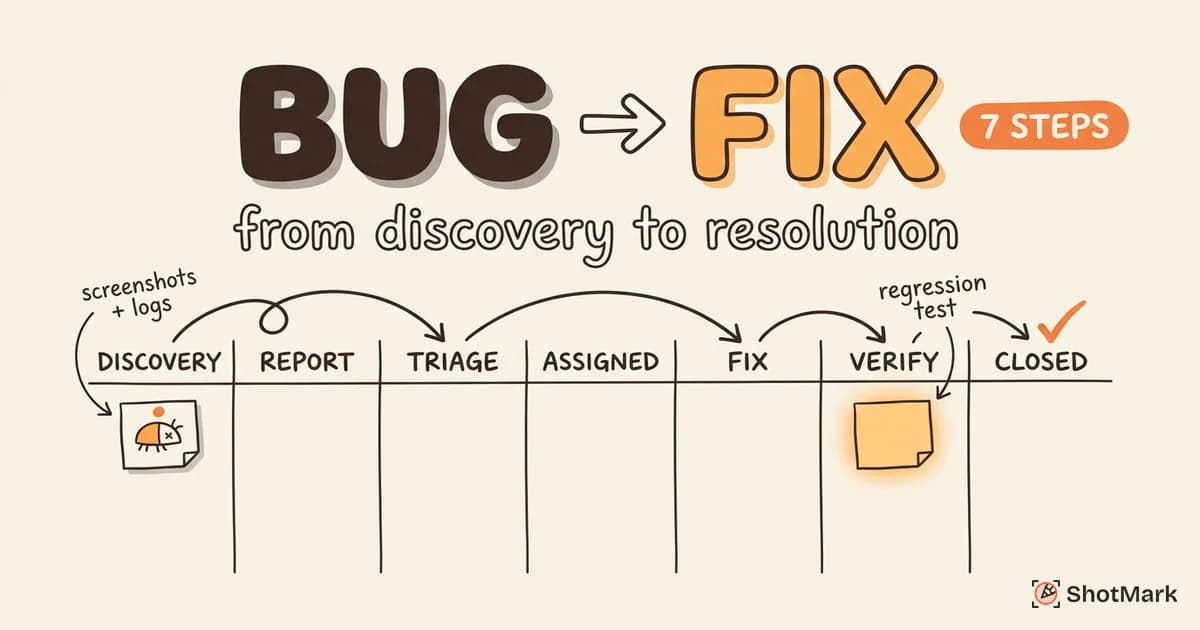
A bug discovered by QA can take anywhere from 30 minutes to 3 weeks to reach resolution, and the difference is rarely the complexity of the fix. It’s the QA workflow. Teams without a clear path from “bug found” to “bug fixed and verified” lose time to unclear ownership, missing context, and broken handoffs.
This guide maps the complete bug resolution workflow with a 7-step process you can implement in any project management tool. We cover setup for Jira, Linear, and GitHub Issues, plus the bottlenecks that slow most teams down and the metrics that tell you whether your process is actually working.
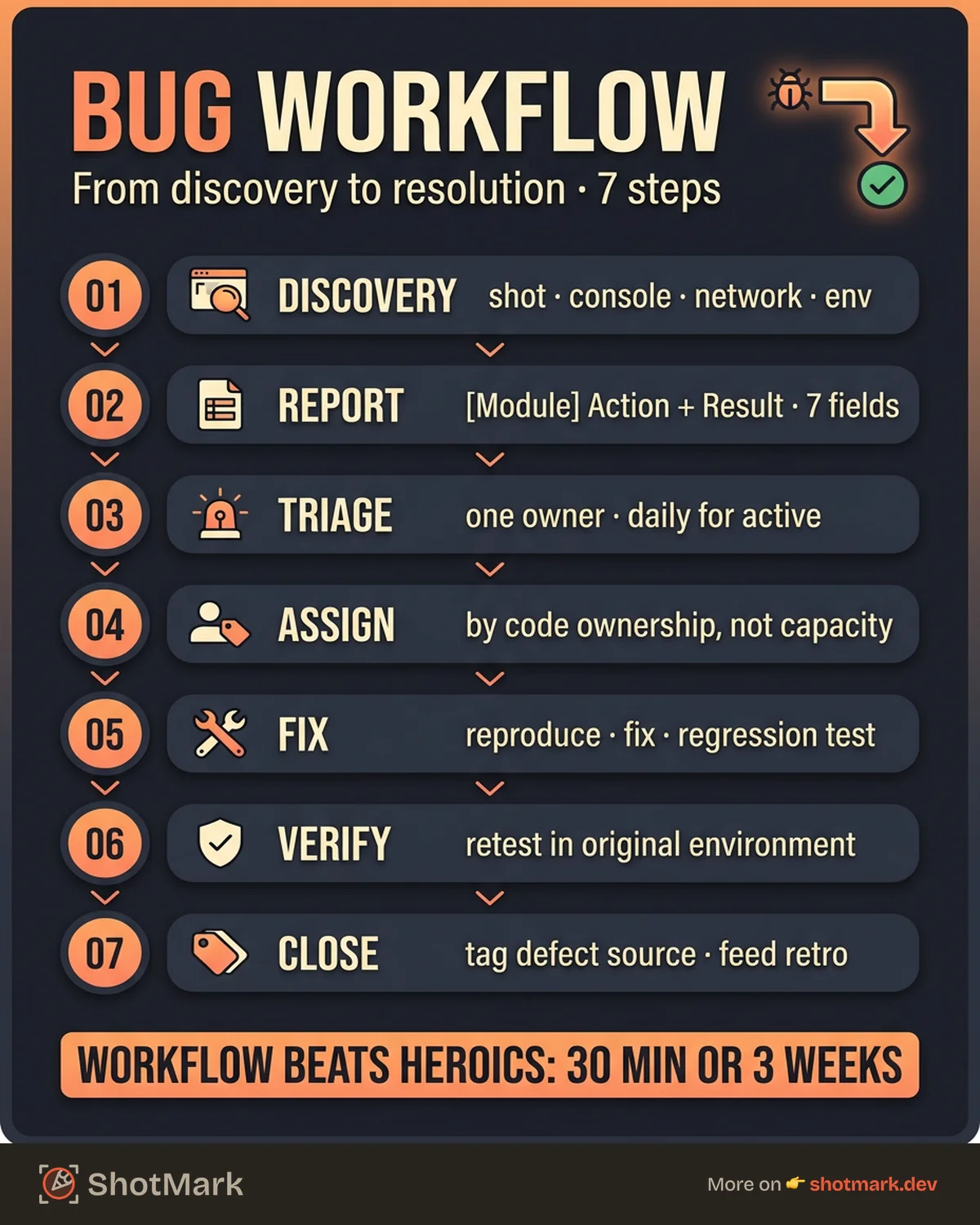
The 7-Step Bug Resolution Workflow
A solid qa workflow process moves a defect from discovery through closure without anyone asking “who owns this?” or “what was the fix?” at any point. Each step has a clear owner, a clear exit condition, and a clear handoff to the next stage.
Before you configure any tool, agree on these seven steps with your team. Tools follow process, not the other way around.
Step 1: Bug Discovery
Bugs surface in four main places: structured test sessions, exploratory testing, production monitoring, and user reports. Each source has different context attached, and that context determines how fast the rest of the workflow moves.
The moment a tester or user spots the defect, the goal is to capture everything needed to reproduce it. That means a screenshot of the failure state, the full console log, any network requests that failed, the browser and OS version, and the exact steps that led to the issue. Missing any one of these adds hours of back-and-forth later.
This is where most workflows break down before they even start. A tester files a ticket with “login doesn’t work” and no environment details, and the entire rest of the pipeline stalls waiting for clarification. Tools like ShotMark solve this at the source: one-click capture of screenshots, console logs, and network requests eliminates the “what browser were you on?” loop before it starts.
Step 2: Bug Report Creation
A defect management workflow depends on every ticket having the same structured shape. Title, severity, priority, steps to reproduce, expected versus actual, environment, and attachments are the seven required fields. If any are missing, the ticket goes back to the reporter, not forward to triage.
A good title follows the formula [Module] Action + Result: “[Checkout] Submit order returns 500 on Safari 17.” A bad title reads “checkout broken.” The difference determines whether a triage owner can prioritize the ticket in 10 seconds or 10 minutes. See our step-by-step guide to creating a Jira bug report for the full field breakdown.
Once the ticket is filed, assign it to the team or module that owns the affected area. Don’t assign to individuals at this stage. Triage handles that next.
Step 3: Triage
Triage is the stage where bugs get a priority, a severity, and a decision: fix now, fix later, won’t fix, or needs more info. Skip triage and your backlog fills with P0s that aren’t actually P0s.
Assign triage to a rotating owner (QA lead, engineering manager, or product manager) rather than the whole team. One person making consistent decisions beats five people debating each ticket. Atlassian’s workflow best practices documentation recommends the same single-owner pattern for most defect tracking setups.
Run triage daily for active sprint bugs and weekly for backlog cleanup. A 15-minute daily standup focused only on new bugs is enough for most teams. Triage outcomes should be explicit: every ticket leaves the meeting with a priority, a target sprint or milestone, and either an assignee or a “needs more info” label pointing back to the reporter.
Step 4: Assignment and Prioritization
Once triaged, the bug moves to a developer. Code ownership matters here. Assign the ticket to someone who knows the affected module, not whoever has the lightest sprint load.
Set a sprint or milestone target based on priority. P0 and P1 bugs go into the current sprint. P2 bugs go into the next sprint or a dedicated bug debt backlog. P3 and below sit in the backlog until a quiet week or until they cluster into a maintenance sprint.
Your qa testing workflow should have a clear rule for bug debt. A common pattern: reserve 20% of sprint capacity for bug fixes. This keeps new features moving while preventing old defects from piling up indefinitely.
Step 5: Fix Development
The developer’s first job is not to fix the bug. It’s to reproduce it. If the bug report has complete context (screenshots, logs, steps, environment), reproduction takes minutes. If context is missing, the developer bounces the ticket back to the reporter and the workflow stalls.
Once reproduced, the developer writes the fix plus a regression test that would have caught the original bug. Skipping the regression test is how teams end up reopening the same ticket six months later when a refactor reintroduces the defect.
The PR should reference the bug ticket ID in the title or description. Most tools (Jira, Linear, GitHub Issues) auto-link commits to tickets when the ID is present, which keeps your audit trail intact without manual updates.
Step 6: Verification (Retesting)
Verification is the step most teams skip under deadline pressure, and it’s the step that determines whether the bug actually got fixed. QA retests the fix against the original bug report, in the original environment, with the original steps.
If the fix works, QA runs a short regression pass on related features. A fix to the login flow should include a quick check of password reset, SSO, and session handling. This catches the regressions that fixes often introduce.
If the fix fails verification, the ticket reopens with a new comment explaining what still doesn’t work. Don’t file a new ticket for the same bug. Reopening preserves the full history and makes the reopen rate trackable, which matters for your metrics later.
Step 7: Closure and Metrics
Closing a ticket is not just marking it “done.” Add a verification note (tester name, date, environment verified), log the defect source (requirements, code, design, or integration), and update any test cases that would have caught the bug earlier.
The defect source tag matters for retrospectives. If 40% of your bugs trace to missing requirements, that’s a product process problem, not a QA problem. If 60% trace to code defects in one module, you have a code quality problem in that module. Without the tag, you can’t see the pattern.
Time-to-fix data gets logged automatically by most tools if your workflow states are set up correctly. That data feeds directly into the metrics section below.
Setting Up This Workflow in Your Tools
The seven-step workflow maps cleanly to most project management tools, but the configuration details differ. Here’s how to set it up in the three most common systems.
Jira Workflow Configuration
In Jira, create a custom workflow with these statuses: Open, Triaged, In Progress, In Review, In QA, Verified, Closed. Each transition gets a rule and required fields. Transitioning from Open to Triaged requires a priority and an assignee. Transitioning from In Review to In QA requires a PR link.
Automation rules handle the tedious parts. Auto-assign bugs by component (frontend bugs to the frontend lead, API bugs to the backend lead). Auto-notify Slack when a P0 bug is filed. Auto-escalate bugs that sit in Triaged for more than 48 hours. Atlassian’s guide to Jira bug tracking features covers the core setup, and Deviniti’s Jira bug tracking workflow guide walks through the custom status transitions in detail.
One common mistake: adding too many statuses. If your workflow has 12 states, most transitions will be skipped or misused. Seven is a practical maximum.
Linear Workflow Configuration
Linear’s default states (Backlog, Todo, In Progress, In Review, Done, Canceled) cover most of the workflow, but bug-specific workflows benefit from two additions: a Triage state and an In QA state.
Use labels for cross-cutting concerns: bug, regression, P0, needs-info, won't-fix. Linear’s keyboard-driven UI makes label management fast, which is important when you’re processing 30 tickets in a triage meeting.
For routing, Linear’s automation rules can move tickets between projects based on labels. A bug labeled frontend auto-moves to the frontend team’s project. This keeps component ownership clean without manual reassignment.
GitHub Issues Workflow
GitHub Issues doesn’t have formal workflow states, so the bug tracking workflow lives in labels and project board columns. Create labels for each workflow state (status:triaged, status:in-progress, status:in-qa, status:verified) and set up a project board with matching columns.
GitHub Actions can automate transitions based on PR activity. When a PR is opened referencing an issue, auto-label the issue status:in-review. When the PR merges, auto-label status:in-qa. This keeps the board accurate without manual drag-and-drop.
For teams using GitHub for code and a separate tool for QA tickets, the workflow still applies. The key is making sure both tools reflect the same state, usually via webhooks or a lightweight integration.
Common Workflow Bottlenecks and How to Fix Them
Every qa workflow hits the same four bottlenecks. Here’s how to recognize them and what to do about each one.
Bottleneck: Bugs sit in Open for days without triage: If new bugs wait more than 24 hours for a priority assignment, your triage cadence is too slow. Fix: run a 15-minute daily triage standup. The single meeting costs less time than the cumulative cost of context-switching every time someone asks “should I work on this bug?”
Bottleneck: Developers can’t reproduce the bug: If more than 20% of bug reports bounce back with “can’t reproduce,” your bug context is too thin. Fix: require screenshots, console logs, and network data on every bug report. Make it a template field, not a suggestion. Tools that auto-capture this context (browser extensions, in-app feedback widgets) remove the compliance problem entirely.
Bottleneck: Fixes don’t get retested before release: If bugs reach production with the “verified” state still empty, QA capacity is the constraint. Fix: block releases until the In QA queue is empty. This forces the prioritization conversation to happen earlier in the sprint, not at the release gate.
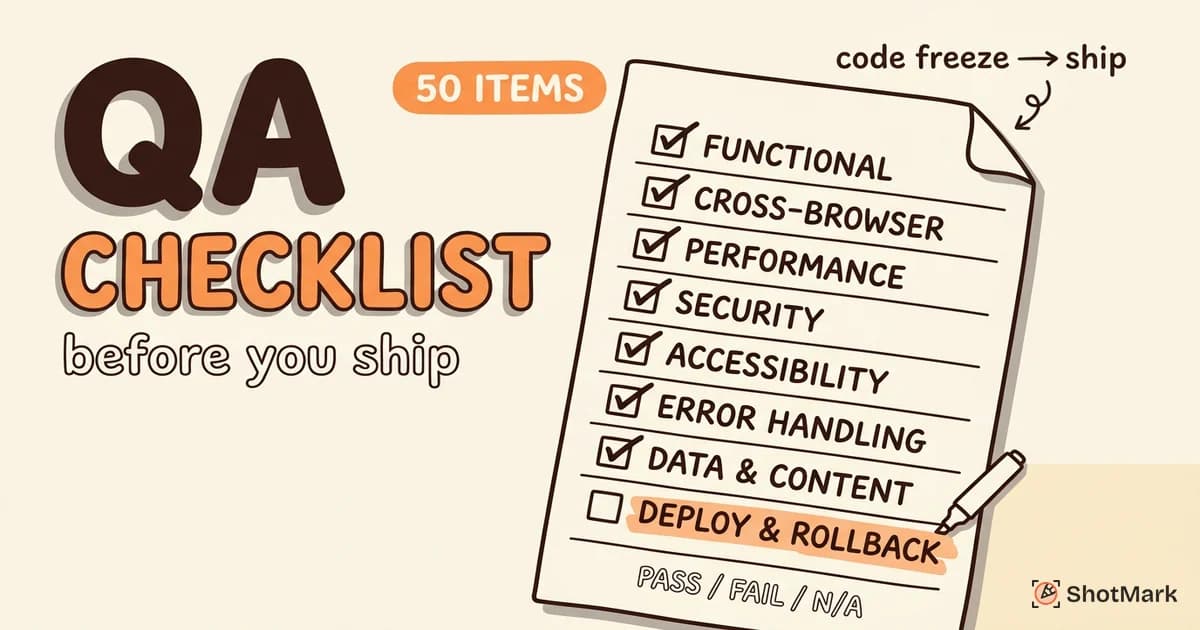
Bottleneck: Bugs get reopened multiple times: If your reopen rate exceeds 10%, fixes are shipping without adequate testing. Fix: require a regression test with every fix. The test serves two purposes: it verifies the current fix works, and it prevents the same bug from returning in future changes. For deeper coverage patterns, see our QA checklist for web app releases.
Workflow Metrics to Track
Metrics tell you whether your qa workflow is healthy or whether one of the bottlenecks above is silently dragging down release velocity. Track these five at minimum.
Time from discovery to triage: target less than 24 hours. If new bugs wait longer, your triage cadence needs tightening.
Time from triage to fix: varies by severity. P0 bugs should close in under 24 hours. P1 in under 5 days. P2 in the current sprint. P3 is discretionary.
Bug reopen rate: target less than 10%. Higher rates indicate fixes that don’t hold or missing regression tests.
Bug escape rate: measures the percentage of bugs found in production versus development. Industry benchmarks from Capers Jones’ defect tracking research suggest teams aim for less than 15% escape rate, though the number varies by product complexity.
Defect density per module: bugs per thousand lines of code, tracked per module. Spikes in one module indicate technical debt or insufficient test coverage in that area. BrowserStack’s QA metrics guide covers defect density calculation and related leading indicators.
Track these weekly in a dashboard your whole team can see. Metrics in a private spreadsheet don’t change behavior. Metrics on a team dashboard do.
Where Bug Context Makes or Breaks the Workflow
Every step in the seven-step qa workflow depends on the bug report being complete. Triage is faster when severity is obvious from the screenshot. Assignment is faster when the failing module is clear from the console log. Reproduction is faster when the network request data is attached.
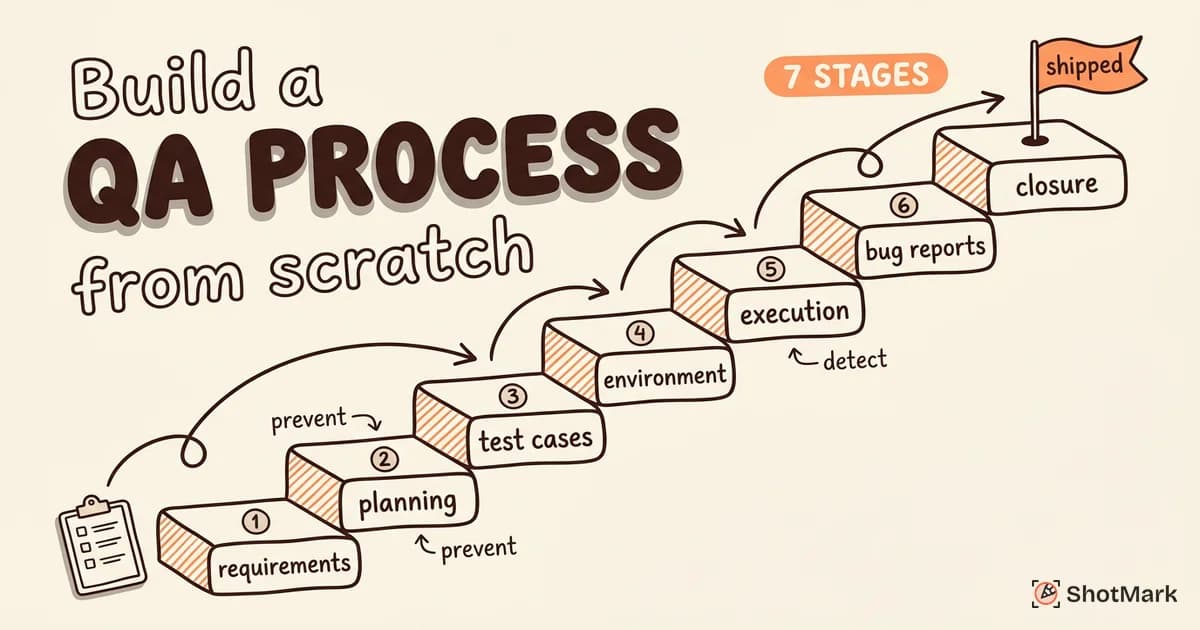
ShotMark captures all of this in one click. The browser extension records screenshots, annotations, console logs, network requests, and session replay, then sends the complete package to your issue tracker. Our open-source SDK lets teams embed the same capture flow inside their own apps for internal QA or user feedback. For teams rethinking their full qa workflow from the ground up, our guide on how to build a QA process from scratch covers the strategic layer around the workflow mechanics here.
The fastest bug tracking workflow starts with the best bug reports. Join the ShotMark waitlist to get early access and spend less time chasing missing context across Slack threads.
Get new posts in your inbox.
One email when we publish: notes on QA, AI, and shipping faster. No spam, unsubscribe anytime.