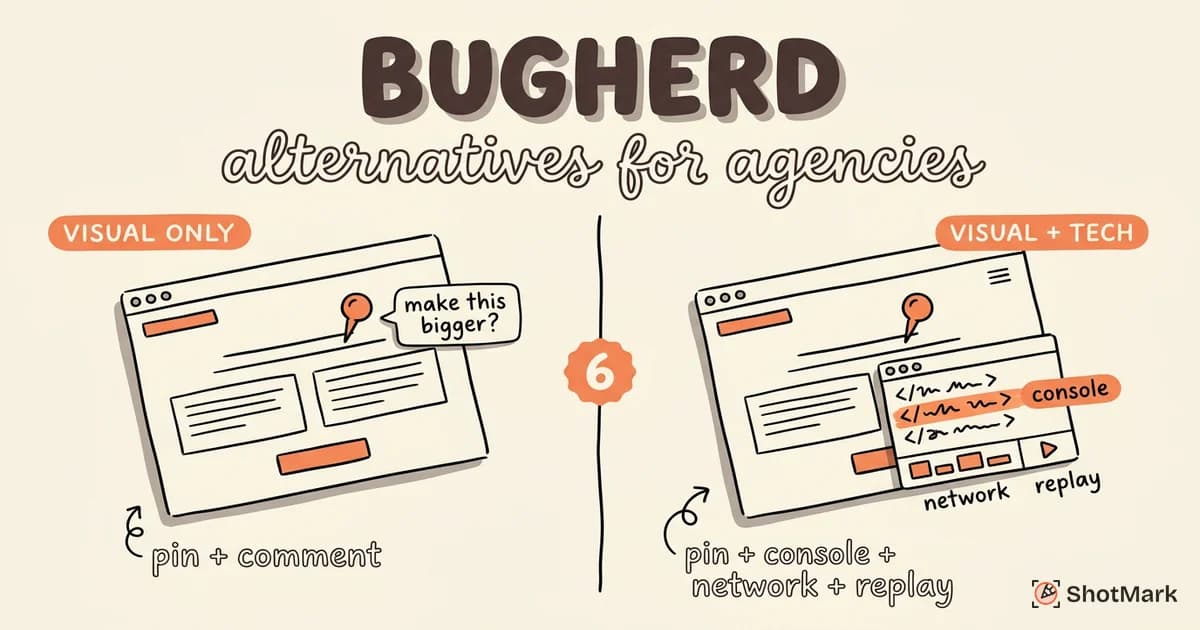
BugHerd pioneered pin-on-element website feedback. Clients click on a live page, drop a pin, and leave a comment. The feedback lands in a built-in Kanban board. For agencies managing website projects, that workflow solved a real problem: replacing email threads of vague feedback with structured, location-specific notes. BugHerd holds SERP position #9 for “bug reporting tool” and #5 for “website feedback tool,” which confirms its staying power.
But agencies in 2026 face different demands. Clients expect faster turnaround. Developers need technical context beyond a screenshot and a comment. Projects involve more complex web applications, not just static marketing sites. A BugHerd alternative that captures console logs, network requests, and session replay alongside visual feedback is increasingly what agency teams ask for.
The typical agency feedback loop looks like this: a client spots something wrong on a staging site, sends a screenshot in an email or Slack message, and a developer has to reproduce the issue from that description alone. That cycle wastes time on every round. Tools that capture technical context alongside the visual pin eliminate the reproduction step, which is why agencies building web applications are moving beyond BugHerd’s visual-only approach.
We compared six alternatives on agency-specific workflows, technical capture depth, client-friendliness, integrations, and pricing. Here’s how they stack up.
Why Agencies Outgrow BugHerd
Four limitations come up consistently when agencies tell us why they’re looking beyond BugHerd.
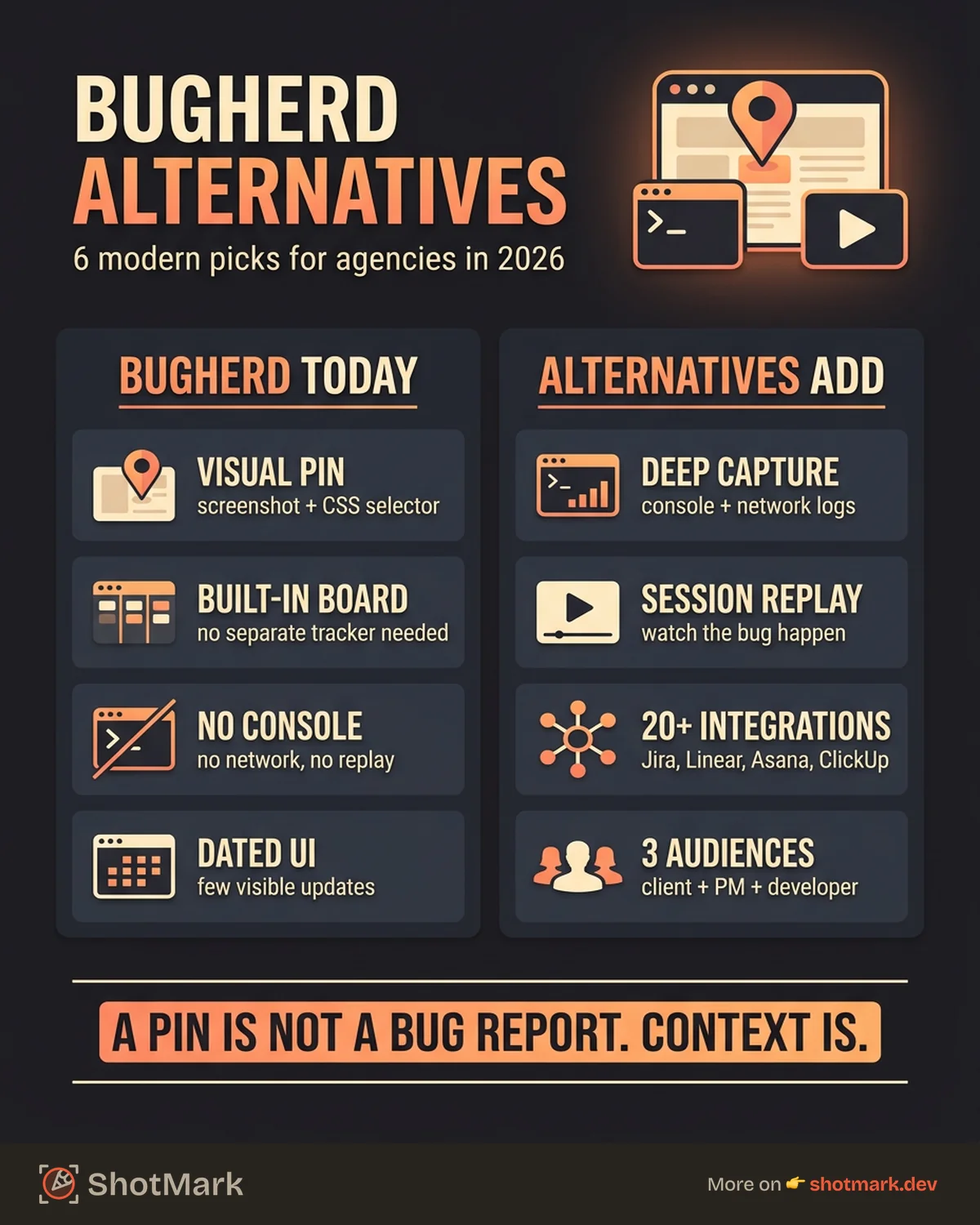
No console or network data capture: BugHerd captures a screenshot, the pinned element’s CSS selector, and basic browser metadata. It doesn’t capture console errors, network requests, or JavaScript stack traces. For agencies building web applications (not just marketing sites), that means developers still have to reproduce the bug independently to diagnose it.
Visual-only feedback: The pin-on-element pattern works well for layout and content feedback. It’s less effective for functional bugs: broken forms, API errors, authentication issues, or multi-step workflow failures. These require technical context that a visual pin can’t provide.
Dated interface: BugHerd’s UI hasn’t changed significantly in several years. Compared to newer tools, the annotation experience and dashboard feel behind. This matters less for functionality but affects client perception during stakeholder reviews.
Pricing relative to feature set: BugHerd starts at $41 per month for the Standard plan, which covers 5 projects and 10 users. At that price point, alternatives like Marker.io ($39 per month) offer more integrations, and Usersnap ($49 per month) includes survey and feedback widgets alongside bug tracking.
6 BugHerd Alternatives
Marker.io
Marker.io is the most direct BugHerd alternative for agencies. It offers browser extension and widget-based feedback, annotation tools, and integrations with more than 20 project management tools.
Strengths: 20+ integrations including Jira, Trello, Asana, ClickUp, and GitHub lead this category. Guest reporter access lets clients submit feedback without creating accounts. Screenshot annotation with blur, arrows, and text. Works on live sites and staging environments.
Weaknesses: Technical capture is limited. Console and network capture exist but are shallow compared to developer-focused tools. UI feels functional rather than modern. SERP rankings have declined (670 positions lost in our research period).
For a detailed comparison, see our Marker.io alternatives for visual bug reports breakdown.
Pricing: Starts at $39 per month for the Starter plan.
Best for: Agencies that prioritize project management integrations and need a client-friendly feedback flow.
Usersnap
Usersnap combines bug reporting, feedback widgets, and survey tools in one product. It’s broader than BugHerd, which is either an advantage or unnecessary complexity depending on your use case.
Strengths: Broadest feedback collection in this category: bug reports, NPS surveys, CSAT scores, and feature requests from a single widget. Mature integrations with Jira, Asana, and Slack. 3,809 ranking keywords and 145 position-1 SERP positions confirm its market presence.
Weaknesses: More feedback platform than bug reporting tool. Console and network capture are lighter than developer-focused alternatives. Survey features add cost if you only need bug reporting. Pricing climbs quickly with additional widget types.
For teams weighing Usersnap against other visual reporting tools, our Usersnap alternatives for visual bug reporting comparison covers the trade-offs.
Pricing: Starts at $49 per month for the Startup plan.
Best for: Agencies that want bug reports and broader client feedback (surveys, NPS) in one platform.
ShotMark
ShotMark is the bug reporting tool we’re building for teams that need visual feedback with technical depth. One click captures a screenshot with annotation, console logs, network requests, and a short session replay. Reports push to Jira, Linear, or GitHub.
Strengths: Captures technical context (console logs, network requests, session replay) alongside visual annotation. Open-source SDK lets agencies embed the capture flow in client deliverables, so end users can file bugs without installing a browser extension. Team collaboration with comments, assignees, and watchers built into the web app. Designed to work on complex web applications, not just static sites.
Weaknesses: Early stage. Smaller integration ecosystem than Marker.io or Usersnap. Mobile capture is on the roadmap but not shipped yet.
Pricing: Free during the waitlist period. Paid plans launching at $12 per seat per month.
Best for: Agencies building web applications where developers need technical context to reproduce and fix bugs efficiently.
Ruttl
Ruttl is a visual feedback tool with strong SERP presence (position #3 for “website feedback tool”). It combines pin-on-element feedback with design review and comparison features.
Strengths: Visual feedback on live sites, images, and PDFs. Side-by-side design comparison for reviewing design-to-development handoff. Good for agencies that manage both design and development feedback in one place. Free tier available.
Weaknesses: No console or network capture. Focused on visual feedback rather than technical bug reporting. Integration list is shorter than Marker.io or Usersnap. Some features feel designed for design review rather than bug tracking.
Ruttl’s strength is bridging the gap between design review and development feedback, which makes it a good fit for agencies that handle both phases. It’s less suited for teams that need to debug complex web application behavior, where console and network data matter more than visual annotations.
Best for: Agencies that want to combine design review and website feedback in one tool.
Feedbucket
Feedbucket is the lightweight option. It holds SERP position #1 for “website feedback tool” with a minimal, embeddable widget for collecting client feedback.
Strengths: Extremely lightweight widget that doesn’t slow down pages. Simple setup with a single script tag. Automatically captures screenshot, browser info, and URL with each submission. Affordable for small agencies.
Weaknesses: Very limited feature set compared to other tools in this list. No annotation tools. No Kanban board or built-in issue management. No console or network capture. Best as a feedback collection layer that feeds into a separate project management tool.
Feedbucket works well as the first step in a two-tool setup: it collects feedback from clients, and your project management tool (Jira, Asana, Trello) handles the triage and resolution workflow. Agencies that want an all-in-one solution should look elsewhere, but for simple collection at low cost, Feedbucket does the job.
Best for: Small agencies and freelancers that need simple client feedback collection without a full bug tracking workflow.
Pastel
Pastel focuses on website review and approval workflows. It holds SERP position #2 for “website feedback tool” and targets agencies managing client sign-offs on web projects.
Strengths: Canvas-based review that lets stakeholders leave comments directly on live pages. Approval workflows for formal sign-off. Good for agencies that need to manage the review-to-approval process, not just collect feedback. Supports multiple reviewers on the same page.
Weaknesses: Designed for review and approval, not technical bug reporting. No console or network capture. Limited integration with developer tools (Jira, GitHub). Pricing reflects the approval workflow focus.
Best for: Agencies that need structured review and approval processes with formal client sign-off.
Comparison Table
| Tool | Visual Feedback | Console/Network | PM Integrations | Client-Friendly | Pricing (Start) |
|---|---|---|---|---|---|
| Marker.io | Yes | Shallow | 20+ | Yes | $39/mo |
| Usersnap | Yes | Shallow | 15+ | Yes | $49/mo |
| ShotMark | Yes | Deep | 8+ | Yes | Free (waitlist) |
| Ruttl | Yes | No | Limited | Yes | Free tier |
| Feedbucket | Basic | No | Limited | Yes | Affordable |
| Pastel | Yes | No | Limited | Yes | Custom |
What Agencies Need in a Feedback Tool
Agency workflows differ from product team workflows. Your reporters are clients, account managers, and designers, not QA engineers. Your issues go through multiple rounds of review before reaching a developer. The right bugherd alternative needs to serve three audiences.
Clients and stakeholders need a dead-simple feedback mechanism. Click, comment, submit. No logins, no training, no technical jargon. Marker.io and Feedbucket excel here.
Project managers need feedback to land in their existing tool (Jira, Asana, Trello, ClickUp) with enough metadata to prioritize and assign. Marker.io’s 20+ integrations and Usersnap’s mature sync make this smooth.
Developers need technical context to fix issues without a back-and-forth thread. Console logs, network requests, browser metadata, and reproduction steps. This is where BugHerd falls short and where tools like ShotMark fill the gap.
The ideal setup for an agency handles all three layers: client-friendly collection, PM integration for triage, and technical context for the developer who actually fixes the issue. For a broader look at tools across these layers, our best bug reporting tools compared for 2026 roundup covers the full spectrum.
Agencies that build marketing sites can get by with visual-only feedback. Agencies building web applications need more. The BugHerd alternative you choose should match the complexity of what you deliver, not just how you collect feedback.
Get new posts in your inbox.
One email when we publish: notes on QA, AI, and shipping faster. No spam, unsubscribe anytime.