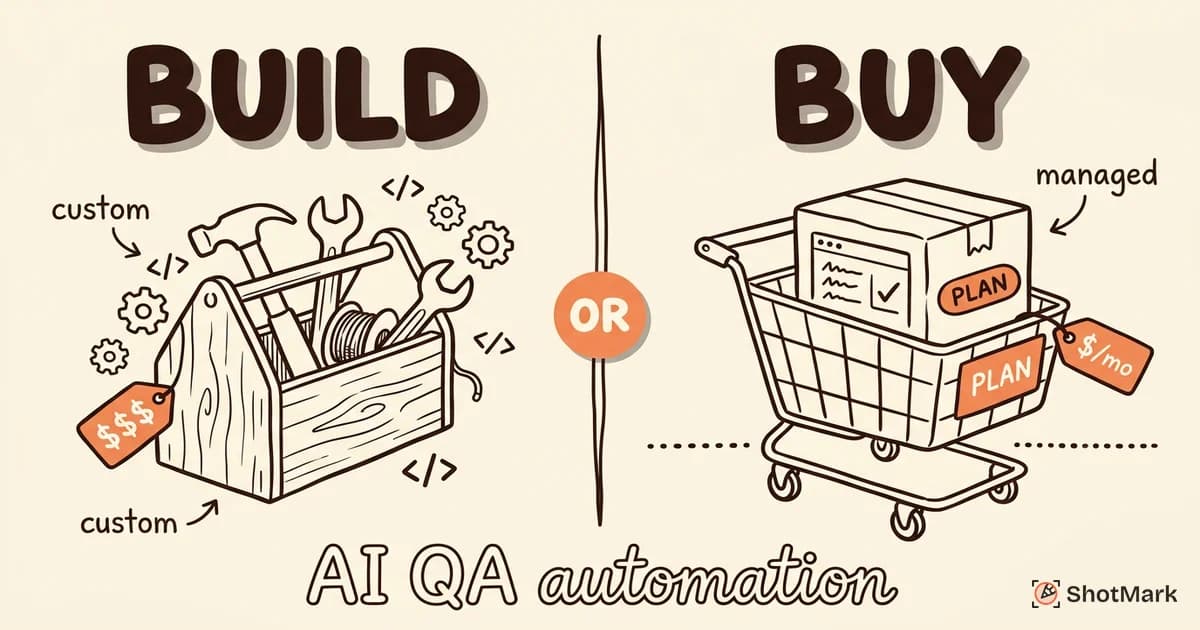
With LLMs accessible via API and open-source testing frameworks like Playwright, Selenium, and Cypress maturing rapidly, building custom AI QA automation is now feasible for engineering teams. But feasible does not mean optimal. The build-or-buy decision for AI QA automation in 2026 depends on your team size, budget, timeline, and how unique your testing needs actually are.
We have looked at pricing from major commercial platforms, estimated engineering costs for custom builds, and mapped out where each approach makes sense. Here is the framework we would use to decide.
The Build Case
Building your own AI QA automation means assembling several components: an LLM integration layer, a test runner, reporting infrastructure, and CI/CD hooks. You own everything. You control everything. You also maintain everything.
When Building Makes Sense
Three conditions make the build path worth considering:
- Unique testing needs: If your application has domain-specific logic that commercial tools do not handle well (proprietary protocols, custom rendering engines, specialized hardware integration), a custom solution may be the only way to get the coverage you need.
- Data privacy requirements: Regulated industries (healthcare, finance, defense) often cannot send test data or application screenshots to third-party services. On-premise AI with self-hosted models solves this, but it requires building the pipeline yourself.
- Existing engineering capacity: If your team already has AI/ML engineers and testing infrastructure, the marginal cost of adding AI capabilities is lower than starting from scratch. You are extending existing systems, not building new ones.
If none of these apply to your team, the build path is probably not justified. Most applications have standard testing needs that commercial platforms handle well. Building custom tooling for standard problems is how teams end up with expensive, under-maintained internal systems that no one wants to own.
What You Would Need to Build
A functional AI QA automation system requires several pieces, each with its own complexity.
LLM integration for test case generation and analysis. This means API connections to GPT-4, Claude, or self-hosted models, plus prompt management and versioning. You need a system for storing, testing, and iterating on prompts. Prompt engineering for test generation is a skill that takes time to develop internally.
Test runner and orchestration to execute tests across environments. Playwright or Selenium handle browser automation. You add the scheduling, parallelization, and environment management on top. This is the most mature component, thanks to well-documented open-source frameworks.
Reporting and dashboarding for test results, trends, and flaky test tracking. This is where most internal tools fall short. Building good reporting takes more time than people expect because the requirements expand quickly: teams want historical trends, flaky test detection, failure clustering, and integration with their existing dashboards.
CI/CD integration to trigger tests on deploys, PRs, or schedules. GitHub Actions, GitLab CI, or Jenkins hooks, plus the logic for when and what to test. This is straightforward engineering work but adds up.
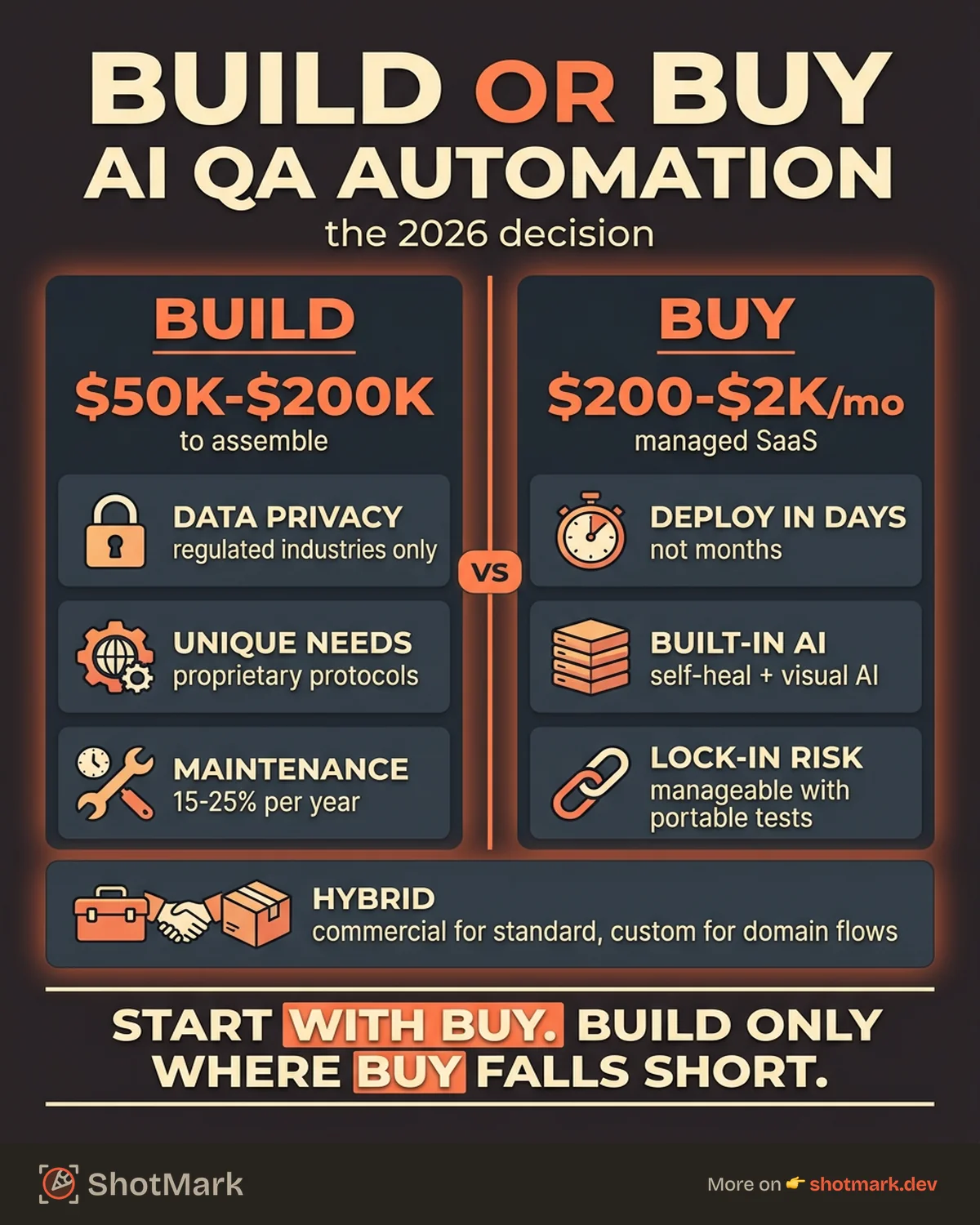
The estimated cost for a minimum viable system is $50,000 to $200,000 in engineering time, depending on scope and team seniority. That covers initial build. It does not cover ongoing maintenance, model upgrades, or feature additions.
The Hidden Costs
Building is never a one-time expense. LLM APIs update and sometimes break backward compatibility. Browser automation frameworks release major versions that require test rewrites. Your application changes, and your test infrastructure needs to keep up.
Maintenance for a custom AI QA system typically runs 15-25% of the initial build cost per year. If you spend $100K building it, budget $15-25K annually to keep it running. That is before you factor in model upgrades, new browser versions, and feature additions.
There is also an opportunity cost. The engineers building and maintaining your testing infrastructure are not building product features. For most companies, engineering time is the most expensive resource, and spending it on internal tooling that a vendor could provide is hard to justify.
The Buy Case
Commercial AI QA platforms package all of those components into a managed service. You trade customization for speed, reliability, and shared maintenance burden.
When Buying Makes Sense
- Standard web or mobile testing needs: If your application is a typical web app or mobile app, commercial tools already handle your testing patterns well. Building custom tooling for standard problems is usually not worth the investment.
- Small QA team without AI engineering capacity: Most QA teams do not have ML engineers on staff. Buying a platform means you get AI capabilities without hiring for them.
- Need results in weeks, not months: Commercial tools deploy in days. A custom build takes months. If you have a release deadline or a quality crisis, time matters.
What You Get With Commercial Tools
AI testing platforms in 2026 typically include:
- Self-healing test automation that adapts to UI changes
- Visual regression testing with AI-powered diff analysis
- Test generation from user stories and existing test suites
- Built-in reporting with trend analysis and flaky test detection
- Integrations with Jira, Slack, GitHub, and CI/CD platforms
Pricing ranges from $200 to $2,000 per month depending on team size, test volume, and features. Mabl, Testim, and QA Wolf all operate in this range. For most teams, the annual cost of a commercial platform is lower than one month of engineering time for a custom build. The math is straightforward.
The Trade-Offs
Buying is not without downsides. Vendor lock-in is real. If the platform raises prices, changes its API, or shuts down, your test suite goes with it. Customization is limited to what the vendor supports. And sending test data and screenshots to a third party may conflict with your data policies.
The lock-in risk can be mitigated. Keep your test logic in a portable format when possible. Use the platform’s integration with standard tools (Playwright, Selenium) rather than proprietary scripting languages. And negotiate contracts that include data export capabilities.
One practical approach: evaluate commercial tools on a quarterly basis, just like you evaluate any other vendor. If a tool stops meeting your needs, the switching cost should be manageable if you kept your test logic portable. The risk of lock-in is real, but it is manageable with the right practices from the start.
The Hybrid Approach
Most teams end up somewhere between pure build and pure buy. The hybrid approach uses commercial platforms for standard testing and custom tooling for domain-specific needs.
Buy a platform for regression testing, visual testing, and CI integration. These are well-solved problems where commercial tools excel. Build custom scripts using Playwright or Selenium for the flows that require domain-specific logic, custom assertions, or specialized data setup.
Open-source frameworks serve as the foundation. Playwright for browser automation. Selenium for broader compatibility. Cypress for developer-facing testing. You wrap these with the commercial platform for reporting and AI features, and add custom scripts where needed.
The hybrid approach works well for teams with 3-8 QA engineers who have some scripting ability but not enough AI/ML expertise to build from scratch. It gives you the speed of commercial tools for standard testing and the flexibility of custom code for the parts that need it.
The key to making the hybrid approach work is clear ownership. Decide upfront which tests belong to the commercial platform and which belong to your custom scripts. When a test breaks, everyone should know who fixes it. Without that clarity, you end up with gaps where neither the vendor nor your team takes responsibility.
Decision Framework
Here is a quick reference for mapping your situation to a recommendation.
| Factor | Build | Buy | Hybrid |
|---|---|---|---|
| QA team size | 5+ with eng support | 1-5, no ML engineers | 3-8, mixed skills |
| Budget | $100K+ available | $5-25K/year | $20-50K/year |
| Timeline | 3-6 months acceptable | Need results in weeks | Phased rollout OK |
| Customization needs | High (domain-specific) | Low (standard web/mobile) | Medium (some custom flows) |
| Data privacy | Strict requirements | Standard SaaS acceptable | Mixed per test type |
| Maintenance capacity | Dedicated eng team | Vendor handles it | Partial vendor, partial internal |
Most teams should start with buy. Get a commercial platform running, measure the gaps, and build custom tooling only for the specific areas where the platform falls short. This avoids the trap of overbuilding while ensuring you get coverage where you need it.
The direction QA testing is heading suggests more consolidation, not less. Commercial platforms will keep expanding their capabilities, reducing the cases where custom builds are necessary. Betting on buy gives you the flexibility to switch tools as the market matures.
AI QA automation is becoming a standard part of the testing stack, not a differentiator. The differentiator is how effectively your team uses it. For the bug reporting side of your QA workflow, the build-or-buy decision is straightforward. ShotMark installs in under a minute and gives your testers one-click capture of screenshots, console logs, network requests, and full environment context. That is a buy decision that pays for itself on the first bug report. Join the waitlist.
Get new posts in your inbox.
One email when we publish: notes on QA, AI, and shipping faster. No spam, unsubscribe anytime.