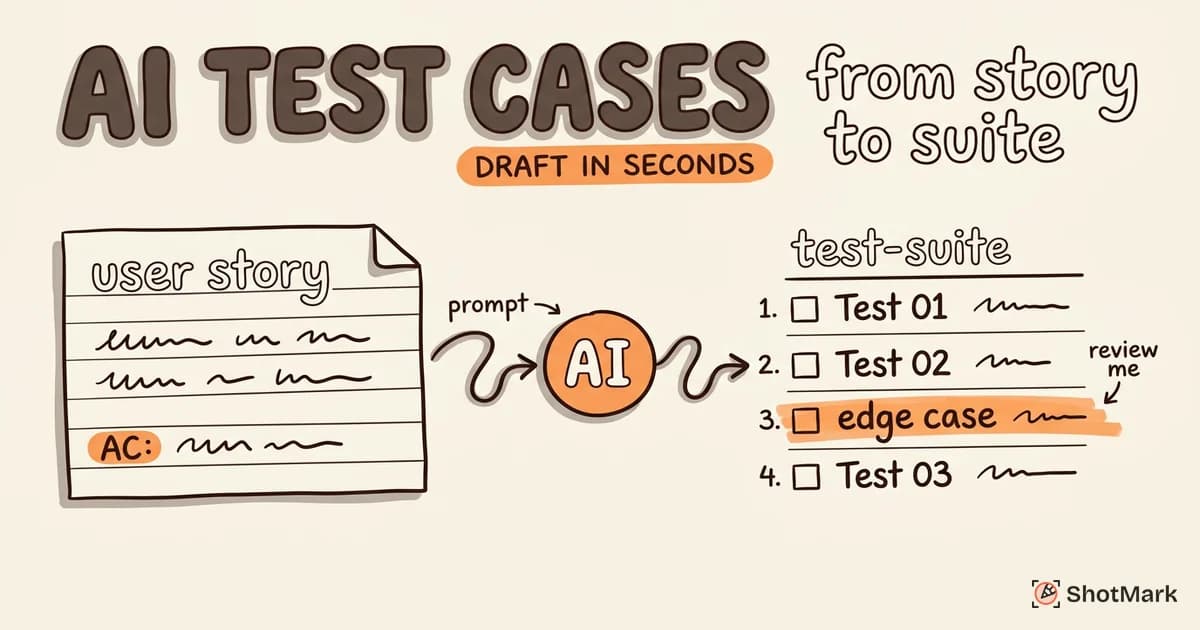
Writing test cases is one of the most repetitive parts of QA work. You read a user story, break it into test scenarios, write steps, define expected results, and cover edge cases. It takes hours per feature. AI test case generation can produce a first draft in seconds, but the quality of that draft depends entirely on your inputs and your review process.
We have spent time testing different approaches to AI-generated test cases across multiple projects. Here is what works, what does not, and how to build a workflow that actually saves time without sacrificing coverage.
How AI Test Case Generation Works
The process has three stages: input, processing, and output. Understanding each stage helps you diagnose why a particular generation produced good or bad results.
Your inputs are the raw material. This includes user stories, product requirement documents, existing test cases, and sometimes application screenshots. The more structured and specific your inputs, the better the output. A vague two-line story will produce vague test cases. A detailed PRD with acceptance criteria and edge case notes will produce focused, actionable tests.
The processing happens inside an LLM. The model analyzes your inputs, identifies testable behaviors, infers edge cases based on patterns it has seen across thousands of similar features, and structures the results into test steps. It is essentially pattern matching at scale. The model has seen enough password reset flows, checkout processes, and form validations to generate reasonable test cases for new ones.
The output is a set of test cases, usually including test steps, expected results, and sometimes test data suggestions. These are drafts, not finished work. They need review, refinement, and domain-specific additions before they are ready for execution.
One thing worth understanding: the model does not actually “understand” your application. It recognizes patterns from training data. This means it generates test cases that are structurally sound and cover common scenarios well, but it may miss things that are unique to your product, your users, or your technical architecture. The better your inputs reflect that uniqueness, the more useful the output.
Tools for AI Test Case Generation
Several AI testing tools now include test generation capabilities. Each takes a different approach, and the right choice depends on your workflow.
ChatGPT and Claude work well for ad-hoc generation. You provide a structured prompt with your feature description and acceptance criteria, and they return test case drafts. The quality varies based on prompt engineering, but the flexibility is unmatched. You can iterate, ask for specific additions, and adjust the format to match your team’s template.
Testsigma has built-in AI generation that integrates with its test management workflow. You feed it requirements, and it produces test cases within the platform. This reduces copy-paste friction but limits customization. Best for teams already using Testsigma for test execution.
QA Wolf focuses on autonomous test creation. Rather than generating test cases for humans to execute, it generates and executes tests itself. This is a different workflow entirely: you are getting automated test scripts, not manual test cases. Useful for teams that want to skip the manual execution step.
BotGauge specializes in converting PRDs directly into test cases. It parses requirement documents and produces structured test scenarios with traceability back to the original requirements. This is particularly useful for regulated industries where auditability matters and every test case needs to map to a specific requirement.
The choice between these tools often comes down to where you want the AI to sit in your workflow. If you need test cases inside a test management platform, Testsigma or BotGauge fit. If you want flexibility and control over the output format, general-purpose LLMs with structured prompts give you more options.
Writing Prompts That Generate Good Test Cases
The difference between a mediocre AI output and a useful one comes down to how you structure your prompts. Three prompt types cover most needs.
The Structure Prompt
Start with the basics. Include:
- Feature description (what it does, who uses it)
- Acceptance criteria (when is it “done”)
- User roles (admin, guest, authenticated user)
- Known edge cases (from domain knowledge)
Generate test cases for a password reset feature.
Acceptance criteria: User receives email with reset link,
link expires after 24 hours, new password must meet
complexity requirements.
User roles: authenticated user, unauthenticated visitor.
Consider: expired tokens, already-used tokens,
concurrent reset requests.
The more context you provide upfront, the less back-and-forth you need later. A good structure prompt takes 5-10 minutes to write and saves an hour of test case writing.
The Refinement Prompt
After the initial generation, ask for additions:
Add negative test cases, boundary conditions,
and accessibility checks to the previous test cases.
This is where AI test case generation adds the most value. It thinks of edge cases you might have missed: empty fields, maximum-length inputs, special characters, screen reader compatibility, keyboard navigation. No single tester consistently covers all of these. AI does, because it has seen the full spectrum of edge cases across thousands of similar features.
The Review Prompt
Ask the AI to critique its own work:
Review these test cases. Identify gaps in coverage,
redundant cases, and cases where the expected result
is unclear or incorrect.
This meta-prompt catches obvious omissions. It is not a replacement for human review, but it reduces the number of iterations you need between draft and final. Think of it as a second pair of eyes before the real review begins.
When AI-Generated Tests Need Human Review
AI test case generation is a starting point, not a finish line. These categories consistently require human judgment:
- Business logic validation: AI does not know that your application treats premium users differently from free users in ways not documented in the user story. It cannot infer business rules that exist only in team conversations and tribal knowledge.
- Security-sensitive flows: Authentication, authorization, payment processing, and data access controls need expert review. AI-generated tests often miss attack vectors because they test expected behavior, not adversarial behavior.
- Complex state management: Multi-step workflows where previous actions affect later behavior (shopping carts with expired items, forms with conditional fields) require human understanding of state transitions. AI tends to treat each test case as independent, missing the interactions between states.
- Integration points: Tests involving third-party APIs, webhooks, or external services need someone who understands the contract and failure modes. AI can generate the happy path, but the failure scenarios require knowledge of what specifically can go wrong with each integration.
The common thread is context. AI generates tests based on what is written in the requirements. Human testers add tests based on what is not written: the unwritten assumptions, the known problem areas, and the domain-specific risks that come from experience with the product.
A practical rule of thumb: if the information exists only in someone’s head and not in any document, AI will not account for it. That is the gap human reviewers fill. Every time you read an AI-generated test case and think “that’s not how our app works,” you are providing the exact value that AI cannot.
A Practical Workflow: AI and Human Test Case Creation
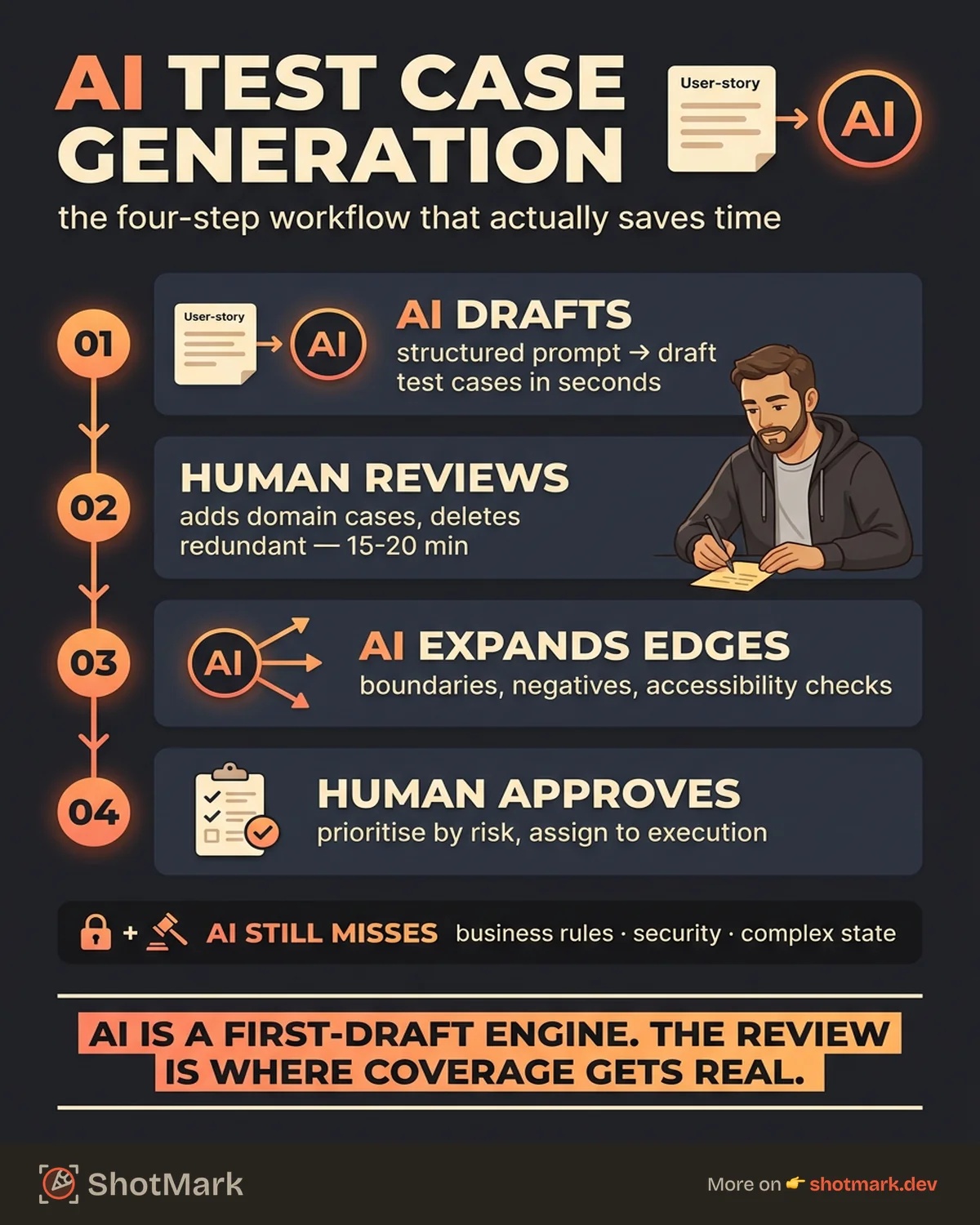
The most efficient workflow we have found combines AI speed with human expertise in four steps.
Step 1: AI generates initial test cases from the user story: Feed your structured prompt to the LLM. Get a draft set of 15-30 test cases covering the happy path and common variations. This takes under a minute.
Step 2: Human reviews and adds domain-specific cases: Read through the AI output. Add cases that require business context, product history, or knowledge of known problem areas. Delete redundant or irrelevant cases. This takes 15-20 minutes, compared to 1-2 hours for writing from scratch.
Step 3: AI expands edge cases from human additions: Take the human-added cases and ask the AI to generate variations: different input combinations, boundary values, error scenarios. This is where AI excels at the tedious expansion work that humans tend to skip under time pressure.
Step 4: Human approves the final set: Review the combined output. Prioritize based on risk. Assign to execution. This is the quality gate that ensures nothing inappropriate makes it into your test suite.
This workflow typically produces test coverage comparable to a fully manual approach in roughly half the time. The practical use cases for AI-powered testing extend beyond case generation into execution and maintenance, but generation is the most immediate win for most QA teams.
The biggest mistake teams make is skipping Step 2. Accepting AI output without human review leads to test suites that look comprehensive but miss the cases that actually matter. The human review is not optional overhead. It is the step that determines whether the time savings are real or illusory.
AI test case generation is a first-draft engine, not a replacement for QA judgment. When your tests reveal bugs during execution, you still need to capture and communicate them with full context. ShotMark handles that part: one-click capture of screenshots, console logs, network requests, and environment details. Join the waitlist to try it.
Get new posts in your inbox.
One email when we publish: notes on QA, AI, and shipping faster. No spam, unsubscribe anytime.